

Following the announcements of Copilot+ enabled AI PCs at the Microsoft Build developer event on May 20, Microsoft released new developer tools, enhancements to Microsoft Azure AI and new enterprise options for Copilot. GitHub Copilot received a lengthy list of new capabilities enabled by first- and third-party services.
Meanwhile, reactions to the AI memory feature Recall include some backlash against its observation of all of the user’s activity. Recall, announced at Microsoft Build on May 20, makes any activity on a Microsoft AI PC searchable, allowing the user to ask natural language questions and receive answers from across all of their activity on the device.
Team Copilot, AI agents and Copilot Studio open up business opportunities
Microsoft, on May 21, offered three new ways to work with its AI Copilot assistant: Team Copilot, Copilot agents and Copilot Studio in Microsoft Power Platform.
“Driving the use cases for AI-accelerated PCs to the enterprise makes perfect sense for Microsoft,” said Olivier Blanchard, research director at The Futurum Group. “It’s a massive opportunity for Microsoft, PC OEMs, and silicon vendors, from Qualcomm to Intel and AMD as a full ecosystem play.”
“By taking the lead from the OS, support, software, and developer ecosystem angles, Microsoft positions itself as the primary orchestrator and enabler of AI PC adoption in the enterprise, which takes a lot of pressure off PC OEMs and silicon vendors,” said Blanchard.
Team Copilot
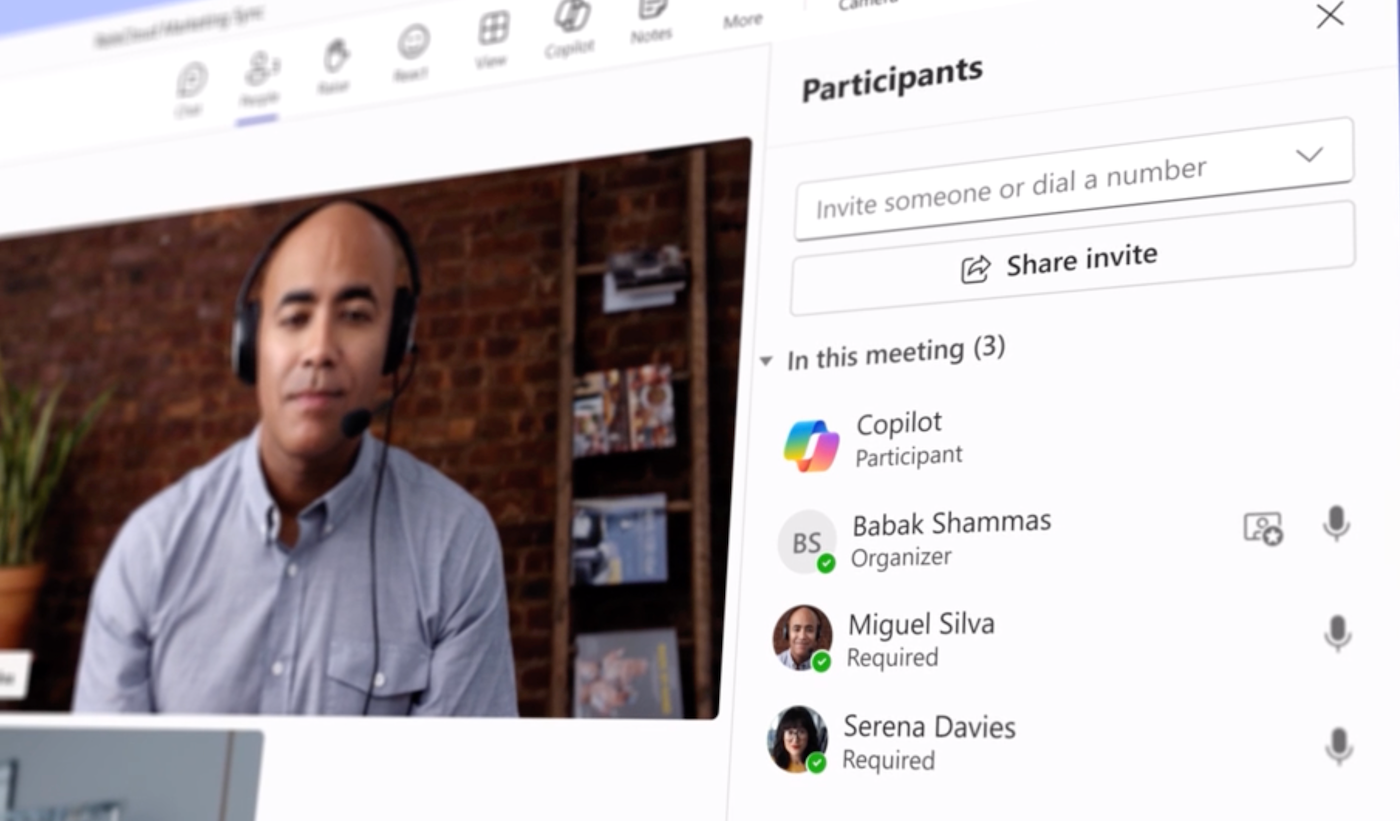
Team Copilot adds more initiative to the AI assistant, letting it work, as Microsoft said, as a sort of teammate or facilitator. Team Copilot can take notes, manage meeting agendas, flag important information or unresolved issues and manage projects. Customers with a Microsoft Copilot for Microsoft 365 license, which costs $20 per month, will be able to try Team Copilot in preview later in 2024.
Copilot agents
With copilot agents (which Microsoft writes in lowercase when referring to this specific offering), you can prompt AI to take on roles custom to your business needs. For example, a copilot agent might handle orders, automate processes, add context to processes and meetings or learn based on user feedback. Agents are available to customers in Microsoft’s Copilot Studio Early Access Program, with wider availability expected later this year.
Copilot Studio in Microsoft Power Platform
To create copilot agents, you can use Copilot Studio, the prompt-based, no-code platform, to design and test what actions the copilot can take. Developers can request their copilot perform specific tasks, then provide the AI with the text or other resources it might need to have context about that specific business process. Microsoft Copilot Studio is free with a Microsoft Copilot for Microsoft 365 license in limited private preview.
Copilot stack and Snapdragon Dev Kit for Windows open up Copilot+ PCs
For developers getting ready to work on the new Copilot+ PCs, Microsoft introduced the Copilot stack on Windows, additions to the OS that take advantage of and facilitate development of further AI models and capabilities. The Copilot stack includes:
- Windows Copilot Runtime, with its library of APIs powered by on-device AI.
- Windows Semantic Index, the OS capability behind Recall. Windows Semantic Index will in the future connect with the Vector Embeddings API to help developers create vector stores and run retrieval-augmented generation within their applications.
- Phi Silica, a small language model custom made for the neural processing units in Copilot+ PCs.
- Native support for PyTorch on Windows with DirectML.
- Web Neural Network Developer Preview for Windows on DirectML.
- New AI-based productivity features in Dev Home.
Qualcomm announced on May 21 the Snapdragon Dev Kit for Windows, which allows developers to access the NPU in Copilot+ PCs. The dev kit includes:
- 3.8 GHz 12 Core Oryon CPU with dual core boost up to 4.3GHz.
- 32 GB LPDDR5x memory.
- 512GB M2 storage.
- 80 Watt system architecture.
- Support for up to three concurrent external displays.
AI comes to Microsoft Fabric
Microsoft Fabric now includes Real-Time Intelligence facilitated by AI, which can analyze and uncover data. The Real-time hub lets users see their organization’s real-time data and set up automatic alerts. Real-Time Intelligence is in general availability and public preview now.
More updates to Microsoft Fabric are detailed on the Microsoft site.
GitHub Copilot can talk to Docker and other services
GitHub Copilot, the generative AI coding assistant, has received upgrades to allow it to talk to first- and third-party partner services, which are bundled as Copilot Expansions. Of particular relevance to Microsoft Build is GitHub Copilot for Azure, which lets GitHub users deploy to Azure using prompts.
Copilot Expansions are only available to invited users for now. The complete list of first- and third-party services GitHub will be able to pull data from is split by availability date.
Invited users can currently access Copilot Extensions that let them pull data from the following in GitHub Marketplace into GitHub Copilot:
- DataStax.
- Docker.
- Lambda Test.
- LaunchDarkly.
- McKinsey & Company.
- Octopus Deploy.
- Pangea.
- Pinecone.
- Product Science.
- ReadMe.
- Sentry.
- Teams Toolkit.
The following extensions will be available to all users “in the coming weeks” through Visual Studio Marketplace for VSCode, according to GitHub:
- Microsoft including Teams Toolkit and Microsoft 365.
- Stripe.
- MongoDB.
Azure AI Studio is now available, with added guardrails against hallucinations and cyberattacks
At Build 2024, Microsoft announced general availability of Azure AI Studio, the pro-code platform for generative AI development. Azure AI Studio can be found at ai.azure.com for free. An Azure account is required to build a copilot.
Microsoft expanded Azure AI Studio’s suite of Responsible AI tools and safety features, including filters for specific content, prompt shields to fight against prompt injection attacks and extra precautions against hallucinations.
Some of Azure’s new features will take advantage of NVIDIA’s Blackwell AI accelerator.
The UK casts doubts on Recall’s privacy
After Microsoft announced the Recall AI search function on Copilot+ laptops on May 20, some praised its novel approach to searching across an entire PC. However, the “snapshots” the AI takes of users’ activity have led the U.K.’s Information Commissioner’s Office to reach out to the Redmond giant for more information.
“We are making enquiries with Microsoft to understand the safeguards in place to protect user privacy,” the ICO said.
ICO believes companies must “rigorously assess and mitigate risks to peoples’ rights and freedoms,” the ICO told the BBC.
SEE: Our ultimate guide to defending against common threats to businesses
On May 20, Tesla CEO and former OpenAI backer Elon Musk compared Recall to the horror television show Black Mirror.
Microsoft said Recall snapshots are stored only on the local PC — a feature enabled by the on-device AI accelerator. Users can pause Recall, set Recall to ignore individual websites and apps or delete individual snapshots and ranges of time.
Blanchard said the ability to delete records or selectively choose what shows up in Recall means “users are in control of the experience and of their own privacy. Also, unlike Search Engines, that data will be stored on users’ PCs, adding an additional layer of privacy and data security to the feature,” he said.
However, Blanchard said, “What Microsoft will have to figure out though is what happens to that data when PC users replace or upgrade their Copilot+ PCs in a few years, but there’s time to figure that out.”

