


With the shift to remote work, the way we manage projects has transformed dramatically. In fact, the number of executives working from home has skyrocketed from 9% in 2022 to 47% in 2023, according to our 2024 Productivity Report. As we adapt to this new reality, the tools we use to stay organized and productive are more critical than ever.
Some such tools are project management tools like Microsoft Planner and Trello, two solutions that help keep your team on track, no matter where they are. Let’s dive into what each tool offers, and help you find the perfect fit for your team’s needs.
Table of Contents
- What is a Kanban Board
- What is Microsoft Planner
- What is Trello?
- Top 5 features to consider
- Collaboration
- Task Management
- Ease of use
- Data Management
- Integrations
- Final Note
What is a Kanban Board
At the heart of both Microsoft Planner and Trello is the Kanban board, a visual project management tool that helps teams manage workflows more effectively. Originally developed in the 1940s for Toyota to streamline production processes, a Kanban board uses cards and columns to help teams visualize their work, limit work-in-progress, and maximize efficiency.
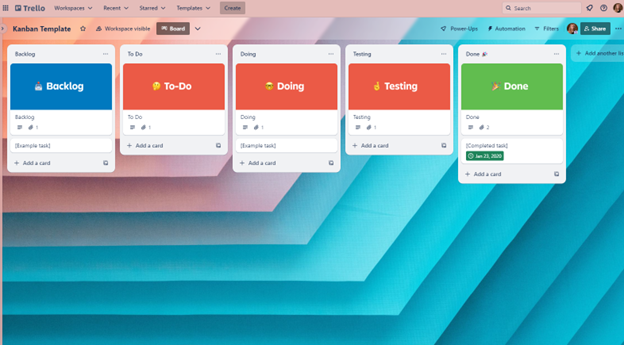
Each task is represented by a card, which moves through various columns representing different stages of the process—such as from “To Do” to “In Progress” to “Completed.”

Example of a Kanban board
This visual approach allows teams to see what needs to be done, what’s being worked on, and what’s finished.
Businesses use Kanban boards because they provide a clear overview of tasks and help identify bottlenecks in a workflow. They’re flexible, easy to use, and can suit any project or team size.
Whether you’re coordinating a small remote or hybrid team, or managing a large-scale project, Kanban boards in tools like Microsoft Planner and Trello can boost productivity and keep everyone on the same page.
What is Microsoft Planner
Microsoft Planner is a project management tool that’s part of the Microsoft 365 suite, making it an attractive choice for businesses already using other Microsoft products. Launched in 2016, Planner integrates seamlessly with tools like Outlook, SharePoint, and Teams, providing a cohesive experience for managing tasks and projects without switching platforms.

Source: Microsoft
Professionals appreciate Microsoft Planner for its user-friendly interface and the ability to create detailed plans, assign tasks, and set deadlines with ease. As for pricing, Microsoft Planner is included in most Microsoft 365 business subscriptions, which start at $6 per user per month, making it a cost-effective solution for many organizations.
What is Trello?
Trello is a project management tool that largely popularized the Kanban board productivity method. Trello offers a freemium model, with a basic free plan and paid plans starting at $5 per user per month for more advanced features. Trello is highly intuitive, allowing teams to organize tasks and projects in a visually engaging way.

Professionals choose Trello for its flexibility and ease of use. It’s highly customizable, with a wide array of Power-Ups (aka integrations) that extend its functionality. Trello’s user-friendly design makes it accessible for teams of all sizes and industries, providing a clear, visual method for tracking progress and collaborating effectively. Additionally, Trello is part of Atlassian, the company that offers a suite of tools that includes Confluence and Jira.
Top 5 features to consider
When choosing your project management solution, consider functionalities that will enhance your team’s productivity, not hinder it. Here are the top five features you should consider:
- Collaboration: Great project management tools make it easier to work together by empowering seamless communication and information sharing. Team members can discuss tasks, share files, and stay updated on progress, all within a centralized platform.
- Task Management: Projects are broken down into tasks, which are broken down further into subtasks. A robust project management tool helps you do so, assigning tasks to responsible individuals along the way, and tracking task progress against deadlines.
- Ease of Use: User adoption hinges on the user-friendliness of your tool’s interface. Team members should be able to learn the software quickly and navigate it with ease to spend more time focusing on their work and less time fiddling with technology.
- Data Management: Keeping project data secure is important for any project management tool, making it easy and safe to store, retrieve and analyze project information. Tools should offer features like version history, data export, and strong security measures to protect sensitive information.
- Integrations: The ability to integrate with other tools your team uses, such as communication platforms or cloud storage services, streamlines workflows and eliminates the need to switch between multiple applications.
Now, let’s see how Microsoft Planner and Trello stack up against each of these features.
|
Features |
Planner |
Trello |
|
Collaboration |
4.5/5 |
4/5 |
|
Task management |
4.5/5 |
4/5 |
|
Ease of use |
4/5 |
5/5 |
|
Data Management |
4.5/5 |
4/5 |
|
Integrations |
5/5 (for Microsoft users) |
4.5/5 |
1. Collaboration
Planner
Planner integrates seamlessly with Microsoft Teams, Outlook, and SharePoint, among other Microsoft applications, allowing for effortless communication and collaboration within the Microsoft ecosystem. In particular, Microsoft has been expanding the Planner functionality within Teams to make it easier to collaborate with communication and project management within a single application.
Team members can hold conversations, assign tasks, and share files within Planner, and even view individual progress with People View.
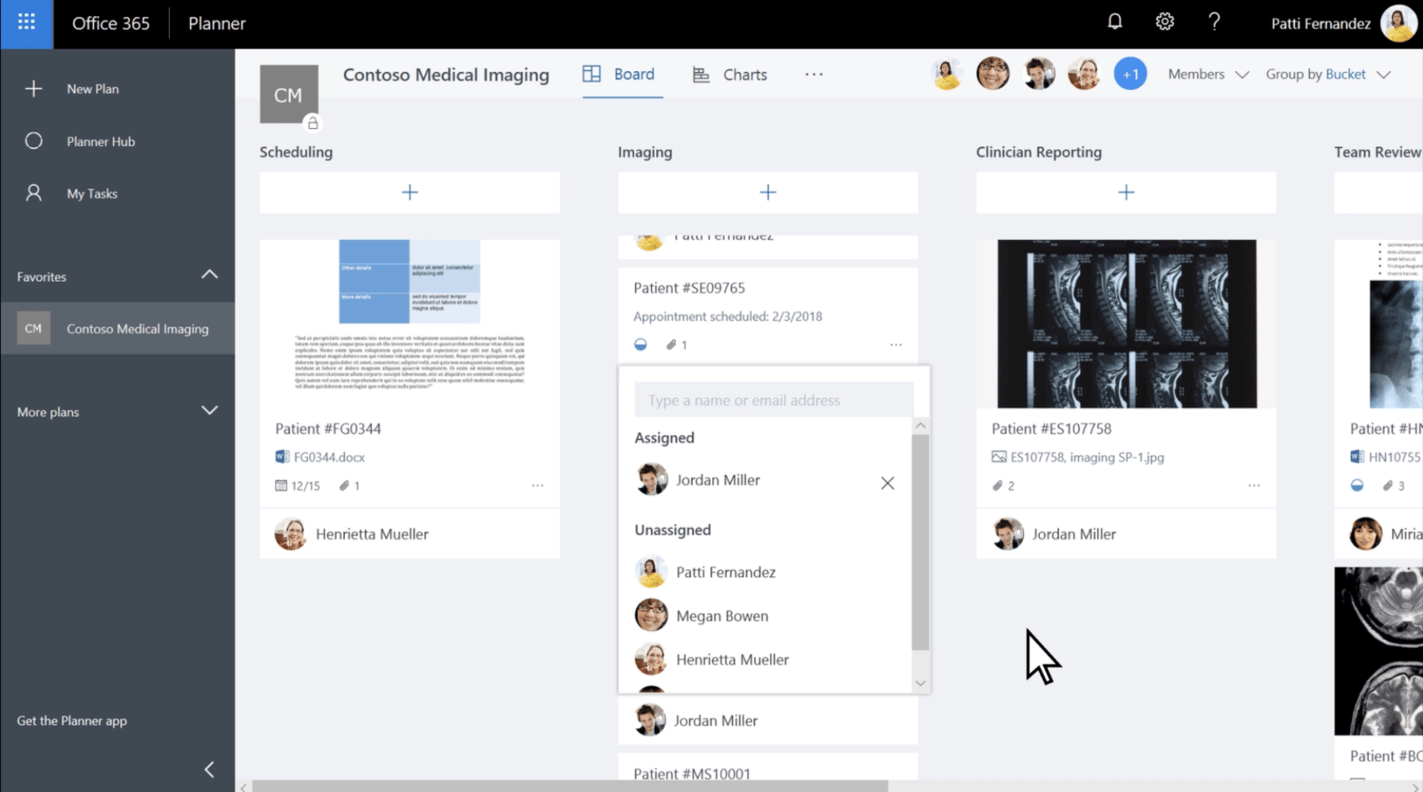
This real-time communication eliminates the need to switch between multiple applications and keeps everyone on the same page.
Rating: 4.5/5
Trello
Trello offers basic commenting and file sharing functionalities within cards. Team members can assign cards to specific people, and discuss and share relevant files via comments on cards. It also offers real-time updates and @ mentions for more granular attention to detail.

Source: Trello
However, Trello lacks features like real-time chat or video conferencing. Trello integrates with some third-party tools like Slack and Google Drive for better communication, but this is not as seamless a user experience as what Planner offers.
Rating: 4/5
2. Task management
Planner
Microsoft Planner offers a comprehensive task management system. Users can create detailed plans, assign tasks to team members, set due dates, and track progress with visual indicators such as via Timeline View.

Source: Microsoft
You can also create task dependencies and subtasks to establish a specific order of operations for tasks within a project, and break down complex tasks into manageable steps.
Rating: 4.5/5
Trello
Trello’s task management capabilities are built around its intuitive Kanban board system. Users can create boards for different projects, with lists representing stages of the workflow and cards for individual tasks.
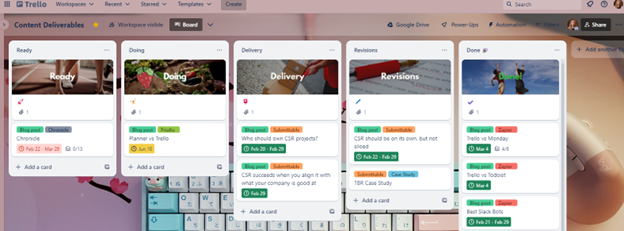
Trello supports detailed task descriptions, due dates, checklists to break down subtasks, labels, and file attachments.

In addition, you can create automations in Trello to streamline your workflows even more.
However, Trello lacks more advanced features for task management like task dependencies. It excels much more on the big-picture scale of project management, and less on the granular details.
Rating: 4/5
3. Ease of use
Planner
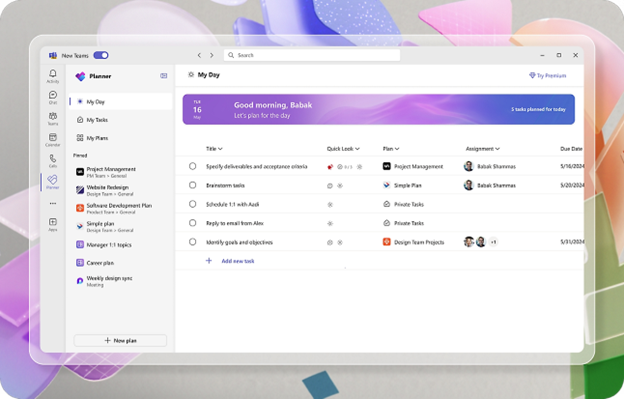
Microsoft Planner offers a user-friendly interface that is particularly intuitive for those already familiar with the Microsoft 365 suite and/or other project management tools. Its layout is clean and straightforward, making it easy to create and manage your tasks on an individual and team level.
Source: Microsoft
However, new users or those not accustomed to Microsoft products might find the initial setup and navigation slightly challenging. Overall, it’s mostly easy-to-use, but there could be a learning curve for users unfamiliar with project management tools or Microsoft products.
Rating: 4/5
Trello
Trello shines in terms of ease of use. Its interface is exceptionally intuitive and straightforward. The Kanban board layout with drag-and-drop functionality is easy to understand and has a minimal learning curve.