

Running a successful dental practice requires more than fluoride, free toothbrushes, and clinical expertise.
Between managing patient appointments, following up on treatment plans, and regulatory concerns, dental practices face unique marketing challenges, and analog outreach methods often fall short of tackling them.

Thankfully, email marketing offers a scalable channel to stay top-of-mind, educate patients, and boost retention across hygiene, referrals, or specialty procedures by automating appointment reminders, personalizing treatment follow-ups, and segmenting patients based on their dental health needs.
In fact, the average email open rate for dental practices hovers around 40%, showing email marketing is a highly effective avenue in the industry. But where do you start?
This article provides a comprehensive comparison of email marketing solutions built for dental practices (including HubSpot). You’ll find detailed feature breakdowns, verified pricing information, a side-by-side comparison, and a step-by-step guide to choosing the right platform.
Table of Contents
What is email marketing for dentists?
Email marketing for dentists enables dental practices to send digital targeted messages to patients and prospects. This includes appointment reminders, treatment follow-ups, recall notifications for cleanings (all with HIPAA compliance), oral health education, and promotional campaigns for cosmetic procedures. Email marketing helps dental practices maintain consistent patient engagement while reducing no-shows and increasing treatment acceptance rates.
Benefits of Email Marketing Software for Dentists
Email marketing software addresses critical challenges dental practices face in patient communication and practice growth. Here’s how the right platform transforms dental practice operations:
Better Patient Segmentation
Organizing patients by treatment needs, demographics, visit history, or engagement behavior helps you better target your contacts with messaging that truly resonates and drives action.
HubSpot’s advanced segmentation allow dental practices to create both static and dynamic patient lists that you can use to promote things like orthodontic services to families with teenagers, cosmetic procedures to adults aged 35-55, or dental implant consultations to seniors. In fact, companies have cut their time creating lists and segmenting contacts by 50% using HubSpot.
However, it’s important to note that your email marketing tool must be HIPAA-compliant (like HubSpot) to target and email patients based on any health or medical history data. (More on this shortly.)
Reduced No-Show Rates
Automated appointment reminders (like the one below) significantly decrease missed appointments, which cost dental practices an average of $150-200 per occurrence in lost revenue and schedule disruptions.
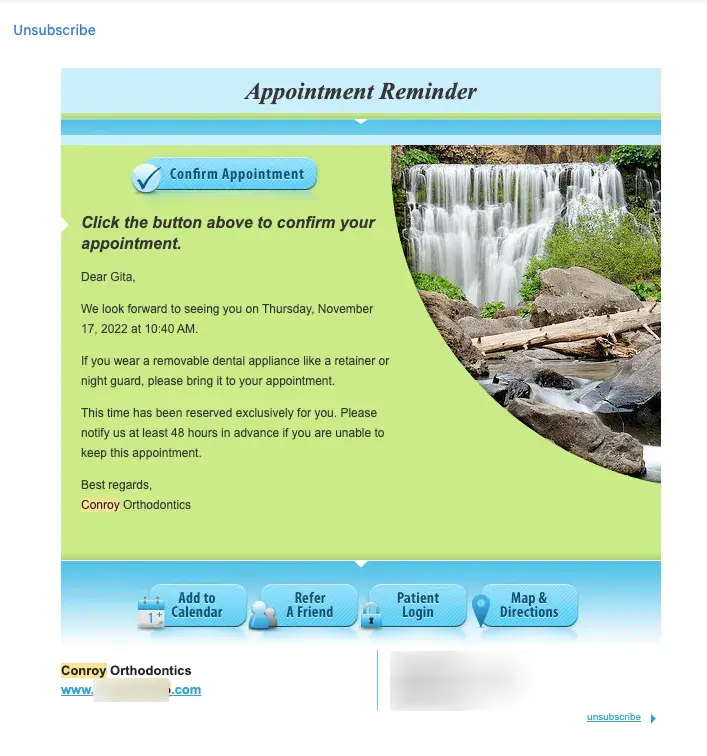
Appointment reminder workflows with a HIPAA-compliant tool like HubSpot can integrate with practice management systems to automatically send confirmation emails upon booking, followed by strategically timed reminders at 48 hours and 24 hours before appointments.
Appointment reminders have been shown to reduce no-shows by up to 40%.
Improved Patient Retention
Regular communication keeps patients engaged between visits, encourages consistent preventive care, and builds camaraderie, directly impacting practice revenue and patient health outcomes.
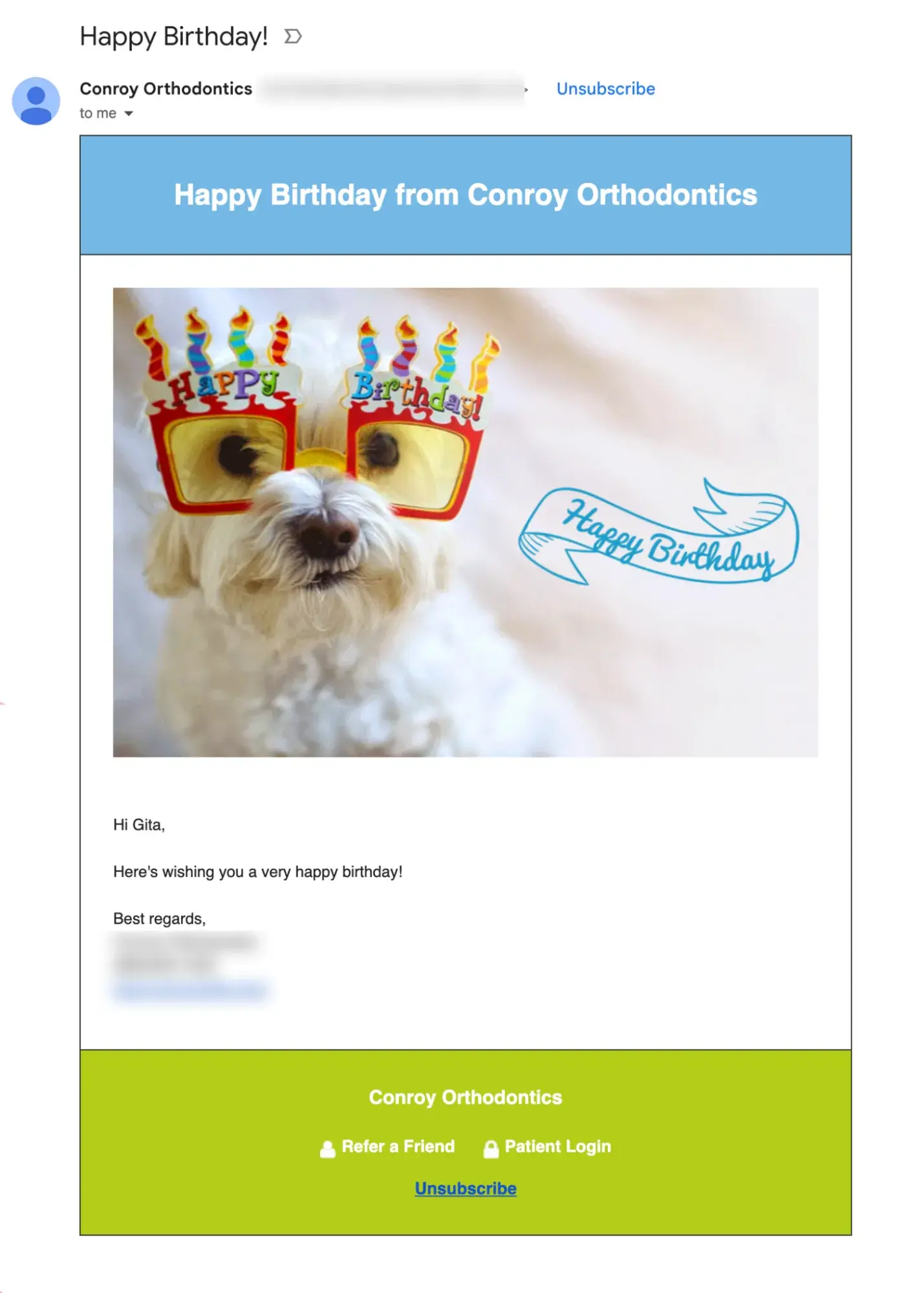
Dental practices can send care tips, team updates, host contests, or even send birthday wishes like the orthodontist below:
Increased Sales
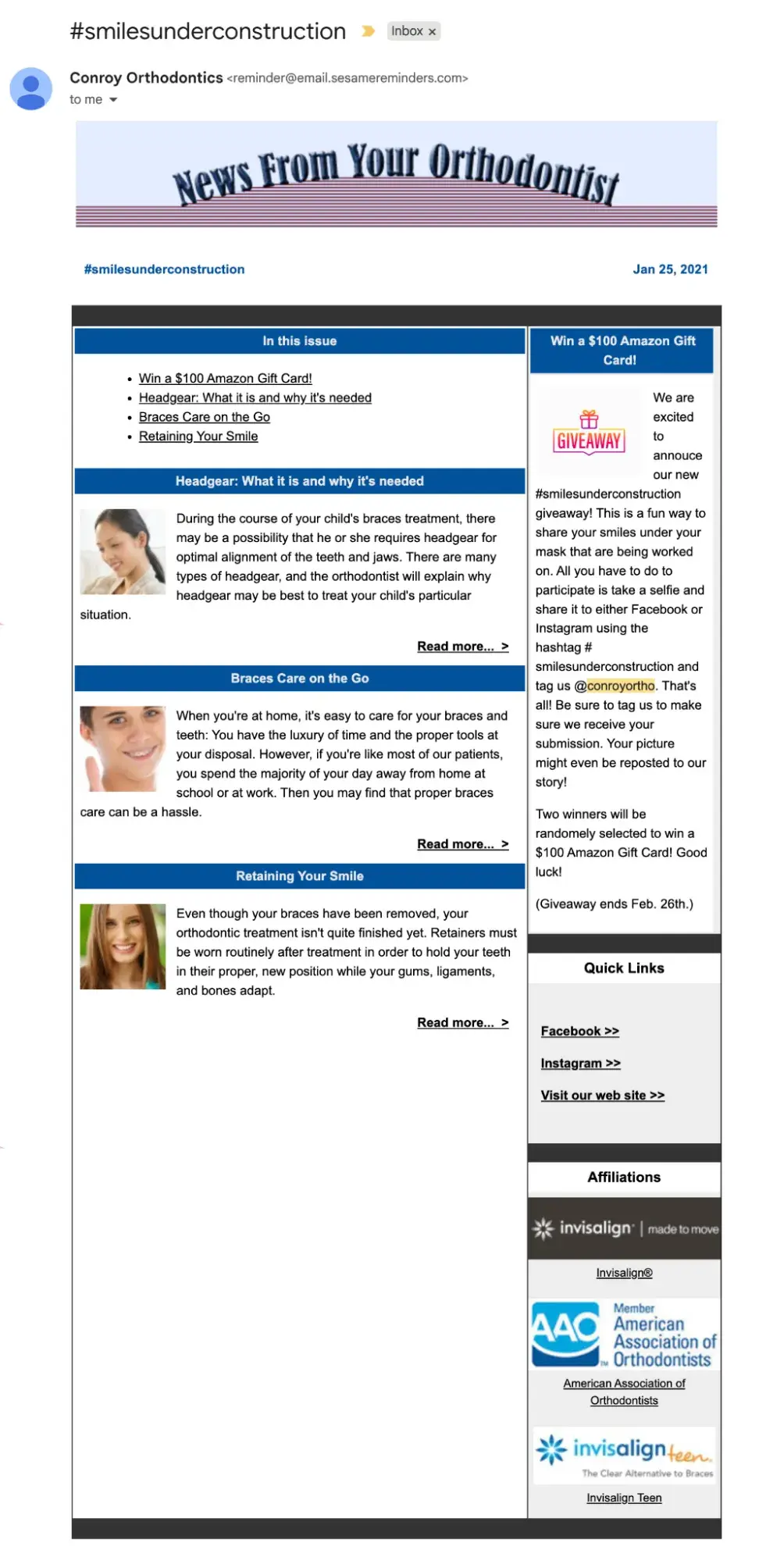
Educational email campaigns that explain procedures, address common concerns, and showcase results can help patients feel more confident about recommended treatments , particularly high-cost ones like implants or cosmetic work.
Here’s an example of a newsletter from the same orthodonist:
HubSpot Content and Marketing hubs can aid the delivery of this kind of content through automated drip emails. Practices can share targeted educational content, patient testimonials, and even financing information, all of which can help patients make more informed purchase decisions.
Enhanced Practice Efficiency
Automating routine communications frees up staff time previously spent making phone calls and sending manual reminders, allowing them to focus on higher-value activities like in-office patient care.
HubSpot’s versatile workflows, for example, can automate consistent, transactional communication (e.g., appointment confirmations, pre-appointment instructions, and insurance reminders) thanks to its HIPAA compliance without requiring staff intervention.
This reduces administrative burden while improving communication consistency and timeliness.
7 Important Features for Dental Email Marketing Software
When evaluating email marketing platforms for your dental practice, prioritize these essential features that directly impact patient communication effectiveness and practice growth:
HIPAA-Compliant Infrastructure and Security Standards
Protecting patient information is legally mandatory for dental practices and any healthcare providers under HIPAA regulations. And a lot of email initiatives like appointment reminders and campaigns based on patient history depend on this.
To be HIPAA-compliant, email platforms must maintain specific security standards and sign Business Associate Agreements to send messages including or relating to protected health information (PHI).
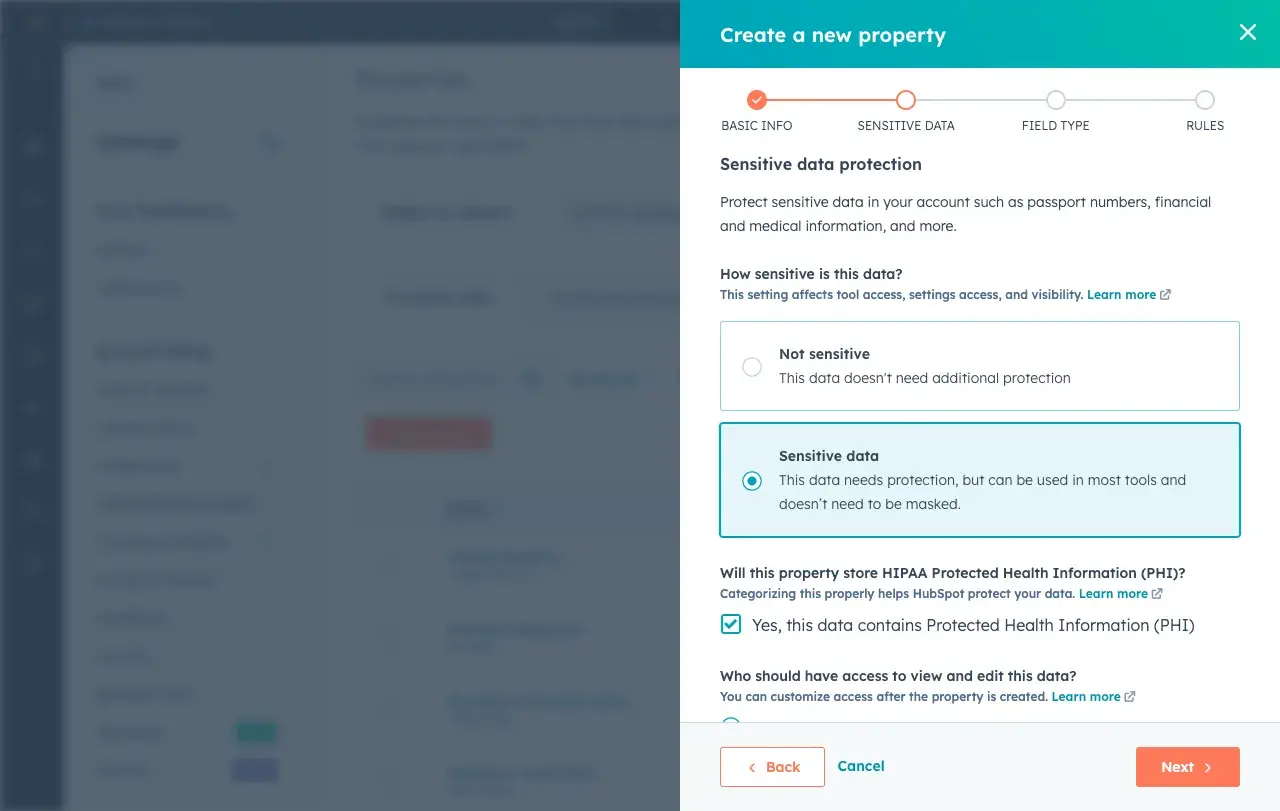
HubSpot offers Business Associate Agreements for enterprise-level plans and maintains the security infrastructure necessary to communicate patient information safely (i.e. encryption, access controls, and audit logging).
Note: HIPAA compliance is unnecessary for sending general marketing emails that do not include specific health information.
Automation
The ability to automatically send pre-appointment reminders at strategic intervals reduces no-shows, improves schedule efficiency, and eliminates staff time spent making manual reminder calls.
HubSpot’s automated emails integrate seamlessly with practice management systems like Dentrix and Eaglesoft, so practices can trigger confirmation emails upon booking, followed by reminders at 48 hours, 24 hours, and even same-day.
Your HubSpot emails can also include personalization, such as patient names, appointment times, and specific pre-appointment instructions for different procedure types.
Segmentation and List Management
Grouping patients by treatment history, age, last visit date, procedure interest, insurance status, or engagement behavior enables targeted, relevant communication that drives higher engagement and conversion rates (though this requires HIPAA compliance).
For instance, perhaps you could send emails about braces to preteen patients or resources on denture care to elderly patients.
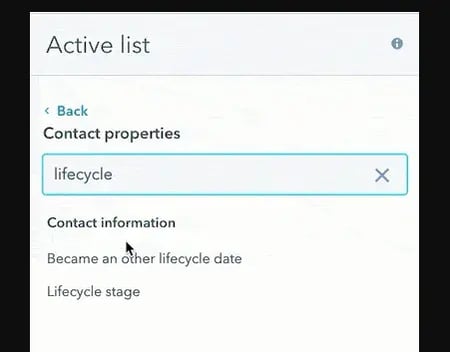
HubSpot’s segmentation tools allow dental practices to create patient lists based on multiple criteria. Dynamic lists can also automatically refresh segments as patient data changes.
Read: Customer Segmentation: How to Segment Users & Clients Effectively
Mobile-Responsive Email Templates and Design
Over 60% of emails are opened on mobile devices, making mobile optimization essential for ensuring appointment details, treatment information, and practice updates display correctly and remain actionable on smartphones and tablets.
Great email marketing tools like HubSpot provide mobile-optimized templates specifically designed for healthcare communications.
HubSpot’s drag-and-drop editing ensures any staff member can create professional, mobile-friendly emails without coding skills, while its preview tools show exactly how emails appear across different devices before sending.
Check out HubSpot’s free email templates.
A/B Testing and Optimization Capabilities
Testing different subject lines, send times, content variations, and calls-to-action helps optimize email performance and identify what resonates best with your specific patient base.
HubSpot’s built-in A/B testing allows dental practices to experiment with up to five variations simultaneously, automatically determining winning versions based on open rates, click rates, or custom goals.
Seamless Integration with Practice Management Software
Bidirectional data flow between email marketing and scheduling systems prevents duplicate data entry, ensures patient information stays synchronized, and enables automation based on practice management system events like appointments, completed treatments, or outstanding balances.
HubSpot connects with leading dental practice management platforms, including Dentrix, Eaglesoft, Open Dental, and Curve, through native integrations and API connections.
This allows it to automatically synchronize patient demographics, appointment history, and treatment information to enable sophisticated segmentation and personalization without manual data exports.
Comprehensive Reporting, Analytics, and ROI Attribution
Understanding which campaigns drive results helps refine marketing strategy and justify marketing spend to practice owners and stakeholders.
HubSpot’s analytics dashboard can track email opens, clicks, appointment bookings, and revenue attribution with clear visualization, providing visibility into which campaigns generate the highest ROI, which patient segments are most responsive, and how email marketing contributes to overall practice growth.
Comparison Table of Best Email Marketing Tools for Dentists
|
Email Marketing Tool |
Best For |
Key Features |
Pricing |
|
HubSpot |
Dental practices seeking all-in-one patient management |
AI-powered personalization, appointment workflows, patient segmentation |
Free plan available; Marketing Hub Starter at $15/month; Professional at $800/month |
|
Mailchimp |
Small practices with basic email needs |
Email templates, basic automation, audience segmentation |
Free for up to 500 contacts; Essentials from $13/month |
|
Constant Contact |
Practices focused on event marketing |
Event management, social media integration, list segmentation |
Starting at $12/month for up to 500 contacts |
|
ActiveCampaign |
Practices with complex automation requirements |
Advanced automation, CRM integration, predictive sending |
Starting at $29/month for 1,000 contacts |
|
AWeber |
Solo practitioners and small teams |
Drag-and-drop builder, autoresponders, landing pages |
Free for up to 500 subscribers; Pro from $12.50/month |
|
Kit |
Practices with content marketing strategies |
Landing pages, visual automation, subscriber tagging |
Free up to 1,000 subscribers; Creator from $25/month |
|
Drip |
Practices with sophisticated patient journeys |
E-commerce focus, multi-channel campaigns, custom workflows |
Starting at $39/month for 2,500 contacts |
|
Campaign Monitor |
Practices valuing design and brand consistency |
Template builder, journey designer, analytics |
Starting at $11/month for 500 contacts |
|
Moosend |
Cost-effective option for growing practices |
Marketing automation, landing pages, reporting |
Free for up to 1,000 subscribers; Pro from $9/month |
Best Email Marketing Software for Dentists
Choosing the right email marketing platform can transform how your dental practice communicates with patients. Here are the top solutions designed to meet the unique needs of dental professionals.
1. HubSpot
HubSpot is the most comprehensive email marketing solution for dental practices, combining robust automation with an integrated CRM and practice management capabilities.
Unlike competitors that focus solely on email delivery, HubSpot provides a complete patient engagement ecosystem that tracks every interaction from initial inquiry through ongoing care. This makes it the ideal choice for practices that want to eliminate data silos and streamline operations. It’s also HIPAA-compliant, unlike many other popular email marketing tools.
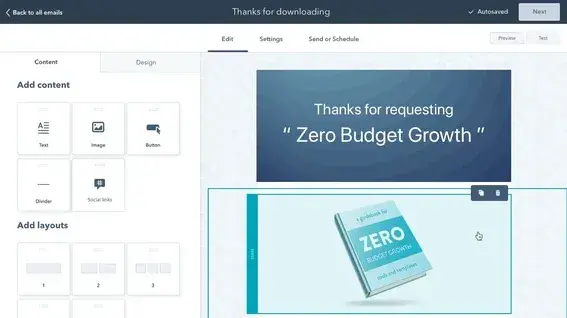
Best For: Dental practices of all sizes that want to consolidate patient communication, appointment scheduling, and marketing automation in one unified platform while maintaining complete visibility into patient engagement.
Key HubSpot Features:
- AI-Powered Email Creation and Personalization – HubSpot’s Breeze can generate email content for different patient segments, from routine cleaning reminders to cosmetic dentistry promotions, while personalization tokens automatically insert patient-specific details like names, appointment dates, and treatment history. This saves hours of manual work while increasing relevance.
- Automation – With HubSpot workflows, practices can create sophisticated, automated email sequences for a variety of events (i.e. appointment reminders, post-treatment follow-ups). This helps ensure no patient falls through the cracks without requiring staff intervention.
- Integration and Segmentation – HubSpot seamlessly connects with leading dental software including Dentrix, Eaglesoft, and Open Dental so it can synchronize patient data automatically. From there, its segmentation abilities enable targeting based on treatment history, last visit date, demographics, or custom criteria for highly relevant messaging.
HubSpot Pricing:
HubSpot offers a free CRM with basic email marketing capabilities, including email creation, contact management, and simple automation. Marketing Hub Starter begins at $15 per month (billed monthly) with expanded email features and removes HubSpot branding.
Marketing Hub Professional costs $800 per month (annual billing) and includes advanced automation, A/B testing, and comprehensive reporting. Marketing Hub Enterprise is $3,600 per month (annual billing) for larger practices requiring sophisticated patient journey mapping and multi-location management. Learn More.
2. Mailchimp
Mailchimp has established itself as one of the most recognizable names in email marketing, offering an accessible entry point for dental practices new to digital marketing. Its intuitive drag-and-drop interface and extensive template library make it easy for non-technical staff to create professional-looking emails. It is, however, not HIPAA-compliant.
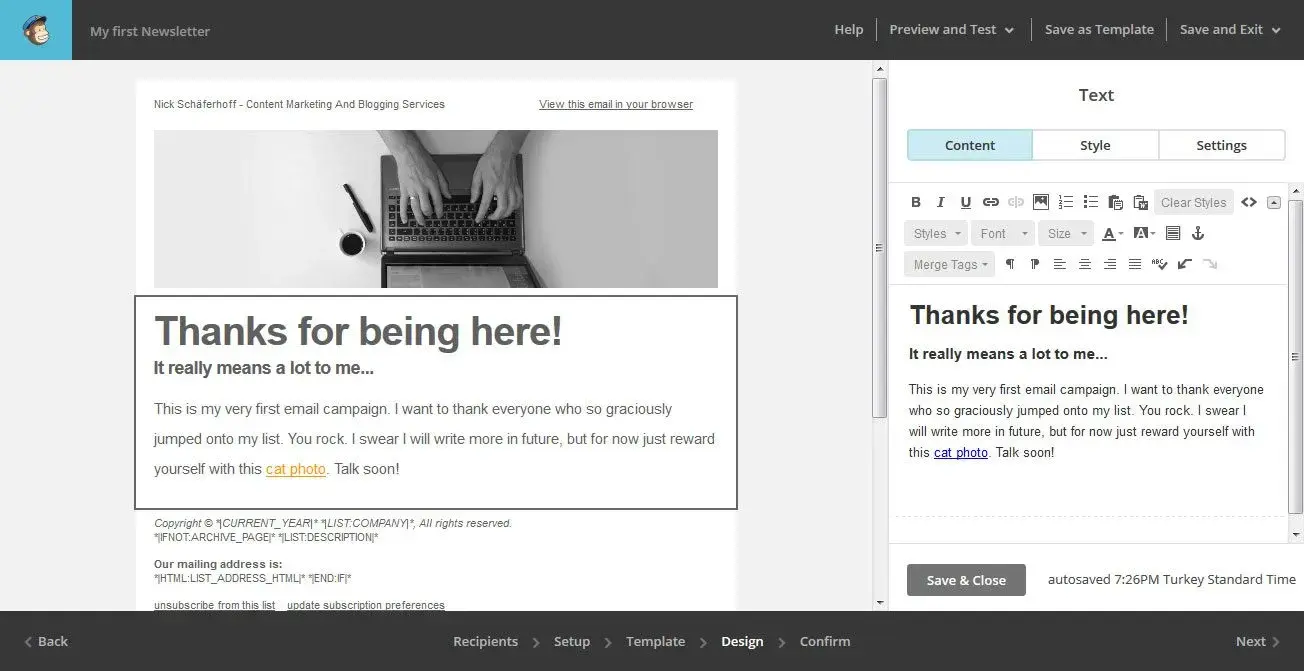
Best For: Small dental practices or solo practitioners who need straightforward email campaigns with minimal complexity. It can be useful for newsletters and basic appointment reminders rather than sophisticated patient journey automation.
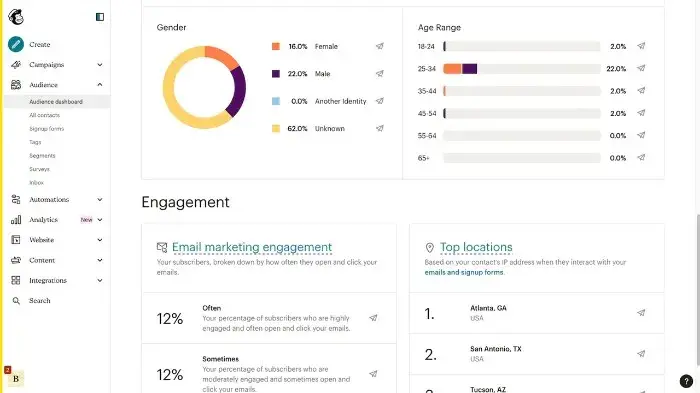
Key Mailchimp Features:
- Pre-Built Healthcare Templates – With Mailchimp, dental practices can access hundreds of customizable email templates specifically designed for healthcare providers. These include clean layouts optimized for appointment reminders, health tips, and service announcements.
- Basic Automation and Scheduling – This allows you to set up simple emails like a welcome for new patients and automated birthday greetings, and special offers with minimal ongoing management effort.
- Audience Segmentation and Tags – With this, you can group patients by demographics, engagement levels, enabling more targeted and relevant communications.
Mailchimp Pricing:
Free plan available for up to 500 contacts with 1,000 monthly email sends and basic features. Essentials plan starts at $13 per month with 5,000 contacts, removing Mailchimp branding and adding basic automation. Learn more.
3. Constant Contact
Constant Contact differentiates itself through robust event marketing capabilities and exceptional customer support. While its email features are solid, the platform’s real strength lies in its event management tools and reputation for responsive customer service.
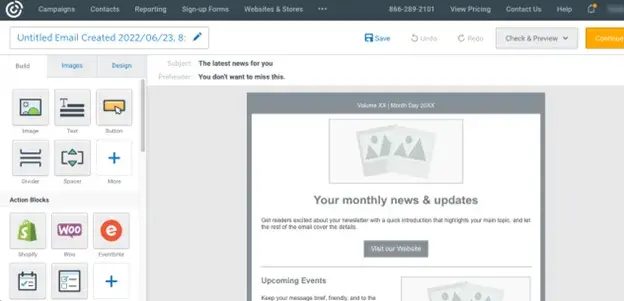
Best For: Dental practices that regularly host community events like oral health seminars, open houses, or patient appreciation days and need integrated event registration, ticketing, and promotion alongside standard email marketing. Also, for practices investing in multi-channel marketing.
Key Constant Contact Features:
- Built-In Event Management System – For practices that hold events, Constant Contact allows you to create event registration pages, manage attendee lists, send automated confirmations and reminders, and track RSVPs all within the same platform.
- Social Media Integration and Posting – Automatically share email campaigns across Facebook and Instagram to reach patients through multiple channels, while also scheduling social posts directly from the platform. This is helpful for maintaining a multi-channel presence that is essential with loop marketing.
- Contact List Management and Segmentation – Easily import patient contacts from spreadsheets or practice management systems, manage opt-ins and unsubscribes to maintain compliance, and create targeted lists based on patient attributes for more relevant communications.
Note: Constant Contact is not inherently HIPAA compliant, but it can be made so. Learn more here.
Constant Contact Pricing:
Core plan starts at $12 per month for up to 500 contacts with unlimited email sends, basic automation, and event management. Plus plan begins at $35 per month with advanced automation, dynamic content, A/B testing, and social media scheduling. Learn more.
4. ActiveCampaign
ActiveCampaign excels in sophisticated marketing automation and CRM functionality, making it ideal for multi-location dental practices or specialty practices with complex patient journey requirements. ActiveCampaign is HIPAA compliant.
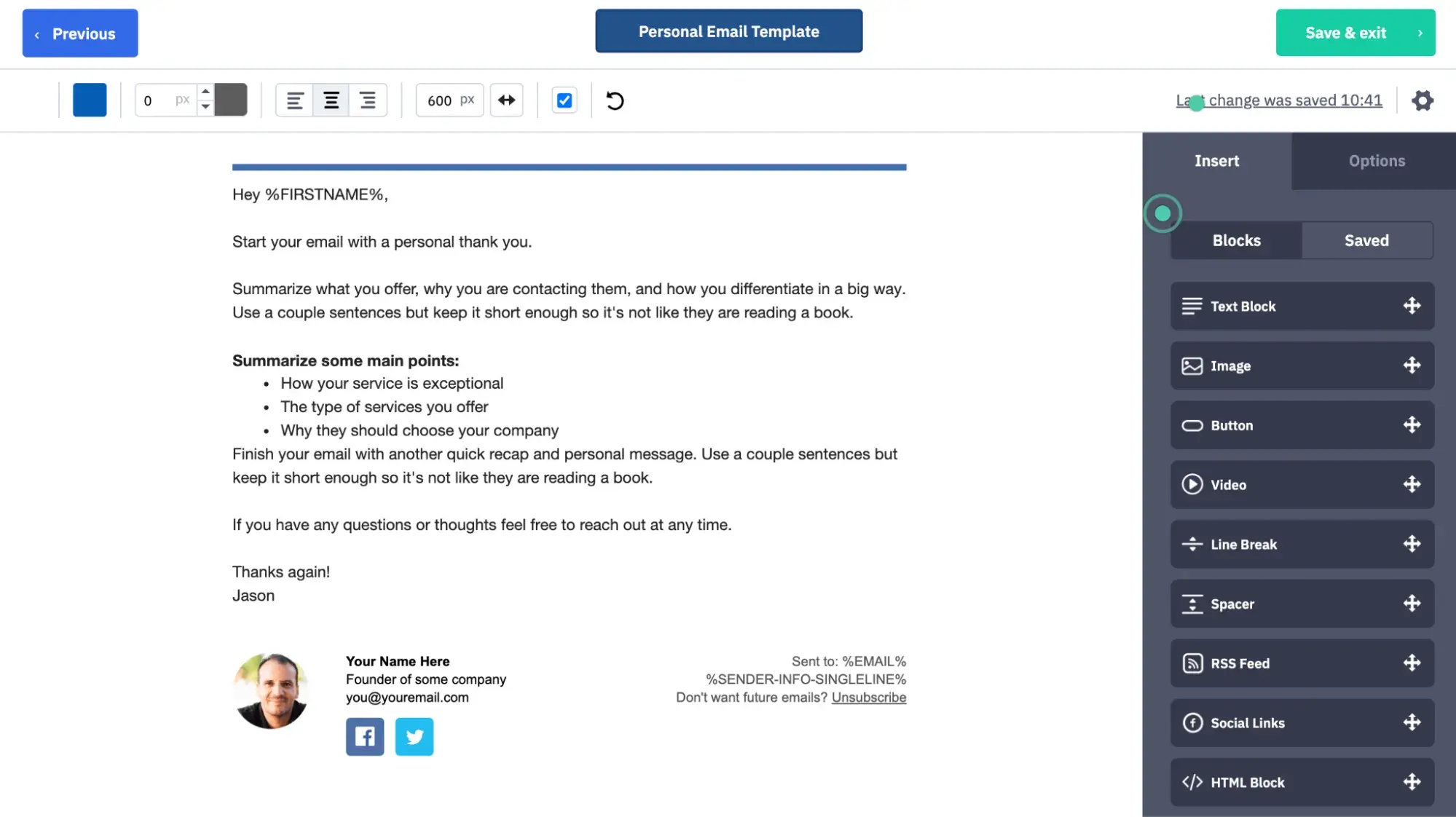
Best For: Multi-location dental practices, specialty practices, or growing practices with complex patient journey requirements.
Key ActiveCampaign Features:
- Advanced Automation Builder with Conditional Logic – Create sophisticated patient communication workflows that adapt based on treatment, appointment history, email engagement, and website behavior, enabling truly personalized patient journeys that respond dynamically to individual actions.
- Predictive Sending and Machine Learning – Machine learning algorithms determine the optimal time to send emails to each individual patient based on their historical engagement patterns, automatically scheduling messages when they’re most likely to be opened and read.
- Integrated CRM with Deal Tracking – Built-in CRM functionality tracks patient interactions across email, website visits, and appointment scheduling. Deal pipelines help manage high-value treatments like implants or orthodontics from initial consultation through completion.
ActiveCampaign Pricing:
Starter plan starts at $15 per month for up to 1,000 contacts with email marketing, marketing automation, and basic CRM. Plus plans begin at $49 per month, adding landing pages, Facebook audiences, and contact scoring. Learn more.
5. AWeber
AWeber has built its reputation on reliability and excellent customer support, making it a comfortable choice for solo dental practitioners and small practices that prioritize ease of use. The platform delivers solid email marketing fundamentals without overwhelming users with complexity. It is particularly newsletter-friendly.
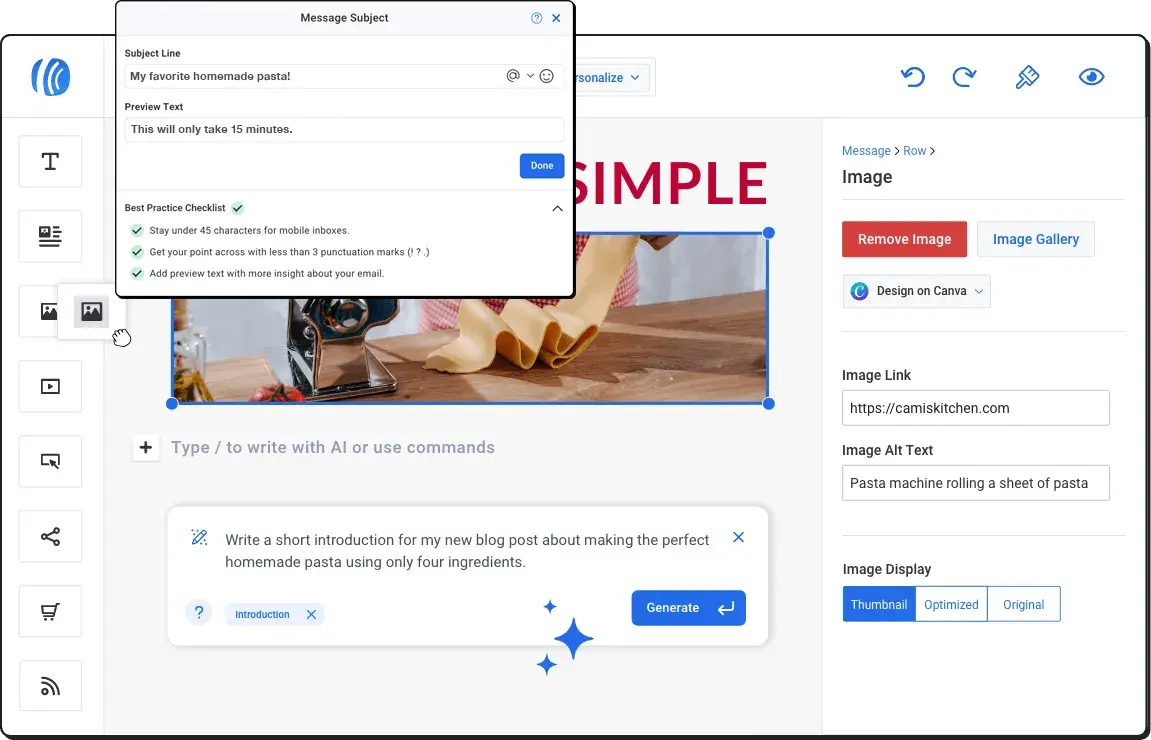
Best For: Solo dental practitioners and small practices seeking user-friendly email marketing with strong customer support and straightforward functionality rather than complex automation or advanced features.
Key AWeber Features:
- Intuitive Drag-and-Drop Email Builder – Create professional patient emails without technical skills using a visual editor with pre-built content blocks. This makes it easy for staff members to design newsletters, appointment reminders, or promotional campaigns.
- Autoresponder Series and Time-Based Triggers – While not as robust as other tools. AWeber does allow users to set up automated welcome sequences for new patients, promotions, or educational content. AWeber is not HIPAA compliant, so you can’t send appointment or health-related emails.
- Newsletter AI: This is a feature unique to AWeber. It uses artificial intelligence to learn your voice and draft highly engaging newsletters that you can then edit and schedule.
AWeber Pricing:
Free plan for up to 500 subscribers with basic email marketing features, one list, and AWeber branding. Pro plan starts at $12.50 per month for 0-500 subscribers with unlimited email sends, removes branding, and adds automation. Learn more.
6. Kit (formerly ConvertKit)
Kit caters specifically to users with content marketing strategies, making it well-suited for dental practices that publish blogs, educational newsletters, or oral health resources to attract and nurture patients.
Its subscriber-centric approach and visual automation builder appeal to practices that view email marketing as part of a broader content strategy rather than just transactional communication.
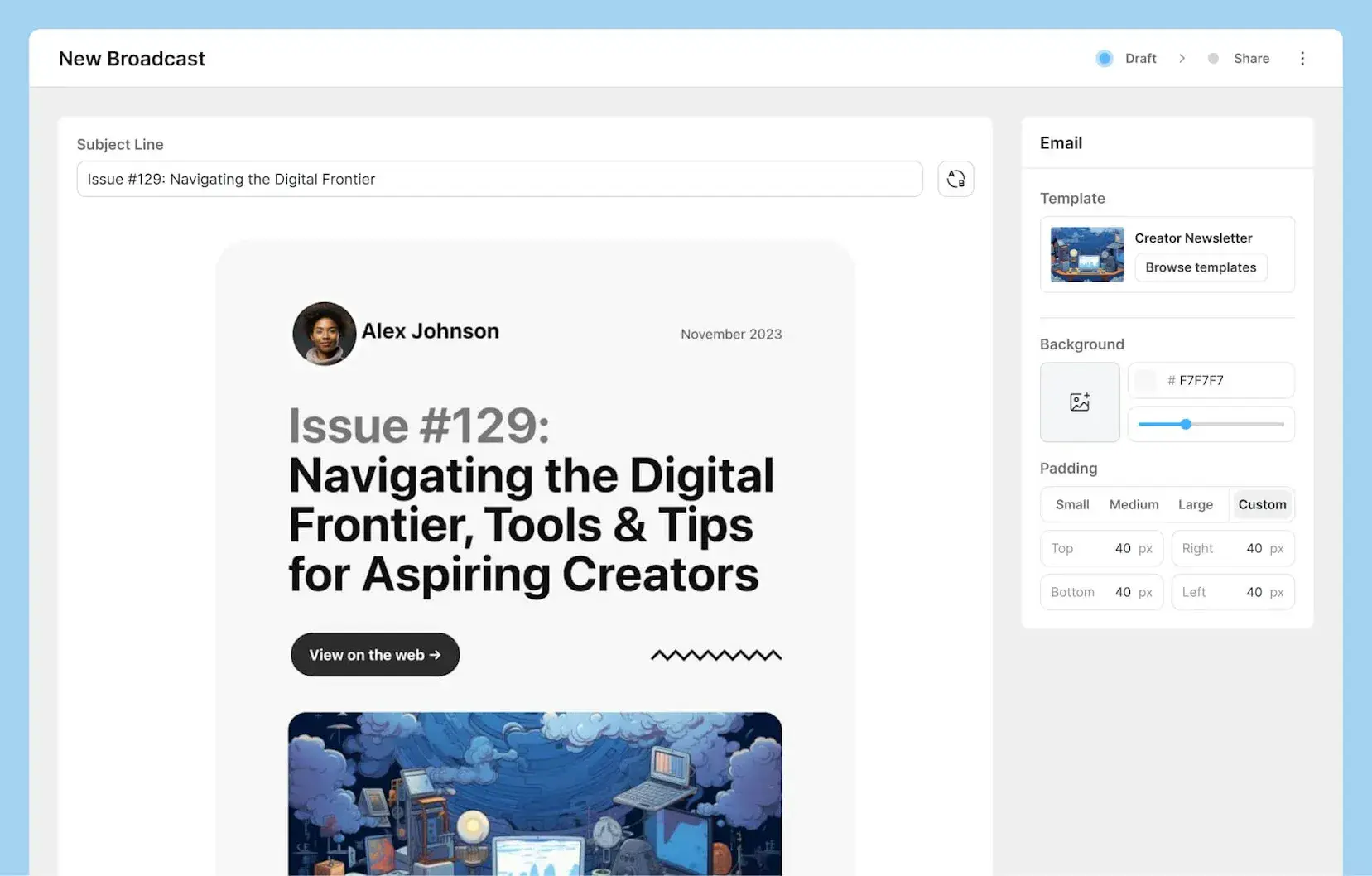
Best For: Dental practices that prioritize using blogs, educational newsletters, and oral health resources to attract new patients, establish thought leadership in their community, and nurture existing contacts to purchase.
Key Kit Features:
- Visual Automation Builder – Easily create email sequences using an intuitive visual interface and logic that adapts based on subscriber actions like link clicks or form submissions.
- Tagging and Dynamic Segmentation – Organize patients by interests such as cosmetic dentistry, orthodontics, or preventive care using tags rather than rigid lists. Then, dynamic segmentation automatically updates as patient interests evolve allowing highly targeted messaging.
- High Deliverability – It’s easy to get sent to the spam folder these days. Kit has an impressive delivery rate of 99.8% and a healthy reputation with email providers that helps your emails actually get seen.
Note: Kit is not HIPAA compliant, so you cannot include sensitive patient health information.
Kit Pricing:
Free plan available for up to 1,000 subscribers with unlimited landing pages, forms, and broadcasts, though without advanced automation. Creator plan starts at $25 per month for 1,000 subscribers, automated funnels, and sequences. Learn more.
7. Drip
Drip positions itself as an e-commerce CRM with sophisticated multi-channel capabilities, making it particularly valuable for dental practices with multiple revenue streams (i.e. selling dental health products) and complex patient retention strategies.
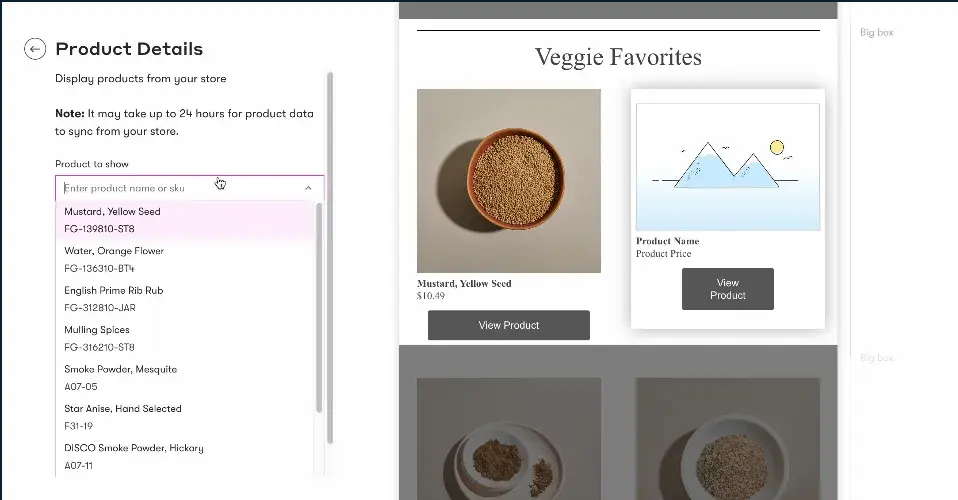
Best For: Dental practices with sophisticated patient retention strategies, multiple revenue streams from both services and products, and the desire to coordinate messaging across email, SMS, and on-site channels.
Key Drip Features:
- Multi-Channel Campaign Orchestration – Coordinate email, SMS, and on-site messaging to guide patients through treatment decisions using unified workflows, ensuring consistent messaging across touchpoints and the ability to reach patients through their preferred communication channel.
- Custom Workflow Builder with Advanced Logic – Design patient journeys that respond to specific triggers with complex conditional logic enabling highly personalized experiences based on multiple behavioral and demographic factors.
- Revenue Tracking and Analytics Dashboard – Monitor which campaigns drive treatment acceptance and calculate the financial impact of email marketing efforts with clear revenue attribution, providing visibility into marketing ROI that justifies investment and guides strategy refinement.
Note: Drip is not HIPAA compliant, so you cannot include sensitive patient health information.
Drip Pricing:
Plans start at $39 per month for up to 2,500 contacts with unlimited email sends and full platform access, including automation workflows and revenue tracking. Pricing scales with contact volume. Learn more.
8. Campaign Monitor
Campaign Monitor emphasizes beautiful design and brand consistency, appealing to dental practices that want every patient communication to reflect professional polish.
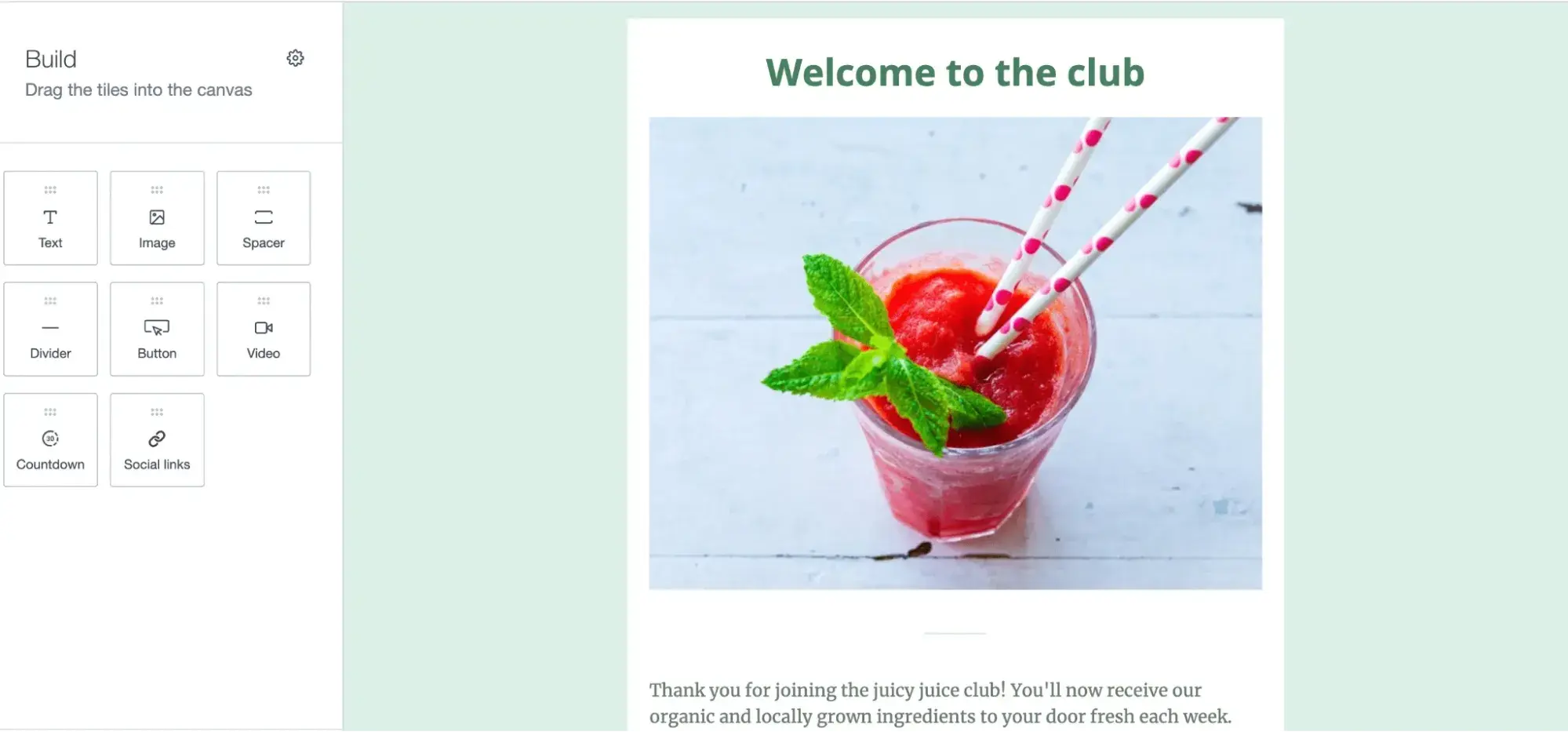
Best For: Dental practices that prioritize brand consistency and visually appealing patient communications as part of their premium positioning, particularly upscale practices focusing on cosmetic dentistry.
Key Campaign Monitor Features:
- Professional Template Builder with Brand Control – Design branded emails that reflect your practice’s visual identity with advanced customization options, custom fonts, and precise layout control, ensuring every patient communication reinforces brand recognition and professional image.
- Visual Journey Designer for Patient Workflows – Map out patient communication flows visually and implement automated touchpoints based on behavior and time, creating sophisticated nurture sequences for high-value treatments that guide patients through decision-making processes.
- Dynamic Content: Use your customer data to create dynamic content that delivers the right message at the right time to your contacts.
Note: Campaign Monitor is not HIPAA compliant, so you cannot include sensitive patient health information.
Campaign Monitor Pricing:
Basic plan starts at $11 per month for 500 contacts with unlimited email sends, basic automation, and analytics. Unlimited plan begins at $29 per month for 500 contacts with time zone sending, advanced segmentation, and countdown timers. Premier plan available with custom pricing for advanced features, priority support, and dedicated account management. Pricing scales with contact volume.
9. Moosend
Moosend delivers powerful marketing automation capabilities at affordable pricing. While less known than competitors like Mailchimp or Constant Contact, the platform punches above its weight class in features, offering automation, segmentation, and reporting tools typically found in much more expensive solutions.
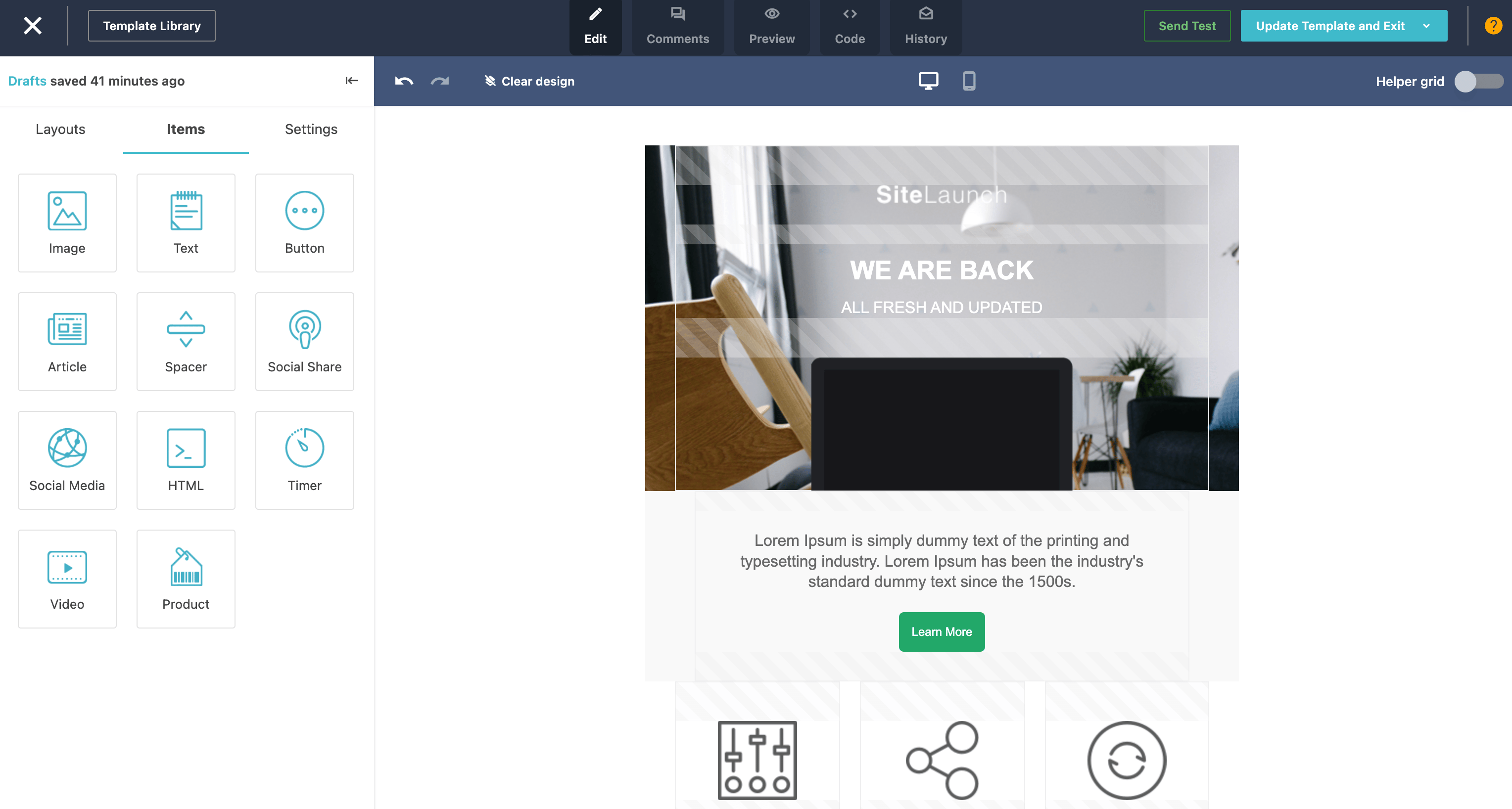

Best For: Cost-effective option for growing dental practices seeking powerful automation capabilities at an affordable price point, particularly practices transitioning from basic email tools to more sophisticated marketing.
Key Moosend Features:
- Affordable Advanced Automation – Access sophisticated workflow automation typically found in premium platforms at a fraction of the cost, enabling automated promotions, holiday greetings, etc. without the high monthly fees of competitors.
- Real-Time Reporting and Analytics Dashboard – Monitor email performance metrics including opens, clicks, and appointment bookings to optimize campaign effectiveness, with clear visual dashboards that make data accessible even for non-technical staff members.
- A/B Testing: Experiment with different copy and visuals in your emails and pick the version that resonates most with your audience to achieve the best results.
Note: Moosend is not HIPAA compliant, so you cannot include sensitive patient health information.
Moosend Pricing:
Free plan available for up to 1,000 subscribers with basic email marketing features and one list. Pro plan starts at $9 per month for unlimited emails, automation workflows, landing pages, and reporting with no subscriber limit. Learn more.
How to Choose an Email Marketing Tool for Dentists (Step-by-Step)
Selecting the right email marketing platform ensures your dental practice communicates effectively with patients while supporting practice growth goals. Follow these steps to make an informed decision:
1. Map your communication workflows and patient touchpoints.
Begin by documenting every patient touchpoint from initial inquiry through ongoing care, identifying which communications happen manually today that could be automated.
Common dental practice workflows include:
- New patient welcome sequences introducing your team and services
- Appointment confirmation emails sent immediately after booking
- Pre-appointment reminders at 48 hours and 24 hours before visits
- Post-treatment care instructions delivered after procedures
- Recall campaigns for patients due for cleanings
- Educational sequences for high-value treatments like implants or cosmetic procedures.
Understanding your complete communication flow helps identify which platform features matter most for your specific practice needs.
Remember, any transactional emails related to your contact’s health require a HIPAA-compliant tool — that includes appointment reminders. Only general marketing emails like blog articles, promotions, holiday greetings, etc., can be sent without this compliance.
It is common to use multiple tools to cover all your bases, but HIPAA-compliant tools like HubSpot streamline your email marketing toolbox to just one.
2. Identify must-have features based on practice priorities.
Based on your workflow map, prioritize essential capabilities to reap the most immediate value to your practice.
Most dental practices require appointment reminder automation to reduce no-shows, patient segmentation to enable targeted messaging, mobile-responsive templates for optimal viewing on all devices, and integration with existing practice management software to avoid duplicate data entry.
Determine whether you need advanced features like SMS capabilities for multi-channel reminders, webinar hosting for patient education, sophisticated patient journey automation for complex treatment nurturing, or e-commerce functionality if selling oral care products.
HubSpot provides comprehensive features that address common dental practice needs including automation, segmentation, integrations, and analytics without requiring multiple disconnected tools.
3. Evaluate ease of use and team capability.
Consider who will manage email marketing in your practice (i.e. front desk staff, marketing coordinator, or practice manager) and their comfort with learning new technology.
Work with them to test free trials and demos to see how quickly they can create campaigns, set up automation workflows, and interpret results without help.
The ideal platform enables existing staff to execute marketing initiatives easily and without consistent support.
HubSpot’s intuitive drag-and-drop interface, thorough documentation, support, and training courses in HubSpot Academy allow dental teams to become proficient quickly, even without previous marketing technology experience.
4. Calculate total cost at scale and hidden fees.
Compare pricing as your patient database grows. Many platforms appear affordable at low contact volumes but become expensive as your practice expands.
Factor in costs for additional features like extra