


“What’s better: Claude or ChatGPT?” is the mind-boggling question every marketer is asking right now. As AI tools become essential to content workflows, understanding the differences between Claude and ChatGPT for marketing can mean the difference between a streamlined operation and a frustrating bottleneck.

In my opinion, both tools have legitimate strengths. ChatGPT – which you can train on your specific needs – excels at rapid ideation, email copy, and social content. However, Claude shines at long-form editing, brand voice consistency, and handling large context windows. The question isn’t really “is Claude better than ChatGPT?” It’s about which LLM you should use for each specific task.
In this guide, I’ll break down everything you need to know, including:
- Claude AI versus ChatGPT for writing
- ChatGPT versus Claude for email
- Claude versus ChatGPT pricing
- Claude versus ChatGPT integrations with your existing stack
Plus, my (very smart) colleagues have tested writing blog posts with ChatGPT, explored ChatGPT for SEO, evaluated ChatGPT alternatives, including Claude, and even used both for AI-powered spreadsheet tasks. Now I’m putting in my two cents, sharing what I’ve learned so you can make confident decisions about ChatGPT versus Claude for coding, content creation, and everything in between.
Let’s get into the good stuff.
Table of contents:
Claude vs. ChatGPT: Which is better?
Here’s my hot take: I think Claude is the better LLM … and I’m not afraid to say it.
Don’t get me wrong. ChatGPT has its strengths, and I’ve used it plenty for quick drafts. But when it comes to the work that actually matters (the stuff that builds trust, drives conversions, and represents your brand), Claude consistently delivers superior results.
Here are two big reasons why I lean toward Claude as a content marketer:
- Writing quality: Claude versus ChatGPT for writing isn’t even close in my experience. Claude produces prose that sounds human, maintains tone across long documents, and requires fewer revision cycles before content is publish-ready.
- Context retention: Claude’s 200K-token context window lets me upload brand guidelines, source documents, and drafts simultaneously without the AI “forgetting” my instructions halfway through.
But, here’s the bottom line: Claude versus ChatGPT for marketing comes down to what you value most. If you prioritize speed and volume, ChatGPT delivers. If you prioritize quality and brand consistency, Claude wins.
That’s my opinion, and after months of using both tools daily, I’m sticking with it.
Which is better for common marketing workflows, Claude or ChatGPT?
You may not love what I’ll say next, but it’s the truth: The answer depends on the task.
In my opinion, Claude is good for long-form content editing and large context handling, making it ideal for:
- Blog posts
- Whitepapers
- Document review
However, that’s not to say that ChatGPT doesn’t have its perks. Personally, I think ChatGPT is best for:
- Rapid ideation
- Email copy
- Social content
Overall, most marketing teams achieve best results by using Claude for editing and ChatGPT for drafting, treating them as complementary tools rather than competitors.
But if you really want a comprehensive comparison of each tool based on common marketing workflows, here’s a table that does just that:
|
Marketing Workflow |
Claude |
ChatGPT |
Winner |
|
Content writing |
Produces nuanced, on-brand long-form copy; handles 200K-token context windows for large documents |
Generates quick first drafts; supports image generation via DALL·E |
Claude for depth, ChatGPT for speed |
|
Email marketing |
Strong at personalization logic and A/B variant writing; consistent tone across sequences |
Faster turnaround on high-volume email copy; built-in templates |
Tie! (ChatGPT vs Claude for email depends on volume versus nuance) |
|
Social media |
Maintains brand voice across platforms; better at longer LinkedIn posts |
Excels at short-form hooks and rapid iteration; creates images natively |
ChatGPT for volume, but Claude for voice consistency |
|
SEO briefs |
Synthesizes large competitor datasets; outputs structured briefs with semantic relationships |
Quick keyword clustering and outline generation |
Claude for research-heavy briefs, ChatGPT for speed |
|
Research reliability |
Provides citations with web search; conservative about unverified claims |
Browses the web in real-time; occasionally hallucinates sources |
Claude for accuracy, ChatGPT for breadth |
|
Long-form content |
200K-token context handles full ebooks and reports; strong structural editing |
128K-token context; better at iterative section-by-section drafting |
Claude |
|
Coding and automation |
Reliable for marketing scripts, API integrations, and data parsing; fewer logic errors |
Faster code generation; broader plugin ecosystem for no-code users |
ChatGPT for speed, but Claude for accuracy |
|
Integrations |
Native Claude connector with HubSpot; API access for custom workflows; Zapier and Make support |
1,000+ plugins; GPT store for pre-built marketing tools; direct Zapier triggers |
ChatGPT for plug-and-play; Claude for HubSpot-native workflows |
|
Governance and privacy |
Enterprise tier includes data retention controls, SSO, and audit logs; no training on user data by default |
Team and Enterprise plans offer data controls; both require opt-out for training exclusion |
Claude |
So, what does this mean for your AI-assisted workflows?
When evaluating Claude AI versus ChatGPT for writing, consider your content type. I suggest using ChatGPT for high-velocity tasks where speed matters most, including:
- Social captions
- Email subject lines
- Quick drafts
Alternatively, I propose using Claude for:
- Long-form editing
- Brand-sensitive content
- Research synthesis (where accuracy and context retention are critical)
Claude vs. ChatGPT for marketing content and on‑brand editing
In my experience as an in-house writer for a big-name SaaS brand, marketing teams truly achieve the best results by using Claude for editing and ChatGPT for drafting.
As I’ve already mentioned, this division leverages each tool’s core strengths. Claude excels at long-form content editing and handling complex contexts, while ChatGPT is best for rapid ideation, email copy, and social content.
But, here’s the key takeaway: understanding when to deploy each tool transforms AI from a novelty into a production-grade content engine.
To put my previous statement into practice, in the next section, I’ll talk through how to use Claude for content and editing.
When to use Claude for content and editing
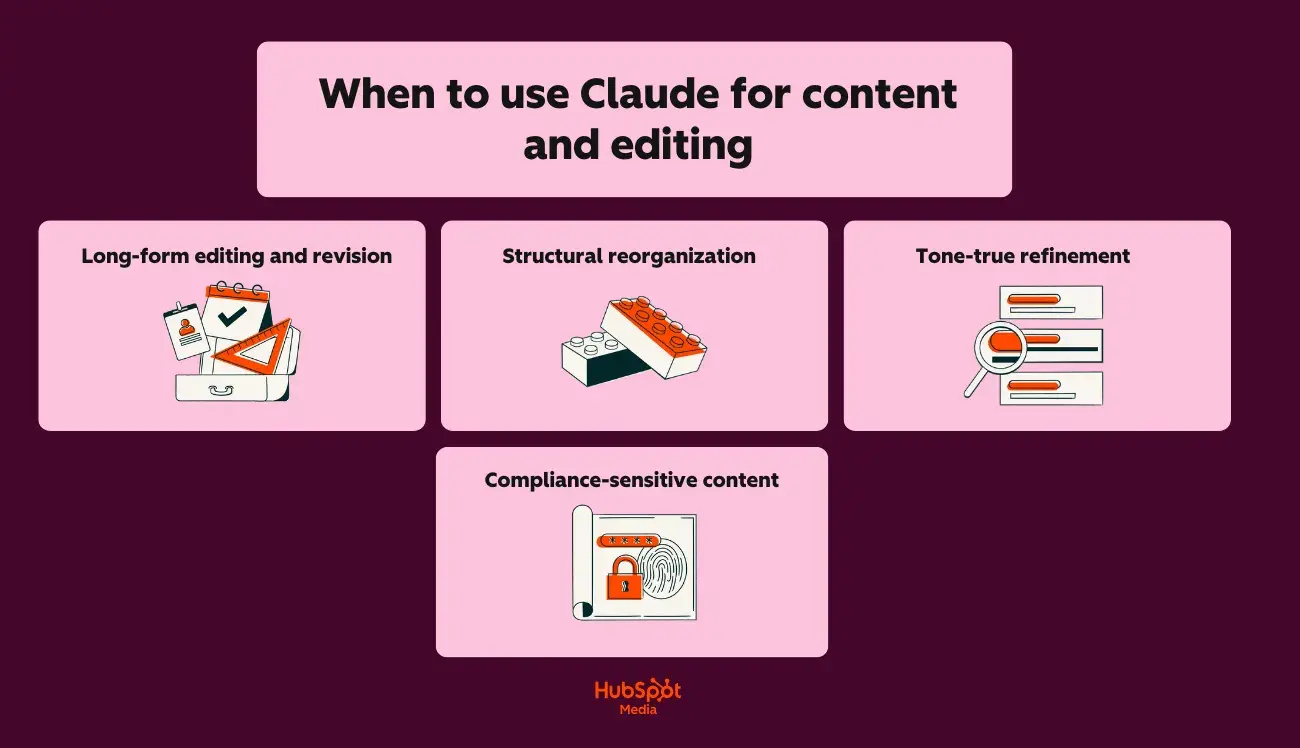
If you’re wondering about when to actually use Claude AI instead of ChatGPT for writing, I’m here to break it down for you in layman’s terms.
Here’s why I think Claude is the right option in these scenarios:
- Long-form editing and revision: Claude’s 200K-token context window holds entire style guides, brand documentation, and draft content simultaneously. (For example, try uploading your 50-page brand book alongside a blog draft; Claude will apply voice rules without losing context mid-edit.)
- Structural reorganization: Claude identifies logical gaps, redundant sections, and flow issues across documents up to 150,000 words. It also rewrites transitions and restructures arguments while preserving the original meaning.
- Tone-true refinement: Claude maintains a consistent voice across extended pieces. It catches subtle shifts (from conversational to corporate, from active to passive) that erode brand identity.
- Compliance-sensitive content: Claude offers stronger privacy and governance controls for enterprise teams. Content requiring legal review, HR approval, or regulatory compliance benefits from Claude’s audit-friendly outputs and data handling policies.
When to use ChatGPT for content creation
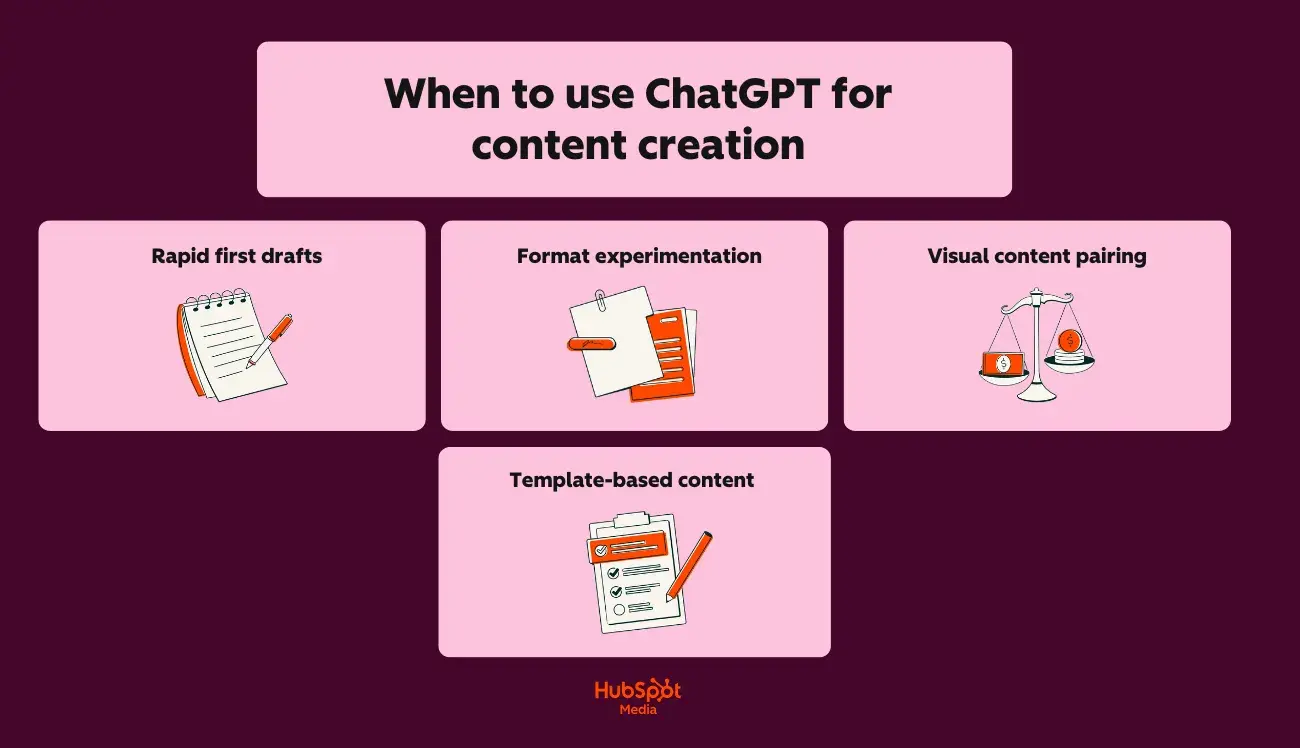
Now, here on the HubSpot Blog, you’re always welcome to have your own opinion, especially regarding AI usage. However, I’m a strong advocate of ChatGPT for content creation.
Here’s why I think it’s the stronger choice for speed and versatility:
- Rapid first drafts: ChatGPT generates usable copy faster for high-volume needs, such as product descriptions, ad variants, and landing page sections.
- Format experimentation: Need the same message as a LinkedIn post, email subject line, Instagram caption, and Google ad? ChatGPT iterates across formats quickly.
- Visual content pairing: DALL·E integration lets ChatGPT generate accompanying images, infographics concepts, and social graphics alongside copy.
- Template-based content: ChatGPT’s custom GPTs and pre-built prompts accelerate repetitive tasks, such as weekly newsletters or social calendars.
Brand voice control: step-by-step setup
I may have a strong perspective on AI tool selection, but I won’t tell you that one tool is better without showing you why. Below, I’ve created two step-by-step guides for brand voice control, for both Claude and ChatGPT.
For Claude:
- Create a brand voice document (tone descriptors, word preferences, banned phrases, example sentences).
- Upload the document at the start of each project session (Claude’s Projects feature retains it across conversations.)
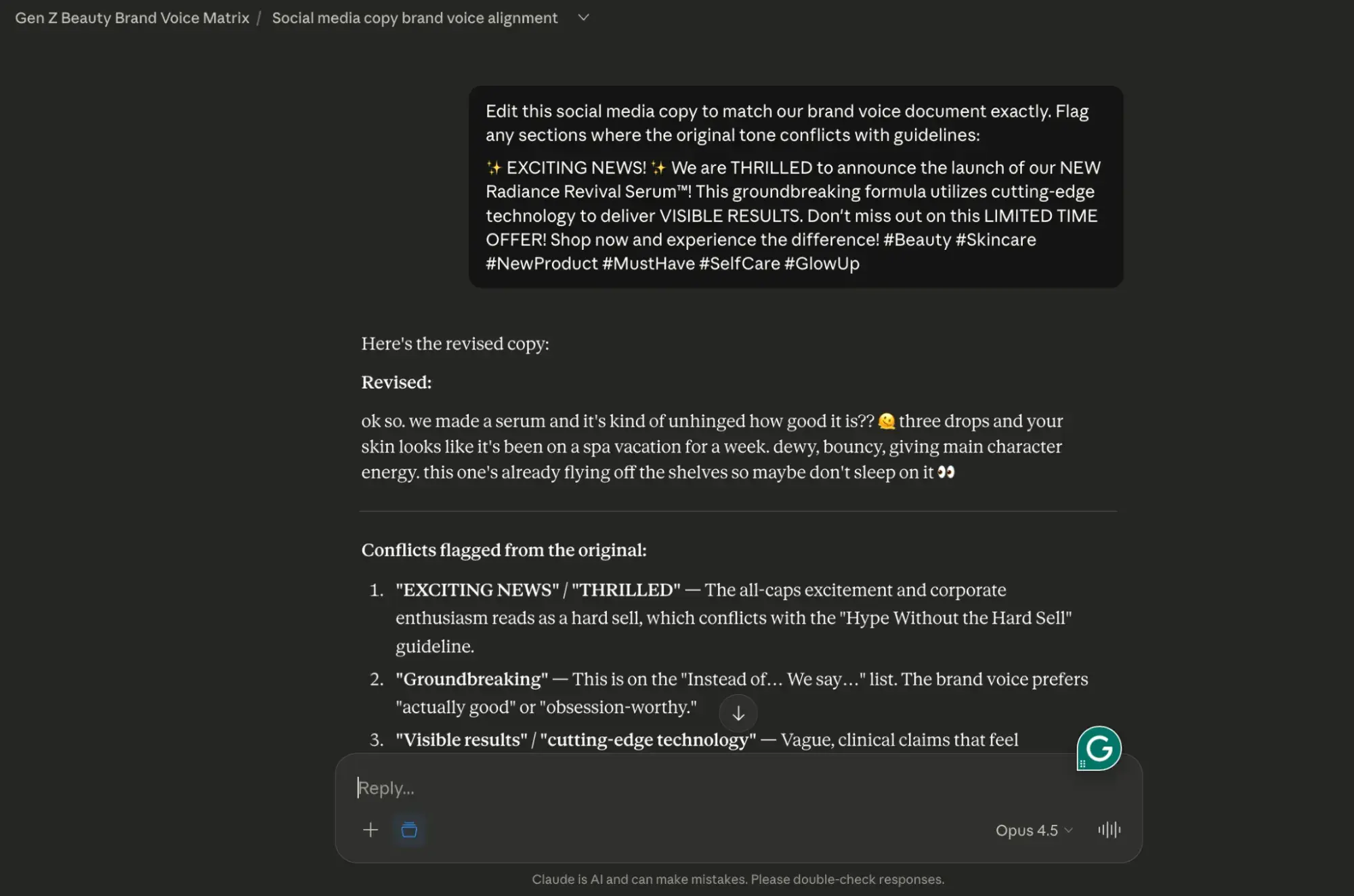
- Paste draft content and prompt: “Edit this to match our brand voice document exactly. Flag any sections where the original tone conflicts with guidelines.”
- Review Claude’s tracked changes and rationale before accepting edits.
To ensure that this works for you, I’ve tested it out myself. Take a look:
First, I used Claude to create a faux brand voice guide for a Gen Z beauty brand, using the parameters I described above.
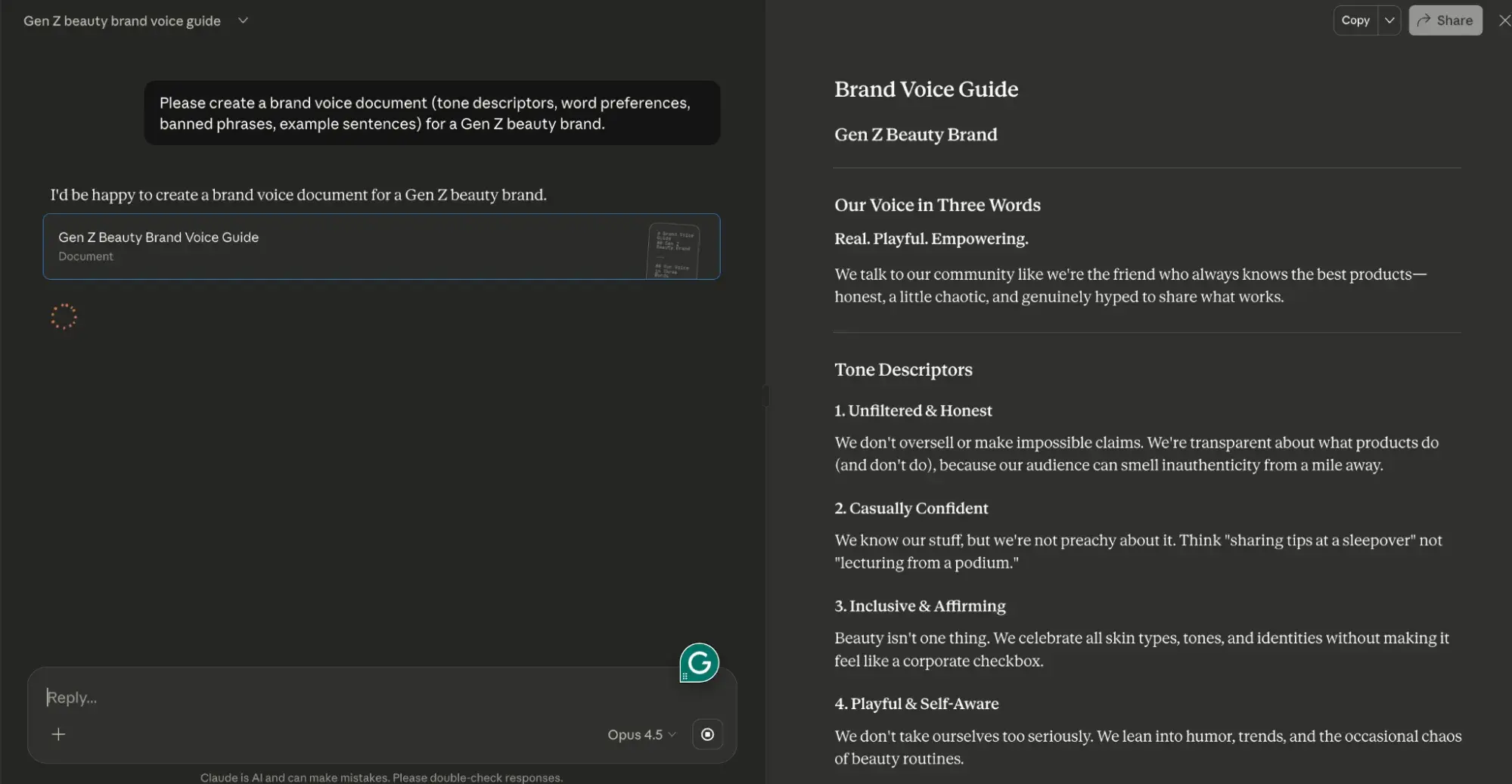
Next, I took that Claude-generated brand voice guide for my faux Gen Z beauty brand and dropped it into a Claude Project.
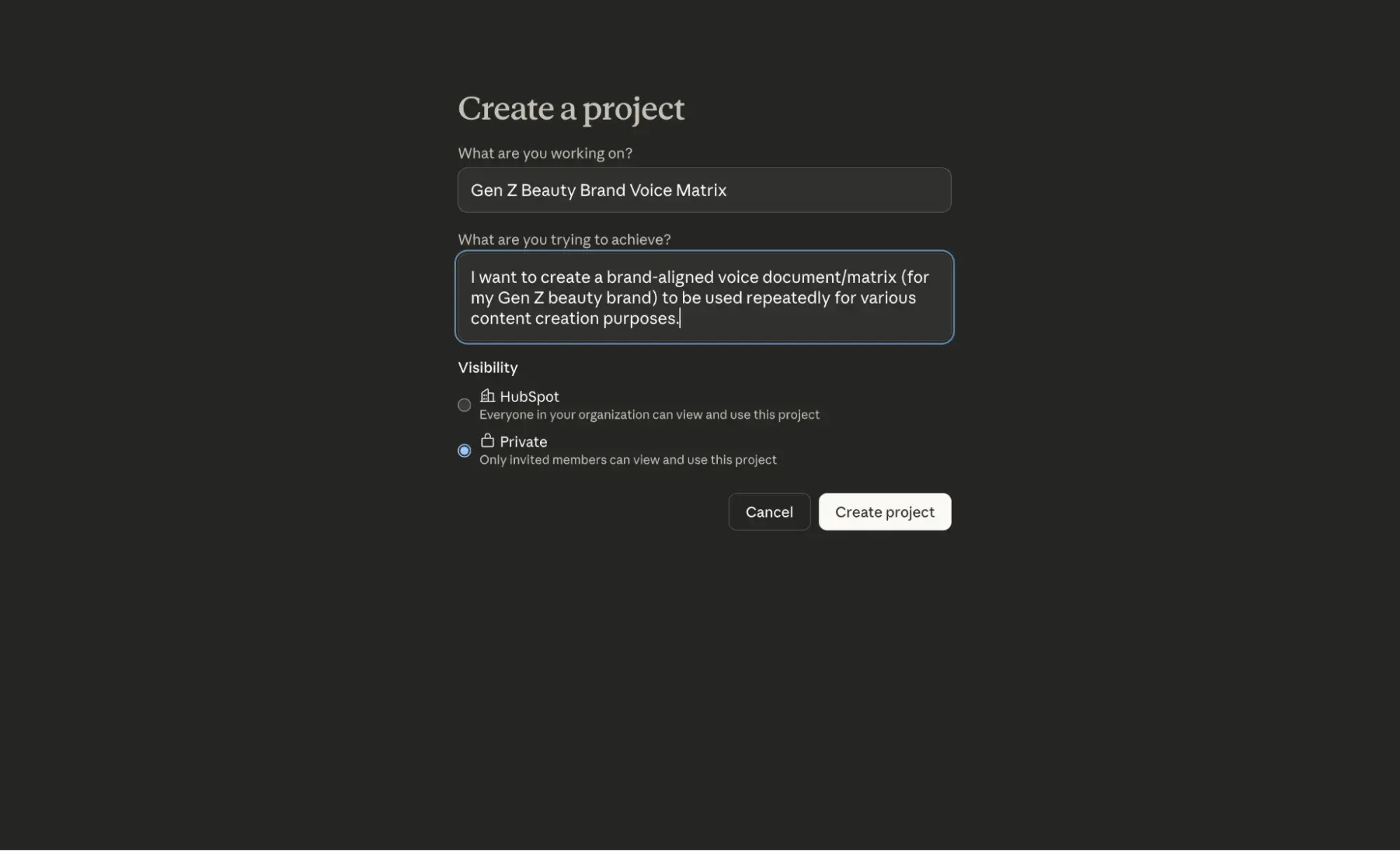
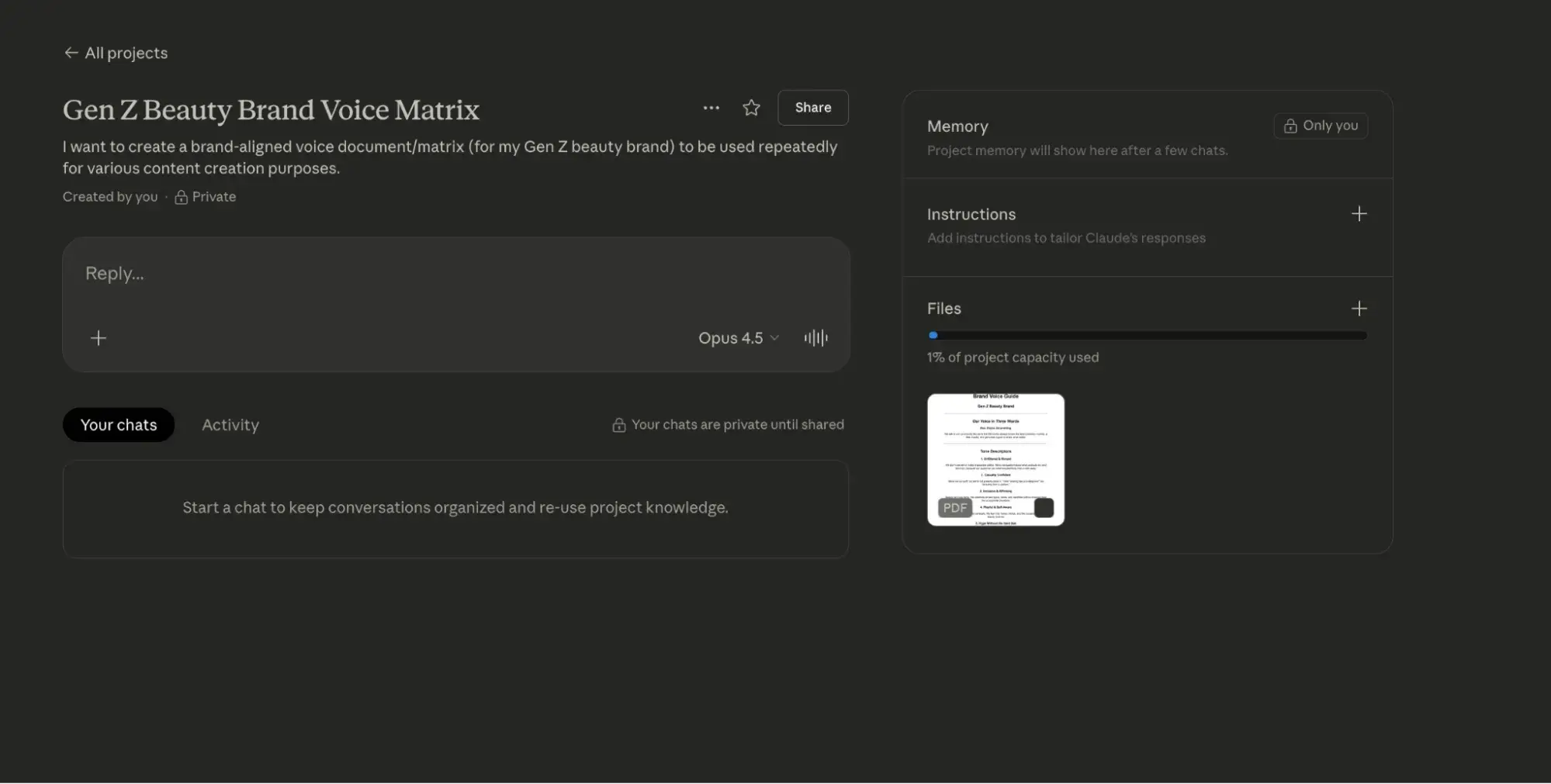
Then, I used the prompt (in step 3) above to edit some potential social media copy.
For ChatGPT:
- Build a custom GPT with your brand voice rules embedded in the system prompt.
- Include 3 to 5 example paragraphs showing ideal tone.
- Use the custom GPT for all drafting tasks to ensure baseline consistency.
- Export drafts to Claude for final tone-matching against your full brand documentation.
Again, I wanted to be sure this framework worked for you, so I’ve tested it. Here’s how it went:
First, I gave ChatGPT the same brand voice guide that I fed to Claude.
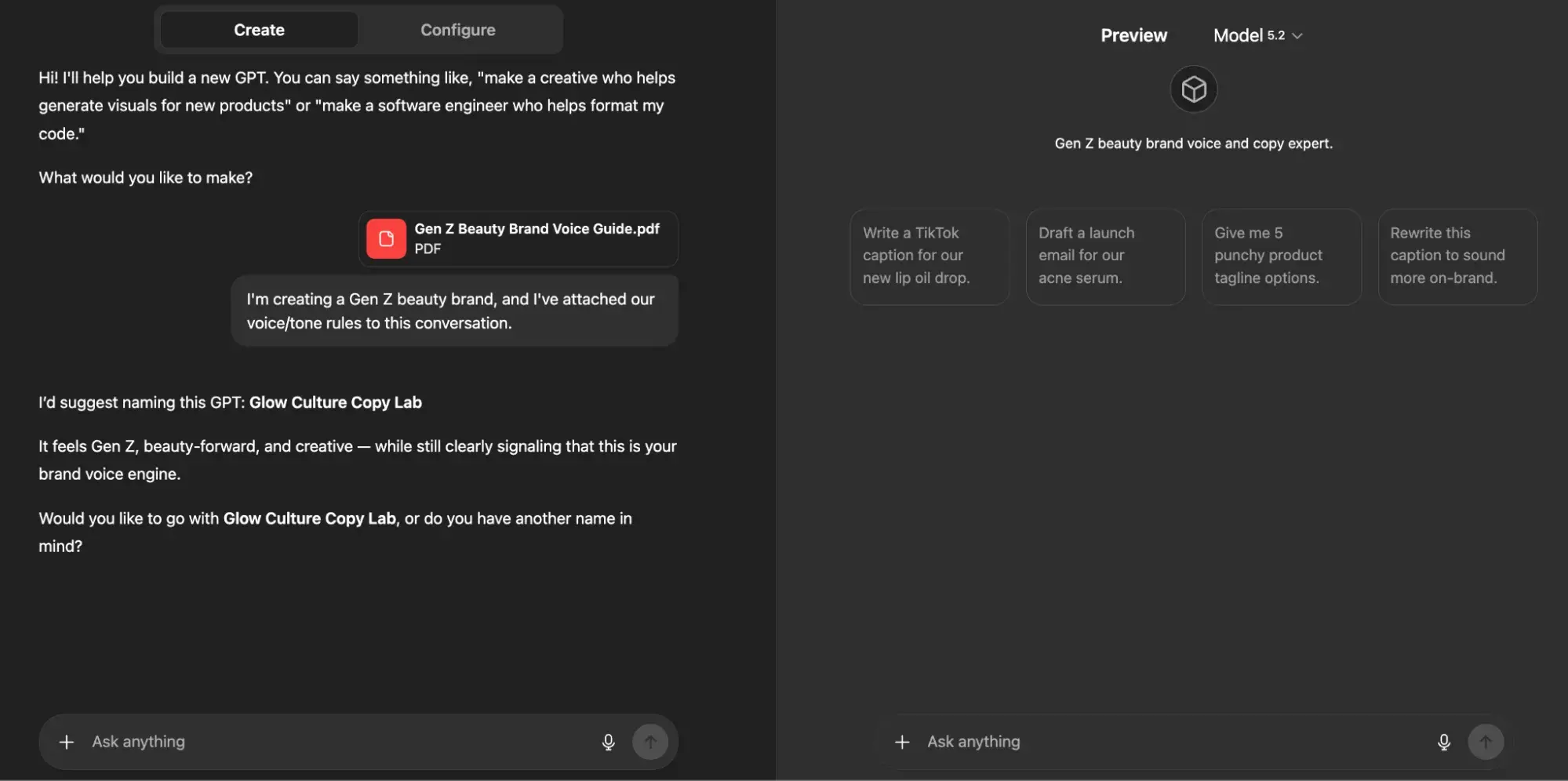
Then, as I outlined above, I provided my custom GPT with three examples of how I’d like the tone and voice of my Gen Z beauty brand to be executed via social media.
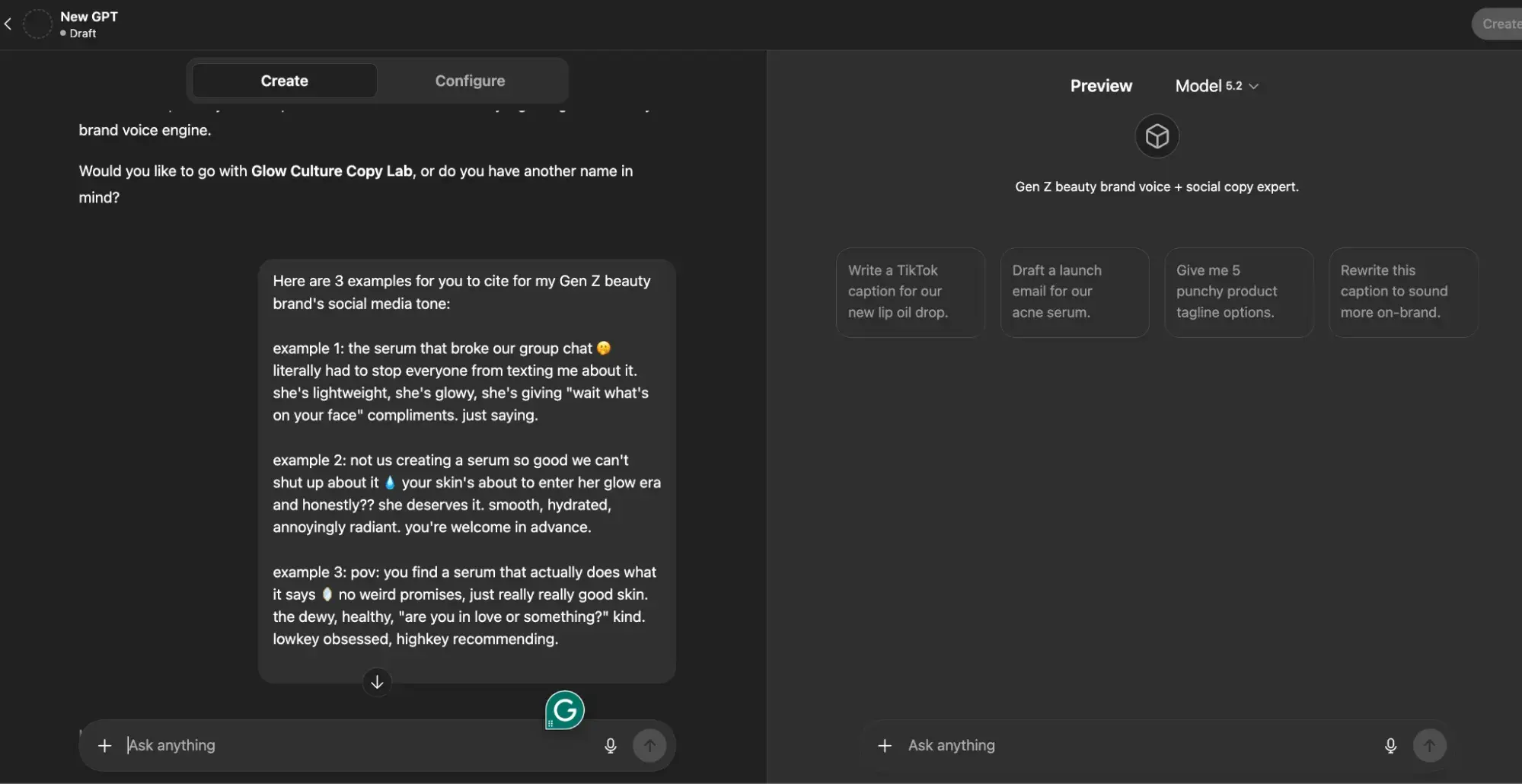
From this point forward, if I were actually building this brand (which I’ve now named “Skin Agenda” – thanks ChatGPT!), I would continue to use this custom GPT as a space to ideate and iterate on ideas for it.
Approval flow integration: Claude and ChatGPT in HubSpot
Want to use both tools in a single content pipeline? Well, you’re in luck. HubSpot’s smart CRM enables seamless integration of Claude and ChatGPT into marketing workflows through these approval pathways:
- Draft stage: ChatGPT generates initial content via API or Zapier trigger.
- Edit stage: Claude refines drafts using the native Claude connector with HubSpot, applying brand voice and structural improvements.
- Review stage: Content routes to HubSpot’s Content Hub for team review, version control, and approval tracking.
- Publish stage: Approved content deploys directly from Content Hub to blogs, landing pages, or email campaigns.
This CMS-approved workflow answers the question “Is Claude better than ChatGPT?” with nuance: Claude is better for editing, governance, and context-heavy tasks, while ChatGPT leads for speed and format variety.
The “Claude-versus-ChatGPT-for-marketing” argument isn’t about choosing one; it’s about sequencing both for maximum output quality and efficiency.
Claude vs. ChatGPT for email and social copy
As I already mentioned, ChatGPT is best for rapid ideation, email copy, and social content; Claude is better suited for long-form content editing and handling large amounts of context.
So, the question of whether ChatGPT versus Claude is better for email depends on whether you prioritize speed or nuance.
In the following section, I’ll break down how each tool performs across key email and social tasks.
Subject line and preview text generation
In my opinion, below are ChatGPT’s strengths when it comes to subject line and preview text generation:
- Generates 20+ subject line variants in seconds with character count constraints
- Tests emotional angles (urgency, curiosity, benefit-led, question-based) simultaneously
- Pairs subject lines with matching preview text that extends the hook without redundancy
Comparatively, here are Claude’s strengths:
- Analyzes your existing high-performing subject lines to identify patterns before generating new options
- Maintains brand voice consistency across subject line batches
- Flags compliance issues (misleading claims, spam trigger words) during generation
Recommended workflow: Use ChatGPT to generate initial subject line batches, then run top candidates through Claude with your brand guidelines to filter for tone alignment.
Claude vs. ChatGPT for SEO briefs and trustworthy research
Claude vs. ChatGPT for SEO briefs and trustworthy research
So, is Claude better than ChatGPT for generating SEO briefs and conducting accurate research? Honestly, it’s a tough call, but I can say with confidence that both tools require human verification.
Before I get into the details, take a look at the table below for a quick comparison of how each tool performs across common SEO tasks.
Model behavior comparison for SEO tasks
|
SEO Task |
Claude |
ChatGPT |
Best Choice |
|
Content briefs |
Synthesizes multiple source documents, maintains structural consistency across detailed briefs |
Generates briefs quickly, but may lose coherence in complex multi-section documents |
Claude for comprehensive briefs; ChatGPT for simple briefs |
|
Blog outlines |
Produces logically structured outlines with clear hierarchies, handles nuanced topic relationships |
Fast outline generation, strong at generating multiple variations quickly |
Claude for depth; ChatGPT for speed |
|
Keyword clustering |
Groups keywords by semantic relationships, and identifies content gaps across clusters |
Rapid clustering with basic categorization, good for initial groupings |
Tie! ChatGPT is faster; however, Claude is more |
|
Topic cluster planning |
Maps pillar-cluster relationships across large content ecosystems |
Generates cluster ideas quickly; less effective at maintaining cross-cluster coherence |
Claude for complex architectures |
|
Competitor content analysis |
Processes multiple competitor pages simultaneously within the context window |
Requires chunking for large competitive sets; faster for single-page analysis |
Claude for multi-competitor analysis |
|
Search intent classification |
Accurate intent categorization with explanations |
Quick classifications occasionally oversimplify mixed-intent queries |
Claude for accuracy |
Claude vs. ChatGPT for SEO research
Struggling to choose between Claude and ChatGPT for SEO research? I get it. When I’m struggling with decision-making, I segment my approach based on two things:
- My end goal
- The capabilities of the tool I’m using
Moreover, choose Claude when your SEO work involves:
- Briefs requiring synthesis of 5+ source documents
- Topic clusters with 15+ supporting pages to map
- Competitive analysis across multiple URLs
- Content audits requiring consistency checks across large page sets
- Research where factual accuracy directly impacts content quality
And, alternatively, choose ChatGPT when you need:
- Quick keyword brainstorms for new topics
- Multiple outline variations to evaluate
- Rapid title and meta description drafts
- Initial content gap hypotheses before deeper research
- Fast turnaround on simple, single-topic briefs
Safe “research with verification” pattern
Neither Claude nor ChatGPT should be trusted as a primary research source. Both can:
- Hallucinate statistics
- Misattribute quotes
- Fabricate sources
Follow this verification pattern for trustworthy research:
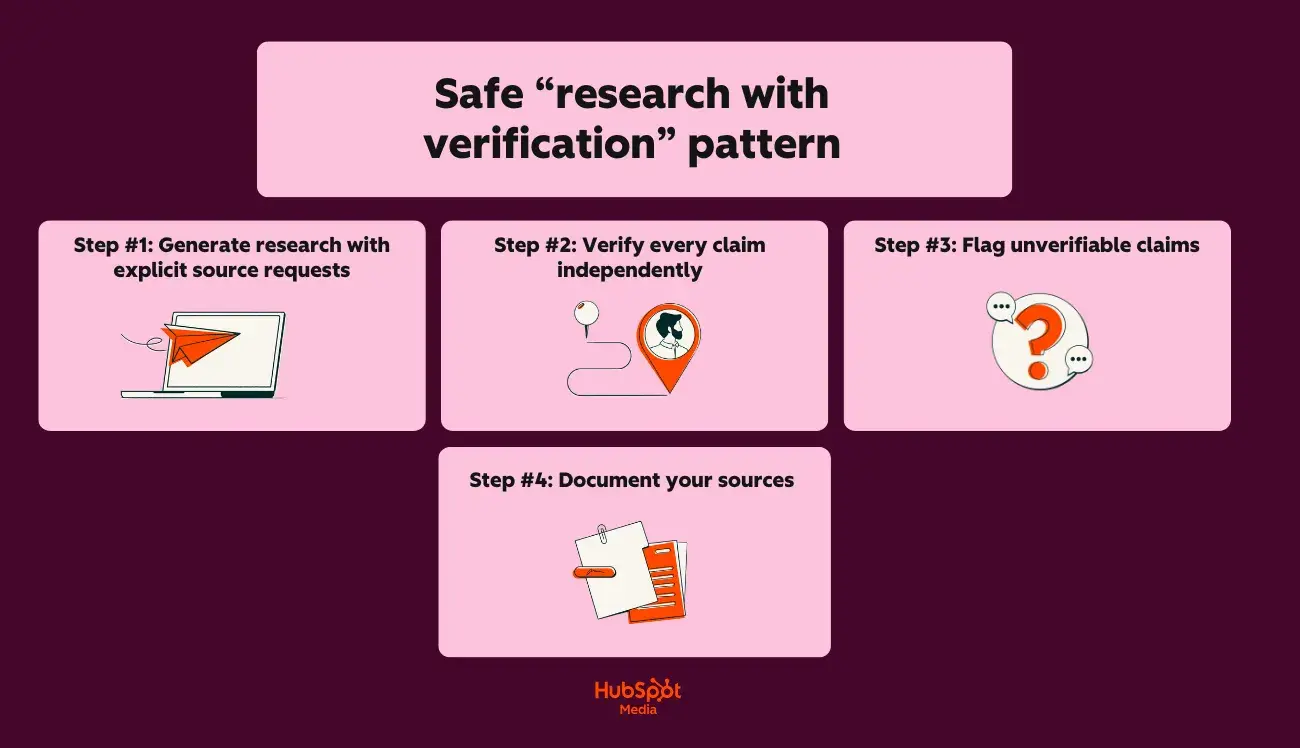
Step #1: Generate research with explicit source requests
Start with this prompt:
“Provide 5 statistics about [topic] that I can use in a blog post.
For each statistic, include:
- The specific claim
- The original source (organization, publication, study name)
- The year of publication”
Step #2: Verify every claim independently
Next, do the following:
- Search for the exact statistic in the claimed source
- Confirm the source exists and is credible
- Verify the data matches what the AI provided
- Check publication dates for currency
Step #3: Flag unverifiable claims
If you’re sensing inaccuracy, proceed as follows:
- If you can’t locate the source, don’t use the statistic
- If the source exists but the data differs, use the verified version
- If the AI admitted uncertainty, prioritize verification
Step #4: Document your sources
Lastly, be sure to:
- Maintain a source spreadsheet for each content piece
- Record: claim, source URL, verification date, verification status
- Link directly to primary sources in your content
Hallucination prevention checklist
Use this checklist before publishing any AI-assisted SEO content:
Before prompting:
- Provide the AI with verified source documents when possible
- Request citations for all factual claims in your prompt
- Ask the AI to flag uncertainty: “Note any claims you’re less than 90% confident about”
- Specify: “Do not invent statistics or sources”
Next, during review:
- Verify every statistic against the original source
- Confirm quoted experts actually said what’s attributed to them
- Check that cited studies exist and contain the referenced data
- Validate company names, product names, and proper nouns
- Cross-reference dates, percentages, and numerical claims
Then, before publishing:
- Replace AI-suggested sources with direct links to primary sources
- Remove any claims you couldn’t independently verify
- Add “as of 2026-03-02T12:00:04Z” qualifiers to time-sensitive statistics
- Run content through HubSpot’s AI Search Grader to evaluate optimization and accuracy signals
Lastly, beware of these red flags that indicate potential hallucinations:
- Statistics with suspiciously round numbers (exactly 50%, precisely 1 million)
- Sources you’ve never heard of that sound authoritative
- Quotes that seem too perfectly aligned with your argument
- Data points that contradict your industry knowledge
- Citations to “recent studies” without specific names or dates
Claude vs. ChatGPT for long‑form content and sales enablement
When it comes to LLM usage for long-form content and sales enablement, I’m all for experimentation. But regardless of your approach and what LLM you use to do it, guess what matters the most? How much context does the LLM have to successfully execute your request?
This capacity is defined by the term “concept window,” which means that an LLM like ChatGPT has only a limited amount of space to process and remember information from your conversation.
Take a peek at the comparison table below to see how Claude and ChatGPT stack up:
|
Feature |
Claude |
ChatGPT (GPT-5.2) |
|
Maximum context window |
200K tokens (~150,000 words) |
28K tokens (~96,000 words) |
|
Practical working limit |
~100K tokens for optimal performance |
~64K tokens for optimal performance |
|
Full ebook in a single context |
Yes |
Partial (may require chunking) |
|
Brand guide + draft + instructions |
Easily fits |
Fits with constraints |
So, what does this mean for long-form content? Allow me to elaborate:
- Claude can hold your entire style guide, brand voice document, and a 50-page draft simultaneously without losing context
- ChatGPT requires more careful prompt management for documents exceeding 40-50 pages
In the following section, I’ll delve into a cool feature set that makes producing long-form content with Claude easy. Let’s chat through Claude Projects and Artifacts.
Using Claude Projects and Artifacts for long-form work
So, what are Claude Projects and Artifacts? Here’s the TLDR version:
- Claude Projects allows you to create dedicated workspaces with their own chat histories and knowledge bases
- Claude Artifacts allows you to turn ideas into functional apps, tools, or content
Here’s a closer look at what Claude Projects can do for your long-form work:
- Upload persistent documents (brand guides, style sheets, product documentation) that remain accessible across all conversations within the project
- Create separate projects for different content types: “Ebooks,” “Case Studies,” “Enablement Decks”
- Reference uploaded documents without re-pasting: “Apply our brand voice guide to this draft.”
Additionally, here’s what you can do with Claude Artifacts:
- Generate standalone content pieces (outlines, chapters, complete drafts) that display in a separate panel
- Edit artifacts iteratively without losing conversation context
- Export completed artifacts directly to your CMS or document editor
- Version artifacts within a single conversation for comparison
Now that you have an understanding of ways to optimize long-form content production with Claude, let’s talk chunking strategies in the following section.
Chunking strategies for long-form content
When documents exceed practical context limits or when you need tighter control over output, this is when you’ll need to “chunk” (aka break your content into smaller, manageable segments).
Here’s the best part about chunking: you can take a few different approaches when doing it. Check out some of my favorites:
1. Chapter-by-chapter chunking
Chapter-by-chapter chunking works as follows:
- Generate a complete outline with all chapter summaries first
- Draft each chapter individually, referencing the master outline
- Include “Previously covered:” context at the start of each chapter prompt
- Compile chapters and run a continuity check across the full document
2. Section-based chunking
Section-based chunking (my favorite approach) works a little differently, but I think it’s pretty intuitive once you’ve given it a try. Here’s a table I like to refer to when using section-based chunking:
|
Content Type |
Recommended Chunk Size |
Context to Include |
|
Ebook (10+ chapters) |
1 chapter per prompt |
Outline + previous chapter summary |
|
Guide (5 to 10 sections) |
2 to 3 sections per prompt |
Full outline + adjacent sections |
|
Case study |
Full document (typically fits) |
Template + brand guide |
|
Enablement deck |
5 to 10 slides per prompt |
Deck outline + messaging framework |
3. Overlap technique for continuity
Lastly, here’s an approach I like to use when I want to preserve narrative flow and consistency across chunks:
- Include the last 2 to 3 paragraphs of the previous chunk in each new prompt
- Reference specific transitions: “Continue from where we discussed [topic]”
- Maintain a running summary document that travels with each chunk
Outline strategies by content type
To help you maximize efficiency with Claude, below are step-by-step instructions for creating an outline that’ll ultimately become long-form when fully drafted, segmented by various long-form content types:
For ebooks and comprehensive guides, use this approach:
- Start with a topic brief: audience, goal, key differentiators
- Generate a detailed outline with Claude (leverage full context window)
- Request chapter summaries (2-3 sentences each) before drafting
- Draft the introduction and conclusion first to anchor the tone
- Fill the middle chapters referencing the established bookends
For case studies, try this workflow:
- Upload case study template + raw interview notes/data
- Generate structured outline: Challenge → Solution → Results → Quote
- Draft full case study in a single pass (typically under 3,000 words)
- Claude AI vs ChatGPT for writing case studies favors Claude for maintaining narrative consistency
For lengthy enablement decks, give this method a try:
- Define deck purpose: sales training, product launch, competitive positioning
- Generate a slide-by-slide outline with a speaker notes framework
- Draft content in logical groupings (problem slides, solution slides, proof slides)
- Request variations for different audience segments
Lastly, for content briefs that’ll be shared with external writers, try this:
- Use Claude to generate comprehensive briefs from minimal inputs
- Include: target keywords, audience profile, competitive angles, required sections, tone guidelines
- Claude’s context window holds reference materials (competitor content, source documents) alongside brief requirements
Handoff patterns: Long-form to sales collateral
A big part of working in marketing is knowing that the long-form content you create will end up in the hands of sales folks.
To guarantee seamless handoffs from marketing to sales, follow this simple step-by-step framework below:
|
Step |
Tool (Claude or ChatGPT) |
Output |
|
Complete ebook draft |
Claude |
Full document in Claude Artifacts |
|
Extract key statistics |
Claude |
Bulleted stat list with context |
|
Generate one-pagers |
ChatGPT |
Quick-turn summaries by chapter |
|
Create social proof snippets |
ChatGPT |
Quote cards, testimonial formats |
|
Build slide content |
ChatGPT |
Deck-ready bullet points |
Pro Tip: Export completed assets to Marketing Hub via HubSpot’s Claude connector for staging, approval routing, and team-wide access.
Claude vs. ChatGPT for simple marketing automations and analysis
ChatGPT versus Claude for coding depends on task complexity: ChatGPT for speed on simple scripts, Claude for accuracy on multi-step operations.
But there’s more to AI-assisted automation than you think. Using Claude or ChatGPT for marketing automation and analysis requires the right use cases. To help you get started, I’ve outlined a few for you to start with below:
Safe use cases for AI-assisted automation
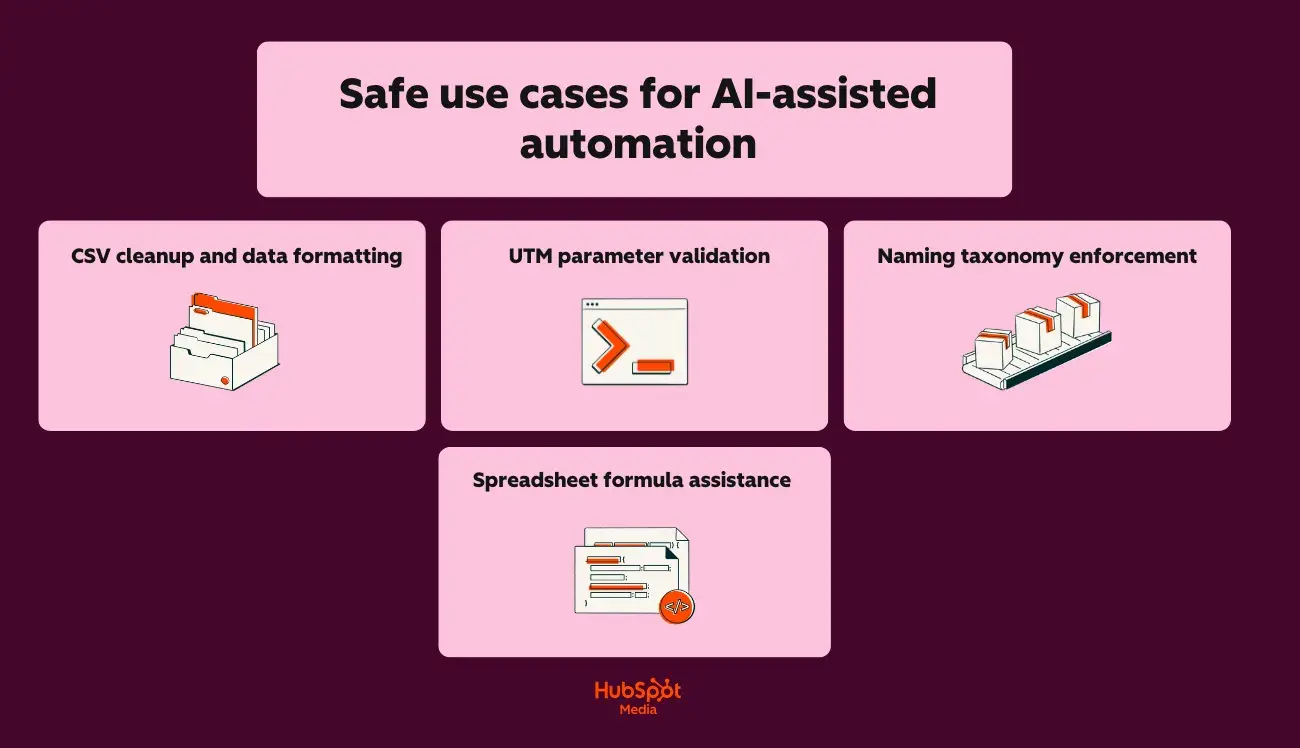
For CSV cleanup and data formatting, try:
- Standardizing date formats across exported campaign data
- Removing duplicate rows and trimming whitespace
- Converting column headers to consistent naming conventions
- Splitting or combining fields (e.g., separating “City, State” into two columns)
For UTM parameter validation, you should:
- Check URLs for missing or malformed UTM parameters
- Verify utm_source, utm_medium, and utm_campaign match documented taxonomy
- Flag inconsistent capitalization or spacing errors
- Generate corrected URLs for reimport
When working with naming taxonomy enforcement, try the following:
- Validate campaign names against your naming convention rules
- Identify assets that don’t follow folder/file naming standards
- Generate compliant names for new campaigns based on templates
- Audit historical assets for taxonomy drift
Lastly, for spreadsheet formula assistance, try:
- Writing VLOOKUP, INDEX/MATCH, or XLOOKUP formulas
- Creating pivot table configurations
- Building conditional formatting rules
- Debugging formula errors
I recommend using Claude for any AI-assisted automation that requires precision. Now that I’ve given you a few use cases to consider, next, I’ll talk through what you’ll use to keep your outputs safe and reliable.
Guardrail checklist for AI-generated code and analysis
I’ll say this once, maybe I’ll say it again, but regardless, read this statement carefully: Never deploy AI-generated code or act on AI-generated analysis without human review.
Here’s what you should do before running any AI-generated script:
- Read the entire script line by line (don’t assume correctness)
- Verify the script only accesses intended files/data sources
- Check for hardcoded values that should be variables
- Confirm no destructive operations (DELETE, TRUNCATE, overwrite) exist without explicit safeguards
- Test on a sample dataset before running on production data
- Back up the original data before any transformation
- Run in a sandbox environment first when possible
Also, before acting on AI-generated analysis, be sure to:
- Verify source data accuracy before accepting conclusions
- Cross-check calculations manually on a sample subset
- Question surprising findings (spoiler art: AI can misinterpret data structures)
- Confirm the AI understood your column headers and data types correctly
- Check for hallucinated patterns (AI may invent correlations)
- Validate statistical claims with your analytics platform’s native reporting
Claude vs. ChatGPT: Data privacy, governance, and brand protection
When it comes to data privacy, governance, and brand protection comparisons, I’ll be honest with you: both Claude and ChatGPT provide adequate protections (when configured correctly, of course).
But I understand that you want to know about all the bells and whistles when it comes to this stuff, so, for your convenience, within this section, I’ll cover the following for both tools:
- Data handling policies
- Governance frameworks
- Brand protection strategies
Let’s get into it:
Claude vs. ChatGPT: Data privacy comparison
Here’s a quick glimpse of Claude’s and ChatGPT’s data privacy capabilities:
|
Privacy Feature |
Claude |
ChatGPT |
|
Training data exclusion |
Default: user data not used for training |
Requires opt-out in settings or the Enterprise tier |
|
Data retention (consumer tiers) |
30 days for trust and safety |
30 days for abuse monitoring |
|
Data retention (enterprise) |
Configurable, including zero retention |
Configurable, including zero retention |
|
SOC 2 Type II certification |
Y |