



I evaluated 12+ tools to find the six best free workforce management software best for small businesses: BambooHR, Connecteam, Employment Hero, greytHR, Humanity Schedule by TCP, and Keka.
I’ve learned that workforce management is easy to get right when you have five employees and a predictable schedule. It gets much harder when shifts change daily, time-off requests overlap, and payroll depends on accurate time tracking. Plenty of platforms promise a free plan, but that can mean anything from a genuinely usable product to a short trial that expires before you can decide if it fits your business.
For this guide, I tested each product’s free plan or trial, reviewed official pricing pages, and analyzed recent G2 feedback to understand what small businesses can realistically accomplish before upgrading. Some tools stayed useful well beyond the evaluation stage, while others reached their limits much sooner. I’ve called out those differences throughout, so you can choose the free workforce management software that fits your team without paying for more than you need.
What are the best free workforce management software tools for small businesses in 2027?
1. BambooHR: Best for growing small businesses, streamlining HR and workforce management
For small businesses that want to centralize employee records, time-off management, onboarding, and workforce operations before investing in a larger HR platform.
2. Connecteam: Best for managing deskless teams with a permanent free plan
For small businesses, scheduling shifts, tracking time, and communicating with frontline employees from a single mobile-first platform.
3. Employment Hero: Best for combining workforce management with HR and payroll
For growing businesses looking to manage employee scheduling, leave, payroll, and HR processes from one connected system.
4. greytHR: Best for attendance tracking and HR administration
For small businesses that need an affordable way to manage attendance, leave, employee records, and payroll workflows as their teams grow.
5. Humanity Schedule by TCP: Best for employee scheduling and shift optimization
For businesses creating recurring schedules, managing shift swaps, and improving staffing coverage while reducing scheduling conflicts.
6. Keka: Best for employee attendance and leave management
For small businesses wanting to simplify attendance tracking, leave approvals, and everyday workforce administration with an intuitive interface.
*Tools are listed alphabetically. These tools offer free plans, free trials, or freemium options.
Comparison of the best free workforce management software for small businesses
Here’s a side-by-side look at free plan limits and pricing before diving into the full reviews.
| Tool | G2 Rating | What the free plan covers | Paid Starts At |
| BambooHR | 4.4/5 ⭐ |
|
From $10/employee/month |
| Connecteam | 4.6/5 ⭐ |
|
From $29/month |
| Employment Hero | 4.4/5 ⭐ |
|
From $10/month |
| greytHR | 4.4/5 ⭐ |
|
From ~$26.28/month (₹2,495/month for up to 50 employees; India Essential plan) |
| Humanity Schedule by TCP |
4.3/5 ⭐ |
|
Custom pricing |
| Keka | 4.4/5 ⭐ |
|
Custom pricing |
*All pricing details mentioned in this article are based on publicly available data at the time of publication and are subject to change. greytHR’s USD estimate converts its India Essential price at approximately ₹94.95 per US dollar (October 23, 2026); local prices, taxes, and exchange rates may vary.
Across G2 reviews, workforce management software for small businesses shows a 90% likelihood to recommend and 92% ease of doing business with. For tools that control schedules, time tracking, and payroll inputs, those numbers matter. These are systems teams rely on daily, not something they tolerate. When they work, they quickly replace spreadsheets, manual rosters, and back-and-forth coordination.
The category is growing steadily as more small businesses formalize their employee management. The market is expected to reach $15.38 billion by 2033, up from $11.90 billion in 2026. Most teams don’t start with a full system. They begin with a free plan, use it to fix scheduling gaps or inaccurate timesheets, and upgrade only when those workflows become part of everyday operations.
How did I find and evaluate these free workforce management software for small businesses?
I started with G2’s free workforce management software category and evaluated each product through its free plan, free trial, or freemium offering. I then reviewed official pricing pages, plan documentation, and product resources to understand what small businesses can realistically manage before paying.
Where hands-on evaluation was possible, I tested everyday workforce workflows such as building schedules, tracking attendance, managing PTO and leave requests, reviewing timesheets, and using employee self-service features to see how practical each free experience was for a small team.
To validate those observations, I analyzed recent G2 reviews from operations and HR professionals, specifically filtering for feedback from small businesses, and cross-checked them against the G2 Summer 2026 Small-Business Grid Report for Workforce Management. This helped me identify consistent patterns around scheduling, time and attendance tracking, leave management, workforce visibility, ease of use, and the practical limitations small businesses should consider before upgrading.
Some screenshots in this article are sourced from vendor pages or publicly available materials.
*Tools included in this list were selected based on their presence in the free category page at the time of writing and may change over time.
What I look for in free workforce management software for small businesses
Testing free workforce management software quickly shows that most tools are not built for sustained use on the free tier. Here’s what I focused on during my evaluation:
- How well the free plan handles real scheduling scenarios: Small businesses rarely operate on fixed schedules. I looked at whether teams can build recurring shifts, manage last-minute changes, approve swaps, and track availability without falling back on spreadsheets. For anyone comparing free staff management software, that means checking how shifts hold up when plans change. Tools that behave like strong employee scheduling software for shift-based teams are far more practical once scheduling becomes a daily task.
- Whether time tracking holds up for payroll use: Logging hours is straightforward. Producing accurate timesheets that feed into payroll isn’t. I evaluated whether the free version supports consistent clock-ins, approvals, and reporting without manual corrections, especially for teams that rely on time and attendance tracking for accurate payroll.
- How leave requests affect scheduling and coverage: Time off directly impacts staffing. I looked at how employees request leave, how approvals are handled, and whether schedules are updated without manual coordination. Tools that reflect how leave and absence management software works in practice reduce friction quickly.
- How quickly the free plan becomes restrictive: Every free workforce management software has limits. I tracked where those limits appear first, whether in employee caps, scheduling constraints, reporting gaps, or payroll dependencies, and whether a small business can operate meaningfully before needing to upgrade.
- Visibility into workforce activity without extra systems: Small teams don’t have separate analytics layers. I looked at whether the free plan provides enough visibility into attendance, shift coverage, and workforce activity without requiring additional tools, which is a baseline expectation from modern workforce management software.
- Fit for small teams without operational overhead: Some tools feel designed for larger organizations and carry unnecessary complexity. I prioritized platforms where the free experience aligns with how small businesses operate, including quick setup, minimal configuration, and workflows that don’t require a dedicated HR or operations team.
To qualify for inclusion in the Workforce Management category, a product must:
- Allow users to forecast labor demands and develop workforce contingency plans
- Help administrators manage employee schedules, PTO, and leave requests
- Enable reporting on labor activities with workforce analytics capabilities
- Track employee attendance and workforce competencies
*This data was pulled from G2 in 2026. Some reviews may have been edited for clarity.
1. BambooHR: Best for growing small businesses, streamlining HR and workforce management
BambooHR gave me a clearer way to handle the HR tasks that tend to scatter as a small business grows. I used it to organize employee records, track PTO, and manage onboarding workflows that might otherwise sit across spreadsheets and emails. The free trial gave me enough access to test these workflows in real scenarios, not just explore the interface.
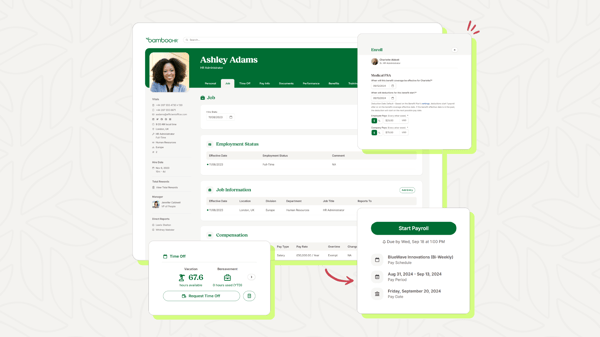
What stood out was how quickly routine tasks became predictable without adding administrative overhead. Time-off requests, approvals, and employee updates followed the same workflow, reducing manual coordination. That aligns with G2 Data, where BambooHR scores 93% for ease of use and 93% for ease of doing business with. It isn’t designed for shift-heavy teams, but for small businesses that want workforce management tied closely to employee data; it behaves more like structured core HR software and holds up well during evaluation.
What does BambooHR’s free plan include?
- Free trial access, no permanent free plan
- Centralized employee database and document storage
- Time-off tracking with approval workflows
- Hiring and onboarding management tools
- Basic reporting and employee insights
- Payroll and time tracking are available as paid add-ons
When should you upgrade your BambooHR free plan?
I’d move to a paid BambooHR subscription when the trial ends, and employee records, PTO approvals, and onboarding need to run continuously. If payroll processing or employee time tracking becomes part of that workflow, I’d evaluate BambooHR’s Payroll or Time & Attendance add-ons rather than relying on separate systems.
Where BambooHR genuinely stands out:
- Bringing employee records, onboarding, and PTO into one system made coordination noticeably simpler for me, a benefit echoed by G2 reviewers who value BambooHR’s centralized HR experience.
- Employee self-service reduced routine admin during my evaluation, with G2 reviewers similarly praising how easily employees can request PTO, access information, and manage everyday tasks independently.
What G2 users like about BambooHR:
“BambooHR sets the standard for user experience with a clean, intuitive dashboard that employees can navigate with virtually zero training. Thanks to a fantastic employee self-service app, team members can instantly log hours, check the company directory, or request PTO right from their phones. It’s a win-win that keeps employees autonomous and saves HR teams from a mountain of routine questions.”
– BambooHR review, Shubham M.
Is BambooHR right for your business?
- Best for: Small businesses that have outgrown spreadsheets and want to test structured HR workflows like employee records, onboarding, and PTO management before committing to a full system
- Not ideal for: Teams running shift-based operations or looking for a free tool they can use long term, since BambooHR’s trial is better suited for evaluation than ongoing workforce management
What I dislike about BambooHR:
- The lack of a free-forever plan comes up in small-business G2 reviews and limits ongoing use after the trial. I still found the evaluation period useful for judging workflow fit.
- Reporting and customization can require extra effort, according to some G2 users. I found this more relevant for advanced needs, while core HR workflows remain straightforward to manage.
What G2 users dislike about BambooHR:
“Reporting customization could be more flexible—building specific custom reports sometimes takes more clicks than expected, and a few export formatting options feel limited. Onboarding took a little longer than anticipated since some of the setup steps weren’t immediately obvious, though support was responsive when we had questions. The AI-driven features (like suggested insights) are useful but still feel a bit basic compared to what I’d hoped for.”
– BambooHR review, Ben E.
2. Connecteam: Best for managing deskless teams with a permanent free plan
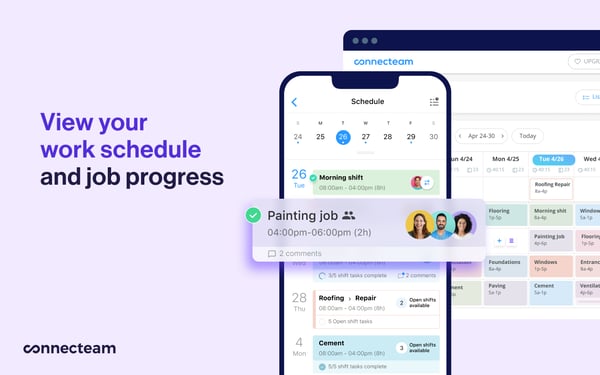
Connecteam felt very different from the moment I started using it. Instead of building workflows around employee records, everything revolves around what your team is doing during the day. I used it to schedule shifts, track hours, assign tasks, and communicate with team members directly from the same app. For small businesses managing frontline or field teams, the free plan isn’t just for testing. It is something you can actually run operations on.
What does Connecteam’s free plan include?
- Free-for-life plan for up to 10 users
- Full access to scheduling, time tracking, and task management tools
- GPS time clock with timesheets and attendance tracking
- Team chat and internal communication features
- Forms, checklists, and workflow management tools
- Basic reporting with full mobile app access
When should you upgrade your Connecteam free plan?
I would upgrade once my business grows beyond 10 employees or needs more advanced automation, reporting, and workforce management capabilities. Paid plans start at $29/month, extending the same mobile-first experience to larger teams and more complex operations.
Where Connecteam genuinely stands out:
- Managing schedules, tasks, and team communication from one place saved me from switching between tools, and small-business reviewers on G2 similarly value having these daily workflows connected.
- The mobile experience was especially practical for deskless teams. Employees could clock in, check schedules, and complete tasks from their phones, which G2 feedback regularly identifies as a key strength.
What G2 users like about Connecteam:
“I use Connecteam to schedule my team for my event planning business, and it makes it much easier for me to see who can work. It’s seamless for my team to know when they are scheduled. I love the ability to keep shifts open for my team to bid on. With my event planning business, I can put the events in, indicate how many assistants I need, and it allows my team to look at the date and location of the event and bid on it if they’re interested in working. The initial setup of Connecteam was very easy.”
– Connecteam review, Kristen C.
Is Connecteam right for your business?
- Best for: Small businesses managing deskless teams that need scheduling, time tracking, and communication in one system without paying upfront.
- Not ideal for: Teams that rely heavily on advanced integrations or need highly customized workflows as they scale beyond the free plan.
What I dislike about Connecteam:
- According to G2 reviewers from small businesses, some mobile app experiences can feel inconsistent, especially when certain features are easier to access on a desktop. While that can slow down specific workflows, most still find the mobile app reliable for daily use.
- Users on G2 also mention that setting up more advanced workflows or job structures can take time. In practice, once configured, teams usually find it easier to manage ongoing operations.
What G2 users dislike about Connecteam:
“The mobile app is pretty glitchy and doesn’t have all the same features as the web browser. For instance, I can’t duplicate a shift on the mobile app, so setting up a shift is best to do on the web browser, which isn’t necessarily convenient. There was a lot of learning curve and confusion around the icons and symbols used. It’s very difficult to see if a shift was actually claimed or not, and if it was published. The initial setup was extremely challenging.”
– Connecteam review, Fancy F.
3. Employment Hero: Best for combining workforce management with HR and payroll
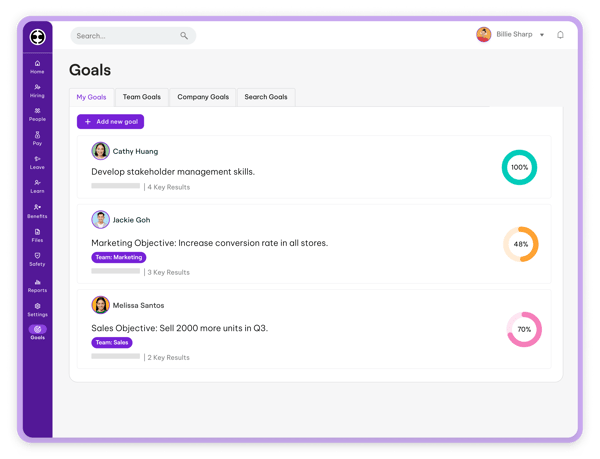
Employment Hero brings employee data, payroll, and compliance into the same workforce workflow, rather than treating time tracking as a separate task. I used it to manage attendance, onboarding, and payroll inputs all in one place, which is where simpler tools usually start to break down. Beyond its $0 recruiting/ATS plan and region-specific free offerings, the free trial let me evaluate how its broader HR and workforce workflows connect in real-world scenarios.
What does Employment Hero’s free plan include?
- Free recruiting/ATS offering with Core ATS Pipeline and candidate scoring/ranking
- No HR or payroll subscription required for the free ATS offering
- Region-specific free offerings are also available, including free payroll in the UK
- Free trial access to broader HR and workforce management capabilities
- Employee records, onboarding, and HR management tools
- Time, attendance, payroll, and compliance capabilities vary by plan and region
When should you upgrade your Employment Hero free plan?
I would upgrade once I needed HR, payroll, and workforce management beyond the free recruiting or region-specific offerings. Paid plans start at $10/month, making the upgrade easier to assess when ongoing employee management, compliance, and automation become necessary.
Where Employment Hero genuinely stands out:
- Having payroll, HR, and workforce management connected made it easier for me to manage employee workflows without switching systems, a benefit small-business reviewers on G2 also value.
- Employee setup, documentation, and compliance steps became more structured once configured. G2 feedback similarly points to onboarding and HR automation as valuable for reducing repetitive administration.
What G2 users like about Employment Hero:
It’s free (I am using the Free Payroll option), and it’s simple to set up and use. It connects to HMRC, so it keeps us compliant. The support is excellent – I had to ask for help a couple of times and got prompt and helpful responses.
– Employment Hero review, Helen L.
Is Employment Hero right for your business?
- Best for: Small businesses that want payroll, compliance, and workforce data to live in one system and are willing to spend time setting up structured workflows.
- Not ideal for: Teams that need quick scheduling or a lightweight tool, since the setup, navigation, and lower-rated scheduling features can slow down early adoption.
What I dislike about Employment Hero:
- Small-business reviewers on G2 describe initial setup and navigation as complex across multiple modules. I noticed similar friction, although established workflows become much easier to navigate.
- G2 feedback points to weaker mobile shift scheduling and labor forecasting, which can restrict shift-heavy operations. For businesses centered on HR and payroll, its core workflows remain more practical.
What G2 users dislike about Employment Hero:
“The biggest downside is that there is a steep learning curve when you first start using the platform. With so many features and customization options available, it can feel overwhelming for new users, and it takes time to understand how all the different modules work together.”
– Employment Hero review, Jess D.
If you’re evaluating how platforms like this scale beyond small-team workflows, explore the HCM software category to compare how these systems evolve as organizations grow.
4. greytHR: Best for attendance tracking and HR administration
greytHR stood out in my evaluation for how it connects attendance and leave records to payroll inputs. I used it to log attendance, track leave balances, and generate payroll-ready data, which are the workflows small teams usually manage manually. The free trial let me test these processes under regular use, especially compared to broader onboarding software that focuses more on employee setup than ongoing operations.
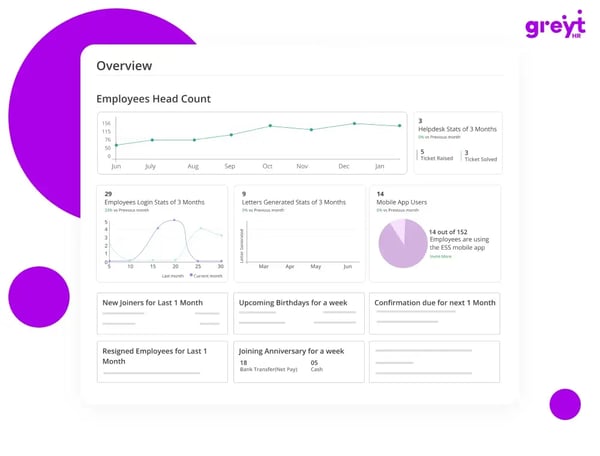
The difference shows up in consistency. Attendance logs, leave approvals, and payroll calculations stay aligned without constant adjustments. G2 Data reflects this, with absence and leave management at 93% and time and attendance tracking at 91%, compared with 87% for mobility and 82% for team communication. It does not try to do everything, but for teams evaluating the best free workforce management software for small businesses, it works where accuracy matters most.
What does greytHR’s free plan include?
- Free trial access, no permanent free plan
- Time and attendance tracking with payroll-ready data
- Leave and absence management workflows
- Employee records and HR administration tools
- Payroll processing and statutory compliance features
- Basic reporting and dashboards
When should you upgrade your greytHR free trial?
I would upgrade from greytHR’s trial once attendance tracking, leave management, and payroll processing are part of regular business workflows. A paid plan makes more sense then because it supports ongoing payroll operations, compliance, reporting, and employee administration from one platform. In India, Essential starts at about $26.28/month for up to 50 employees; the Growth tier with advanced attendance and shift management starts at about $47.34/month.
Where greytHR genuinely stands out:
- Payroll accuracy was evident in my evaluation, with attendance and salary inputs remaining consistent across workflows. Small-business reviewers on G2 frequently point to the same reliability.
- I found employee self-service particularly useful for reducing routine HR requests. G2 feedback reinforces this, with users valuing direct access to payslips, leave applications, and personal records.
What G2 users like about greytHR:
“I’ve had a great experience using greytHR. It simplifies and automates HR operations in one platform. The interface makes it easy to manage attendance, leave, payroll, onboarding, employee records, and compliance with minimal effort.”
– greytHR review, Abhijith M.
Is greytHR right for your business?
- Best for: Small businesses that need dependable attendance tracking and payroll-ready data without relying on multiple tools.
- Not ideal for: Teams that depend on real-time collaboration, mobile-first workflows, or communication-heavy coordination across employees.
What I dislike about greytHR:
- G2 reviewers from small businesses mention the interface can feel cluttered at first, and I ran into the same issue while navigating multiple HR modules. While the initial experience takes adjustment, once the workflows are configured, greytHR becomes much easier to use
- According to G2 users, mobile usage isn’t as smooth as desktop workflows. While that slows quick checks, the core attendance and payroll processes remain stable once configured.
What G2 users dislike about greytHR:
“Well, I don’t want greytHR to show all of this on the home page. I mean, I can literally see in one click my payslips and all on the home page. Personally, I feel some sensitive things like salary-related details don’t need to be directly visible on the front page and can instead be managed somewhere inside the sidebar or another section.”
– greytHR review, Varun U.
5. Humanity Schedule by TCP: Best for employee scheduling and shift optimization
Humanity Schedule by TCP put scheduling depth at the center of my testing, especially for recurring rosters and coverage changes. I used it to build weekly rosters, manage shift swaps, and track coverage without relying on spreadsheets or constant follow-ups. The free trial gave me enough time to test how schedules hold up when multiple people make changes simultaneously.
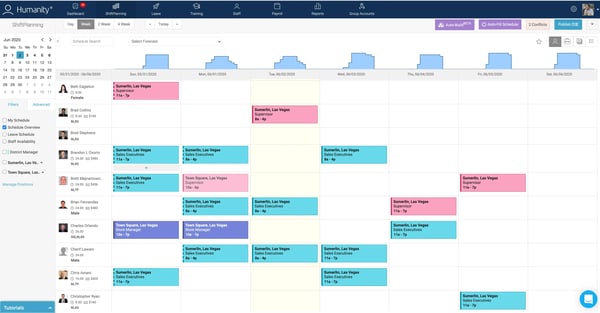
What became clear is that the platform is built around scheduling depth rather than general HR workflows. Creating recurring shifts, adjusting coverage, and managing availability felt structured and predictable. That aligns with G2 Data, where shift scheduling scores 93%, and time and attendance tracking reaches 90%, compared with 82% for reporting and 80% for integration APIs. It works best when scheduling is the priority and broader workforce processes come later, rather than trying to replace a full workforce planning software setup from the start.
What does the Humanity Schedule by TCP’s free plan include?
- Free trial access, no permanent free plan
- Employee scheduling and shift management tools
- Time and attendance tracking features
- Shift swaps, availability tracking, and coverage planning
- Basic reporting and workforce visibility
- Mobile access for schedule updates and notifications</