



You only need three tools to get sixteen highly actionable data points on your competitors’ traffic.
Before we dive in, let’s set the right expectations: no tool will give you your competitor’s exact traffic data. However, it’s still well enough to see what works for them, copy their best ideas, or set realistic benchmarks.
We’ll cover:
- Types of data you can access, such as traffic volume, trends, organic and paid keywords, and audience insights.
- Practical use cases, including benchmarking, tracking progress, identifying content gaps, boosting your SEO and SEM, and negotiating budgets.
- Last but not least, how this data is gathered and its reliability.
With these tools and insights, you’ll be well-equipped to understand and outperform your competitors’ website traffic.
We’ll start with organic search traffic — the source on which you’ll get the most data.
How to analyze competitor organic search traffic
Organic search traffic refers to the clicks a site gets from search engines, excluding search ads.
There’s a lot you can tell about your competitors’ organic traffic and a lot you can tell from it. Here are my favorite twelve use cases with detailed instructions.
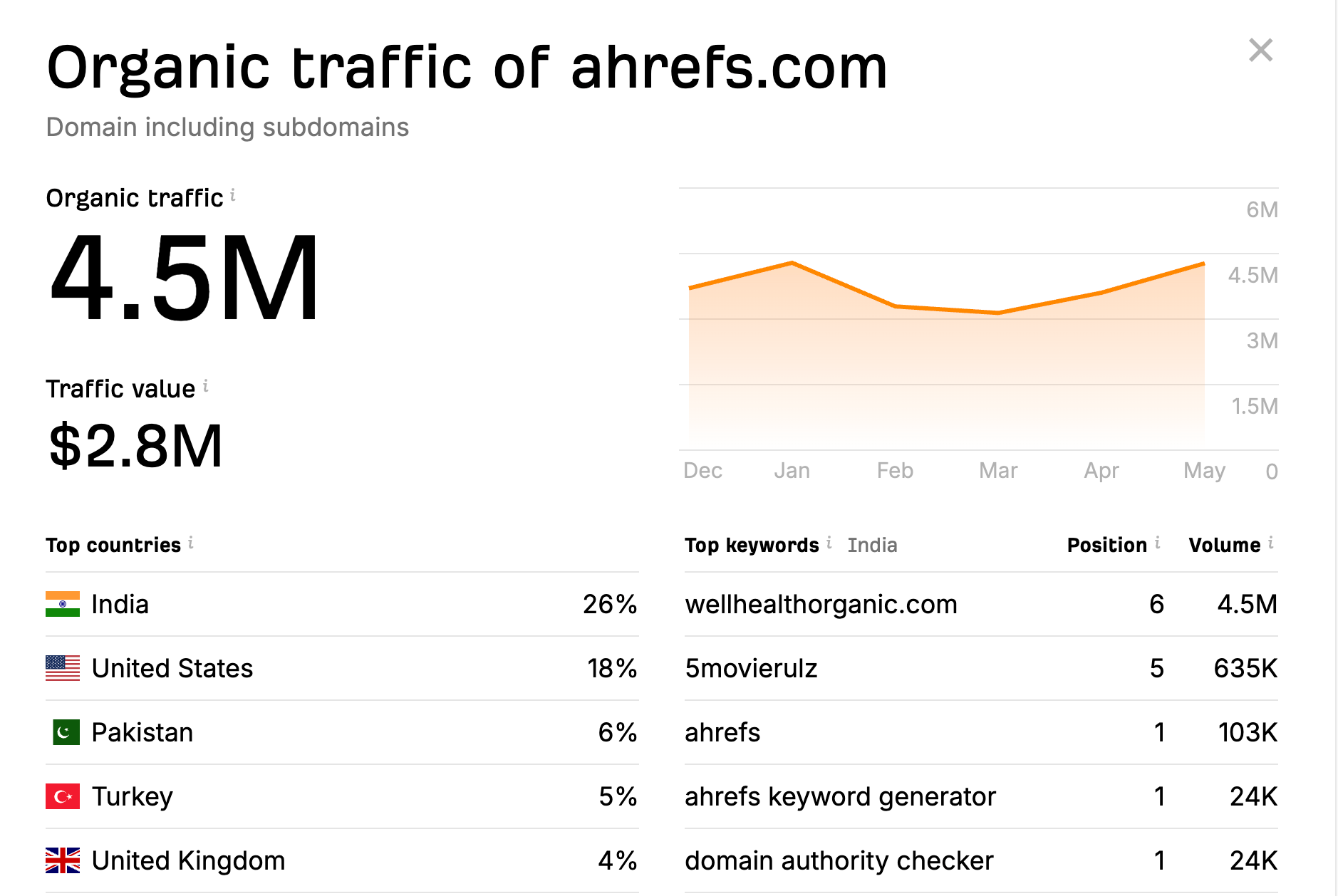
You can check that in seconds for free, right now:
The tool will also show you where in the world the traffic is coming from, some of the top pages and keywords, and traffic value (i.e., the value of the organic search traffic, if it were to be acquired via PPC in Google Ads).
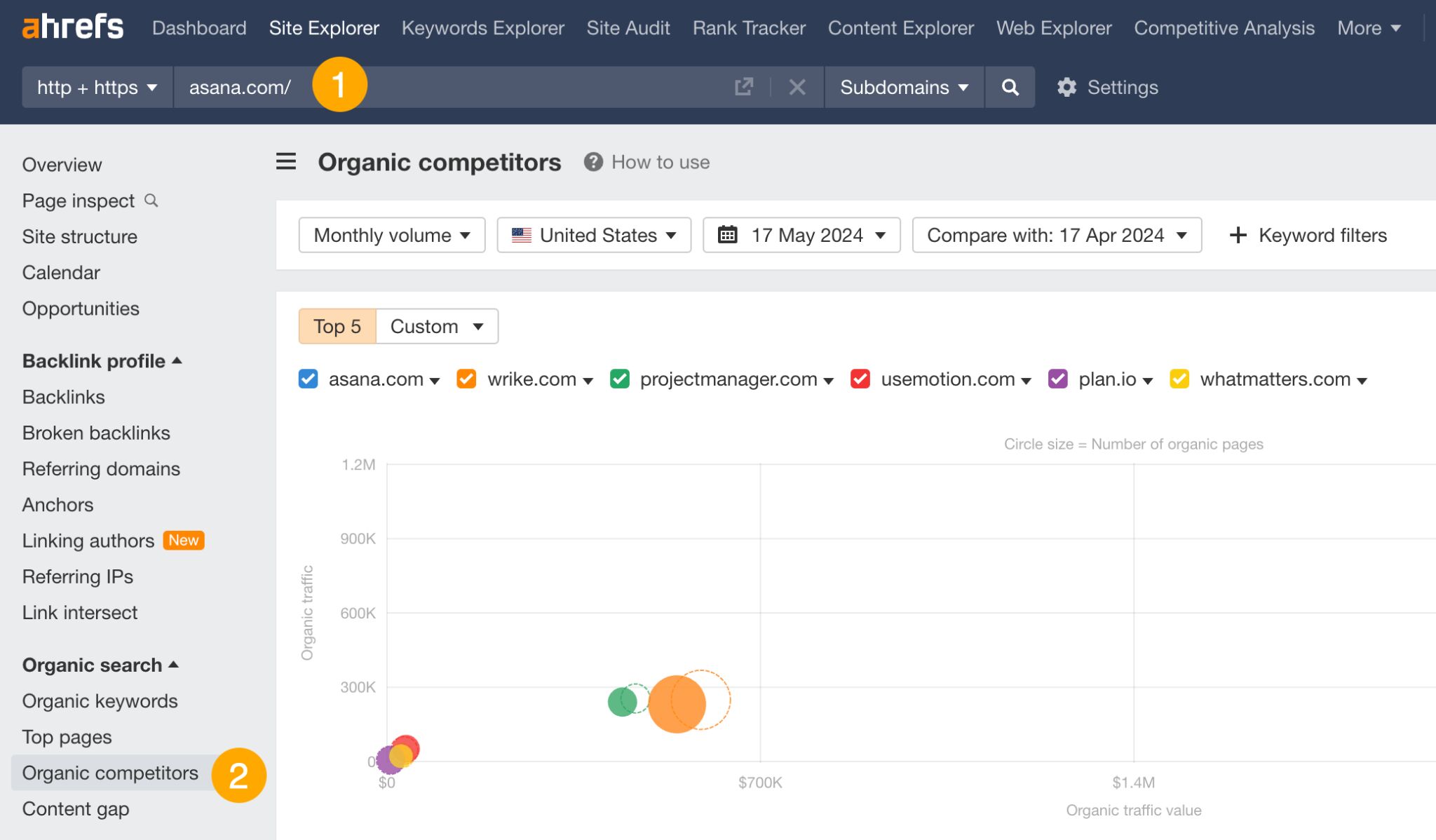
Organic competitors are the sites that compete with you for the same organic keywords in search engines.
Typically, you’ll have more organic competitors than your regular direct business competitors. For example, a 3D printer manufacturer may be competing for a fair share of keywords with a 3D printing magazine — completely different businesses, same keywords.
So by rounding up your top organic competitors, you gain a bigger pool of keyword ideas you can potentially target. Much bigger than if you’d just take into account your direct competitors.
Here’s how to identify all organic competitors.
- Open Ahrefs’ Site Explorer and enter your domain.
- Go to the Organic competitors report.
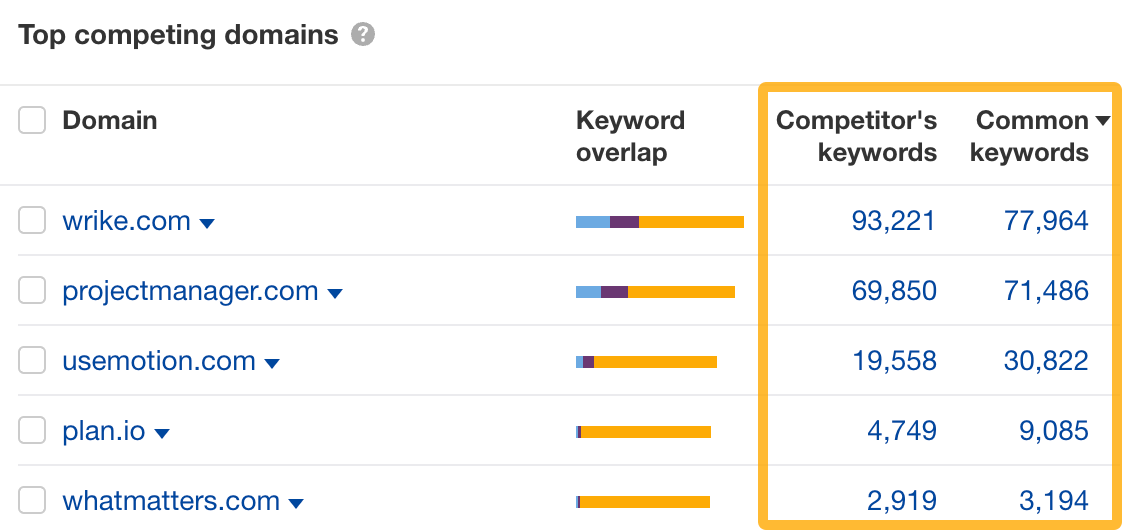
From there, you can look at the common keywords to see where they outrank you or click on Competitor’s keywords to see keywords you don’t rank for but they do (a.k.a. your content gap).
If your competitor is doing SEO, typically their blog will attract most of their organic traffic. But this is not always the case. They may have found other ways of getting clicks from Google, like free tools or free resources, and you could do the same.
- Open Site Explorer and enter your competitor’s domain.
- Go to the Site structure report.
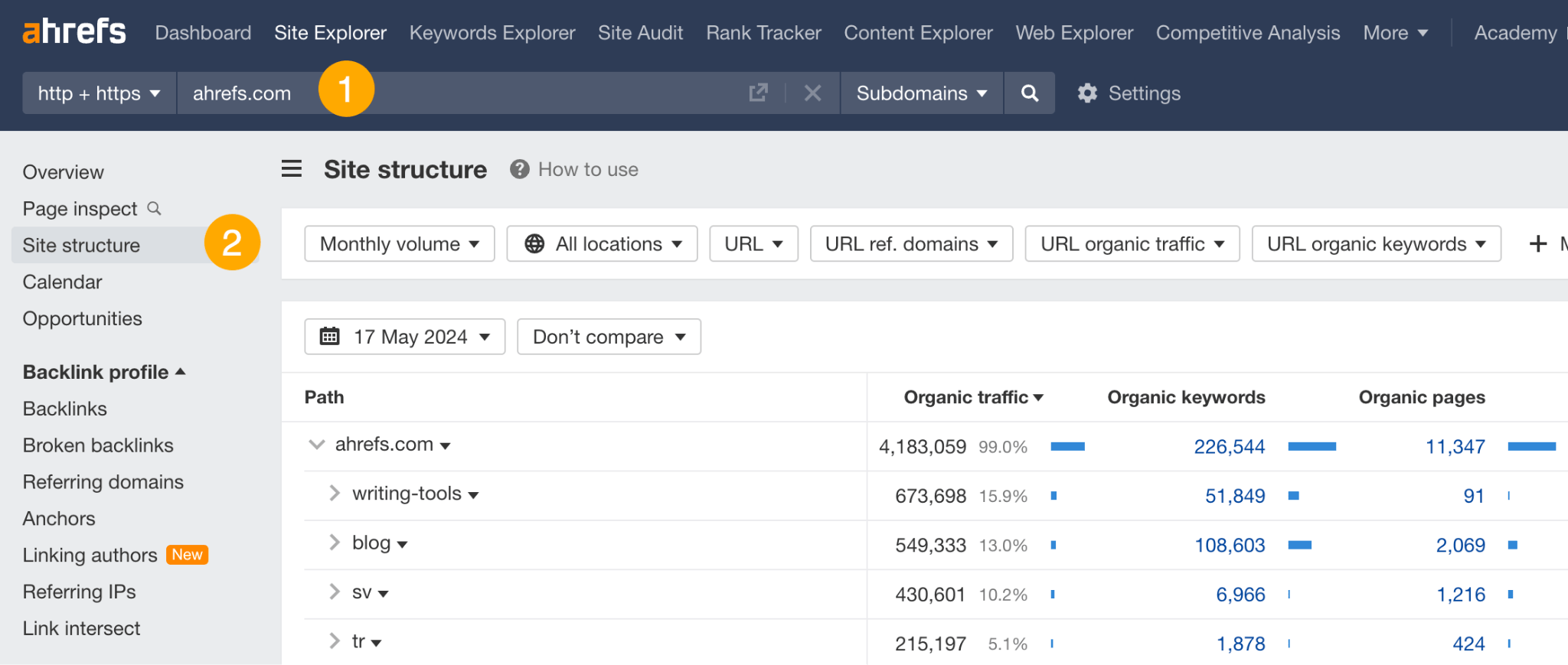
For example, someone analyzing our site could see that our free writing tools get more organic traffic than years of writing on the blog.
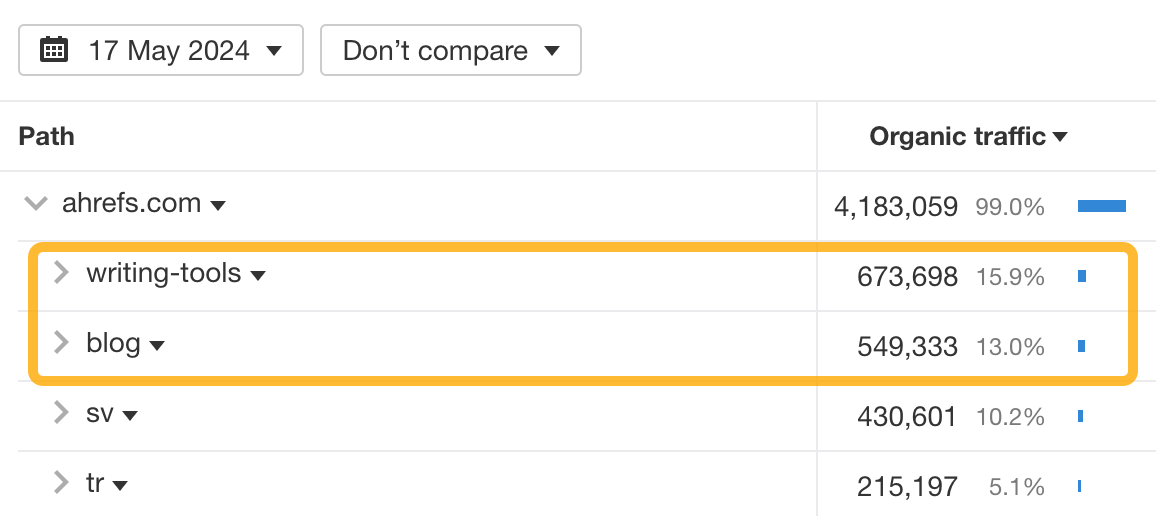
To see your competitor’s top performing pages:
- Go to Site Explorer and enter your competitor’s domain.
- Go to the Top pages report.
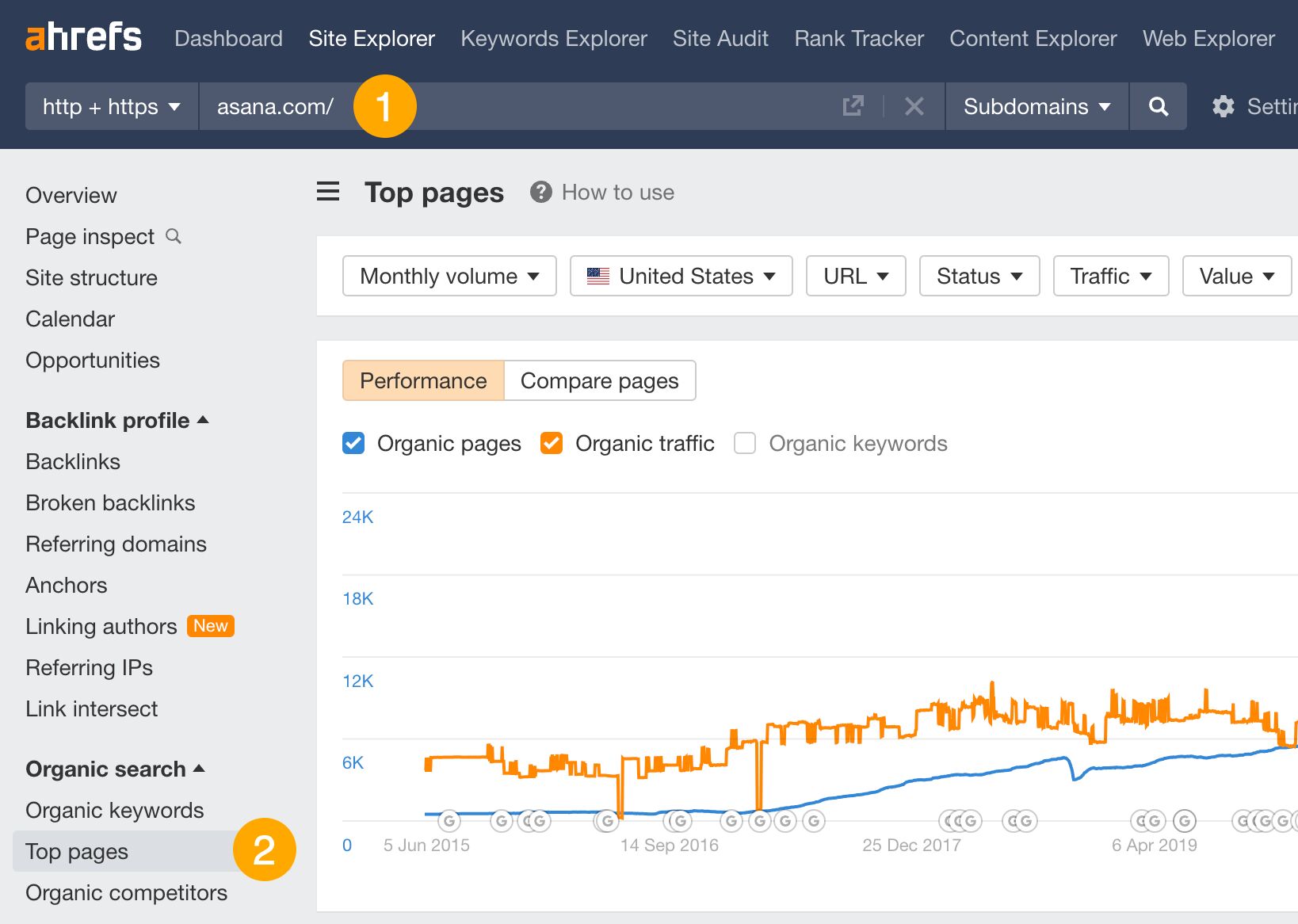
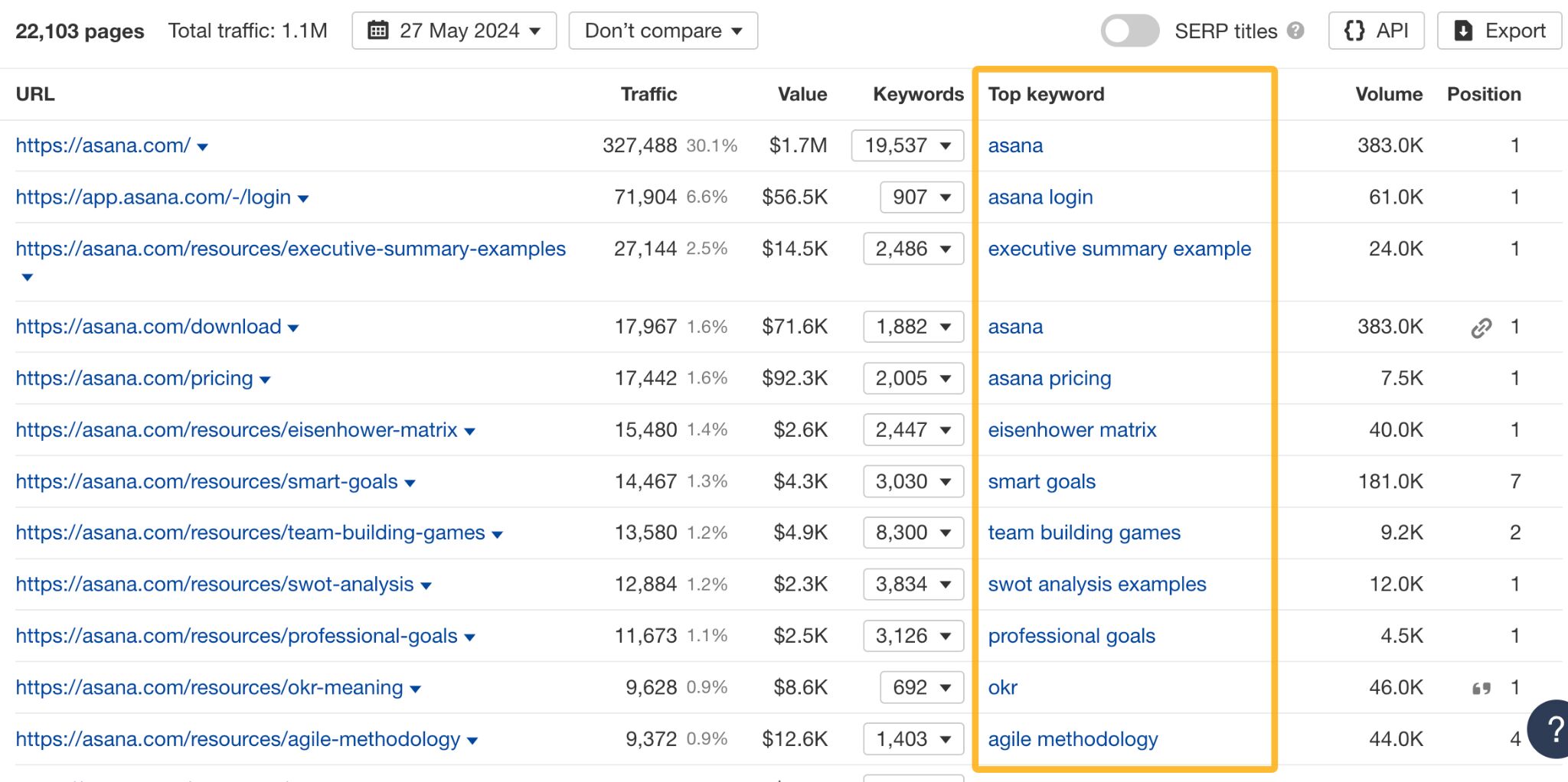
The first use case here is targeting the same keywords as their top pages to channel some of that traffic your way.
There’s more. You can use the report to see which pages contributed to an uptrend or downtrend in your competitor’s traffic.
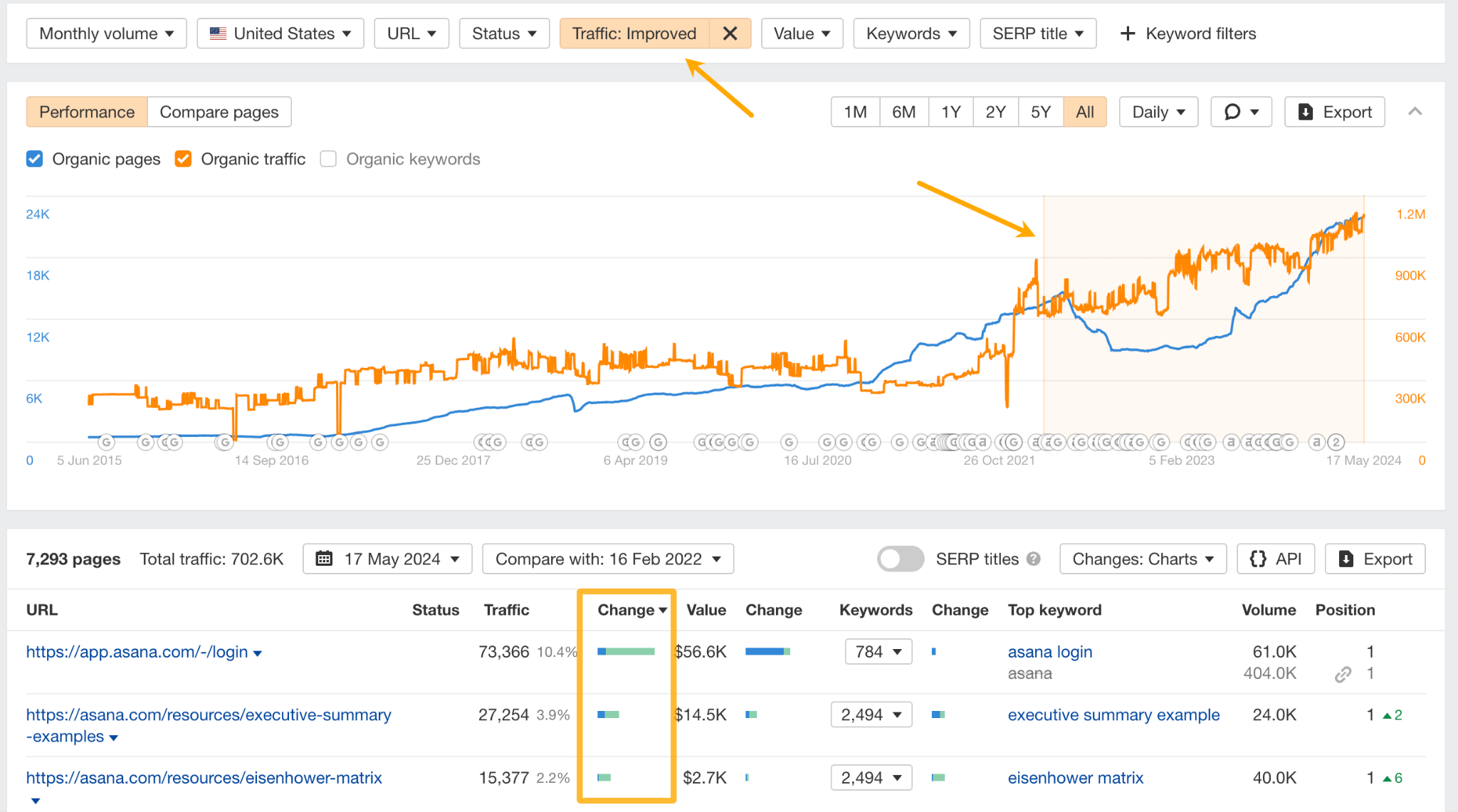
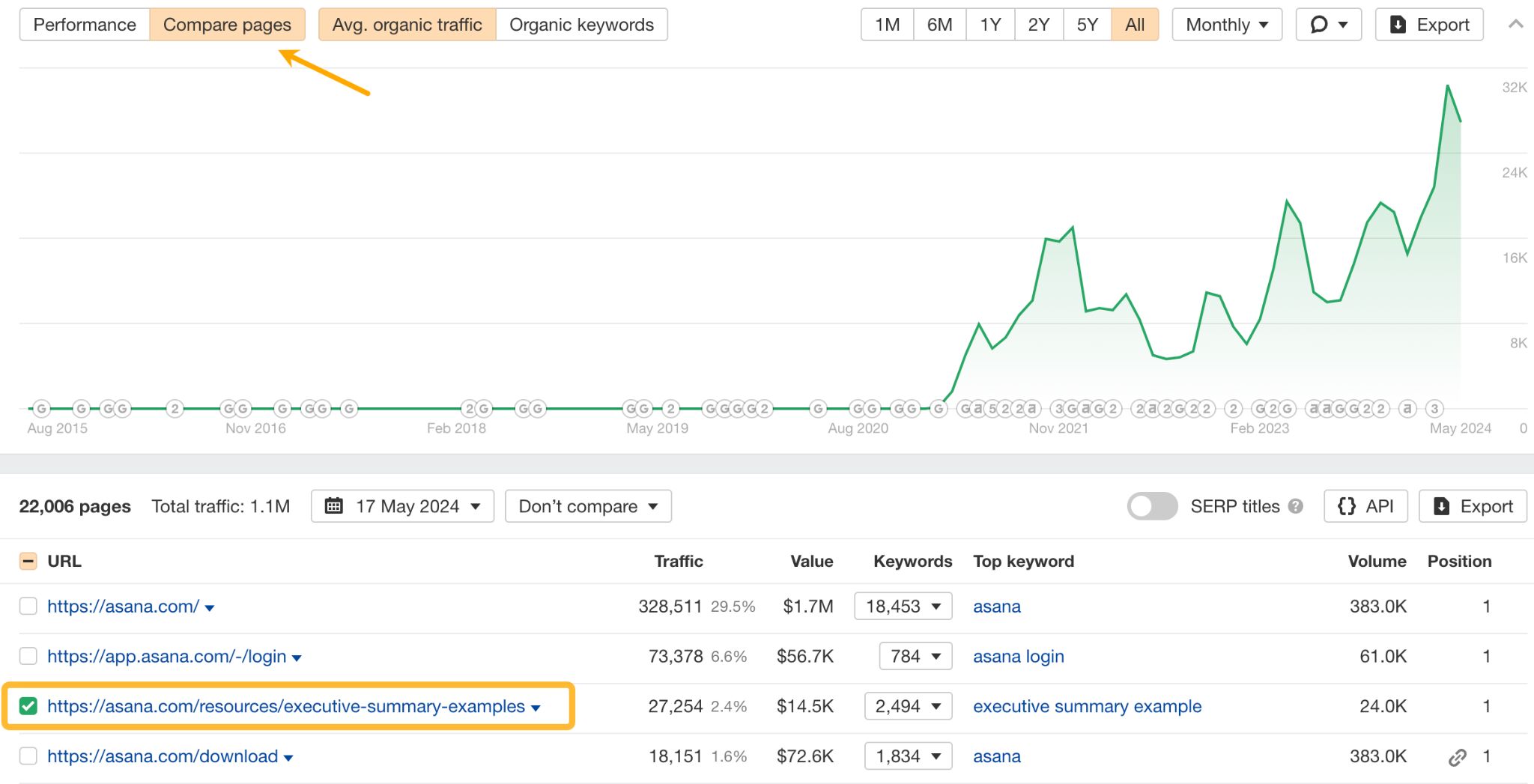
Or, focus on top-performing pages and use the Compare pages view to see when those pages started to pick up traffic.
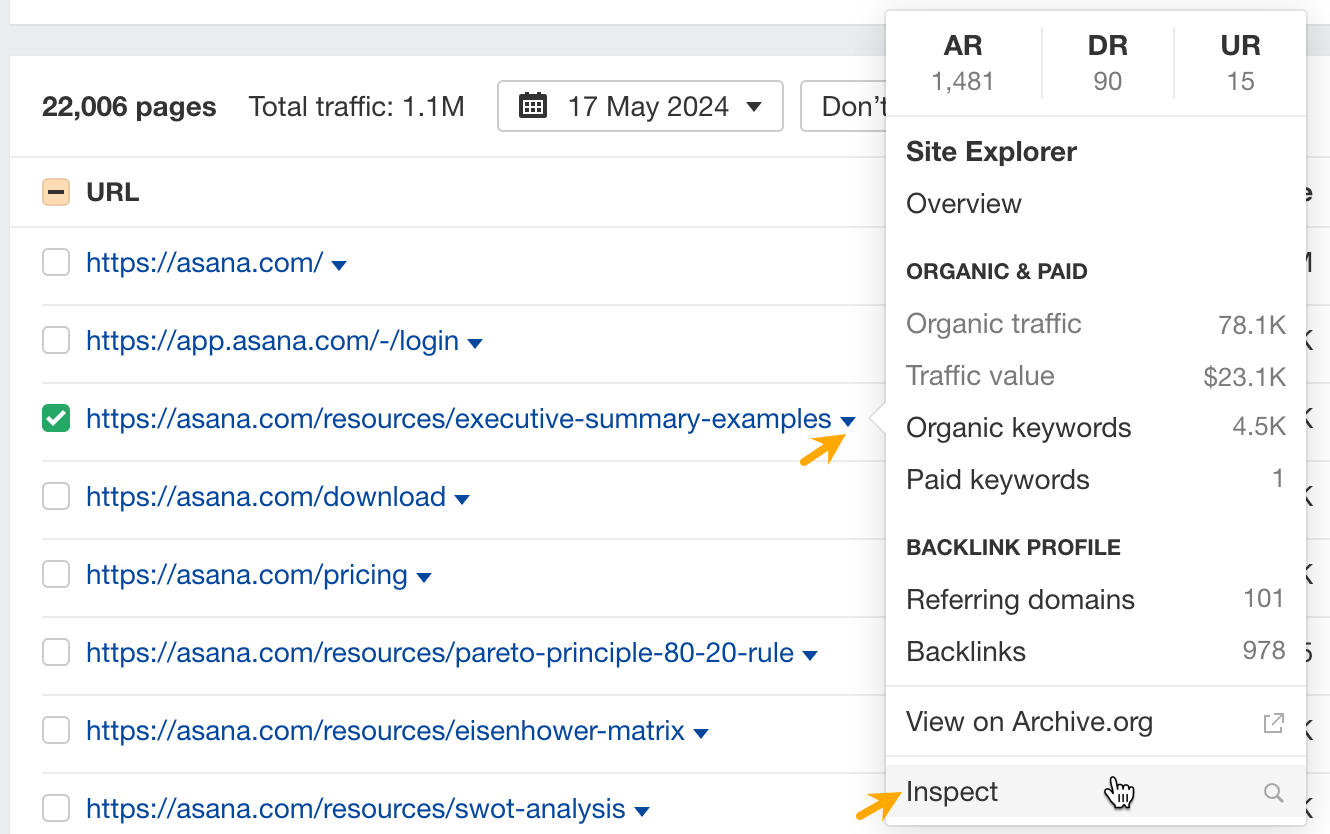
Now to see what the competitors did to improve the pages, click on the caret next to the page and click Inspect.
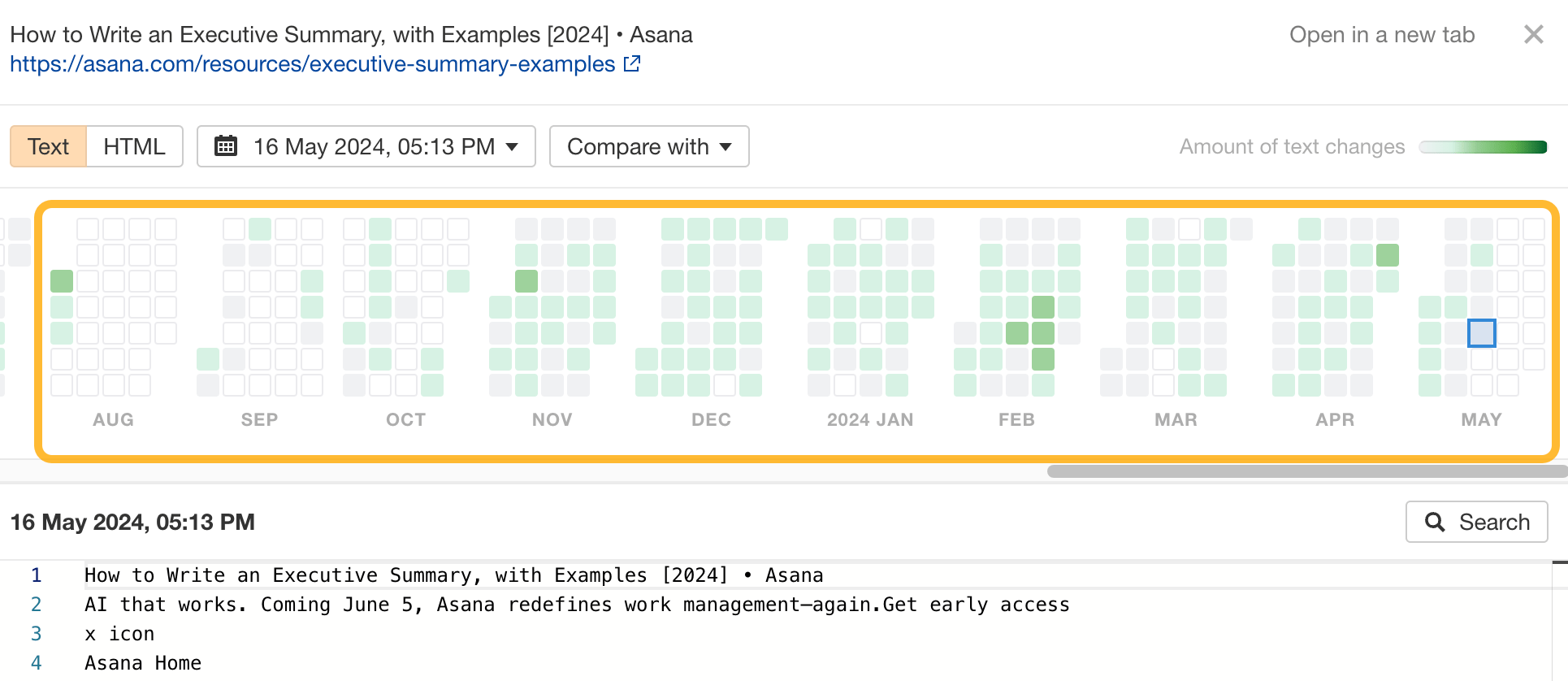
Then choose the date on the calendar and view changes made to the text in that time.
If you’re already doing SEO or considering it, seeing a list of your competitors’ keywords is almost like they’ve shared their keyword research with you.
You can use keyword data to find:
- Top-performing keywords and “steal” some of their traffic with your own content.
- Top-performing keywords in specific countries.
- Keywords with specific terms to find content ideas around certain topics or phrases.
- Low-difficulty keywords (typically, faster to rank).
To see your competitors’ keywords:
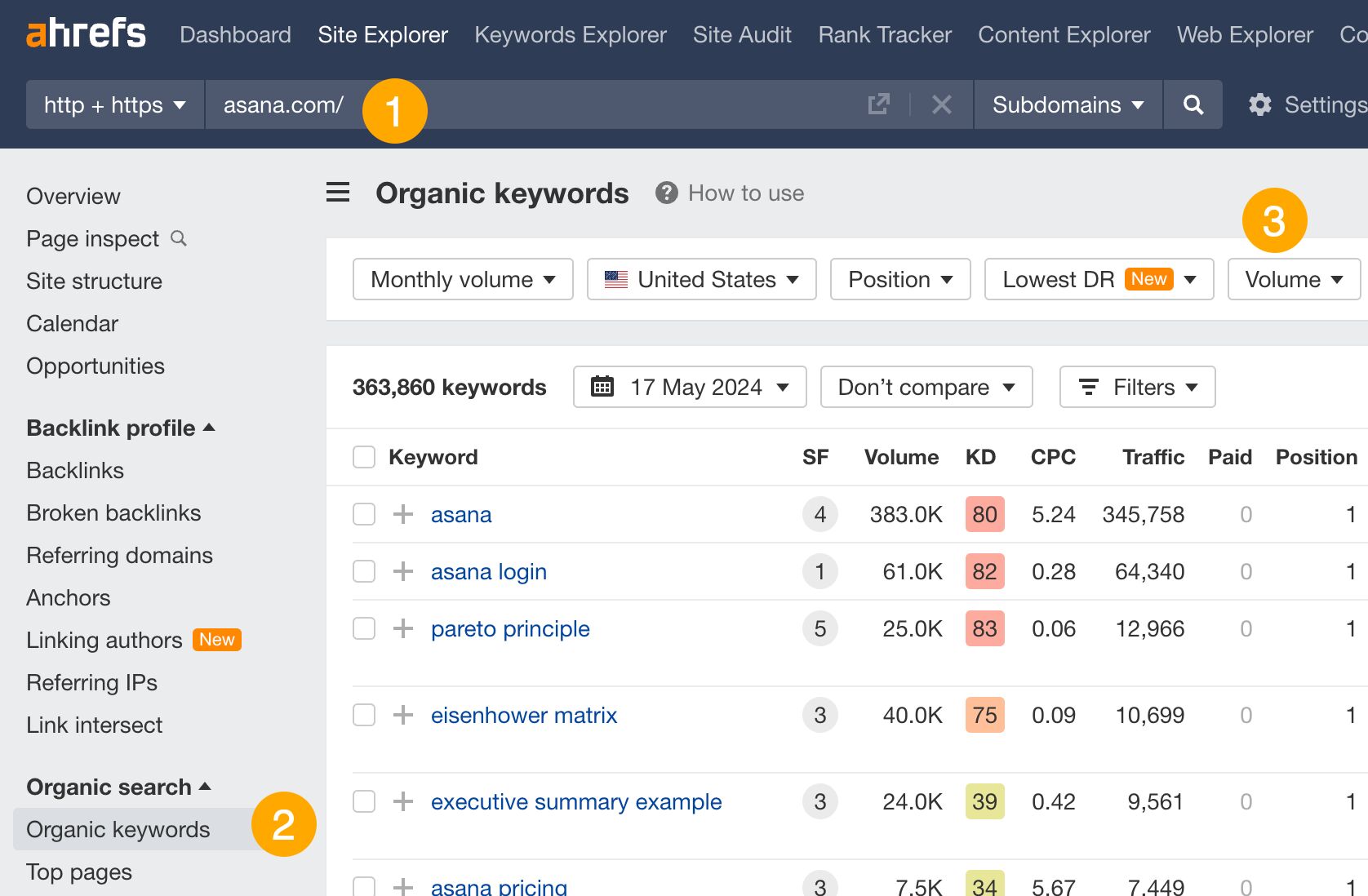
- Go to Site Explorer and enter your competitor’s domain.
- Go to the Organic keywords report.
- Use the filters to find what you need. For instance, use the KD filter to find low-competition keywords.
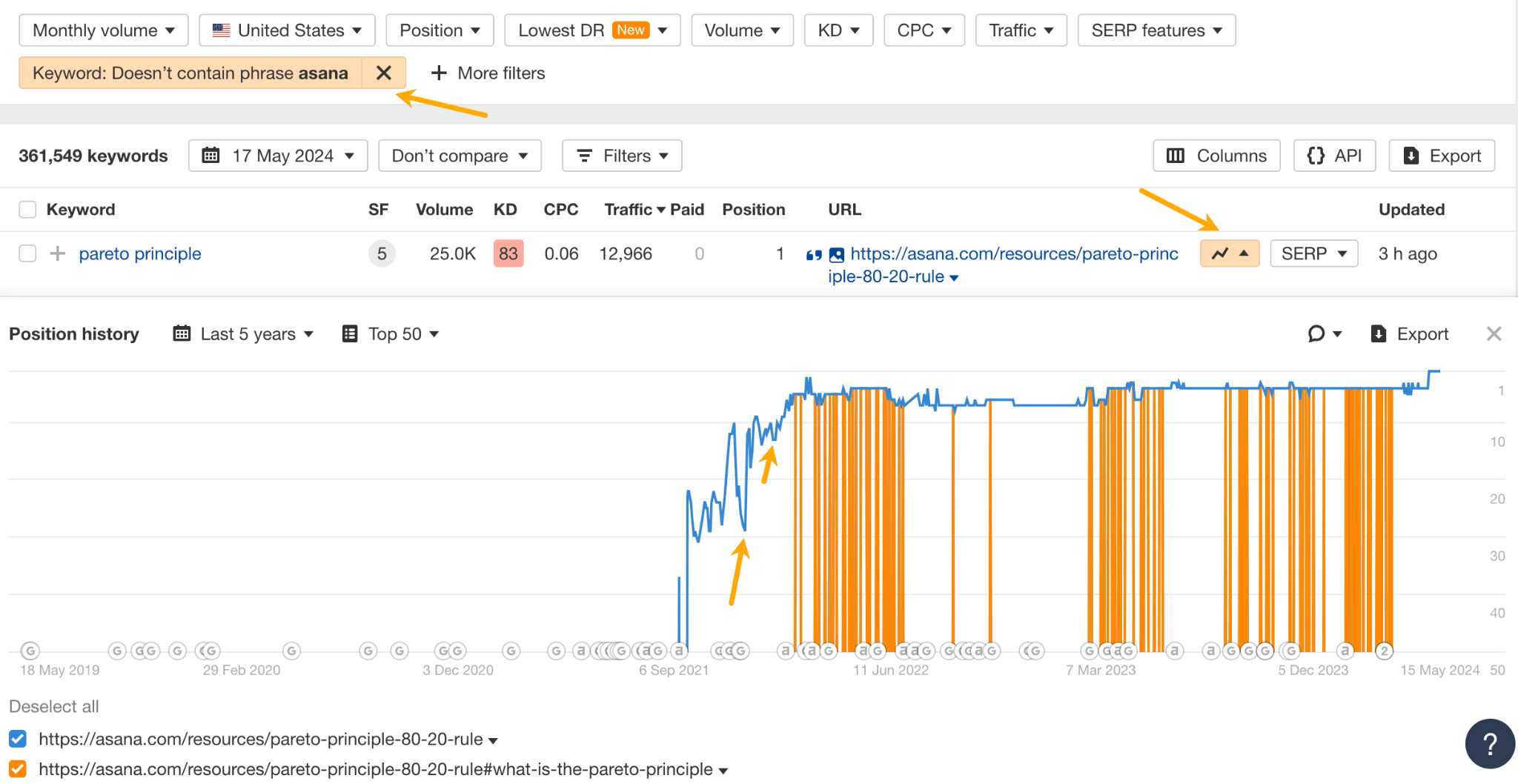
For example, you can track the ranking history of your competitor’s top traffic-generating keywords. If you see sudden spikes, it likely means they’ve updated the content to increase ranking. By using the calendar feature mentioned above, you can learn how they did it.
One of the best ways to find organic traffic you’re potentially missing out on is to do a content gap analysis. In SEO, it means identifying the keywords that your competitors rank for but you don’t. Some of those keywords can make perfect topics for you to cover.
In Ahefs, you can do a content gap analysis automatically:
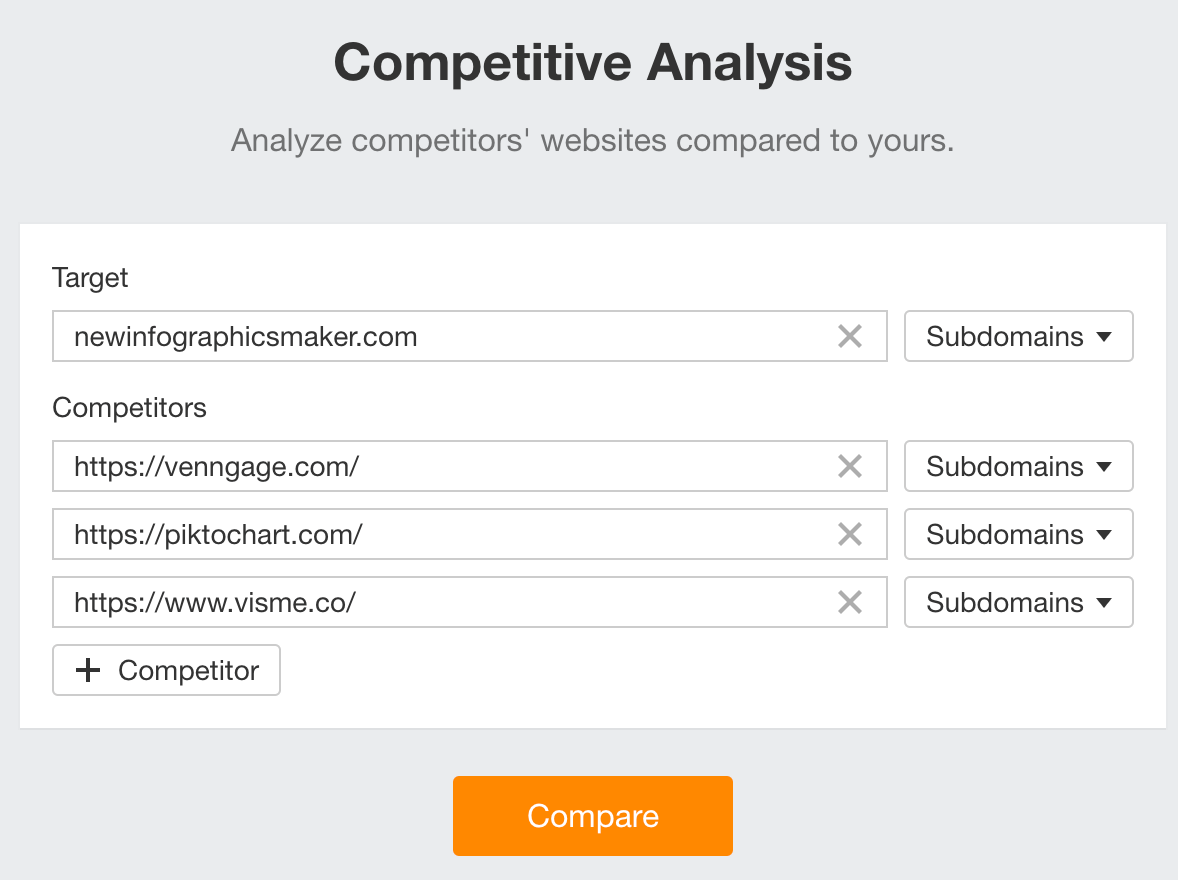
- Go to Ahrefs’ Competitive Analysis tool.
- Enter your domain in the Target section.
- Enter your competitors’ domains in the Competitors section.
- Hit “Compare”.
- Click the Content Gap report.
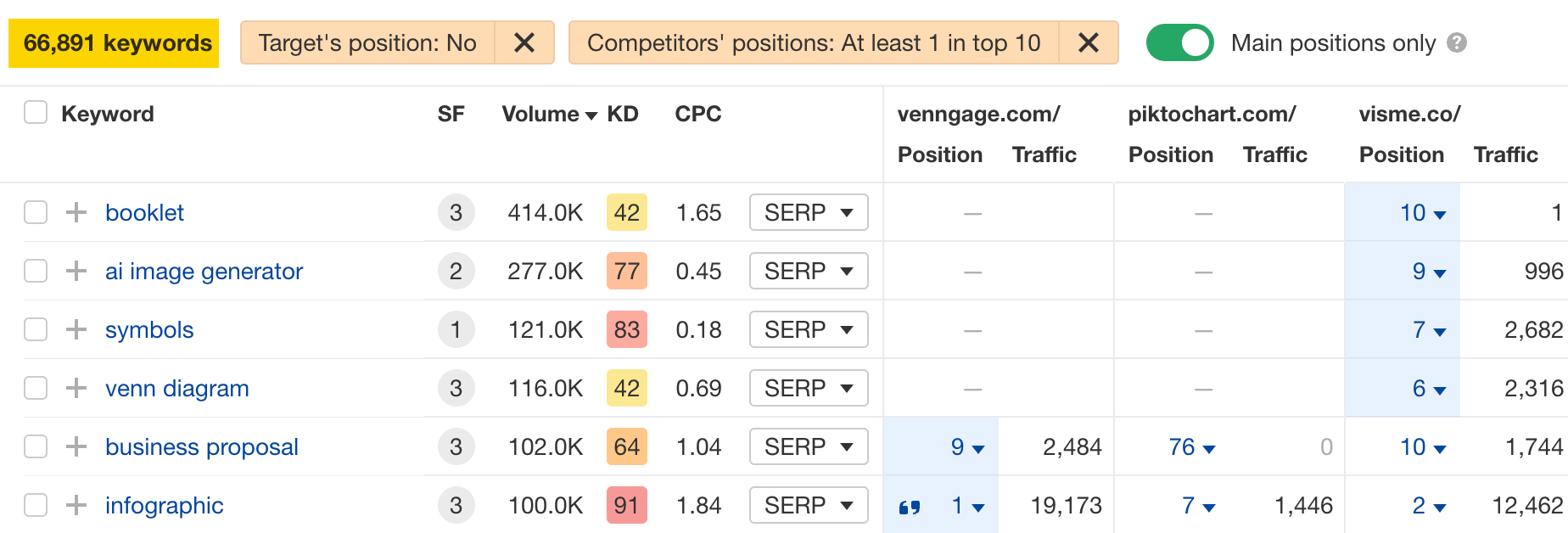
Toggle Main positions to exclude your competitors’ rankings in SERP features like “Top stories” and “Image packs.”

Now look through the report and identify keywords that are relevant for your site. The volume column will show you which keywords are likely to send the most traffic.
Short-term organic traffic performance can inform you of the latest developments in your competitors’ rankings (say, within the last 24 hours to a couple of weeks).
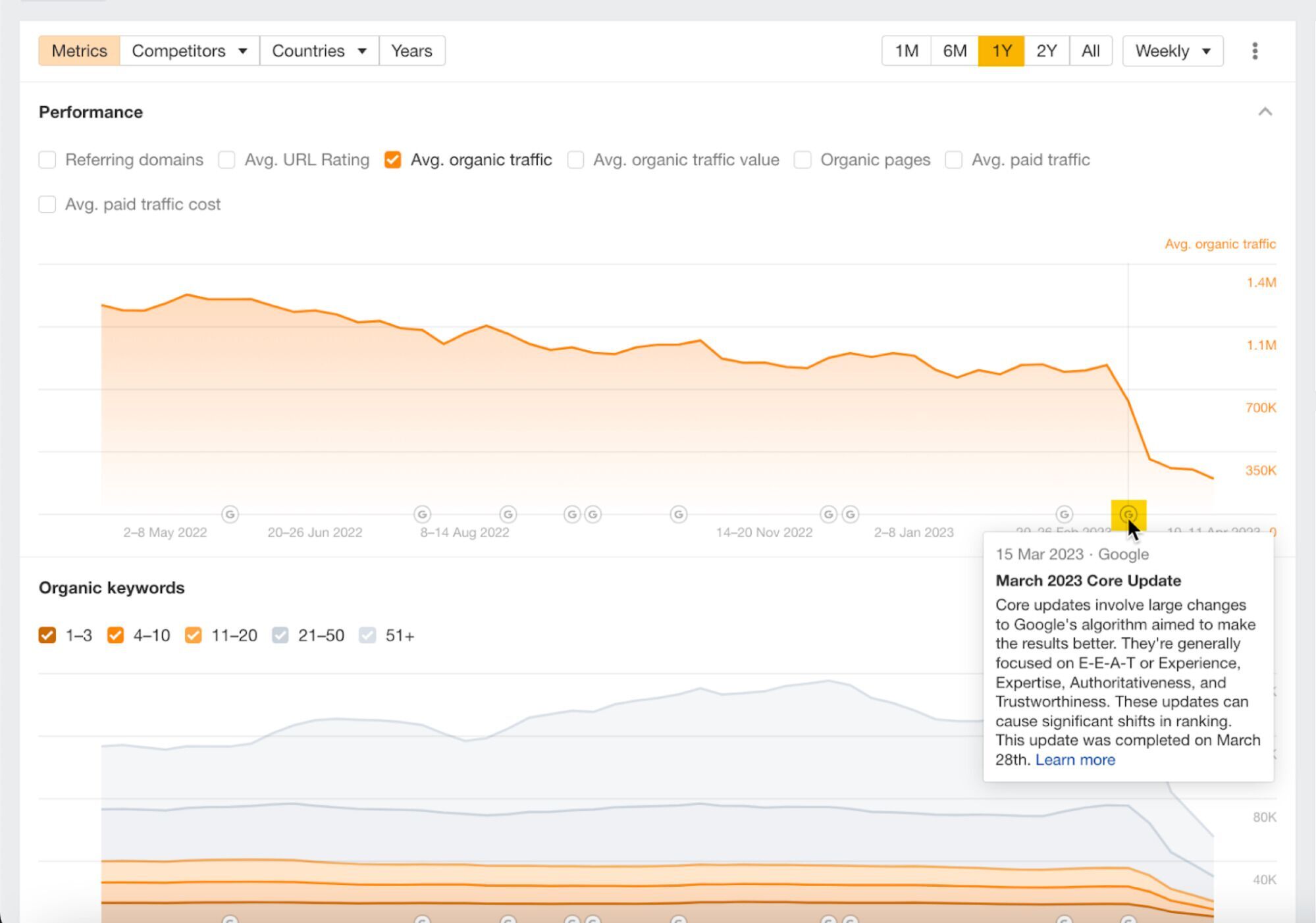
For example, you can observe the impact of the latest Google Update on their site, see how much traffic they gained or lost last month, or check if any of their newly launched pages are already picking up traffic.
To see short-term organic traffic performance:
- Go to Site Explorer and enter your competitor’s domain.
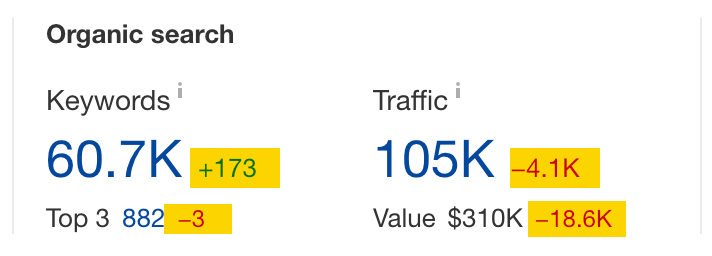
- In the Overview report, choose a timeframe in the Changes mode.
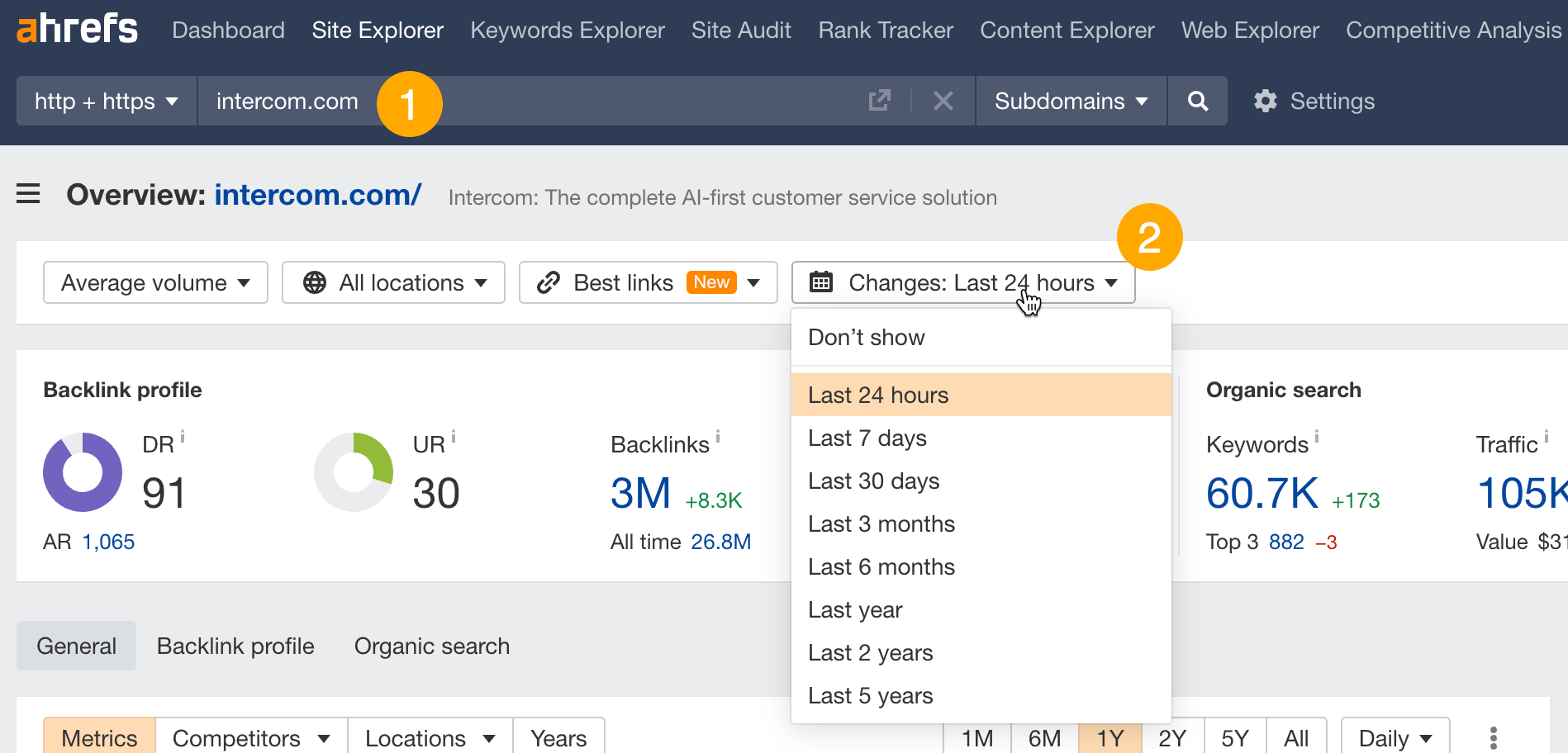
This will adjust the top-level metrics and traffic by location panel and show you the changes over the specified period.
You can go as deep as day-to-day traffic changes — a very helpful thing if you want to see Google’s update impact on your competitors’ traffic.
Date comparison is available in multiple tools and reports across Ahrefs.
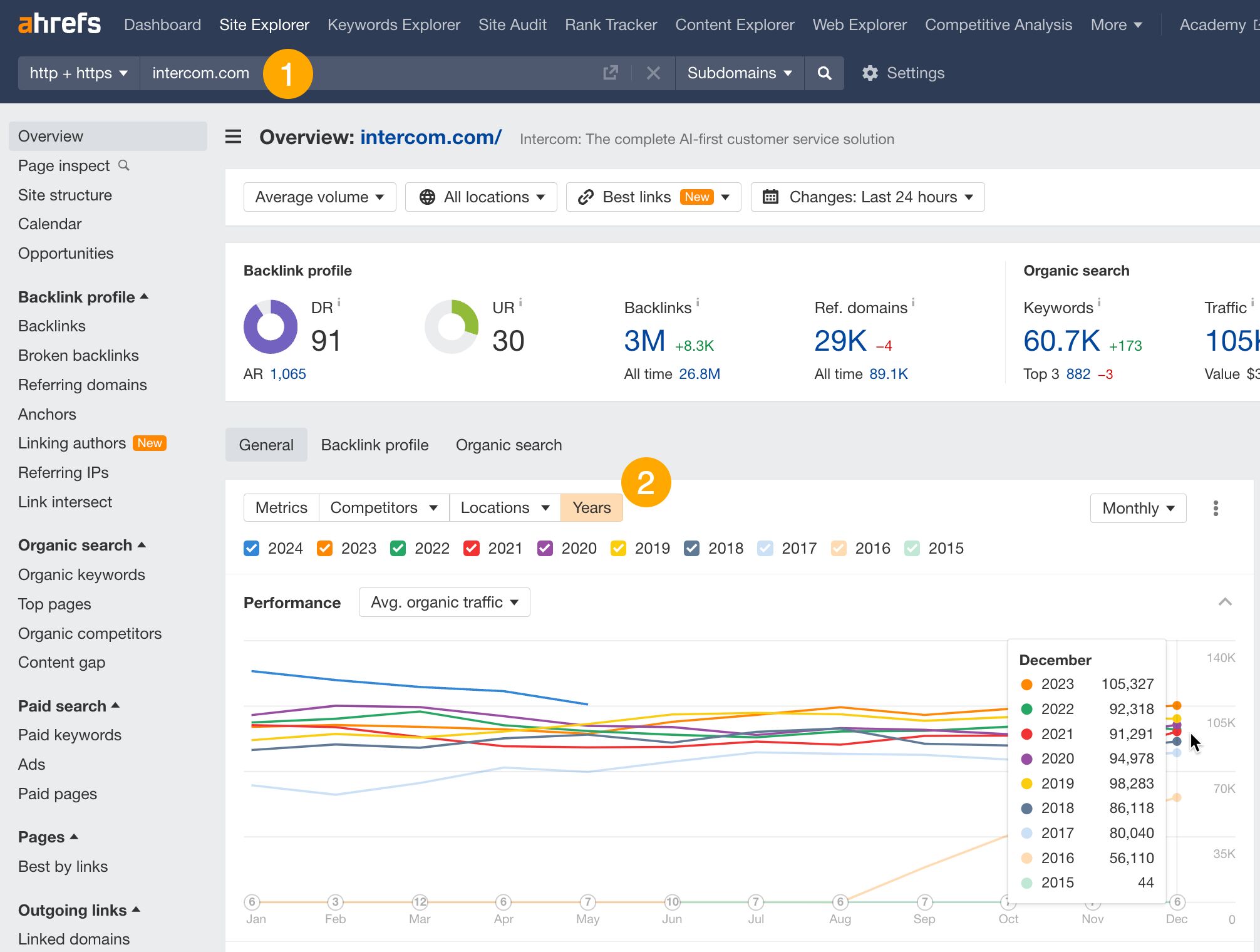
As for long-term traffic performance, this allows to set a traffic goal to match or overtake your competitor’s traffic, and plan your budget based on competitor’s performance. You can also use it to forecast your competitors’ traffic.
To see long-term traffic performance:
- Go to Site Explorer and enter your competitor’s domain.
- Turn on the Years mode in the traffic graph.
- Adjust the time frame and export the data if needed.
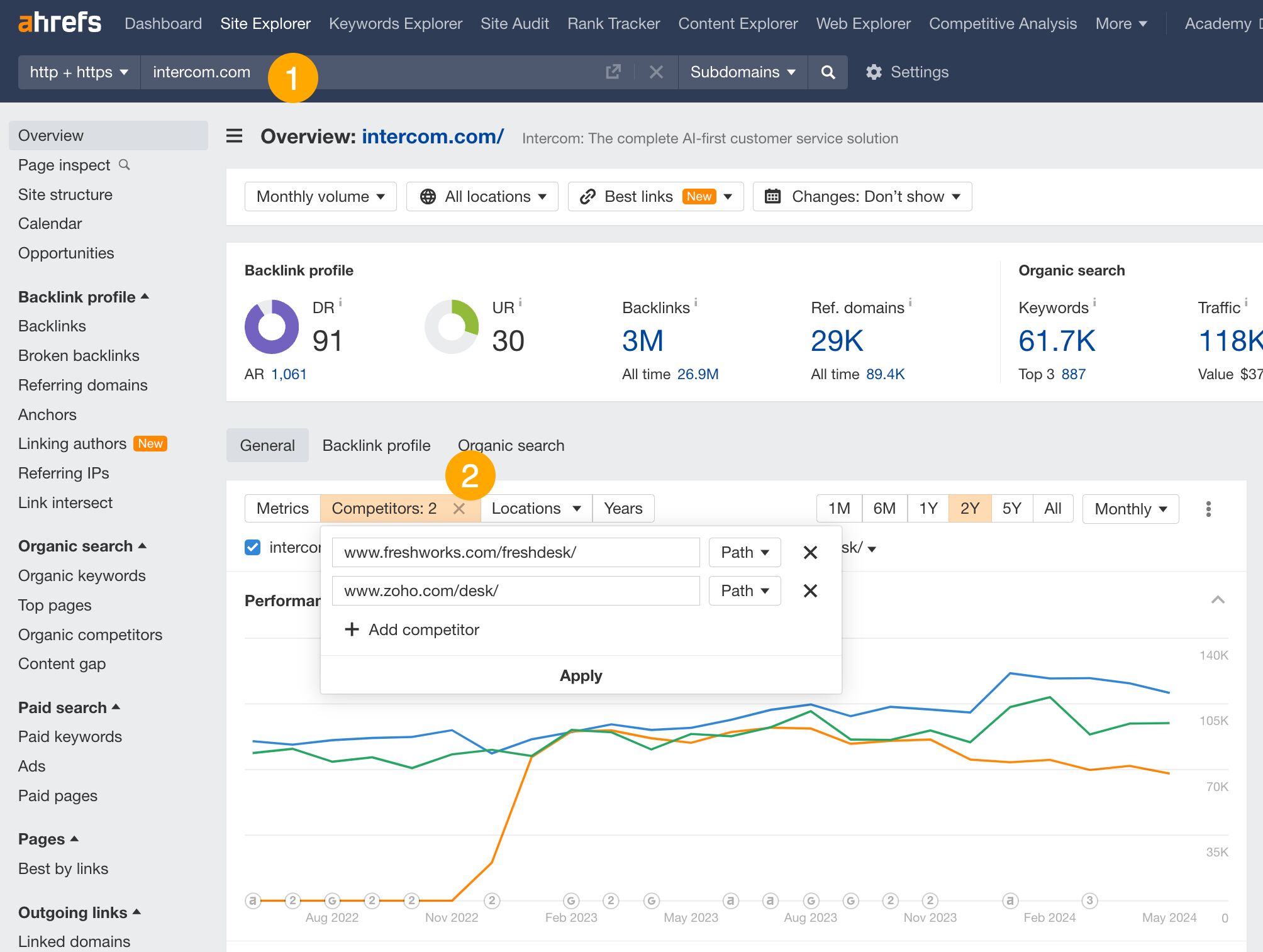
Seeing multiple sites on one graph is useful if you want to identify the leader in your niche, compare your site to a few competitors simultaneously, and determine if you are catching up to the leader or if someone is catching up to you.
Here’s how:
- Go to Site Explorer and enter your domain.
- Add competitors using the Competitors tab.
Organic share of voice (SOV) is an SEO metric that shows how much traffic goes to your pages compared to competitors’.
<