



I evaluated 10+ tools to find the 6 best free employee engagement software for small businesses. These are Bonusly, Connecteam, 15Five, Jotform, Matter, and SurveySparrow.
I’ve worn a lot of hats at small businesses, and one thing that becomes obvious fast is that employee engagement doesn’t run itself. Without dedicated HR teams or big budgets, the tools you pick have to actually pull their weight. Most free plans look great on paper until someone hits a wall mid-onboarding, or the recognition feature your whole team loves turns out to be locked behind a paywall you didn’t see coming.
I spent time going through the top products on G2’s free employee engagement software category page and evaluated each one specifically through the lens of a small business owner: what you actually get for free, how easy it is to roll out without an IT department, and exactly where each tool starts nudging you toward an upgrade. Here’s what I found about the best free employee engagement software for small businesses in 2026.
What are the best free employee engagement software solutions for small businesses in 2026?
- Bonusly: Best for building daily recognition habits without HR overhead
For small teams that want a free-forever recognition layer that runs inside tools they already use every day. - Connecteam: Best for deskless and field-based small business teams
For businesses with hourly or mobile workers who need scheduling, time tracking, and engagement in one free mobile app. - 15Five: Best for small businesses serious about manager effectiveness and continuous feedback
For growing teams that want structured check-ins, OKR tracking, and performance reviews in a single affordable platform. - Jotform: Best for collecting employee feedback through customizable forms
For small business owners who need a flexible, easy-to-build form tool for onboarding surveys, pulse checks, and feedback collection. - Matter: Best for Slack-first small teams starting a recognition culture from scratch
Ideal for small businesses already on Slack or Teams that want a free, lightweight kudos tool up and running in under two minutes. - SurveySparrow: Best for conversational employee feedback surveys
For small businesses that want higher survey completion rates without chasing employees for responses.
*Tools are listed alphabetically. These tools offer free trials, free forever options, or freemium models.
Comparison of the best free employee engagement software for small businesses
Here’s a side-by-side look at free plan limits and starting paid pricing before diving into the full reviews.
| Tool | G2 Rating | What the free plan covers | Paid Starts At |
| Bonusly | 4.7/5 ⭐ |
|
$5/user/month |
| Connecteam | 4.6/5 ⭐ |
|
$35/month (Basic, first 30 users) |
| 15Five | 4.6/5 ⭐ |
|
$4/user/month (Engage, billed annually) |
| Jotform | 4.7/5 ⭐ |
|
$39/month (Bronze) |
| Matter | 4.7/5 ⭐ |
|
$1/user/month (Basic, billed annually) |
| SurveySparrow | 4.4/5 ⭐ |
|
$19/month (Basic) |
*All pricing details mentioned in this article are based on publicly available data at the time of publication and are subject to change.
For a small business with 10 employees earning an average salary of $55,000, losing just 2-3 employees a year can cost between $55,000 and $110,000 in replacement costs alone. Investing in management quality, career development, and competitive compensation to cut that turnover in half typically costs far less than the turnover it prevents. The challenge for small businesses isn’t knowing employee retention matters, it’s finding tools that improve engagement without requiring a dedicated HR team to run them.
How did I find and evaluate these free employee engagement tools?
I started with G2’s free employee engagement software category page, which lists tools offering free plans, free trials, or freemium models. I focused on the top products and evaluated each specifically for small business fit: how fast they are to set up without an IT team, which features actually work for free, and where the free tier ends.
I cross-referenced verified G2 user reviews from small businesses (50 or fewer employees) published between January and July 2026 to understand real-world usage patterns, what small business owners and employees consistently praise, what creates friction over time, and how the free plan holds up in practice. I also verified free plan details and paid pricing against each tool’s official pricing page. Some reviews have been lightly edited for clarity.
The screenshots featured in this article may be a mix of those taken from the vendor’s G2 page or from publicly available materials.
What I look for in free employee engagement software for small businesses
Evaluating ten tools back to back, specifically as a small business owner would, made certain things stand out that wouldn’t matter as much to an enterprise HR team. Here’s what I actually paid attention to:
- Setup time without an IT team: If getting started requires a dedicated implementation resource or a sales call, that’s a non-starter for most small businesses. The best tools on this list are running within minutes.
- What genuinely works for free: Free plans are often teasers. I noted exactly which features are available without paying, and flagged tools where the free tier is too limited to be useful in practice.
- Mobile-first experience: Small businesses often have staff who don’t sit at desks. If the mobile app feels like a stripped-down afterthought, field workers and part-time employees won’t use it.
- Peer recognition that doesn’t require a manager to initiate: For small teams, culture lives in the day-to-day moments, not in annual reviews. Tools that make it easy for anyone to recognize anyone work best here.
- Integrations with tools you’re already using: Slack, Teams, and Google Workspace are where most small business communication already happens. Recognition and engagement that lives there gets used; standalone apps often don’t.
- The specific upgrade trigger: Knowing exactly when the free plan runs out, whether it’s a user cap, a feature wall, or a submission limit, helps you plan before you hit it mid-month.
To be included on this list, a tool must:
- Enable users to conduct employee pulse surveys to gauge employee satisfaction
- Allow users to design and distribute custom pulse surveys
- Organize and maintain data collected from pulse surveys for reporting purposes
- Promote employee recognition through internal communication channels
*Review data referenced throughout was pulled from G2 in 2026. Some reviews have been edited for clarity.
1. Bonusly: Best for building daily recognition habits without HR overhead
Bonusly caught my attention early in this evaluation because the free plan actually delivers something useful: peer recognition, values tagging, and Slack integration without a trial clock ticking in the background. The 8-user cap on the free tier means it’s genuinely sized for the smallest small businesses, and for teams that size, there’s no budget conversation required to get started.
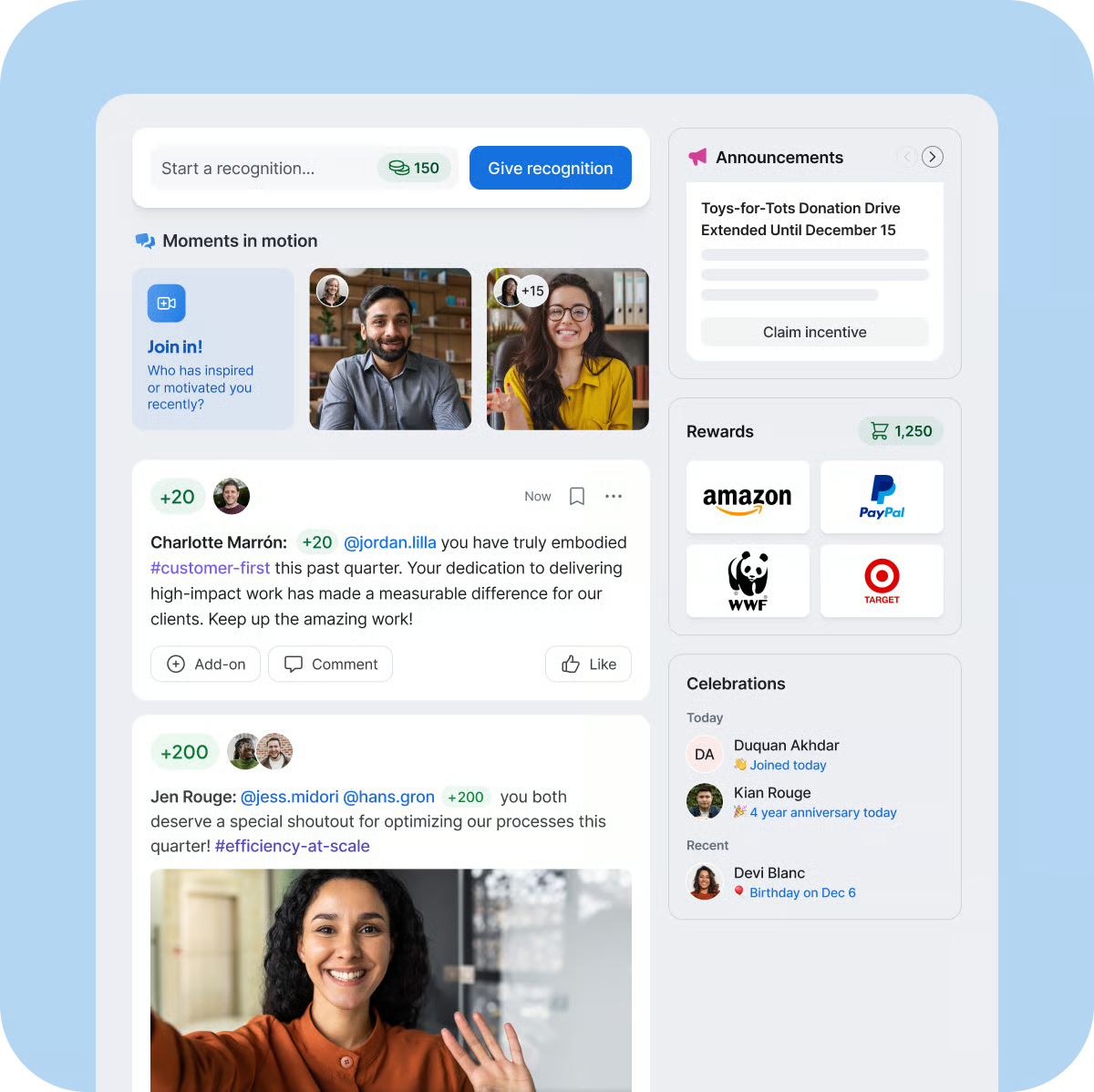
What I noticed when I put it through its paces in a small business context is how naturally it removes the owner from the recognition equation. Employees can send each other shoutouts with points, tie them to company values, and the whole thing surfaces in a feed that the entire team can see. That visibility is what makes it work, being recognized publicly by a peer in front of everyone lands differently than a private message, and it happens without anyone being asked to remember.
What does Bonusly’s free plan include?
- Free forever: up to 8 users, peer recognition and guidance
- Slack and Microsoft Teams integration included
- iOS and Android apps
- 30-day free trial of paid plan (no credit card required)
When should you upgrade your Bonusly free plan?
The free plan covers the recognition habit well for teams of up to 8 users. The trigger to upgrade to the paid plan at $5/user/month comes when your team grows beyond 8, or when you need advanced pulse check analytics, automated milestone celebrations, HRIS integrations and provisioning, enhanced 1:1s with smart agendas, unlimited performance recaps, automated manager alerts, and 24/7 chat support.
Where Bonusly genuinely stands out:
- The Slack and Teams integration is the tightest I’ve seen in this category. Recognition happens inside the conversations your team is already having, not in a separate app they have to remember to open. G2 reviewers specifically cite Slack notifications as the reason participation stays high over time, with Bonusly reporting that over 93% of customers see higher employee engagement after implementing the platform.
- The values-tagging requirement is a practical culture-building feature that doesn’t require any HR setup. When every shoutout has to tag at least one company value, those values stop being wall art and start showing up in daily conversation.
What G2 users like about Bonusly:
“I like Bonusly because it allows everyone to see the messages sent to staff, which is a great way of recognizing achievements. I also enjoy how much you can personalize shoutouts, so everyone can show their personality when giving recognition. The points system is awesome, offering various ways to use them, making it meaningful for everyone.”
– Bonusly Review, Alexis E.
Is Bonusly right for your small business?
Best for: Small teams of up to 8 users that want a free, immediately deployable recognition culture that lives inside Slack or Teams, and owners who want engagement to grow organically without having to manage it manually.
Not ideal for: Teams that need tangible rewards as part of the recognition experience from day one, or businesses already beyond 8 people who want to stay on the free plan, the free tier caps at 8 users, and the rewards marketplace only unlocks on the paid plan at $5/user/month.
What I dislike about Bonusly:
- The point allotment system frustrates managers with larger teams. G2 reviewers who manage multiple direct reports consistently note that they run out of points before the month ends, creating an awkward dynamic when they want to recognize everyone but the system won’t let them. The workaround is to purchase additional budgets, which quickly erodes the value for active recognition users.
- The Zapier integration reliability has been flagged by small business owners who built workflows around it. When the integration goes down, it can break the entire recognition process, a real risk for a small business owner without an IT person to troubleshoot and no backup system to fall back on.
What G2 users dislike about Bonusly:
“It is impossible to get in touch with anyone. They only offer email support, and I have waited 6 days to hear back from their Engineering team about an urgent issue with their Zapier integration. They also take 5% on top of every reward that gets distributed, which adds up quickly when you give out as much in incentives as we do.”
– Bonusly Review, Emily D.
2. Connecteam: Best for deskless and field-based small business teams
When I tested Connecteam, the first thing I noticed was how differently it sits compared to every other tool on this list. Where the rest are primarily recognition and engagement platforms, Connecteam bundles engagement into a complete workforce management app, scheduling, time tracking, team communication, HR documents, and task management all in one mobile-first experience. For small businesses with hourly workers, contractors, or field teams, that combination is far more practical than a standalone kudos tool.
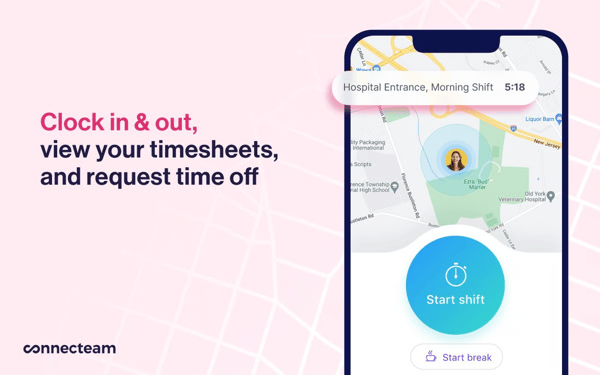
What struck me when I ran through the free plan is how much it genuinely covers for businesses under 10 people. I tested all three hubs, Operations, Communications, and HR & Skills, and nothing meaningful was locked behind a paywall at that user count. That means a small construction crew, a boutique retail shop, or a home services company can schedule shifts, track hours, share company updates, celebrate birthdays, and manage PTO requests all from the same app, without spending anything until they hit that 10-person ceiling.
What does Connecteam’s free plan include?
- Free forever for up to 10 users, full access to all hubs and features
- Operations hub for scheduling, time clock, task management, GPS tracking
- Communications hub for team chat, announcements, directory, employee recognition
- HR & Skills hub for PTO tracking, onboarding, forms, surveys, digital documents
- Mobile apps for iOS and Android; 14-day trial for paid plans
When should you upgrade your Connecteam free plan?
The 10-user ceiling is the clearest trigger. Once your team crosses that threshold, paid plans start at $35/month for the first 30 users on the Basic plan, with $1/month for each additional user beyond that. The Basic plan covers scheduling essentials, GPS time tracking, payroll integration, and unlimited checklists and forms. If you need geofencing, advanced filters, or repeating shift templates, the Advanced plan at $59/month steps up from there. The Expert plan at $119/month is for operations-heavy teams that need automation, API access, and unlimited geofence sites.
Where Connecteam genuinely stands out:
- The free plan is the most comprehensive small-business free tier on this list. When testing all three hubs at the free level, I was genuinely surprised by how little was held back. Scheduling, time tracking, and engagement in a single app at zero cost is unusual, and over 73% of Connecteam’s G2 reviewers coming from the small-business segment validates that fit beyond individual testing.
- The mobile-first design is where the biggest practical difference shows for field-based teams. Clock-in reminders, shift confirmations, real-time notifications, and chat all feel complete rather than stripped down on mobile. G2 reviewers back this up: even non-tech-savvy employees reportedly pick it up on day one, which matters a lot when you can’t run a training session for a crew that’s already out the door by 7am.
What G2 users like about Connecteam:
“Connecteam has been awesome for my company! It allows us to keep track of our PTO hours for employees more efficiently. I love that employees can use their mobile phone to easily request time off and be able to see their remaining time. I also enjoy the other built-in features that allow us to recognize employees’ birthdays and work anniversaries.”
– Connecteam Review, Shanetria P.
Is Connecteam right for your small business?
Best for: Small businesses with deskless, hourly, or field-based teams who need scheduling, time tracking, and communication in one app, and who want employee engagement baked into the same platform rather than paying for and managing a separate tool. If your team is under 10 people, the free plan covers all of this at no cost.
Not ideal for: Office-based teams or knowledge workers who primarily need peer recognition with a rewards marketplace, performance reviews, or structured feedback cycles. These use cases are better served by other tools on this list, Connecteam is built for the field, not the desk.
What I dislike about Connecteam:
- The job scheduler doesn’t match the overall ease of use that the rest of the platform delivers. G2 reviewers from small businesses note that certain scheduling actions, like duplicating shifts and filtering by employee qualifications, aren’t available or intuitive on the mobile app, pushing owners back to the web browser for tasks they’d expect to handle on the go.
- The geofencing feature doesn’t always trigger reliably. G2 reviewers from small businesses note that the geo-lock occasionally fails to register correctly, which matters most for field-based teams using it as an accountability tool for clock-ins and shift tracking.
What G2 users dislike about Connecteam:
“The mobile app is pretty glitchy and doesn’t have all the same features as the web browser. For instance, I can’t duplicate a shift in the mobile app, so setting up a shift is best done in a web browser, which isn’t always convenient. There was a lot of learning curve and confusion around the icons and symbols used. It’s very difficult to see whether a shift was actually claimed and whether it was published. The initial setup was extremely challenging.”
– Connecteam Review, Fancy F.
3. 15Five: Best for small businesses serious about manager effectiveness and continuous feedback
Running a small business means you’re usually the manager, the HR department, and the decision-maker all at once, and 15Five is the only tool I tested on this list that’s built specifically around that reality. Rather than leading with a recognition feed or a survey, it leads with the manager-employee relationship: weekly check-ins, 1:1 agendas with action item tracking, OKR alignment, and peer recognition all connected in one system.

I put the 14-day trial through its paces, specifically looking at how a solo owner-manager would use it day to day. What I found is that the check-in cadence does the heavy lifting. Instead of trying to remember what you wanted to discuss with a team member, the platform prompts both sides to capture wins, challenges, and priorities throughout the week before the 1:1 even starts. For a small business where those conversations happen inconsistently or get canceled when things get busy, that structure alone is worth the trial.
What does 15Five’s free plan include?
- No permanent free plan; 14-day free trial with no credit card required
- Trial includes full platform access across Engagement, Performance, and Goals
When should you upgrade from 15Five’s trial?
After the trial, there are three paid tiers. The Engage plan at $4/user/month (billed annually) covers employee engagement surveys, targeted assessments, action planning, heat maps and data breakdowns, and benchmarking. The Perform plan at $11/user/month adds AI-assisted performance reviews, OKRs and goals, 360° feedback, talent matrix, career paths and plans, weekly check-ins, 1:1s, High Fives recognition, and the AMAYA AI thought partner. The Total Platform at $16/user/month combines everything in Engage and Perform and adds manager training microlearnings, practice prompts, and in-app nudges. All three tiers include HRIS integrations, academy and expert support, and multi-channel notifications via Slack and SMS.
Where 15Five genuinely stands out:
- The weekly check-ins, 1:1 agendas, and action item tracking on the Perform plan give small business owners a structured system for staying on top of team performance without needing a dedicated HR person. Everything from pulse and wins to challenges is captured in one place, and the AMAYA AI thought partner surfaces insights without requiring manual analysis.
- High Fives and cultural recognition are built directly into the Perform plan alongside performance tools, which means recognition isn’t a separate workflow. For a small business trying to keep the tech stack simple, that consolidation removes the need to run a standalone recognition tool alongside a performance platform.
What G2 users like about 15Five:
“The platform is easy to use and helps keep 1:1 agendas, appraisal notes, and performance documents stored in one place, which helps keep performance conversations structured and consistent, and supports very clear performance decisions.”
– 15Five Review, Jennifer I.
Is 15Five right for your small business?
Best for: Small business owners who want structured engagement surveys and action planning on the Engage plan ($4/user/month), or performance reviews, check-ins, OKRs, and 360° feedback on the Perform plan ($11/user/month), without managing separate tools for each.
Not ideal for: Small businesses looking for a free-forever tool, or teams whose primary need is a peer recognition and rewards marketplace.
What I dislike about 15Five:
- Advanced customization and detailed reporting features are gated behind higher-priced tiers. Small business owners who want tailored engagement dashboards or custom review templates often find they need to move up to Perform or Total Platform to unlock them, which can significantly increase monthly spend.
- The absence of a free-forever plan means there’s no low-risk way to keep using it if the budget gets squeezed. After the 14-day trial ends, you’re committing to an annual plan, which can feel like a big step for a very small business still figuring out whether the platform fits.
What G2 users dislike about 15Five:
“While the system is efficient overall, some of the recurring check-in questions start to feel repetitive after several months of use. I’d really appreciate more variety, or an option to automatically rotate through different prompts, so the reflection process stays fresh and engaging. Without that added customization, the check-in can sometimes come across as a routine chore instead of a thoughtful opportunity for growth and genuine team connection.”
– 15Five Review, Donn B.
4. Jotform: Best for collecting employee feedback through customizable forms
As a small business owner, I know how much employee feedback falls through the cracks, not because it isn’t valued, but because there’s no easy system to collect it consistently. When I tested Jotform, what immediately stood out was how quickly I could go from zero to a working feedback form. I picked a template from the library, adjusted the fields, added conditional logic, and had a fully functional employee satisfaction survey ready in under five minutes, no coding, no IT help, nothing beyond a browser.
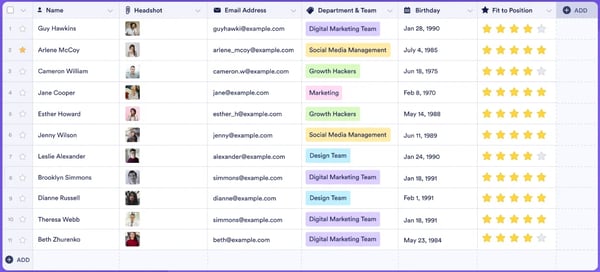
What I kept noticing throughout testing is how much Jotform replaces for a small business running lean. Email chains asking for feedback, PDF forms sent back and forth, manual signature requests, I found all of those could be handled inside Jotform without stitching together separate tools. The AI form builder accelerated this further: I described what I needed, and a complete form with the right field types appeared in seconds.
What does Jotform’s free plan include?
- Free forever (Starter): 5 forms, 100 monthly submissions, 1 user
- 100 MB storage, 10,000 monthly form views, 500 total submission storage
- 100 fields per form, 10 monthly payment submissions, 10 monthly signed documents
- All standard features included: form templates, payment integrations, and widgets
- Jotform branding appears on all forms on the free plan
When should you upgrade your Jotform free plan?
The 100 submission/month cap is the most common trigger for small businesses. The Bronze plan at $39/month lifts that to 1,000 monthly submissions, increases to 25 forms, removes Jotform branding, and expands storage to 1 GB. The Silver plan at $49/month steps up to 2,500 monthly submissions and 10 GB storage, the best value jump on the pricing ladder. The Gold plan at $129/month covers 10,000 monthly submissions, 100 forms, and unlocks HIPAA-enabled features. Enterprise offers unlimited forms, submissions, and multiuser access at custom pricing.
Where Jotform genuinely stands out:
- The AI form builder is the feature I found myself coming back to most during testing. I described the type of employee feedback form I needed, and a fully structured form with the right field types and conditional logic appeared in seconds. For a small business owner who doesn’t have time to build forms from scratch, that kind of speed changes how you think about running regular pulse checks or onboarding surveys.
- The integration depth surprised me. I tested connections with Google Sheets, Slack, and HubSpot, and found that form responses flowed directly into those tools without any manual data transfer. For a small business already using these platforms, that means employee feedback doesn’t sit in a separate system, it lands exactly where you’re already working.
What G2 users like about Jotform:
“This platform is a do-it-all solution. First I set out to use it to collect basic information for intake/onboarding. Then I realized it could create PDFs from input as well. I have used it to replace a number of other different software options (including Adobe) since now I can build PDFs along a branded template right in Jotform. I felt like the product is excellent for the price, my only qualm is that I wish I could add a colleague to the account without needing an enterprise subscription. The UX can be a little tricky since there are so many options, and several of the options relate to different aspects of the same form/task. All that considered though, if you get lost, the AI builder is excellent at getting you back to where you wanted to go in the first place. The AI can even take a stab at building pretty accurate forms, and can answer questions about conditional logic/intent. There are tons of helpful integrations as well.”
– Jotform Review, Meghan S.
Is Jotform right for your small business?
Best for: Small business owners who need to collect structured employee feedback, pulse surveys, onboarding check-ins, exit interviews, satisfaction forms, and signed documents, without building a separate system for each one. The free Starter plan works for low-volume needs, and the Bronze plan at $39/month covers most active small business use cases.
Not ideal for: Teams looking for a traditional engagement platform with recognition feeds, rewards programs, or performance reviews, Jotform is a form builder with engagement applications, not a dedicated engagement suite. The single-user limit on all plans below Enterprise also makes it less practical once you need multiple team members managing forms simultaneously.
What I dislike about Jotform:
- The 100 submissions per month cap on the free Starter plan runs out fast for any active small business. A weekly staff survey with 10 respondents exhausts the monthly limit in under three weeks, making the free plan more useful as a proof-of-concept window than a long-term solution for regular feedback collection.
- All plans below Enterprise are single-user only. For a small business where more than one person needs to build, manage, or review forms, a manager and an owner, for example, there’s no middle ground between a solo plan and a full Enterprise contract, which is a real structural gap for growing small teams.
What G2 users dislike about Jotform:
“I wanted to be able to build a workflow that involved a step from within the Approval Inbox. I wish Jotform had that feature. I also wish that the email edit is more robust. Jotform is more expensive than most tools, and it only allows 100 submissions/month for the free plans. Other tools allow up to 500 submissions. But I guess the AI assistant makes up for that.”
– Jotform Review, Tara L.
Looking for dedicated survey tools? Explore the best survey software on G2 for deeper employee feedback and pulse check capabilities.
5. Matter: Best for Slack-first small teams starting a recognition culture from scratch
I installed Matter into a Slack workspace and had the whole setup done in two minutes, no training session, no onboarding call, no configuration that required more than picking a channel. For a small business owner who has been meaning to start a recognition program but hasn’t had the bandwidth, that speed is the whole pitch.

What I noticed when I tested the free plan is that it doesn’t feel like a stripped-down trial. Unlimited kudos, the Feedback Friday™ prompt that automatically nudges the team to recognize someone each week, and the full kudos template library all work at zero cost with no expiry. I ran the 14-day trial to see what the paid features feel like, rewards, custom company values on kudos cards, birthday and anniversary celebrations, and advanced analytics, and found that the free plan genuinely holds up as a starting point before any of that is needed.
What does Matter’s free plan include?
- Free forever: unlimited peer-to-peer kudos in Slack or Microsoft Teams
- Kudos template library and Feedback Friday™ automated weekly prompts
- Single Sign-On via Slack and Teams
- SOC 2 Type II compliance, GDPR, and Data Privacy Framework Program
- Self-serve help center
- 14-day free trial of full platform, no credit card required; automatically moves to Free plan after trial if not upgraded
When should you upgrade your Matter free plan?
The Free plan is designed for small teams and startups with a limited budget that still want peer-to-peer kudos recognition. Upgrading to Basic at $1/user/month (billed annually) adds custom kudos tied to company values, birthday and work anniversary celebrations, real-time dashboards, and exportable reports. The Pro plan at $3/user/month adds the full rewards experience, 10,000+ eGift cards, premium gifts, charitable donations, prepaid cards, PayPal and Venmo, custom company-branded rewards, challenges and incentives, nominations, spot recognition, and advanced analytics with manager dashboards. The Surveys add-on is available on Basic or Pro for pulse surveys delivered directly inside Slack, Teams, and email, with the option to reward survey completions with coins.
Where Matter genuinely stands out:
- The free plan is the most immediately deployable on this list for a Slack-based small business. I tested the setup from scratch and was sending kudos inside a Slack channel within two minutes, no training required, no additional app for the team to download. The Feedback Friday automation then takes over the recognition cadence, prompting the team weekly without the owner having to remember to do it.
- The upgrade path is the most gradual and affordable I found across all six tools. Starting at zero, moving to $1/user/month for celebrations and analytics, then $3/user/month for the full rewards marketplace, that structure lets a small business prove whether recognition actually sticks before committing a meaningful budget to it.
What G2 users like about Matter:
“Matter has been an incredible addition to our workflow. My favorite feature is the ability to send quick feedback and public recognition, it truly helps reinforce company culture and celebrate both small and big wins across the team. We chose Matter because it’s intuitive, lightweight, and integrates seamlessly with Slack, which made adoption super easy for everyone.”
–