



The best contact center software can completely transform how support and sales teams manage customer conversations, but when I first set out to find the right platform, I wasn’t approaching it as someone who runs a call center every day.
Instead, I wanted to understand what actually makes a great contact center solution. So, I spoke with customer service managers, call center agents, and sales teams to learn what they need from modern cloud contact center software and AI-powered customer service platforms. I also evaluated leading tools based on G2 Grid Reports, real user reviews, and in-depth review analysis.
For this guide, I reviewed top-rated CCaaS platforms on G2 and compared them based on omnichannel support, AI-powered automation, intelligent call routing, real-time analytics, CRM integrations, quality assurance features, and overall ease of use.
Whether you’re managing inbound support, outbound sales, or remote customer service teams, the right contact center software can improve customer experience, agent productivity, and operational efficiency.
In this guide, I’ll walk through the best-reviewed contact center solutions and share what stood out during my evaluation, including the most reliable platforms, AI-powered customer service tools, and contact center software with the best reviews.
The most reliable contact center systems based on reviews from customer support teams are Agentforce Service (formerly Salesforce Service Cloud), Aircall, CloudTalk, Talkdesk, Nextiva, Five9 Intelligent Cloud Contact Center Platform, Ringover, and Genesys Cloud CX.
8 best contact center software for 2026: My top picks
- Agentforce Service: Best for deep CRM integration
AI-driven case routing and workflows within the Salesforce ecosystem. (Starting at $25/user/mo, billed annually) - Aircall: Best for small teams needing easy CRM integration
Click-to-dial and IVR systems that streamline workflows with CRMs. (Starting at $30/user/mo, billed annually) - CloudTalk: Best for international calling and CRM-connected teams
Cloud-based phone system with local numbers, call routing, and native CRM sync. (Starting at $25/user/mo, billed annually) - Talkdesk: Best for AI-driven quality assurance
Speech analytics with real-time sentiment detection and whisper coaching.(Starting at $85/user/mo, billed annually) - Nextiva: Best for unified VoIP and team communications
All-in-one VoIP with voicemail-to-email transcription and call flows. (Starting at $15/user/mo, billed annually) - Five9 Intelligent Cloud Contact Center Platform: Best for enterprise-grade intelligent routing
AI-powered call routing, workforce management, and scalable multi-channel support. (Pricing available upon request) - Ringover: Best for fast-growing small businesses and sales teams
Intuitive VoIP with international numbers, CRM integration, and call recording. (Starting at $21/user/mo, billed annually) - Genesys Cloud CX: Best for complex omnichannel orchestration
API-first platform with Architect flow builder, AI agents, and deep routing logic. (Starting at $75/user/mo, billed annually)
*These contact center software tools are top-rated in their category, according to G2’s Spring 2026 Grid Report. I’ve also added their monthly pricing to make comparisons easier for you.
What makes the best contact center software?
At its core, contact center software helps businesses manage customer communication across channels like phone, email, live chat, SMS, and social media from a single platform. Modern cloud contact center software and CCaaS (Contact Center as a Service) platforms also help teams automate workflows, improve agent productivity, and deliver faster customer support at scale.
For teams asking, “What is the best customer service software for my tech company?”, the answer usually depends on call volume, support channels, CRM requirements, AI automation needs, and how much visibility managers need into agent performance.
What separates average tools from the best contact center software, in my opinion, is how well they combine AI-powered automation with omnichannel customer engagement. The strongest platforms offer intelligent call routing, real-time analytics, conversational AI, CRM integrations, quality assurance tools, workforce optimization, and automated reporting without making the experience overly complex for agents or managers.
The business impact is significant. The global contact center software market is projected to grow to $263.75 billion by 2034, reflecting how quickly businesses are investing in AI-powered customer experience and cloud-based customer support solutions.
From my experience evaluating these tools using G2 Grid Reports and verified user reviews, I found that the best contact center solutions consistently improved visibility into customer interactions, streamlined support operations, and reduced manual workloads for customer service teams. Features like AI-powered chatbots, real-time coaching, automated call summaries, and omnichannel support stood out the most during my evaluation.
And if you’re specifically looking for contact center software with strong QA features, CRM integrations, mobile accessibility, or scalable cloud contact center capabilities for growing teams, the platforms below stood out for those use cases as well.
How did I find and evaluate these best contact center management tools?
To build this list, G2 Grid Reports for contact center software, category pages, and verified user reviews were used to identify the top-performing contact center platforms and CCaaS solutions in the market.
From there, AI-assisted analysis was used to evaluate thousands of verified G2 reviews, focusing on the features and capabilities that matter most to customer support and sales teams. This included feedback around omnichannel support, intelligent call routing, AI-powered automation, CRM integrations, real-time analytics, workforce optimization, reporting, quality assurance features, ease of use, scalability, and customer experience management.
Additional insights were gathered from professionals with hands-on experience using these platforms in real-world contact center environments. Those insights were then validated against verified G2 reviews to ensure consistency across industries and business sizes.
The screenshots featured in this article may include images captured from vendor G2 pages or publicly available product materials. By combining G2 review analysis, AI-assisted research, market positioning data, and practitioner insights, this list highlights some of the best contact center software solutions for businesses looking to improve customer engagement, support operations, and contact center efficiency.
Picking the best contact center management software: What I looked for
I looked for advanced contact center management software that could support growing teams with intelligent routing, omnichannel engagement, performance analytics, workforce optimization, and quality assurance workflows. Here are the key factors I considered when evaluating the best contact center software solutions:
- Intelligent call routing and interactive voice response (IVR): I evaluated several platforms with intelligent call routing, and the difference was clear. Instead of customers bouncing between departments, smart routing connected them to the right agent based on skills, availability, or issue type. I also explored IVR systems, which allow customers to resolve simple inquiries on their own. This drastically cut down wait times and helped agents focus on more complex issues.
- AI-powered automation: AI in contact centers has come a long way. Customer service agents believe having AI as a copilot improves their ability and enables them to deliver superior customer service. I evaluated software that uses AI-powered chatbots to handle common questions, and it was notable how well they deflected routine inquiries. Beyond that, AI-assisted live agents with real-time suggestions and sentiment analysis help them craft better responses. Some platforms even generated automatic call summaries, which saved a ton of time on post-call documentation.
- CRM integration: One of the biggest pain points in customer service is asking the same questions over and over. The best contact center platforms I evaluated integrated directly with CRMs like Salesforce, HubSpot, and Zoho, pulling up customer histories automatically. This meant agents had all the context they needed, without making customers repeat themselves. It made interactions feel much more personalized and efficient.
- Call recording and quality assurance: If you’re on the hunt for the best contact center quality assurance software with top reviews, this is one of the most critical areas to evaluate. Whether you’re optimizing agent performance or scaling your support team, a strong QA system matters. Some platforms I reviewed went a step further with AI-driven call analysis, identifying tone of voice, key phrases, and sentiment trends. This made it easier to spot coaching opportunities and ensure every conversation met high-quality standards.
- Performance management: One thing I quickly realized is that managing a contact center efficiently is all about data. The best platforms provided real-time dashboards where I could track key performance metrics like Average Handle Time (AHT), First Call Resolution (FCR), Customer Satisfaction Scores (CSAT), and Agent Performance Analytics. These insights made it easy to optimize staffing, improve service quality, and identify performance gaps.
These capabilities aren’t just nice-to-haves; they pay off quickly. Based on G2 Data, companies see an average ROI within 11 months, proving the value of contact center software adoption. The list below contains genuine user reviews from Contact Center Software category on G2. To be included in this category, a solution must:
- Offer a cloud-based contact center solution.
- Distribute incoming calls and manage phone number assignment for outbound centers
- Provide the infrastructure for call management, placement, and monitoring
- Provide multiple channels (such as voice, SMS, email, chat) for call center representatives to leverage
- Include the following features: automatic call distributor, interactive voice response, queue management, and computer-telephony integrations
- Supply additional features that assist call center operations, such as speech analytics, workforce management, and quality assurance
- Integrate with CRM software or a company’s system of record
*This data was pulled from G2 in 2026. Some reviews may have been edited for clarity.
1. Agentforce Service (formerly Salesforce Service Cloud): Best for deep CRM integration
Agentforce Service consistently ranks among the top-rated contact center platforms for teams that need their support operations tightly woven into the broader Salesforce ecosystem. With a 91% likelihood to recommend score and 93% of users saying the product is headed in the right direction on G2, it’s clear this platform commands strong confidence from its user base.
The integration with other Agentforce tools and third-party apps stands out across reviews as a major strength. It connects effortlessly with Sales Cloud, Slack, and even Zendesk. Having everything in one ecosystem makes managing customer inquiries considerably easier. The omnichannel support means teams can handle emails, calls, chats, and even social media messages from a single platform, no more jumping between tools.
AI automation is another area where reviewers see strong value. Case routing, automated workflows, and knowledge-based recommendations help cut down response times. The system suggests relevant articles for agents, which has been highlighted by reviewers as a meaningful boost to ticket resolution speed. It feels like having a smart assistant working behind the scenes.
Reviewers consistently praise the platform’s advanced customization capabilities. The flexibility to tweak dashboards, set up workflows, and build reports tailored to specific team needs is a recurring positive theme. For organizations that need their support platform to adapt to complex processes, this level of configurability delivers.
What also comes through in G2 reviews is how well the platform handles case management and cross-team visibility. Other departments within an organization can easily view cases on an account or submitted by a specific contact, and automations that auto-populate client information into cases save agents meaningful time. With 42% of its users coming from mid-market companies and 45% from enterprise organizations, the platform scales well for larger, more complex operations.
The transition from static bots to autonomous AI agents is a newer development that reviewers are responding positively to. Rather than just providing scripted answers, the platform can now understand customer history and perform actions directly within the workflow, reducing the need for constant human hand-offs and opening up new efficiency gains for support teams.

The platform does require meaningful investment in initial setup and configuration. Reviewers note that tailoring workflows, enabling automation, and connecting third-party apps takes more effort than expected, and pricing, particularly with the shift toward consumption-based billing, can be difficult to predict for smaller teams. That said, many reviewers emphasize that once the platform is configured, it delivers strong long-term value, and the technical account management resources available during implementation help teams get up and running more effectively.
With so many features and capabilities packed into the platform, it does take time to get familiar with everything, especially for new users. Several reviewers note that understanding where different settings and features are located requires initial effort, and some advanced customization options benefit from dedicated admin expertise. For teams willing to invest in onboarding, though, the depth of the platform becomes an advantage rather than a barrier over time.
For organizations that need a deeply integrated, AI-powered support platform within the Salesforce ecosystem, Agentforce Service remains one of the most capable and scalable options available.
What I like about Agentforce Service :
- Reviewers consistently highlight AI-driven case routing, chatbots, and automated workflows as significant time-savers that free teams up to focus on higher-value interactions.
- The flexibility to tailor dashboards, reports, and workflows to specific team needs stands out across reviews as a key differentiator for complex support operations.
What G2 users like Agentforce Service:
“What I like best about Agentforce Service is that it is like a super smart helper that works 24/7 to answer customer questions instantly. It is good because it can handle simple tasks like resetting passwords or tracking packages all by itself which lets human workers focus on solving more important problems.”
– Agentforce Service review, Pavan S.
What I dislike about Agentforce Service:
- While the platform delivers strong value once fully configured, reviewers note that initial setup and configuration require significant time and planning, and pricing structures can be difficult to anticipate, particularly for smaller teams or those new to the Salesforce ecosystem.
- The platform is feature-rich, and several reviewers mention it takes time to get familiar with all the available options, especially for users without dedicated admin support, though the depth becomes an asset once teams are up to speed.
What G2 users dislike about Agentforce Service:
“The platform can feel complex during initial setup, and some advanced features require extra customization. Pricing can also be high for smaller teams.“
– Agentforce Service review, Aditya S.
2. Aircall: Best for small teams needing easy CRM integration
Aircall is frequently highlighted on G2 for its smooth integrations with CRMs and helpdesk tools, making it a strong option for teams that want streamlined call management without a heavy setup process. With a 94% ease of use score and 92% ease of setup rating on G2, it’s one of the most accessible platforms in the category.
The setup process is quick and straightforward, which is a recurring theme across reviews. The interface is clean and intuitive, and reviewers consistently note that they can get up and running within minutes, just downloading the app and linking it with a company email address. For teams that don’t want a lengthy onboarding process, this simplicity is a real advantage.
One feature that reviewers frequently praise is IVR (Interactive Voice Response). It allows callers to navigate menus and reach the right department without needing a human operator, streamlining inbound calls and ensuring customers get to the right person faster. Combined with the call queueing system, teams can set up call flows that instantly direct customers to the appropriate team members.
The platform works well across both mobile and desktop, and reviewers appreciate being able to manage calls from anywhere. Whether at a desk or on the go, agents can take calls, check voicemails, and send messages seamlessly. With 53% of Aircall’s user base coming from small businesses, it’s clearly built with leaner teams in mind.
Click-to-dial is another standout feature that reviewers highlight. Calling customers directly from a CRM or helpdesk with just one click speeds up workflows and makes outbound calling much more efficient. The automatic logging of calls, recordings, and notes into CRMs like HubSpot and Salesforce saves agents from manual data entry.
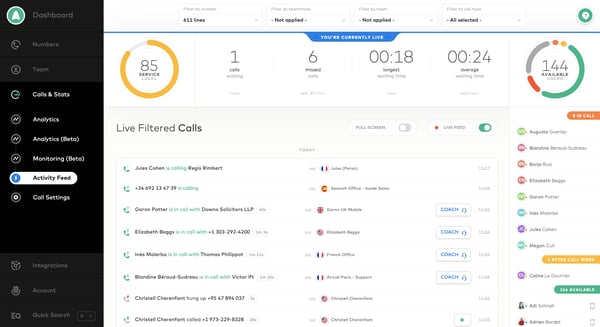
Reviewers also value the AI-powered features that have been added, including call summaries and scorecards. The ability to get a specific summary of past conversations without needing to recall everything manually saves time and helps maintain consistency across customer interactions. According to G2 Data, Aircall users see an estimated ROI payback in approximately 11 months, with an average user adoption rate of 83%.
Since Aircall is a cloud-based calling tool, call quality can sometimes be inconsistent, especially on unstable internet connections. Reviewers note occasional moments when audio becomes choppy. That said, the majority of users report clear call quality under normal network conditions, and the platform’s reliability holds up well for day-to-day use.
On the app stability side, some reviewers mention occasional glitches — the desktop app can freeze or lag, and integration sync with tools like HubSpot or Front sometimes requires a restart. A few users also note that finding specific call recordings in reports takes more steps than expected. These are generally minor issues that don’t disrupt overall workflow, and reviewers emphasize that the platform’s ease of use and seamless integrations far outweigh these occasional hiccups.
For small to mid-sized teams looking for a reliable, easy-to-deploy VoIP platform with strong CRM connectivity, Aircall remains one of the most user-friendly options in the category.
What I like about Aircall:
- Reviewers consistently praise how easy it is to transfer calls, leave notes, and collaborate with teammates, making customer support and sales workflows noticeably smoother.
- I found the CRM integrations with Salesforce and HubSpot consistently praised for automatically syncing contacts and logging calls, reducing manual data entry.
What G2 users like Aircall:
“I like the ease of use with Aircall and how I can dial numbers just like using my phone or mobile. I appreciate being able to literally type numbers, add them to my contacts, and internally transfer calls to my teammates if a client wants to talk with a different customer service agent. It was easy to set up, just downloading the app and linking it with my company email address.“
– Aircall review, Sangram Z.
What I dislike about Aircall:
- As a cloud-based tool, call quality depends on internet stability, and reviewers note occasional moments of choppy audio, though most report clear calls under normal conditions.
- The desktop app can occasionally freeze or lag, and a few reviewers mention integration sync issues with CRMs that require a restart, though these are typically minor and infrequent.
What G2 users dislike about Aircall:
“Since it’s a cloud-based calling tool, call quality can sometimes be inconsistent, especially on unstable internet connections, which can impact customer conversations.”
– Aircall review, Sonali P.
3. CloudTalk: Best for international calling and CRM-connected teams
CloudTalk stands out for teams that need reliable international calling capabilities combined with a clean, intuitive interface. With a 92% ease of admin score and 92% ease of setup rating on G2, the platform is designed to get teams operational quickly, even without heavy technical involvement.
What comes through most consistently in reviews is how straightforward the day-to-day calling experience is. Reviewers appreciate that there’s no complicated setup or menu-hunting involved, agents log in and are ready to take calls. For customer service teams handling a high volume of interactions daily, that kind of simplicity makes a tangible difference in productivity.
The ability to issue local phone numbers from different countries is a standout feature that reviewers frequently highlight. For teams running international campaigns or supporting customers across borders, having local numbers readily available makes long-distance communication feel seamless. CloudTalk’s 64% small business user base reflects how well-suited it is for growing companies with global reach.
CRM integration is another strong point. The native sync with tools like HubSpot and Pipedrive means call logs are automatically recorded, client profiles pop up during incoming calls, and manual data entry is virtually eliminated. Reviewers from both IT admin and sales perspectives note that this integration saves significant time and keeps customer data organized without extra effort.
Call recording, AI-generated call summaries, and transcription features are praised by reviewers who use them for quality assurance and training. Managers can review transcriptions, investigate missed calls, and track agent performance through analytics, all from a centralized dashboard. With a 78% average user adoption rate and an estimated ROI payback of just 10 months according to G2 Data, the platform delivers value quickly.

The call routing technology is another area reviewers highlight positively. The GUI is simple enough for nontechnical users to manage, allowing both technical teams and customer success teams to configure call flows without needing developer support. Reviewers appreciate being able to schedule shifts, set up routing rules, and monitor call frequency from one place.
The reporting and analytics module is functional for standard needs, but several reviewers note it could use more depth and customization. Getting data into a format that makes sense for specific team workflows sometimes takes more effort than expected, and the dashboard has occasionally shown minor bugs, such as history sections freezing or user creation glitches. For teams that need basic reporting, the current tools work well, and CloudTalk continues to iterate on this area.
App stability is generally reliable, but some reviewers mention occasional freezes during peak call hours or when switching between features. The desktop app sometimes requires a force-quit and restart, and call quality can depend on internet connection stability. These instances are typically infrequent and don’t disrupt overall workflow, and the platform’s ease of use and fast setup make it a strong choice for teams prioritizing simplicity.
For small to mid-sized teams that need international calling capabilities, strong CRM sync, and a platform that’s easy to administer, CloudTalk is a compelling and cost-effective option.
What I like about CloudTalk:
- Reviewers consistently praise the ease of setting up local numbers from different countries, which makes international calling and customer outreach feel seamless.
- The native CRM integrations with HubSpot and Pipedrive automatically log calls and surface client profiles, saving teams significant manual work.
What G2 users like about CloudTalk:
“I like how easy CloudTalk is to use. It’s really user-friendly, and I never experience connectivity issues, since it’s always up and running smoothly.”
– CloudTalk review, Amanda G.
What I dislike about CloudTalk:
- While the reporting module covers standard needs, reviewers note that extracting customized insights or tailoring reports to specific team workflows takes more effort than expected, though the platform continues to improve in this area.
- The desktop app occasionally freezes during peak hours or heavy usage, requiring a restart, and call quality can vary depending on internet stability, though most users report reliable performance overall.
What G2 users dislike about CloudTalk:
“Honestly, the part that challenged me most was the reporting. The data was there, but getting it into a format that actually made sense for our team took way more effort than it should. I remember needing to pull some call metrics for a weekly review and spending more time wrestling with the filters than actually analyzing anything. It felt like the reports were built for someone else’s workflow, not ours.
And the new dashboard, I know they updated it at some point, honestly took some getting used to, and even after that, I ran into small bugs here and there. Nothing catastrophic, but the kind of thing that slows you down when you’re already juggling multiple clients at once.”
– CloudTalk review, Cindy R.
A strong knowledge base is only part of what makes a contact center run well. Check out my colleague’s breakdown of the key contact center software features on G2 to see how leading platforms handle routing, automation, and agent productivity.
4. Talkdesk: Best for AI-driven quality assurance
Talkdesk positions itself as a cloud-based contact center platform built for flexibility and AI-driven automation, and based on my evaluation of G2 reviews, it largely delivers on that promise. With a 91% meets requirements score and 90% ease of doing business rating, it’s a platform that reviewers trust for day-to-day reliability.
The integrations with major CRMs like Salesforce, HubSpot, and Zendesk are a recurring strength across reviews. The platform pulls in customer data in real time, so agents don’t have to switch between multiple systems during calls. Reviewers note that this unified view of customer information improves both efficiency and the quality of interactions. With 60% of Talkdesk’s user base in the mid-market segment and 21% in enterprise, it’s built for teams that need robust integration infrastructure.
What really stands out across reviews is Talkdesk’s AI-powered speech analytics. Unlike basic call transcription, it analyzes customer sentiment and tone, which is valuable for training and improving service quality. The AI-driven call routing and real-time transcription features help surface actionable insights during live interactions, improving first-call resolution and helping managers identify trends without deep manual analysis.
The call flow builder is praised for its drag-and-drop design, making it easy to create and modify IVR workflows without heavy engineering involvement. Reviewers note that this saves hours each week when updating routing logic or adjusting customer journeys, and the flexibility to configure multi-level routing ensures customers reach the right agent quickly.
VoIP call quality is consistently rated highly by reviewers. Dropped calls are rare, and the ability to monitor calls in real time, combined with features like whisper coaching, is frequently cited as a meaningful advantage for training and maintaining call quality standards. According to G2 Data, Talkdesk scores 84% for AI text-to-speech capabilities, reflecting its investment in intelligent automation.
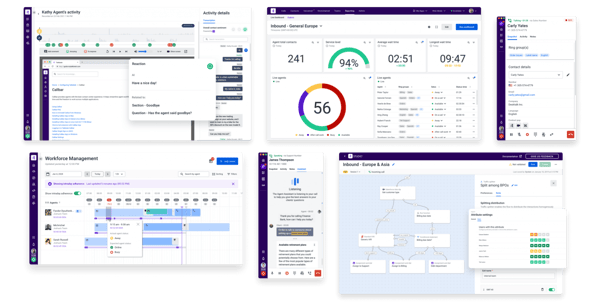
The unified Conversations view is another feature reviewers appreciate. Being able to see all active chats and SMS in one place, with contact details, subscription info, and full chat history accessible from a single screen, helps agents respond quickly during busy shifts. The platform handles communication in a structured way that reduces the risk of missed details.
While Talkdesk’s core integrations are strong, some reviewers note that deeper customization of CRM connections can require additional configuration. API flexibility has room for improvement. For teams with complex integration setups, planning for this upfront helps ensure smoother operations once live.
Reviewers also note that support responsiveness can vary, particularly during more complex implementation phases. Some users mention that onboarding for advanced setups could be more proactive, and response times for support tickets aren’t always consistent. That said, the onboarding process is structured overall, documentation and training resources help teams ramp up, and the platform’s day-to-day reliability means support needs are typically minimal once the system is running.
For mid-market and enterprise teams that prioritize AI-driven quality assurance, flexible call routing, and real-time coaching capabilities, Talkdesk delivers a well-rounded platform with strong long-term value.
What I like about Talkdesk:
- The real-time call monitoring and whisper coaching features give managers a powerful way to guide agents during live interactions, making training more effective and immediate.
- Reviewers consistently praise how seamlessly Talkdesk integrates with platforms like Salesforce, HubSpot, and Zendesk, pulling in customer data in real time without needing to switch between systems.
What G2 users like Talkdesk:
“With Talkdesk, we can set our working status, make calls, and check voice messages. The best feature for me is the voice message transcript, which makes it much easier to understand messages quickly.”
– Talkdesk review, Nilesh S.
What I dislike about Talkdesk:
- While core integrations work well, reviewers note that deeper CRM customization and managing multiple workflows can require extra configuration effort, though once set up, the automation delivers strong efficiency gains.
- Support responsiveness can vary during complex implementation phases, and some reviewers mention onboarding could be more proactive for advanced setups, though day-to-day reliability means ongoing support needs are typically minimal.
What G2 users dislike about Talkdesk:
“While Talkdesk works well overall, there are occasional system slowdowns and minor connectivity issues. Some features could also be more customizable, and reporting can take time to load when handling large volumes of data.“
– Talkdesk review, Roy Arturo E.
Getting the most out of your contact center starts with the right knowledge foundation. Explore the contact center knowledge base software features that matter most for agent search, compliance, and workflow management based on G2 Data.
5. Nextiva: Best for unified VoIP and team communications
Nextiva is a platform that comes up consistently on G2 when teams need an all-in-one communication solution that combines VoIP, messaging, and video in a single interface. With a 92% satisfaction rating for meeting requirements and quality of support, it’s a platform that reviewers trust for reliable, everyday communication.
The simplicity of Nextiva’s user interface is the most frequently cited strength across reviews. The platform is user-friendly and allows teams to manage calls, voicemails, and messaging from one streamlined program. Reviewers appreciate that the seamless integration of VoIP, video, and messaging boosts efficiency without adding complexity. With 71% of Nextiva’s user base coming from small businesses, it’s clearly designed for teams that need simplicity and reliability above all.
The voicemail-to-email transcription feature is another standout. Instead of digging through voicemails, teams can quickly read messages and respond accordingly, a notable time-saver for busy support and sales teams. Reviewers also highlight the call forwarding capabilities, which make it seamless to manage calls whether at a desk or working remotely.
The call flow builder is praised by reviewers for making it easy to set up routing patterns. When teams need to configure ring patterns for departments, the system offers solid flexibility, and Nextiva’s support team is frequently highlighted as proactive in helping set up and optimize these flows. The platform’s 87% average user adoption rate on G2 reflects how quickly teams get comfortable using it.
Reviewers consistently praise how well the platform supports remote and hybrid teams. The desktop app, mobile app, and conference bridge functionality mean teams stay connected regardless of location. Having a personal conference room that external participants can dial into simplifies meeting scheduling, and the ability to text teammates through the built-in messaging tool keeps internal communication centralized. Nextiva scores 95% for voice channel performance on G2, reinforcing its strength as a VoIP-first platform.
The AI-assisted call routing is a newer capability that reviewers are responding positively to. It has made a real difference in im