


If you’ve been hunting for vibe coding examples that go beyond chatbots and “summarize this PDF” demos, this is where you’ll find them; along with an honest account of what building agents actually looks like.
Everything below was built via Agent A by the Ahrefs team—plus a couple of examples I managed to vibe code myself.
Here’s what it takes to vibe code, and the nine prebuilt apps you can install today.
On Slack, we have a channel called Feature Suggestions where we drop ideas and wishlist tools.
I am a regular there.
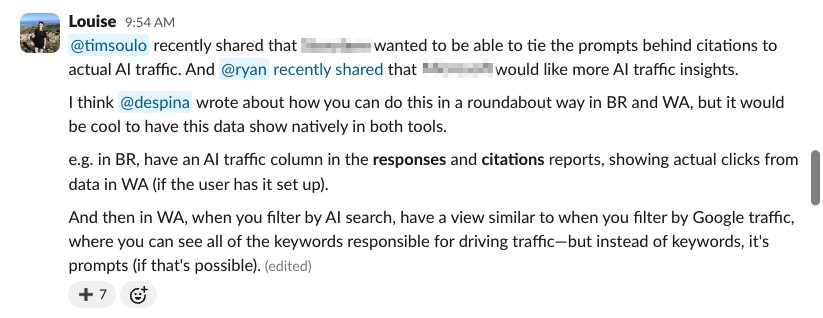
Here I am asking whether it’s possible to tie prompts to actual AI traffic in Brand Radar and Web Analytics (the dev team must love me).
I’m a marketer with little to no coding experience—unless you count the HTML I copied into my MySpace page circa 2008.
I had been tinkering with Lovable when we first started dogfooding our own AI agent platform, so I’d already caught the vibe coding bug.
But Agent A felt like the first environment where I could try building my Big Ideas myself.
Just me, a chat box, and unrestricted access to Ahrefs data sitting underneath.
To answer my own Feature Suggestion: yes, I was able to tie AI prompts to real AI traffic.
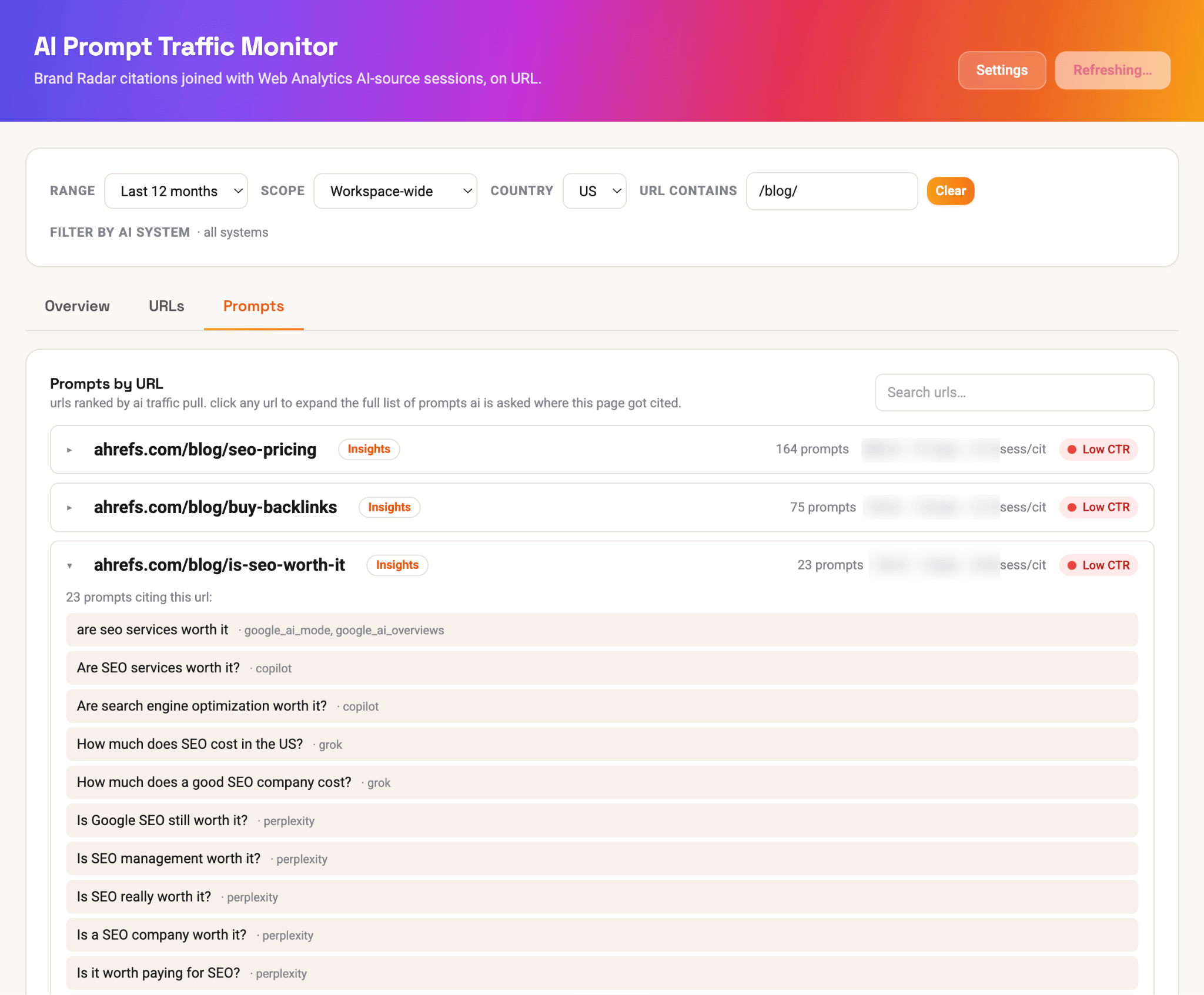
And I was also able to compare AI traffic and citation trends…
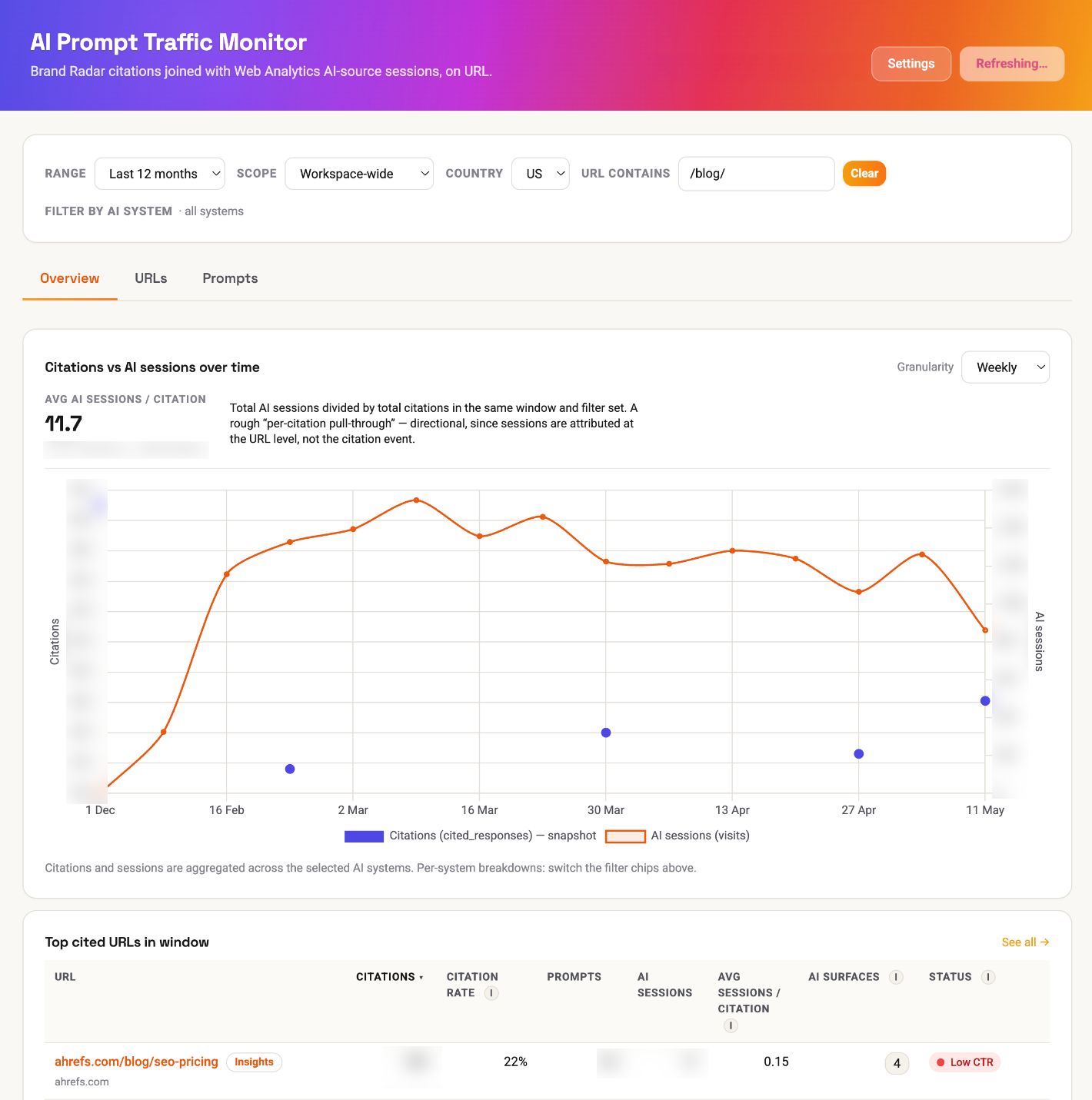
I built the core part of this app in literally 15 minutes, with this prompt…
I want to be able to tie the prompts behind Ahrefs' AI citations in Brand Radar to actual AI traffic, based on data in Web Analytics (e.g. the "AI search" filter). I want to be able to see this all in one dashboard, containing the percentage of all Ahrefs citations that are leading to actual traffic. I want the app to contain historical data, with a date picker, and traffic over time charts. I would also like to be able to separate all data out by all AI systems we track in Brand Radar.And if that isn’t proof that just about anyone can vibe code, I don’t know what is.
What is Agent A?
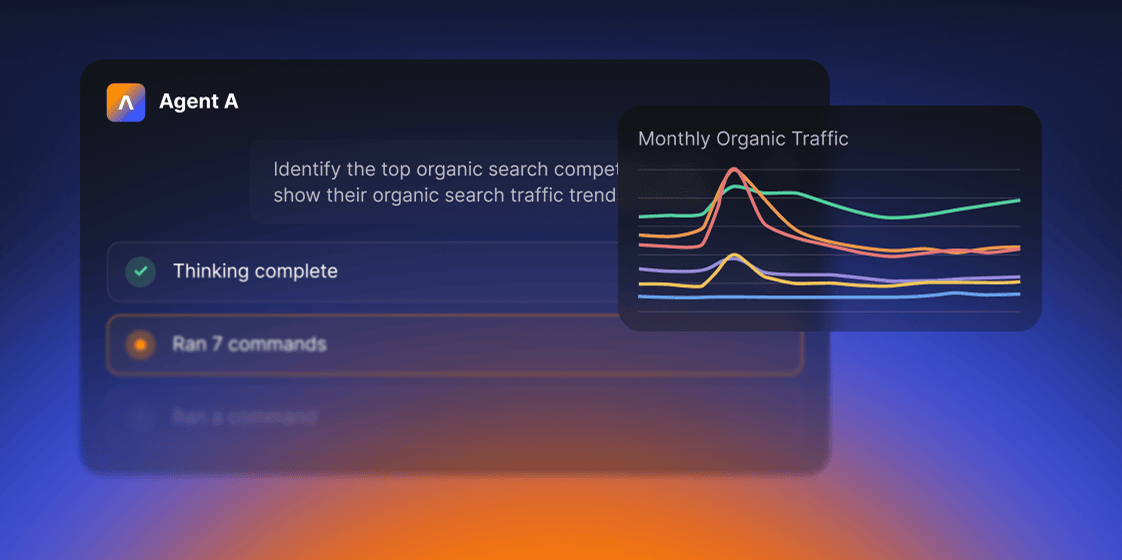 Agent A includes:
- Unrestricted access to Ahrefs endpoints. Every endpoint we use to build Ahrefs is available, including many you cannot reach via API or MCP.
- Serious tech stack underneath. Postgres for state, Flask for UIs, an OpenRouter proxy with 300+ models, web fetch with full-page parsing, PDFs, OCR, scheduled jobs.
- Native connectors to marketing tools. Slack, HubSpot, GitHub, Notion, Linear, Mailchimp, Resend, SendGrid, Stripe, Gong, WordPress, Airtable, Apify, and even Semrush.
- Expert skill library. The Ahrefs team has contributed pre-built marketing skills and applications that encode how we actually work.
Vibe coding—building software by describing what you want in plain language—only works because a new wave of tools can turn those descriptions into useable apps.
Each one is suited to a different job and skill level; here’s how the main options compare.
Vibe coding apps
| Tool | Level | Best for |
|---|---|---|
| Any level | Describe what you want to build and Agent A plans the steps, writes the code, and connects the apps your project needs — like WordPress, Slack, or a Google Sheet — so data actually flows between them. It explains each step as it goes and checks with you before making changes, which makes it a gentle way in for beginners while still handling multi-part builds. | |
| Beginner | The easiest place to start. Type what you’re trying to make in plain English and it helps you shape the idea, write better prompts, and figure out what went wrong when an error pops up. | |
| Beginner | Tell it the app you want and it builds a working first version in minutes — no setup or technical decisions. Great for testing an idea before you invest real time. | |
| Beginner | Built for turning a description into a good-looking web page or app interface, then putting it online (a “deploy”) right from the same place. Strong pick when how it looks matters as much as what it does. | |
| Intermediate | A full coding workspace in your browser: you build it, run it, and deploy it (publish it live) from one tab. Beginner-friendly, with real tools underneath for when you want to dig deeper. | |
| Intermediate | Best when you want a finished app for web or phones without piecing services together. It leans on popular frameworks — the standard building blocks developers use — so your project stays easy to hand off later. | |
| Intermediate | Handy for bigger projects with lots of moving parts. It works inside a sandbox (a safe, walled-off copy), running several tasks at once so nothing touches your live project until you approve. | |
| Intermediate | For when you want hands-on control. It reads your repo (the folder of files your project lives in), explains its plan, and makes changes one step at a time — checking with you before each — so you’re never writing code from scratch. |
Agent A contains loads of plug-and-play apps, vibe-coded for you by the Ahrefs team.
Each one is a console application (a Flask app that lives in the right-hand panel of your workspace) wired to a specific marketing or SEO workflow.
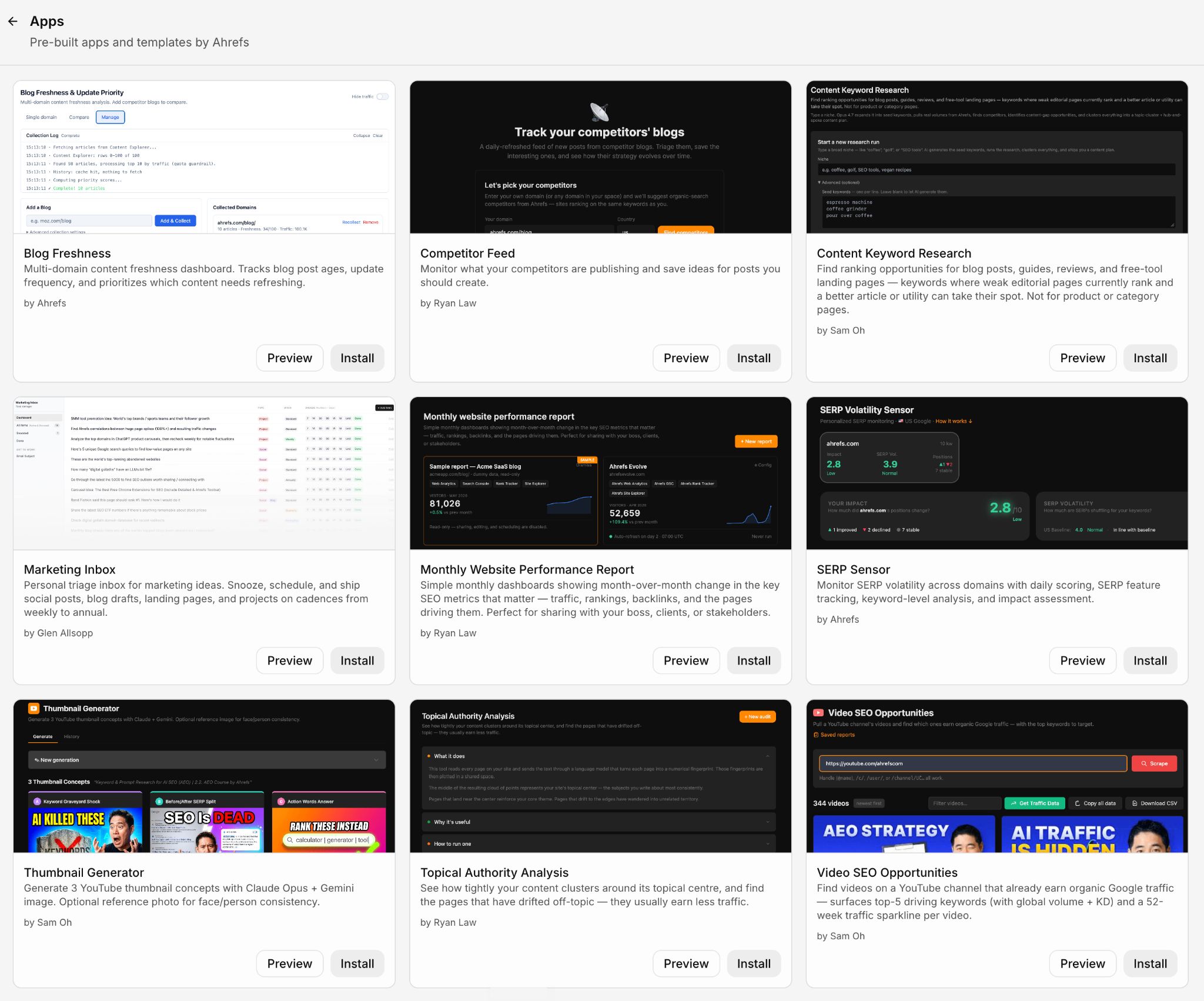
Below you can see what each of these vibe coding examples does, according to the marketer that shipped it.
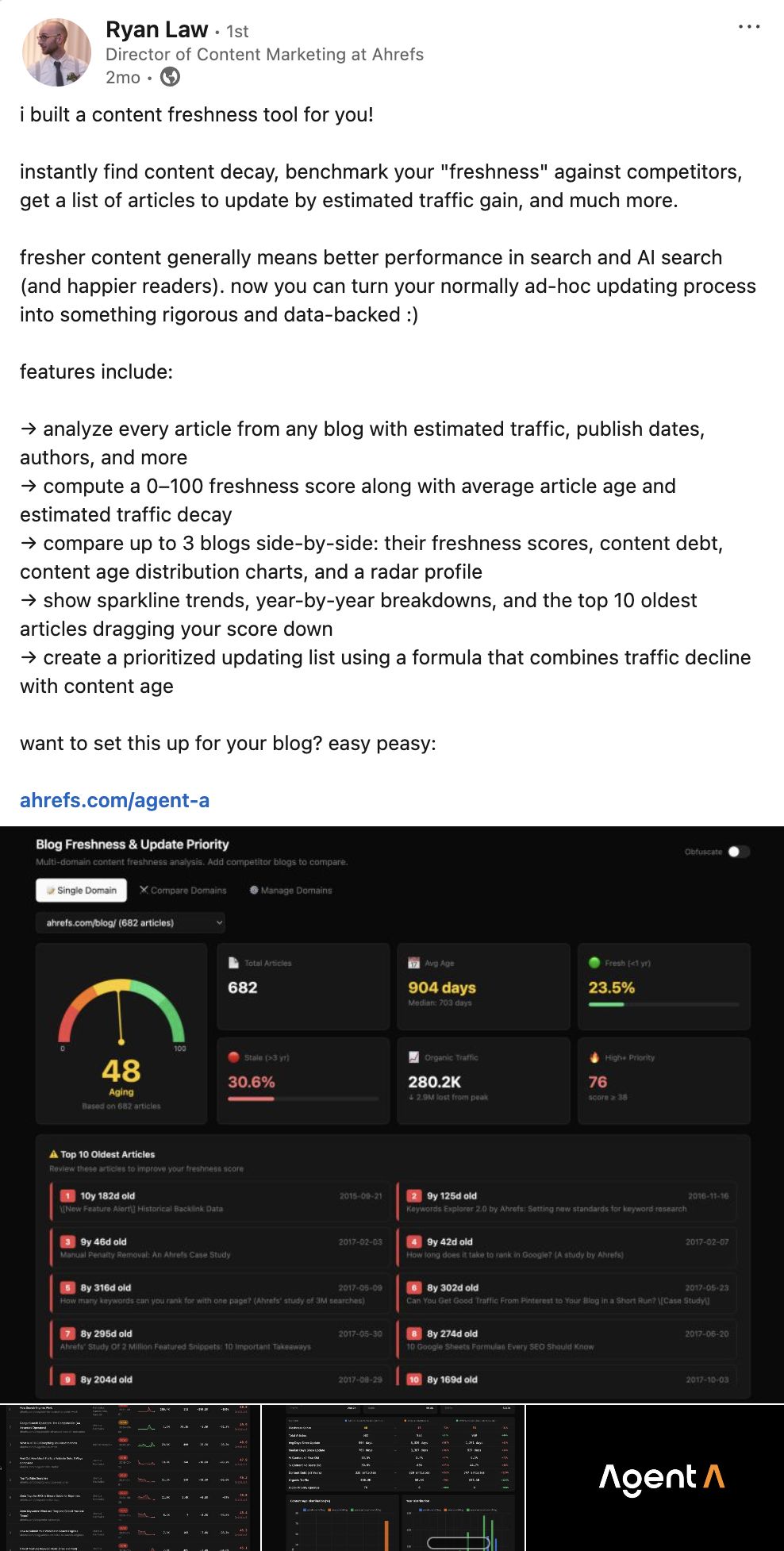
This app shows you which blogs are quietly losing the most traffic, so you can prioritize updates that will plug that leaky bucket.
What it helps you do
Blog Freshness flags decaying content, so you can make a decision on next-steps:
- Track multiple blogs side-by-side on a single dashboard
- Get a 0–100 freshness score for any blog
- See which articles need an urgent refresh and which are still pulling their weight
- Drill into any blog for a full audit: average age, traffic decay, top 10 oldest articles
- Compare up to 3 blogs head-to-head against competitors
- Export a prioritised update list ranked by estimated traffic you can recover
The dashboard view is where you start. Every blog you track gets a freshness score, a status (Aging / Stale / Good), and an “Average age” at a glance.
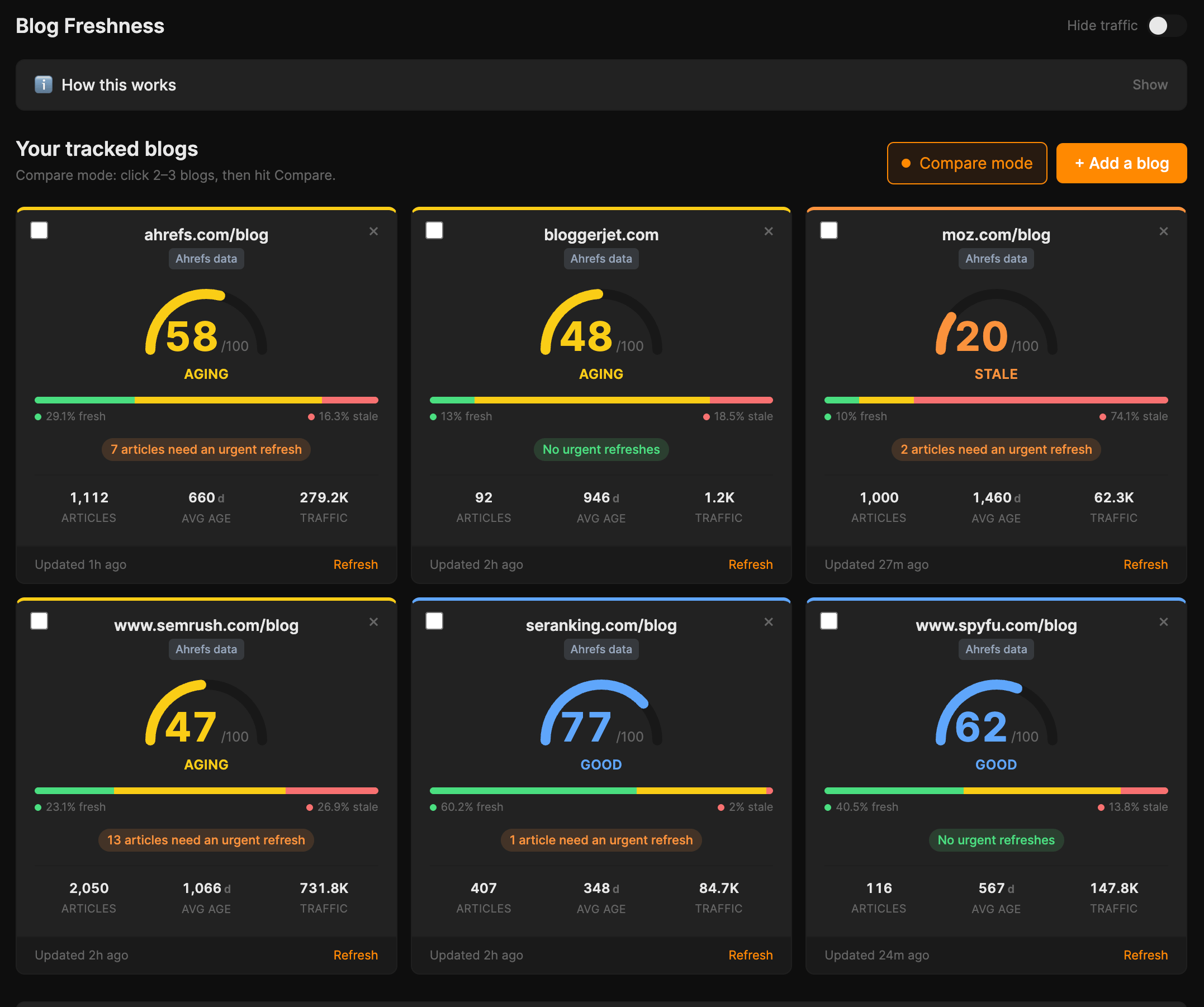
The “Compare blogs” view shows you your freshness profile benchmarked against your direct competitors, with metric-by-metric bars including “Total articles” and a “Traffic per article” stat.
For example, below we can see that Ahrefs publishes roughly half as much content as Moz, yet averages 251 visits per article, versus Moz’s 62.
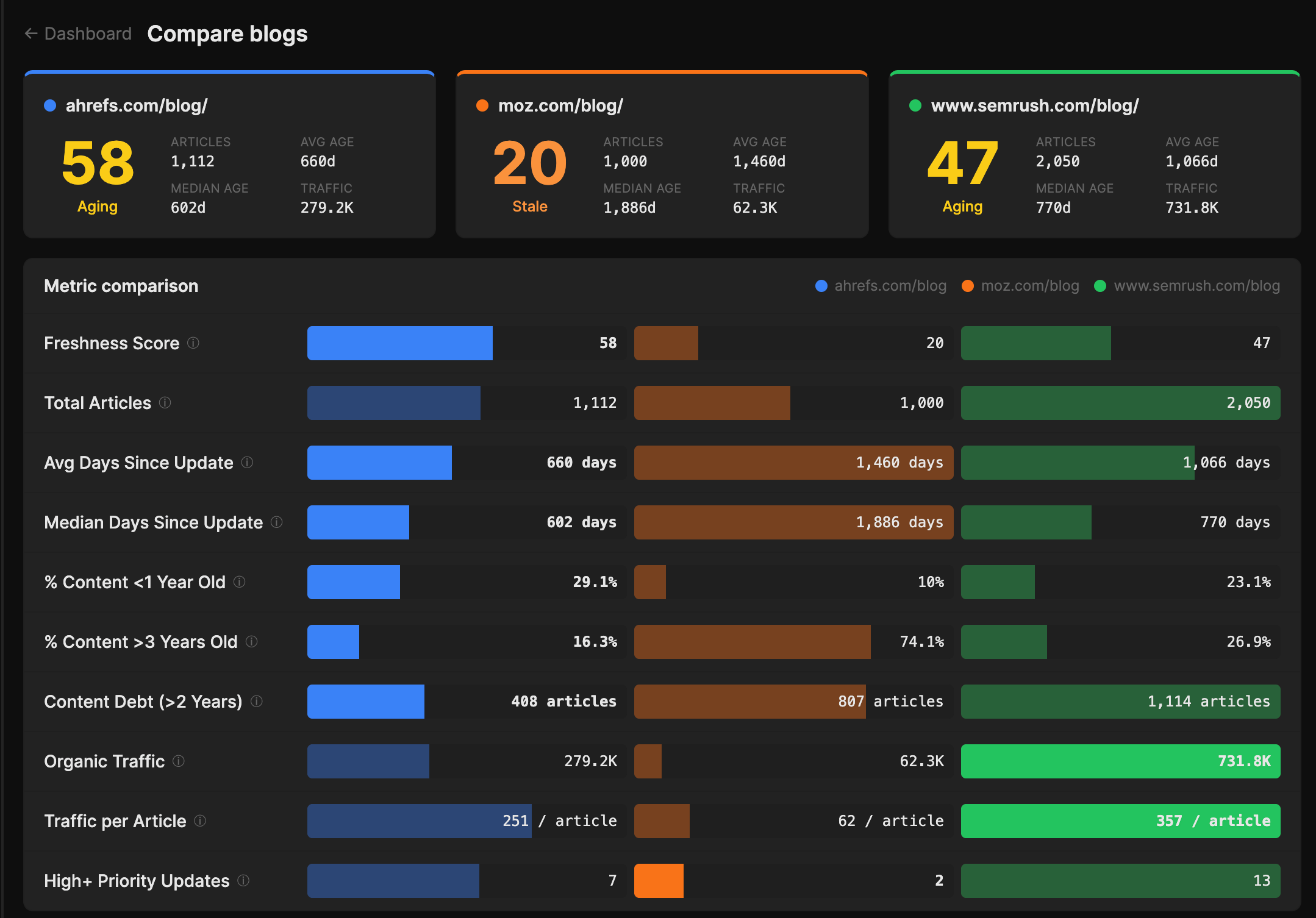
And the “Update priority” tab shows you every article you’ve ever published ranked by how much traffic you could plausibly win back if you refreshed it, so instead of staring at a CMS and deciding by gut, you get a queue to work through.
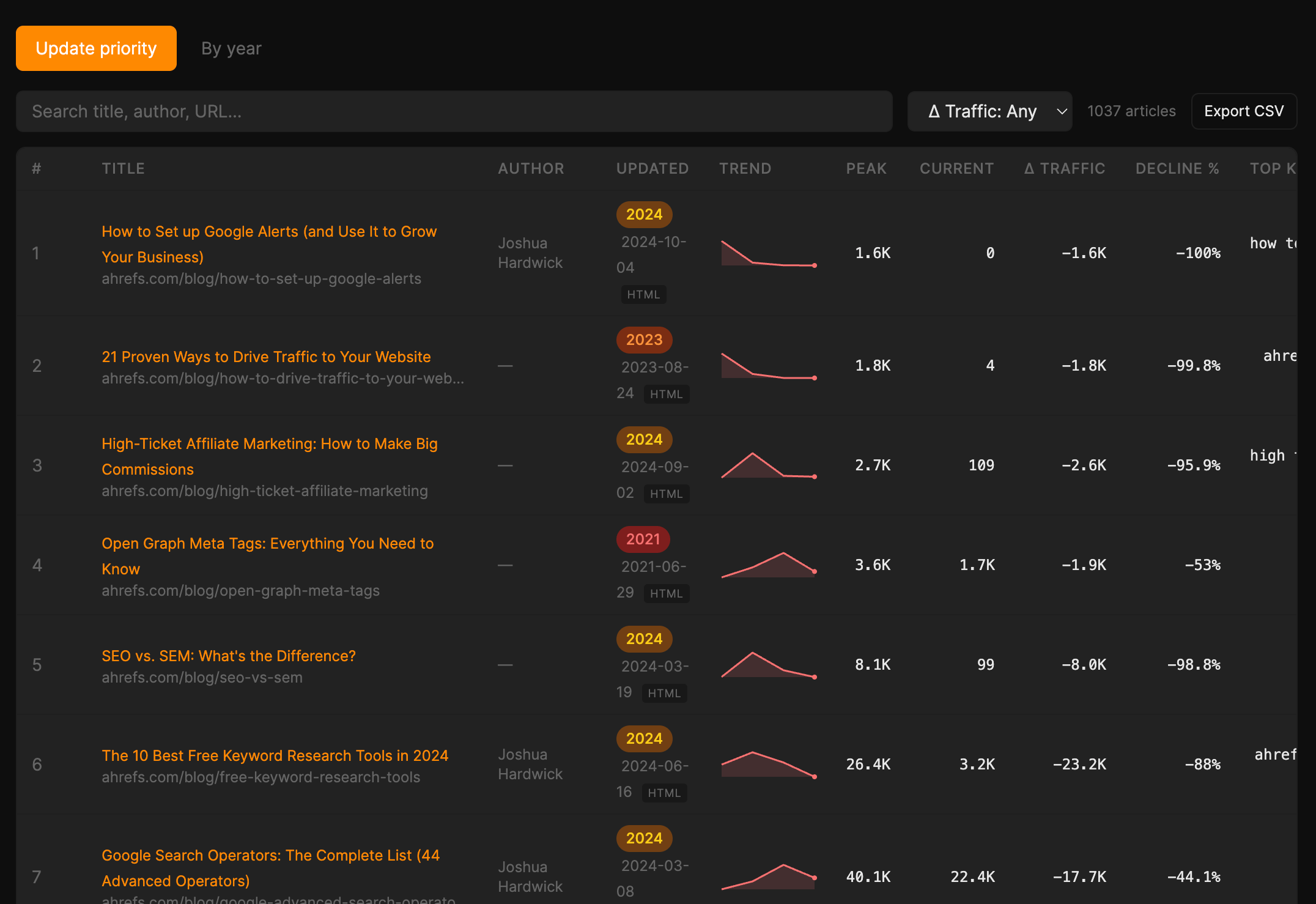
Why Ryan vibe coded it this way
Ryan is Director of Content at Ahrefs and has spent years watching content teams ask: “Which posts should I refresh first?”
It’s the million-dollar question, so he set out to answer it with an AI app built on Ahrefs’ organic traffic data.
After briefly mentioning it in a Content Marketing Institute webinar, his DMs were flooded with messages like this…
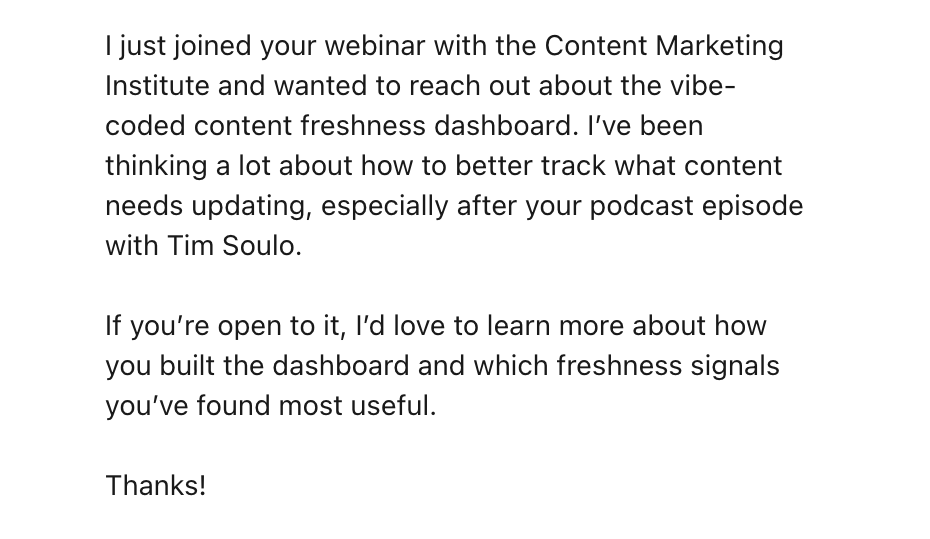
And that is how Blog Freshness became one of the first plug-and-go apps in Agent A.
Install Blog Freshness in Agent A
This is the place where every “I should write about that” idea you have goes to live until it’s ready to actually become something.
What it helps you do
Marketing inbox is essentially a second brain for ideas:
- Capture any marketing idea—social post, blog draft, landing page, project—in one place
- Tag each idea by type so the inbox stays scannable
- Snooze items so the main view stays “clean” until they’re ready to act on
- Set cadences from weekly to annual for ideas that should resurface on a schedule
- Mark items done, kill them, or roll them forward when life gets in the way
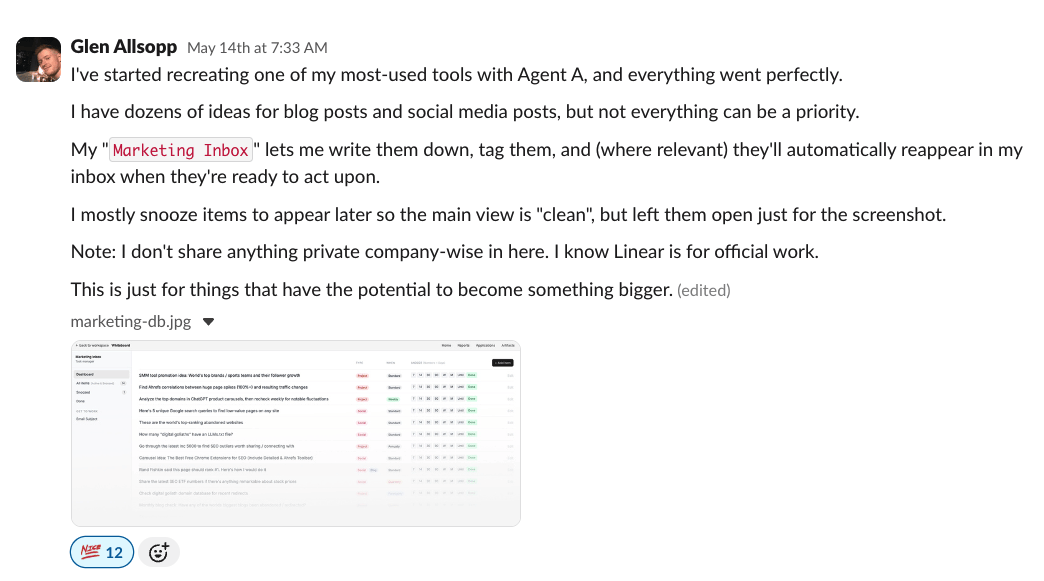
In Glen’s words:
I have dozens of ideas for blog posts and social media posts, but not everything can be a priority… My ‘Marketing Inbox’ lets me write them down, tag them, and (where relevant) they’ll automatically reappear in my inbox when they’re ready to act upon. I mostly snooze items to appear later so the main view is ‘clean’… This is just for things that have the potential to become something bigger.
Most ideas die in Notion pages or Slack DMs to ourselves. The Marketing Inbox is a forcing function: every idea either gets a cadence and a next action, or it gets killed.
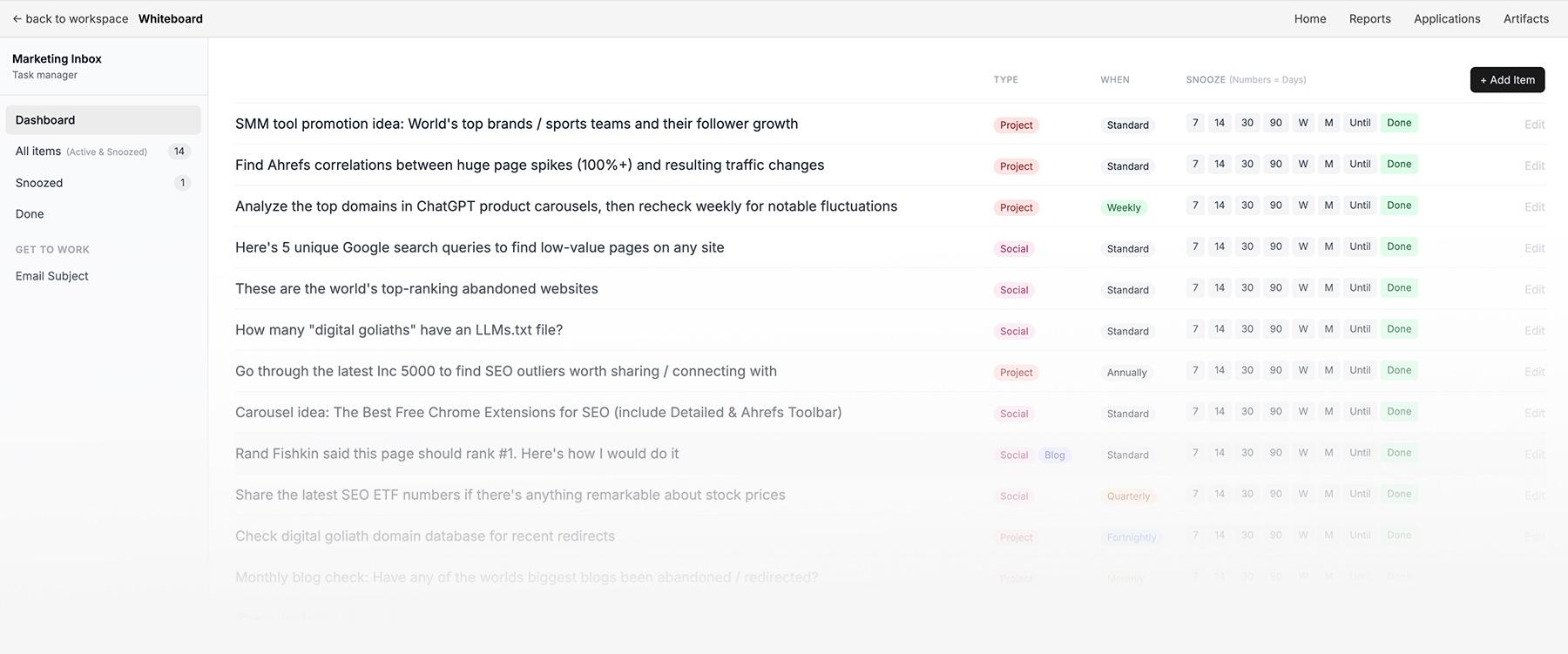
A great campaign idea in May might genuinely be the right thing to ship in November, so the inbox is built to keep that idea alive without cluttering up the present.
Why Glen vibe coded it this way
Glen Allsopp is a systems-based marketer. And in a systems-based world, ideas need a schedule, not a folder.
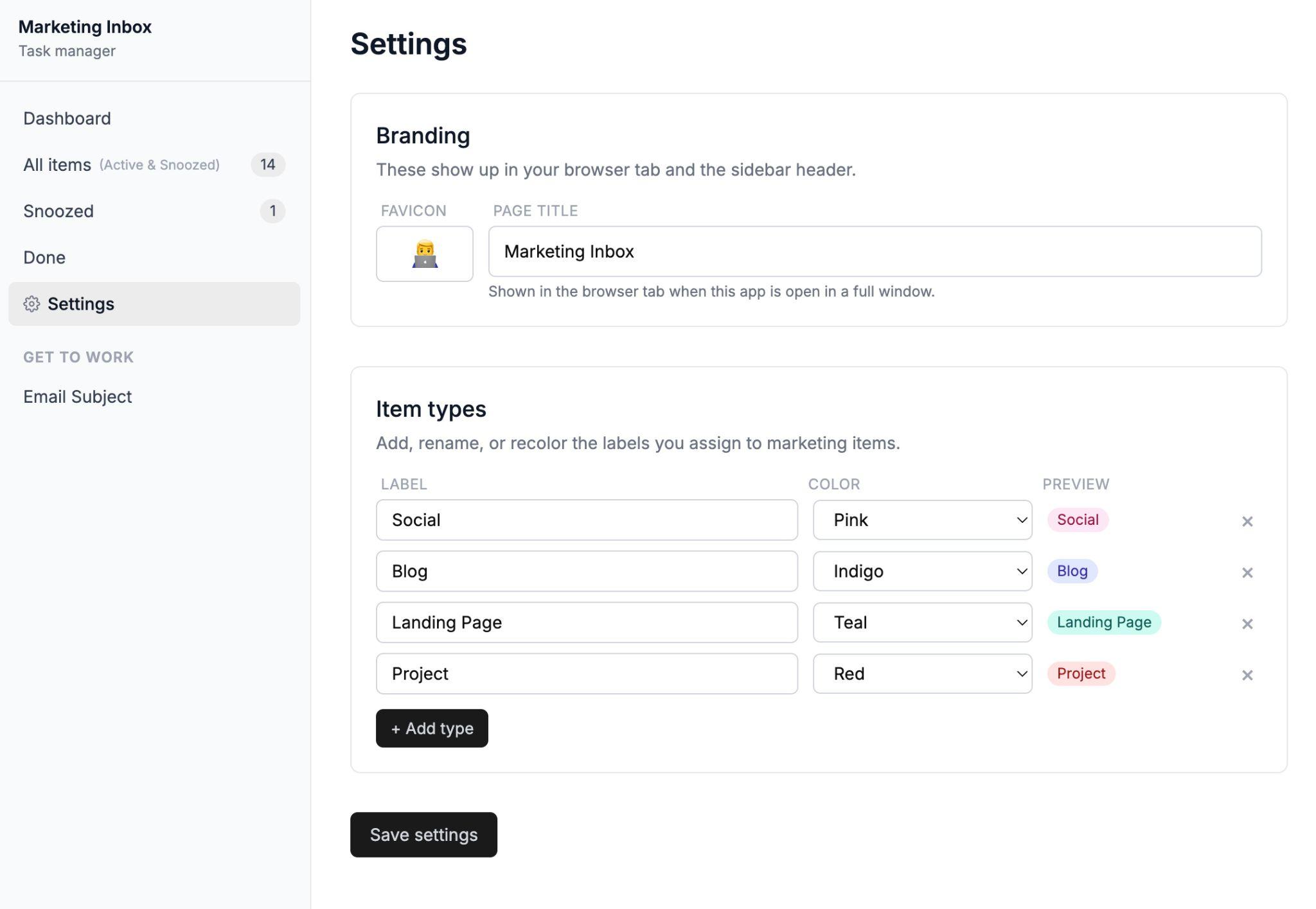
The fact that the default view is “clean”, with everything snoozed away until it’s ready, is a Glen signature.
Note to self: Glen must never. NEVER. See my gmail inbox.
Install Marketing Inbox in Agent A
This app does keyword research the way you’d do it if you had two weeks and unlimited patience—except it takes just 20 minutes.
What it helps you do
Content Keyword Research collapses the slow, monotonous parts of keyword research into one workflow:
- Type in a niche and walk away while the app does the keyword research
- Pull a vetted, clustered keyword list ranked by volume, KD, and traffic potential
- Make an instant Go / Maybe / Skip / No decision for every keyword
- Run a competitor gap analysis based on real editorial competitors, not just high-DR sites
- Visualize the topic as a hub-and-spoke internal linking map
- Generate a full content brief for any keyword in one click
In Sam’s words:
You type in a niche (e.g. ‘coffee’, ‘recipes’, ‘golf’, ‘ai marketing’) and ~20 min later you get a fully researched keyword list of vetted keywords, organized in clusters with the option to generate content briefs.”
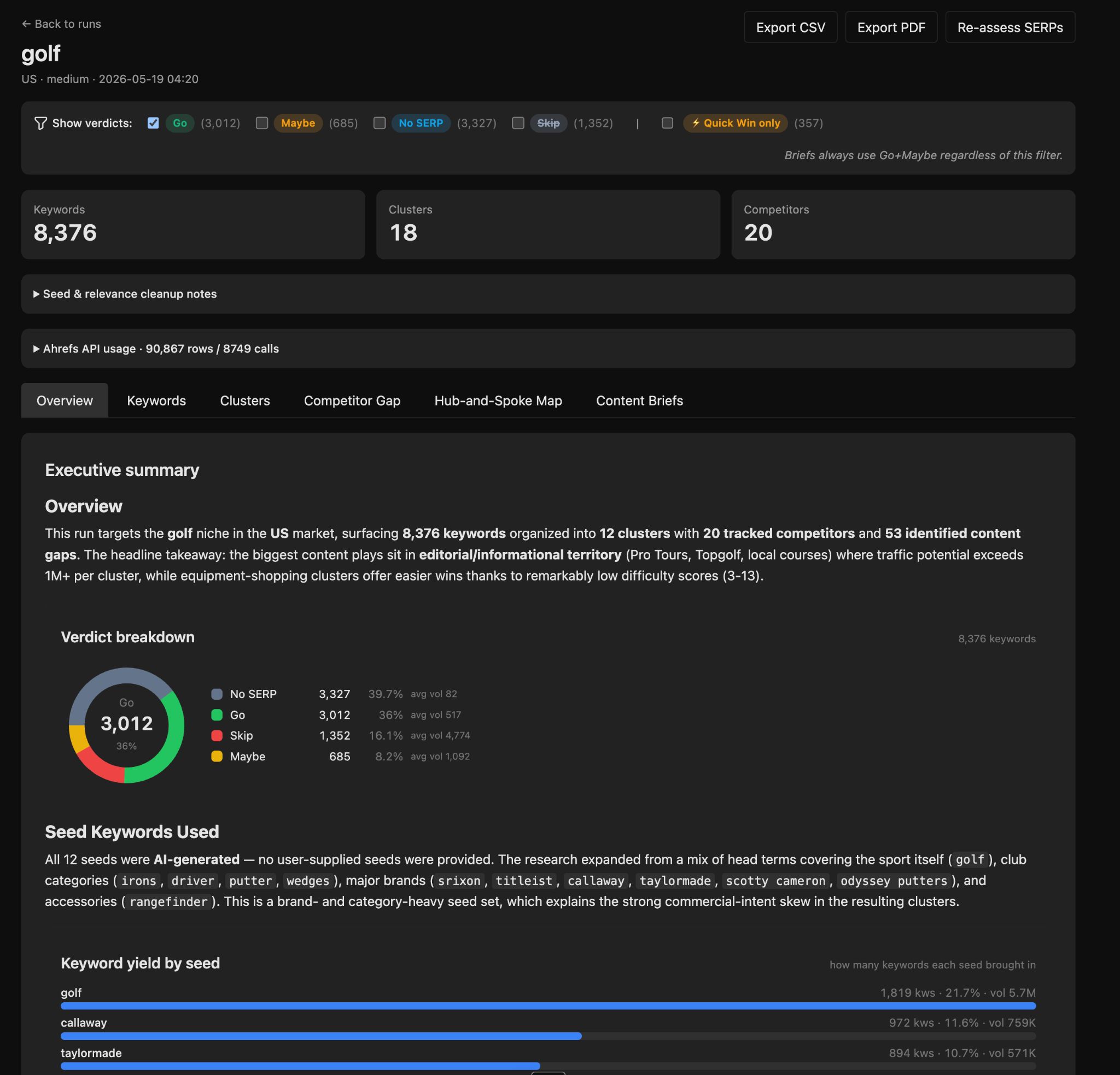
Every keyword gets a recommended format (listicle, how-to, in-depth review) and a one-click brief button.
The part of keyword research that used to mean opening 50 SERPs in 50 tabs to decide what each page should look like is handled for you in one view.