


AI workflow automation tools connect apps, data, and departments to execute tasks automatically — reducing manual work and improving efficiency across organizations. Unlike traditional rule-based automation, these tools use artificial intelligence to predict next steps, learn from outcomes, and continuously optimize processes.

The shift is already well underway. According to HubSpot’s 2025 State of Marketing Report, 92% of marketers say AI has already impacted their roles. Businesses adopting connected CRMs and unified AI systems are seeing measurable gains in speed, accuracy, and customer experience.
AI workflow automation software bridges gaps between marketing, sales, service, and operations — scaling processes without added headcount. This guide explores the top tools for each function and growth stage, evaluation criteria, and how HubSpot’s AI-powered suite — including Marketing Hub, Sales Hub, Service Hub, and Data Hub — provides a unified foundation for smarter, more adaptable automation.
Table of Contents
What are AI workflow automation tools, and how do they work?
AI workflow automation tools automate complex business processes by using artificial intelligence to connect apps, analyze data, and execute multi-step tasks without manual intervention. Unlike traditional rule-based automation that follows static if-then logic, AI workflow automation software analyzes inputs, predicts next steps, and adapts workflows based on performance data. For example, a traditional workflow builder might send an email when a form is submitted, while an AI workflow builder analyzes lead behavior, adjusts email timing, and triggers different sequences based on predicted engagement.
According to HubSpot’s 2025 State of Marketing Report, one in five marketers plan to use AI agents to automate end-to-end workflows this year — signaling a shift from manual setup toward self-optimizing systems.
Pro tip: HubSpot Data Hub automates repetitive data management tasks, such as syncing, deduping, and triggering cross-department workflows. Data Hub provides a scalable foundation for expanding automation across marketing, sales, service, and operations.
Agents vs. Automated AI workflows: What’s the difference?
AI agents and automated workflows both streamline work, but AI agents differ from rules-based automated workflows by reasoning and acting autonomously. Workflows run on predefined rules and triggers — think sending a follow-up email when a deal moves stages or routing a lead based on geography. They provide structure and consistency for repeatable processes.
AI agents, on the other hand, make decisions dynamically. Instead of following a fixed if-then path, they analyze real-time CRM data, historical patterns, and context to choose the next best action without being explicitly programmed. That adaptability makes them useful for tasks where conditions change or where nuance matters.
Most organizations end up using both. Workflows handle the predictable steps; agents refine and optimize them by adding intelligence on top. For example, a workflow can assign leads to reps, but an agent can prioritize those leads based on engagement trends or conversion history — turning a static process into a self-improving one.
For example, in Sales Hub, the AI prospecting agent Breeze surfaces warm leads based on CRM signals and automatically triggers personalized outreach sequences. It builds on traditional workflows by making them smarter, faster, and increasingly optimized over time.
|
Feature |
AI Agents |
Automated Workflows |
|
Logic |
Acts autonomously and learns from context |
Follows predefined rules and triggers |
|
Adaptability |
Adjusts actions based on outcomes |
Executes static sequences |
|
Use Case |
Personalized recommendations, decision-making |
Repetitive task automation |
|
Integration |
Connects across systems and data |
Operates within defined platforms |
Pro tip: AI agents enhance workflows rather than replace them. Combining both approaches provides flexibility for automating predictable processes while enabling AI to make smarter, context-driven decisions.
How to Choose an AI Workflow Automation Tool
Choosing an AI workflow automation tool requires evaluating company size, tech stack maturity, and business goals. Platform selection depends on three primary factors: business growth stage, technical resources, and integration requirements.
Some tools prioritize simplicity and quick setup, while others focus on deep customization, governance, and enterprise-level data control. The ideal platform integrates with existing CRM systems, supports data visibility across departments, and adapts as organizational needs evolve. In fact, according to Zapier, 78% of enterprises are struggling to integrate AI with their existing systems.
When evaluating tools, look for flexibility, integration depth, and scalability. The best tools balance power and usability. Many companies start with low-code automation, then evolve toward AI orchestration as their data infrastructure matures.
Evaluation Criteria by Growth Stage
Different growth stages require different automation capabilities. The following criteria help match platform features with organizational maturity:
|
Stage |
Focus |
Evaluation Criteria |
Example Use Case |
|
Startup |
Ease of use, affordability |
Low-code builder, simple CRM integration, minimal setup |
Automate lead capture and email follow-ups |
|
Mid-Market |
Scalability, cross-department visibility |
Multi-team workflows, analytics, workflow templates, cross-platform orchestration |
Connect marketing and sales data for better insights |
|
Enterprise |
Governance, compliance, extensibility |
Audit trails, API orchestration, AI management |
Unify multiple systems under one orchestration layer |
Common Implementation Pitfalls
Common pitfalls when adopting AI workflow automation include overengineering processes, automating before data cleanup, or neglecting human oversight. Organizations should start simple, review automation performance regularly, and document each workflow to prevent data silos as systems grow.
Pro tip: HubSpot Data Hub connects every system in a tech stack, ensuring automations run on clean, unified data. This data foundation enables organizations to scale automation confidently without losing data quality or control.
Once evaluation criteria are established, the next step is to explore which tools best fit each department. The following section highlights top AI workflow automation tools for marketing, sales, service, and operations — and how HubSpot’s AI-powered Hubs bring them all together.
Best AI Workflow Automation Tools by Department
AI workflow automation tools automate business processes across marketing, sales, service, and operations. Each department has distinct automation goals: Marketing departments need faster campaign execution, sales organizations rely on intelligent lead management, service departments focus on faster resolutions, and operations functions ensure data accuracy across systems.
The following section breaks down the top AI automation tools for marketing, sales, service, and operations — organized by business growth stage.
Marketing
According to HubSpot’s 2025 State of Marketing Report, 86% of marketers say automation has helped save time and scale personalization efforts. AI workflow automation tools for marketing accelerate campaign execution by automating repetitive tasks such as campaign setup, content distribution, and email personalization.
1. HubSpot Marketing Hub
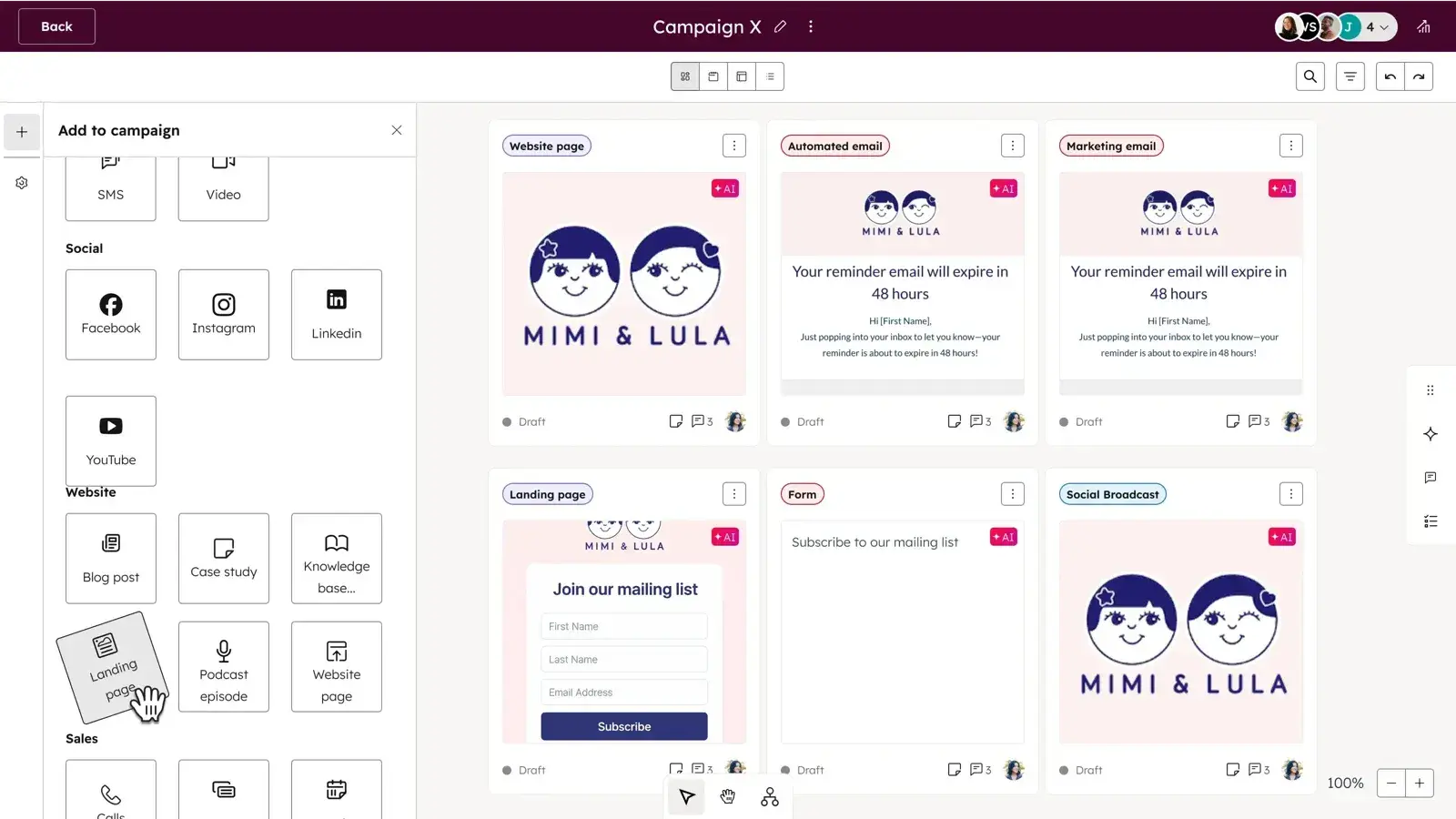
HubSpot’s Marketing Hub automates email campaigns, lead nurturing, and content personalization through AI-powered workflows. Built-in AI tools segment audiences, generate copy, optimize send times, and predict engagement to create targeted, data-driven campaigns.
The platform integrates natively with Sales Hub, Service Hub, and Data Hub, plus thousands of tools through the HubSpot App Marketplace — from Google Ads and LinkedIn to Shopify and Zoom — to keep go-to-market data unified.
Best for: Growing SMBs to mid-market businesses ready to centralize campaigns and automate end-to-end marketing workflows.
Pro tip: Use Breeze, HubSpot’s AI Assistant, to draft campaign copy and A/B test variations directly within workflows. Marketing Studio covers your campaigns from ideation to deployment to analytics.
2. Zapier
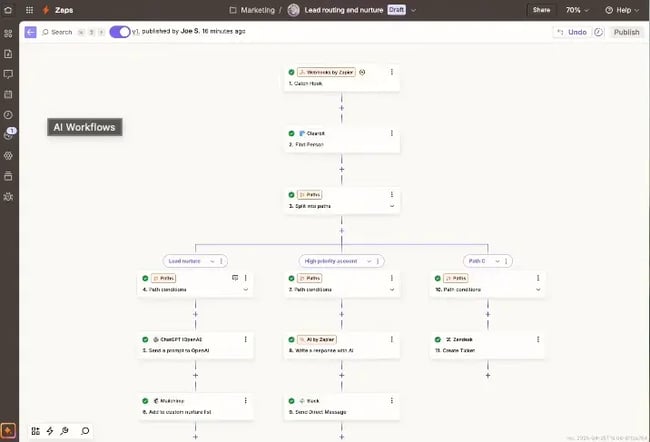
Zapier automates repetitive marketing tasks by connecting more than 7,000 apps — including HubSpot, Google Workspace, Slack, Meta Ads, and Airtable — to sync leads, trigger campaigns, and update data in real time. Its AI Actions feature interprets natural-language prompts to build workflows on the fly, making it easy for marketers to connect their entire tech stack without writing code.
Best for: Startups and SMBs that want quick, no-code automation between marketing apps.
Pro tip: Pair Zapier with HubSpot Forms to instantly route new leads to the right rep or Slack channel.
3. Jasper
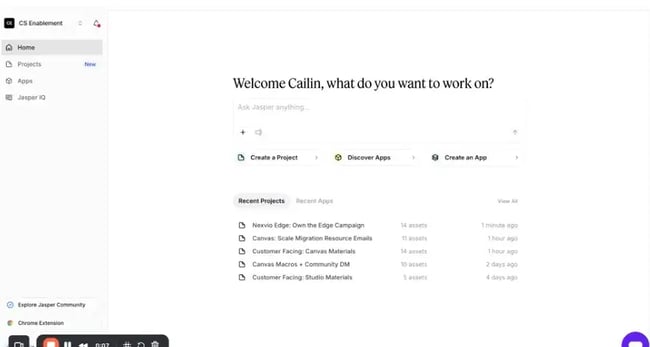
Jasper is an AI-powered content creation platform that helps marketing teams generate and repurpose on-brand copy for blogs, ads, and social media — all at scale. Tools like Jasper streamline content workflows from brainstorming to publishing. It offers brand voice training, SEO optimization, and team collaboration tools that speed up approvals and keep messaging consistent.
Jasper integrates with HubSpot, Surfer SEO, Grammarly, and other popular marketing and CMS platforms, letting teams move content from ideation to publication in one seamless flow.
Best for: Mid-market and enterprise teams that need customizable, large-scale marketing automations with deeper data control.
Pro tip: Build a “Brand Voice” in Jasper and connect it to the HubSpot content library to ensure consistent cross-channel campaigns.
4. Make
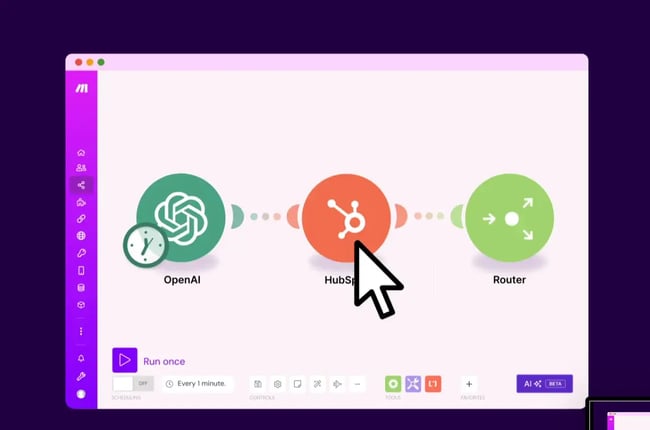
Make is a visual automation platform that gives marketers advanced control over multi-step workflows. It combines drag-and-drop simplicity with robust branching logic, API support, and now, generative AI modules that can write, analyze, and tag content — or even make data-driven decisions within a workflow.
Make connects with thousands of apps and services — including HubSpot, Notion, Airtable, and Shopify — so teams can orchestrate even complex, multi-step workflows across platforms.
Best for: Mid-market to enterprise marketing and ops teams managing complex, multi-app workflows at scale.
Pro tip: Use Make’s “Iterator” and “Aggregator” tools to personalize bulk campaigns dynamically — perfect for segment-driven content.
Sales
According to Salesforce, 81% of sales teams using AI tools have boosted productivity, and 83% have seen revenue growth in the past year. AI workflow automation in sales streamlines lead management, forecasting, and deal follow-up. With the right tools, sales representatives can automate busy work — like updating CRMs or qualifying leads.
1. HubSpot Sales Hub
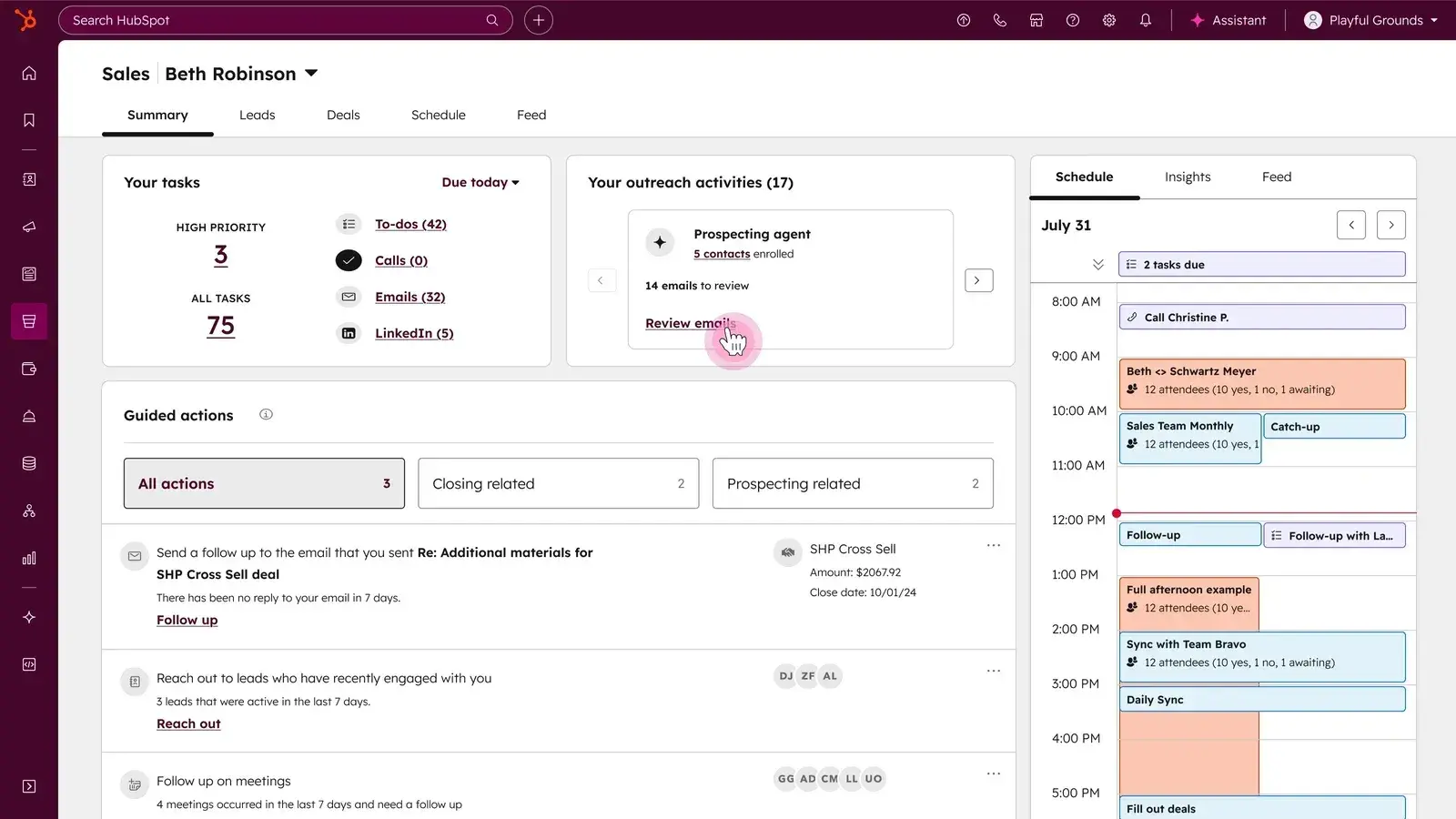
HubSpot Sales Hub provides AI-powered prospecting, deal scoring, and automated outreach sequences within a unified CRM. Its AI tools assist with prospecting, writing outreach emails, and summarizing calls, while predictive deal scoring and lead routing keep pipelines moving efficiently. It integrates seamlessly with HubSpot Marketing Hub, Service Hub, and thousands of apps — including Gmail, LinkedIn, and Zoom — so sales data stays unified across teams. Sales Hub also improves business process management through automated deal tracking.
Best for: SMB and mid-market sales teams that want a unified, AI-powered CRM for faster prospecting and deal management.
Pro tip: Use the AI forecasting tool in Sales Hub to spot potential bottlenecks before they affect quarter-end numbers
2. Breeze
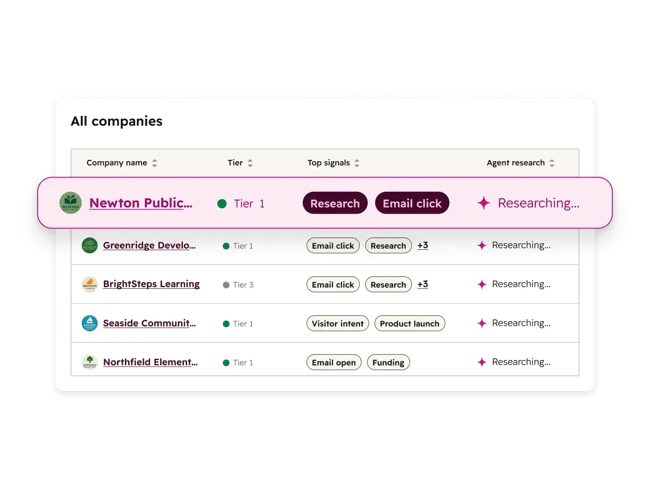
Breeze, HubSpot’s AI prospecting agent, identifies high-potential leads, drafts personalized outreach, and syncs data directly with HubSpot CRM. It’s designed to help reps focus on high-value tasks by automating research, segmentation, and follow-ups. HubSpot Breeze AI Suite integrates with HubSpot Marketing, Sales, Service, and Data Hubs. Breeze works natively within HubSpot’s Sales Hub, connecting with email, chat, and third-party platforms to create end-to-end AI-powered prospecting workflows.
Best for: SMB to mid-market teams that rely heavily on outbound sales and need scalable, AI-driven lead automation.
Pro tip: Used together, Breeze and HubSpot’s AI email assistant can power around-the-clock prospecting workflows — all without adding extra tools to the stack.
3. Apollo.io
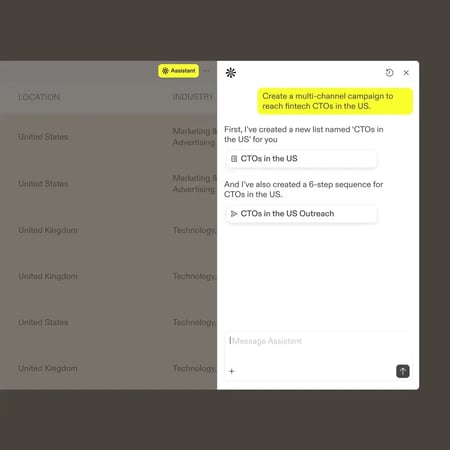
Apollo blends AI-powered lead discovery with automated multichannel outreach. Its AI engine scores leads, writes personalized messages, and triggers outreach sequences based on engagement data. Apollo integrates with HubSpot, Salesforce, LinkedIn, and Gmail to keep contact data and interactions in sync.
Best for: Startups and SMBs that need an affordable, all-in-one platform for prospecting and outreach automation.
Pro tip: Connecting Apollo to HubSpot CRM ensures new contacts from Apollo’s database are automatically scored, tagged, and routed to the appropriate reps.
4. Outreach

Outreach uses generative AI to help reps personalize emails, summarize call notes, and forecast revenue with more accuracy. Its AI-powered “Smart Actions” automatically update deal stages, recommend next steps, and prioritize opportunities based on historical outcomes. Outreach integrates with HubSpot, Salesforce, and Gong to unify communication data and improve pipeline visibility.
Best for: Mid-market and enterprise teams managing complex, multi-rep sales cycles with heavy automation needs.
Pro tip: Use Outreach’s AI insights dashboard to identify which messaging drives the most replies — then sync learnings back into HubSpot workflows.
Service
AI workflow automation transforms service delivery by routing tickets and resolving issues automatically. Service automation frees support agents to focus on higher-value interactions while improving response times and customer satisfaction.
1. HubSpot Service Hub
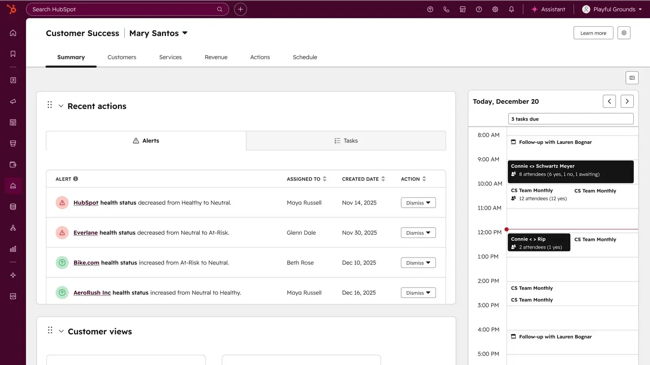
HubSpot’s Service Hub combines ticketing automation, AI-powered chatbots, and knowledge base management in one connected platform. Its AI-powered help desk and routing features categorize issues, suggest responses, and surface relevant knowledge-base articles automatically. When combined with HubSpot’s Marketing and Sales Hubs, it gives teams a unified view of each customer interaction, enabling personalized support at scale.
Best for: SMB and mid-market service teams that want to automate service workflows directly within their CRM.
Pro tip: Use HubSpot’s AI Help Desk to automatically summarize customer conversations and suggest next steps, saving agents hours each week.
2. Moveworks
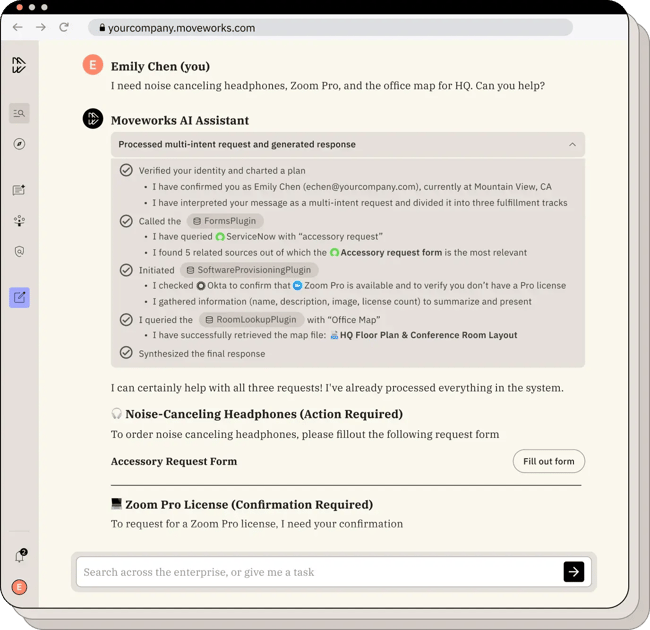
Moveworks uses generative AI to automate IT and HR support, resolving tickets in seconds. Its conversational AI engine interprets intent, pulls answers from internal systems, and executes tasks across integrated platforms. Moveworks connects with HubSpot, Slack, Microsoft Teams, and ServiceNow to deliver seamless employee and customer support experiences.
Best for: Mid-market and enterprise service organizations automating internal and customer support workflows end-to-end.
Pro tip: Use Moveworks’ analytics dashboard to identify automation opportunities and measure time saved per request.