Any content writer with skin in the game knows the sinking feeling that comes with the traffic “flatline of nope” after that initial “spike of hope”.

Content dates, traffic dips. It’s a tale as old as… web 1.0.
But recently I’ve cottoned on to a new strategy that’s helping me claw back some of those lost visits.
It’s simple: fill topic gaps in your content.
Here’s my process for using the AI Content Helper to find low-effort, high-reward content updates, which have led to an average traffic increase of ~72%.
I pushed my first update using the AI Content Helper back in August.
Since then, I’ve added every article I update to an Ahrefs Portfolio, where I can see an aggregate view of traffic.
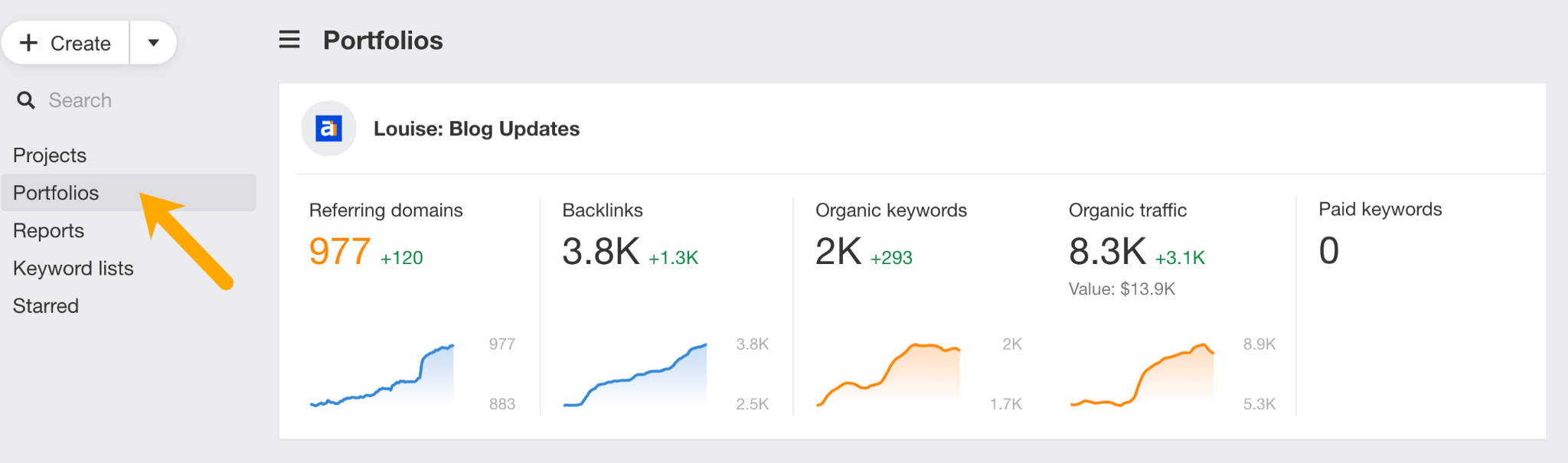
Since pushing quick-fire updates (no more than an afternoon’s work), traffic has grown by ~72%.
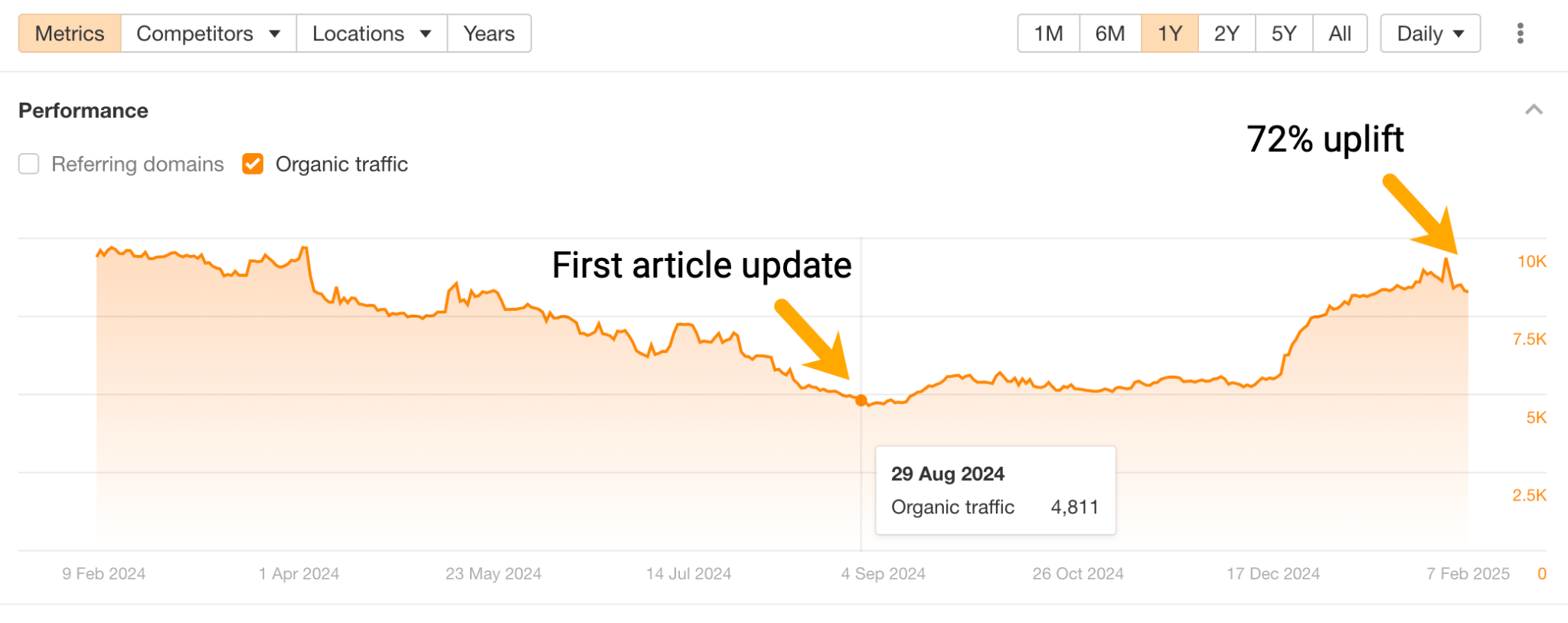
This strategy isn’t necessarily going to overhaul your site’s traffic, but can get it moving in the right direction, and help you reclaim lost pageviews.
Coming from someone who has tried so hard and spent so long trying to revive content in the past—only to see underwhelming results—this strategy is motivating because it offers a much better effort-to-reward ratio.
Why focus on topic gaps?
Using natural language processing, search engines have the ability to understand topics and entities in your content.
Some SEOs believe that Google considers topic and entity coverage to inform its search rankings.
This is why I think the strategy works.
The rationale being: the more comprehensive you make your content—covering all the relevant angles that users expect to read in the SERPs—the more likely search engines are to rank that content.
Below I’ll walk you through how I find and fill those topics, from start to finish.
And if you want a speedy overview, you can watch me walk through the full process here:
The aim of this strategy is to find low-lift, high-impact content updates.
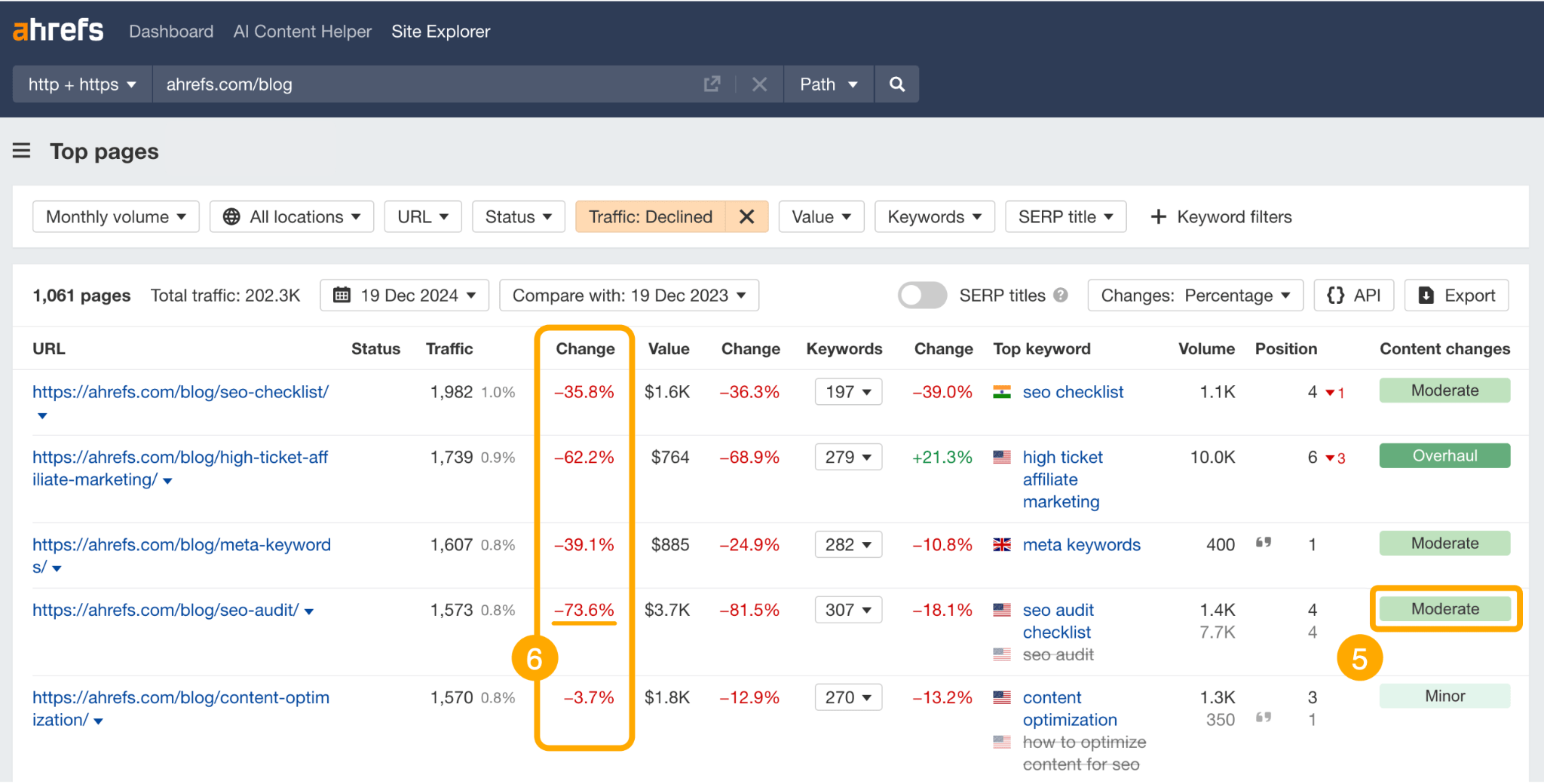
To do this, head to Site Explorer and search the Ahrefs blog subfolder¹, navigate to the Top Pages report², and set a filter for declining traffic³ over a specific date range⁴ (usually six months to a year).
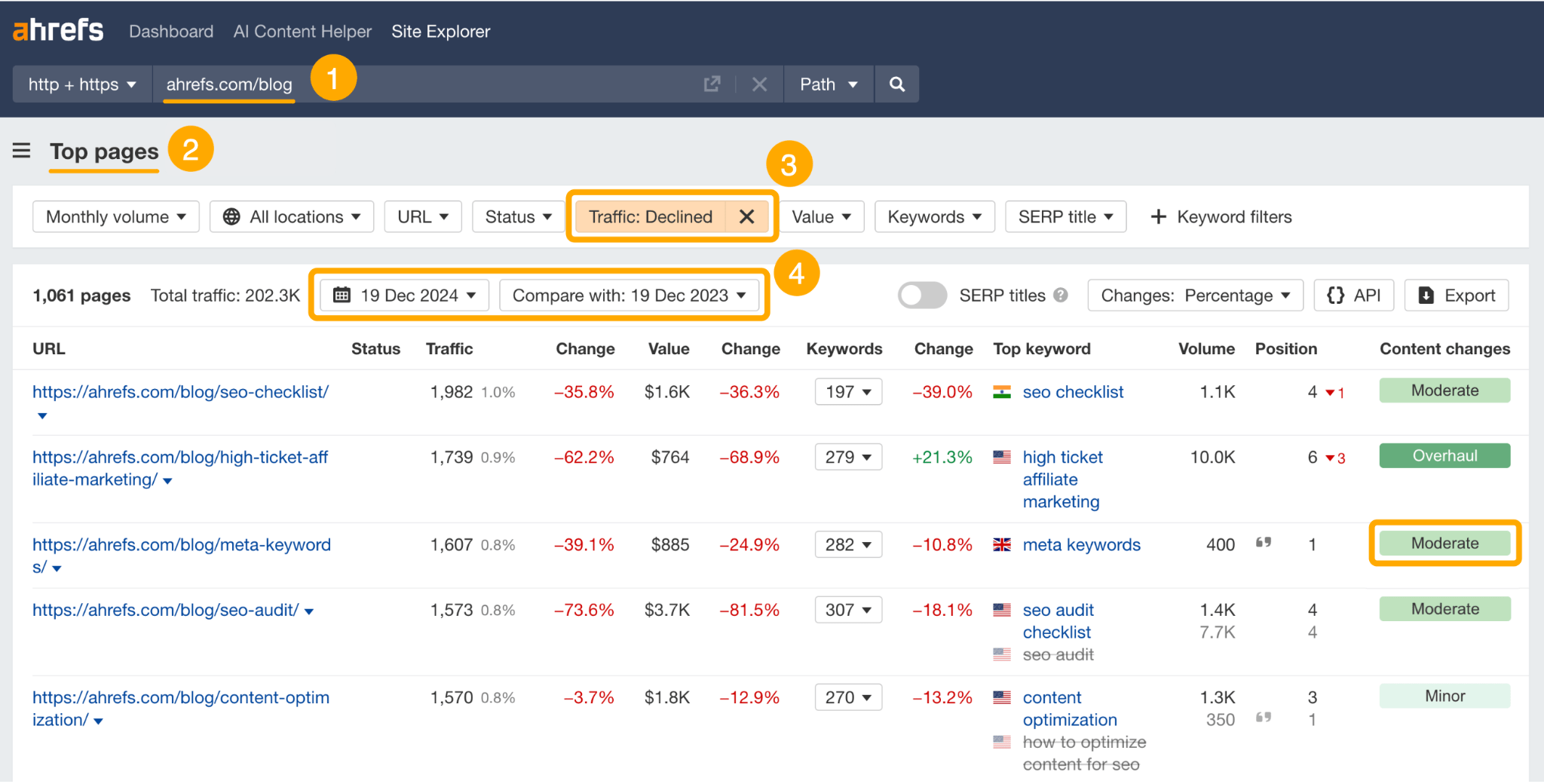
Scan for content with “minor” or “moderate” content changes⁵ to find content that hasn’t yet been refreshed by other members of your team, and focus on the articles with the largest traffic dips⁶.
For specifics, I tend to click on the green tablets to pull up “Page inspect”—which shows either a HTML or a no-code view of what has actually been changed about the article within the timeframe.
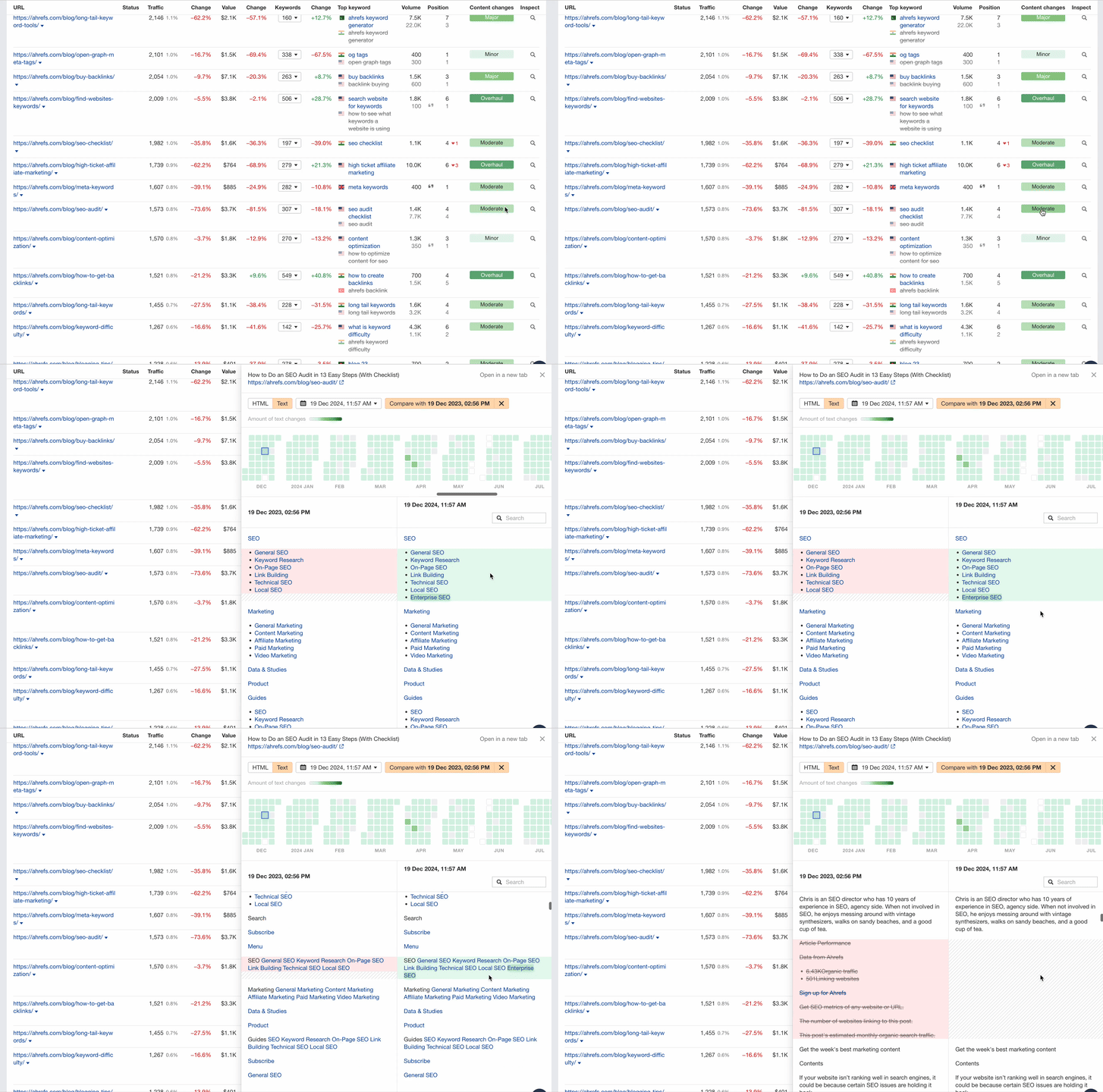
Content with “minor” changes will usually display something like a new widget embedded, while articles with “moderate” changes typically have the odd sentence reworded. Both make for good update opportunities.
In this example, I noticed a couple of internal links had been added to a post on “SEO audits”, but they hadn’t done much to bump up the article traffic.
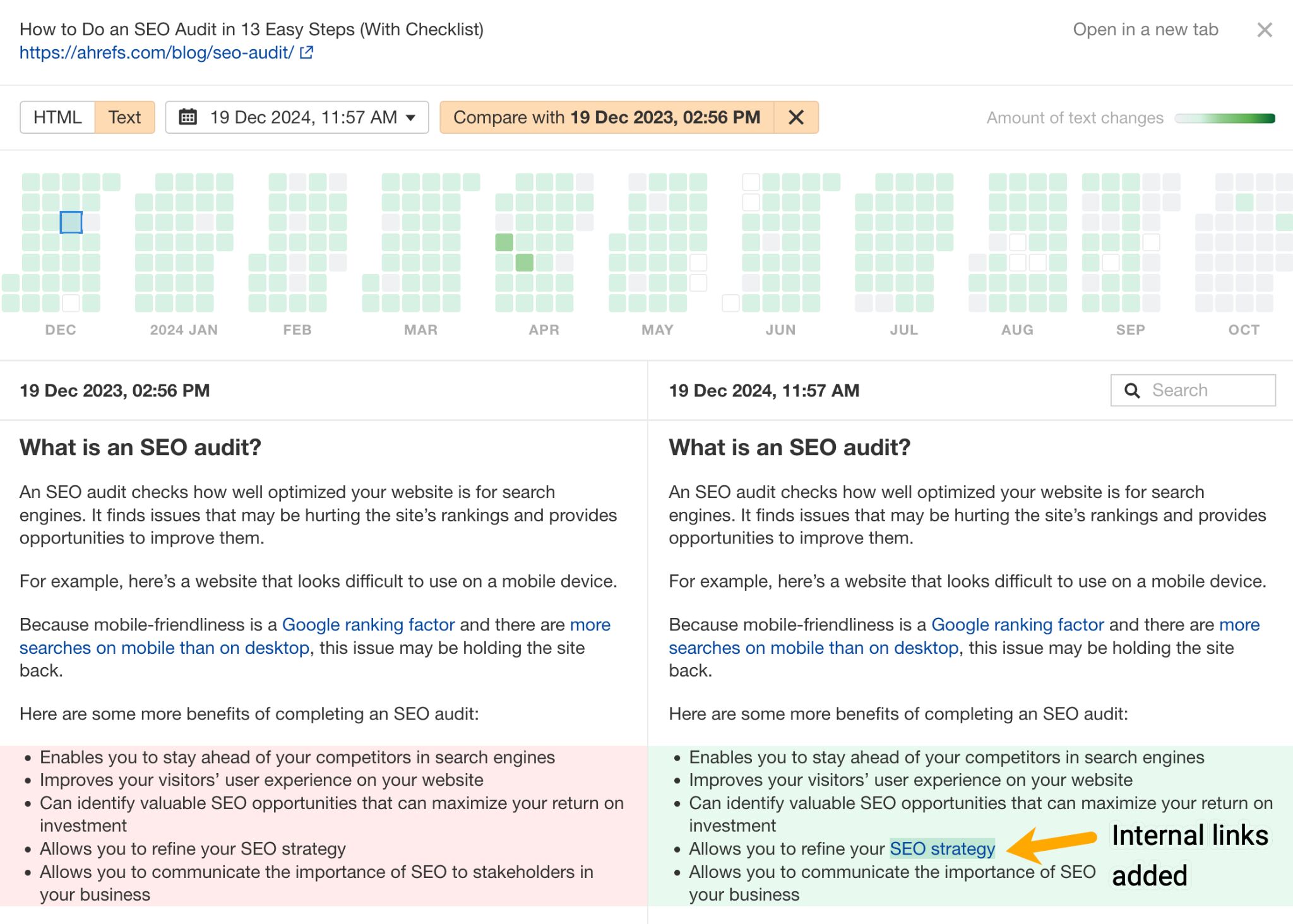
This, combined with the fact that it had seen a stark ~75% dip in traffic over the last year, made it a strong contender for a quick update.
At this point, it’s time to take your article over to the AI Content Helper:
- Drop in the URL
- Choose the focus keyword
- Create a document
- Set the search intent that you want to optimize for
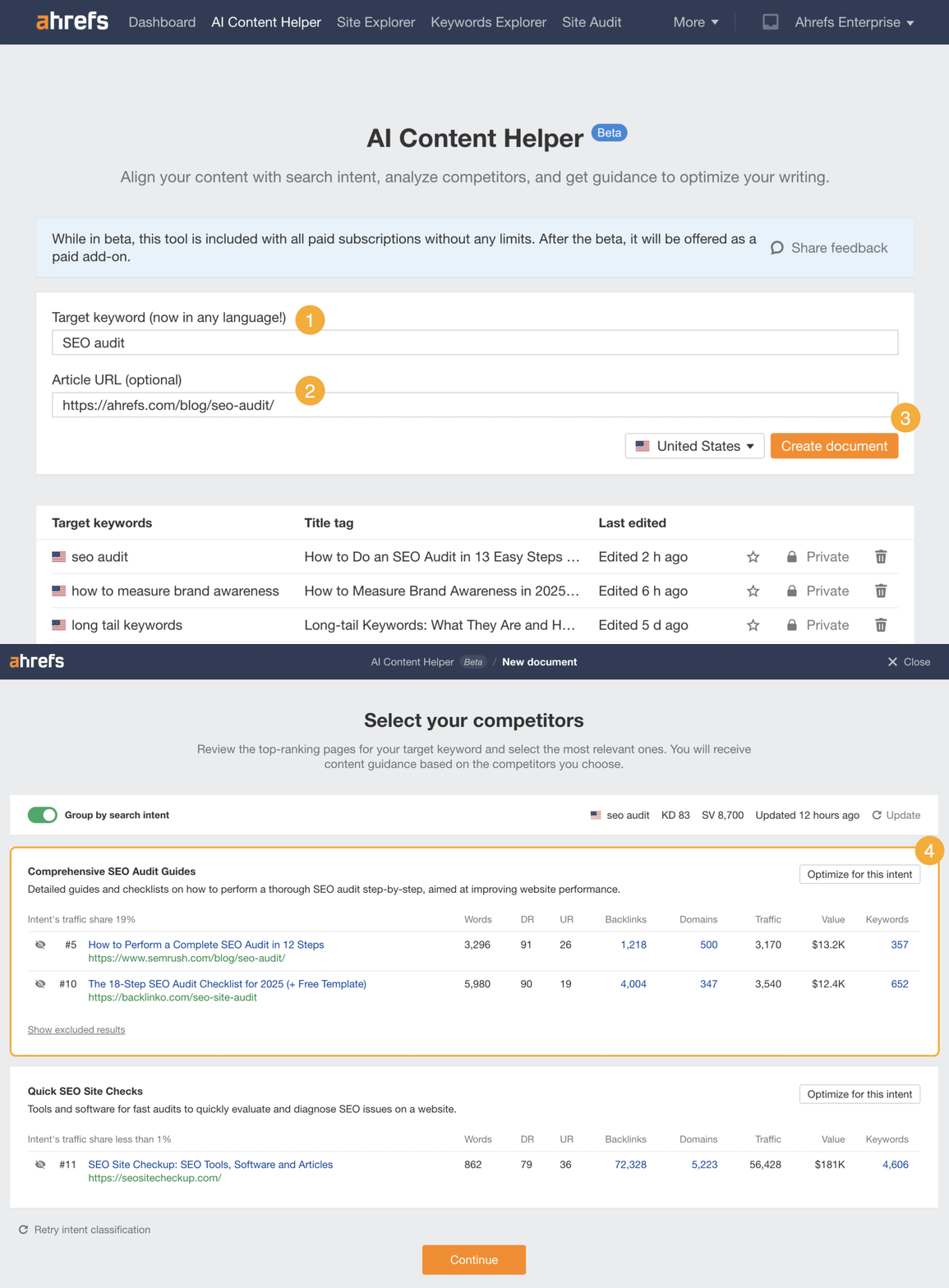
Choose the intent that aligns most closely with the topic or format of your article. In this case, our SEO audit blog was a “comprehensive guide” —not a “quick site check tool”—which is why I went with the first option.
From there, you’ll get a full report on your topic coverage, with scores¹, recommendations², relevant terms³, and competitor content excerpts⁴ to inspire your updates.
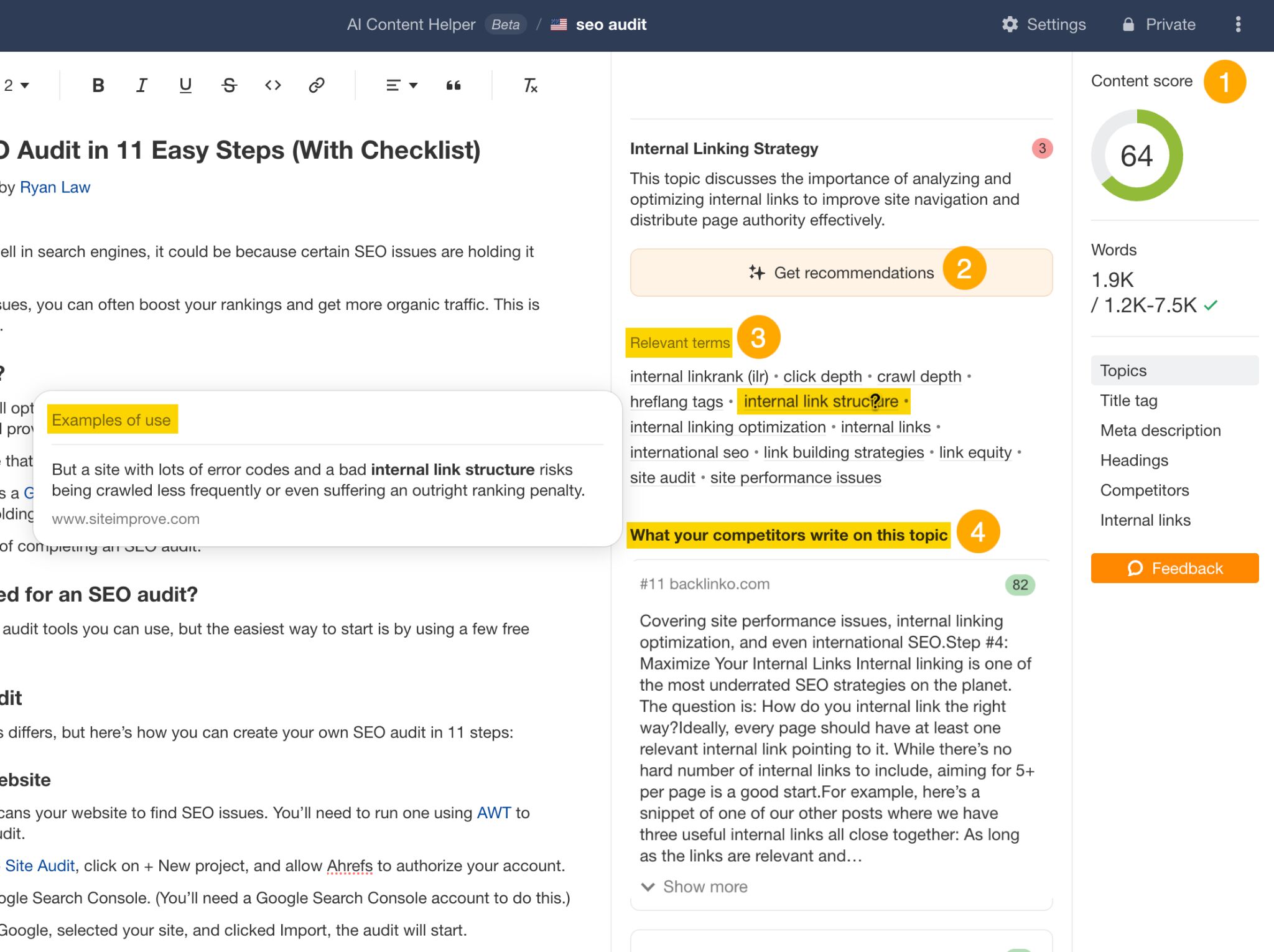
Scroll through the topics that the report pulls out, and pay attention to those with lower scores—then start tackling them in your content updates.
While you’re updating, refer back to the relevant terms and recommendations, so that you’re always researching and writing with them in mind.
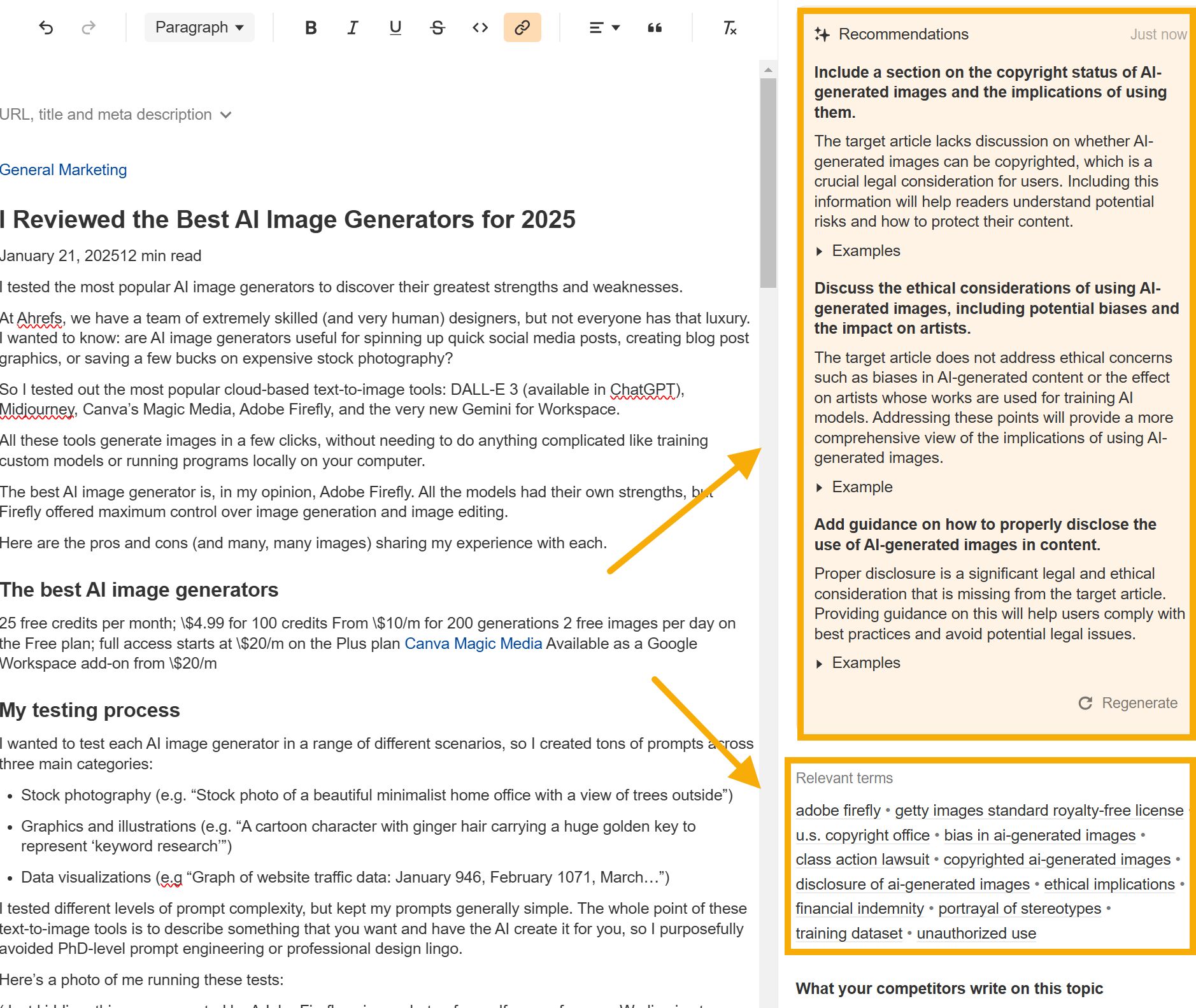
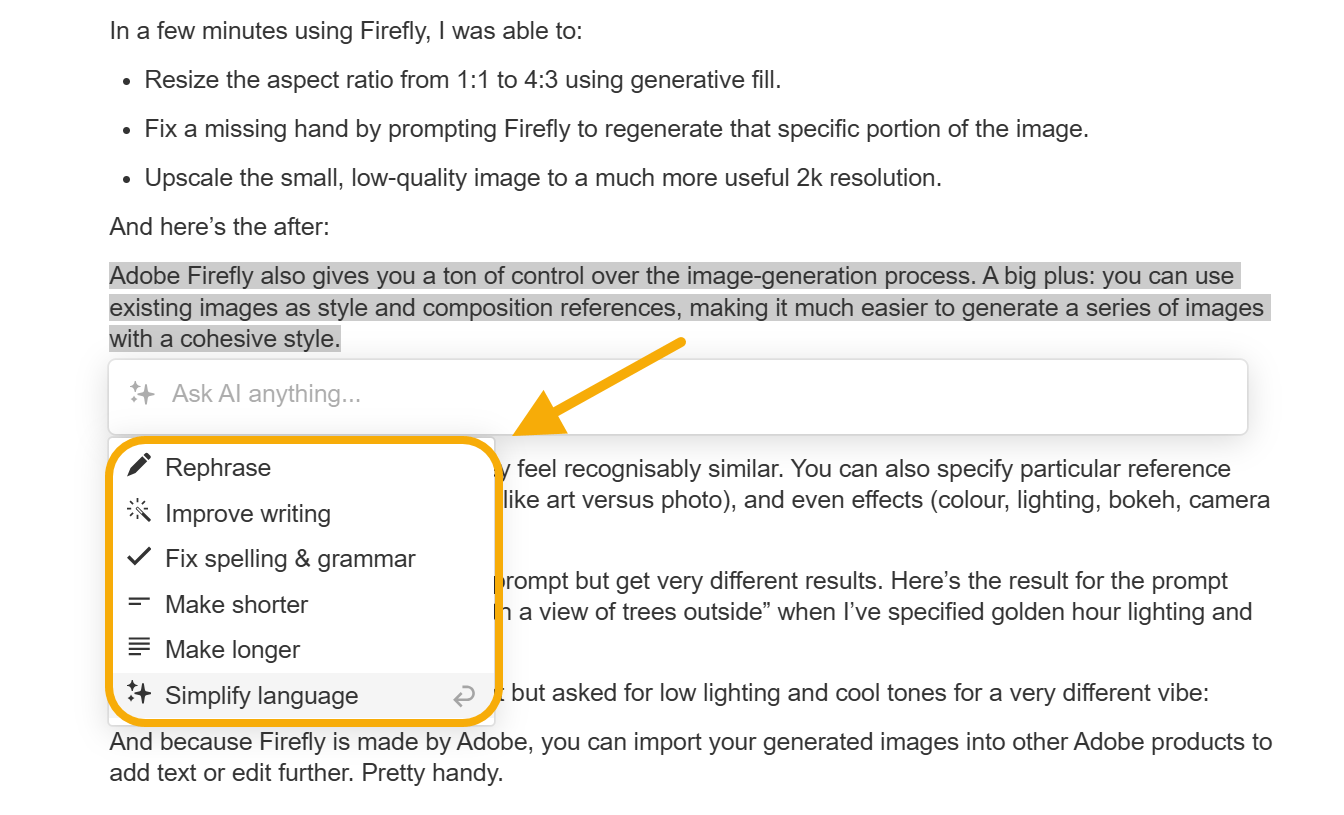
One of the benefits of updating your content in the native editor is that you can watch how your changes bump up your topic score in real time—plus you can dip into copy tips and suggestions using the AI assistant.
Tip
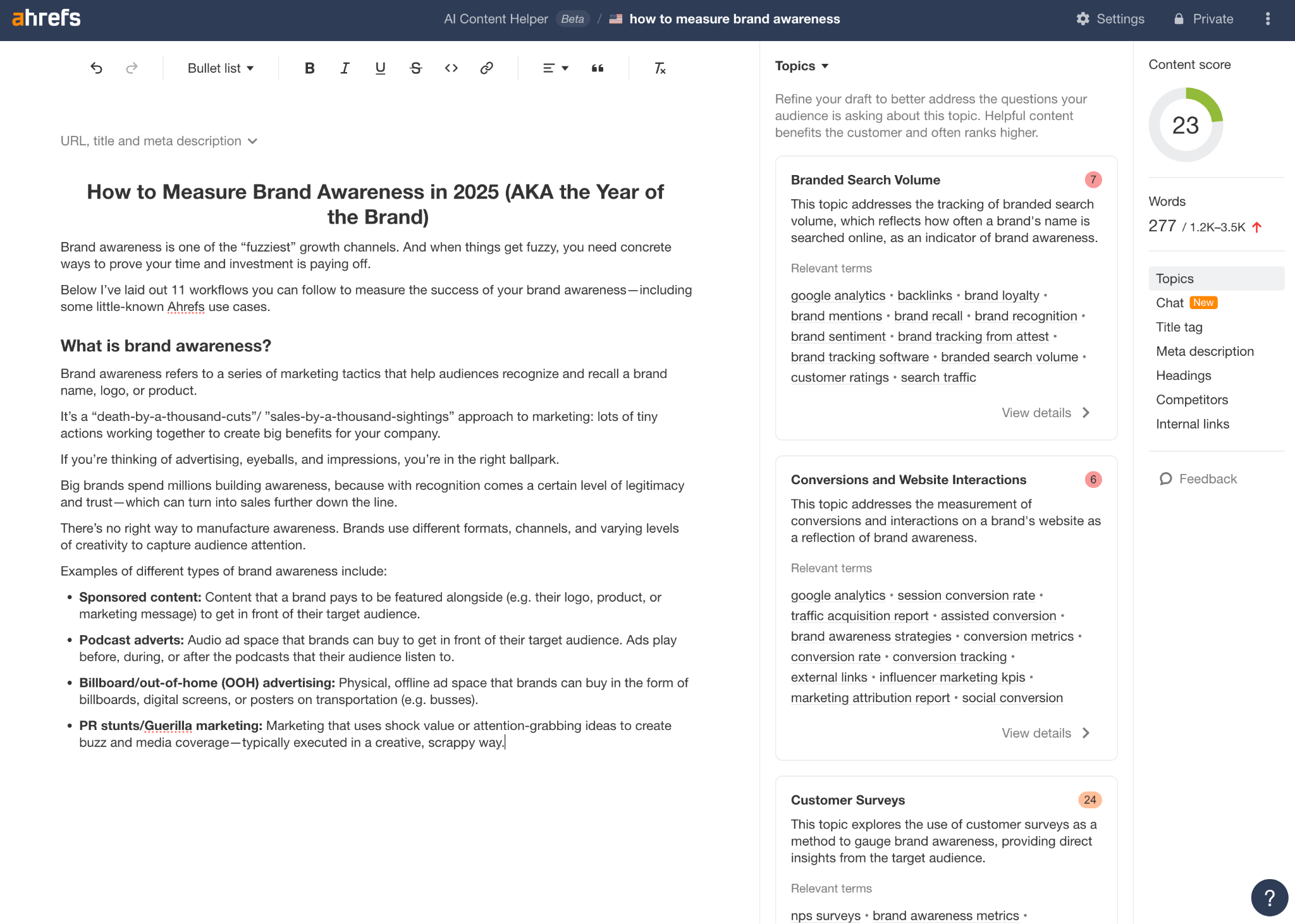
For example, I created a document for the keyword “how to measure brand awareness”, leaving the URL field blank.
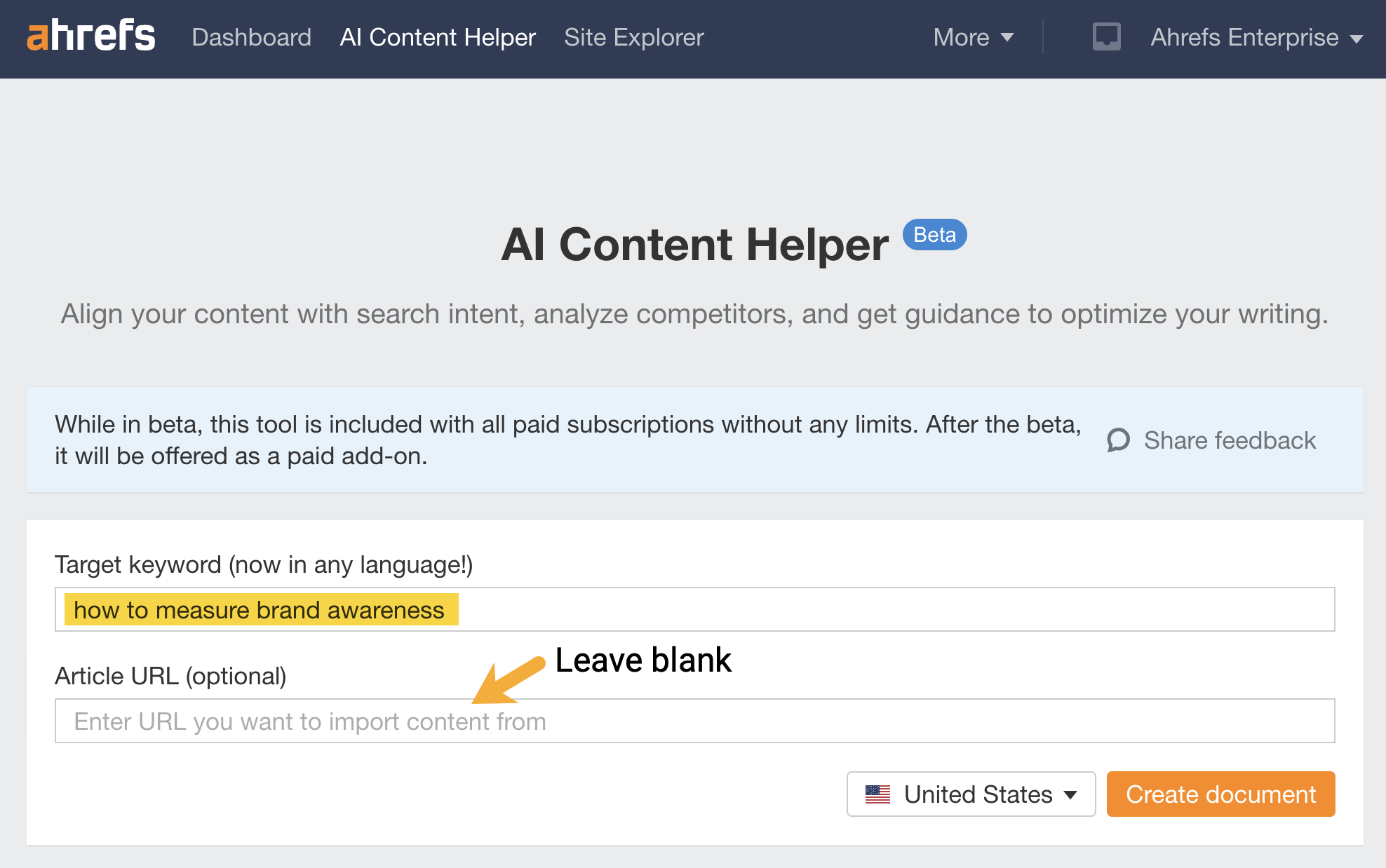
The AI Content Helper suggested core topics and made recommendations, which I then used to frame my article.
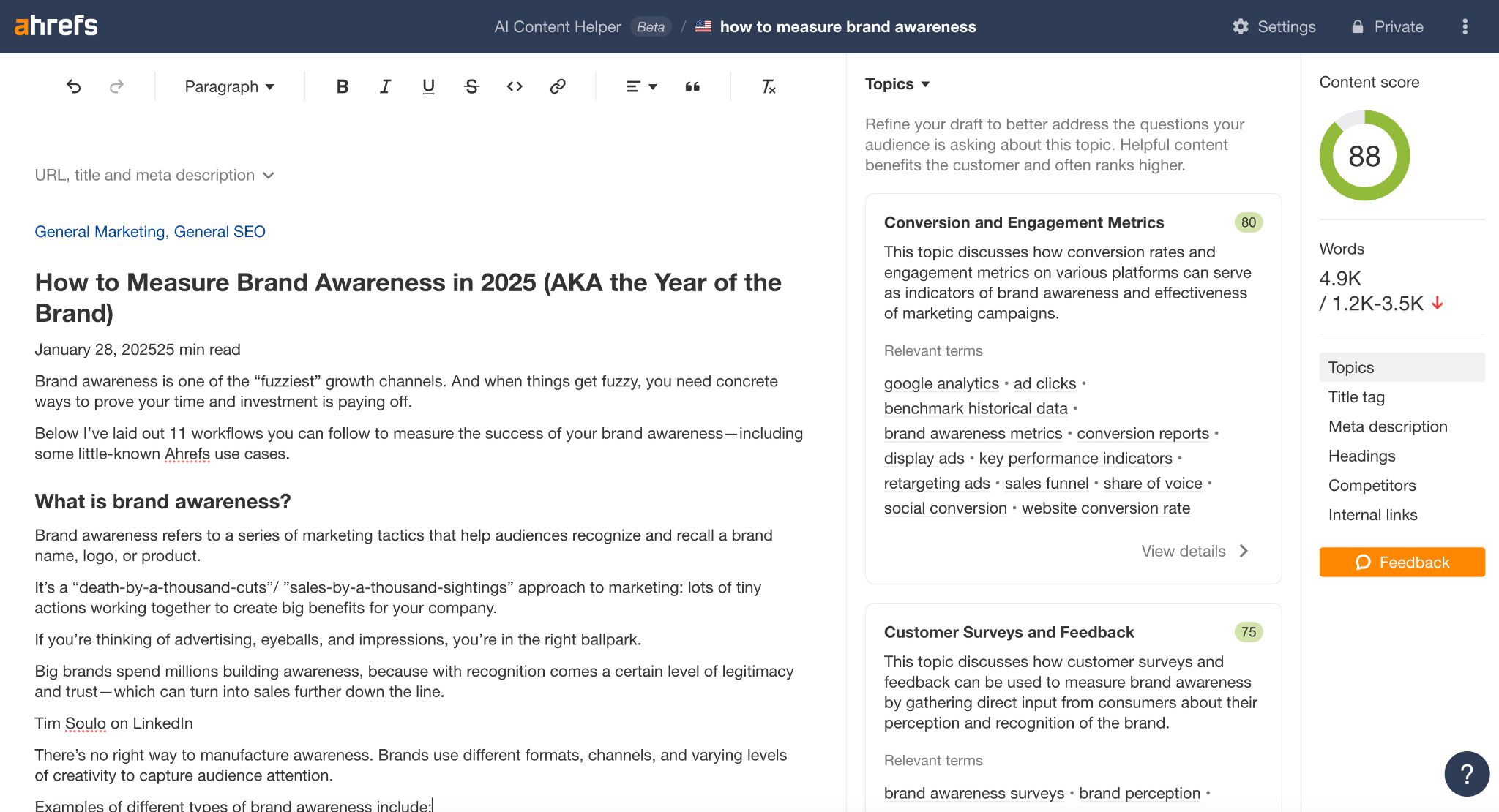
Since re-running the report on my live article, I’ve earned a topic coverage score of 88/100…
Not too shabby.
Going back to the example of the “SEO audit” blog, most of the core entities had been covered to a satisfactory level—that is, apart from the topic of “internal linking strategy”.
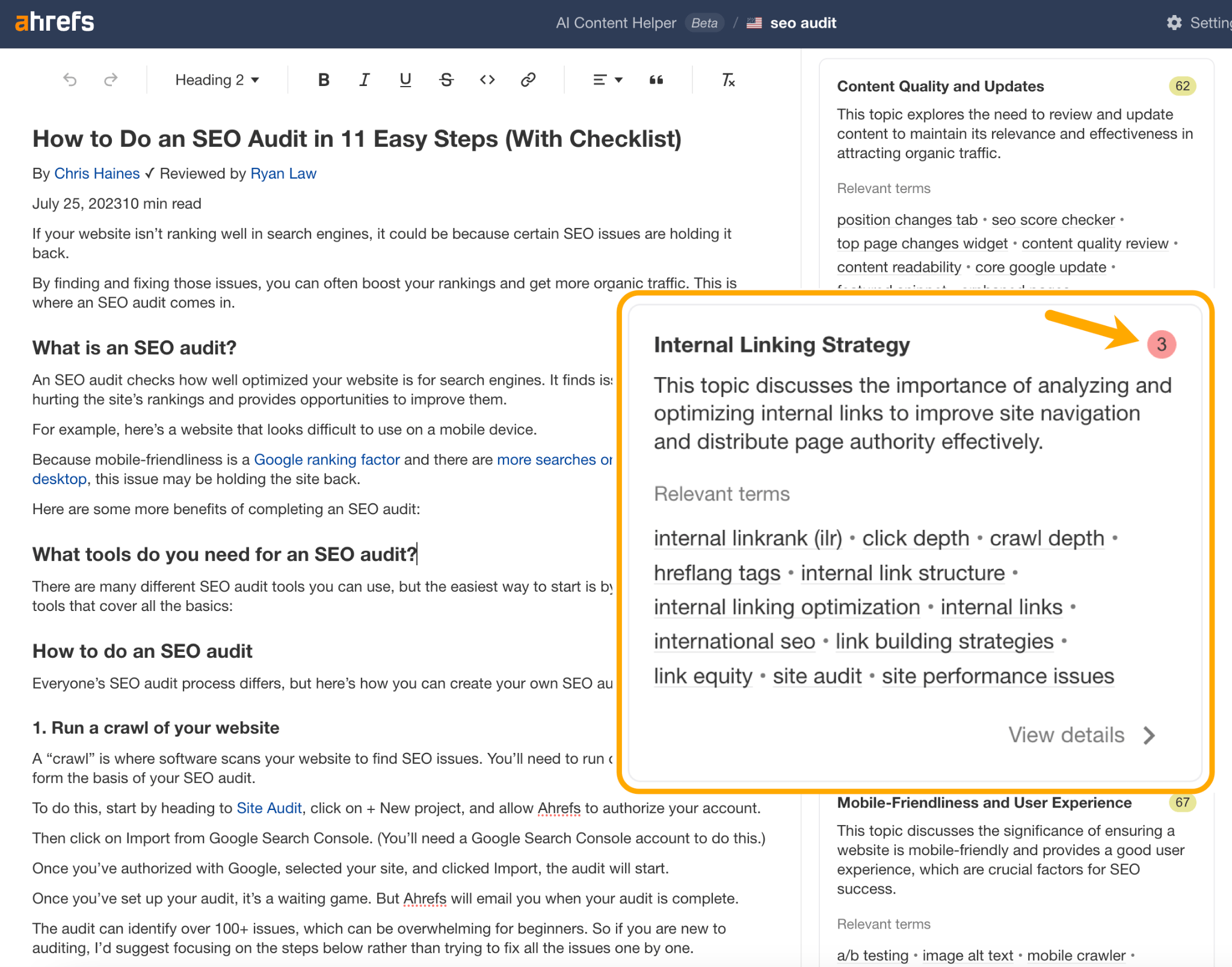
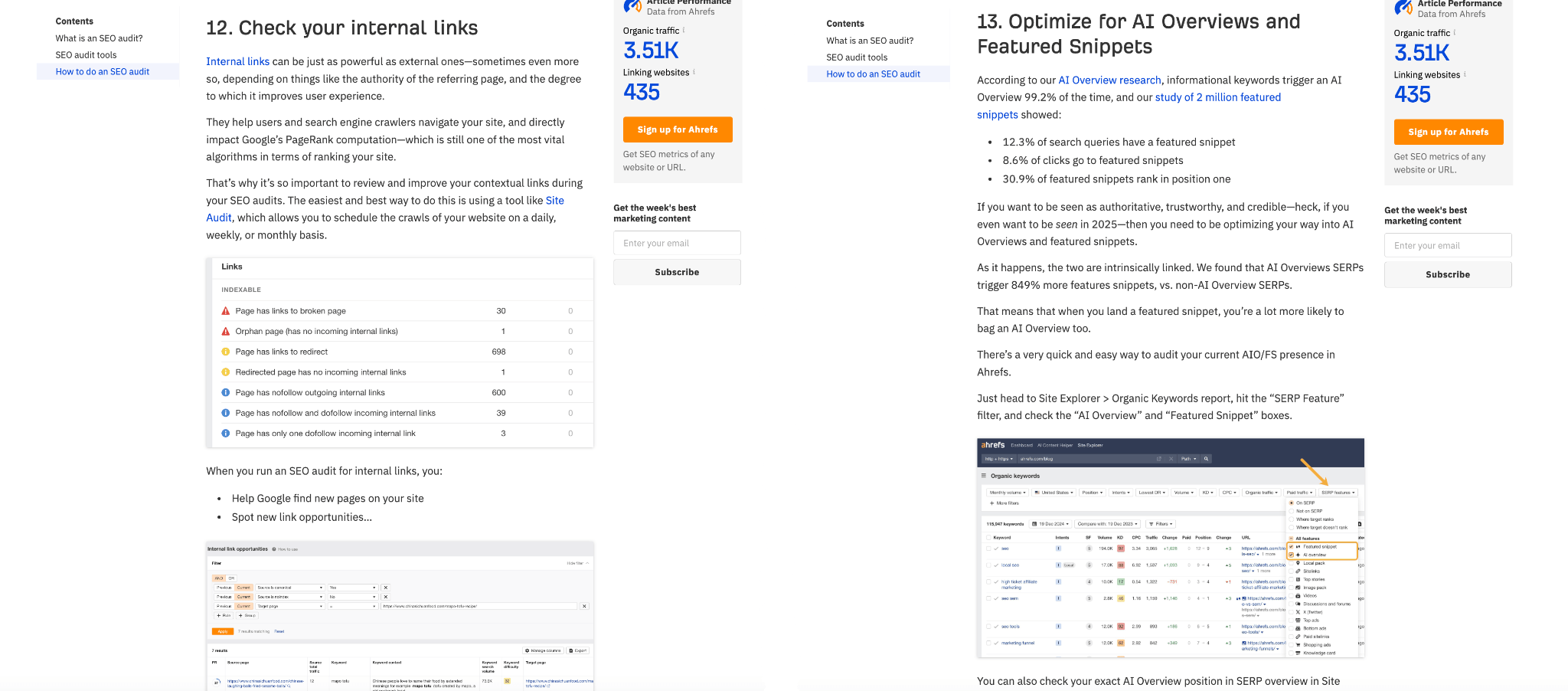
This made for a good “in”. I enriched the article with a new section on internal linking and, to make the content more current, I also added a step on auditing AI overviews and featured snippets.
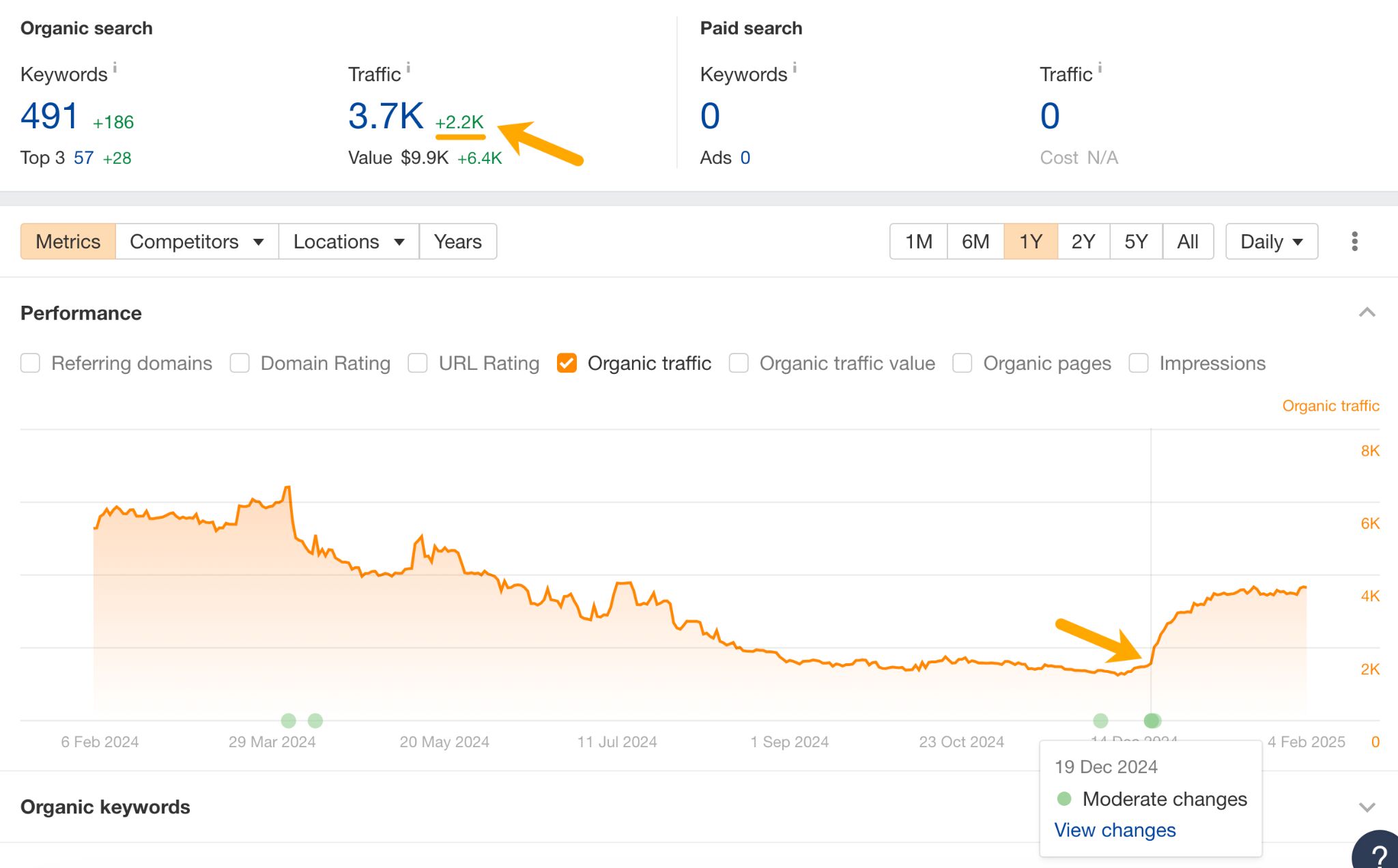
The result was a 2.2K increase in page views—or 142% uplift. The article hasn’t quite reclaimed all of its traffic, but still, not bad for an afternoon’s work.
Here are a few things you need to think about when you’re filling in topic gaps, and publishing quick updates.
Check your content fulfills the criteria for a “quick” update
Not every article will benefit from a quick content gap update.
For instance, when research or data gets old, industry best practice changes (e.g. due to algorithm updates), your business changes (e.g. due to mergers or new products), search intent shifts—or any major change renders your old content irrelevant—it’s time to publish a full rewrite.
Another clue you need to rewrite from scratch is if your article shows low topic coverage scores across the board. This is a clear indication it isn’t meeting user intent, and needs to be reworked.
For example, my latest study on AI traffic doesn’t match the intent of the SERP for the keyword “AI traffic”—hence all the yellow, orange, and red scores in the AI Content Helper.
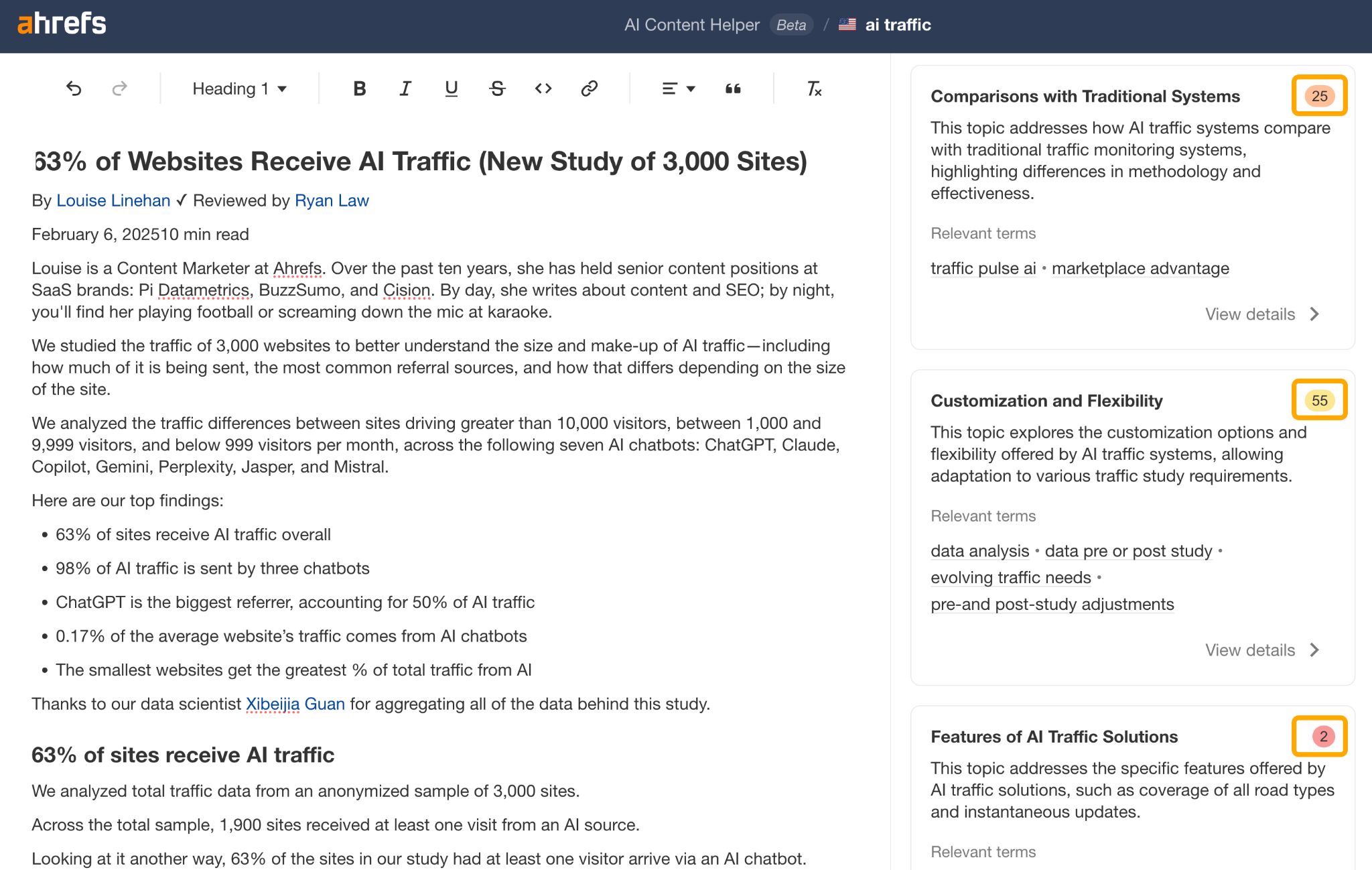
Thankfully, I don’t want to rank for this keyword since the SERP results are all about AI vehicle traffic management, but if I did I’d need to rewrite my article from scratch.
Only do a quick content gap update if you think it will actually improve performance.
Here are some criteria you can check:
Make sure the article aligns with search intent
Check that your content aligns with the dominant search intent, either by assessing overall topic scores in the AI Content Helper, or by using Ahrefs’ Identify Intents tool in the SERP Overview report.
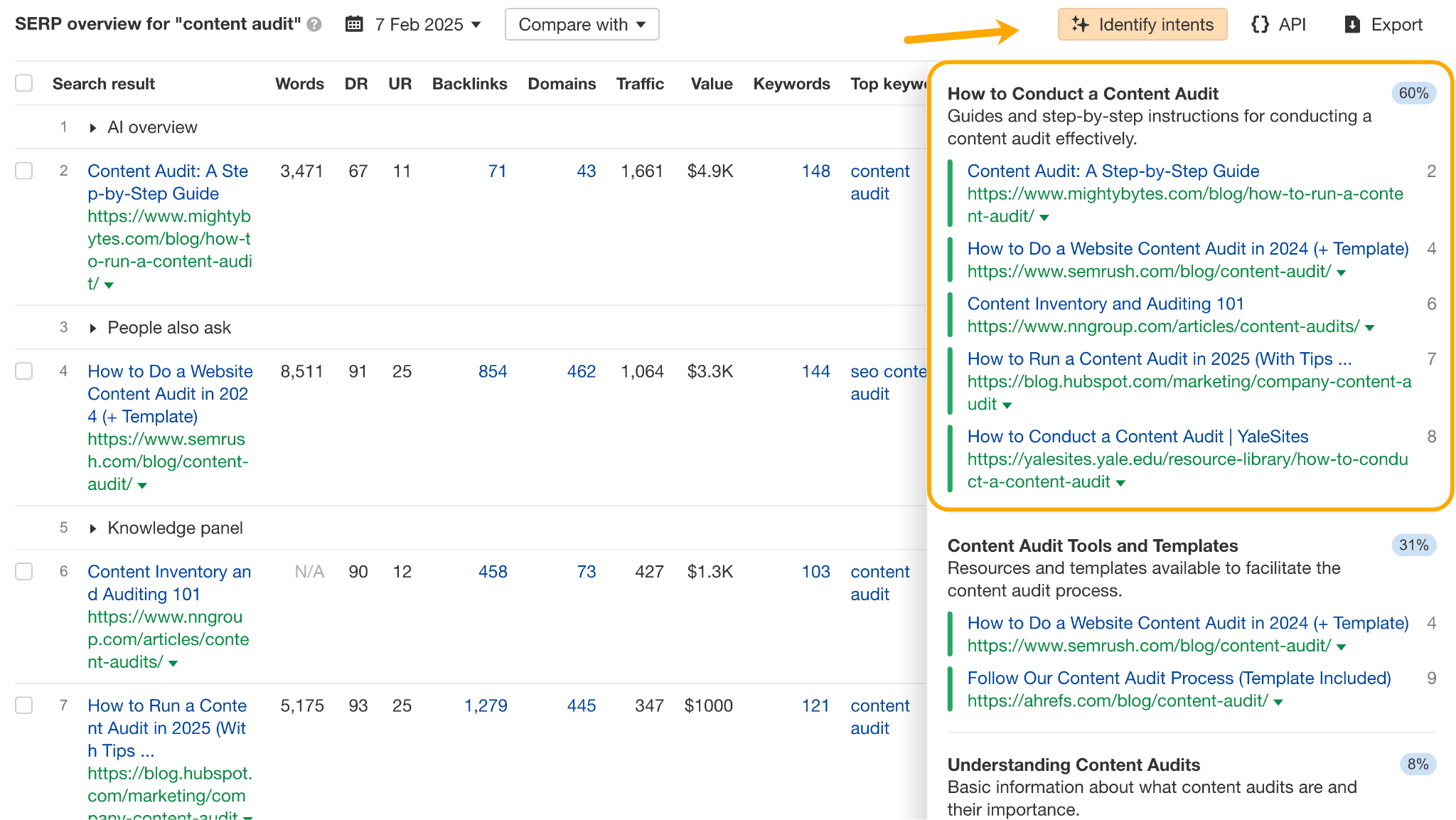
If intent is mismatched, then a quick topic gap update is unlikely to turn traffic decline around.
Check user engagement signals
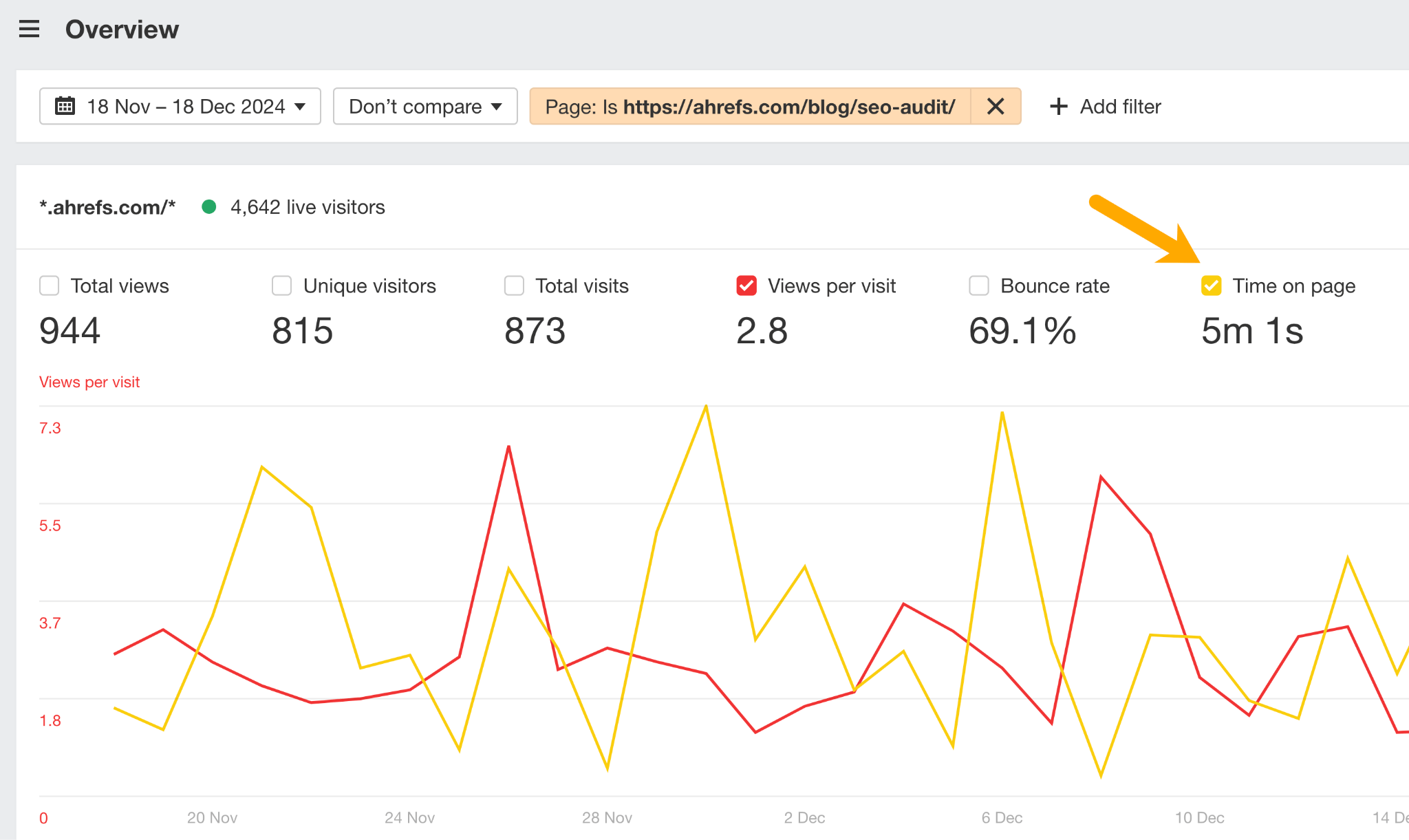
Check for other “signs of life” that indicate a piece of content is worth updating. For instance, our SEO audit blog still showed impressive time on page and user engagement in Ahrefs Web Analytics, even though organic traffic had dropped over the past year, which suggested it was worthy of a refresh.
Double-check business relevance
Make sure the content is still relevant to your product and/or business. Publishing a quick update to fill a content gap might get you more views, but it’s pointless if the article is all about a feature that no longer exists. Use your own in-house knowledge to make a judgement call.
Choose the right “quick” update method
I’m focusing on filling topic gaps in this article, but that’s not the only way to publish a quick update.
If your article is getting minimal traffic, but the AI Content Helper is showing healthy topic coverage, there may be other things you can do to get it ranking.
For example, you might want to improve your meta data or build more internal links.
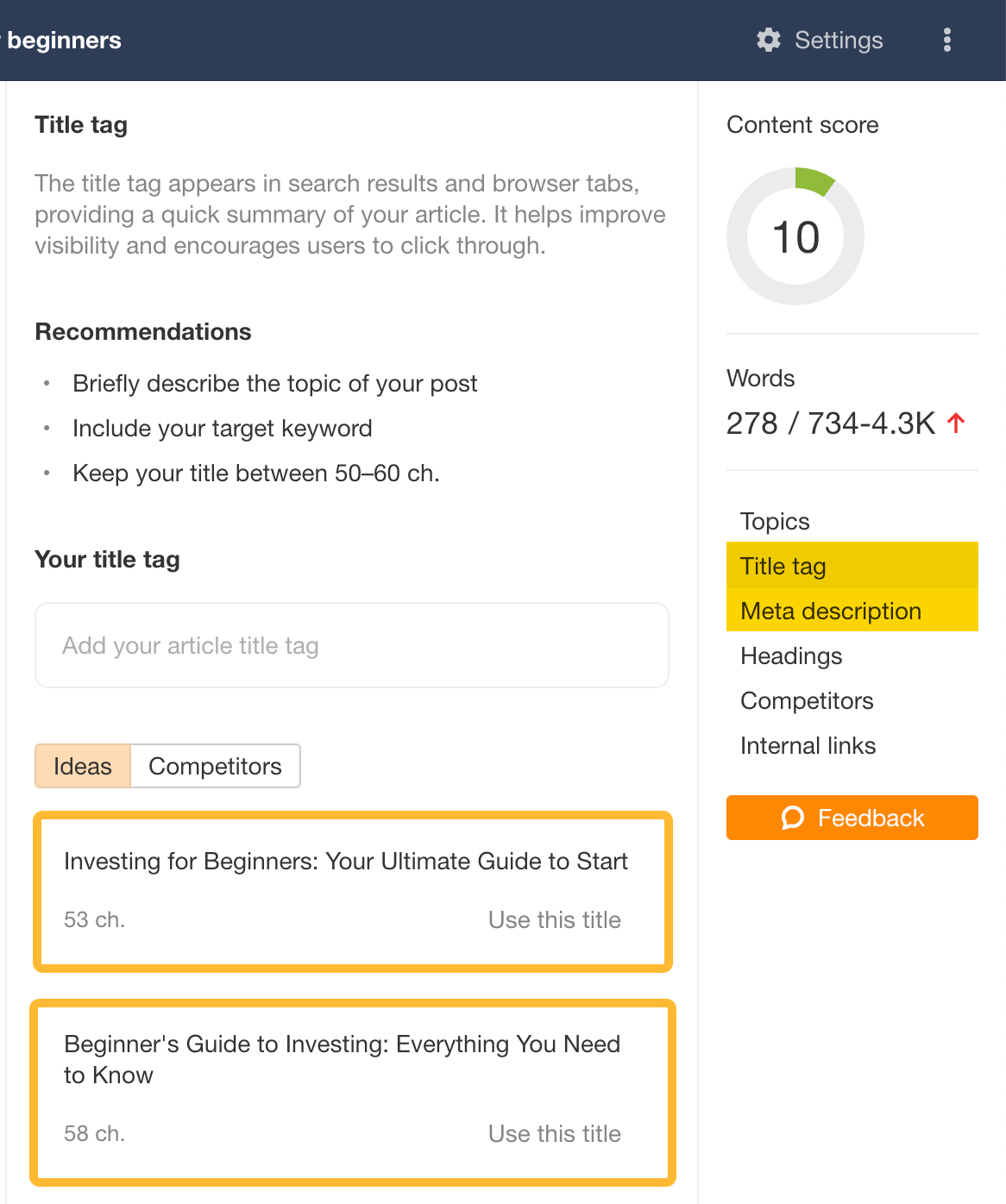
The AI Content Helper isn’t just useful for topic enrichment—it can help you optimize your title tags, meta descriptions, headings, and—soon—internal links.
Offer something extra
One of the fears I had with this strategy was that our articles would become too much like the competition. AI Content Helper assesses topic coverage based on the top SERP competitors, after all. I didn’t want to make our content formulaic—Ahrefs’ blog has been so well received in the past for precisely the opposite reason.
That’s why I focus on getting just one or two topics up to a good level, then adding in some form of unique information—like first-hand research, downloadable content, practical tools, developing news, atypical opinions, exclusives, etc.
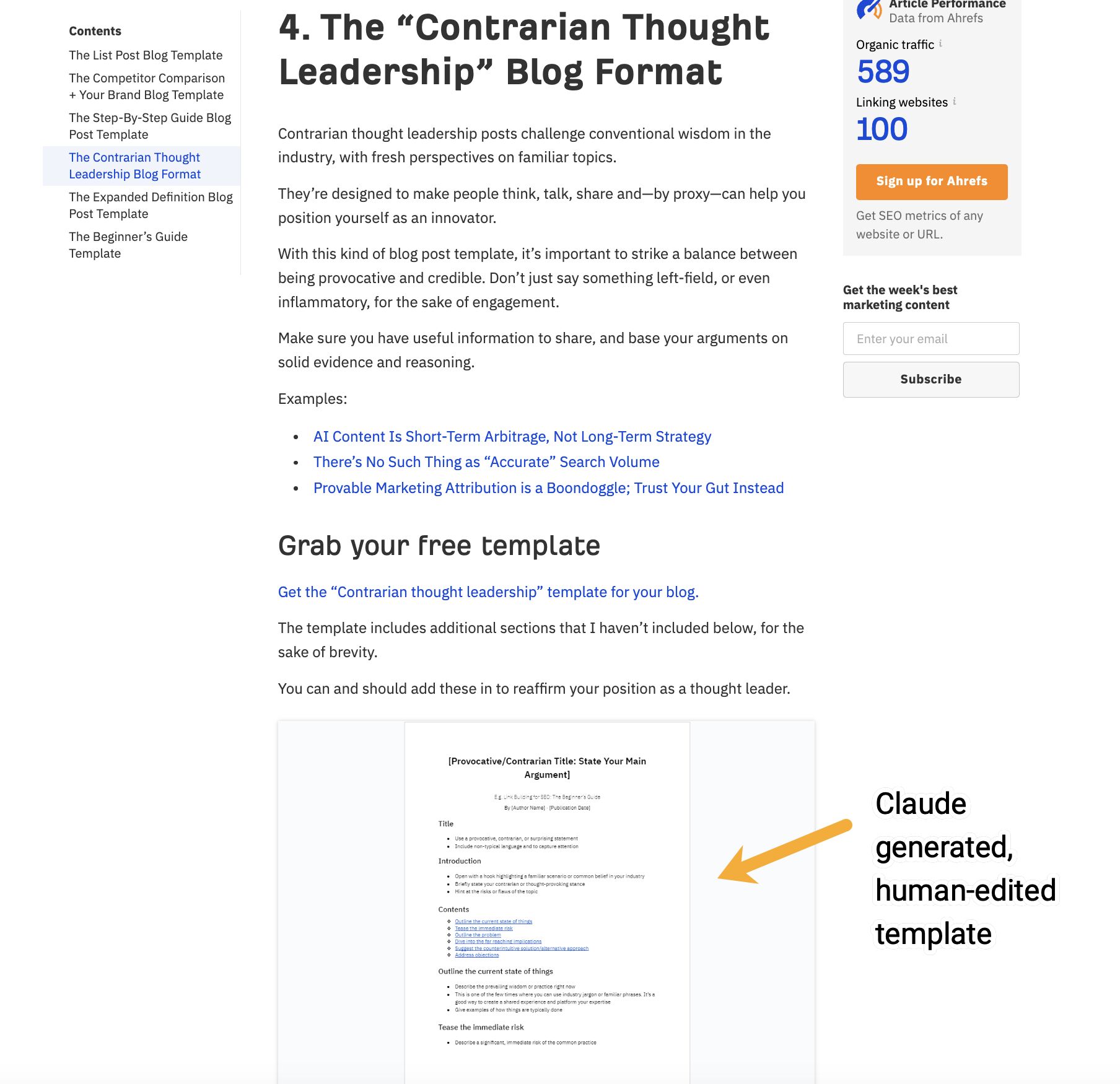
For example, when I updated our blog post templates article, I used Claude Artifacts to help generate some new downloadable templates based on the topics I’d added.
This automated content generation helped me stay on schedule while still introducing something unique and valuable.
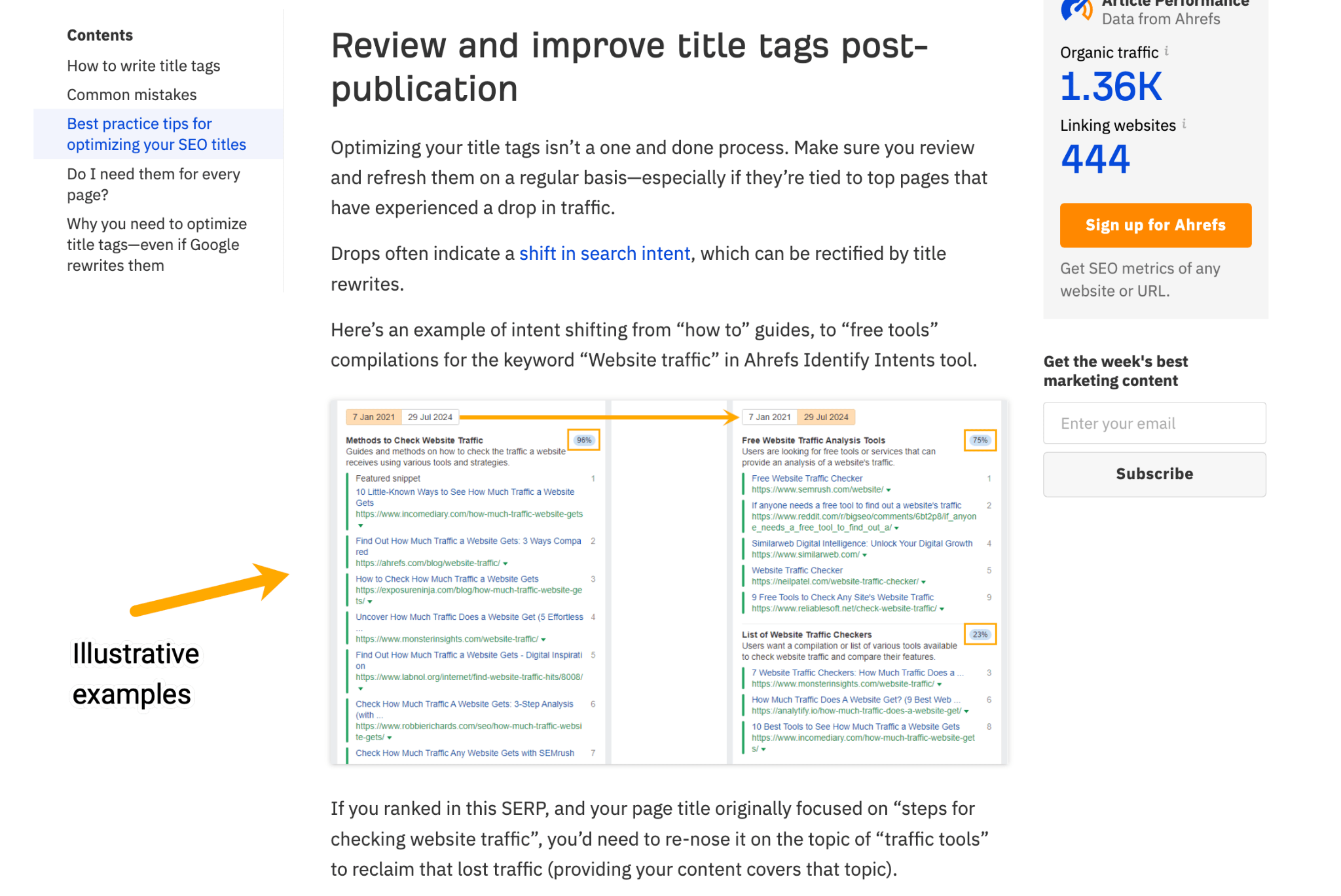
When I updated our title tags article I included illustrative examples, like this instance of search intent shift I spotted in our Identify Intents tool.