
• Home
  • About Us
  • Contact Us
  • Disclaimer
  • Privacy Policy
  • Terms & Conditions
Tuesday, October 20, 2026
freevirtualsolutions.com
  • Home
  • Virtual Assistant
  • Enterprise Technology
  • Customer Support
  • Marketing Support
  • Workforce Management
No Result
View All Result
  • Home
  • Virtual Assistant
  • Enterprise Technology
  • Customer Support
  • Marketing Support
  • Workforce Management
No Result
View All Result
Free Virtual Solutions
No Result
View All Result
Home Marketing Support

How to Claim, Verify, and Manage Google Business Profiles at Scale

Ermias S. by Ermias S.
1 year ago
in Marketing Support
0
399
SHARES
2.3k
VIEWS
Share on FacebookShare on Twitter


Claim and Verify All Listings with a Domain Email

We all know how to claim and verify a Google listing, but many don’t realize that the account you use to claim and verify a listing really matters.

The email you use signals to Google that you are authorized to manage this business profile and can make the verification process and future edits easier. For that reason, always try to use a domain-level email for the brand when claiming or verifying a listing.

If your listings are already claimed, audit them for unwanted users and remove anyone unnecessary. You want as few users with direct access to the individual profiles as possible. 

My recommended set-up is to have a domain email as the primary owner on all individual listings and then add another domain email as a backup owner. To give other users access to manage the listing, I recommend using business groups.

How to use GBP business groups

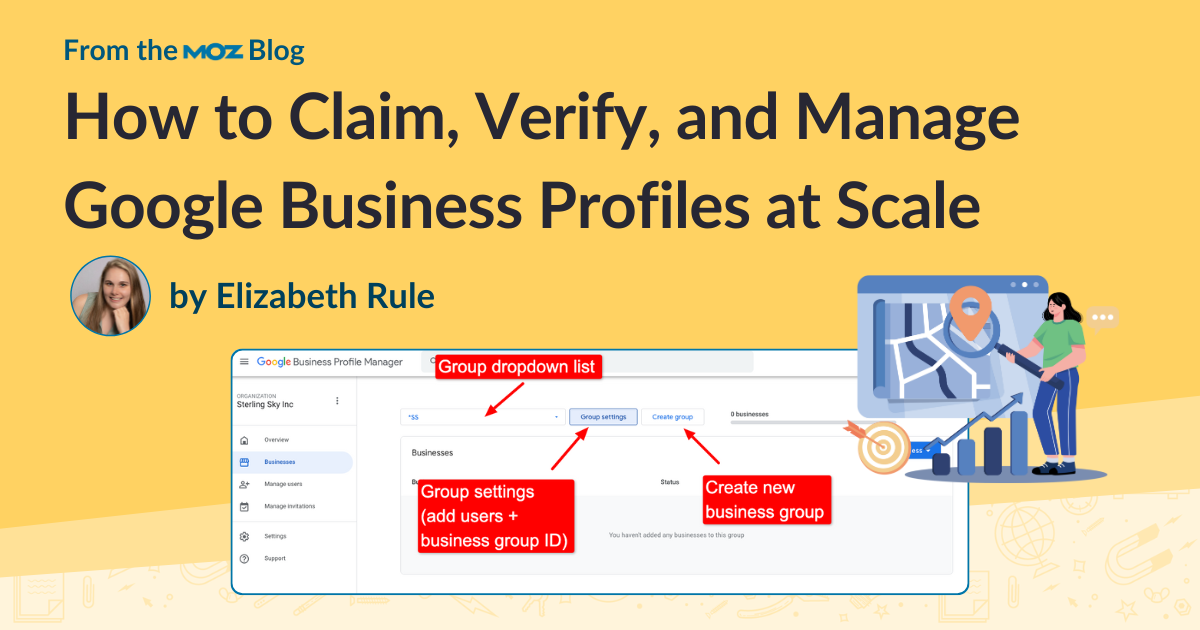
Business groups are Google’s solution for giving agency accounts the ability to streamline and more easily manage user access to listings. When you first set up an agency account, you will want to organize all the listings you have access to into business groups. You can organize these however you like, based on your business set-up. 

For example, if you manage listings for multiple brands, you can organize the groups by brand. If they all belong to a single brand, you can organize them by location instead. For franchises where multiple locations may be owned by the same person, you can create a separate group for that franchisee and give them access to all their locations by adding them to the group. You also have the option to keep all locations in one group. Ultimately, it depends on your preference and how you want to delegate user access.

The main function of business groups is to simplify user access management. Instead of adding users directly to individual listings, you can give them access at the group level. This way, users can manage multiple listings at once without needing to be added to each one individually.

You can add as many users as you want to each group. Make sure those users are not sending any mass email blasts or making Google Maps edits with the email address connected to the group. If their user account is restricted by Google, it can cause all the locations in the group to be suspended.


Source_link

Tags: BusinessClaimGoogleManageProfilesScaleVerify
Previous Post

Zoom CEO: Best Tips for Running a Video Meeting

Next Post

OpenAI admits AI hallucinations are mathematically inevitable, not just engineering flaws – Computerworld

Next Post
OpenAI admits AI hallucinations are mathematically inevitable, not just engineering flaws – Computerworld

OpenAI admits AI hallucinations are mathematically inevitable, not just engineering flaws – Computerworld

Leave a Reply Cancel reply

Your email address will not be published. Required fields are marked *

Categories

  • Customer Support (1,830)
  • Enterprise Technology (4,675)
  • Marketing Support (3,973)
  • Virtual Assistant (4,278)
  • Workforce Management (1,551)

Free Virtual Solutions

Welcome to freevirtualsolutionsThe goal of freevirtualsolutions is to give you the absolute best news sources for any topic! Our topics are carefully curated and constantly updated as we know the web moves fast so we try to as well.

Category

  • Customer Support
  • Enterprise Technology
  • Marketing Support
  • Virtual Assistant
  • Workforce Management

Recent Post

  • Why Every Business Needs a Chief Human Capacity Officer
  • MaestroQA Rebranded to Rippit: What It Means for QA Teams
  • The Missing Foundation For Scaling Agentic AI
  • Home
  • About Us
  • Contact Us
  • Disclaimer
  • Privacy Policy
  • Terms & Conditions

Copyright © 2023 Freevirtualsolutions.com | All Rights Reserved.

No Result
View All Result
  • Home
  • Virtual Assistant
  • Enterprise Technology
  • Customer Support
  • Marketing Support
  • Workforce Management

Copyright © 2023 Freevirtualsolutions.com | All Rights Reserved.

Chat with us

Hi there! How can I help you?