


I’ve seen sales reps wasting hours customizing demos that should be templatized. Marketing teams struggle to keep demo environments aligned with brand guidelines. And data silos often leave teams guessing which demo content actually drives conversions. In today’s sales cycle, where personalization, speed, and insights all matter, those inefficiencies cost you revenue.
That’s why I took a closer look at the best demo automation software on the market. I analyzed G2 reviews, compared top-rated platforms, and dug into real feedback from revenue teams using these tools every day.
Whether you’re looking for the best demo automation software for a startup, a flexible platform that scales with an enterprise team, or an easy-to-use solution that keeps marketing and sales in sync, this guide is designed to help you find the right fit.
Whether you’re searching for the best demo automation software for small businesses, a popular option for automating demos for SaaS apps, or a user-friendly platform for your sales organization, this guide is built to help you choose what works.
8 best demo automation software: My picks for 2025
-
Consensus: Best for scaling presales with interactive video demos
Great for enterprise teams, automates personalized video demos so prospects can self-qualify before talking to sales (free trial available, advanced plans starting at $8.99/user/mo) -
Storylane: Best for fast, no-code demo creation for marketing
Marketers love it for building guided product tours without engineering, easy to embed in landing pages or campaigns. (free trial available, advanced plans starting at $40/user/mo) -
Supademo: Best for simple, scrollable “how-to” style demos
Ideal for step-by-step demos that explain workflows, great for onboarding, support, or product documentation (free plan available, advanced plans starting at $27/user/mo) -
Navattic: Best for website-embedded, self-serve product tours
Let visitors try it before they talk to sales. Popular with PLG teams (free plan available, advanced plans starting at $500/5 seats/mo) -
Guideflow: Best for interactive training and onboarding
Focused on internal enablement, build walkthroughs for new users, employees, or customers inside your product (free plan available, advanced plans starting at $35/user/mo) -
Arcade: Best for polished, social-style product storytelling
Perfect for showing off your product in a clean, scrollable format, share on social or embed on your site (free plan available, advanced plans starting at $32/user/mo) -
Saleo: Best for customizable, live demo environments
Helps sales engineers run flawless demos, edit live data, control every screen, no staging environment required (pricing available on request) -
Fable: Best for collaborative, story-driven demo building
Blends demos with storytelling. Great for aligning marketing, sales, and CS on a shared narrative. (free plan is available, advanced plans start at $40/creator/mo)
* These best demo automation software are top-rated in their category, according to G2 Grid Reports.
My 8 Best Demo Automation Software Picks for 2025
While testing and comparing these tools, it became clear how much they streamline and automate the demo process, saving time, reducing manual work, and helping revenue teams deliver consistent, high-impact product stories at scale.
This is especially valuable for fast-growing SaaS companies, PLG motion teams, and sales orgs juggling multiple ICPs or complex products. In fact, the demo automation software market is projected to hit $500 million by 2025, with a CAGR of 25% through 2033, underscoring how essential these tools have become.
Features like no-code builders, live data customization, self-serve product tours, and analytics that show what prospects interact with aren’t just nice to have. They’re now essential for teams that want to scale without sacrificing personalization.
If you’re wondering which tool startup founders prefer, what sales engineers rely on for live demos, or which demo platform is best for product-led growth, these eight tools consistently stand out for flexibility, speed, and buyer experience.
How did I find and evaluate the best background check software?
To identify the top demo automation tools, I analyzed reviews on G2 to understand how these platforms perform in real sales and marketing workflows. My goal was to answer the questions that go-to-market teams actually ask, like which demo tool works best for self-serve product tours, how sales engineers can customize live demos without engineering, or which software gets the highest ratings for ease of use and ROI.
I looked at how each platform supports different parts of the buyer journey, whether it’s creating on-demand product walkthroughs, scaling POCs, or customizing live demo environments. I also used AI to analyze user reviews and G2 Grid® Reports to compare reliability, usability, and overall satisfaction across categories.
This guide includes screenshots from my own testing and G2 vendor pages to show how these tools really look in action.
By blending hands-on insights with real user feedback, I’ve compiled this list to help sales, marketing, and presales teams find the best demo automation solution for their goals, whether that’s speeding up deal cycles, personalizing buyer journeys, or scaling efficiently with fewer resources.
What makes the best demo automation software worth it: My opinion
When evaluating the best demo automation software, I focused on features that directly impact sales efficiency, buyer engagement, and team scalability across marketing, sales, and presales.
- Support for multiple demo formats: Top demo platforms go beyond just product tours. I looked for tools that support a range of demo types, video walkthroughs, guided tours, live overlays, and sandbox environments. The best tools give teams the flexibility to tailor demos to different stages of the buyer journey and to different roles within the buying committee
- No-code customization: Great demo automation software should empower non-technical users. I prioritized tools with drag-and-drop editors, step-by-step builders, and simple content editing options so that reps, marketers, or SEs can build demos without needing design or developer resources.
- Reusability and scalability: A strong demo platform allows you to create once and personalize repeatedly. I evaluated whether users could templatize demos, build reusable flows, and easily clone or adapt content for different personas or industries, without starting from scratch each time.
- Demo environment safety: Control and consistency are key in live demo environments. I favored tools that allow sales teams to mask, overwrite, or simulate data without impacting production systems. Features like session resets, overlays, and data injection ensure that every demo is clean and on-message.
- Buyer intent tracking: I looked for platforms that capture user engagement, such as time spent on key features, step completion, and stakeholder sharing. These insights help reps prioritize follow-ups and tailor outreach based on what buyers actually care about.
- Access management: Because demos may include proprietary UI or future roadmap features, I prioritized platforms that are SOC 2 compliant and offer secure access controls, like password protection, link expiration, viewer tracking, and audit logs. Security matters, especially in regulated or enterprise environments.
- Branding and buyer experience: A high-quality demo should feel like an extension of your brand. I assessed how well platforms support visual customization, including custom domains, brand colors, messaging, and interactive elements. A polished experience makes your product easier to understand and more compelling to buy.
- Integrate with key business systems such as CRM, marketing automation, or digital analytics software
- Automate the creation of demos, such as by capturing an application or a screen
- Provide the ability to personalize the demo for specific audiences
- Provide the ability to add overlays with text or video, or modify data, for storytelling purposes
- Allow for demos to be shared with prospects through email, live demonstration, or embedded on the website
- Provide engagement analytics on demo usage
This data was pulled from G2 in 2025. Some reviews have been edited for clarity.
1. Consensus: Best for scaling presales with interactive video demos
After reading dozens of G2 reviews, it’s clear how much users rely on ReachSuite. This feature is frequently mentioned for its ability to deliver the right demos to the right personas at scale. From what I’ve read, it helps teams run more targeted, segmented outreach without adding more manual effort.
Another standout feature is deal engagement tracking. Many reviewers say they use Consensus to see exactly who’s watching which demos, and for how long. Some even refer to it as a “deal health barometer” that gives them a better sense of buyer interest and helps prioritize high-potential leads.
The platform’s engagement tools, like branded demo pages, CTA links, and marketing software integrations, also frequently appear in reviews. In fact, 92% of G2 users said these features helped increase buyer engagement and create a smoother, more consistent experience across touchpoints.
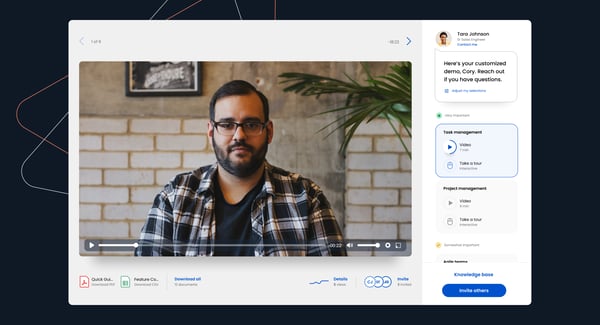
Consensus also supports sellers when dealing with large buying committees. While users mention that follow-up is still necessary, the platform helps pinpoint the right stakeholders, making those follow-ups more focused and effective.
When it comes to integration and customization, a few users said they’d like more flexibility, especially to match internal enablement tools or meet strict branding standards. That said, most reviewers felt the out-of-the-box features were more than sufficient for their needs.
After reading all this feedback, I can see why so many teams rely on Consensus. It’s consistently recognized for helping sellers modernize their approach, deliver scalable demo experiences, and focus on the right opportunities.
What I like about Consensus:
- I found ReachSuite to be a major highlight. G2 users mention it helps deliver tailored demos to the right personas at scale, without extra manual work.
- What stood out to me was the deal engagement tracking. It gives insight into who’s watching which demos and for how long, helping prioritize high-potential leads.
What G2 users like about Consensus:
“I’ve found that after my initial meeting with a prospect, sending a Consensus video as a follow-up gets them excited to explore our solution on their own time. Many of the providers we work with are busy seeing patients every day and don’t always have time for a full one-on-one demo. This approach has significantly shortened our sales cycle and helped me close deals faster!”
– Consensus Review, Jay N.
What I dislike about Consensus:
- Some users mentioned they’d like more flexibility with customization and integrations to better match internal tools.
- I also noticed feedback about a learning curve when organizing and tagging demo libraries, though support seems to ease the process.
What G2 users dislike about Consensus:
“Very little to complain about. If I had to be picky, I’d point out the manual data entry required to set up a demo board. It’s not a major issue, but ideally, this process would be automated by pulling data directly from our CRM.”
– Consensus Review, Dean B.
2. Storylane: Best for fast, no-code demo creation for marketing
One of the most common highlights in G2 reviews is how easy it is to build interactive demos. According to 94% of G2 users, creating demos on Storylane is quick and intuitive, especially for teams managing a high volume. The drag-and-drop interface is frequently praised for saving time without compromising quality.
Another feature that stood out to me is how accessible the platform is for non-technical users. Several reviewers mentioned they were able to start building demos without any formal training. The interface is clean and easy to navigate, making it simple to test ideas, make quick updates, and deliver polished walkthroughs with minimal effort.
Storylane’s AI-powered tools also get a lot of love. From what I’ve read, users find the AI helpful for generating demo copy, speeding up flow creation, and even designing on-brand avatars. These tools save hours of manual work, especially during tight deadlines or last-minute campaigns. The AI-assisted translation features are another standout, helping teams launch region-specific content quickly and effectively.
That said, I did come across a few reviews that mentioned minor glitches with AI avatars, like lip-sync mismatches or delayed animations. While these issues aren’t dealbreakers, they do sometimes require re-rendering. On the plus side, users consistently mention that the support team is quick to jump in and resolve them.
Overall, the sentiment on G2 is overwhelmingly positive. From what I’ve seen, users feel supported, listened to, and confident that their feedback leads to real improvements. That level of care stands out, and it’s a big reason why so many continue to recommend Storylane for creating high-quality, interactive demos.
What I like about Storylane:
- I found the demo creation process fast and intuitive. 94% of G2 users say the drag-and-drop editor makes building at scale easy.
- The platform is beginner-friendly. Many reviewers mentioned they could start creating demos without any formal training.
What G2 users like about Storylane:
“What I absolutely love is that I can get started without ever needing to talk to sales. I’m instantly on the platform and ready to create. It removes so much friction. We mainly use Storylane to visually explain complex concepts, which is super helpful for technical users. It’s also great for showcasing features and user journeys right on our homepage. This gives visitors a clear, interactive understanding of what to expect without having to scroll through blocks of text. The creation process is intuitive, and the final product looks polished and professional.”
– Storylane Review, Leroy B.
What I dislike about Storylane:
- Some users reported minor glitches with AI avatars, like lip-sync issues that required re-rendering.
- A few found HTML-based demo customization tricky at first, though onboarding support helped smooth things out.
What G2 users dislike about Storylane:
“Occasionally, the platform can feel limiting when it comes to very granular customizations, like fine-tuning animations or conditional logic. It also takes some time to train team members on the editing interface if they’re less familiar with web tools. However, these are minor tradeoffs given the speed of deployment and overall ROI.”
– Storylane Review, Sierra K.
3. Supademo: Best for simple, scrollable “how-to” style demos
One feature frequently mentioned in reviews is how intuitive it is to record product workflows. Many users highlight the smart pointer triggers that respond contextually to viewer interaction, guiding people at just the right moments.
Another widely praised capability is persona-based journey mapping. According to reviewers, it allows teams to tailor onboarding experiences based on specific personas, which helps reduce confusion and makes product education more effective for a diverse audience.
Supademo’s ‘Chapters’ feature also stands out. Users frequently mention how breaking demos into smaller sections makes content more digestible and relevant. This simple but powerful functionality lets teams provide contextual guidance throughout the journey, improving clarity and engagement.
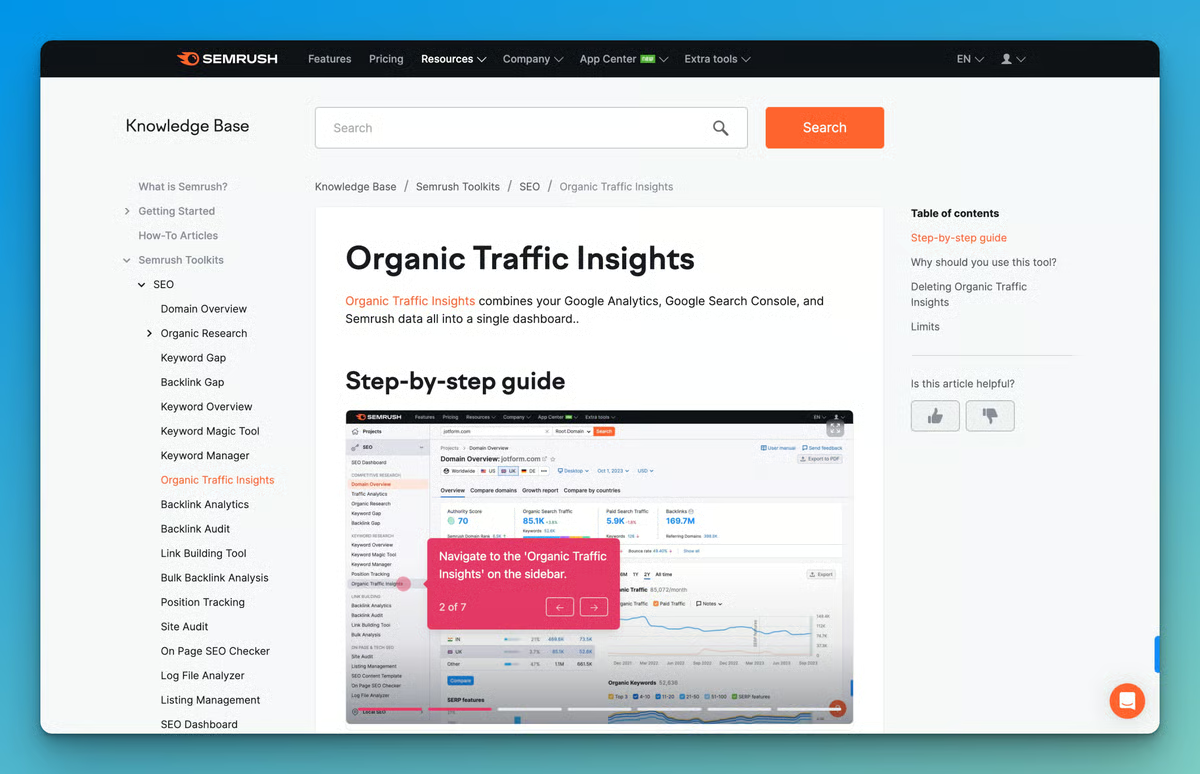
That said, some users mentioned a desire for more robust in-app onboarding for creators. While the platform is user-friendly overall, a few first-time users said they would have appreciated more guided setup flows or helpful tips within the interface to shorten the learning curve.
Even with these suggestions for improvement, the overall sentiment on G2 is overwhelmingly positive. From everything I’ve read, Supademo consistently delivers on its promise of fast, scalable demo creation. It’s a lightweight, practical solution for teams focused on product education, user onboarding, and boosting conversions through interactive content.
What I like about Supademo:
- I found the workflow recording experience to be smooth and intuitive. G2 users often mention how the smart pointer triggers guide viewers contextually, making demos feel more interactive with minimal setup.
- I was particularly drawn to the persona-based journey mapping. Reviewers say it helps tailor onboarding for different user roles, improving clarity and product adoption.
What G2 users like about Supademo:
“Using Supademo has been a great discovery for my web app. It lets me quickly create interactive demos that help users understand key features without long tutorials, boosting engagement and shortening the learning curve. It also integrates seamlessly with my existing tech stack, saving time during setup. The built-in analytics offer valuable insights into user behavior, helping me make informed improvements. Overall, Supademo has streamlined onboarding and increased user satisfaction!”
– Supademo Review, Verified User in Consumer Services
What I dislike about Supademo:
- A few users pointed out that in-app onboarding for creators could be stronger. Some first-timers would have liked more guided setup or tooltips.
- I also noticed feedback about branding limitations. While the demos look polished, customization options for fonts, colors, and layouts feel a bit restricted for teams with strict brand guidelines.
What G2 users dislike about Supademo:
“Sometimes it’s a bit wonky on mobile, especially with the showcase feature. There’s a lot to fit on a small screen, so I get that there are real limitations when it comes to handling different screen sizes and breakpoints.”
– Supademo Review, Maddie W.
Sync demo engagement data with your marketing automation platform to trigger timely follow-ups and personalize nurture campaigns based on what prospects actually interacted with.
4. Navattic: Best for website-embedded, self-serve product tours
One feature that consistently gets praise is Navattic’s no-code demo builder. Reviewers highlight how easy it is to let prospects experience the product directly, from a website, landing page, or outbound link. This hands-on, frictionless approach is frequently credited with driving results across the funnel, especially for small teams scaling without heavy engineering involvement.
As I reviewed G2 feedback around this, it became clear why it’s especially popular with lean, high-growth teams, particularly in the mid-market (45%) and small-business (29%) segments.
Another standout capability is Navattic’s HubSpot integration. From what I’ve read, teams value being able to track demo engagement right inside their CRM. Clear visibility into what prospects watched and where they dropped off gives sellers sharper insight into intent, improving both outbound and account-based marketing strategies.
I’ve also seen a lot of appreciation for Navattic’s customer support. Users describe the team as responsive, helpful, and proactive. Whether troubleshooting issues or offering strategic guidance, reviewers say the support experience consistently helps them get more out of the platform.
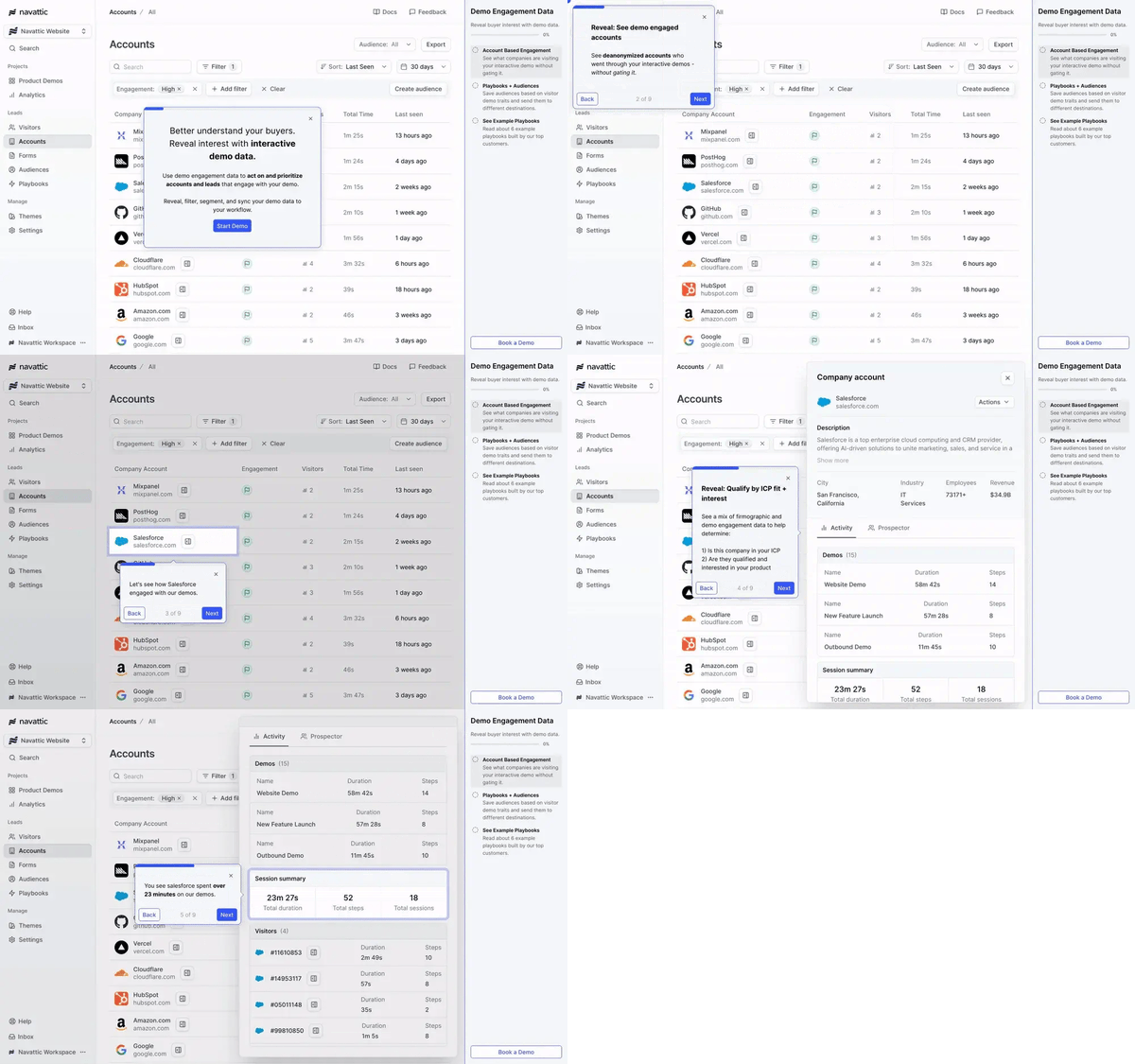
That said, a few reviewers mention challenges around demo organization and segmentation. As demo libraries grow, especially across multiple teams, managing and structuring content can get tricky. While this hasn’t kept users from relying on Navattic, more flexible content management would make things even smoother.
Even with those small areas for improvement, the overall sentiment on G2 is highly positive. Navattic is clearly delivering on its promise to help teams quickly build and scale interactive demos, without straining technical resources.
What I like about Navattic:
- I found the no-code demo builder to be a major advantage. G2 users say it makes it easy to let prospects experience the product directly, without needing dev support.
- The HubSpot integration stood out to me. According to reviewers, it gives sellers clear visibility into demo engagement and helps sharpen outbound and ABM efforts.
What G2 users like about Navattic:
“Navattic is a great tool for tracking engagement with our recorded demos. As a system admin, I’ve found it easy to use, both during setup and in daily operations. The integrations with our core CRM and marketing automation platform were smooth, letting us feed demo engagement data directly into our workflows. It’s been a valuable addition to our tech stack, giving the team clear insight into how prospects interact with our content.”
– Navattic Review, Lauren S.
What I dislike about Navattic:
- Some users mentioned that as demo libraries grow, organizing and segmenting content becomes challenging, especially across teams.
- I also saw feedback about mobile performance. While the desktop experience is strong, a few users noted minor usability issues on mobile that could use refinement.
What G2 users dislike about Navattic:
“If I had to nitpick, I’d say the capture and editing tools could be a bit more intuitive. Once you’ve built your first experience, it starts to make sense, but streamlining that initial setup would make creating new demos even faster.”
– Navattic Review, Ashwini S.
5. Guideflow: Best for interactive training and onboarding
One of the most compelling patterns I’ve noticed is how it bridges pre-sales and customer success. Instead of creating separate assets for each stage, many reviewers talk about reusing the same demo across the sales funnel, first to drive engagement in discovery calls and then for onboarding and support. According to G2 data, this makes it an especially popular choice with mid-market (44%) and enterprise (38%) teams focused on improving both sales and post-sale journeys.
Another standout capability is the ability to build step-by-step walkthroughs that guide users through product features at their own pace. G2 reviewers say this self-serve model reduces the need for kickoff calls or lengthy documentation. Multiple users mention how it boosts customer confidence while taking pressure off internal onboarding teams.
Guideflow also earns praise for its customization and personalization. Reviewers frequently mention how easy it is to create persona-specific demos that make sales conversations more relevant. From what I’ve read, teams can get started quickly, even without formal training or outside support, which is a big advantage for fast-moving organizations.
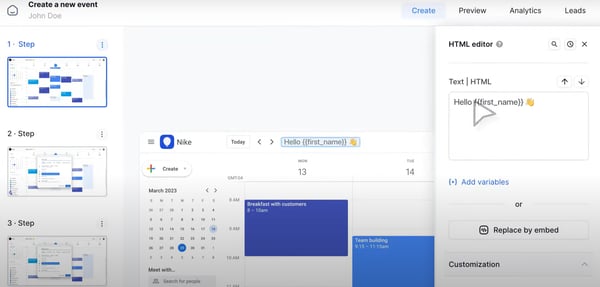
That said, some users pointed out that accessing advanced analytics can be a bit tricky at first. While the data is available, it sometimes takes trial and error to find the most useful insights. Still, once users get familiar with the interface, most say the reporting tools meet their needs.
Looking at the big picture, the sentiment on G2 is highly positive. Guideflow strikes a strong balance between ease of use and impact. It helps teams create more tailored, cohesive product experiences, without draining time or resources. For companies looking to scale onboarding and enablement efficiently, it’s clear that Guideflow is becoming a go-to solution.
What I like about Guideflow:
- I found it impressive how teams use the same demo across sales and onboarding. G2 users say this continuity helps streamline the customer journey and reduce friction.
- The step-by-step walkthroughs stood out to me. Reviewers mention that they boost customer confidence while easing the load on onboarding teams.
What G2 users like about Guideflow:
“It completely transformed our approach to social media marketing, especially on platforms like Twitter. Embedding interactive demos directly into our tweets has been a game-changer. The best part is being able to add a form at the end of each demo to collect lead information seamlessly. It’s not just about showcasing our product, it’s about actively generating leads right where our audience is already engaged.”
– Guideflow Review, Johnstone M.
What I dislike about Guideflow:
- Some users shared that accessing meaningful analytics takes some trial and error at first, though the data becomes useful once they become familiar with it.
- I also noticed feedback about styling l