


Managing email can be overwhelming — cluttered inboxes, limited storage, poor organization tools, and apps that don’t integrate well with calendars or other productivity software can slow you down.
Without a capable email client, staying on top of messages and workflows can feel impossible.
Paid email clients are powerful, but they can also be expensive or more than many users need. That’s where free email client platforms come in. They offer robust features to organize your inbox, streamline communication, and integrate with the tools you already use, without incurring any costs.
After reviewing G2 data, I’ve compiled a list of the top free email clients for Windows and Apple devices. This guide is for anyone seeking a reliable, feature-rich email solution that enhances productivity without breaking the bank.
9 best free email client platforms in 2026: My picks
-
Front: Best for shared inbox collaboration
For team inboxes, internal communication, and multi-channel management -
Helpwise: Best for support-focused email management
For shared mailboxes, automation, and team productivity -
Mailbird: Best for unified email management
For multiple account integration, productivity tools, and app extensions -
Microsoft 365: Best for business-standard email and collaboration
For Outlook email, Teams integration, and cloud storage -
Missive: Best for collaborative email and chat in one app
For team workflows, shared inboxes, and task management -
Outlook4Gmail: Best for Gmail and Outlook syncing
For calendar sync, contact management, and Gmail integration -
Shift: Best for managing multiple accounts in one place
For email, apps, and workflows across Google Workspace and other platforms -
Spike: Best for chat-like email experience
For conversational email, collaborative notes, and task management -
Zoom Workplace: Best for email plus communication suite
For Zoom email, calendar, chat, and integrated meetings
*The software list is arranged alphabetically. These tools offer free trials, free forever options, or freemium models.
Comparison of the best free email clients
If you feel overwhelmed by the wealth of information about the best email apps, check out our comparison table, which will help you with all the important aspects.
9 best free email client platforms I recommend
The global email client software market continues to grow steadily, as email remains a cornerstone of personal and professional communication. The market is projected to reach nearly $9.9 billion by 2032, reflecting growing demand for powerful, secure, and productivity-boosting email tools.
Even as web-based email services like Gmail and Outlook dominate usage statistics, dedicated email client platforms offer features such as unified inboxes, advanced organization tools, offline access, and customization that help users stay on top of their communications.
And from what I’ve seen, “best” doesn’t always mean “paid.” Many free email client platforms I’ve evaluated deliver powerful email management, let you connect multiple accounts, and help you stay productive without stretching your budget.
Below is a list of the best free email client platforms I recommend. Tools that combine usability, features, and ease of setup for everyday email processes.
How did I find and evaluate these free email client platforms?
To build this list, I began with G2 data, shortlisting top-rated tools based on their G2 scores and consistent performance in the free email client software category.
From there, I reviewed product specs and recent, verified user feedback to confirm that these products deliver real value and to understand where each one stands out.
The goal was simple: to see whether these tools are as good as they claim, what each one is best for, and whether there’s a free version or free trial you can try with minimal risk. And because this is a free-focused list, I paid extra attention to what you can actually do without paying — such as whether the free tier includes core features, how long the free trial lasts, and what limitations might prompt you to upgrade.
The screenshots featured in this article may be a combination of those taken from the vendor’s G2 page and publicly available materials.
The product list below contains real user reviews from the best free email client software category page. It’s important to note that in the context of this list, vendors offering a free trial are also considered free.
To be included in this category, a solution must:
- Offer a downloadable desktop application
- Provide an inbox that collects emails for one or more accounts
- Be capable of auditing emails and contacts for errors, duplicates, and so forth.
*This data was pulled from G2 in 2025. Some reviews may have been edited for clarity.
1. Front: Best for shared inbox collaboration
Front combines the familiarity of email with the efficiency of a shared inbox to make it ideal for teams that want to manage emails, messages, and client communication in one place. Its interactive interface and powerful features make it useful for managing multiple communication channels. In fact, according to G2 Data, around 74% of reviewers noted that outbound communications are well-segmented and personalized.
Front offers unlimited access to all paid features through a 14-day free trial. After that, customers can choose to upgrade to a plan that best suits their needs.
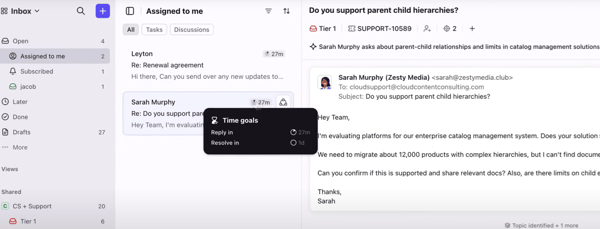
Pros and cons of Front: My Take
What G2 users like about Front:
“Front’s got a great way of unifying text, email, and customer data into one platform accessible to an entire team. It just improves your communications and makes the “Mother of all Inboxes” seem manageable and easy to use. I use this platform every day. It integrates with a variety of tools I already use, such as Gmail and Pipedrive, and does so seamlessly. It was easily implemented into my workflow. The user interface is clean and simple to use. I’ve never even had to contact customer support for integration. It’s just that simple.”
– Front Review, Carlos M.
What G2 users dislike about Front:
“The way the email chain flows can be confusing. Sometimes, it seems the latest email in a chain does not show at the top, and you have to look through the whole chain to find the latest email response. I believe there are other ways to group email chains, but I have not been able to understand how the different options work.”
– Front Review, Susan T.
2. Helpwise: Best for support-focused email management
Helpwise facilitates business communications. As a powerful shared inbox tool, Helpwise suits teams looking to enhance collaboration and efficiency. G2 Data mentions that 33% of reviewers noted that it quickly consolidates multiple email accounts into one viewable platform. Whether you’re a small business or a large enterprise, Helpwise can manage your emails effectively without any cost barriers.
All paid plans for Helpwise include a complimentary 7-day trial, offering unlimited access to all features.
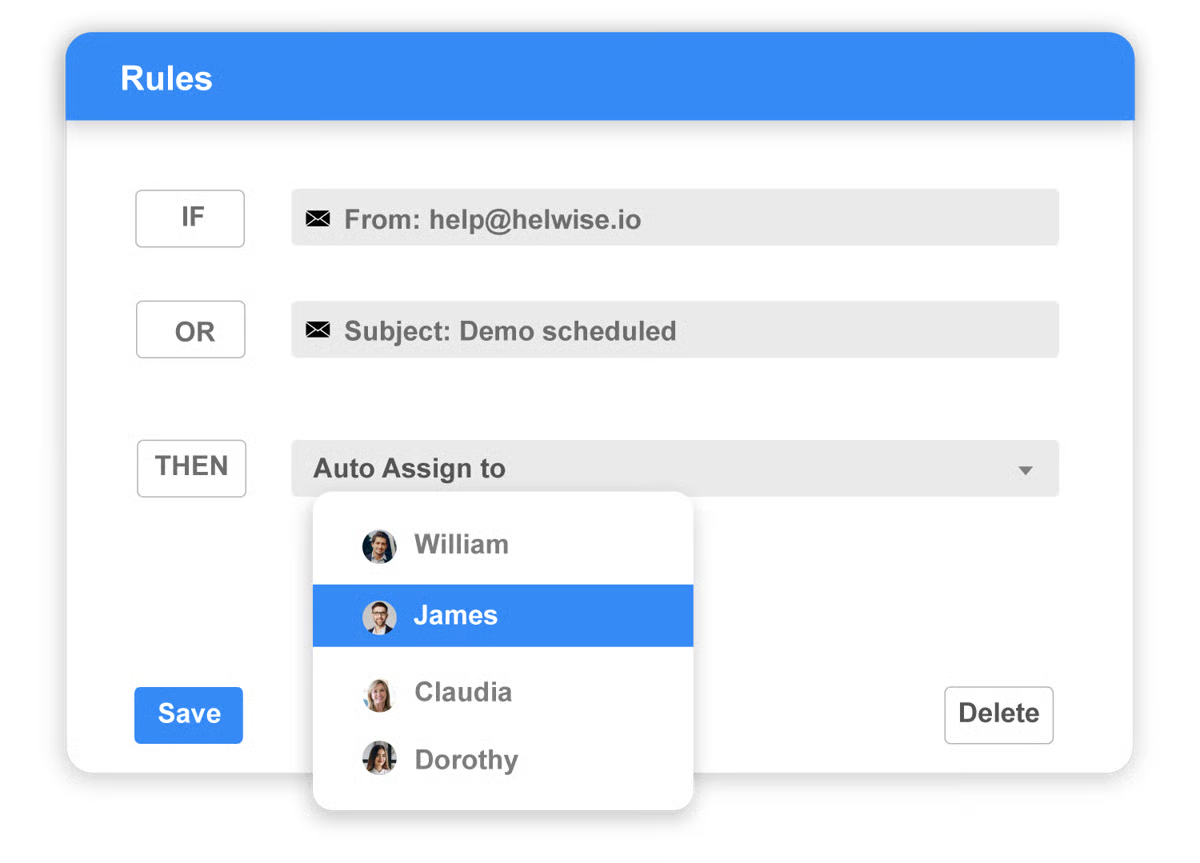
Pros and cons of Helpwise: My honest take
What G2 users like about Helpwise:
“Being a company that is constantly in contact with clients, Helpwise represents the appropriate solution for us. The combination of email client, help center, support chat (web), and the many available integrations makes Helpwise an indispensable tool for our organization. It’s easy to use, easy to implement, has excellent customer support, and easy integration, making us use it every day.”
– Helpwise Review, Carlos R.
What G2 users dislike about Helpwise:
“Inability to view all channels on one screen was a deal-breaker for me. What is the point of giving users channels if you cannot view them all on one screen? You literally have to use a drop-down option to navigate from customer service, sales, etc., without being able to see the other. It also has no ticker to see how many messages are there. This renders the whole “shared inbox” experience useless for us. This is the only software in this space that I have seen that completely negates the idea of shared inboxes. Sure, if you only have one shared inbox, that would work, but for most companies, it will not.”
– Helpwise Review, Anatole N.
3. Mailbird: Best for unified email management
Mailbird offers a sleek, intuitive interface combined with powerful functionality. It caters to users who crave customization and a feature-rich email experience. Designed to enhance your email management and productivity, Mailbird consolidates all your communication into a single inbox.
The free plan offers a solid foundation for power users, providing access to up to three email accounts, customizations, and some basic integrations.
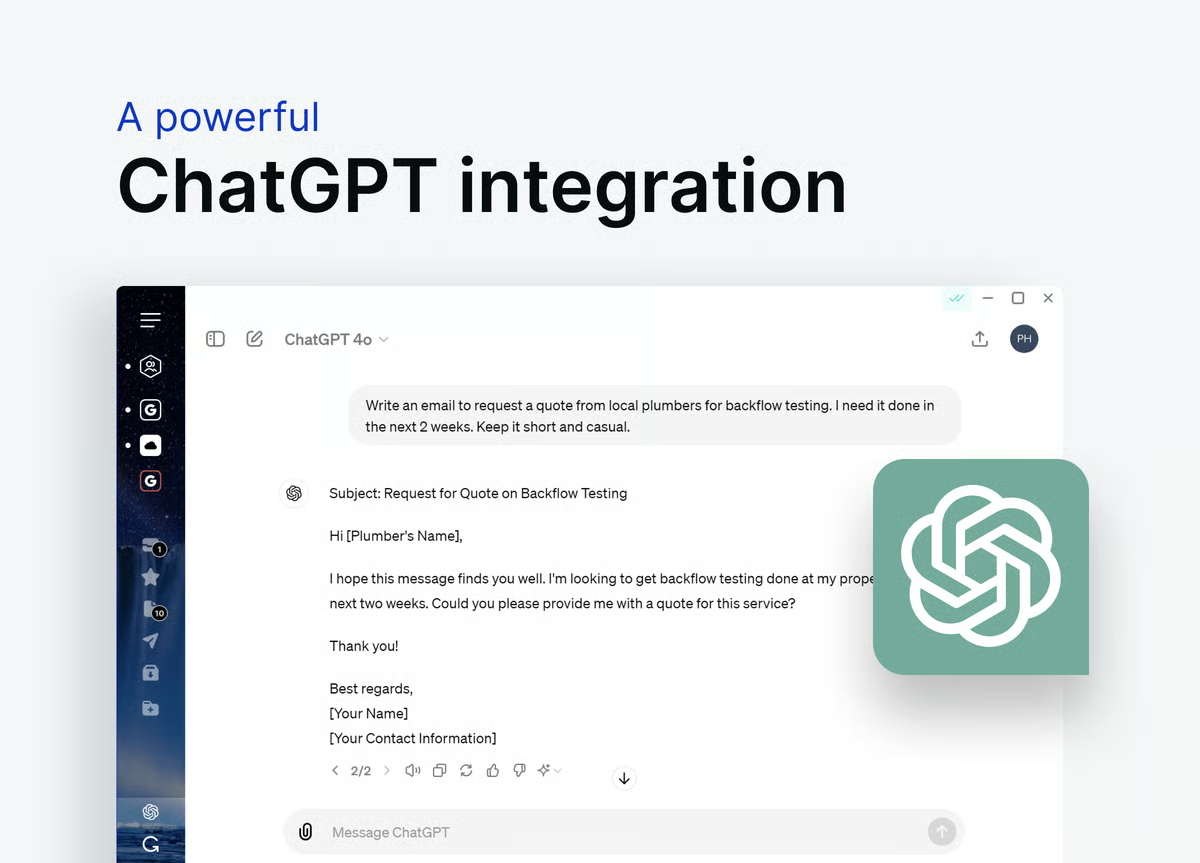
Pros and cons of Mailbird: My take
What G2 users like about Mailbird:
“Mailbird is a reliable email client. I find it easy to use my many Gmail accounts to have them all in one unified space. It’s fast and has a host of features, such as Evernote and Facebook integration. I use these many times daily, and having them integrated is a productivity booster. Customer support is prompt and very helpful.”
– Mailbird Review, Bill D.
What G2 users dislike about Mailbird:
“Weirdly, too many integrations. I like that they have them, but I found for me that using the extra stuff was harder than opening native apps. Also, I have an issue about once a quarter where it stops sending emails when I reply to them, and I have to remove the profile and re-add it.”
– Mailbird Review, Brady P.
4. Microsoft 365: Best for business-standard email and collaboration
Microsoft 365 has tailored its comprehensive suite for both personal and professional use. At its core sits the highly acclaimed Outlook, which perfectly integrates email, calendar, contacts, and tasks into one cohesive application. This integration makes Microsoft 365 a standout choice for individuals and teams, enhancing their email management and productivity.
Business users can sign up for a 30-day free trial of Microsoft 365, which provides access to a 50 GB inbox, custom business email, and other premium features. One free account with 15 GB inbox storage and an extra 5 GB cloud storage are available.
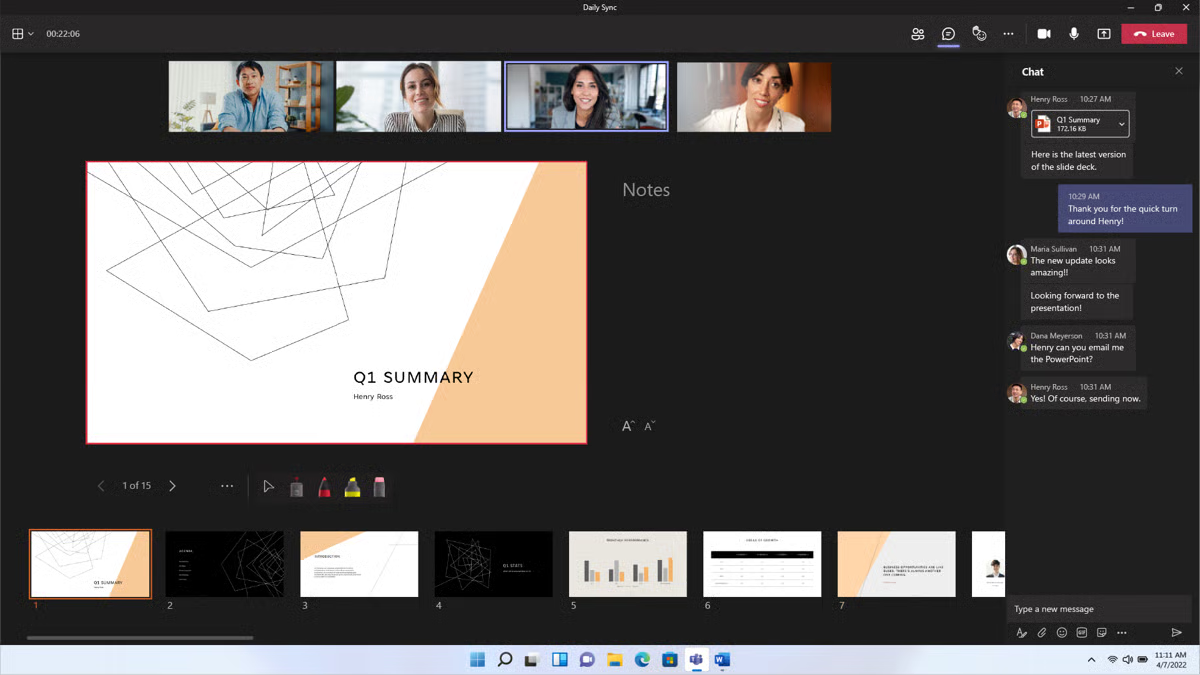
Pros and cons of Microsoft 365: My perspective
What G2 users like about Microsoft 365:
“Office 365 is being used by everyone in my organization for basic office, email, and cloud documentation products. Being cloud-based, upgrades are easy and quick, back-end management has been simplified on a large scale, and all of our work is kept under good safekeeping. Logging in and using Office 365 is very easy, and among other things, it helps keep tasks organized and improves communication between teams.”
– Microsoft 365 Review, Petar P.
What G2 users dislike about Microsoft 365:
“I face some issues whenever I try to send multiple emails at once to a group of people. The outlook freezes and does not respond at all. It is somewhat more costly than its competitor, Google Workspace. Communication between external applications and internal communication becomes so hectic, and it creates an issue in the syncing of data.”
– Microsoft 365 Review, Ayush B.
5. Missive: Best for collaborative email and chat in one app
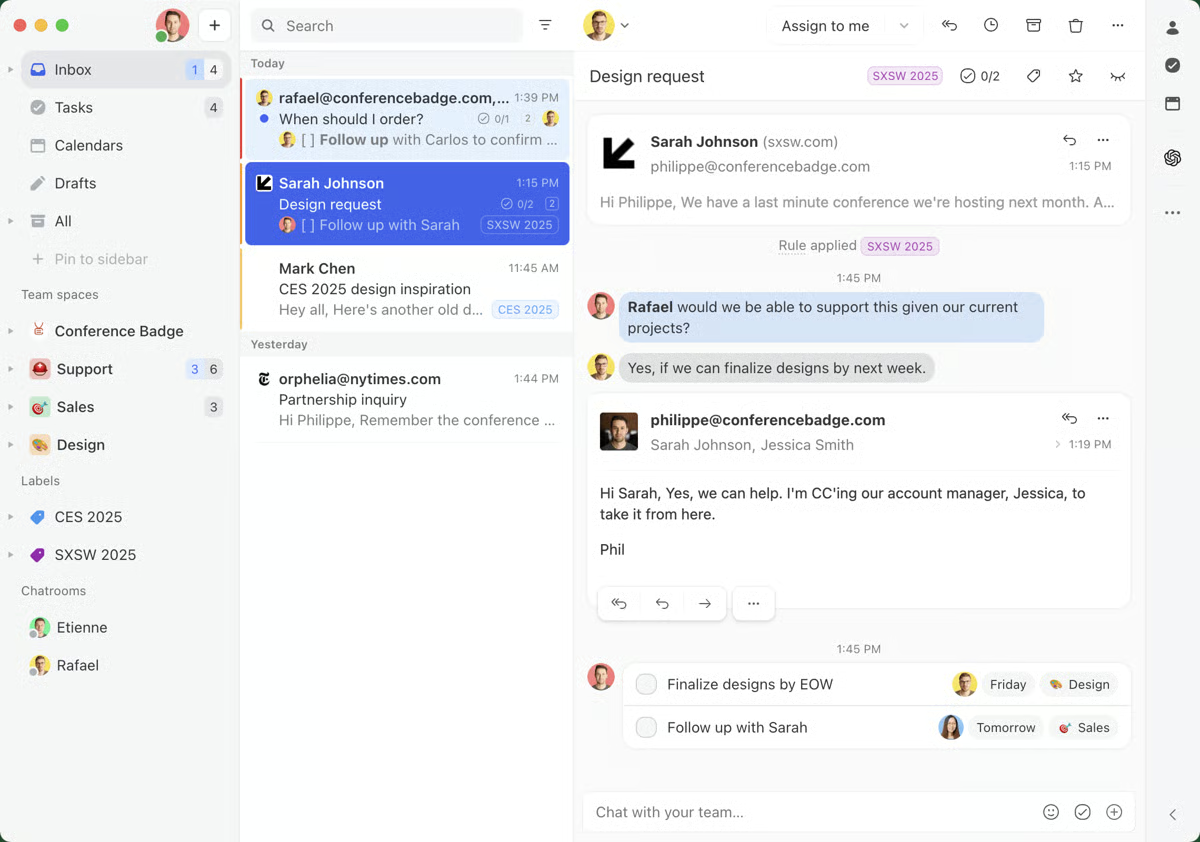
Missive helps teams collaborate and increase productivity. It combines email with chat, shared writing, and task management, making it an all-in-one solution for modern workspaces.
In fact, G2 data suggests that 41% of reviewers noted that the software incorporates multiple digital communication channels. Teams that struggle with communication find Missive’s unified tool to be a massive assist.
The free plan is limited to three users and five shared accounts per user. However, a free 30-day trial is also available to test out unlimited features.
Pros and cons of Missive: My take
What G2 users like about Missive:
“One of the features I like most about Missive is being able to collaborate with others through chats on threads. This helps ensure tasks are completed promptly. The layout of Missive is very clean and organized. The organization part of Missive is great. Integrating other apps into the system was easy, and it makes it easy to access the other apps from one place.”
– Missive Review, Roy R.
What G2 users dislike about Missive:
“We wish the search was better. You could search for attachments (e.g., pdf) by typing their name in the search bar, and their long-term customers could still have slightly better pricing packages.”
– Missive Review, Elpidoforos M.
6. Outlook4Gmail: Best for Gmail and Outlook syncing
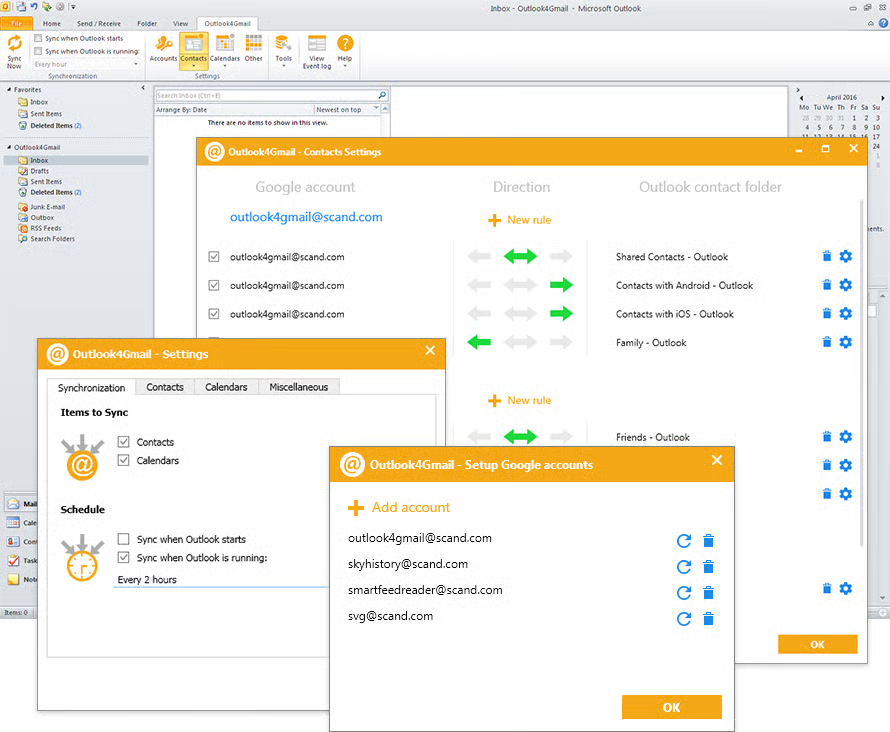
Outlook4Gmail seamlessly integrates Gmail accounts with Microsoft Outlook. It stands out for its ability to unify these widely used email platforms, effortlessly synchronizing all emails, contacts, and calendar events.
The free 7-day trial has no limitations, so users can experience the platform’s core functionalities at no cost.
Pros and cons of Outlook4Gmail: My honest take
What G2 users like about Outlook4Gmail:
“I love the integration between Outlook and Gmail so that I can see all my emails and content in one place and yet still have it separated and categorized the way I need it to be. This allows me to keep up with business and personal life at the same time and easily, so I don’t miss out on anything.”
– Outlook4Gmail Review, April M.
What G2 users dislike about Outlook4Gmail:
“At times, there are some issues with the email not working well. Sometimes, the email is not received by customers, or they are routed to the junk folder. So extra effort is made to cover these shortcomings.”
– Outlook4Gmail Review, Dr. Vipin R.
7. Shift: Best for managing multiple accounts in one place
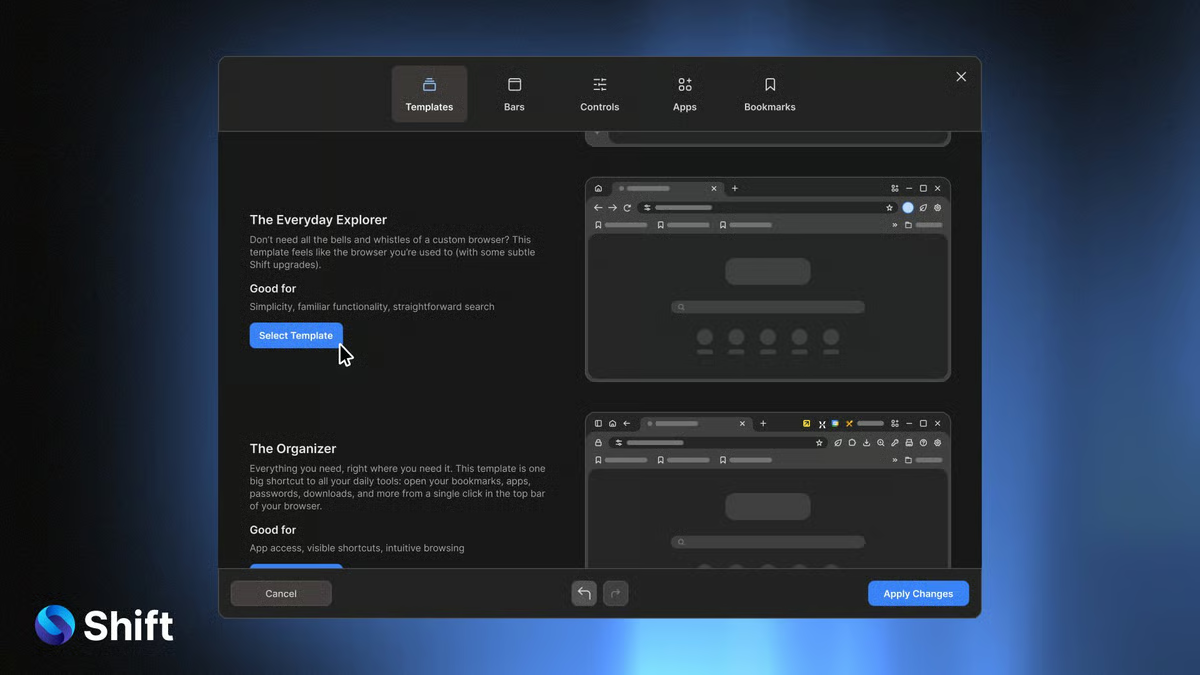
Shift modernizes email management by consolidating multiple email accounts, apps, and workflows into a single, seamless desktop app. This mail app is tailored for individuals and teams that juggle several email accounts and applications, offering a centralized workspace that enhances productivity and organization.
Shift’s 14-day free trial supports up to two accounts on Windows, Linux, and Mac.
Pros and cons of Shift: My take