



Managing access across different apps can get complicated fast. Strong passwords help, but they’re not enough on their own, and manual access management often creates bottlenecks, security risks, and unnecessary frustration.
That’s where single sign-on (SSO) software comes in. It allows users to log in once and securely access all the resources they need, making work smoother and reducing the burden on IT teams.
To help you find the right option, I’ve put together a list of the best free SSO software available today. You’ll find each tool’s pros and cons, along with insights from G2 users, so you can choose a solution that fits your needs with confidence. Let’s dive in.
9 best free SSO software in 2026: My picks
-
1Password: Best for simple, secure SSO with password management
For teams that want easy SSO paired with strong vault-based access controls -
Auth0 by Okta: Best for developers building custom authentication flows
For flexible SSO, APIs, and identity workflows that scale with any application -
Cisco Duo: Best for MFA-first identity and secure single sign-on
For organizations prioritizing device verification, MFA, and zero-trust access -
Dashlane Password Manager: Best for teams wanting SSO + password automation
For quick deployments, autofill, and passwordless authentication options -
JumpCloud: Best for unified device, directory, and SSO management
For IT teams needing cloud directory services with built-in SSO and user lifecycle tools -
Keeper Password Manager: Best for security-focused SSO with encrypted vaults
For organizations needing advanced access controls and secure credential sharing -
LastPass: Best for budget-friendly SSO combined with strong password governance
For small teams looking for easy user onboarding and centralized access management -
Microsoft Entra ID: Best for Microsoft-first businesses needing enterprise SSO
For seamless identity, conditional access, and role-based controls across apps and devices -
OneLogin: Best for fast, reliable, and scalable SSO deployments
For simple app integrations, adaptive authentication, and centralized identity workflows
* The software list is arranged alphabetically. These tools offer free trials, free forever options, or freemium models.
Comparison of the best free SSO software
If you feel overwhelmed by the wealth of information about free SSO software, this comparison table will help you with all the essential aspects:
*All pricing details mentioned in the article are based on publicly available data at the time of publication and are subject to change.
9 best SSO software I recommend
The global demand for single sign-on (SSO) and identity-access solutions continues to surge as organizations prioritize secure and seamless access across applications and digital environments.
The global SSO software market is expected to grow to over $5 billion to $ 9 billion by 2030, driven by the rapid adoption of cloud services, hybrid work, and cybersecurity-first IT strategies.
Whether it’s enabling frictionless login experiences, reducing help‑desk overhead, or enforcing secure access policies across remote and on‑prem systems, SSO tools are becoming vital parts of modern IT stacks.
And from what I’ve seen, “best” doesn’t always mean “paid.” Some free or freemium SSO platforms I’ve used deliver surprising depth, helping teams unify access, boost security, and improve productivity without breaking the budget.
How did I find and evaluate these free SSO software?
To build this list, I began with G2 data, shortlisting top-rated tools based on their G2 scores and consistent performance in the free SSO software category.
From there, I reviewed product specs and recent, verified user feedback to confirm that these products deliver real value and to understand where each one stands out.
The goal was simple: to see whether these tools are as good as they claim, what each one is best for, and whether there’s a free version or free trial you can try with minimal risk. And because this is a free-focused list, I paid extra attention to what you can actually do without paying — such as whether the free tier includes core features, how long the free trial lasts, and what limitations might prompt you to upgrade.
The screenshots featured in this article may be a mix of those taken from the vendor’s G2 page or from publicly available materials.
The product list below features genuine user reviews from the top SSO software category page. It’s important to note that in the context of this list, vendors offering a free trial are also considered free.
To be included in this category, a solution must:
- Let users access multiple applications or databases through one portal
- Automate authentication to prevent multiple logins
- Centralize authentication servers across applications
- Provide secure access to applications and data
- Integrate login access to business applications
This data was pulled from G2 in 2025. Some reviews may have been edited for clarity and accuracy.
1. 1Password
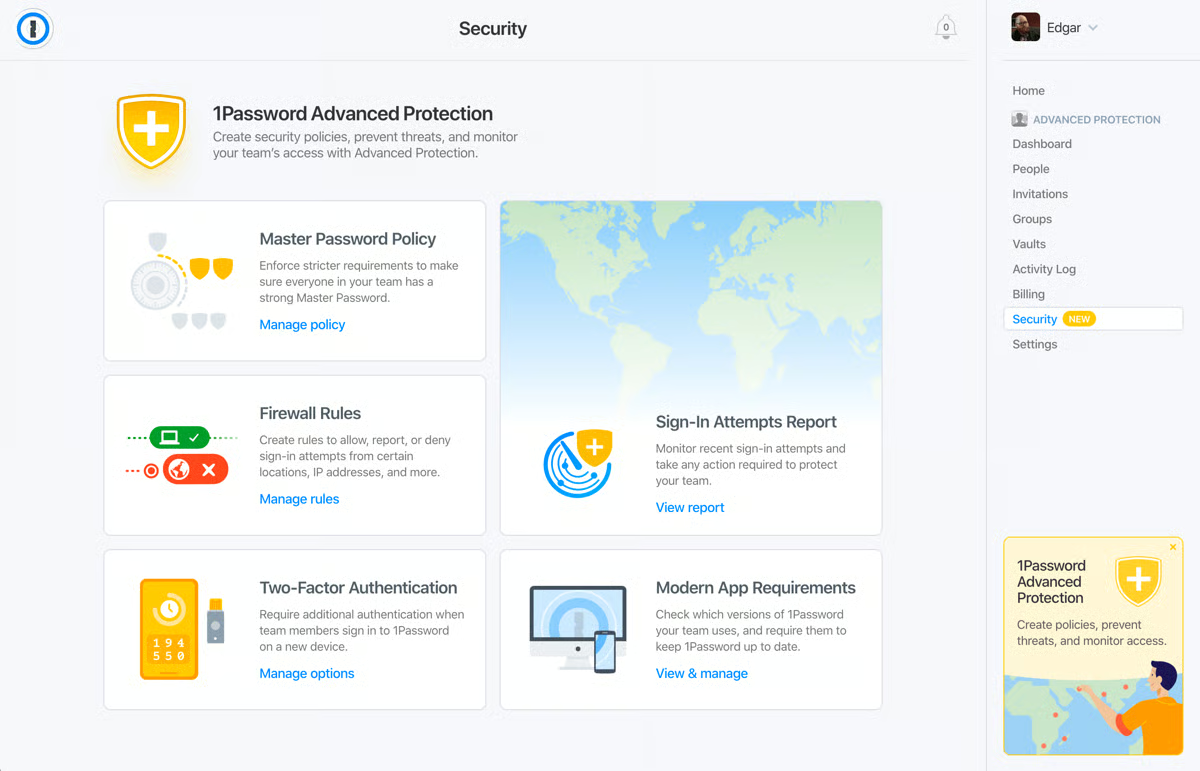
1Password combines exceptional password management capabilities with SSO features to offer a secure access management platform. With a focus on security, 1Password provides users with an uncomplicated way to manage access to multiple applications without being overwhelmed by the complexity of modern IT environments.
The 14-day free trial allows users to try all the essential features that make it a versatile addition to any IT ecosystem.
Pros and cons of 1Password: My take
What G2 users like about 1Password:
“How easy it is to deploy to end users and to manage 1Password updates and Browser 1Password extension updates. 1Password consistently introduces new features, including SSO integration with Okta. This makes it much easier for those managing 1Password and end users who only need to remember the password to log in to the SSO provider. 1Password Business Plan offers the end user their personal accounts covered by 1Password as well, which is great.”
– 1Password Review, Rikin P.
What G2 users dislike about 1Password:
“SSO logins are still not a feature that can be saved with 1Password, and I have to share my personal login details with others offline just so they can use my SSO login to access a certain service.”
– 1Password Review, Aryan G.
2. Auth0 by Okta
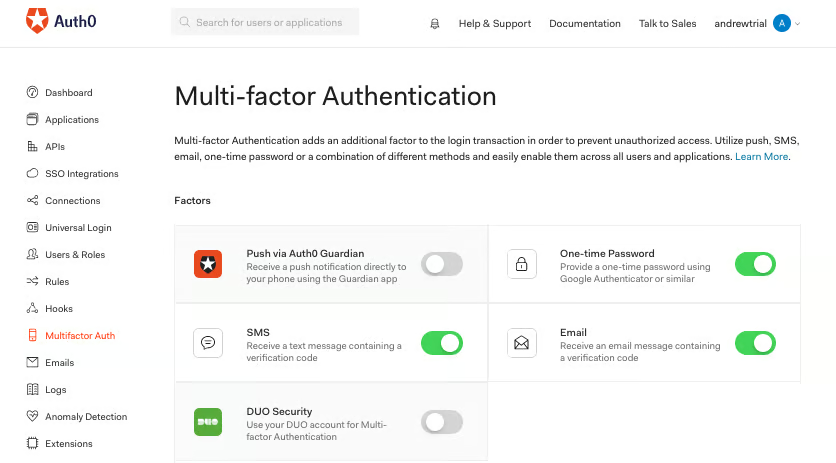
Auth0 by Okta works perfectly for small teams and developers searching for a flexible and secure authentication solution.
It enables extensive customization through powerful application programming interfaces (APIs) and software development kits (SDKs), making it a favorite among developers who need to tailor authentication workflows to specific requirements. According to G2 Data, it’s also well known for its reporting capabilities. About, 25% of G2 users provided feedback on its pre-built and custom reporting tools.
The free SSO plan is available with 7000+ pre-built integrations and other amazing features.
Pros and cons of Auth0 by Okta: My take
What G2 users like about Auth0 by Okta:
“Auth0 by Okta’s multi-factor authentication and anomaly detection work pretty well. It also supports SSO, making it easy to sign up for different applications using the same credentials. It has a lot of customization potential so that you can set the level of security for yourself.”
– Auth0 by Okta Review, Mrinal G.
What G2 users dislike about Auth0 by Okta:
“Nobody responds to their emails. I have sent three emails to three different salespeople about plans so I can go live with my app. I’ve been waiting for weeks to hear back from any of them. The irony is that they were the ones who sent me an email asking if I had any questions in the first place.
Their support is total crap. They waste your time talking in circles instead of actually understanding your problem and trying to help you solve it. I am so disappointed I went with them, but I did because I used them nearly a decade ago for another project. They have since been acquired, and the things I like about them, such as responsiveness and competent technical support, have completely gone down the drain.”
– Auth0 by Okta Review, Mike M.
3. Cisco Duo
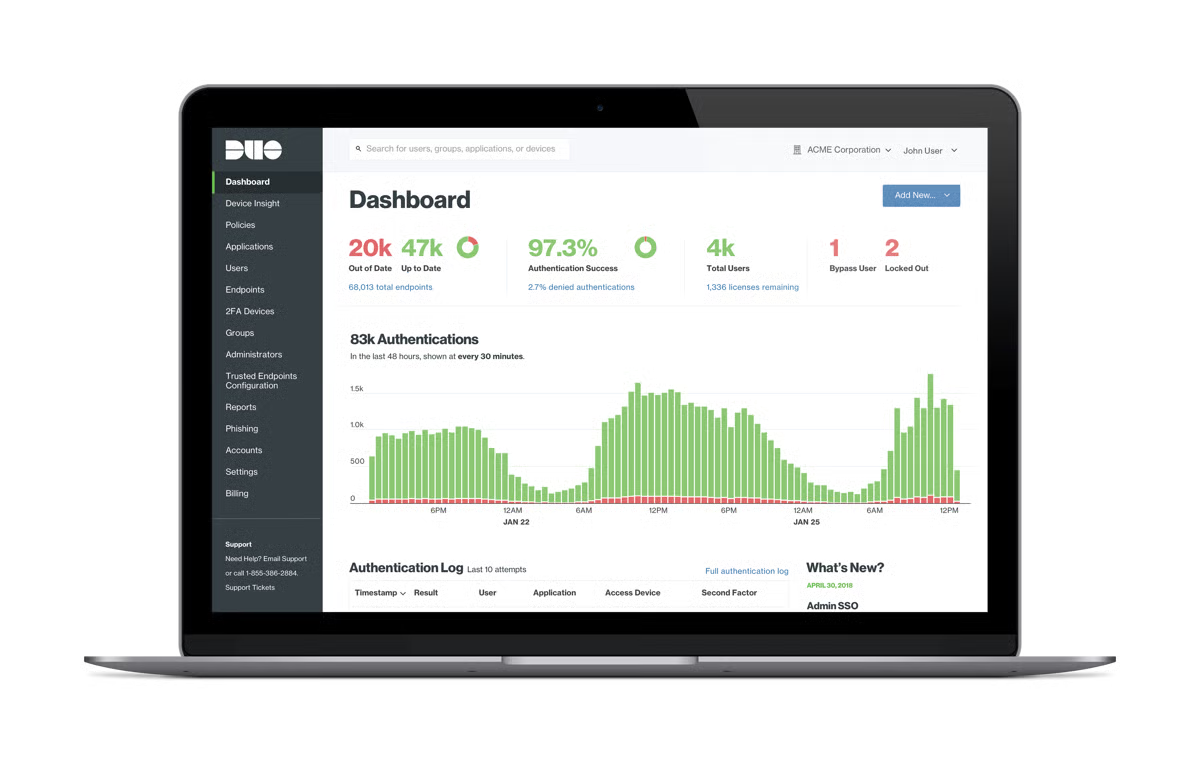
Cisco Duo presents a comprehensive SSO solution that supports a wide range of applications and services. Duo’s security-centric approach means you get features like device trust and adaptive access policies, so no one and nothing unauthorized can access your resources. A user-friendly design and centralized management console make it easy for IT teams to deploy, manage, and monitor access controls.
The free plan is available for up to 10 users and includes worry-free integrations and a complimentary authenticator app.
Pros and cons of Cisco Duo: My take
What G2 users like about Cisco Duo:
“In our organization, we use Duo Security for SSO and multi-factor authentication. All enterprise-related access, whether on desktop or mobile apps, also requires Duo authorization Security to log in, which provides a very safe and secure logging environment and also means that I receive a notification on my mobile device whenever someone attempts to log in to the systems.”
– Cisco Duo Review, Terry D. J.
What G2 users dislike about Cisco Duo:
“It is built for push alerts, but they don’t always function; I have to open the app and manually input the login code, which bothers me. From a management standpoint, there isn’t much information about setup and usage. Also, the username is not established by the user; it is set by the administrator who added the user account and is difficult to communicate with the user.”
– Cisco Duo Review, Marie S.
4. Dashlane Password Manager
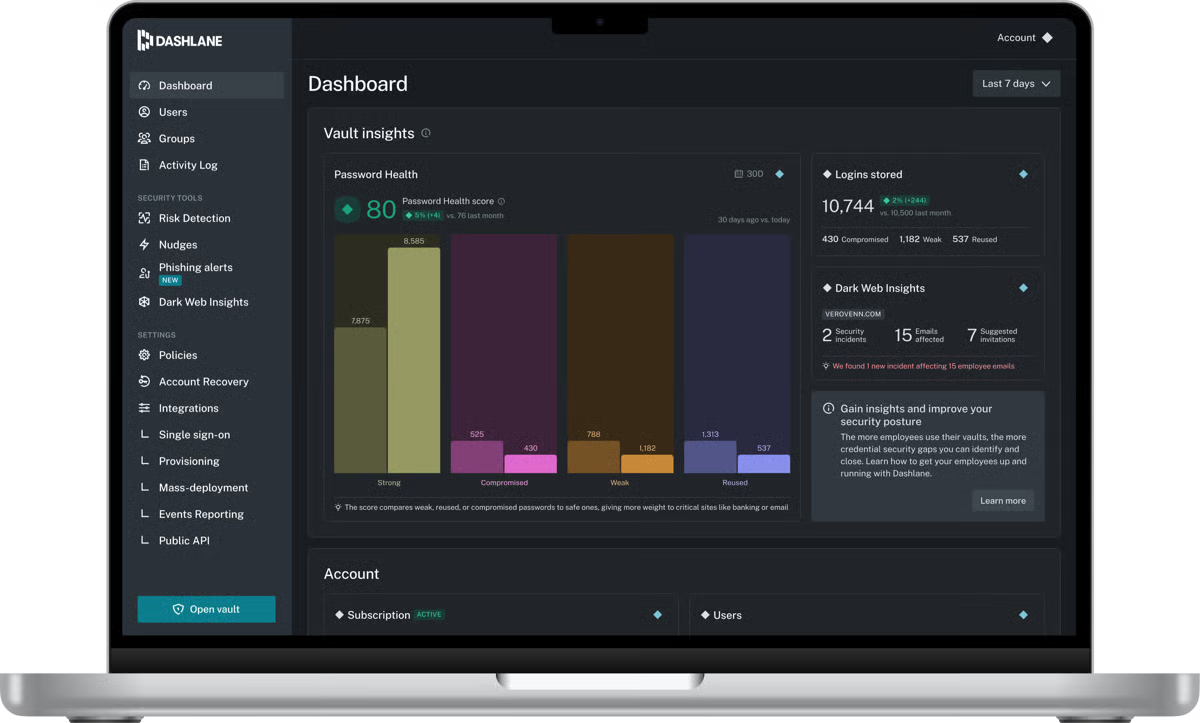
Dashlane offers comprehensive credential security designed to protect organizations from human-related risks. Its advanced platform unifies password management and access protection, giving security teams proactive insights, real-time monitoring, and secure access controls for every employee.
Trusted by over 25,000 businesses worldwide, Dashlane delivers innovative solutions, industry-leading zero-knowledge security, and a seamless user experience across devices. According to G2 Data, 77% users mention that it integrates with mobile devices for use on mobile apps.
Pros and cons of Dashlane Password Manager: My take
What G2 users like about Dashlane Password Manager:
“I use Dashlane in both my professional and personal life. It’s so quick and easy to use to save, retrieve, and even share passwords that it’s become a must-have tool for me. The phone app, as well as the browser plug-ins, are time savers. I don’t think that I’d be able to get through the day without using Dashlane at least a few times.”
– Dashlane Password Manager Review, Kelly A.
What G2 users dislike about Dashlane Password Manager:
“It will prompt you to create passwords for any fill-in box on webpages, which can make filling out forms or paperwork online tedious. You can pause the app, but it doesn’t always stay paused, and it will only be for that web page, so you’ll need to do it every time.”
– Dashlane Password Manager Review, Lauren C.
5. JumpCloud
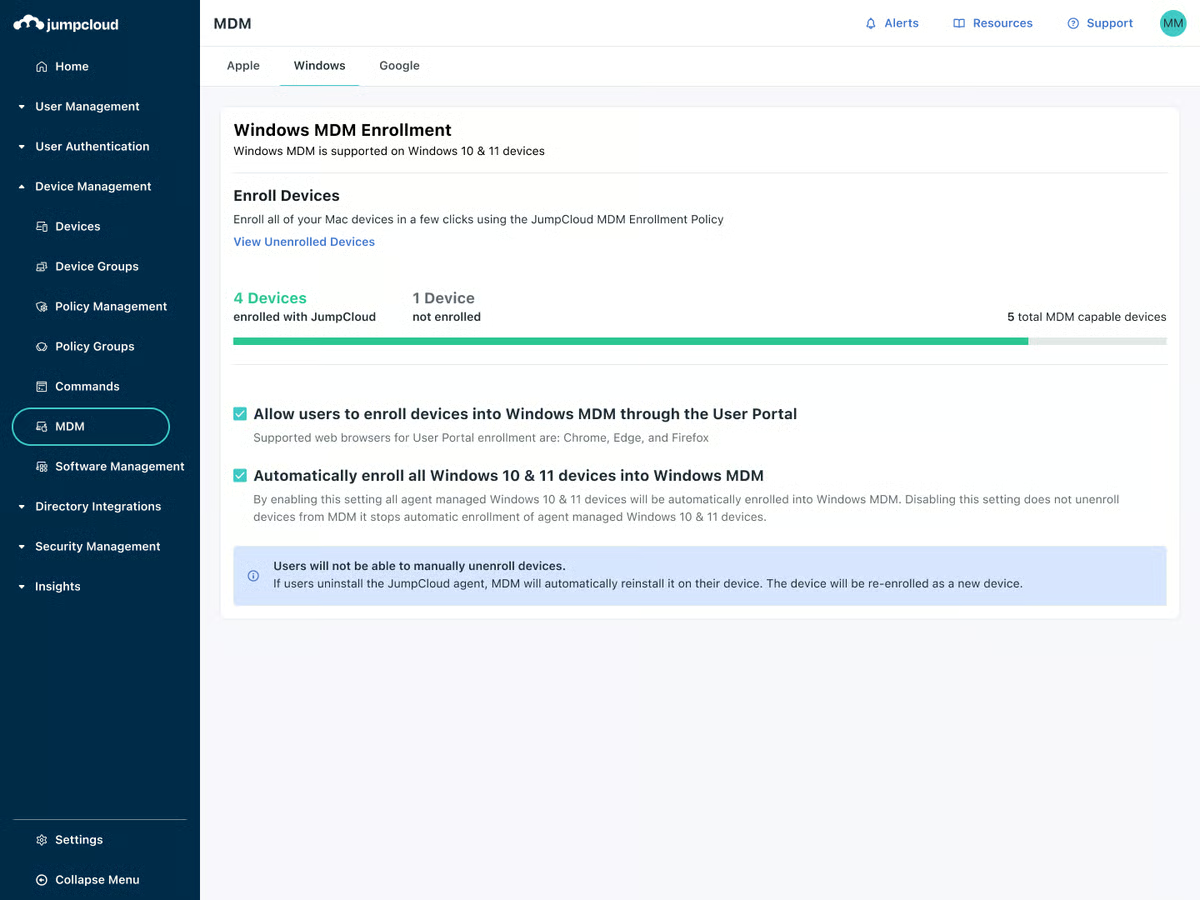
JumpCloud’s innovative SSO solution integrates identity, access, and device management. It also functions as a comprehensive directory platform that reimagines traditional directory services by combining them with cutting-edge technology for a comprehensive and scalable solution for modern enterprises.
The 30-day trial enables users to fully explore the JumpCloud platform’s functionality with no restrictions.
Pros and cons of JumpCloud: My take
What G2 users like about JumpCloud:
“JumpCloud is easy to use and also easy to implement. It helps alleviate the burden on the IT department. We can manage all operating systems on one platform. We have implemented various policies here. There is a good option for managing an Android device. We can also manage the Chrome browser here. JumpCloud is a good platform for user identity management, device management, and SSO configuration.”
– JumpCloud Review, Rohit K.
What G2 users dislike about JumpCloud:
“I think the portion of the command could use some work on JumpCloud. I have made many scripts that work when run locally, but when run on JumpCloud, I experience errors and failures on Windows. Mac commands leave a little to be desired, but that is mostly because of the nature of Mac and not a fault to JumpCloud. It would just be cool to have some more command/scripting options.”
– JumpCloud Review, Zach L.
6. Keeper Password Manager
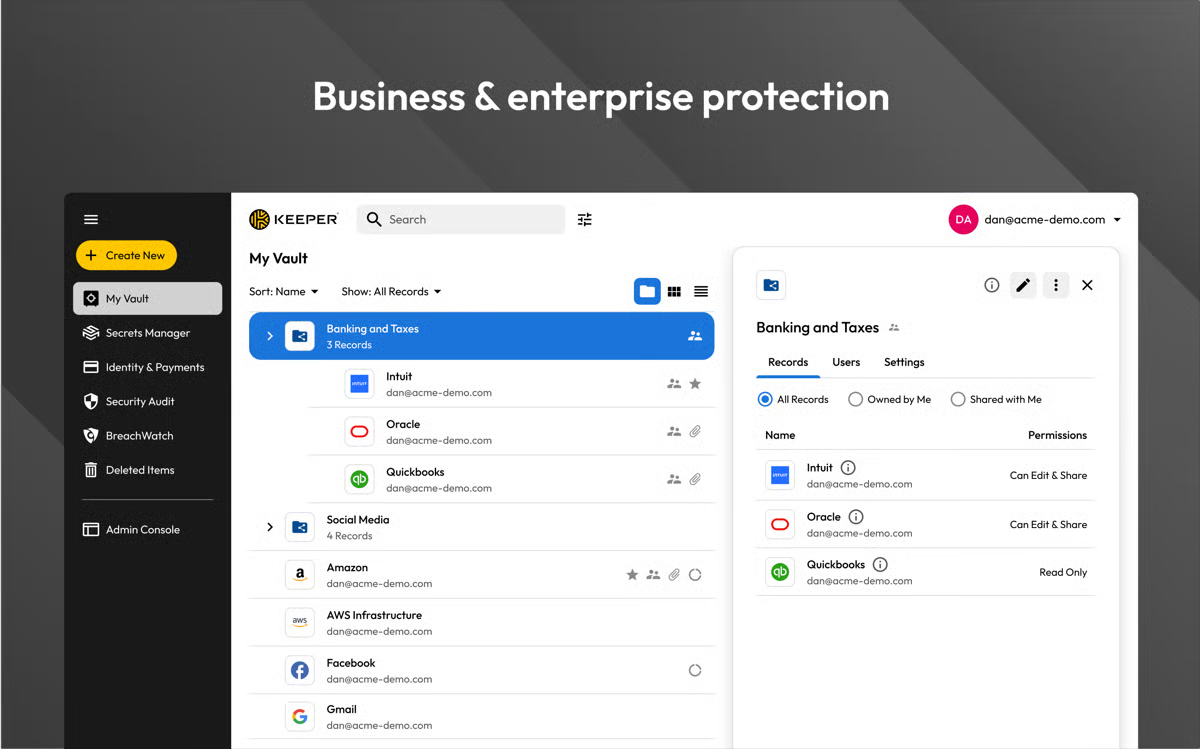
Keeper Password Manager functions as a top-tier password management tool with robust SSO capabilities. It’s a valuable asset for managing secure access across multiple applications.
According to G2 Records, it is used by 42% of small and mid-size businesses. Designed with a strong emphasis on security, Keeper provides a straightforward way to handle user authentication and identity management.
New users can try out all of Keeper’s features for SSO and password protection with a 14-day free trial.
Pros and cons of Keeper Password Manager: My take