



All businesses need branded email addresses, and small businesses and startups often need it to be as cheap as possible. To help, I rounded up the best legitimate ways to get a free business email address.
All are secure and credible for professional use. Some are completely free, while others include free email accounts with products like domains, web hosting, and office software.
- Overall best free business email accounts: Zoho Mail
- Best security features for free business email accounts: Proton Mail
- Best for Gmail business email: Google Workspace
- Best for work email on your Outlook domain: Microsoft 365
- Best low-cost email hosting with generous storage: DreamHost
- Best website builder with multiple free emails: Hostinger
- Best free email address with cheap domains: IONOS
- Best for free temporary business emails: Internxt
Free business email solutions at a glance
| Zoho Mail | |||||
| Proton Mail | |||||
| Google Workspace | |||||
| Microsoft 365 | |||||
| DreamHost | |||||
| Hostinger | |||||
| IONOS | |||||
| Internxt | |||||
| *With annual billing. Month-to-month prices are also available at a higher rate, unless otherwise specified. | |||||
Zoho Mail: Overall best free business email accounts

Overall rating: 4.47/5
Cost: 4.13/5
Core features: 4.6/5
Ease of use: 4.38/5
Support: 4.63/5
Expert score: 4.75/5
If you want a business email for free, Zoho Mail takes one of the top spots, as you can legitimately get up to five free business email accounts, provided you own a business domain name (e.g., yourbusiness.com). Plus, it integrates seamlessly with over 40 other Zoho apps for sales, marketing, project management, accounting, and more, many of which also have free plans.
Why I chose Zoho Mail
Zoho Mail is the best option for free email addresses since you do not have to purchase a plan to get free email addresses. You’ll access your free Zoho Mail accounts through the Zoho Mail app, available on desktop and mobile devices.
However, plans don’t come with a domain name, so you’ll have to purchase one separately to use Zoho Mail for free, costing roughly $15 to $20 per year, depending on the domain registrar.
The only other drawback I see here is that you can only receive and send emails through the Zoho Mail app. Without a paid plan, you can’t add your email accounts to other apps, like Gmail or Outlook. However, the platform’s free forever email hosting plan can be used if you have your domain and don’t exceed five email accounts.
Pricing
- Forever Free: Free for up to five users and comes with 5GB mail storage per user, 25MB file attachment, and email hosting for a single domain.
- Mail Lite: $1 to $1.25 per user per month, billed annually. This includes 5GB to 10GB of mail storage, custom domain aliases for existing domains, 250MB file attachments, and shared calendars.
- Workplace: Starts at $3 per user per month, billed annually. This includes a complete communication suite with business email and online office apps.
- Mail Premium: $4 per user per month, billed annually. This includes everything in the Mail Lite plan, with 50GB mail storage, 50GB retention storage, 1GB file attachments, and white labeling.
Key features of free Zoho Mail
- Create up to five free business emails on a domain you own.
- Strong security and privacy capabilities.
- Clean and modern interface for easy use.
- 5GB storage for each email account.
- Easy integration with Zoho One, Zoho CRM for customer relationship management, Zoho Books, and Zoho’s other cloud-based business, sales and marketing tools.
- Scalable Workplace plans with business communication, collaboration, and productivity tools comparable to Google Workspace or Microsoft 365.
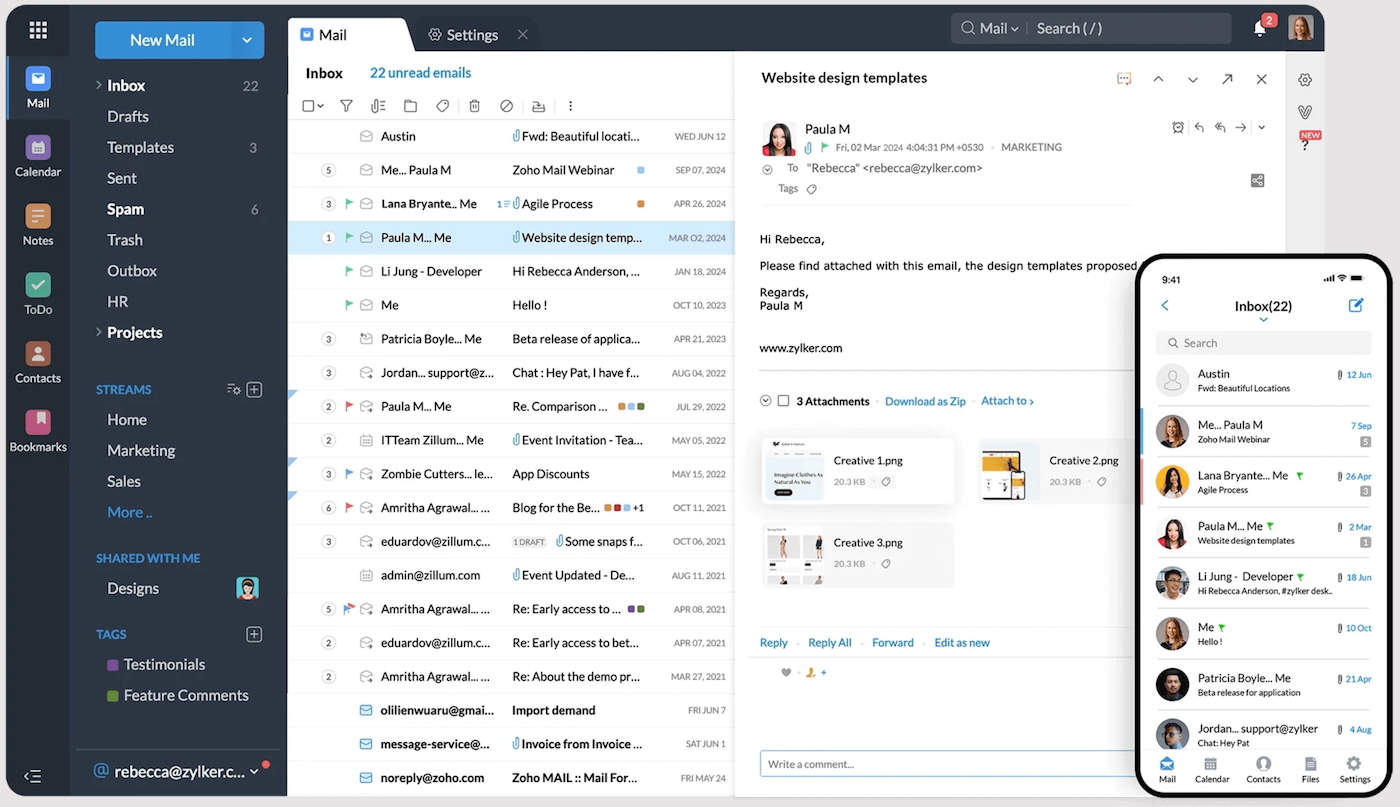
How to get a free business email through Zoho Mail
Follow my six steps to get a free business email using Zoho Mail.
- Register a domain name if you haven’t already done so.
- Visit Zoho Mail and enter your name, input an email address or phone number, and set a password to create your account.
- Scroll below the pricing table to find the free plan option and click “Sign Up for Free.”
- On the next screen, click “remind me later” to delay setting up multifactor authentication (or follow the steps to set it up now). Next, choose either “Use my own domain” or “Get a domain” (you can also purchase a domain through Zoho during sign-up).
- Verify your domain to prove its validity. You’ll do this by adding Zoho name server records where your domain is hosted.
- Update your mail records to receive emails from your domain officially. Zoho provides a one-click verification process for IONOS and GoDaddy domains.
Pros and cons
| Pros | Cons |
|---|---|
|
|
Proton Mail: Best security features for free business email accounts

Overall rating: 4.33/5
Cost: 4.63/5
Core features: 4.57/5
Ease of use: 3.94/5
Support: 4.13/5
Expert score: 3.94/5
If security and privacy are of the utmost importance to you and your business, I defer to Proton Mail and its unique and powerful security protocols. This provider offers a powerful and secure business email solution for those who already own a domain or are willing to purchase a domain name and connect it with Proton Mail.
Why I chose Proton Mail
Proton Mail takes security very seriously. It’s headquartered in Switzerland, so your account is protected by Swiss privacy and neutrality laws. It guarantees end-to-end and zero-access encryption, not just in your mail but in your Proton Contacts and Calendar as well. Proton encrypts mail sent to your recipients (even those not on Proton) with its password-protected email feature.
There’s another feature that I find very cool about this provider. Aside from encryption, Proton Mail allows self-destructing messages to be sent to any contact, even those not in the Proton system. Proton also automatically blocks tracking pixels and hides your IP, so your mail can’t be used to generate ads.
Pricing
- Individuals: $0 to $14.99 per month, billed annually ($0 to $19.99 per month, billed monthly). This includes 1GB to 1TB email storage for one or two users, up to 30 email addresses, and support for a custom email domain.
- Families: $14.99 to $23.99 per month, billed annually ($19.99 to $29.99 per month, billed monthly). This includes 1TB to 3TB storage, between two and six users, Proton Scribe writing assistant, and access to all Proton apps and premium features.
- Businesses: $6.99 to $12.99 per month, billed annually ($7.99 to $14.99 per month, billed monthly). This includes 15GB to 1TB storage per user, between three and 15 custom email domains, a shared calendar, and Proton Scribe writing assistant.
Key features of free Proton Mail emails
- Most advanced security features for email, including end-to-end encryption for HIPAA and GDPR compliance, and self-destructing emails (email expiry).
- Zero-access encryption so no one (not even Proton) can access your email or hand it over to anyone.
- Proton Sentinel protects against cyberattacks.
- Two-factor authentication and hardware security keys prevent unauthorized access.
- Password-protected emails.
- Advanced tracking protection prohibits tracking pixels and hides your IP.
- One-click email migration.
- Free Protonmail.com email with 1GB storage.
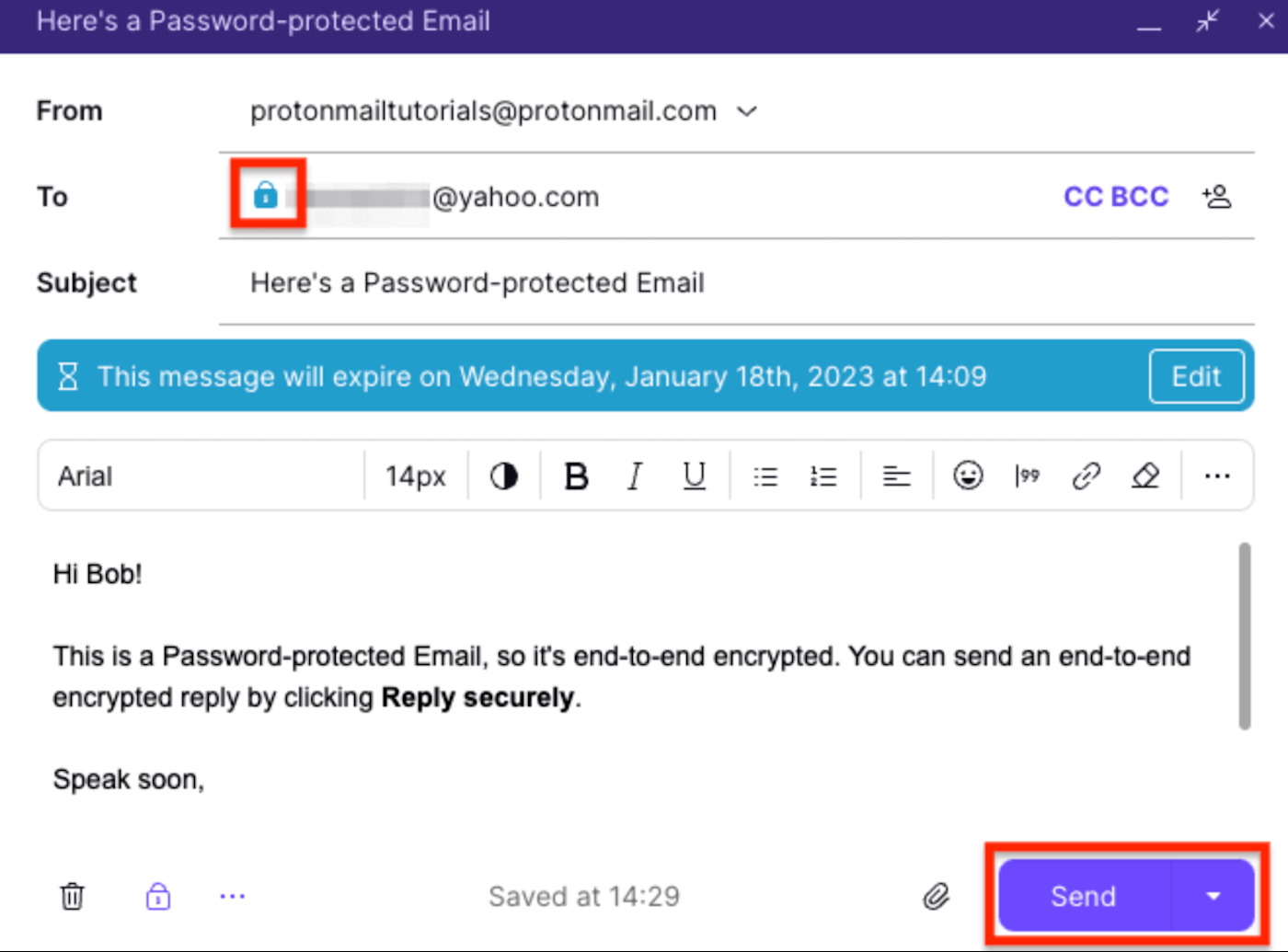
How to get a free business email through Proton Mail
- Go to Proton and click “Create a free account.” Fill out your account information, including your username, then click “Get Proton for free” on the next page.
- Verify via captcha or email to complete the setup of your free corporate email on Proton Mail.
- Import your existing email to Proton’s servers using Easy Switch, a one-step email import solution.
Pros and cons
| Pros | Cons |
|---|---|
|
|
Google Workspace: Best for Gmail business email

Overall rating: 4.31/5
Cost: 3.31/5
Core features: 4.83/5
Ease of use: 5/5
Support: 4.38/5
Expert score: 4.19/5
Google Workspace is Google’s equivalent of the Microsoft 365 suite, and these are the top two contenders in the US and worldwide. Gmail, Google’s email app, is the most used by businesses worldwide and in the US, with 2.5 billion users globally.
Gmail’s business email plans include the Google Workspace suite of productivity and collaboration tools. Among these are Google Docs, Sheets, Slides, video conferencing via Google Meet, calendar and business email via Gmail.
Why I chose Google Workspace
Being a long-time user of Google Workspace’s free personal and business versions, I’m a staunch advocate of this platform. The paid version is feature-packed and well worth the cost of the plan. All Google Workspace apps are included in its plans, making it just as easy for a solopreneur with one account or a large team with hundreds to grow and scale their company.
If you need office software, getting free email accounts as part of your productivity suite will save you money over separate email hosting. If you don’t yet have a domain name, Google Workspace makes registering for one during the sign-up process easy.
You can purchase a domain during the account creation process, which will automatically connect to your new custom email account, eliminating the headache of manually configuring domains and mail exchange (MX) records.
For more information, read our Google Workspace cheat sheet.
Pricing
- Free: This plan is free for one user and includes one email, up to 15GB pooled storage, and default encryption.
- Business Starter: $7 per user per month, billed annually ($7.56 per user per month, billed monthly). This includes 30GB pooled storage, Gemini AI email and chat assistant, and up to 100 participants in video meetings.
- Business Standard: $14 per user per month, billed annually ($15.12 per user per month, billed monthly). This includes everything in the Business Starter plan, with 2TB of pooled storage, and up to 150 participants in video meetings.
- Business Plus: $22 per user per month, billed annually ($26.40 per user per month, billed monthly). This plan includes everything in the Business Standard plan, with 5TB pooled storage, enhanced security, and up to 500 participants in video meetings.
- Enterprise: Contact the provider for a custom quote. This includes everything in the Business Plus plan, with advanced security and support, plus up to 1,000 participants in video meetings.
Key features of free Gmail business emails
- Free business email and up to 30 email aliases from a Google Workspace subscription.
- Tons of ready-made integrations with other business tools.
- Comes with the whole Google Workspace suite (with Google Docs, Slides, Sheets, etc.).
- Beginner-friendly email interface.
- Scalable plans with ample email storage (the most of any provider on this list).
- Add your other accounts to see all your emails in one place.
- Gmail features offer a ton of added functionality for small businesses — from sending and receiving money to tagging colleagues and clients in documents to streamline workflows.
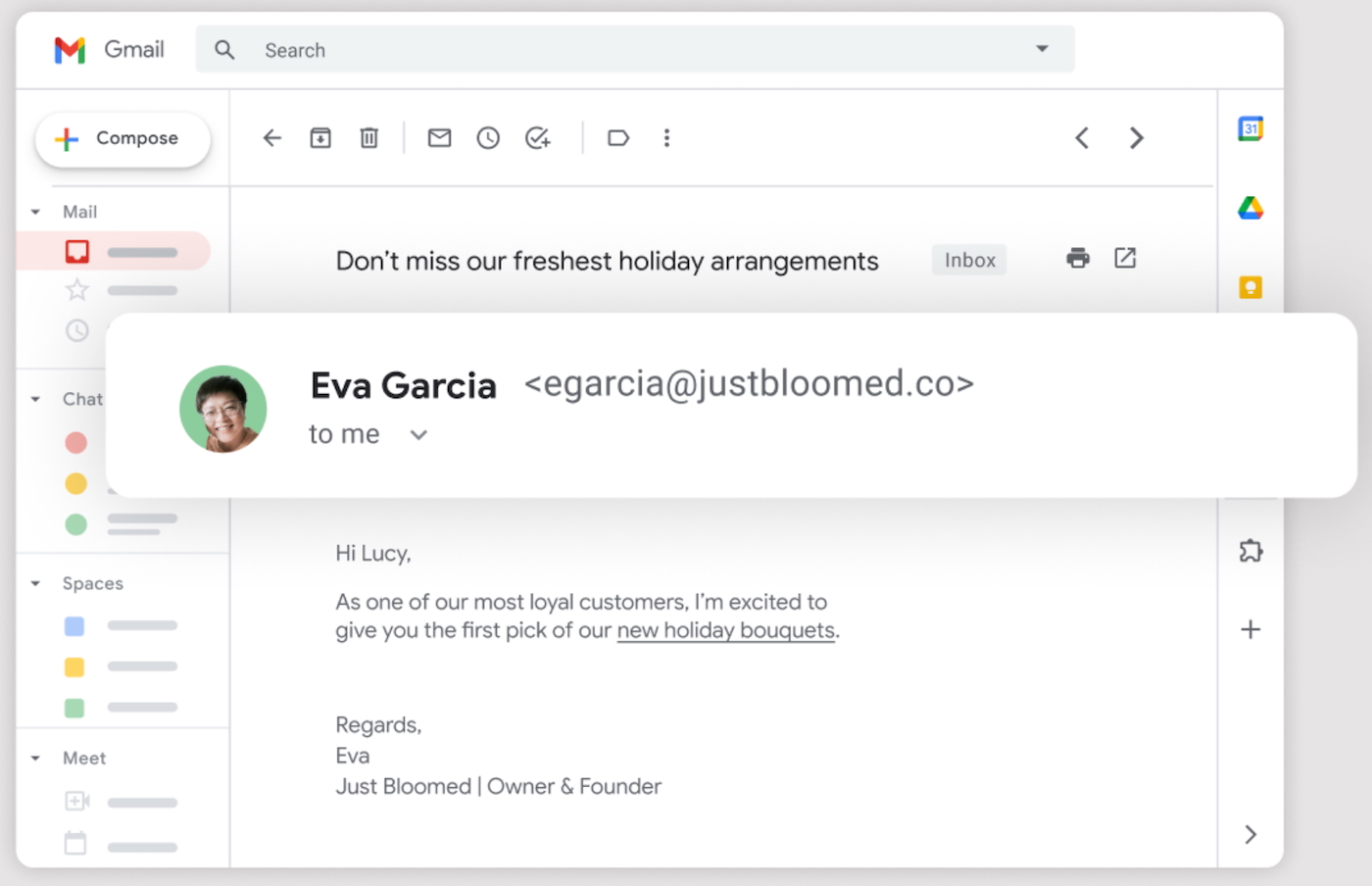
How to get a free business email through Gmail
Unlike some other options on this list, there’s some cost involved in getting your email account through Google Workspace, including the purchase of a domain ($10–$15 per year) and a Google Workspace plan (from $6).
Here’s how to set up your free email address using Google Workspace:
- Get a domain name from a top business domain registrar (or buy one when signing up for Google Workspace).
- Go to Google Workspace, sign up for a plan and number of users, and enter your contact info.
- Set up your administrative console from the Google Workspace homepage.
- Verify your domain (unless you purchase it during the checkout process).
- Create your business email address from the admin console by adding a user.
Pros and cons
| Pros | Cons |
|---|---|
|
|
Microsoft 365: Best for work email on your Outlook domain

Overall rating: 4.27/5
Cost: 3.94/5
Core features: 5/5
Ease of use: 3.5/5
Support: 4.06/5
Expert score: 4.31/5
Similar to Gmail and Google Workspace, getting Outlook email through Microsoft 365 gives you the full Microsoft productivity suite, including the well-known Microsoft Word, Excel, and PowerPoint.
Microsoft 365’s software (and Outlook business email) is generally more advanced (but therefore also more complex and less intuitive) than Google Workspace. However, it does come at a higher cost, as most advanced features and automations require desktop versions, which come in the second plan.
Why I chose Microsoft 365
Microsoft offers a complete, professional-grade solution with deep integration across essential productivity tools like Outlook, Word, Excel, and Teams. While it’s not free, the value is unmatched for businesses that need reliable communication, robust storage, and enterprise-level security. The ability to use a custom domain with Outlook gives my emails a polished look, and the optional Copilot AI assistant enhances workflow efficiency.
One thing that I don’t like about Microsoft 365 is its clunky interface, which makes it not ideal for beginners. However, I think it’s a smart and scalable investment for growing teams and businesses that rely on collaboration and data protection.
Another advantage of Outlook is that it’s compatible with many other business integrations. Also, within the email interface, you’ll find many ways to automate the way your email is sorted and how to customize your interface view.
For more information, read our Microsoft 365 software guide.
Pricing
- Business Basic: $6 per user per month, billed annually ($7.20 per user per month, billed monthly). This plan includes a custom business email, 1TB storage, AI tools, web and mobile versions of Microsoft 365 productivity apps, communication apps, and automatic spam and malware filtering.
- Apps for Business: $8.25 per user per month, billed annually ($9.90 per user per month, billed monthly). This plan includes 1TB storage, plus desktop, web, and mobile versions of Outlook, Word, Excel, PowerPoint, and OneDrive.
- Business Standard: $12.50 per user per month, billed annually ($15 per user per month, billed monthly). This includes everything in the Business Basic plan, plus desktop versions of productivity apps, collaborative workspaces, and webinars.
- Business Premium: $22 per user per month, billed annually ($26.40 per user per month, billed monthly). This includes everything in the Business Standard plan, plus advanced access management, enhanced cyberthreat protection, and enterprise-grade device and endpoint protection.
Key features of free Microsoft emails
- Microsoft 365 plans include Microsoft Outlook for business email on a domain you own.
- Intuitive mobile and desktop apps.
- 30-day free trial.
- Add your other emails to Outlook to see everything in one place.
- Create automated workflows with tasks and deadlines.
- Inbox, appointments, calendar, contacts, tasks, and more, and instantly create new entries for each from the dashboard.
- Get desktop notifications of incoming emails.
- Thousands of business apps and software integrations.
- 50GB email storage is available in all plans, which is much higher than the standard.
- Comes with full access to Microsoft 365 productivity tools.
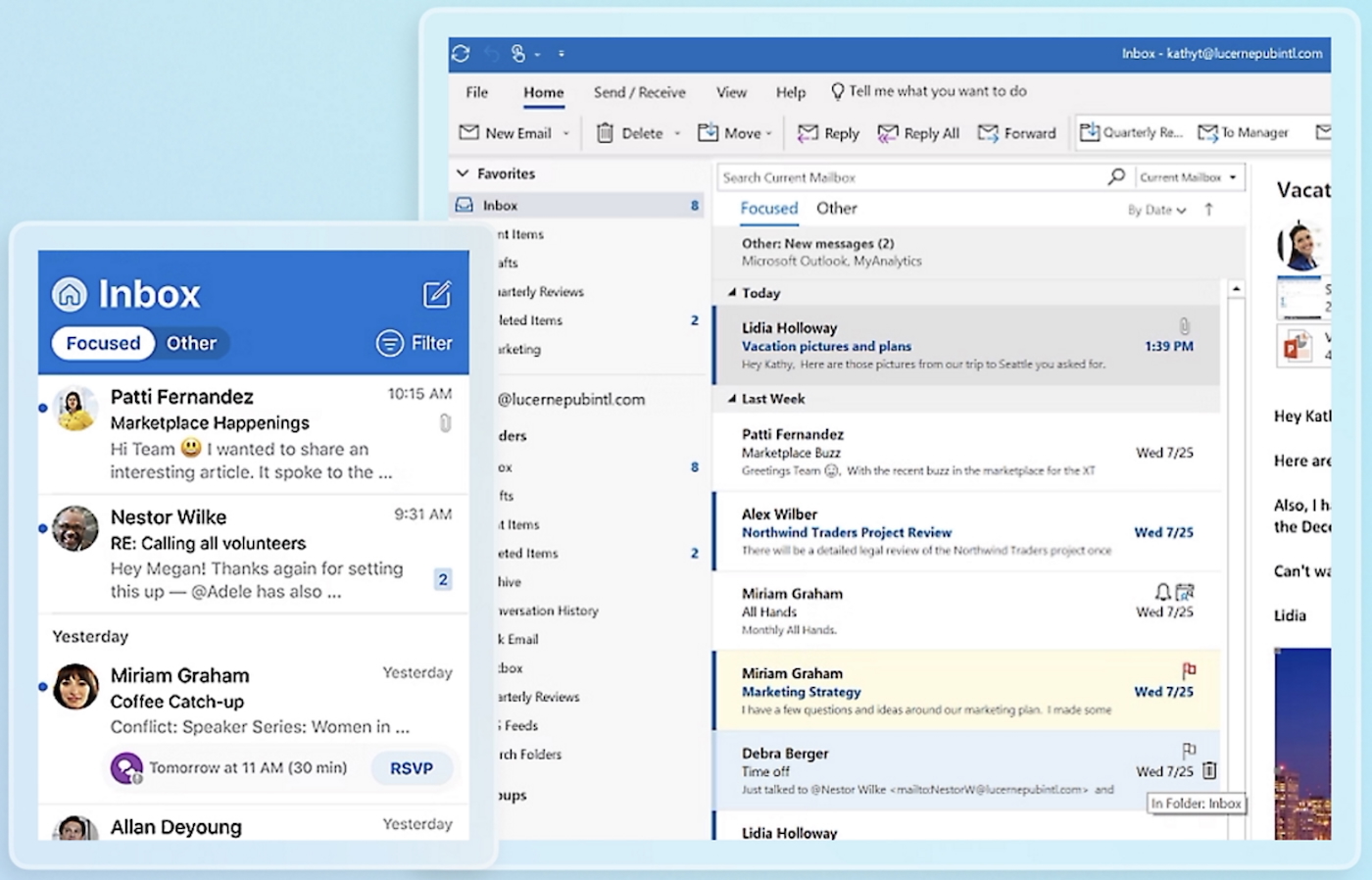
How to get a free business email through Microsoft 365
Like Google Workspace, Microsoft 365 doesn’t come with a free domain name, so you’ll want to buy a business domain name before signing up.
Here’s how to connect an existing domain to set up your Microsoft 365 (and Outlook business email) account:
- Head to Microsoft 365 to select a plan, then add your contact information, username, and payment information.
- Log in and choose “Go to setup.”
- Add and verify your business domain name.
- Follow the rest of the setup wizard’s instructions.
- Create your Outlook business email address.
Pros and cons
| Pros | Cons |
|---|---|
|
|
DreamHost: Best low-cost email hosting with generous storage

Overall rating: 4.19/5
Cost: 4.25/5
Core features: 3.85/5
Ease of use: 4.06/5
Support: 4.69/5
Expert score: 4.38/5
DreamHost is a web hosting provider that offers a range of services, including shared, Virtual Private Server (VPS), and dedicated hosting, domain registration, and cloud solutions. It also provides professional email hosting with custom domain support, making it a practical option for businesses and individuals seeking branded, reliable email accounts.
Why I chose DreamHost
DreamHost strikes the perfect balance between affordability and professionalism. While it doesn’t offer a permanently free tier like some providers, its low-cost email hosting gives me a reliable, ad-free inbox with custom domain support for just a few dollars a month. The generous 25GB storage per mailbox and built-in spam protection give me peace of mind, and the setup was simple enough even without advanced technical skills.
Pricing
- Email Hosting: $1.67 per mailbox per month, billed annually ($1.99 per mailbox per month, billed monthly).
- WordPress Hosting: $2.95 to $16.95 per month, billed annually ($4.95 to $19.95 per month, billed monthly).
- WordPress + Website Builder: $2.95 to $16.95 per month, billed annually ($5.99 to $19.99 per month, billed monthly).
Key features of free DreamHost business emails
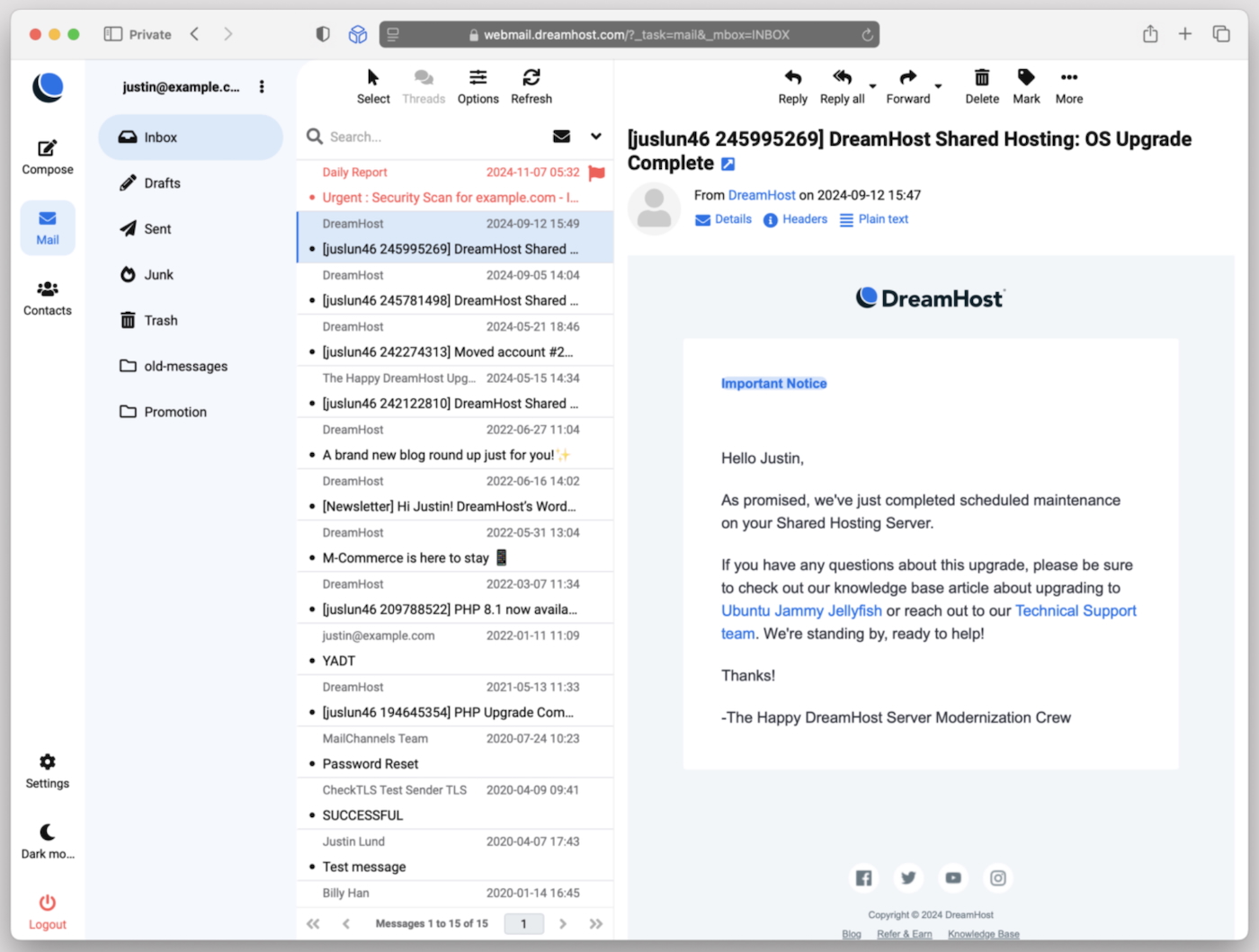
- Create professional business email addresses using your own domain.
- Built-in spam filtering and virus protection for secure communication.
- Ad-free interface with a straightforward, easy-to-use webmail platform.
- 25 GB of storage for each email account — more than most entry-level plans.
- Seamless compatibility with popular email clients via IMAP/SMTP settings.
- Affordable add-on to DreamHost hosting or available as a standalone email service for growing businesses.
How to get a free business email through DreamHost
DreamHost offers affordable custom email hosting, but it doesn’t include a free domain with its standalone email plans. You’ll want to register a business domain first or use one you already own.
Here’s how to set up your DreamHost business email:
- Sign in to your DreamHost panel or create an account, then complete your billing details.
- Navigate to the “Mail” section and select “Create New Email Address.”
- Choose your registered domain and enter your desired email username.
- Set a secure password, then click “Create Address” to activate your mailbox.
- Access your business email via DreamHost’s Webmail portal or configure it in your preferred email client using IMAP/SMTP settings.
Pros and cons
| Pros | Cons |
|---|---|
|
|
Hostinger: Best website builder with multiple free emails

Overall rating: 3.84/5
Cost: 4.25/5
Core features: 3.5/5
Ease of use: 3.44/5
Support: 4.38/5
Expert score: 3.69/5
Hostinger is a budget-friendly web hosting provider that also offers professional business email services, making it a solid choice for small businesses and startups. While it doesn’t have a permanently free email tier, many of its hosting plans include free email accounts with custom domain support, spam protection, and easy setup.
Known for its low pricing, user-friendly dashboard, and reliable performance, Hostinger is ideal for businesses looking to bundle website and email hosting in one affordable package.
Why I chose Hostinger
Hostinger delivers a three-in-one punch of an AI website builder, web hosting, and a cheap email provider. When it comes to reliability, speed, site uptime, and free email plans, I find Hostinger to be the uncontested winner, making it a better choice if you only need one account.
I’m most impressed with Hostinger’s AI integrations, which are available in its web builder plans. This is a powerful AI model, the same one that powers one of the most famous AI content writers, ChatGPT. It helps create logos and website copy and predicts user behavior on Hostinger.
For more information, read our Hostinger review.
Pricing
- Email: 39 cents to $3.99 per mailbox per month, billed annually ($2.99 to $4.99 per mailbox per month, billed monthly).
- Website builder: $3.99 to $