


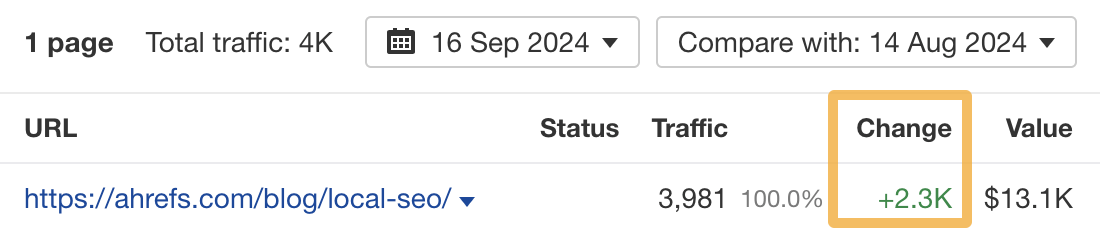
A few weeks ago, I optimized one of my blog posts for related keywords. Today, it gets an estimated 2,300 more monthly organic visits:
In this post, I’ll show you how I found and optimized my post for these related keywords.
Related keywords are words and phrases closely linked to your main keyword. There are many ways to find them. You can even just ask ChatGPT.
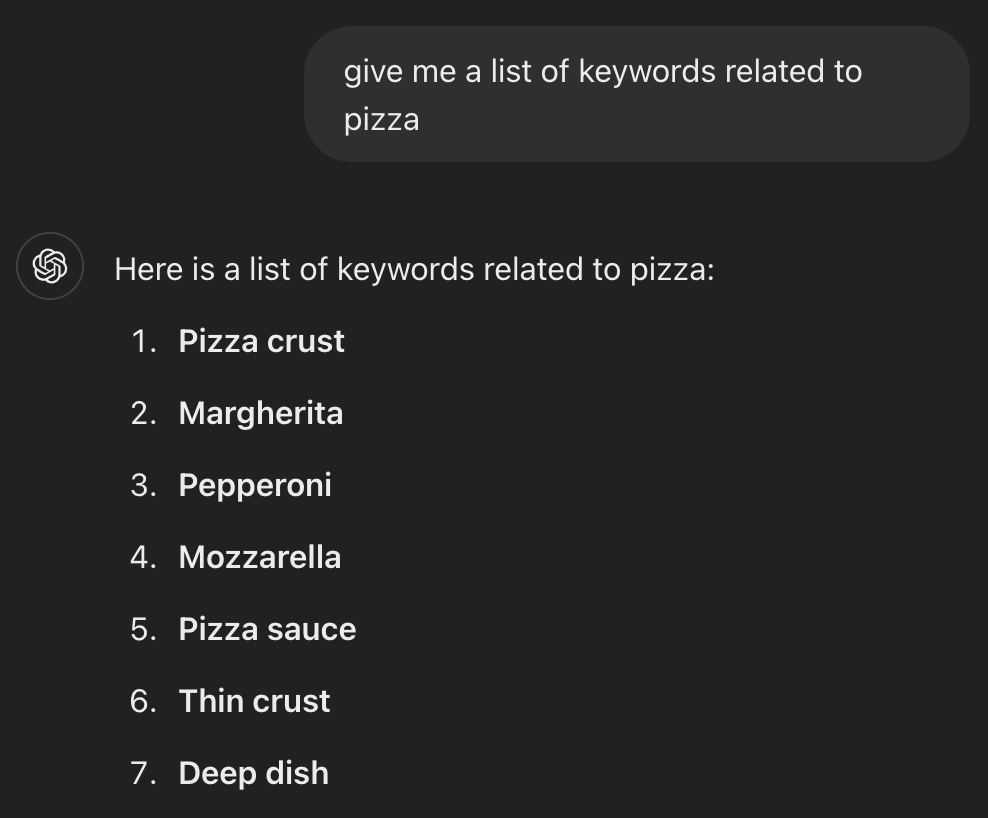
But here’s the thing: These keywords aren’t useful for optimizing content.
If more traffic is your goal, you need to find keywords that represent subtopics—not just any related ones.
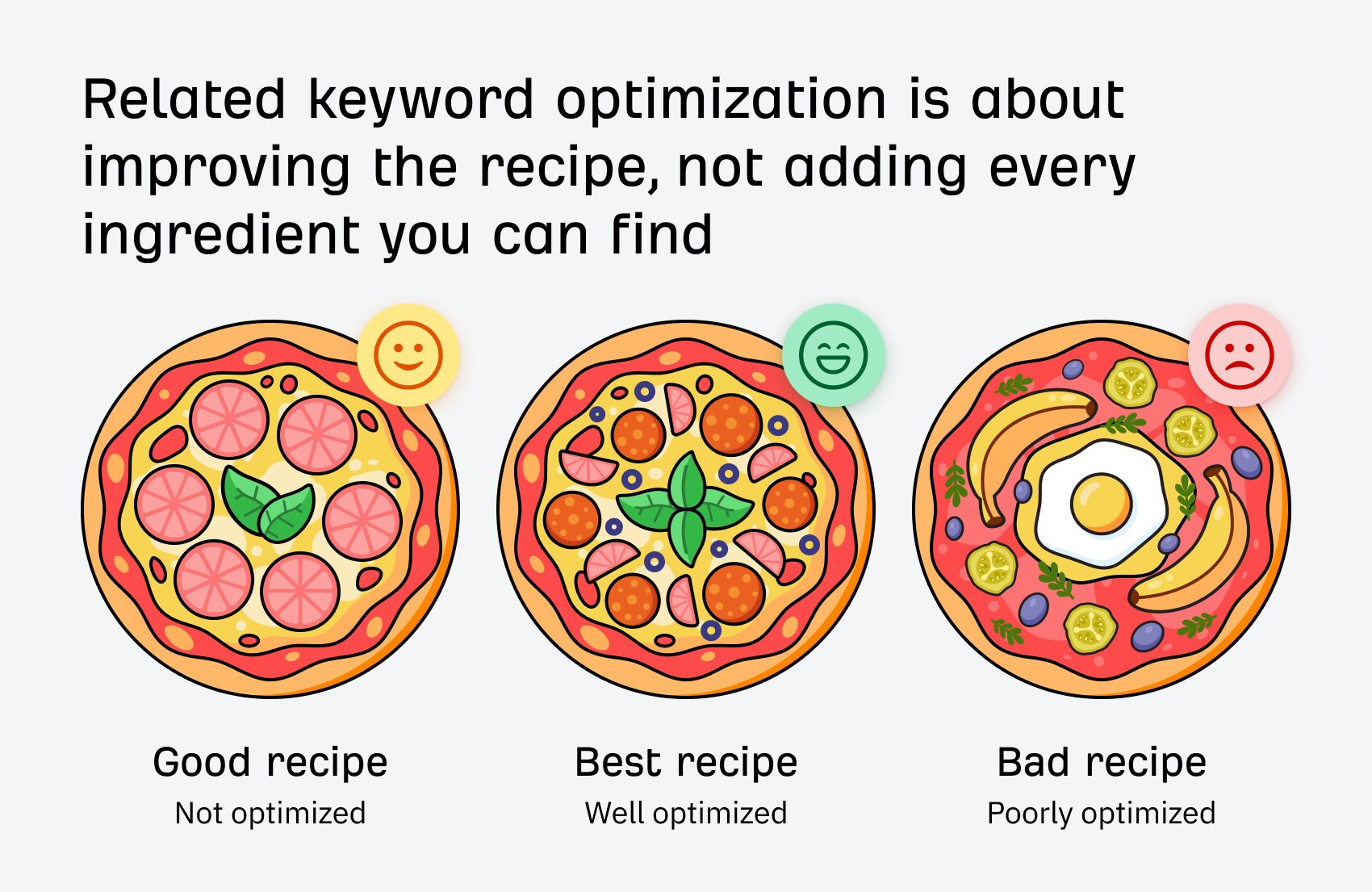
Think of it like this: you improve a recipe by adding the right ingredients, not everything in your fridge!
Below are two methods for finding the right related keywords (including the one I used):
Method 1. Use content optimization tools
Content optimization tools look for keywords on other top-ranking pages but not yours. They usually then recommend adding these keywords to your content a certain number of times.
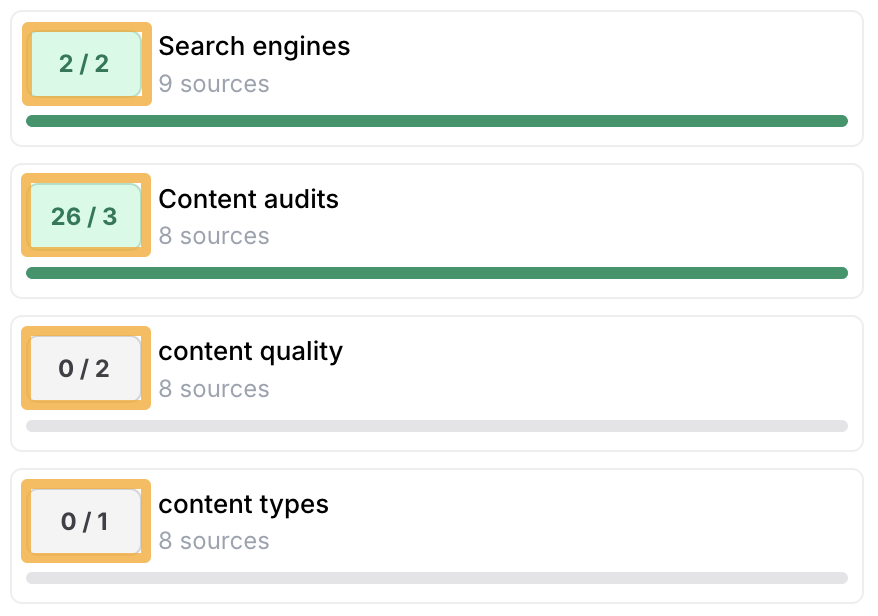
These tools can be useful if you take their recommendations with a pinch of salt, as some of them can lead you astray.
For example, this tool recommends that I add six mentions of the phrase “favorite features” to our keyword research guide.
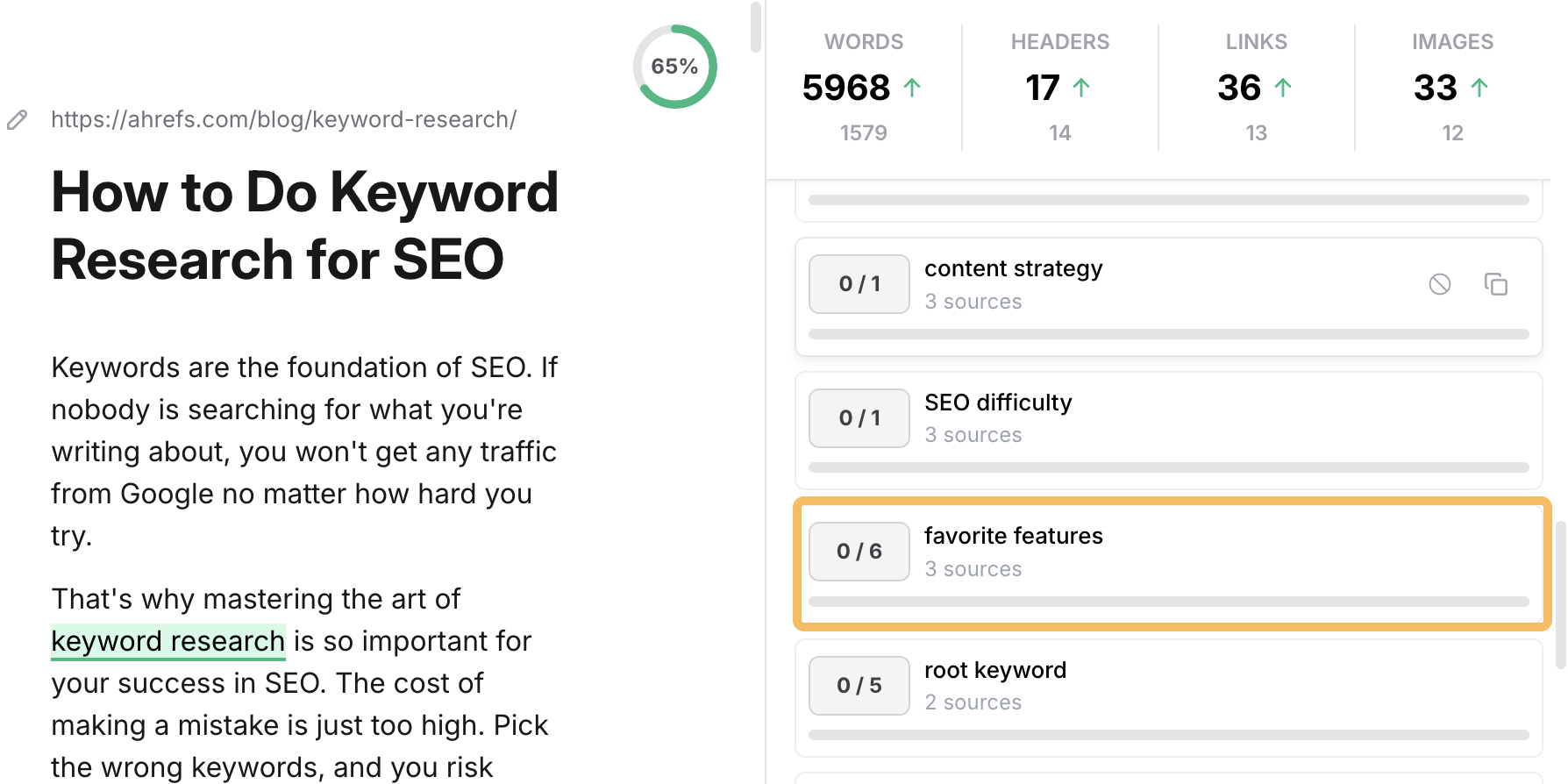
Does that seem like an important related keyword to you? It certainly doesn’t to me!
They also usually have a content score that increases as you add the recommended related keywords. This can trick you into believing that something is important when it probably isn’t—especially as content scores have a weak correlation with rankings.
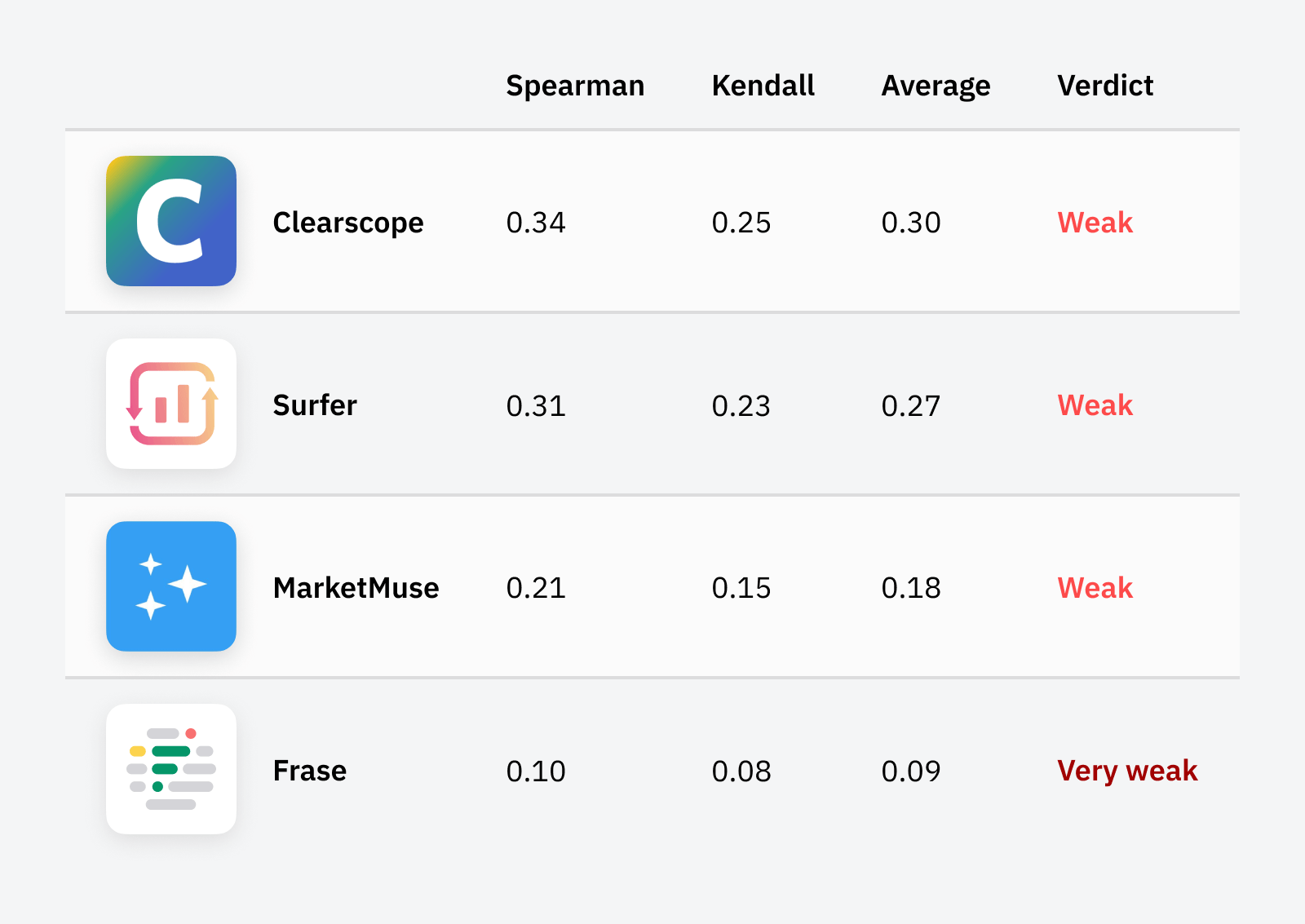
My advice? If you’re going to use these tools, apply common sense and look for recommendations that seem to represent important subtopics.
For example, when I analyze our content audit guide, it suggests adding quite a few keywords related to content quality.
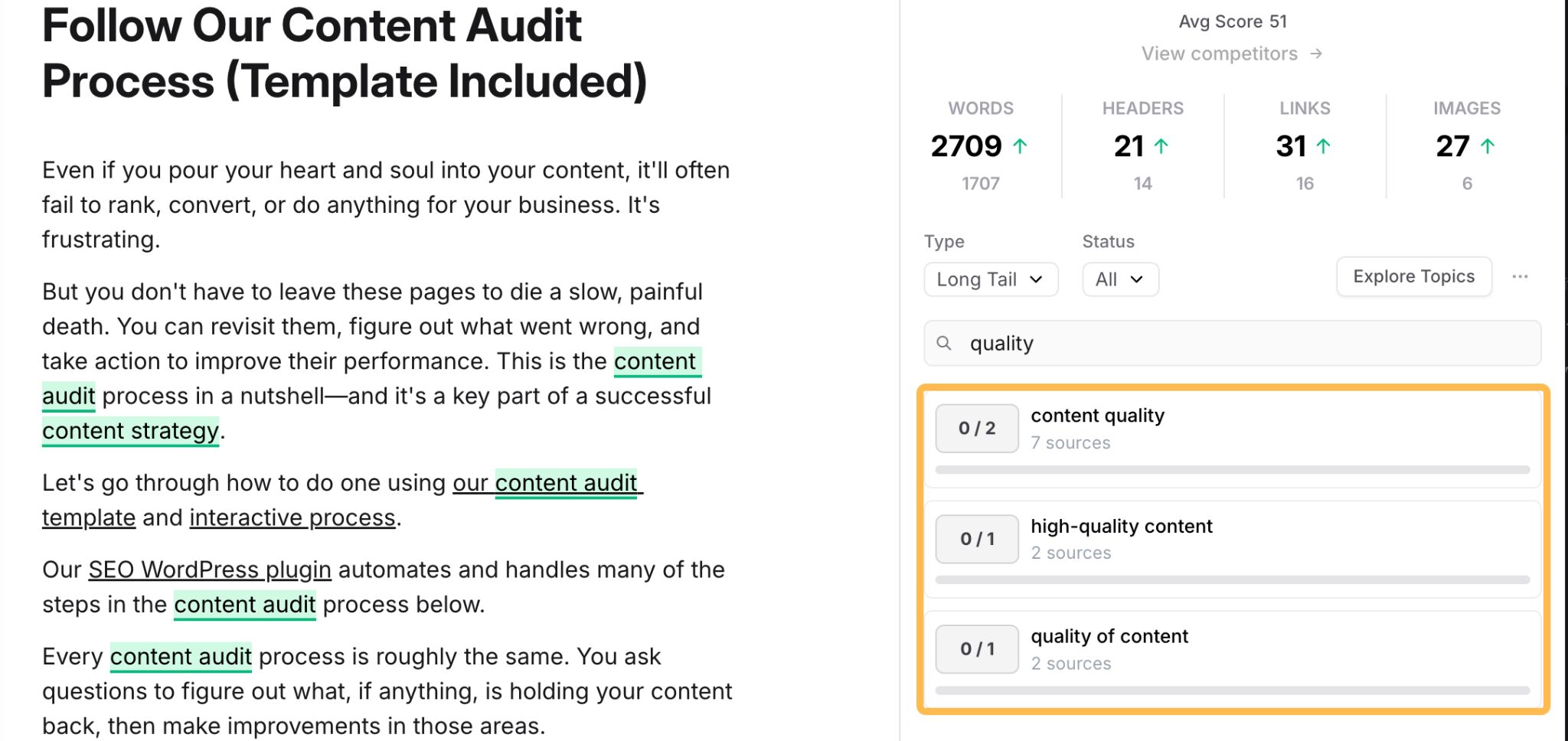
It doesn’t take a genius to work out that this is an extremely important consideration for a content audit—yet our guide mentions nothing about it.

This is a huge oversight and definitely a batch of related keywords worth optimizing for.
Try the beta version of our new AI Content Helper!
Instead of counting terms that you need to include in your content, Content Helper uses AI to identify the core topics for your target keywords and scores your content (as well as your competitors) against those topics as you write it. In effect, it groups related keywords by subtopic, making it easier to optimize for the broader picture.
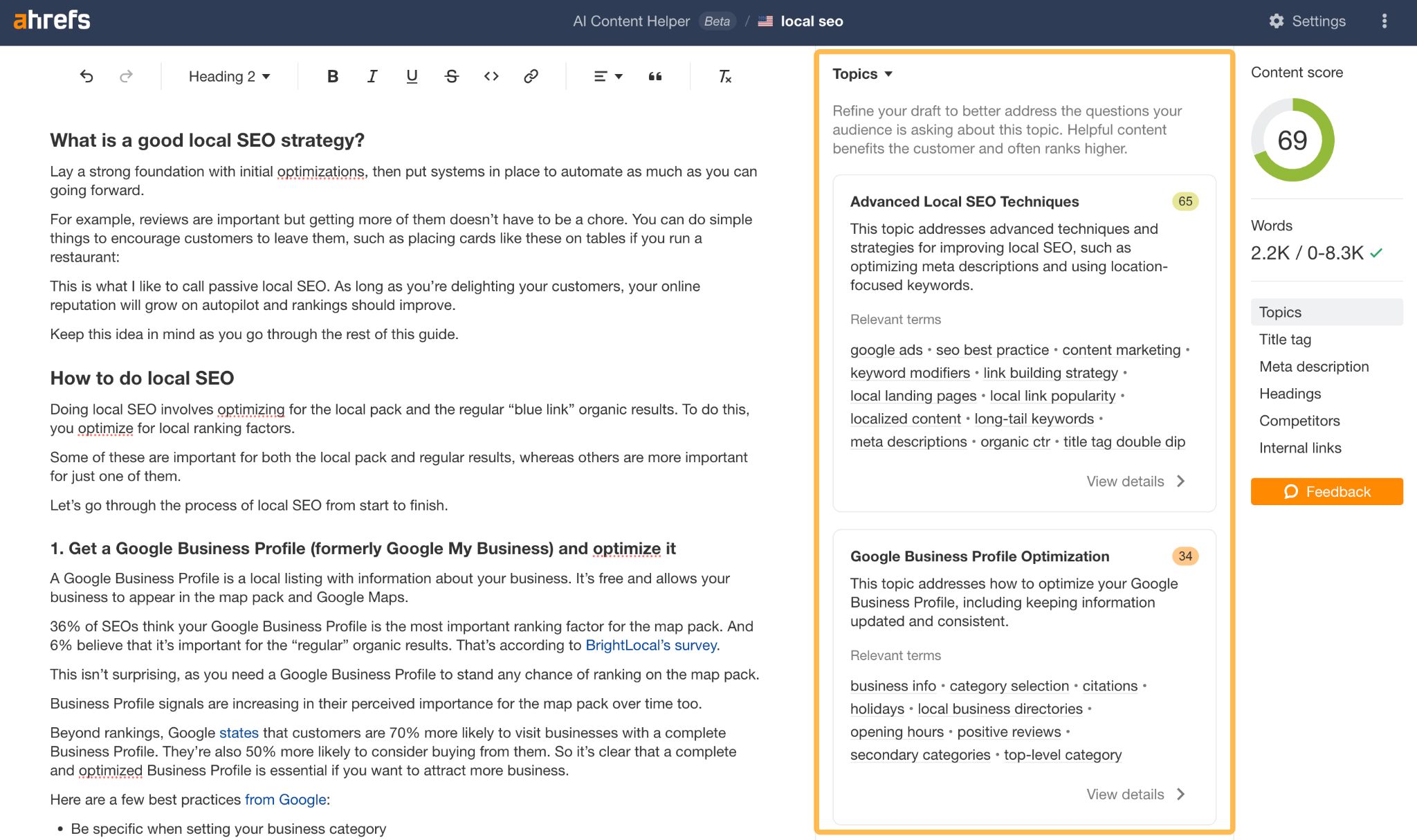
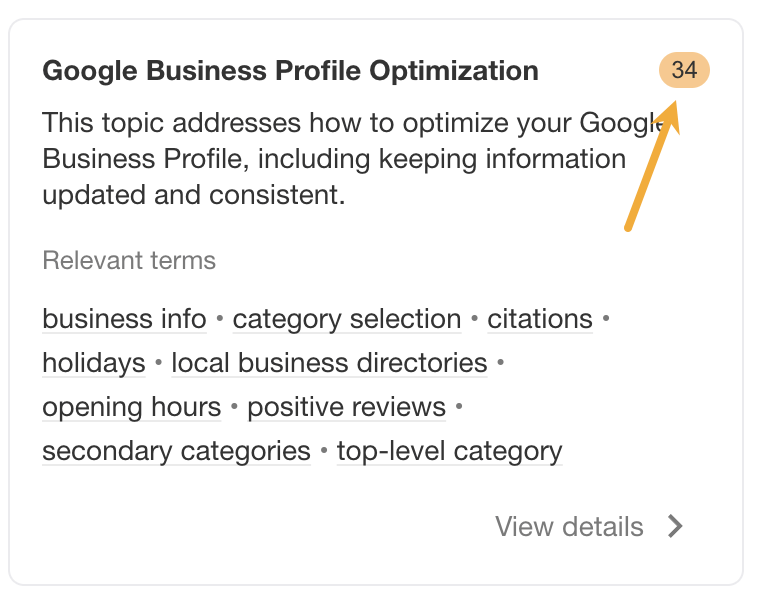
For example, it looks like my post doesn’t cover Google Business Profile optimization too well. This is something it might be worth going into more detail about.
Method 2. Do a keyword gap analysis (this is the method I used!)
Keyword gaps are when competitors rank for keywords you don’t. If you do this analysis at the page level, it’ll uncover related keywords—some of which will usually represent subtopics.
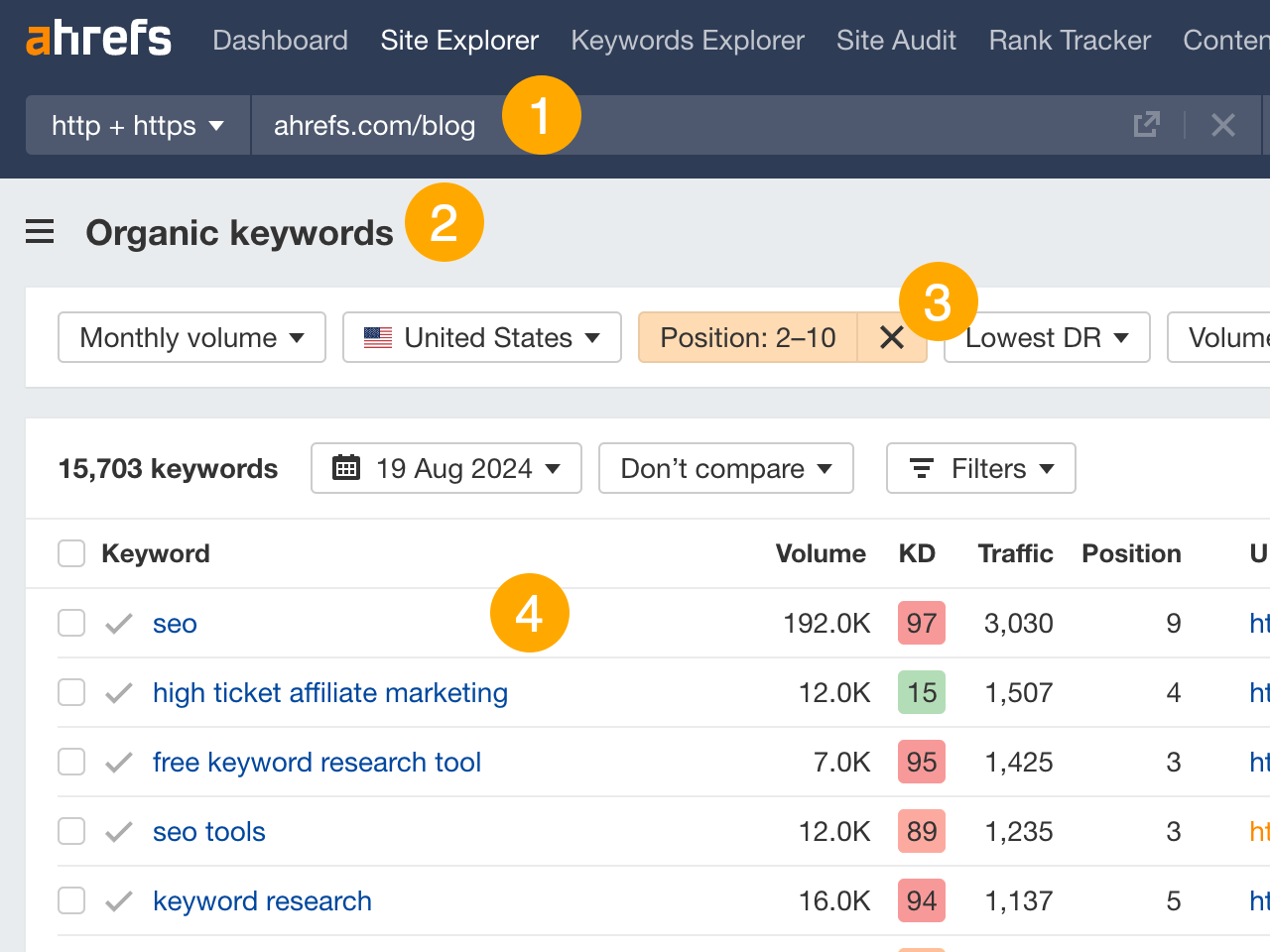
If possible, I recommend doing this for pages that already rank on the first page for their main target keyword. These pages are doing well already and likely just need a bit of a push to rank high and for more related keywords. You can find these in Site Explorer:
- Enter your domain
- Go to the Organic Keywords report
- Filter for positions 2-10
- Look for the main keywords you’re targeting
Once you have a few contenders, here’s how to do a keyword gap analysis:
a) Find competitors who are beating you
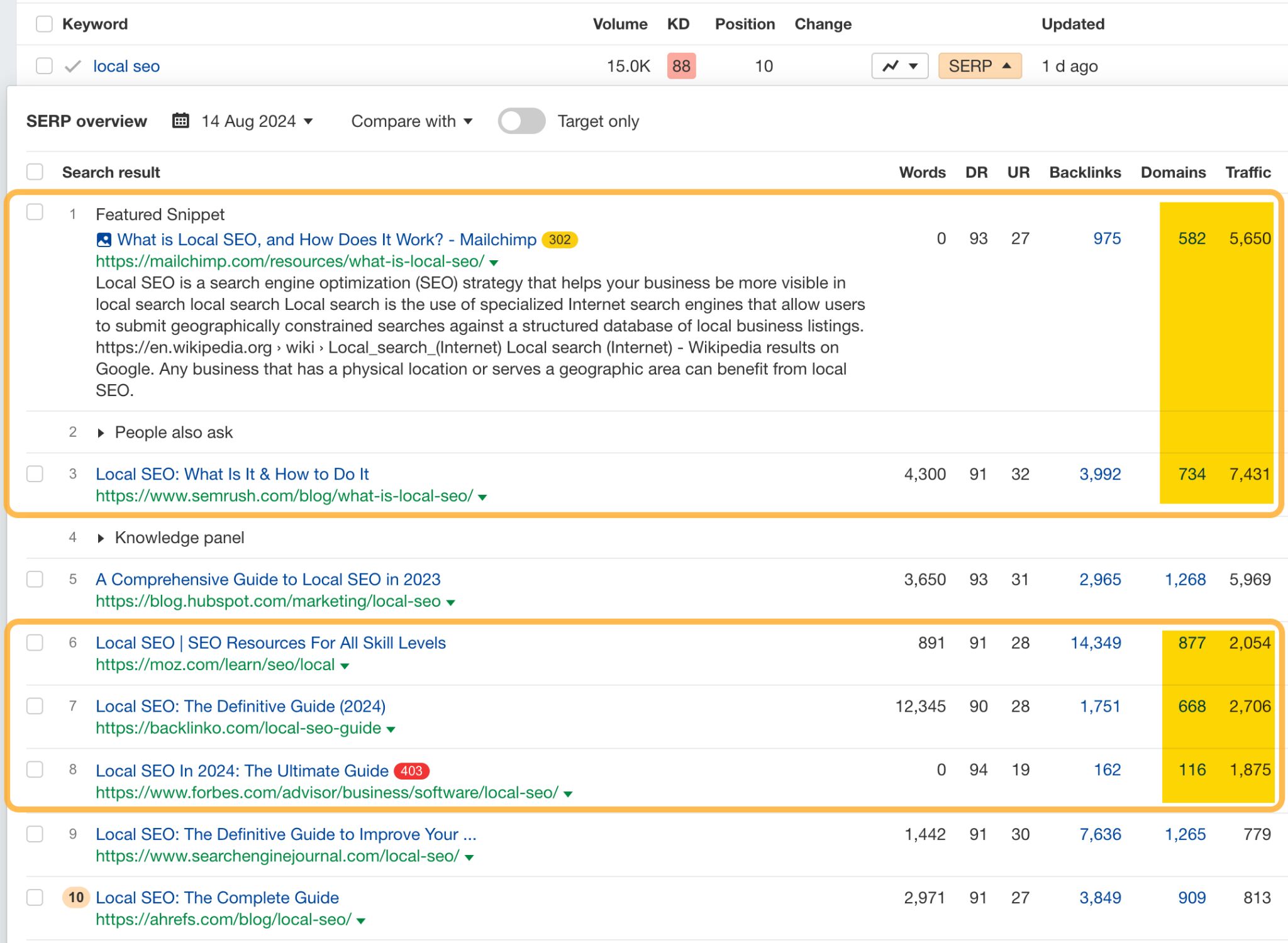
In the Organic Keywords report, hit the SERP dropdown next to the keyword to see the current top-ranking pages. Look for similar pages that are getting more traffic than yours and have fewer referring domains.
For example, our page ranks #10 for “local SEO,” has 909 referring domains, and gets an estimated 813 monthly visits:

All of these competing pages get more traffic with fewer backlinks:
Sidenote.
I’m going to exclude the page from Moz going forward as it’s a blog category page. That’s very different to ours so it’s probably not worth including in our analysis.
b) Send them to the content gap tool
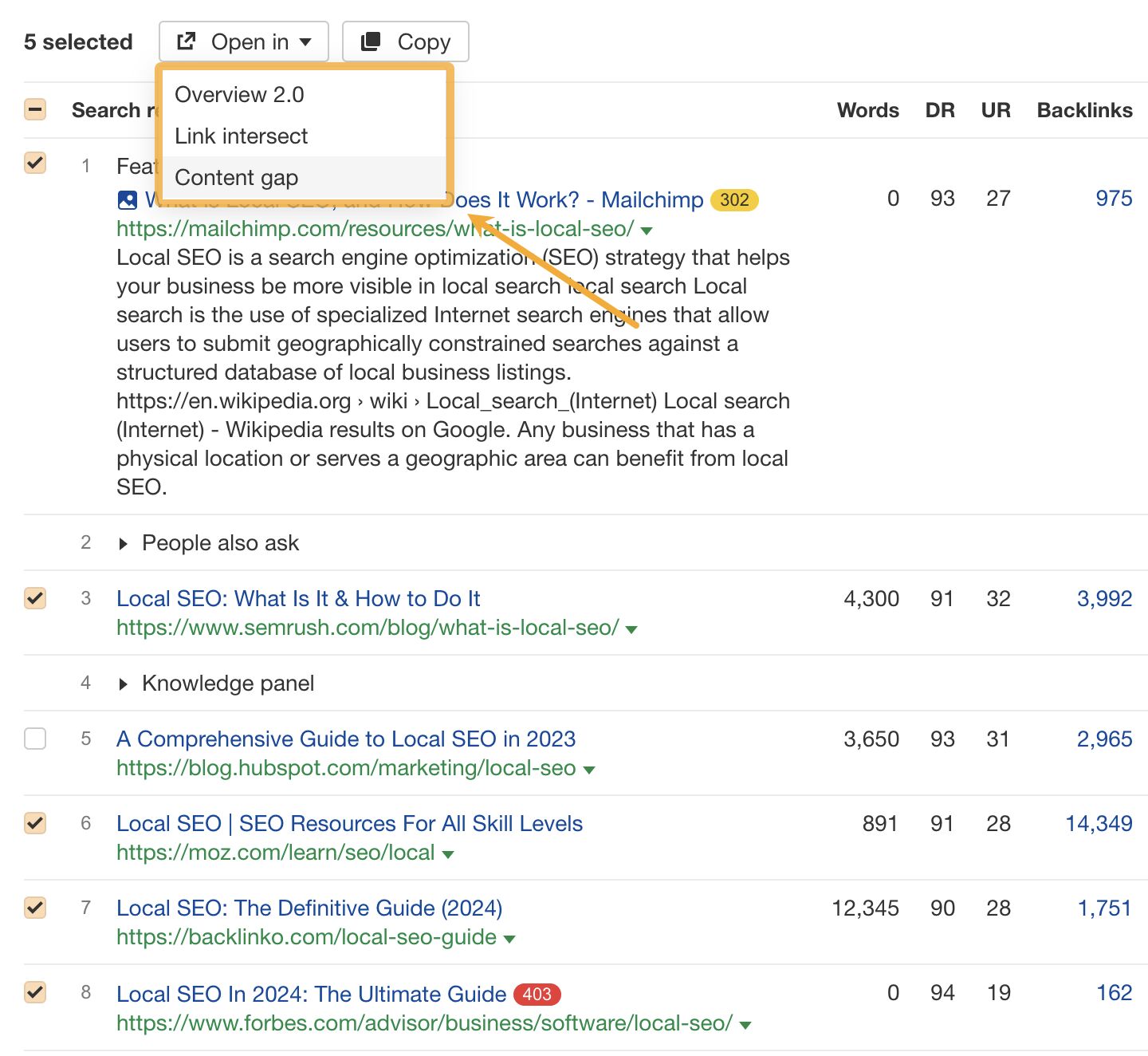
Hit the check boxes next to your competitors, then click “Open In” and choose Content gap.
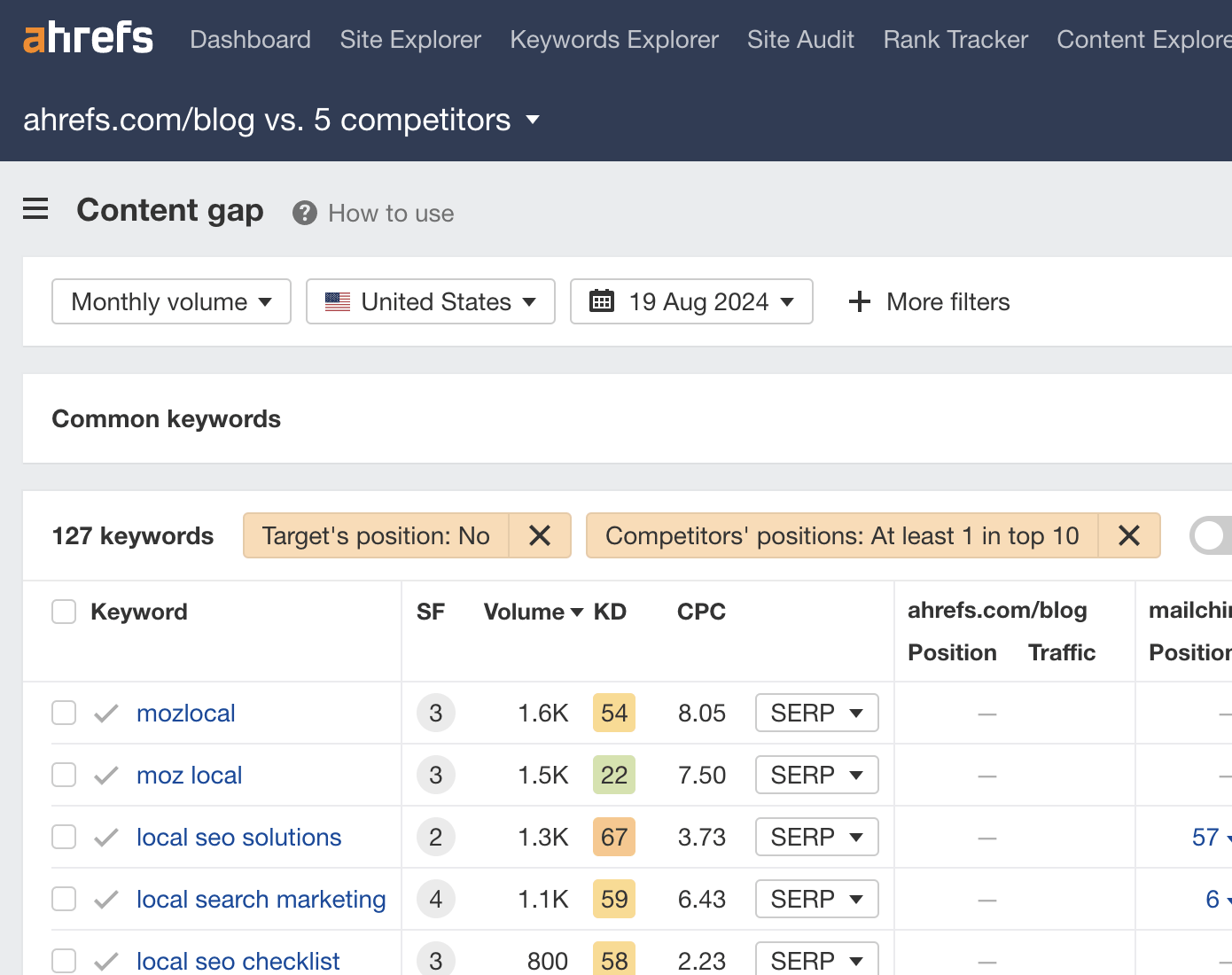
By default, this will show you keywords where one or more competitors rank in the top 10, but you don’t rank anywhere in the top 100.
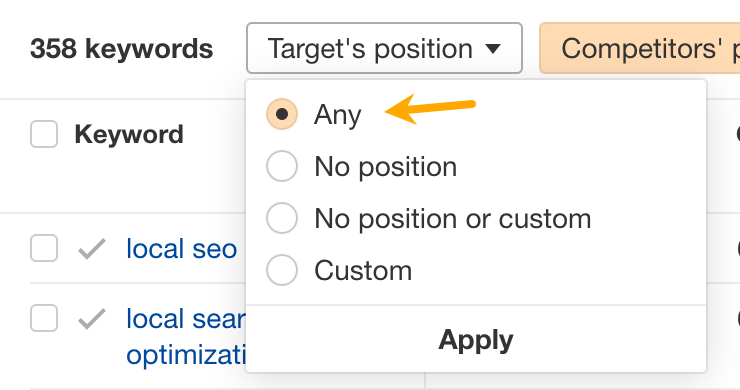
I recommend changing this so it shows all keywords competitors rank for, even if you also rank for them. This is because you may still be able to better optimize for related keywords you already rank for.
I also recommend turning the “Main results only” filter on to exclude rankings in sitelinks and other SERP features:

c) Look for related keywords worth optimizing for
This is where common sense comes into play. Your task is to scan the list for related keywords that could represent important subtopics.
For example, keywords like these aren’t particularly useful because they’re just different ways of searching for the main topic of local SEO:
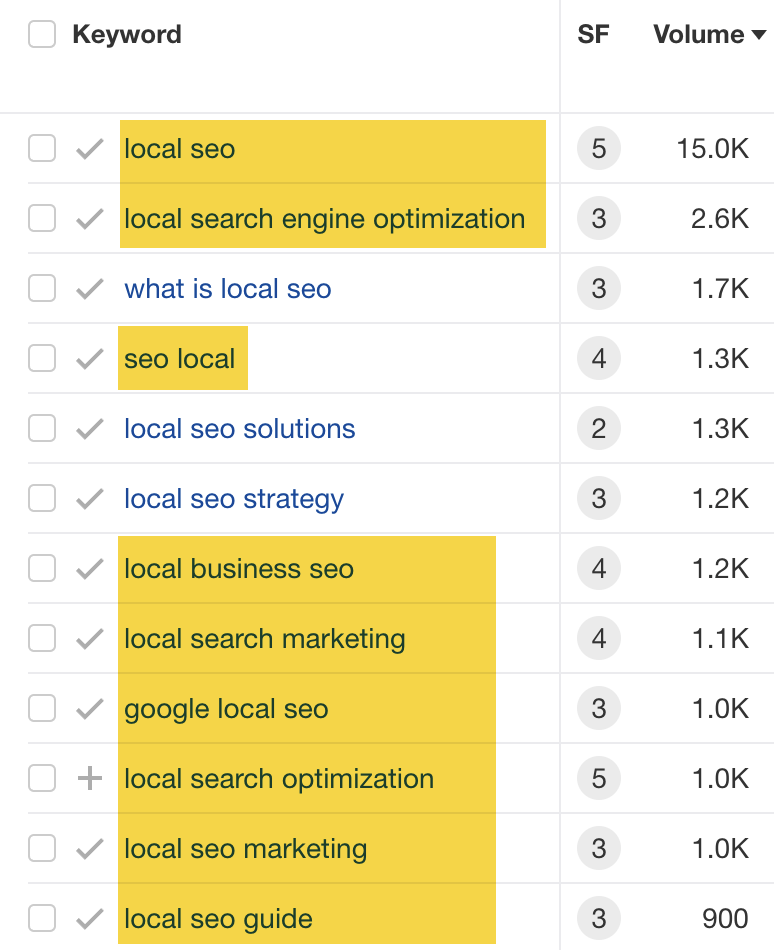
But a related keyword like “what is local SEO” is useful because it represents a subtopic searchers are looking for:
If this process feels too much like trying to find a needle in a haystack, try exporting the full list of keywords, pasting them into Keywords Explorer, and going to the “Cluster by terms” report. As the name suggests, this groups keywords into clusters by common terms:
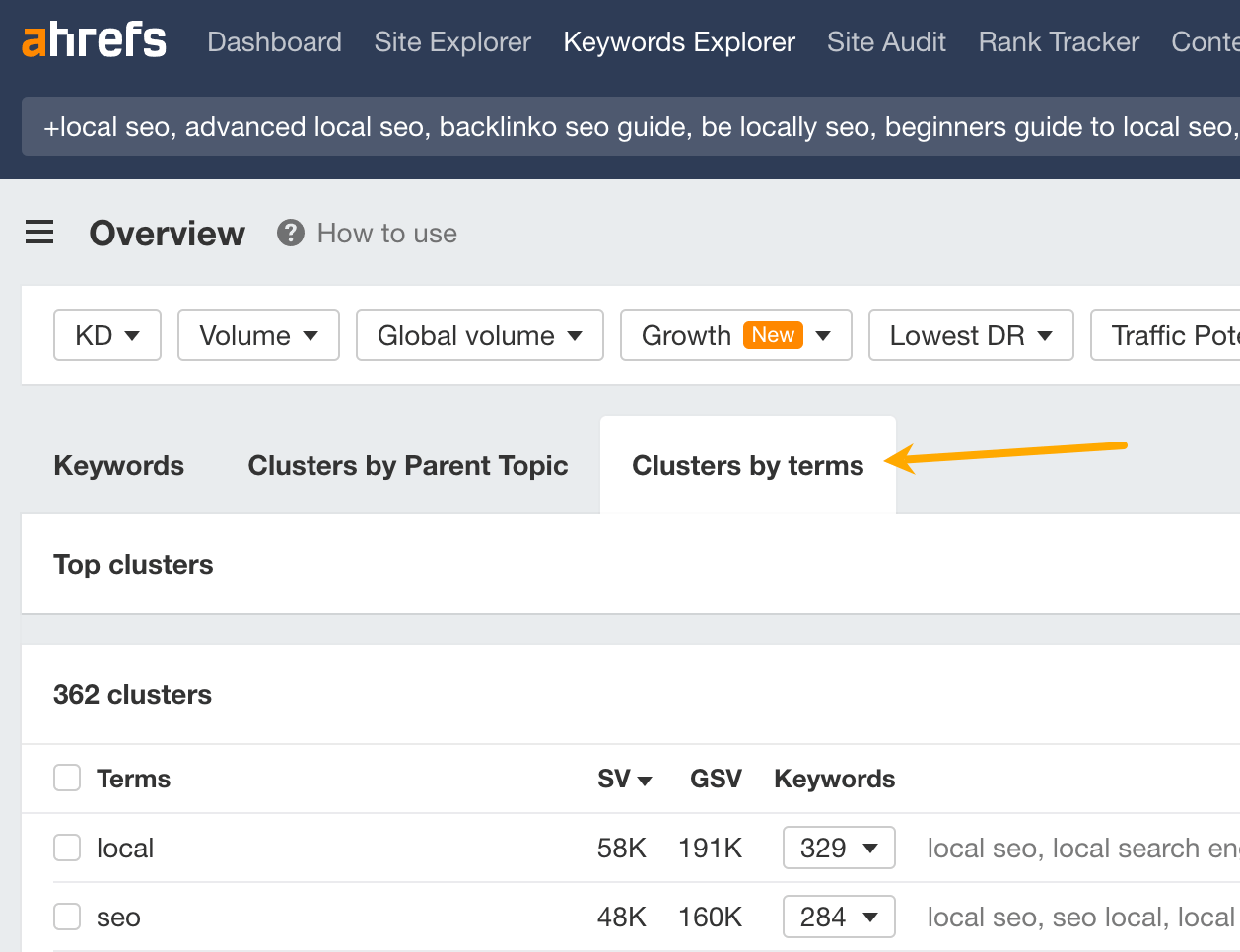
This is useful because it can highlight common themes among related keywords and helps you to spot broader gaps.
For example, when I was looking for related keywords for our SEO pricing guide (more on this later!), I saw 17 related keywords containing the term “month”:
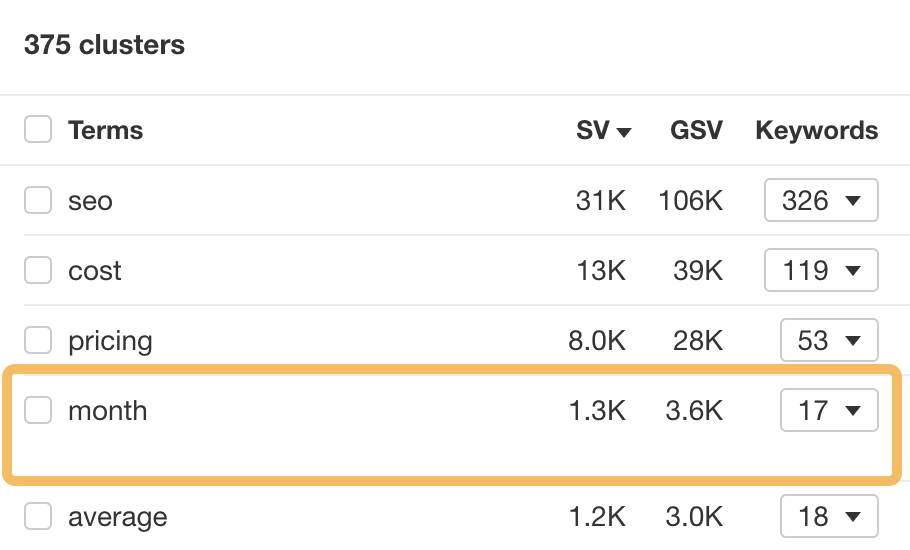
Upon checking the keywords, I noticed that they’re all ways of searching for how much SEO costs per month:
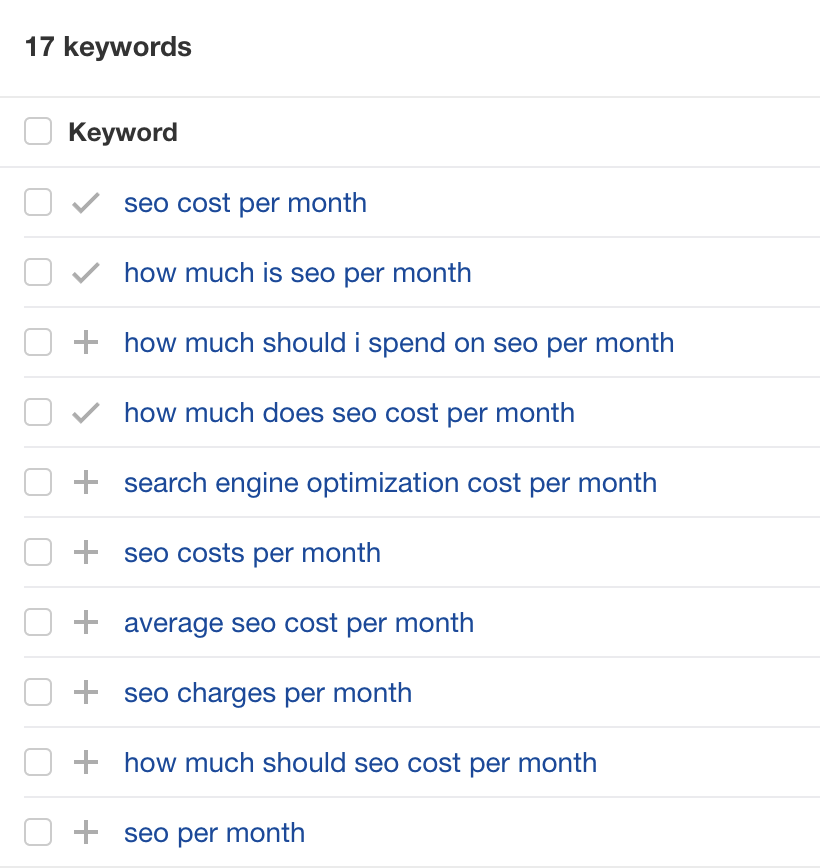
This is an easy batch of related keywords to optimize for. All I need to do is answer that question in the post.
If you’re still struggling to spot good related keywords, look for ones sending competing pages way more traffic than you. This usually happens because competitors’ pages are better optimized for those terms.
You can spot these in the content gap report by comparing the traffic columns.
For example, every competing page is getting more traffic than us for the keyword “how much does SEO cost”—and Forbes is getting over 300 more visits!

Now you have a bunch of related keywords, what should you do with them?
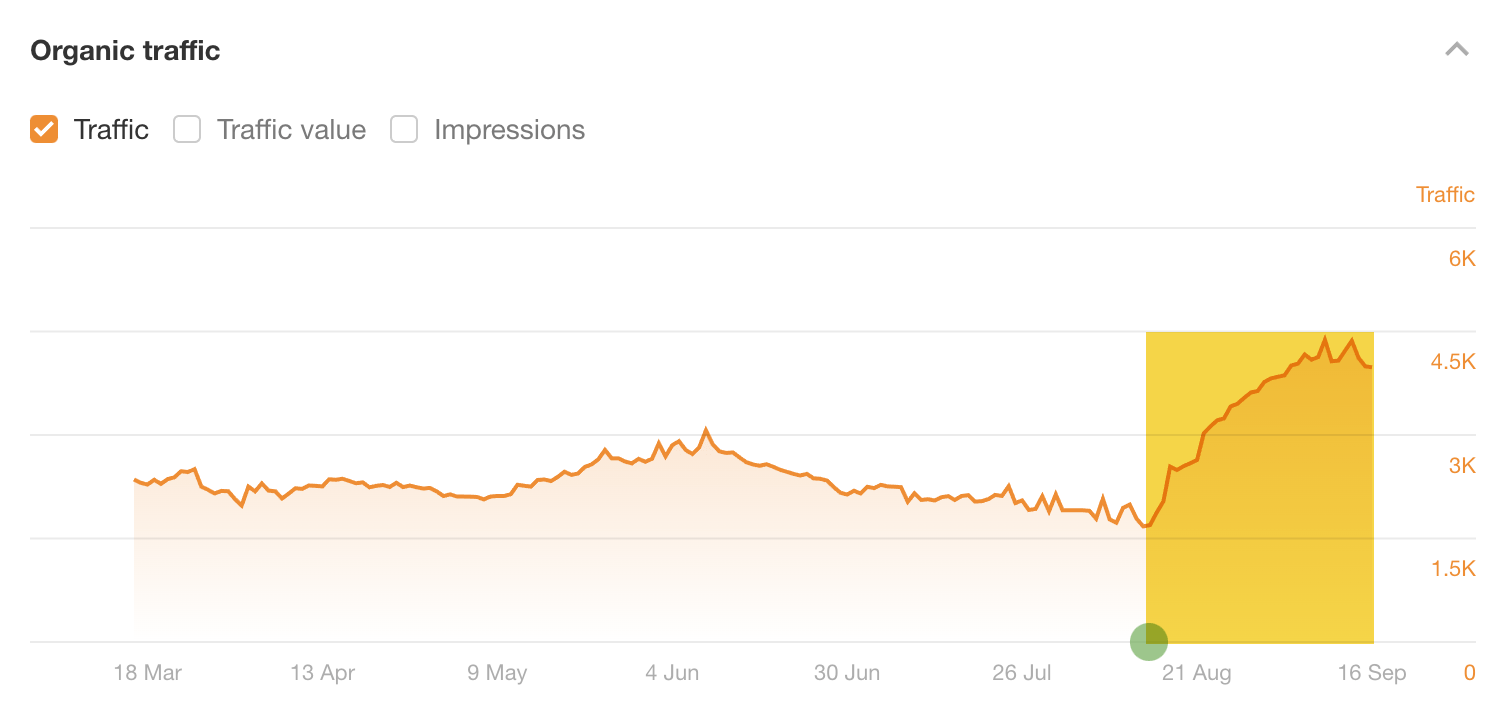
This is a nuanced process, so I’m going to show you exactly how I did it for our local SEO guide. Its estimated organic traffic grew by 135% after my optimizations for related keywords:
Sidenote.
Google kindly rolled out a Core update the day after I did these optimizations, so there’s always a chance the traffic increase is unrelated. That said, traffic to our blog as a whole stayed pretty consistent after the update, while this post’s traffic grew massively. I’m pretty sure the related keyword optimization is what caused this.
Here are the related keywords I optimized it for and how:
Related keyword 1: “What is local SEO”
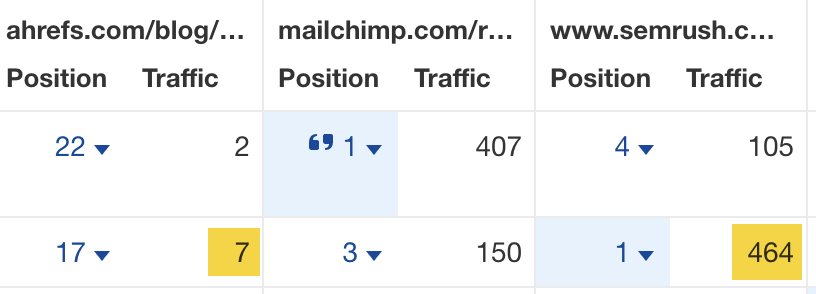
Every competing page was getting significantly more traffic than us for this keyword (and ranking significantly higher). One page was even getting an estimated 457 more visits than ours per month:
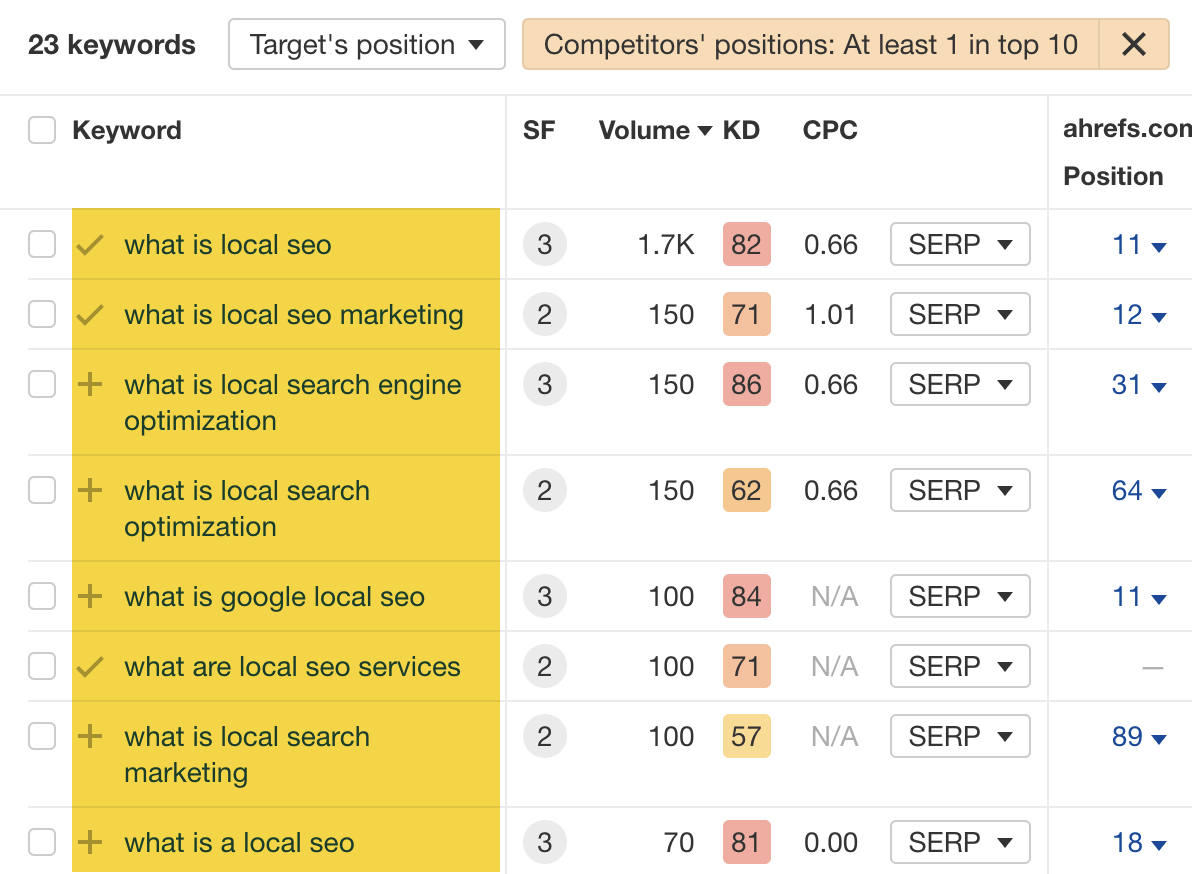
People were also searching for this in a bunch of different ways:
My theory on why we weren’t performing well for this? Although we did have a definition on the page, it wasn’t great. It was also buried under a H3 with a lot of fluff to read before you get to it.
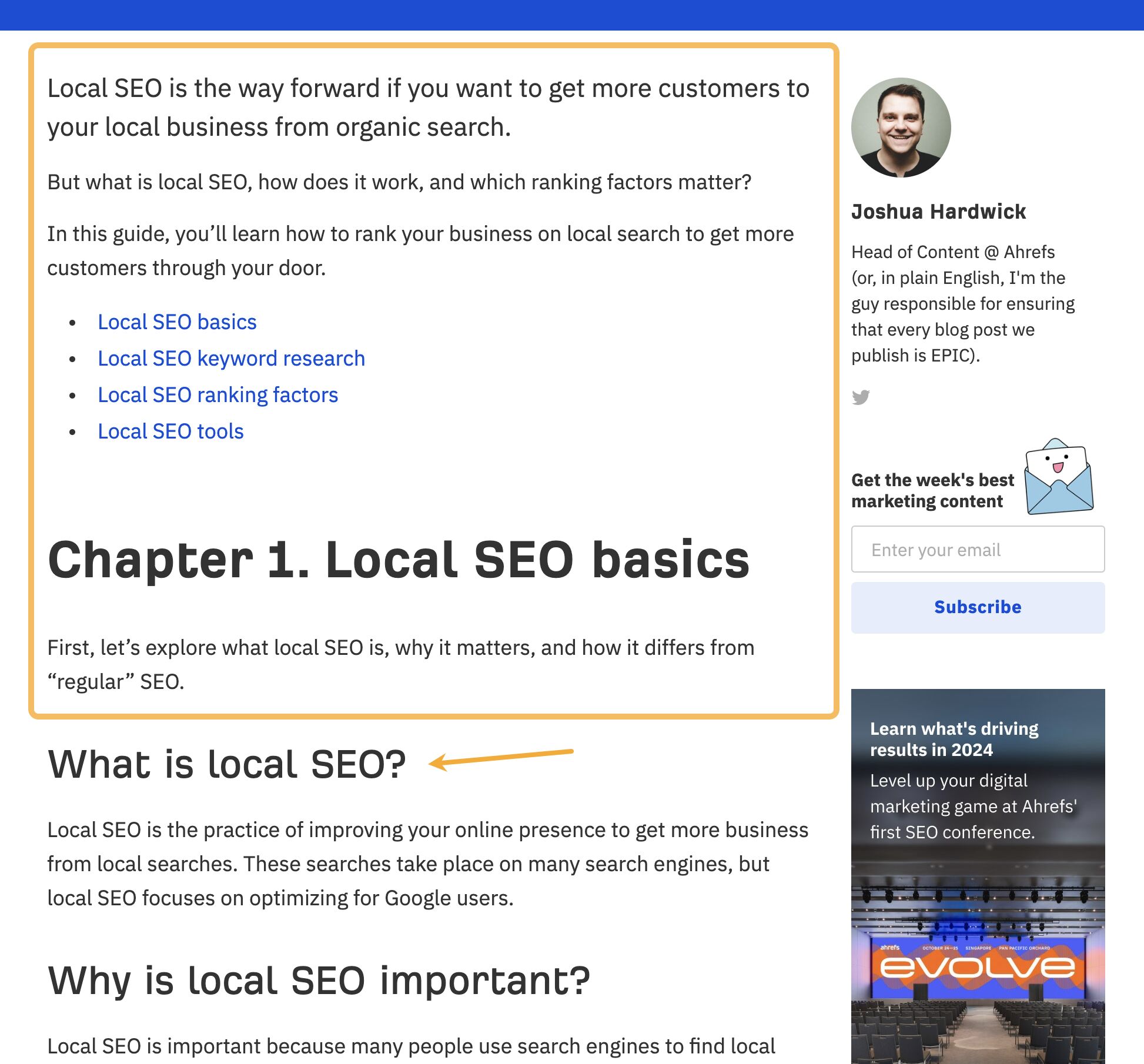
I tried to solve this by getting rid of the fluff, improving the definition (with a little help from ChatGPT), and moving it under a H2.