


Understanding your audience is more important than ever. From marketers crafting campaigns to product teams shaping roadmaps, actionable insights can make the difference between guesswork and informed decisions. Yet, I know that not every team has a budget for premium survey tools.
Luckily, I’ve found a variety of free survey tools that offer powerful features, such as customizable templates, analytics dashboards, and real-time reporting, which can help you collect meaningful data without incurring any costs.
And survey tools aren’t just for businesses. I’ve seen students use them for research, content creators gather audience feedback, and nonprofits measure their impact, all with these accessible solutions.
In this guide, I’ll walk you through the best free survey platforms, sharing real user experiences, feature breakdowns, and practical pros and cons to help you pick the right tool for your needs.
10 best free survey tools of 2026: My picks
-
Alchemer Survey: Best for customizable enterprise workflows
For flexible surveys that integrate with complex business processes -
Google Workspace: Best for simple, fast, and unlimited surveys
For frictionless survey creation, easy sharing, and instant response summaries -
Jotform: Best for visually customizable, drag-and-drop survey design
For branded forms, conditional logic, and powerful integrations -
Leapsome: Best for employee experience and performance survey programs
For engagement surveys, feedback cycles, and people analytics -
Mailchimp All-in-One Marketing Platform: Best for surveys tied to email marketing
For gathering feedback within campaigns, audiences, and automation flows -
Qualtrics CoreXM: Best for advanced customer and employee experience programs
For enterprise-level feedback, predictive analytics, and deep automation -
QuestionPro: Best for research-ready surveys with strong reporting
For survey logic, dashboards, and community feedback tools -
SurveyMonkey: Best for professional, research-grade surveys
For robust question logic, templates, and analytics suitable for teams and enterprises -
SurveySparrow: Best for conversational and highly engaging surveys
For chat-like feedback experiences and recurring survey workflows -
Zoho Survey: Best for small businesses using the Zoho ecosystem
For easy survey creation, multichannel distribution, and CRM linkage
*The software list is arranged alphabetically. These tools offer free trials, free forever options, or freemium models.
Comparison of the best free survey tools
Overwhelmed by all the details on free survey tools? This comparison table simplifies the key aspects for you.
*All pricing details mentioned in the article are based on publicly available data at the time of publication and are subject to change.
10 best free survey tools I recommend
The global demand for survey tools keeps growing as businesses rely more on real-time insights to guide decisions. The market for online survey software was valued at $4.5 billion in 2025 and is projected to nearly double by 2030.
Whether it’s understanding customer sentiment, validating product ideas, or gathering employee feedback, these tools have become essential for teams across industries.
And from what I’ve seen, “best” doesn’t always mean “paid.” Some free survey platforms I’ve tried delivered impressive functionality — helping me collect cleaner data, analyze responses faster, and understand my audience without stretching my budget.
How did I find and evaluate these free survey tools?
To build this list, I began with G2 data, shortlisting top-rated tools based on their G2 scores and consistent performance in the free survey tools category.
From there, I reviewed product specs and recent, verified user feedback to confirm that these products deliver real value and to understand where each one stands out.
The goal was simple: to see whether these tools are as good as they claim, what each one is best for, and whether there’s a free version or free trial you can try with minimal risk. And because this is a free-focused list, I paid extra attention to what you can actually do without paying — such as whether the free tier includes core features, how long the free trial lasts, and what limitations might prompt you to upgrade.
The screenshots featured in this article may be a mix of those taken from the vendor’s G2 page or from publicly available materials.
The product list below contains real user reviews from the best free survey tools category page. It’s important to note that in the context of this list, vendors offering a free trial are also considered free.
To be included in this category, a solution must:
- Create and customize surveys
- Collect, analyze, and store survey data
- Easily share and distribute surveys
This data was pulled from G2 in 2025. Some reviews may have been edited for clarity and accuracy.
1. Alchemer Survey: Best for customizable enterprise workflows
Alchemer Survey offers advanced survey tools with extensive customization options and powerful data analysis capabilities. It supports complex survey designs and integrates with various third-party applications, making it suitable for people needing detailed and flexible survey solutions.
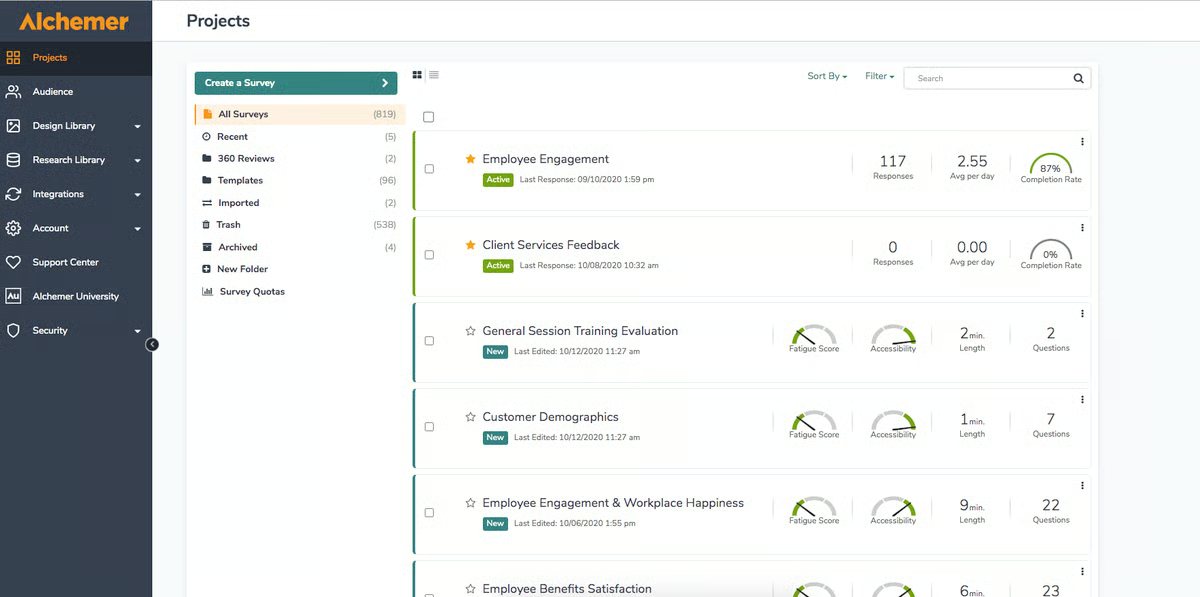
Pros and cons of Alchemer Survey: My take
What G2 users like about Alchemer Survey:
“Alchemer has a ton of functionalities and actions that allow you to tailor the use of the application. They back up this highly developed product with an easy-to-access user interface and amazing customer service. No matter the time of day, I can always get a person on the phone immediately. They don’t stop until they’ve solved your issue or have a full understanding of what may be a bug in the system before they let you go. No rushing you off the phone or minimizing the seriousness of your situation. The survey application itself is top-notch and makes my job as a program evaluator and education researcher just a little bit easier.”
– Alchemer Survey Review, Lisa W.
What G2 users dislike about Alchemer Survey:
“It lacks the full ability to personalize and customize the appearance of surveys. Surveys all tend to look the same with little to no customization available.”
– Alchemer Survey Review, Katherine F.
2. Google Workspace: Best for simple, fast, and unlimited surveys
Google Forms, part of Google Workspace, is a user-friendly form builder tool for creating basic surveys and quizzes. Its strength lies in its simplicity, quick setup, and seamless integration with other Google tools. Ideal for small teams and casual data collection, Google Forms offers real-time collaboration, automatic data export to Google Sheets, and customizable templates. According to G2 data, it ranks as the 3rd easiest to use tool.
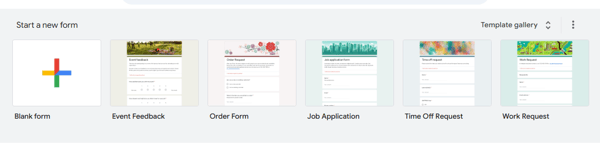
Pros and cons of Google Workspace: My take
What G2 users like about Google Workspace:
“Google Forms allows you to create questionnaires, surveys, and organized forms, which have been very helpful to me. Yes/No radio buttons are a cherry on the cake. It’s also very easy to handle and modify the forms as required. Text fields and strictly numeric fields help maintain the integrity of the forms. One of the best features is the ability to create multiple-choice questions within these forms.”
– Google Workspace Review, Prashant P.
What G2 users dislike about Google Workspace:
“There should be more design options and templates available to make surveys more interactive. Sometimes, the basic design leads to low client participation, and the survey templates need to be more appealing. Clients should feel that their input will be heard.”
– Google Workspace Review, Animesh M.
3. Jotform: Best for visually customizable, drag-and-drop survey design
Jotform is an online survey tool that stands out for its user-friendly drag-and-drop interface and extensive list of integrations. Beyond basic online forms, Jotform provides tools for building surveys and collecting payments. With a vast template library and mobile compatibility, Jotform is a versatile choice for individuals and businesses. According to G2 Data, it is used by 72% small businesses.
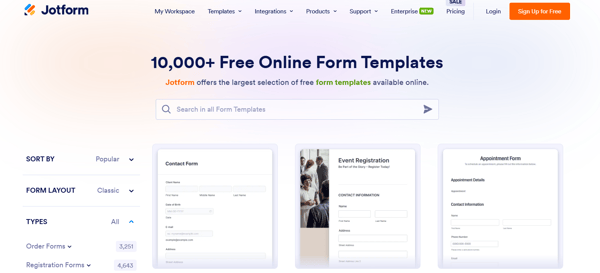
Pros and cons of Jotform: My take
What G2 users like about Jotform:
“What I like best about JotForm is its intuitive and user-friendly interface, which makes it incredibly easy to create custom forms for various purposes. The extensive range of form templates and customization options allows for unparalleled flexibility in designing forms to suit specific needs. Integrating various third-party apps and platforms enhances productivity and streamlines workflows. Overall, JotForm’s robust features and simplicity make it a standout tool for form creation and data collection”
– Jotform Review, Edgars S.
What G2 users dislike about Jotform:
“The free plan has a submission limit. Users unfamiliar with form creation may encounter a learning curve when using more advanced features. Additionally, an internet connection is required to create and submit forms, which could be a limitation if you need to be offline. Customizing PDFs of form submissions is limited on the free plan.”
– Jotform Review, Adam J.
4. Leapsome: Best for employee experience and performance survey programs
Leapsome is a powerful platform built for employee feedback, engagement, and performance. It lets teams run pulse surveys, 360° reviews, and performance evaluations — all in one place. Its intuitive interface and robust analytics make it ideal for companies aiming to continuously monitor employee satisfaction, growth, and team dynamics. According to G2 Data, it ranks as the 5th easiest-to-use software.
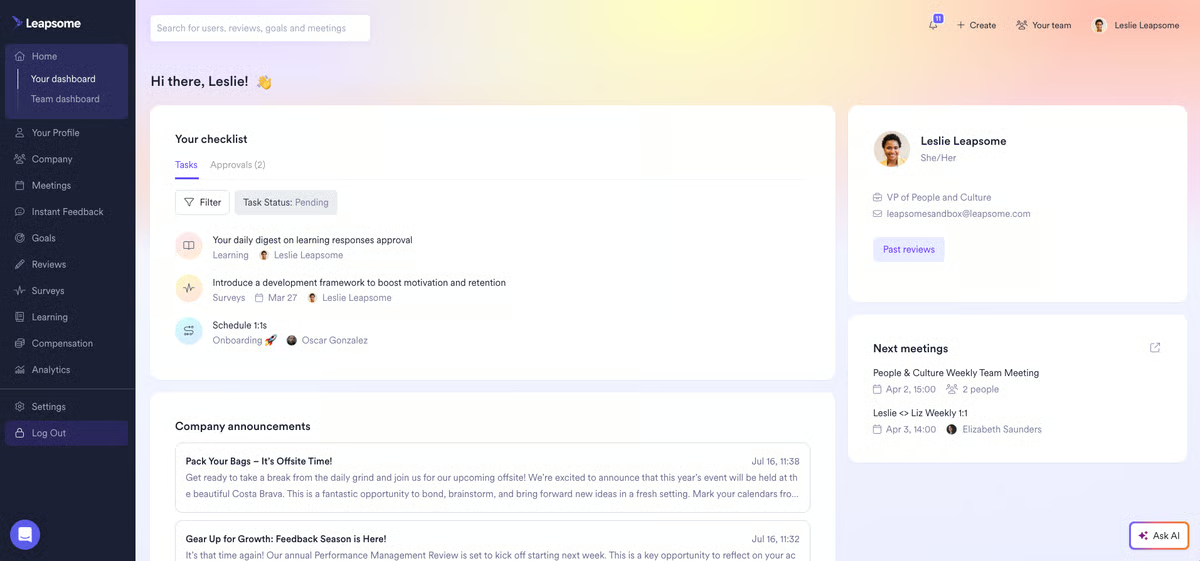
Pros and cons of Leapsome: My take
What G2 users like about Leapsome:
“Leapsome has become an essential tool in our organization for managing performance reviews, continuous feedback, goal tracking, and employee development. What I appreciate most is how seamlessly it brings transparency to the entire review and feedback process. The interface is intuitive, beautifully designed, and makes it easy for both managers and employees to give structured, meaningful feedback. The platform also enables ongoing development conversations, which makes our 1:1s and review cycles more productive and aligned.”
– Leapsome Review, Phuc T.
What G2 users dislike about Leapsome:
“I find the current structure of performance cycles and the feedback provided during half-year and full-year evaluations to be somewhat limited. Introducing a social page within the platform could significantly boost user engagement by allowing for more dynamic and interactive content, such as posts or discussion threads.”
– Leapsome Review, Meet J.
5. Mailchimp All-in-One Marketing Platform: Best for surveys tied to email marketing
Mailchimp survey tools are part of its comprehensive marketing suite, allowing you to create and distribute surveys through email campaigns. With built-in analytics, you can track responses and integrate feedback into your marketing strategies. This makes it an excellent choice if you are looking to align customer insights with your marketing efforts.

Pros and cons of Mailchimp: My take
What G2 users like about Mailchimp All-in-One Marketing Platform:
“Mailchimp is definitely splendid in terms of automating and optimizing email marketing. It has an intuitive and user-friendly interface. It allows me to personalize the templates based on the audience’s behavior and previous interactions. Its analytics and reporting tools allow me to track numbers and make marketing decisions based on it.”
– Mailchimp All-in-One Marketing Platform Review, Siddhant G.
What G2 users dislike about Mailchimp All-in-One Marketing Platform:
“Sometimes it is very slow to load. Regarding the pricing structure, the costs can become prohibitive, leading to a potential downside for budget-conscious users or those with rapidly expanding contact lists.”
– Mailchimp All-in-One Marketing Platform Review, Agata M.
6. Qualtrics CoreXM: Best for advanced customer and employee experience programs
Qualtrics CoreXM provides in-depth customer insights and employee experience management. It excels at creating professional surveys, distributing them across multiple channels, and offering advanced analytics. With a focus on data-driven insights and AI capabilities, Qualtrics caters to organizations seeking high-quality survey solutions.

Pros and cons of Qualtrics CoreXM: My take