



Creative is a busy industry, with most writers and marketers juggling ad-hoc tasks, long-form content creation and proofreading and editing on a daily basis.
I am not foreign to these challenges. But even a business must make a myriad of adjustments and investments to hire top-quality talent, adhere to SEO guidelines, and offer top-notch marketing material.
According to G2’s state of software report, more than 60% of AI writing assistant users see ROI within 6 months, making it one of the fastest categories in terms of buyer profitability.
With best AI writing generators, content creators (like me) don’t have to be rife with these challenges anymore. These AI writing generators help brainstorm ideas, curate SEO-friendly long-form content, and give detailed and contextual responses that are well-researched and well-thought-out to marketers now.
Just like every other marketer, I also jumped to the AI writing generator bandwagon to refine my content style and optimize my everyday work pipeline.
If you are new to the tool or curious to know its role in optimizing business functions, this list of the 8 best AI writing generators is for you.
8 Best AI writing generators in 2025: Top contenders
- Grammarly: Best for grammar correction and tone optimization
for grammar suggestions, tone detection, and sentence formatting.
(Pricing available on request) - Notion: Best for content generation with task and style management
For AI-assisted content creation with project management and seamless workplace integration. ($10/seat/month) - Simplified: Best for social content creation and publishing workflows
For social publishing, content library, and content creation. ($20/month) - Writesonic: Best for SEO alerts and idea recommendations
For idea generation, citation management, and real-time SEO monitoring.($16/month) - Jasper: Best for AI writing, formatting, and plagiarism detection.
For long-form content creation and supporting plagiarism checks. ($39/month/seat) - Constant Contact: Best for email automation and deliverability management
For automating email campaigns and managing outbound communication. ($12/month) - Anyword: Best for engagement optimization and audience insights
Tailor content based on audience behaviour, predictive scheduling, and campaign performance. ($49/month) - TextCortex: Best for AI text generation and summarization
For repurposing and automating high volumes of written material. ($29.99/month)
These AI writing generators are top-rated in their category, according to G2 Grid Reports. I’ve also added their monthly pricing to make comparisons easier for you.
While some of these tools are ideal for curating marketing copies, social media posts, search ad content, or blog content, others offer specific qualities like reasoning, proofreading and editing, and plagiarism detection.
According to a study by Market Research Future, the AI writing assistant market is projected to grow from USD 88.99 billion in 2025 to USD 1478.73 billion by 2034, exhibiting a compound annual growth rate (CAGR) of 36.65%.
8 best AI writing generators that proved to be game-changers
Not only do AI writing generators create long-form blogs or align your content with SEO guidelines, but now they have the ability to emotionally ponder, connect the dots, and logically reason a user’s input to provide thoughtful answers.
As a content marketer, I feel that AI writing generators don’t replace writers but enhance their creative thought process. They are not that expensive and aid to faster market execution, optimization of hiring costs, and large-scale content delivery.
Even during my research, I came across various AI writing generators powered by the same large language models (LLMs) that interpret natural language in their own unique way. By fine-tuning the prompt, I received contextually accurate content in the nick of time. After evaluating around 8 AI writing generators, I’ve come up with this analysis to help you and your sales and marketing teams.
How did I find and evaluate the best AI writing generators?
I spent weeks trying and testing various AI writing generators to evaluate their significance in the creative industry and bring you unbiased results. I factored in crucial parameters like key features, pros and cons, pricing, benefits, and real-time user reviews to give an aggregate analysis of each of these 8 tools.
In the course of my research, I also used AI to standardize certain trends that occur frequently, summarize user sentiments, and briefly mention the top and prominent features of each of these tools, as listed by the reviewers. I also used AI to narrow down trends, use cases, and likes/dislikes for each of these tools to give a humanized take on their reputation in the market.
In cases where I couldn’t personally test a tool due to limited access, I consulted a professional with hands-on experience and validated their insights using verified G2 reviews. The screenshots featured in this article may be a mix of those captured during testing and those acquired from the vendor’s G2 page.
Apart from G2’s rankings, I personally delved into exhaustive testing and iteration of content and created a chain of thought strategies to interpret the quality of content production with AI and match it up with human writing standards. The analysis below features my personal evaluation or experiment, combined with the experience of G2 users.
What makes an AI writing generator worth it: my two cents
If you are an experienced content marketer or business owner, you would know where to draw the line between AI-generated content and humanized content.
While working with LLMs, it is important to give the context and an objective to your prompt to receive personalized content ideas that can help. Shooting in the dark with generic prompts will not lead you anywhere. I learnt this the hard way.
After a careful analysis, I discovered some crucial parameters to look for in an AI writing generator.
- Long-form content creation: Also known as the main use case of AI writing assistants, I experimented with tools that offer fast long-form content responses. I kept in mind the persistent problems of creative teams and shortlisted tools that generate well-structured, in-depth articles, data reports, e-books, and whitepapers. I curated prompts to help the AI writing assistant create content outlines, maintain a logical flow of content, and state actionable pointers for users.
- Faster time-to-market: I also kept pace with industrial and commercial outcomes for content and tracked the time these tools took to produce it. I shortlisted tools that offer a faster time-to-market, leading to more content efficiency, faster distribution, and optimization of brand resources.
- Tone and style customization, including brand voice: It is crucial that the content aligns with the brand voice. Therefore, I sought a tool that allows for extensive tone and style customization. I’d want to be able to define specific brand guidelines to ensure proper content alignment and quality. I prioritized tools that were flexible, personalized the output based on brand tone and style, and came close to human creativity.
- Fact-checking and citation features: As we know, LLMs scrape the internet corpus. I ensured that each claim made by the tool had a reliable source. Accuracy is paramount and something that can’t be compromised. I focused on including tools offering reliable citations and updated sources for any bold or contrarian opinion made in the content.
- Collaboration and workflow management: If I am working with the team, having built-in collaborative features like commenting, version history, and approval workflows will save time and consistency across various drafts and optimize project turnarounds for improved productivity.
- Multimodal capabilities (Text+image+code): Not only did I mention the tools that generated textual content, but also tools that offered deep integration with AI image generators and AI code generators to generate, modify, and refine images or code snippets for the users. To make content more engaging, I went beyond limits to include tools that generate visuals, code snippets, or article summaries to cater to various facets of content creation.
- SEO optimization with keyword integration: I also shortlisted generators that offer SEO suggestions to help writers create high-performing and actionable content that ranks well on search engines. I experimented with tools that offered multi-lingual capabilities, formatting varieties, keyword analysis, and article outlines to help content writers and marketers from start to end in the content generation lifecycle.
- Prompt refinement and iteration tools: Because LLMs are prompt-based, I shortlisted tools that allowed me to iterate and refine my prompts. I want to be able to save prompts that work well and have tools that help me make my prompts more specific. These tools helped me create variations of my prompts to design content in a different style. This allowed me to create variations in my content copies and messaging for various audience groups in the funnel.
- Research and reasoning synthesis: AI writing generators that duplicated web data and created generic content responses have not made the cut. The tools below give autocomplete suggestions, collate information from reliable sources, break down the intent, and generate logical answers for user queries.
- Proofreading, editing, and plagiarism detection: Content creation is collaborative work. I worked with tools that simplified proofreading and editing to save even more time. I evaluated generators that allow multiple users to work on the same document simultaneously. Features like commenting, version control, sentence structuring, and plagiarism detection are crucial to any content creation workflow, and I made note of them.
- Competitive advantage and team productivity: I also prioritized tools that assist content creators and elevate their productivity in contrast to the spray-and-pray content strategy of businesses. These tools clearly offer a better competitive advantage since it is a unanimous effort of talented artists and AI writing generators. Circulating new ideas with these tools clearly can lead to increased competitiveness of content and a higher degree of motivation.
Out of 40+ writing generators I experimented with, I have listed 8 best AI writing generators used as content assistive in teams and are monumental in helping writers. All these tools offer natural language processing (NLP) algorithms that fine-tune the responses of LLM models to match user requirements.
The list below contains genuine reviews from the AI writing assistants category page. To be included in this category, software must:
- Utilize artificial intelligence to assist with some portion of the writing process.
- Provide insights or recommendations to improve written work.
- Offer additional, relevant resources aimed at informing the writer
- Correct grammatical errors within a written work
*This data was pulled from G2 in 2025. Some reviews may have been edited for clarity.
1. Grammarly: Best for grammar correction and tone optimization
Grammarly offers built-in AI and ML features to edit and proofread input text, check for plagiarism detection, and auto-suggest sentence-level suggestions to help writers perfect their craft.
Based on 6292+ verified G2 reviews, Grammarly emerged as a category leader on G2 with a customer satisfaction score of 99. Over 95% of users are willing to recommend it to others for tone check, sentence formatting, and grammar check.
I have been using Grammarly for quite a while now, and let me tell you, it is a game-changer. Whether I am drafting an important e-mail, working on an article, or just trying to make sure that I don’t sound like a broken record, Grammarly always has my back.
What I love most about Grammarly is its ability to improve the clarity of my content. It simplifies sentences to deliver the message clearly without using any word fillers. It integrates seamlessly with Google Docs, Microsoft Outlook, and even my browser, so I don’t have to copy and paste my text into another platform.
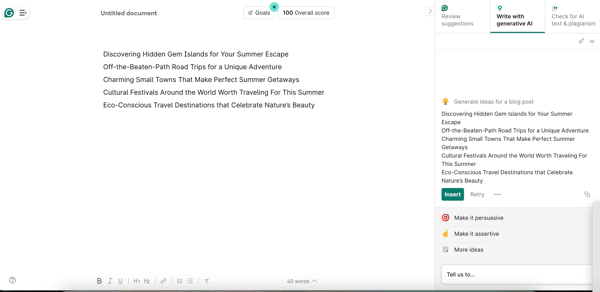
According to G2 user reviews, Grammarly is highly valued for real-time grammar and clarity suggestions, though not every recommendation fits the context. Some users mention that they occasionally ignore suggestions that feel out of place or unnecessary.
Another point in G2 feedback relates to pricing and advanced functionality. While the free version is helpful for basics, many reviewers feel that meaningful features like tone, engagement, and plagiarism checks require Premium, which can feel pricey. A few also note that AI-generated rewrites sometimes sound overly polished, reducing the natural tone.
Overall, G2 sentiment highlights Grammarly as a leading tool for writing, editing, and plagiarism detection. Its strengths in clarity and consistency far outweigh these minor limitations.
What I like about Grammarly:
- I love how Grammarly helps me improve my writing skills with real-time grammar and spell-checking.
- I can use Grammarly for everyday work to ensure professional communication, such as clear emails, reports, and messages.
What do G2 Users like about Grammarly:
“Grammarly really works. It runs in the background, and as I am writing, it gives suggestions on how to make things better, clearer, and more concise. It is so easy to use. I am an attorney, and I write for a living. Grammarly is really helpful, giving a new spin or alternatives to how I phrase things. I was doubtful initially, but I highly recommend it.”
– Grammarly Review, Harry F.
What I dislike about Grammarly:
- I did not like that sometimes I had to disregard Grammarly’s suggestions because they did not fit my writing purpose.
- I have struggled to get in touch with customer service as I couldn’t tell if there was a chatbot or a human responding from the other end.
What do G2 users dislike about Grammarly:
“Like anything, Grammarly does do some things that could improve. It can have trouble with specialized words for an industry or can recommend a change of sentence that either is not how I want to say it or would sound inauthentic for my brand/tone. These are improved by adding words to the vocabulary and looking through the recommendations to ensure my authenticity and voice are consistent.”
– Grammarly Review, Matthew R.
Check out how AI Chatbots are automating conversations and providing highly relevant resolutions with deep thinking in 2025
2. Notion: Best for content generation with task and style management
Once you enter the Notion ecosystem, you will rely on it for all your tasks. From content creation to task allocation to project management to strategic development, Notion provides a suite of creative and task management services.
Based on 3900+ verified G2 reviews, Notion came out as a category leader on G2, with a customer satisfaction score of 98. Further, around 94% of users are willing to recommend it to others for sentence formatting, grammar check, and idea recommendation.
With Notion AI, we can augment tasks like note-taking, marketing content creation, emails, or query resolutions and automate various parts of project workflows.
At its core, Notion is an incredibly flexible, all-in-one workspace where you can take notes, manage projects, build databases, and collaborate with your team in real-time.
It offers greater customization to your teams to add new dashboards, use templates, and even integrate third-party apps to supercharge your workflow.
What I love most about Notion is the AI writing assistance built into the platform. It helps generate content, summarize notes, and automate repetitive tasks to that you can focus on more strategic decisions. It is not perfect, but it is suitable for drafting quick ideas or organizing information.
Notion allows you to structure your data in interconnected tables, making it easy to filter, sort, and visualize your work in ways that make sense.
If you are working with teams, you can comment or edit the documents to foster stronger collaboration. And, speaking of strength, Notion’s offline is a lifesaver when you are on the go.
You can keep working on your notes and databases without an internet connection; everything syncs up when you return online.
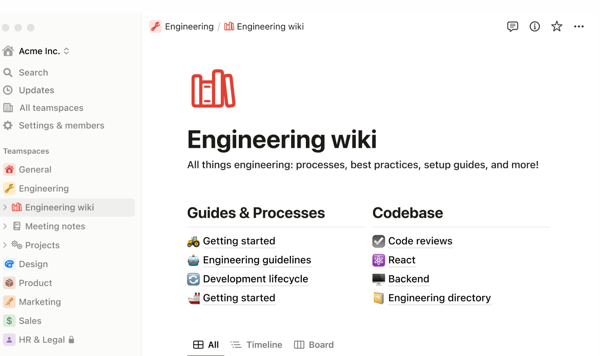
According to G2 user reviews, Notion is praised for its flexibility and all-in-one workspace, though performance can dip with very large databases. Some users mention slight lag when handling heavy content or deeply nested pages.
Another theme in G2 feedback relates to its learning curve and premium features. The wide range of tools can feel overwhelming initially, and advanced capabilities like granular permissions or enterprise security often require higher-tier plans. A few reviewers also note that the AI assistant, while useful, isn’t always reliable in maintaining context.
Overall, G2 sentiment highlights Notion as a powerful and versatile platform for organization and content management, with minor trade-offs that don’t overshadow its strengths.
What I like about Notion:
- I love Notion’s unified workspace, which allows you to seamlessly combine various elements like text, images, videos, tables, and multimedia content.
- I love Notion AI’s ability to assist me with writing and content creation tasks, and I find it impressive.
What do G2 Users like about Notion:
“For me, Notion it’s a super cool app that can help you stay organized and productive! The notion is like an all-in-one workspace that you can customize to fit your needs, so you can do everything from taking notes to managing tasks. The best part is that it’s really easy to use, thanks to its intuitive user interface and handy search function. Not only that, but Notion also lets you collaborate with others in real-time, so you can work together with your team no matter where you are. Whether you’re a student, freelancer, or part of a company, Notion is a great tool for streamlining your work and getting stuff done.”
– Notion Review, Hector D.
What I dislike about Notion:
- I felt the platform was a bit slow whenever I had a lot of tables or databases connected.
- One critical feature was the offline functionality, which I felt Notion was missing. This functionality allows you to track task progress even offline.
What do G2 users dislike about Notion:
“The only problem with the offline mode in Notion is that it doesn’t work too well, and it has an issue when my internet is not stable. It has only delayed me when I needed those notes during a meeting. The search functionality is another drawback, as it fails to trace older files. The features are also complicated with sailing, so it makes onboarding slower for new team members, which in turn gets in the way of efficiency with workflow.”
– Notion Review, Ron H.
AI code generators are here to save you from time-consuming code writing and function declarations with deep-thinking abilities. Check how they work.
3. Simplified: Best for social content creation and publishing workflows
Simplified is an AI-assisted and creative media marketing tool that provides smart features like deck, slide, and PPT creation, design, and copywriting services, and more. It enables you to do smart work and strategize better.
Based on 3301+ verified G2 reviews, Simplified has earned a category customer satisfaction score of 96, making it a category leader on G2. Over 93% of users recommend it to others for content generation, sentence formatting, and idea recommendation.
As someone juggling multiple tasks, whether writing blog posts, designing social media graphics, or brainstorming ad copies, I needed a tool that could streamline everything in one place. This is what Simplified does.
First, it features a pretty strong AI-powered writing assistant. It’s intuitive, generates well-structured content, and supports various tones and formats.
Whether I am drafting long-form articles, product descriptions, or short marketing copies, the AI adapts quickly and gives me polished text that requires minimal tweaking. Plus, with an extensive template library, I do not have to start from scratch to create marketing assets. It also empowers you to create your own AI agents to solve your operational customer queries.
I also loved the graphic design integration. I can create social media posts and YouTube thumbnails and even complete ad creatives without hopping between different platforms. The built-in AI image generator is a nice touch. It helps transform my ideas into visually appealing assets without requiring advanced design skills.
It also offers conversational tools that make content approvals and reviews seamless. I can invite team members, leave comments, and make real-time edits within a single interface. This eliminates endless email threads and version confusion.
I also enjoyed using their AI-powered video editor, which was a bonus. While it is not a full-fledged professional editing suite, it is perfect for quickly putting together engaging short-form content for TikTok, Instagram Reels, or YouTube shorts.
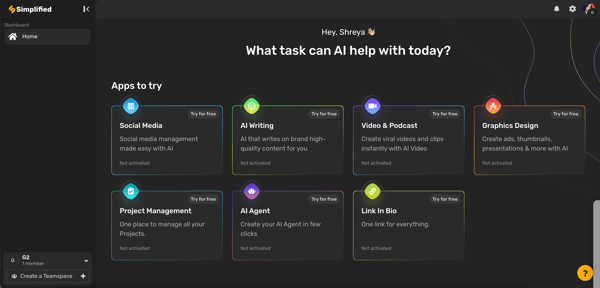
According to G2 user reviews, Simplified is appreciated for combining AI content and design tools in one platform, though the basic plan can feel restrictive. Some users mention that the word limits and occasional AI inaccuracies mean the output sometimes needs refining.
Another theme in G2 feedback relates to advanced customization and pricing. While the editor is easy to use, it doesn’t fully replace high-end design software, and features like premium templates or collaboration tools are tied to higher-tier plans.
Overall, G2 sentiment highlights Simplified as a cost-effective and versatile tool for scaling creative work, with strengths in usability and productivity far outweighing its limitations.
What I like about Simplified:
- I love how Simplified continued to add AI tools for various purposes and has a healthy list of platforms to which a person can post.
- I feel that even people who are not creative writers can benefit from this tool.
What do G2 Users like about Simplified:
“What I like best about Simplified is how it makes creative processes more accessible. Whether it’s graphic design, video editing, or social media management, it streamlines everything, allowing users to focus on their ideas rather than getting bogged down by complicated tools. The user-friendly interface and collaborative features really enhance teamwork, making it easier for everyone to contribute. It’s all about empowering creativity without the hassle!”
– Simplified Review, Ashish C.
What I dislike about Simplified:
- I felt like some advanced features are locked behind the paid plans, and customizations could be better.
- I also felt the credits and word limit are very low and need improvement.
What do G2 users dislike about Simplified:
“It is a huge deficiency that it does not give the right to 1 video for trial at the beginning.”
– Simplified Review, Gencay E.
4. Writesonic: Best for SEO alerts and idea recommendations
Writesonic is a powerful AI-text generation tool that personalizes content creation and empowers you to design email copies, essays, website copies, and blog content in accordance with your brand standards.
Based on 1947+ verified G2 reviews, Writesonic has earned a decent customer satisfaction score of 69, with 95% users willing to recommend it to others at a rate of 95%.
I have been using Writesonic extensively and have much to say about it. If you are looking for an AI writing tool that helps streamline content creation, this one offers a solid mix of automation and customization.
What I absolutely loved about Writesonic is how intuitive and user-friendly it is. From the moment I logged in, I found it incredibly easy to generate content. Whether I needed blog posts, ad copy, or entire landing pages, I just had to submit a prompt and give additional instructions to receive a high-quality content output from the platform.
The AI writing generator maintains word coherence in long-form articles, which is often a challenge with similar tools.
Plus, the customization options are robust because you can tweak the tone, style, and format to align it with your brand’s voice and intent. It also integrates with third-party platforms like WordPress, making publishing a breeze.
One of the biggest perks of using Writesonic is the speed. The AI generates content in seconds, which helps you when you are working under tight deadlines. I also appreciate the breadth of the templates available for everything from product descriptions to LinkedIn posts.
Another highlight is the GPT-powered Sonic editor, which allows for a more hands-down approach when refining AI-generated content. Further, Writesonic helps you personalize the content outline, list secondary keywords, select article type, and select references.
Writesonic offers multiple subscription tiers, with premium users gaining access to features like GPT 4/4+ generation, bulk processing, and API access. The Pro plan is ideal for individuals, while businesses can benefit from the Enterprise plan, which includes advanced integrations and collaboration tools.
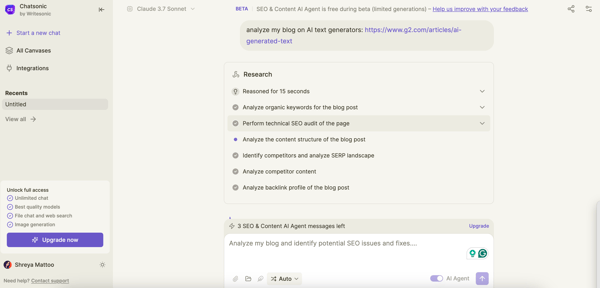
According to G2 user reviews, Writesonic is valued for its speed and variety of content tools, though the credit system can feel restrictive. Heavy users note that credits run out quickly when generating higher-quality outputs, often requiring an upgrade.
Another theme in G2 feedback relates to AI accuracy and support. While the platform is easy to use, some reviewers mention occasional factual inaccuracies that need manual tweaking, and a few note that customer support response times could be faster.
Overall, G2 sentiment highlights Writesonic as a reliable and time-saving AI writing assistant, with its strengths in creativity and workflow efficiency outweighing these minor drawbacks.
What I like about Writesonic:
- I loved Writesonic’s ability to suggest high-ranking keywords, optimize the content structure, and ensure that articles are SEO-friendly from the start.
- I found it quite easy to use, and some content also performed well in terms of gaining more clicks via search.
What do G2 Users like about Writesonic:
“Writesonic is an essential tool for my daily work. It’s incredibly easy to use and saves a lot of time. Its AI-powered content generation system allows me to create high-quality content quickly and efficiently. From Facebook ad campaigns to social media posts, blogs, and emails—Writesonic delivers outstanding performance in every aspect.”
– Writesonic Review, Md Sabbir Ahmed H.
What I dislike about Writesonic:
- I ran out of free credits instantly, which felt a little limiting as Writesonic did not have a free plan.
- I feel the chatbot can improve, as it always feels lost whenever I talk to it.
What do G2 users dislike about Simplified:
“It is not specific to Writesonic; this is an issue for all AI content writers in that the content needs fact-checking, proofreading, and editing to ensure that it meets the required standard before putting it live on-site.”
– Writesonic Review, Tom A.
Want to turn your passion for refining AI-generated drafts into a full-fledged editing career? Learn how to become an editor in seven practical steps.
5. Jasper: Best for AI writing, formatting and plagiarism detection
Jasper is an effective AI content writer who creates, edits, and optimizes diverse forms of content, such as emails, landing page copies, video scripts, ads, blogs, speaker invites, and so on. It also offers AI content detection, proofreading, and editing features to humanize your content.
Based on 1246+ verified G2 reviews, Jasper has earned a market presence score of 71. 93% of users are willing to recommend it to others in the overall business domain.
I have been using Jasper for a long time, and I can’t go back from here. From long-form blog posts to short and snappy ad copy to fictional stories, Jasper does a solid job of generating text that actually sounds human.
The LLM behind Jasper is smart and intuitive, and often delivers polished content that is ready to go with just a few tweaks.
One thing I absolutely love is the variety of templates. Whether I am crafting social media posts and emails or even brainstorming blog ideas, there is a preset template that gets me started in the right direction.
The LLM also adapts to different tones and styles, making it easy to create content that fits specific branding needs. And for speed, Jasper is one of the quickest tools in terms of output. Instead of staring at a blank page, I can plug in some prompts and let the AI do the heavy lifting.