


KPI Dashboards – a new way to track contact center Key Performance Indicators.
Imagine watching a competitive sporting event without the score. The game would literally be pointless, wouldn’t it? Scores determine winners and losers in sports and motivate players to compete.
In customer service, success is also measured by numbers. That is why Key Performance Indicators (KPIs) play an important role. Average response time, lengths of live chats, number of dropped chats etc. are all important data points to consider. Measuring KPIs is only the beginning. Sharing the data with the entire team and using it to improve performance is of utmost importance.
We here, at LiveHelpNow, know this well. We strive to constantly improve the software tools our clients use to help their customers. So to help contact centers measure and improve their KPIs, we created a new tool.
We hereby proudly present LiveHelpNow’s KPI Dashboards.
What are KPI Dashboards?
Simply put, a KPI metrics dashboard is a visibility and optimization tool for contact centers and customer support operations.
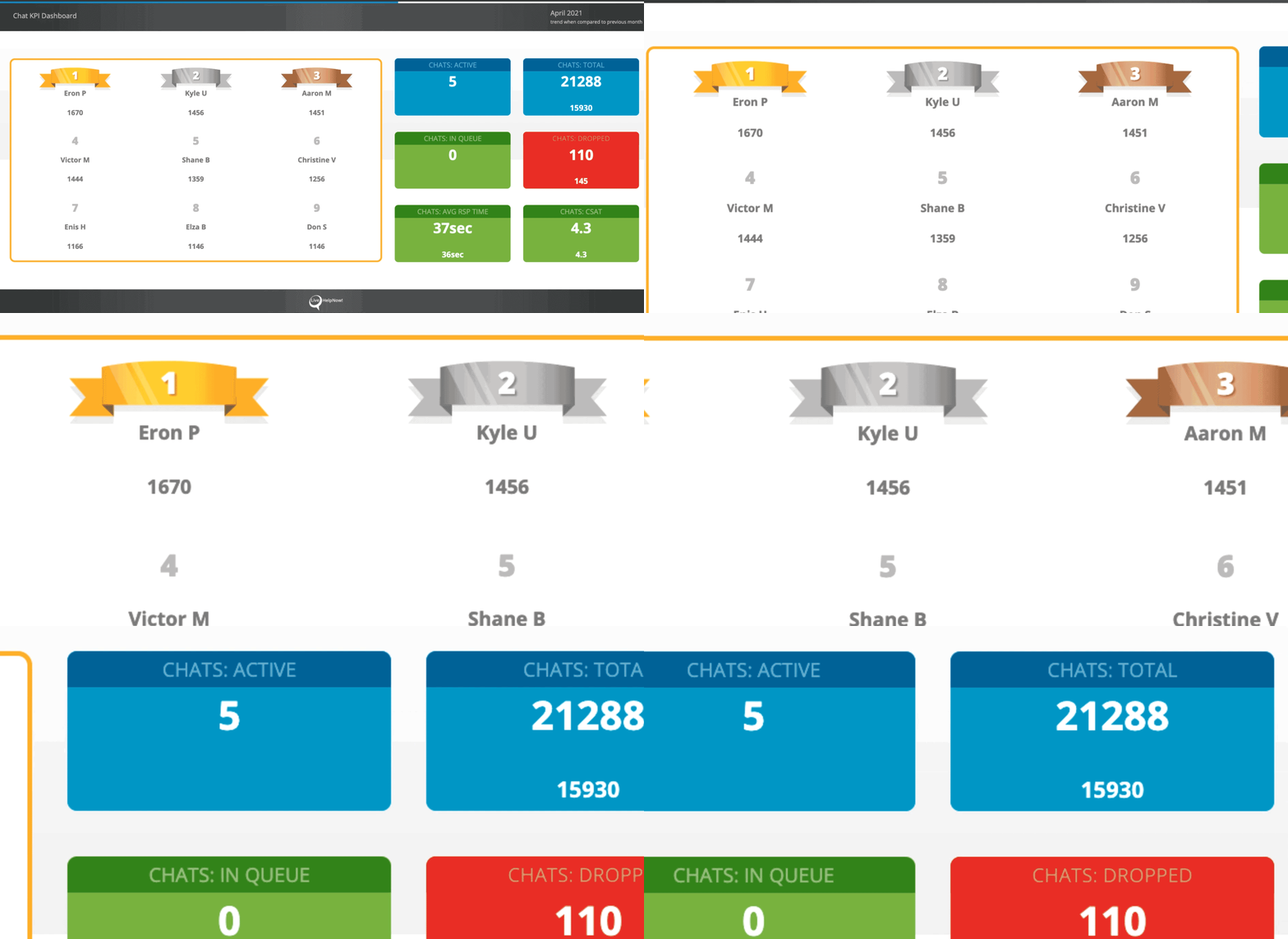
Configuring and displaying all chat and ticket data from the LiveHelpNow software, the feature can help monitor and improve contact center KPIs. With just a few clicks, contact center operators can create attractive displays with clearly displayed real-time data.
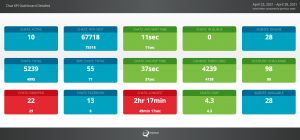
Easily displayed on large screens for team viewing or on your personal monitor, the dashboards can compare agents’ performance, department’s CSAT scores, and average response times, as well as other important KPI metrics. The displays are fully customizable, as teams can easily configure each dashboard for specific metrics.
Why do KPI Dashboards help improve performance?
Everyone loves to play. In fact, gamification is actually a well-known psychological strategy that does wonders for employee motivation. Especially for teams dealing with fast-paced, stressful situations on the daily basis. In such environments, gamification can help prevent agent burnout. It works because it prompts engagement in an interactive way. Our brains love to play!
We have seen this work through our LiveHelpNow Challenge. Based on 12 novel metrics from 50 different customer support criteria, the Challenge collects real-time data and compares all of our customers’ results against each other. Then, at the end of each month as well as at the end of the year we pick Challenge winners, the best of the best in customer service.
The KPI Dashboards feature employs gamification principles to motivate and engage contact center agents with leaderboards and score comparisons. As a beautiful and effective tool that can deliver insights to improve the performance of a team, Dashboards can help save time and money as they eliminate the need to invest in expensive business analytics tools. The visual display is intended to simplify analysis and reduce the time to process information from hours to seconds.
It’s difficult to improve something without measuring it. KPI Dashboards help not only measure, but display real-time results, motivating contact center agents to compete against each other and their own historical numbers. The results can boost the entire team’s performance.
How can teams get started with KPI Dashboards?
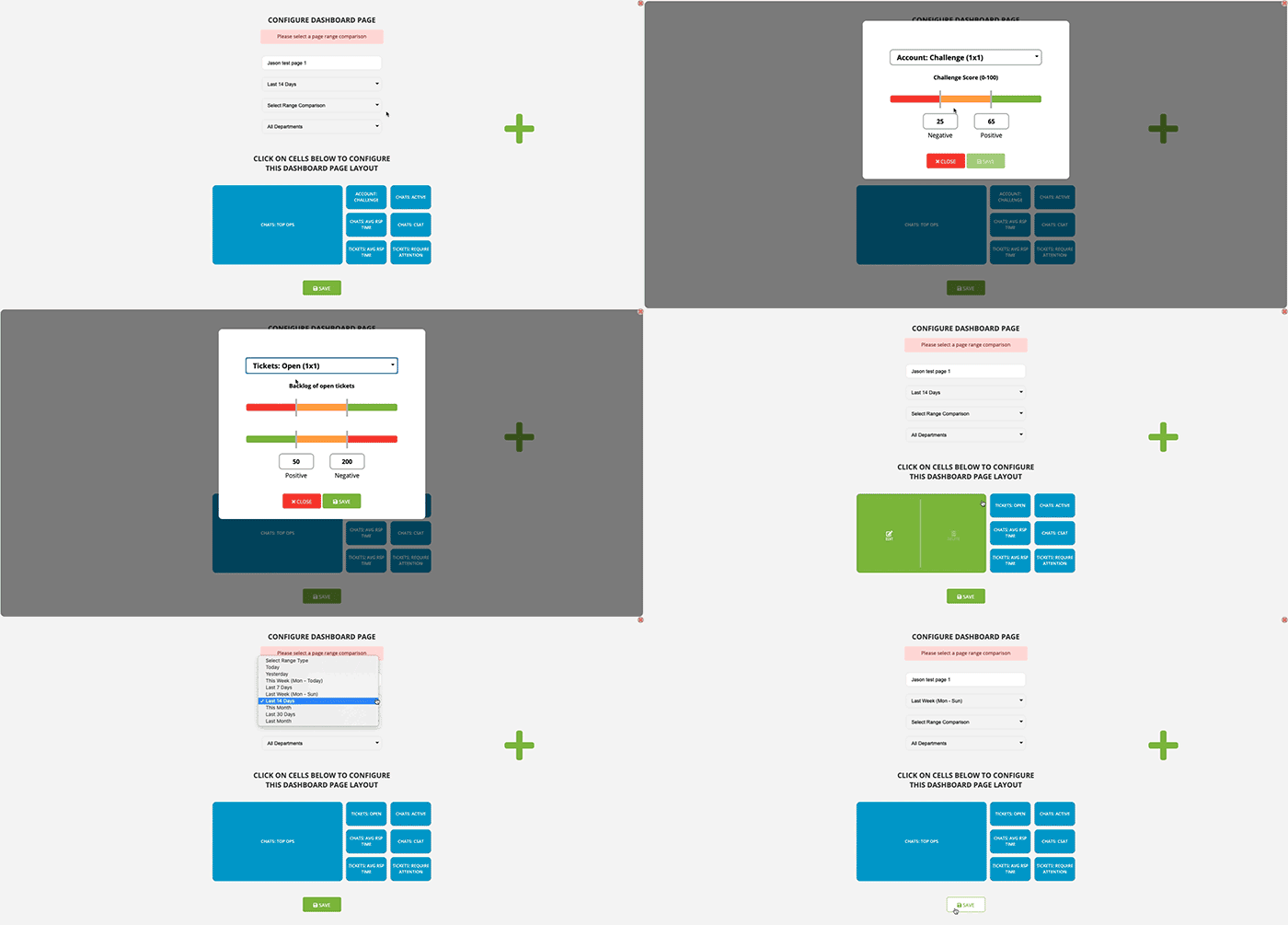
As with other tools within LiveHelpNow suite, companies have the option of signing up for a free trial. For 14 days teams can explore the tool to see for themselves how it works and what value it brings to the business. Once a team signs up for a trial, it can follow simple steps to configure their custom KPI Dashboards.
Ready? Set! Go!
Are you tired of sifting through dozen of Contact Center reports and too much data to find the real-time information you need? Start a free 14-day trial by going to Analytics > Executive (left menu) > KPI Dashboards in your LiveHelpNow admin panel.
When you’re ready to subscribe, head to My Account > Services > and add KPI Dashboards. Your account will be billed just $75 per month which will allow all your admins to create unlimited KPI Dashboards.
For step-by-step instruction on Dashboard set-up, please click here.


