
How much traffic do AI Overviews drive? How much awareness do they create for your brand? And how can you track that over time?
These questions aren’t easy to answer—especially since Google keeps AI Overview data under lock and key.
But, if you keep reading, you might just find out…
When people talk about “tracking AI Overviews”, they could be referring to a few different things.
- Brand mentions: “How often does my company get mentioned in an AIO?”
- Citations: “How often do my pages get linked to in an AIO?”
- Traffic: “How many impressions and clicks do my pages get from AIOs?”
Some of these are harder to track than others.
Measuring AI Overview clicks is a minefield
Accurately measuring clicks from AI Overviews is nearly impossible. Google blends AI Overview data into standard organic search, and doesn’t give you tools in Search Console or GA4 to identify AI Overview impressions, citations, or clicks.
Any click in an AI Overview will either show up as google / organic or appear with no referrer.
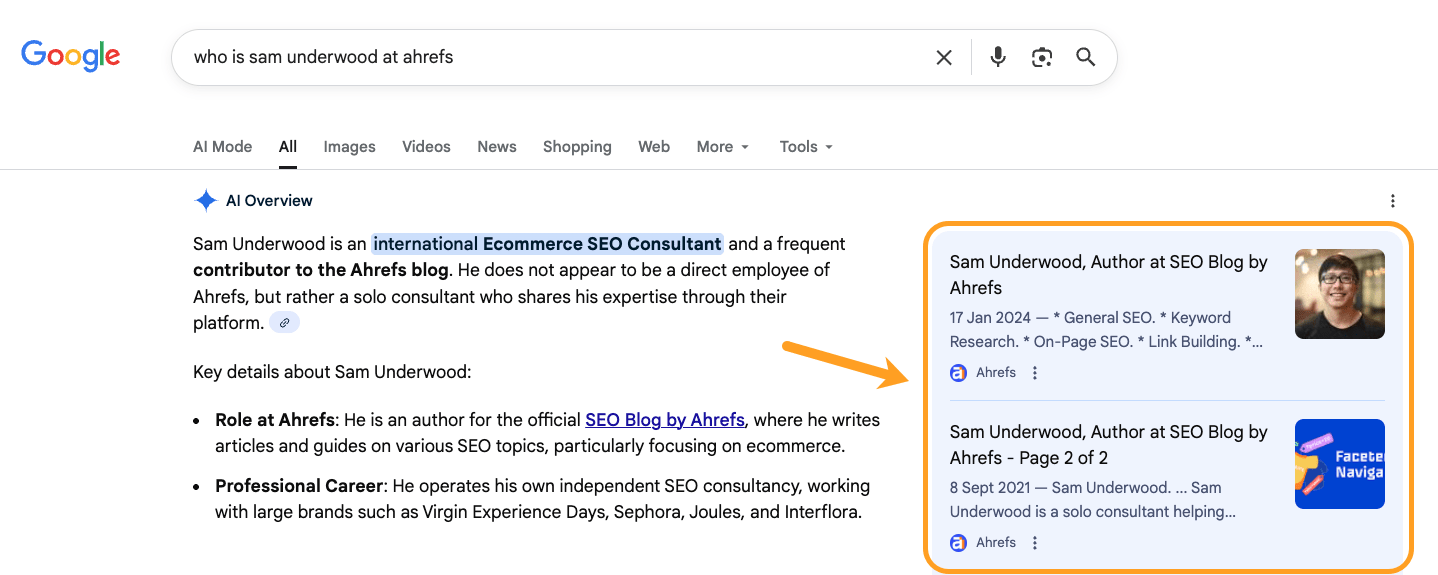
Here’s what I mean. I clicked on an obscure Ahrefs page from an AI Overview.
Then, I tracked that click live in Ahrefs Web Analytics, our GA4 alternative. The source simply showed: Google, and the channel: Search.
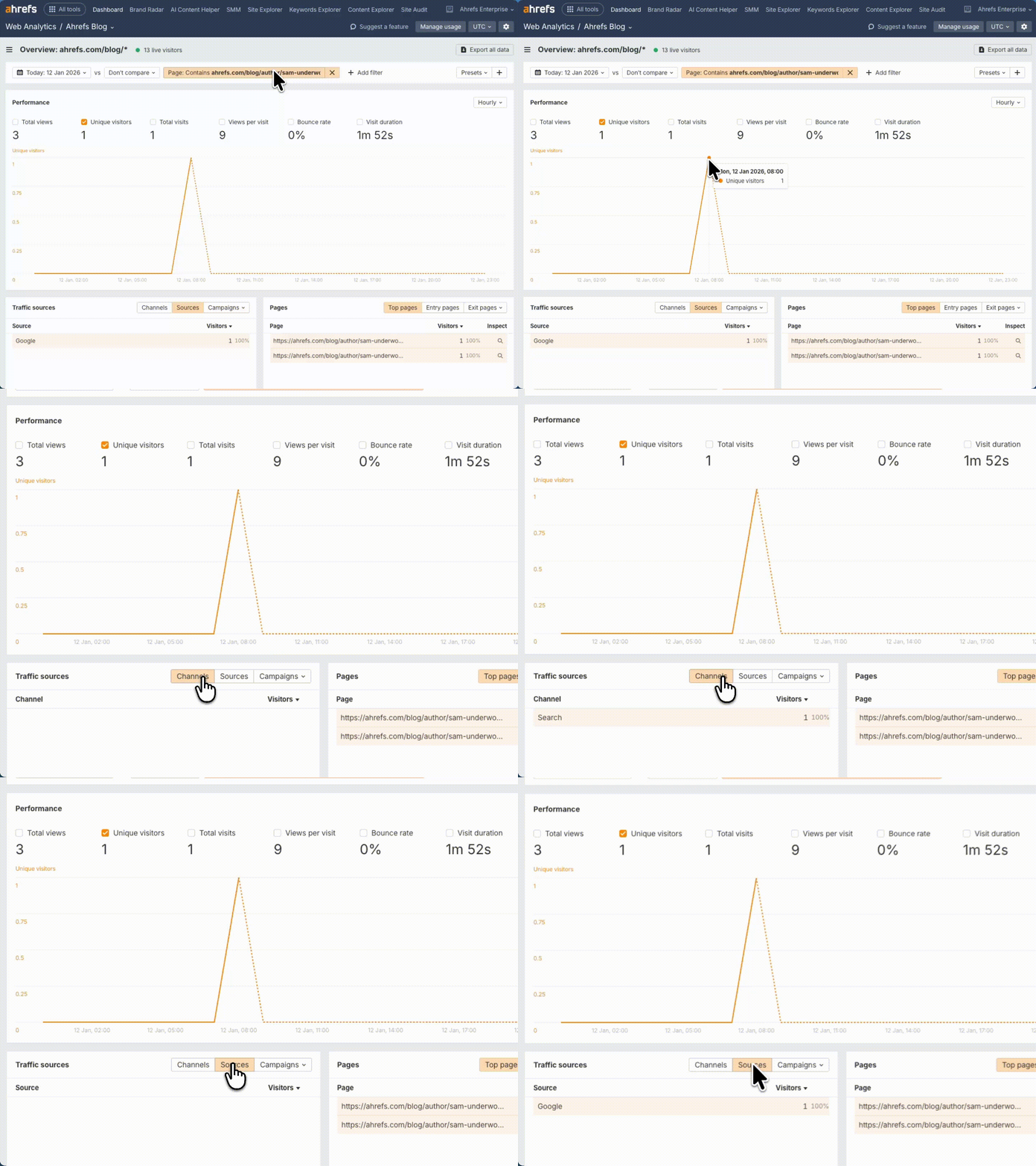
The only way to track AI Overviews in Google properties is through indirect signals and workarounds—which we’ll get to later.
AI Overviews are always changing
Tracking AI Overviews is not a perfect science because AIOs are dynamic and constantly changing.
Want to track brand mentions in AIOs? Be aware that AI Overview content changes 70% of the time.
Thinking of tracking citations? They change 46% of the time, too.
And that’s before we even get to personalization—Google personalizes results based on location, search history, and other factors.
So you might see an AI Overview, while someone else searching the same thing doesn’t.
Consistency is very much not part of an AI Overview’s DNA.
That said, we found that the underlying meaning, opinion, and intent of AI Overviews is incredibly stable.
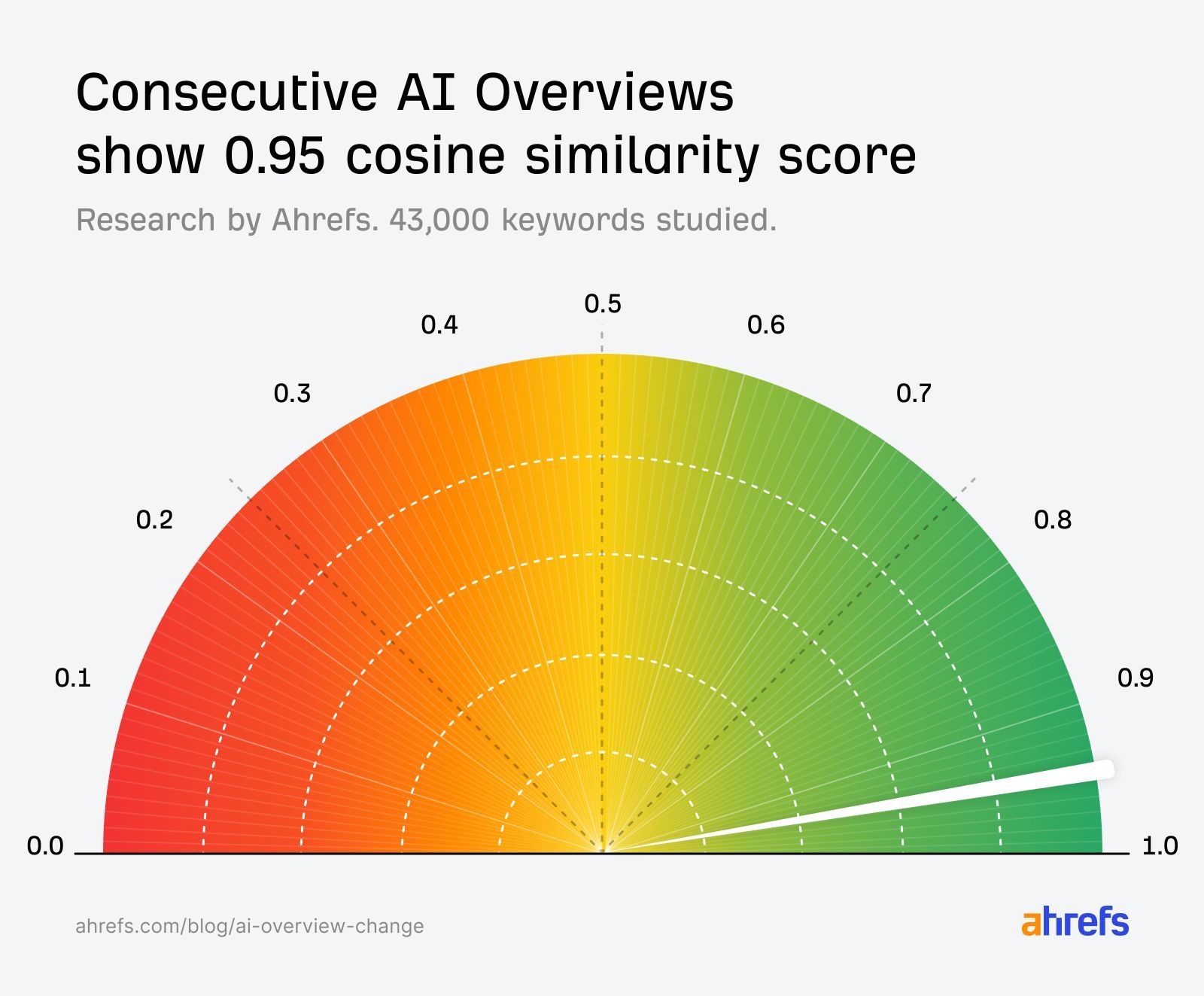
Tracking them at scale, over time, will give you a directional understanding of your performance, and a better grasp of what content you need to be creating to claim them consistently.
To properly track AI Overviews, you need visibility into three things: when they’re appearing for your target keywords, what they’re saying, and which URLs they’re citing.
A good AI Overview tracking tool will monitor these things automatically, helping you spot patterns and shifts in visibility, and understand the downstream impact on your search and AI performance.
Here are some ways you can track AI Overviews; from workarounds, to vibe coding, to one-stop tools.
First, work out which of your pages are already visible in AI Overviews.
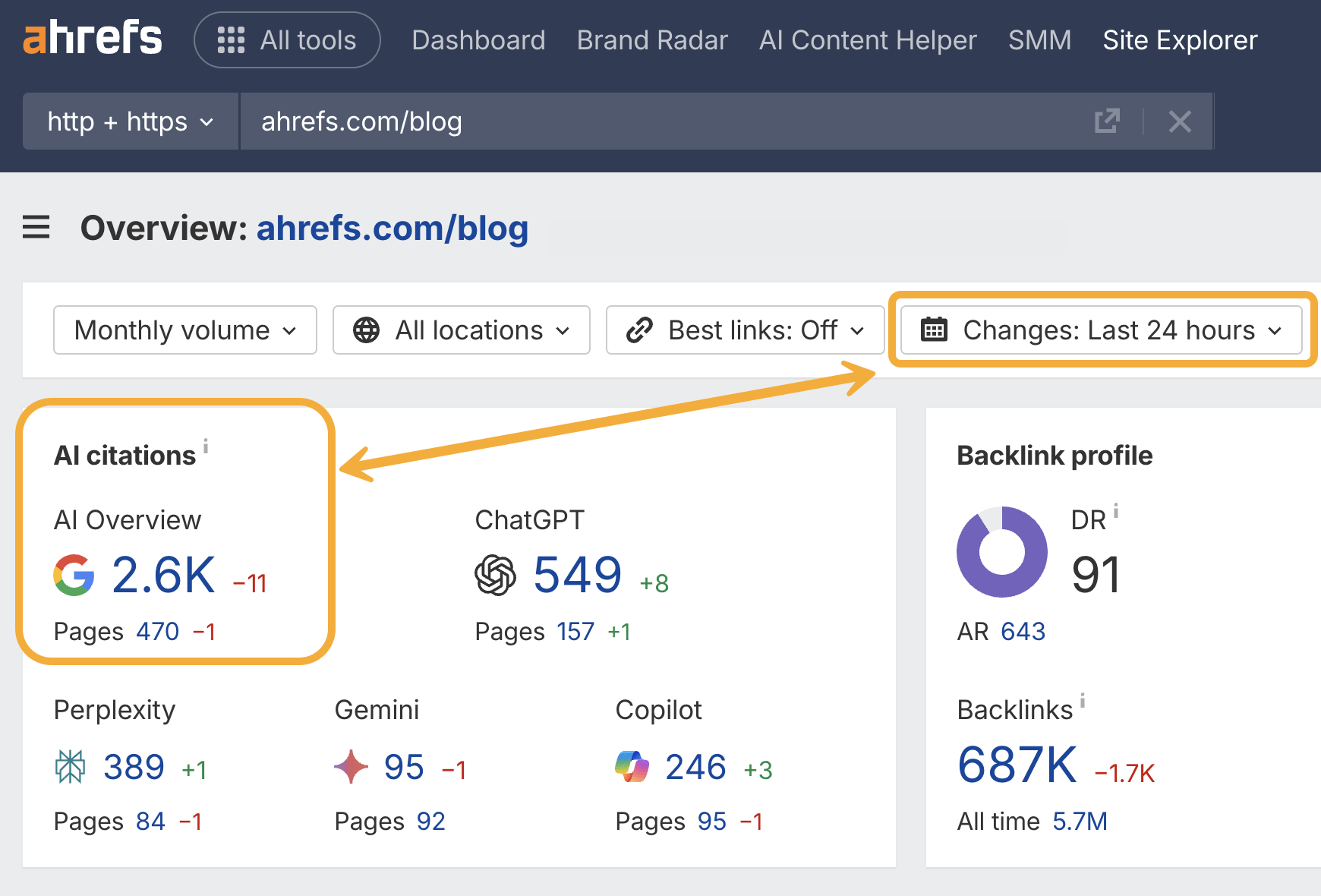
Just head to Ahrefs Site Explorer and drop in your domain, subdomain, or subfolder.
This will give you a quick snapshot of your total AI Overview citations, including historical positive and negative performance—great for regular reporting and benchmarking.
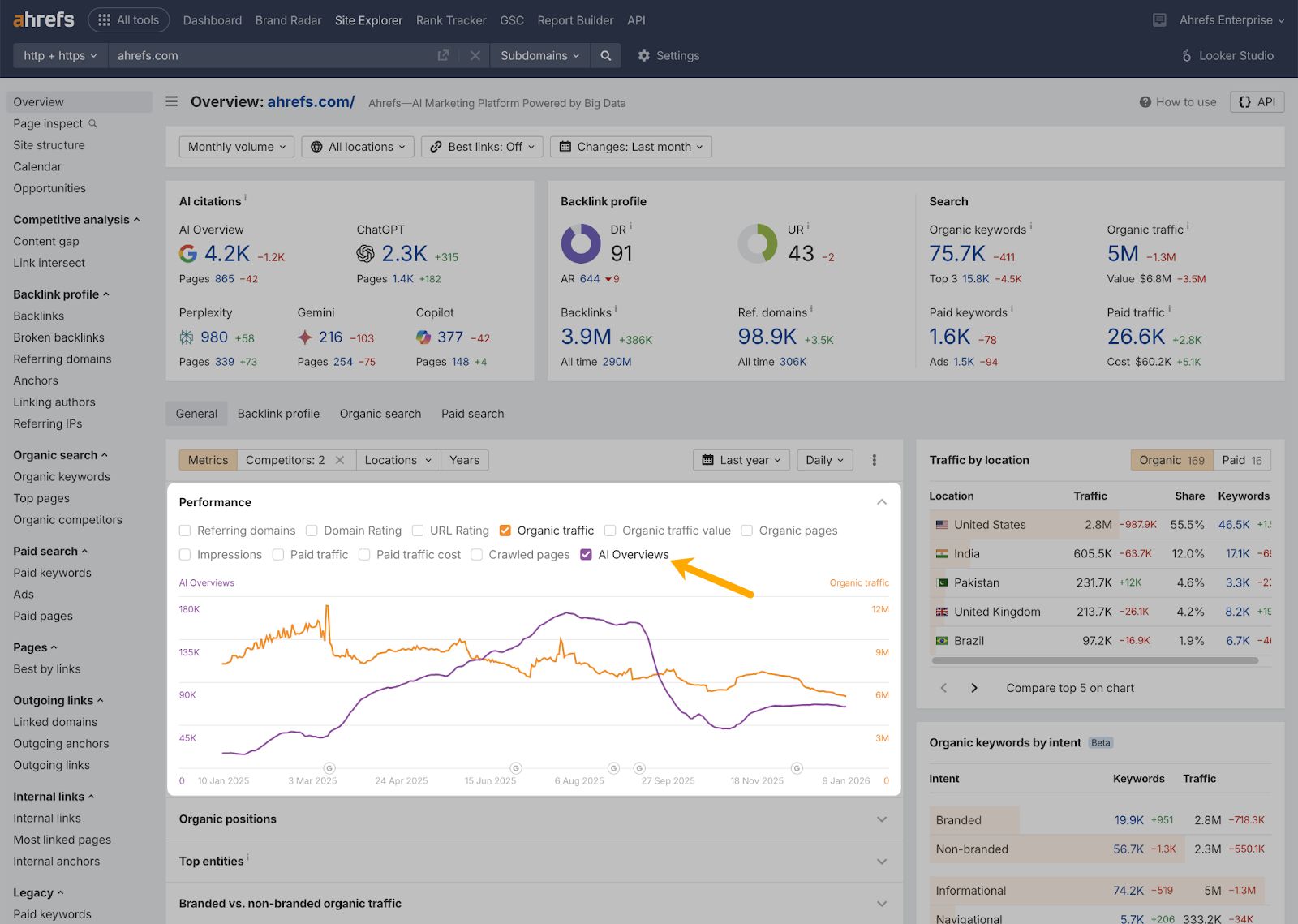
From there, you can track how your AI Overview performance is trending over time, with history data in Site Explorer Overview—just make sure to select the purple “AI Overview” checkbox.
And, if you want, you can get even more granular.
Just click into Ahrefs Brand Radar from the AI citations module…
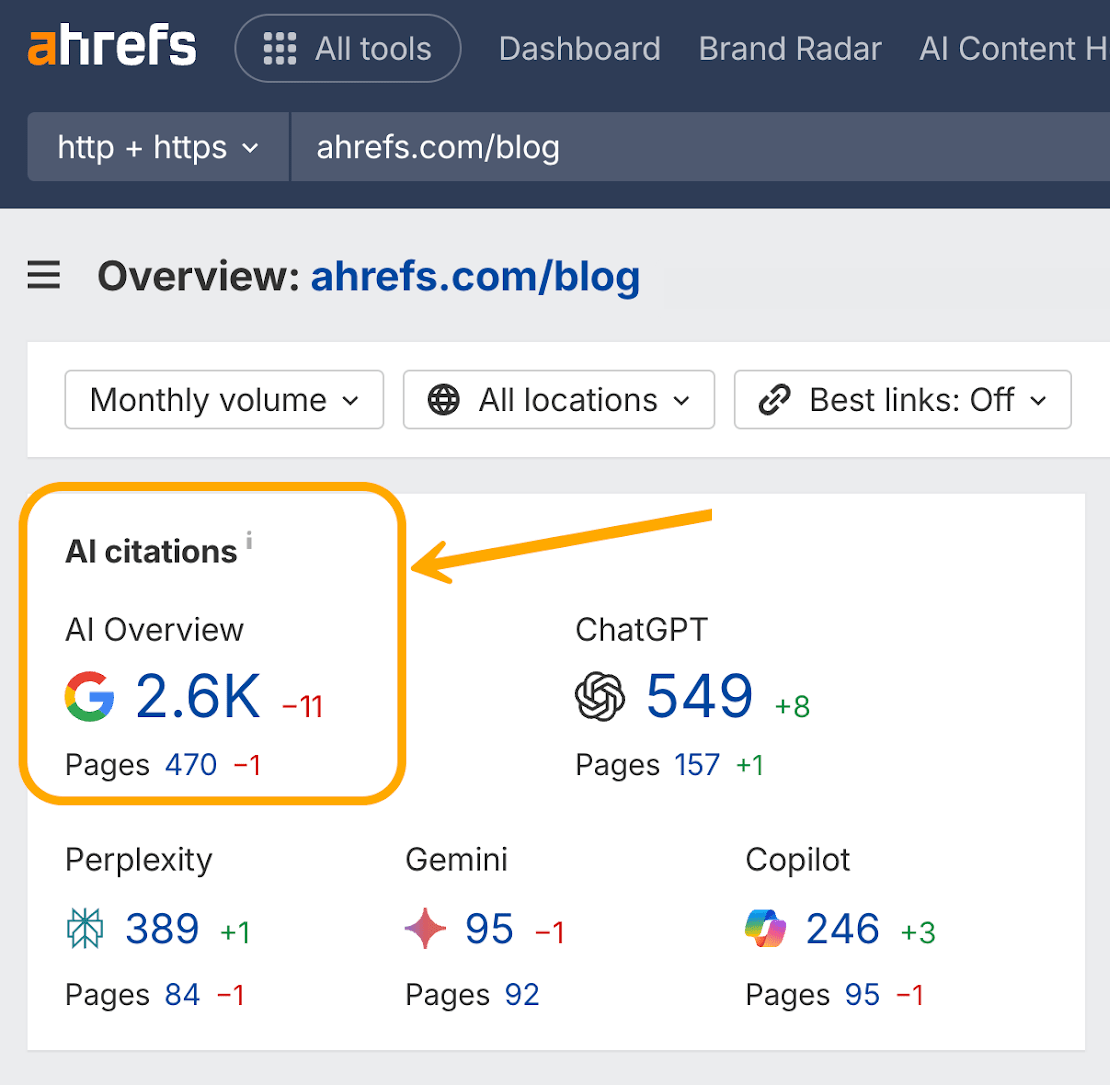
This will pull up a full report of the citations you’ve won over time—including global ownership ¹, individual prompts ², AI Overview responses ³, and citation competitors ⁴.
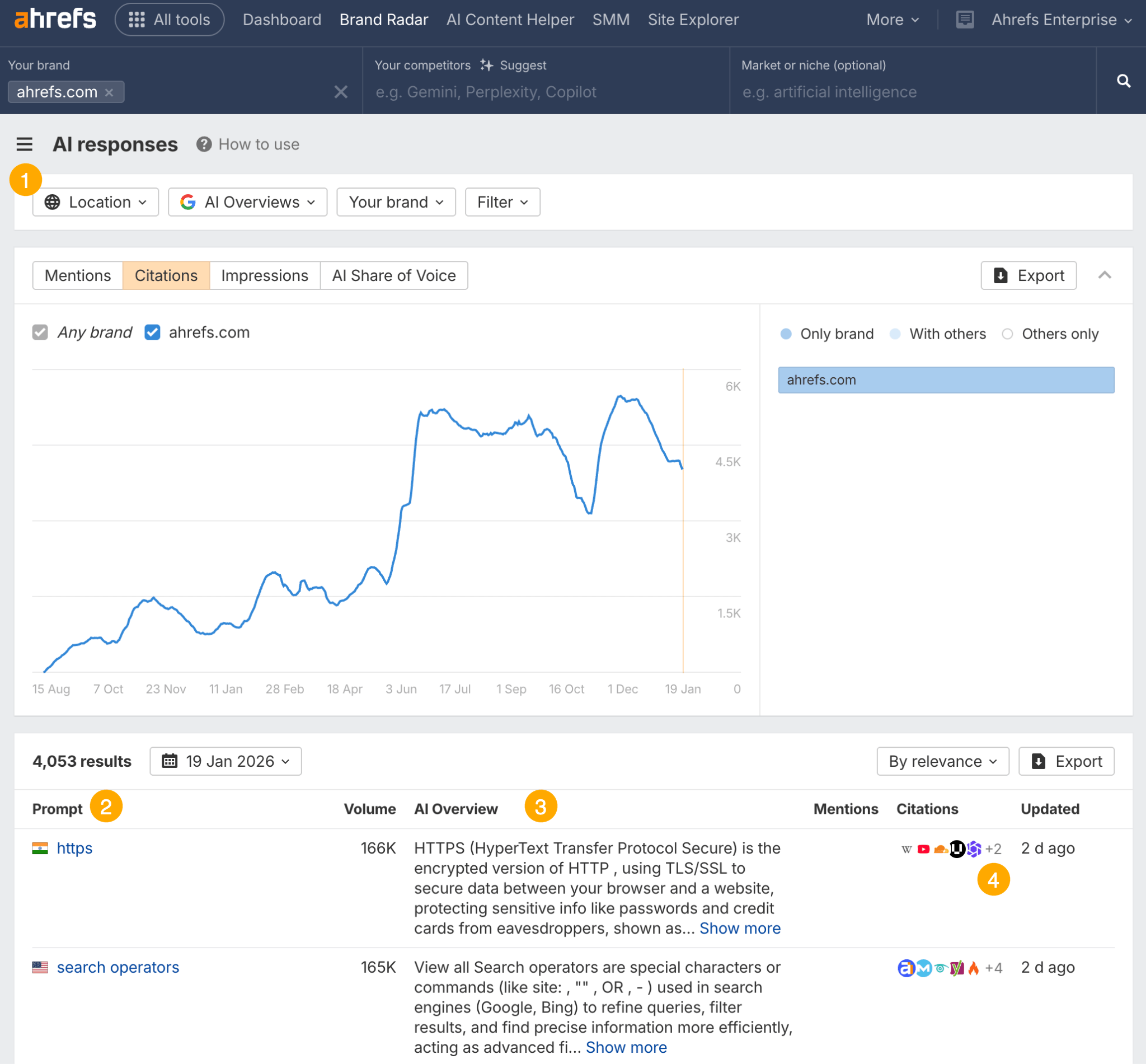
Once there, you can track how citations grow over time, and see how your AIO visibility is impacted by your content, PR, and brand strategy.
Here’s a tactical move for boosting your AI Overview performance: spot the citation gaps where competitors are getting cited and you’re not, then create content to claim those citations for yourself.
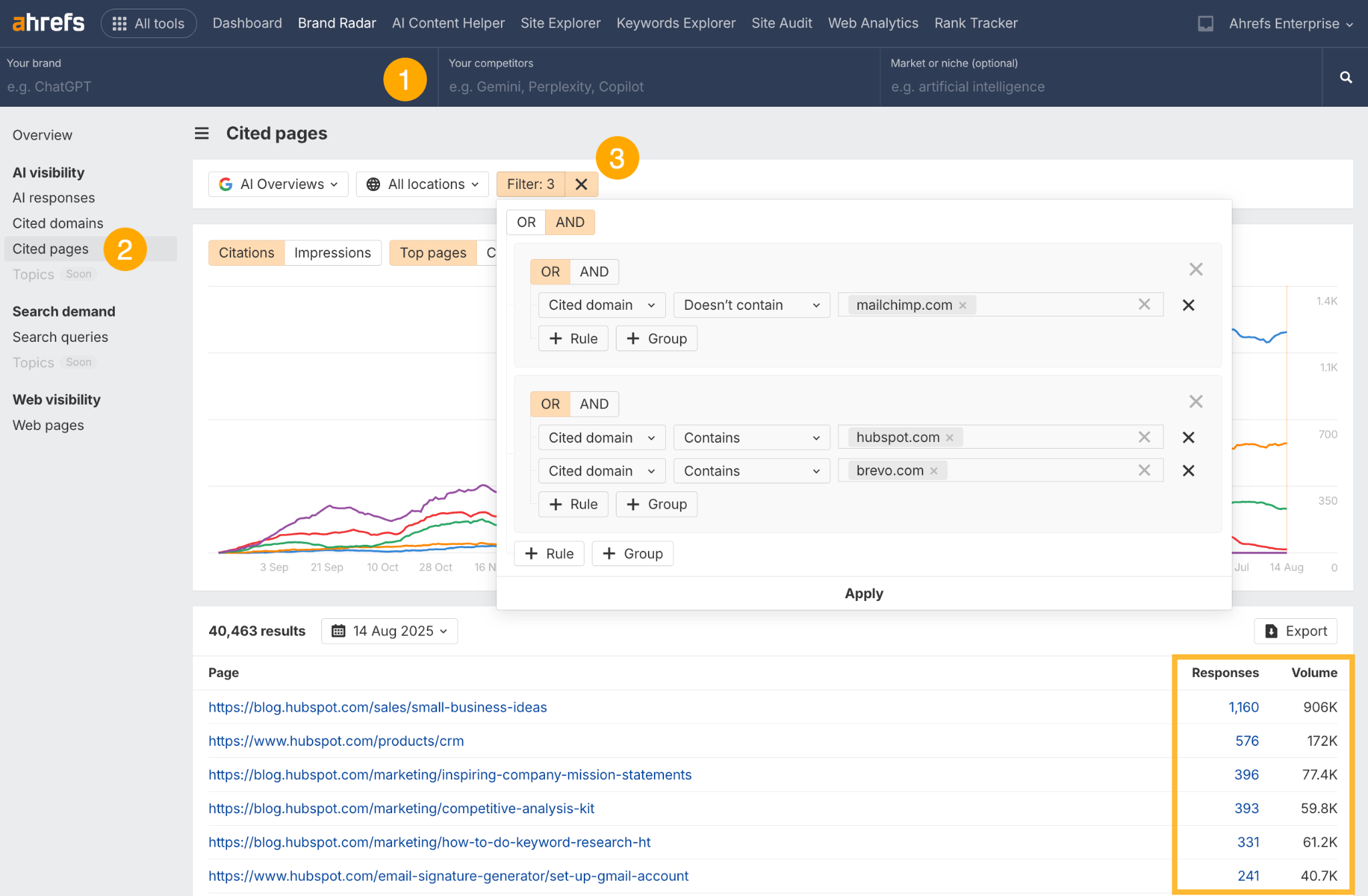
- Start by clearing all the top-level filters in Brand Radar.
- Go to the “Cited pages” report.
- Apply the competitor filters shown in the screenshot—i.e.
Cited domain>Doesn’t contain>“your brand”ANDCited domain>Contains>“your competitor”
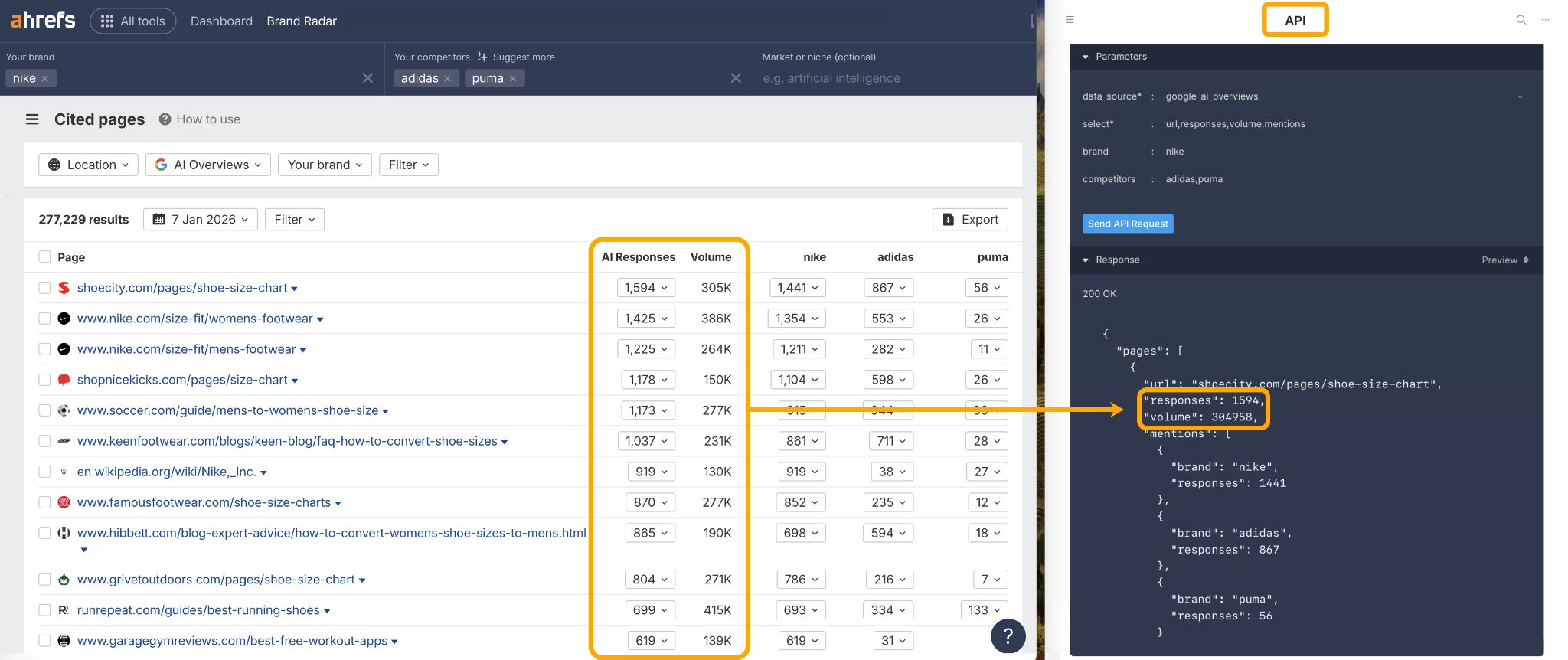
If you want to track AI Overviews in your own reporting environment, you can also grab citation data out of Brand Radar via the API.
There are three ways you can track AI Overview keywords:
- Monitor where you already show up
- Catch new wins as they roll in
- Spot fresh, unclaimed AIO opportunities to track
Monitor where you already show up
If you need to audit your current keyword ownership, there are a couple of practical ways you can do this in Ahrefs.
First, there‘s the “AI responses” report in Brand Radar which you saw earlier. Just enter your domain in Site Explorer, click into the “AI citations” module, and you’ll see every AI Overview keyword you’ve claimed so far.
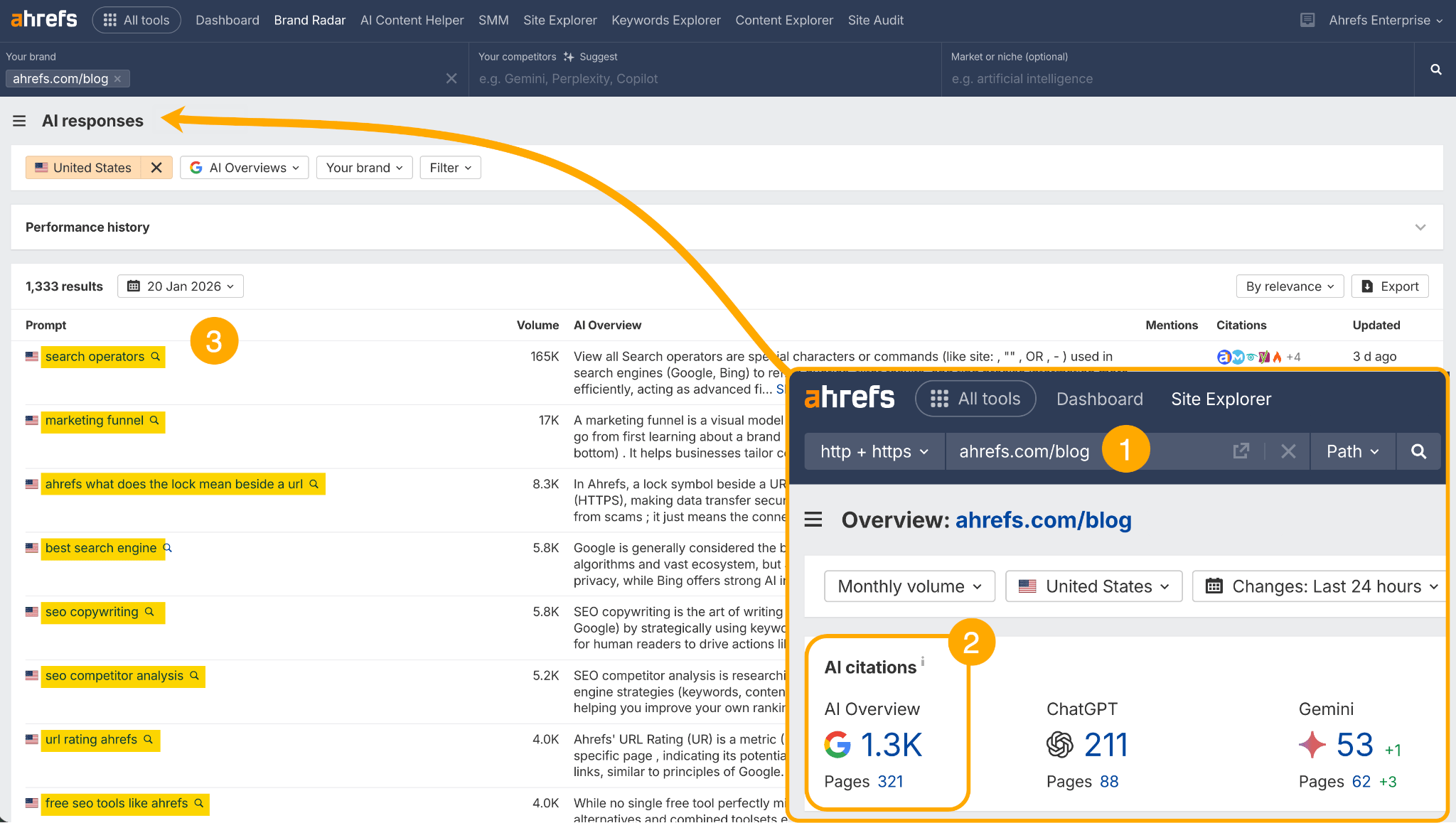
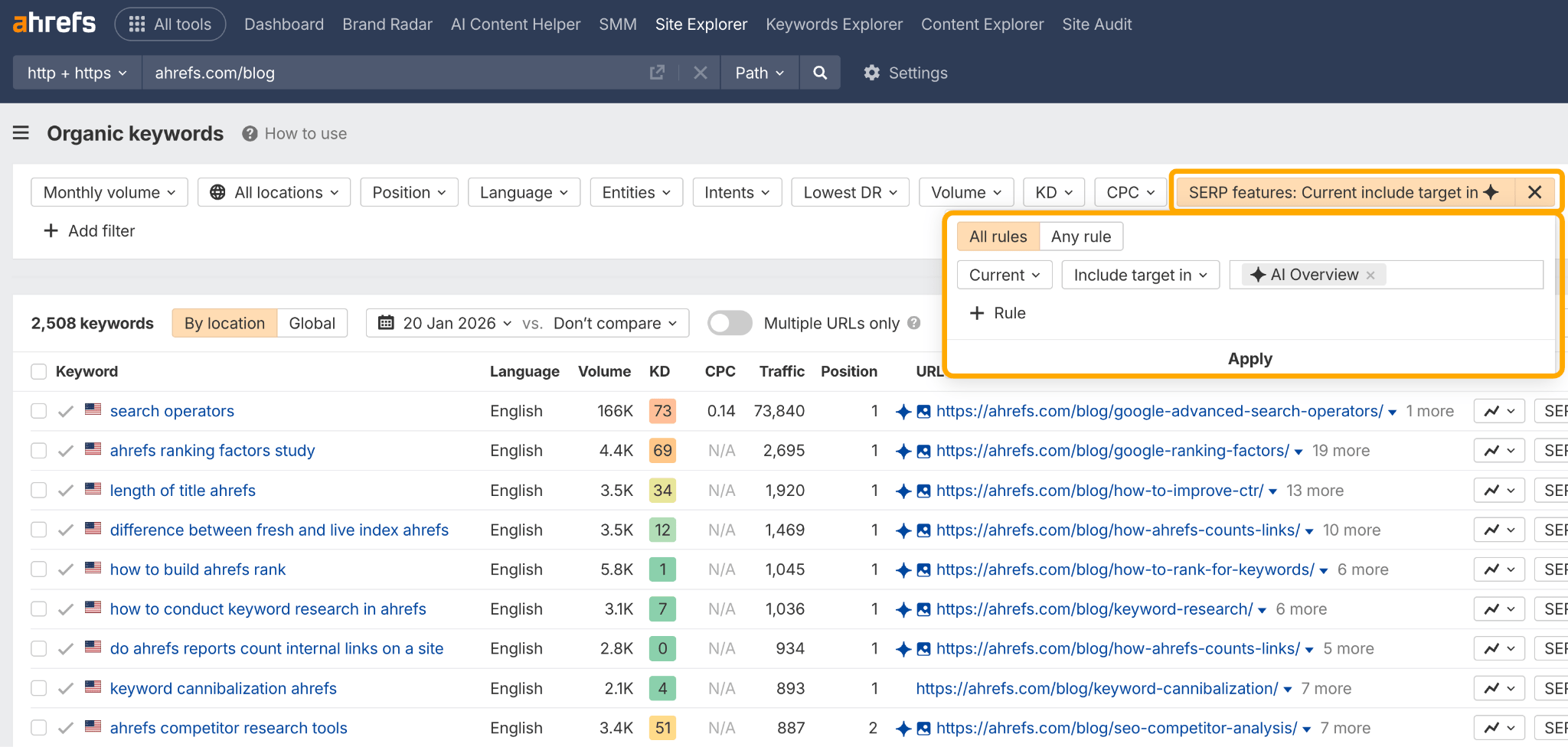
Then you have the Organic Keywords report in Site Explorer. You just enter your site or path, configure a “SERP features > Current > Include target in > AI Overview” filter, and you’ll see your AI Overview keywords and citations in one view.
Catch new wins as they roll in
To dig into your newly won AI Overview keywords, you can set up an Ahrefs Alert.
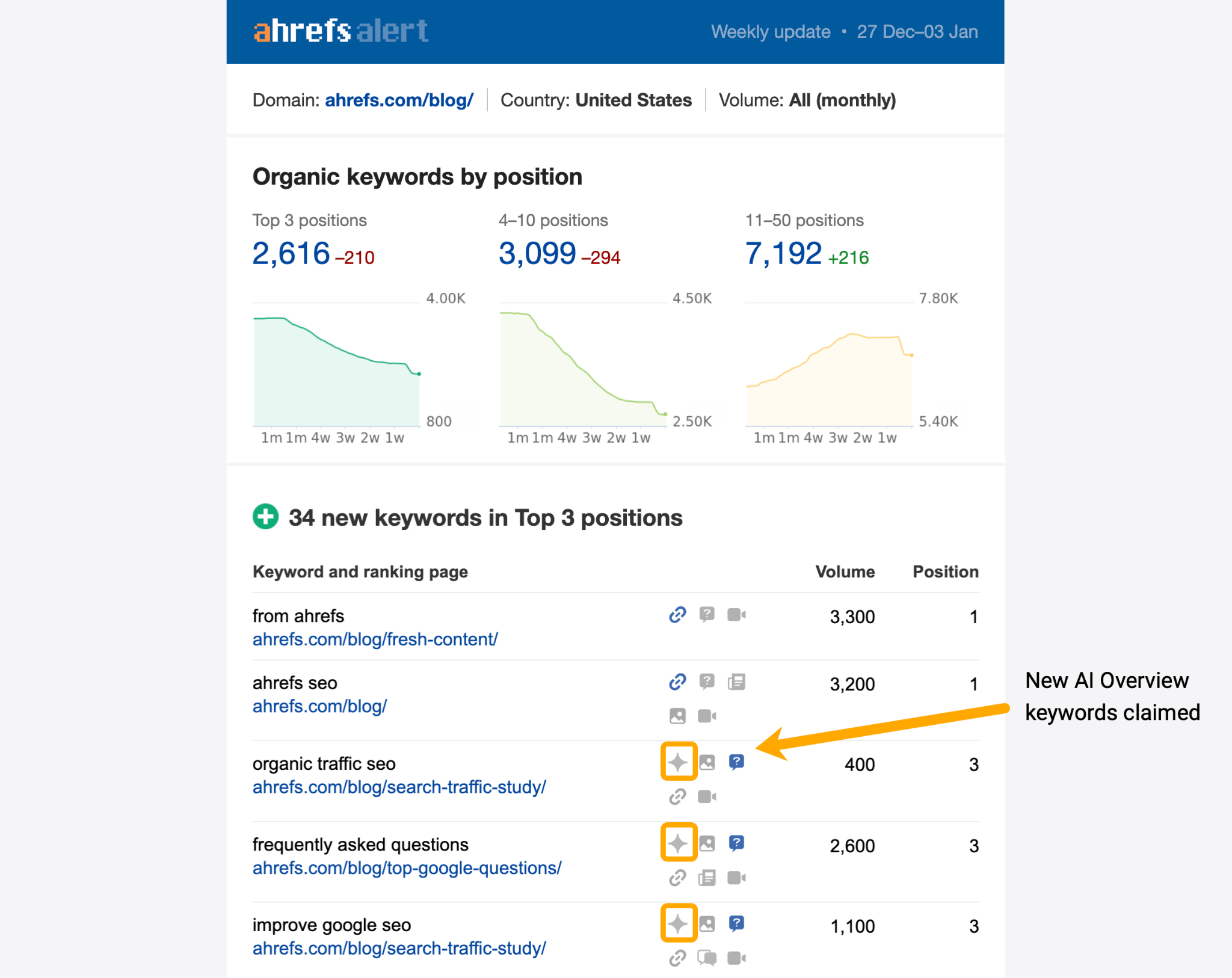
Every time you see a sparkle symbol, it means you’ve won a new AI Overview keyword since your last alert (FYI: you can select alert frequency during setup—i.e. daily, weekly, monthly).
Another way to spot new AI Overview keywords is back in the Organic Keywords report. This time you want to set a date range comparison (e.g. a month), then apply the filters you see below.
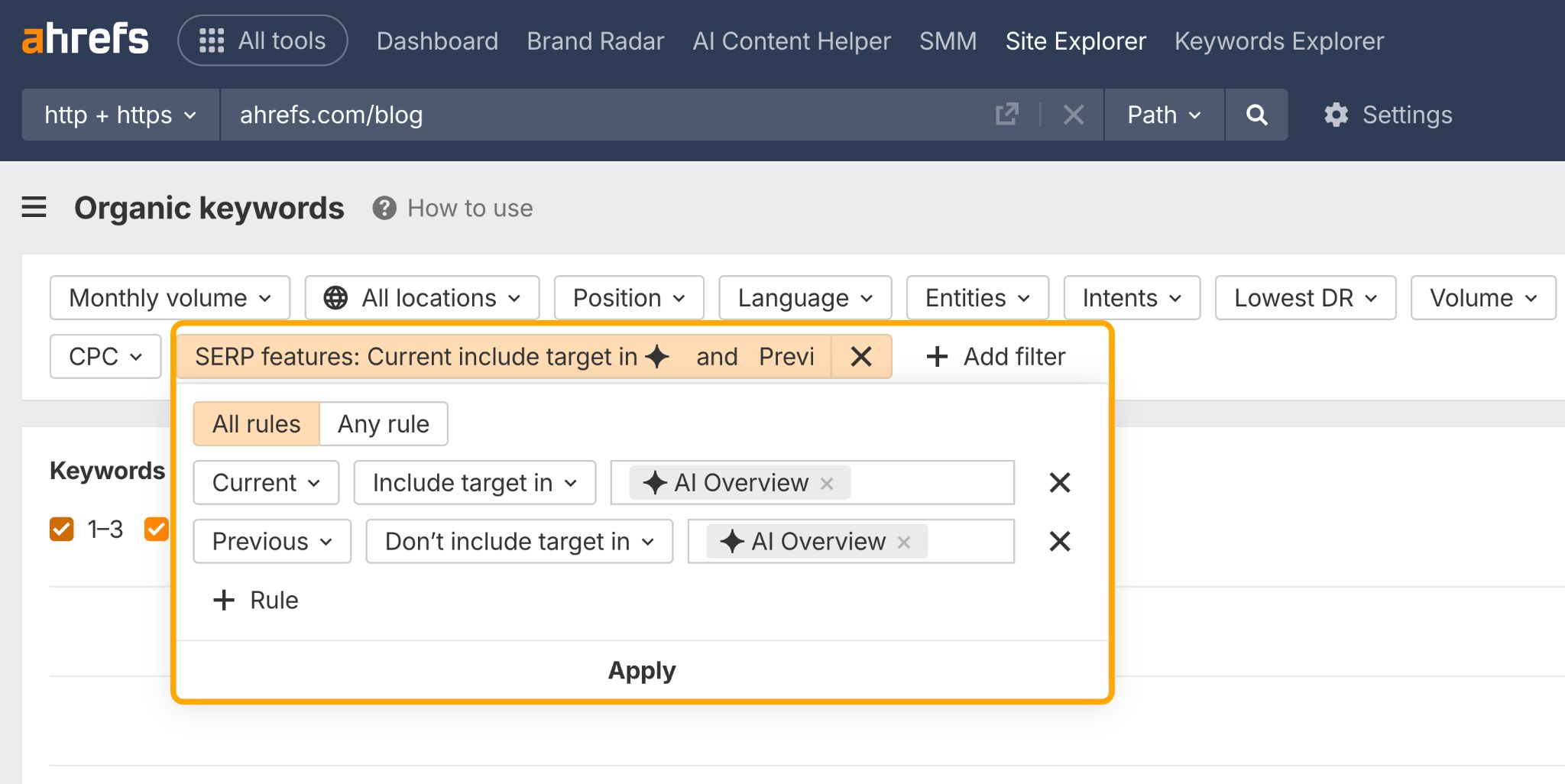 This will show you every AI Overview keyword you’ve won since the “previous” period—i.e. last week.
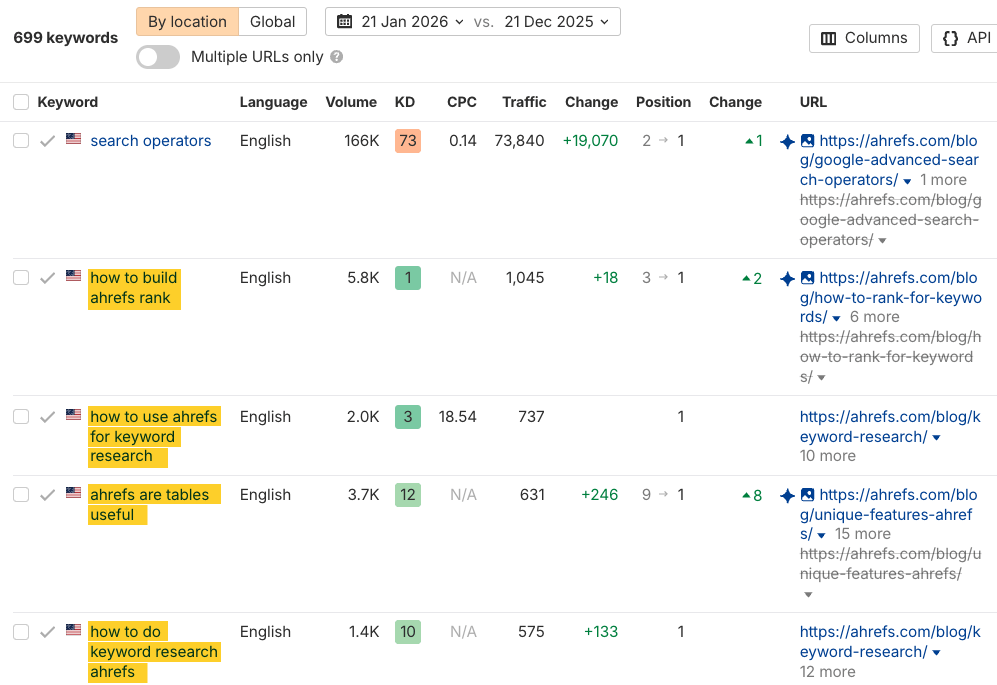
For instance, over the last month, we’ve won 699 new AI Overview keywords on our blog…
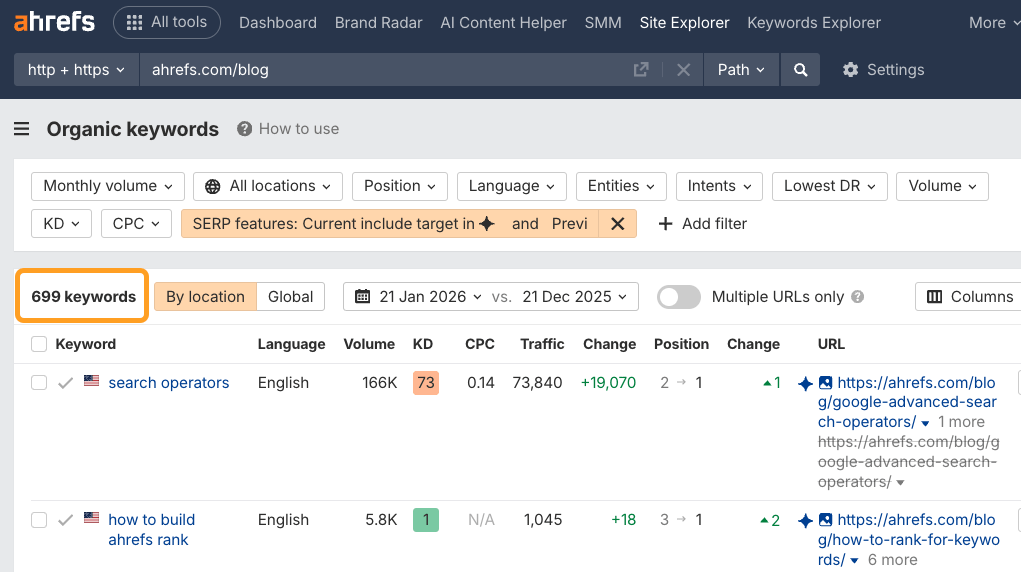
This is the kind of data you can include in reports for clients or leadership, to prove the impact of your work.
From there, you can do even deeper analysis—for example, find out which AIO keywords still drive traffic to your site.
For example, I can see that our traffic for branded AIO keywords has increased over the past month, despite the fact that AI Overviews tend to reduce clicks.
Spot fresh, unclaimed AIO opportunities to track
You’ve found the AI Overviews you’ve already claimed, the AI Overviews you’re in the process of claiming—now, here’s how to track brand new AI Overview opportunities.
Head to Keywords Explorer, our database of 2.4B queries, then open any one of the “Keyword ideas” reports (e.g. “Matching terms”).
Once there:
- Drop in some focus topics—the broader the better
- Set a filter for:
SERP Features>Include>AI Overview - Set a filter for:
Target>[enter your domain]>Doesn’t rank for in top 10/top 100 - Then sort the growth column from top to bottom
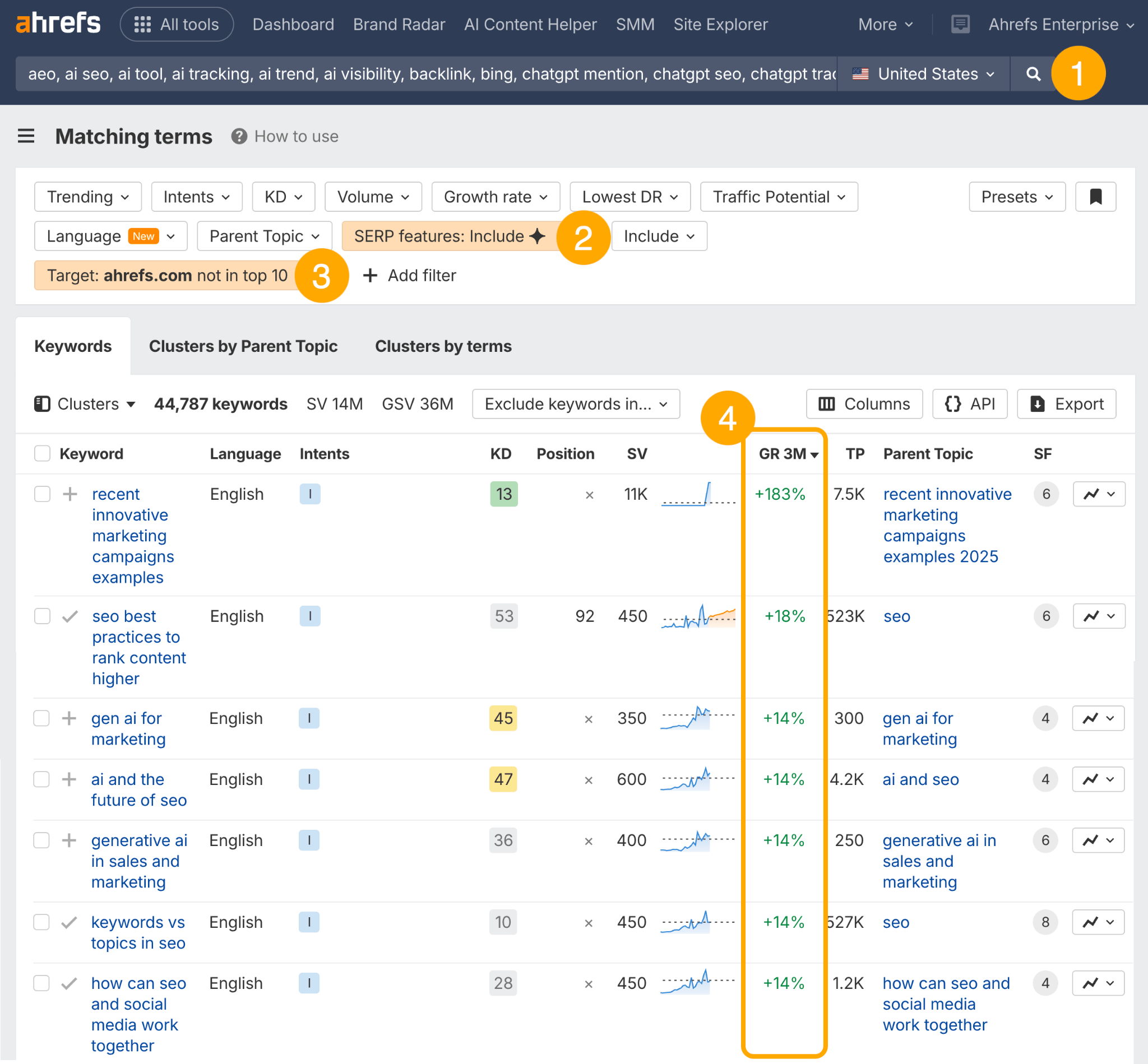
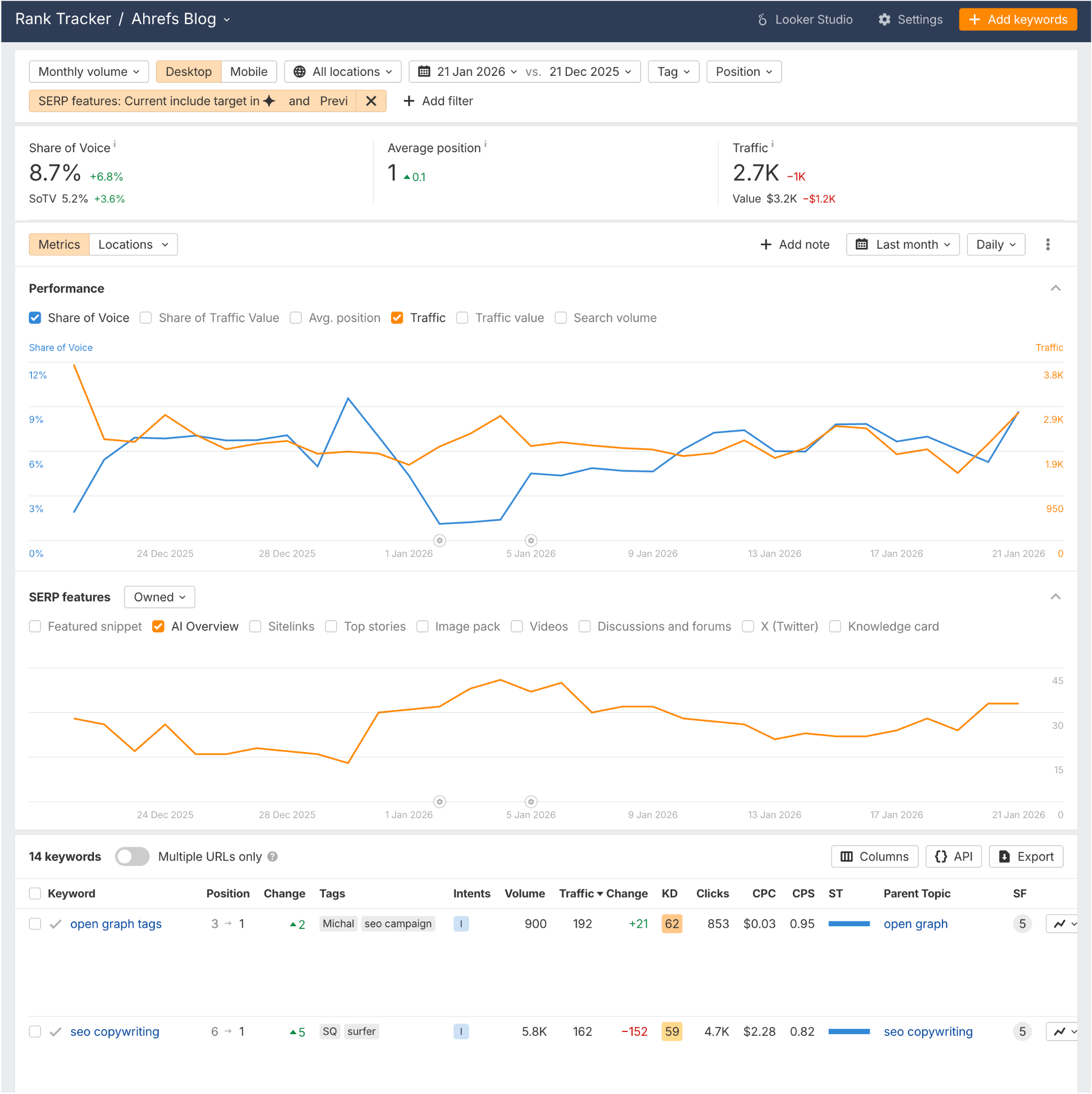
This will give you a long list of trending, unclaimed AI Overview keyword ideas which you can begin targeting, and subsequently monitoring in a keyword tracking tool like Rank Tracker—so that you’ll know as soon as you win them.
For more untapped AI Overview keyword ideas, enter your brand and competitors into Brand Radar, then click the “Your brand > Not mentioned > Not cited” filter.
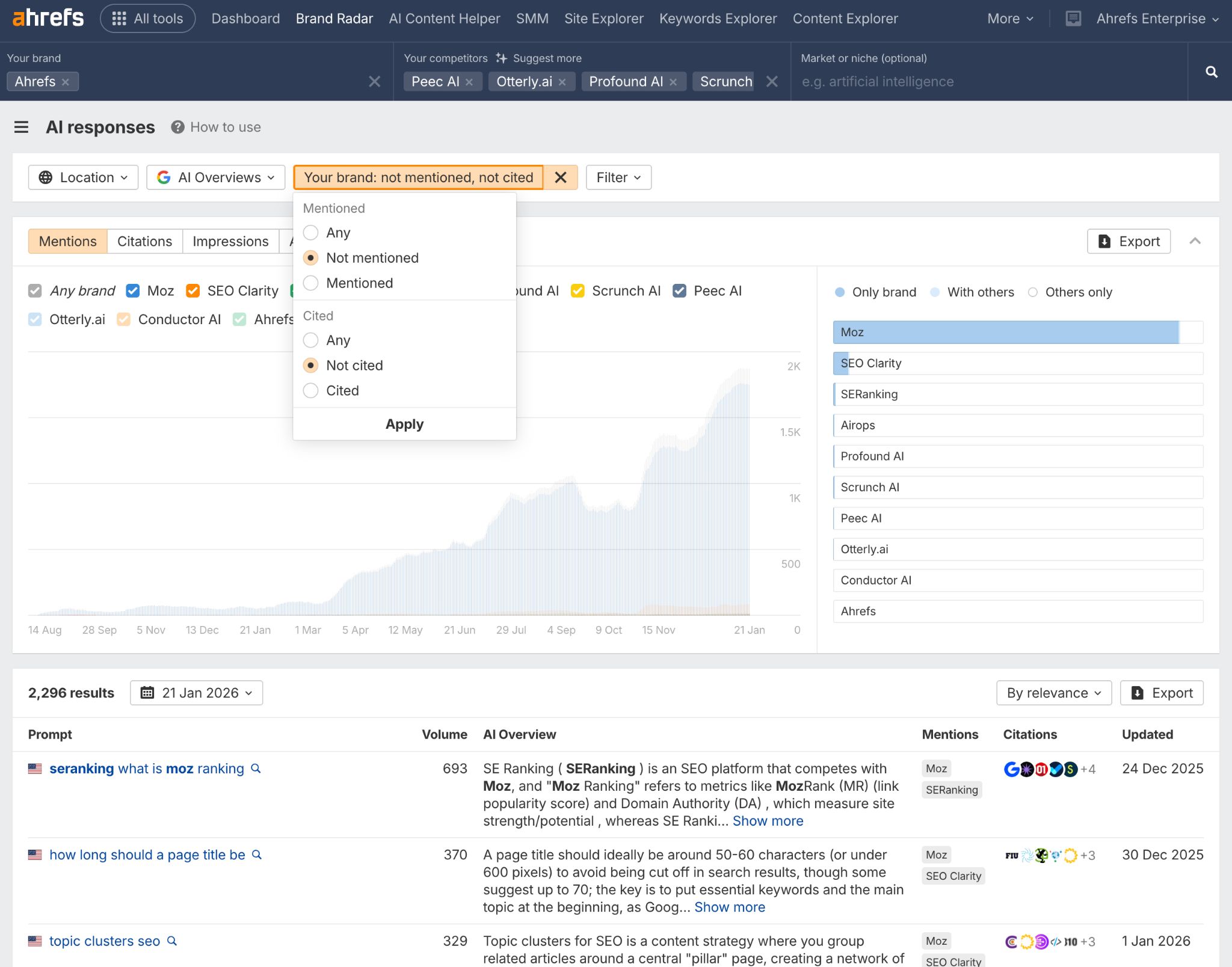
This will pull up a full report of the AI Overview keywords your competitors have claimed, but you’ve missed.
Again, you can add any AIO queries from this report to Rank Tracker or Ahrefs Alerts, to track when you start claiming them.
AI Overviews reduce clicks by design, so tracking citations or estimating traffic isn’t enough.
AI search is a visibility game, and mentions are how you measure it.
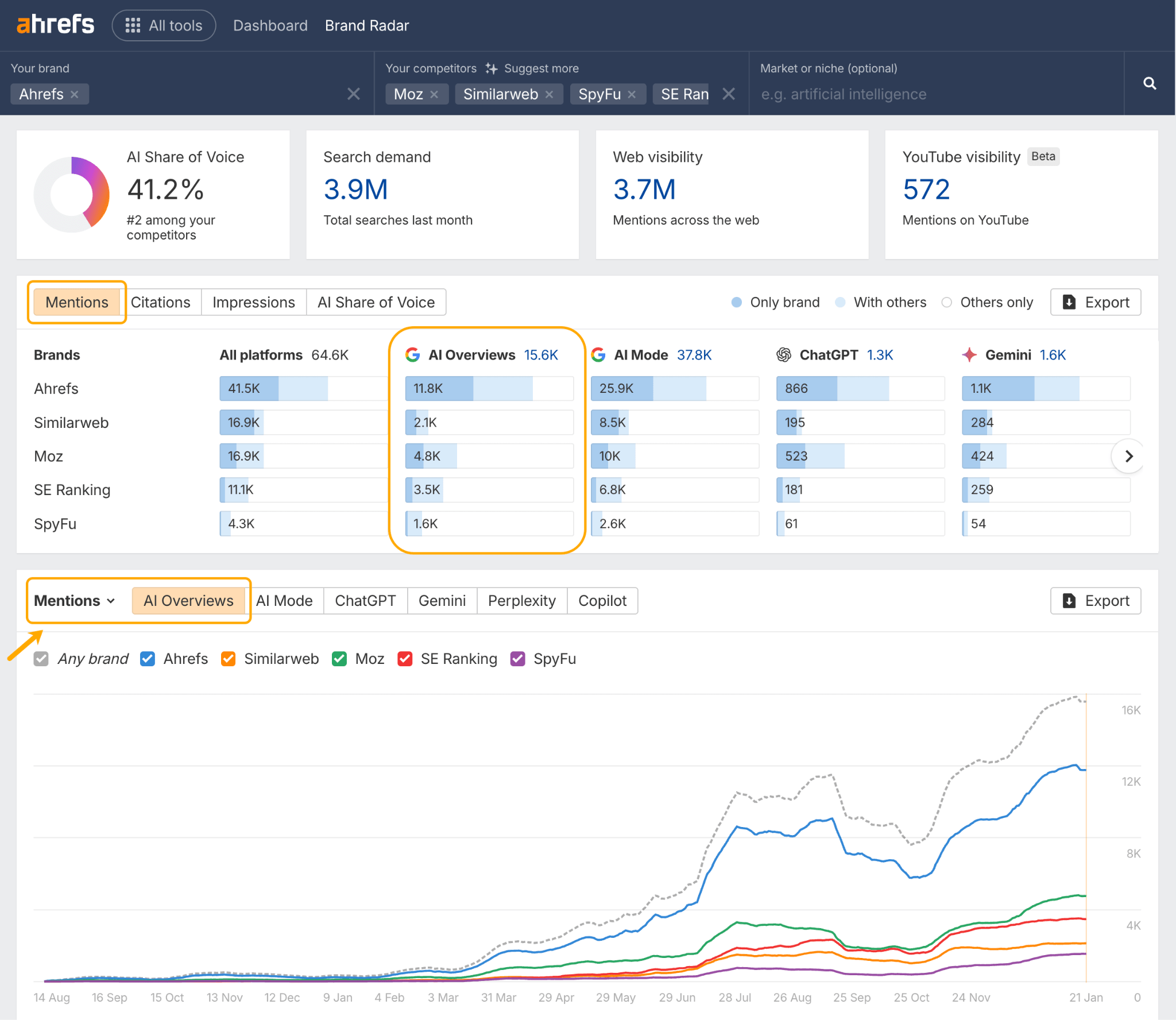
The simplest way to track mentions in AI Overviews is using an AI monitoring tool like Brand Radar.
What you can track
Mentions: Monitor how often your brand appears in AI Overviews and how that trends over time.