



The best free AI writing assistants for marketing teams in 2027, according to G2, are Anyword, Grammarly, Jasper, Notion, Rytr, Simplified, and Writesonic. I also looked into Canva, GravityWrite, Wordtune, and Zoom Workplace as bonus tools while compiling this piece.
As a marketer, I’ve watched AI writing tools go from a novelty someone demoed in a team meeting to something half my workflow quietly runs on. I’ve also seen the gap up close: a tool that actually saves your team hours versus one that hands you a confident first draft you end up rewriting from scratch. That difference is rarely obvious from a pricing page, which is exactly why I went looking at what marketers actually say after living with these tools.
Here’s the honest part most listicles skip: genuine free-forever AI writing plans are rare in marketing. Grammarly, Notion, and Rytr give you a real free tier you can build a workflow on. The rest lean on short trials or a one-time credit quota, so the smart move is to use that free window to figure out which tool fits how your team actually writes before a card ever gets entered.
For a marketing team, the gap between shipping a campaign on time and watching copy pile up in drafts often comes down to how fast you can get a usable draft, how well the tool holds your brand voice, and where the free plan quietly runs out.
I evaluated more than 20 tools on G2’s free AI writing assistant category page on what they offer for free, how they hold up for a lean team drafting at volume, and exactly where the free plan or trial ends.
Here’s what I found about the best free AI writing assistants for marketing teams in 2027.
What are the best free AI writing assistants for marketing teams in 2027?
- Anyword: Best for performance-scored ad and email copy
Suits marketing teams that want predictive scoring on the copy they publish. - Grammarly: Best for polishing marketing copy everywhere you write
Ideal for marketing teams editing across Google Docs, email, and a CMS. - Jasper: Best for on-brand marketing content at scale
Built for marketing teams that need brand voice held steady across campaigns. - Notion: Best for writing inside a marketing team’s workspace
A fit for marketing teams that plan, draft, and track content in one place. - Rytr: Best for short-form copy on a genuine free plan
Made for lean marketing teams producing steady short-form copy for free. - Simplified: Best for combining copy with design and social
Handy for marketing teams that write, design, and schedule in one tool. - Writesonic: Best for SEO and AI-search-ready content
Best when a marketing team wants content built for search and AI answers.
*Tools are listed alphabetically. These tools offer free trials, free forever options, or freemium models. All ratings and review counts are from G2 as of 2026.
Best free AI writing assistants for marketing teams: a comparison
Here’s a side-by-side look at free plan limits and pricing before diving into the full reviews.
| Tool | G2 rating | What the free plan covers | Paid starts at |
| Anyword | 4.8/5 ⭐ |
|
$39/month |
| Grammarly | 4.7/5 ⭐ |
|
$12/user/month |
| Jasper | 4.7/5 ⭐ |
|
$59/month |
| Notion | 4.6/5 ⭐ |
|
$10/user/month |
| Rytr | 4.7/5 ⭐ |
|
$7.50/month |
| Simplified | 4.6/5 ⭐ |
|
$19/month |
| Writesonic | 4.7/5 ⭐ |
|
$79/month |
*Pricing and free-plan details are drawn from each vendor’s site as of November 2026 and can change. Confirm the current terms on the vendor’s pricing page before you commit; the pricing can change over time.
How did I find and evaluate the best free AI writing assistants for marketing teams?
I started with G2’s AI writing assistant software category page, which lists tools that offer free plans, free trials, or freemium models. From there, I took the products as they appear and worked through the free plan or trial on each one, paying attention to what a marketing team actually cares about: how fast you can get a usable draft, how well the tool holds your brand voice, which features you get without paying, and exactly where the free tier or trial runs out.
Then I went to the reviews. I narrowed the review data to the audience this article is for: people in marketing and advertising, reviewing these tools in 2026. That filter is also why the feedback leans toward marketing reality, like lean teams drafting ad and email copy at volume and chasing brand consistency across channels, rather than general-purpose use.
This list reflects the tools that appeared on G2’s free AI writing assistant category page at the time of writing, so the lineup may look different if the page has since been updated. G2 review data referenced throughout was pulled in 2026, and some reviews have been lightly edited for clarity, and the images used are from G2 or from vendor pages.
What I look for in a free AI writing assistant for marketing teams
Reading through how marketing teams actually use these tools, the same handful of things decide whether AI writing speeds up your content or just adds another tab to babysit. Here’s what I paid attention to:
- How fast you get from prompt to usable draft: The whole point is getting copy out the door. The tools marketing reviewers reach for are the ones that turn a short input into a workable ad, email, or social post in seconds, not the ones that need three rounds of re-prompting before anything is publishable.
- Whether the output is actually marketing-shaped: Generic paragraphs are easy; on-format copy is the hard part. I looked for tools that produce real ad copy, email sequences, landing page blocks, social captions, and product descriptions, through purpose-built templates rather than a blank chat box.
- How well it holds your brand voice: A marketing team lives or dies on sounding like itself. Reviewers consistently praise tools that keep tone consistent across a lot of output and call out the ones whose copy reads like default AI text you have to rewrite anyway.
- Whether the content is built to rank: For any team writing blogs or landing pages, SEO is the point, not an afterthought. I looked at whether a tool helps with the on-page basics like keyword-aware drafting, headings and structure, and meta titles and descriptions, so the copy has a real shot at organic search rather than just reading well.
- How it handles AI search visibility: Search is not just Google anymore. With more discovery happening inside ChatGPT, Gemini, and Google’s AI Overviews, I noted which tools help shape content to get surfaced and cited in AI answers, since that is fast becoming its own channel marketing teams have to plan for.
- How much of your workflow it fits into: Marketers write everywhere, in a browser, a CMS, Google Docs, a shared workspace. The standout tools slot into where the work already happens, so there’s no copy-paste shuffle between a writing tool and the place the copy actually goes.
- What you actually get for free: Free tiers and trials vary wildly here. I noted which tools give you real, ongoing writing without paying, and which only hand you a time-boxed trial before the wall comes up.
- Where the free plan ends, exactly: Most of these do not have a generous free-forever plan, so the wall comes fast. Knowing whether you get a real free tier, a capped allowance, or a 7-day trial before any pricing is the difference between a planned upgrade and a mid-campaign scramble.
To be included on this list, a tool must:
- Use AI as the primary mechanism to assist, enhance, or generate written content
- Accept at least one of the following as input: typed text, voice input, uploaded documents, or multimedia content
- Provide actionable recommendations or automated improvements to writing quality, including grammar, style, tone, or readability
- Generate or significantly transform written content based on user-defined goals, prompts, or source material
- Produce output intended for human communication contexts such as emails, articles, reports, social posts, or internal documentation
*All ratings, review counts, and reviewer sentiment reflect G2 Data as of 2026. Some reviews have been lightly edited for clarity.
1. Anyword: Best for performance-scored ad and email copy
Reading through the Anyword reviews, what struck me is that most AI writers hand you a draft and leave the judgment to you, while Anyword tries to tell you which version will actually work. It is built around predictive performance scoring, trained on marketing data, so the copy arrives with a read on how likely it is to convert before you ever publish it. For a marketing team producing ads and email variations at volume, that is a different kind of help than a blank-page generator gives you.
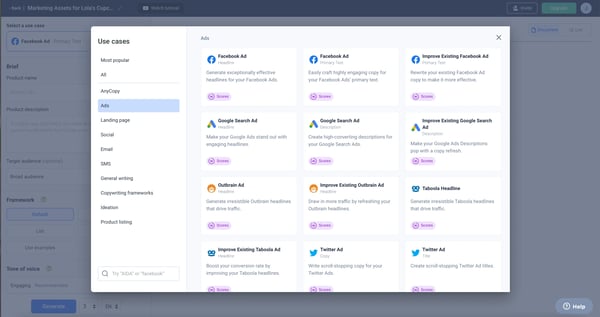
G2 reviewers from marketing teams kept coming back to speed on repetitive copy. They describe generating strong alternatives quickly across content, email, and ads, then leaning on the scoring to decide what to test rather than guessing. For a lean team, though, the honest catch that reviewers and the pricing both confirm is that Anyword has no free-forever plan. What you get for free is a 7-day trial with access to paid features and no credit card to start, enough to feel out the scoring and the workflow before it turns into a paid decision.
What does Anyword’s free plan include?
- 7-day free trial on Starter and Data-driven plans
- No credit card required
- 2,500 word limit
- Gen AI Performance Writing
- Performance predictions and data rows
- Real-time performance predictions for manual edits
- Blog Wizard with plagiarism checker
- Anyword’s Google Chrome Extension
- 100+ marketing templates and prompts
When should you upgrade past the free trial?
I’d move off Anyword’s free trial the moment the 7 days end or I hit the 2,500-word trial cap, usually once I’m testing ad and email variations across a real campaign. Starter fits regular ad and email generation, and Data-Driven earns its place once I’m relying on the performance predictions and data rows to decide what to publish.
Where Anyword genuinely stands out:
- Predictive performance scoring that helps marketers prioritize which copy variation to test before spending ad budget.
- Fast turnaround on ads and email, with marketing teams reporting meaningful time savings on repetitive copy work.
What G2 users like about Anyword:
“It’s easy to use and helps me generate multiple copy options quickly. The performance scores are also helpful when I’m deciding between different variations, making it simpler to choose the best option and also ease of implementation.”
– Anyword review, Roshanlal Y.
Is Anyword right for your marketing team?
Best for: Marketing teams running paid campaigns who want performance scoring on ad and email copy before it goes live.
Not ideal for: Teams that need a permanent free plan or that mainly produce long-form editorial content.
What I dislike about Anyword:
- Prompt variations can start to feel repetitive as mentioned by G2 users, reusing similar keywords across generations, though the calibrated performance scoring still makes it fast to iterate on ad copy that converts.
- G2 reviews mention that the toolset can feel narrow if marketing teams want a wider spread of writing modes, but the focus on conversion copy is exactly what makes it useful for ad and email work.
What G2 users dislike about Anyword:
“I would like it a bit more if some of the advanced features were not only restricted by a subscription model, which can limit the exploratory use in the case I want to take advantage of the entire range of tools. In addition, certain pieces of advice may appear quite general, and they will require more specific work to fit the material to my unique voice.”
– Anyword review, Nursalin A.
Measuring what your copy does after it ships? If measuring content is where your team’s attention is, it’s worth browsing G2’s content analytics category alongside it.
2. Grammarly: Best for polishing marketing copy everywhere you write
As I was going through the Grammarly reviews, the thing that separates it from the generators on this list is that it does not ask you to go somewhere to write. It rides along inside the browser, so G2 reviewers describe it working directly in Google Docs, email, and their CMS, catching issues and tightening copy wherever it already lives. For a marketing team pushing volume across channels, that everywhere-you-write reach is the free-plan feature that earns its keep, because the polish happens in the same window as the work.
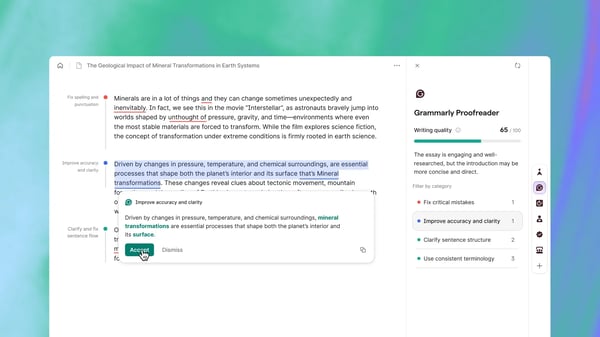
What I see marketing reviewers stress is consistency across many hands and many formats. They describe adjusting tone for different audiences and keeping copy clean whether it is an email, a landing page, or an ad, without breaking their flow to paste text into a separate app. The free plan supports that day to day: basic grammar, spelling, and punctuation, tone detection, and around 100 AI prompts a month, all working across the apps marketers already live in. It is a genuine free-forever tier, which is part of why it shows up so often in marketing stacks.
What does Grammarly’s free plan include?
- Basic grammar, spelling, and punctuation checks.
- Tone detection to gauge how the copy reads.
- Around 100 AI prompts a month for rewrites and quick generation.
- Coverage across browsers and apps, including Google Docs and email.
When should you upgrade past the free plan?
I’d upgrade from Grammarly’s free plan when I run past the roughly 100 AI prompts a month, or when I need full-sentence rewrites, plagiarism and AI detection, or brand and style tones. Pro makes sense once polishing copy across the team is a daily job rather than an occasional check, since it lifts the AI allowance to 2,000 prompts a month. Enterprise is the step for larger teams.
Where Grammarly genuinely stands out:
- It works in the places marketers already write, so there is no copy-paste shuffle between a writing tool and the final destination.
- Tone and clarity suggestions help keep a consistent standard across many hands and many channels for marketing teams.
What G2 users like about Grammarly:
“I appreciate how Grammarly helped me adjust my copywriting style to sound American for my American clients and European for my European clients. I also love its ability to quickly fix American spellings while maintaining the essence of my original copy. It’s fantastic that I can use Grammarly everywhere with just an extension, whether I’m writing emails or landing page copy. It delivers excellent results everywhere, not just on its dashboard. Setting it up was very easy, I would rate it 10/10.”
– Grammarly review, Amaan R.
Is Grammarly right for your marketing team?
Best for: Marketing teams that want to polish and tighten copy across every app they already work in.
Not ideal for: Teams looking for a tool to generate long-form drafts from scratch rather than refine existing writing.
What I dislike about Grammarly:
- It flags several industry-specific standard terms as if they were writing errors, as mentioned by G2 reviewers, though the underlying grammar and clarity checks stay reliable for everyday copy.
- G2 reviews emphasized that the free version limits how many in-depth suggestions marketing teams get, but it still handles high-level grammar and spelling well enough to be worth running on every draft.
What G2 users dislike about Grammarly:
“A main issue is the limitation with understanding context or industry-specific terms, like campaign jargon or performance marketing language. Grammarly sometimes misinterprets these phrases and gives irrelevant suggestions. For example, it treats standard industry terms like CTR, CPC, and CVR as general writing terms and flags them unnecessarily or suggests changes that don’t really make sense.”
– Grammarly review, Harshit V.
Need a final QA layer before copy ships? If your team wants a dedicated pass on published assets, it is worth scanning the proofreading category on G2 for tools focused purely on catching errors before copy goes live.
3. Jasper: Best for on-brand marketing content at scale
After digging through the Jasper reviews, I saw that the tool is built for marketers first, not a general writer that happens to do marketing. It leans on brand voice controls and marketing-specific templates, so the draft it produces is shaped for campaigns from the start. G2 reviewers describe it as a fast first-draft engine and idea generator that stays on brand, comparing it to a capable junior teammate who is quick with starter content.
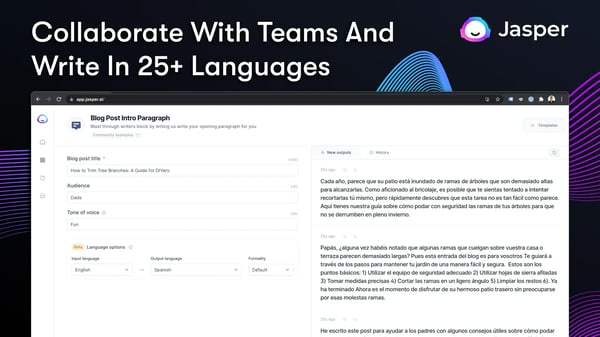
The recurring theme I observed in those reviews is momentum: Jasper is the tool people reach for when they need a running start rather than a finished piece, and when keeping voice consistent across a lot of output matters. On the free side, there is no free-forever plan, only a 7-day trial. That makes Jasper a commit-after-trial tool, which is worth weighing against some genuinely free options.
What does Jasper’s free plan include?
- 7-day free trial only on Pro plan
- Includes 1 seat
- Canvas platform for accelerated, on-brand content creation
- Agents for core marketing workflows
- Smart customization with 2 Brand Voices and 3 Audiences
- 5 multi-modal knowledge assets
- LLM Routing and Maintenance
- 30+ languages
- 100+ Purpose-Built Marketing Agents
- Integration and browser extension
When should you upgrade past the free trial?
I’d commit to Jasper the moment I’m relying on Brand Voices and Audiences across real campaigns, since none of that carries past the 7-day trial and there’s no free-forever tier. Pro covers 1 seat with 2 Brand Voices and 3 Audiences. I’d look at Business once a second person needs a seat, or I need more voices than that.
Where Jasper genuinely stands out:
- Marketing-specific templates and brand voice controls that keep output consistent across campaigns.
- Fast ideation and drafting that G2 reviewers lean on to get past the blank page.
What G2 users like about Jasper:
“Jasper excels at maintaining brand voice and speeding up content creation across marketing campaigns. Its tailored templates, seamless team collaboration features, and ability to generate SEO-optimized copy make scaling high-quality blog posts, social media updates, and ad copy significantly faster and more consistent.”
– Jasper review, Prathamesh P.
Is Jasper right for your marketing team?
Best for: Marketing teams that want on-brand drafts and ideation at scale and can commit to a paid plan after the trial.
Not ideal for: Teams that need a permanent free tier or a lower-cost entry point for occasional use.
What I dislike about Jasper:
- G2 reviewers mentioned that raw output can feel generic and needs a human editing pass before publishing, though the brand knowledge base and Chrome extension make it a strong starting point once you have set your voice.
- Choosing the right template takes some trial and error at first as noted by G2 reviewers, but working through it helps you learn which format fits each type of campaign copy.
What G2 users dislike about Jasper:
“The main thing I dislike about Jasper is that the first output is not always exactly what I have in mind. Sometimes the content feels a little generic or the tone needs adjusting, so I have to edit it before using it professionally. I also find that some features take a little time to understand when using them for the first time.”
– Jasper review, Swati R.
Need production that runs past writing? If your needs run into full multimodal work, you can also check G2’s AI content creation platforms category, where the heavier all-in-one options live.
4. Notion: Best for writing inside a marketing team’s workspace
As I read through the Notion reviews, it became clear this is not a dedicated AI writer, and marketing reviewers treat it accordingly. Notion is a workspace first, and the writing help lives inside it. What I see reviewers valuing is having AI drafting and summarizing sit right where they already plan content and manage client tasks. So the tool helps write without leaving the place the work already happens.
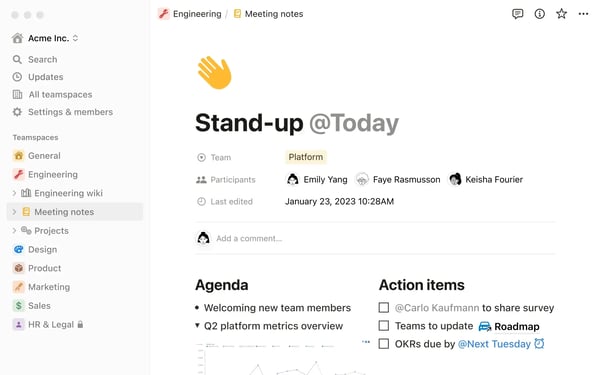
Marketing reviewers describe using it for SEO content planning, keyword tracking, and client work, with the AI stepping in to brainstorm and summarize notes along the way. The free plan gives an individual a genuinely useful free-forever workspace with unlimited pages and blocks, though there is an accuracy point worth flagging: full Notion AI now sits on the paid Business tier, so the free and Plus plans only include a limited AI trial rather than unlimited use. For a marketing team already living in Notion, that still makes it a natural place to draft, as long as you know the heavier AI features are a paid step.
What does Notion’s free plan include?
- A free-forever workspace with unlimited pages and blocks for individuals.
- 7-day page history, 5MB file uploads, and up to 10 guests.
- A limited trial of Notion AI rather than full ongoing access.
When should you upgrade past the free plan?
I’d upgrade from Notion’s free plan when I outgrow the single-user workspace, the 5MB upload limit or the 10-guest cap, or when the limited Notion AI trial isn’t enough for ongoing drafting. Plus makes sense once a team needs unlimited blocks, 30-day history and unlimited guests. Worth knowing up front: full Notion AI, including agents and workspace-wide answers, only unlocks on the Business plan, so free and Plus include just a limited AI trial.
Where Notion genuinely stands out:
- AI drafting and summarizing happen inside the same workspace used for planning, so there is no context switching for marketing teams.
- It doubles as a content calendar, keyword tracker, and process hub, which suits how marketing teams actually organize work.
What G2 users like about Notion:
“What I like most about Notion is how flexible and customizable it is. I can keep notes, documentation, project information, a social media calendar, and tasks all in one place, while still organizing everything in a way that fits how I work. It makes collaboration easier and helps me keep information clearly organized. Notion also has an AI tool I can use to support content creation, whether that’s drafting posts or coming up with ideas for what to post.”
– Notion review, Louise C.
Is Notion right for your marketing team?
Best for: Marketing teams that already plan and document their content inside Notion and want AI help in the same place.
Not ideal for: Teams that want a dedicated, unlimited AI writer on a free plan rather than a broader workspace.
What I dislike about Notion:
- G2 reviewers mention that the interface takes some getting used to when you first set it up, though once the structure is in place, it becomes a flexible home for all your content work.
- According to G2 reviews, it is easy to lose time perfecting dashboard and database layouts instead of writing, but that same flexibility is what lets a marketing team shape it around their exact workflow.
What G2 users dislike about Notion:
“The UI is a little hard to understand whenever you first get into it, and the building of it is kind of cranky. If you don’t really dive into it, then it just becomes a board essentially. The initial setup was pretty difficult. To be able to figure out the odds and ends of it, it’s pretty difficult. A lot of people that I know don’t really like the tech side of things, so it’s a little harder to get into.”
– Notion review, Tim M.
Want a closer look at Notion? If you want to learn more, check out this detailed analysis.
5. Rytr: Best for short-form copy on a genuine free plan
As I went through the Rytr reviews, I saw the thing that sets it apart is the fact it has the most honest free-forever plan of the bunch. Marketing reviewers treat it as exactly what it is, a fast, low-cost way to knock out short-form copy. You pick a use case and a tone, feed it a short input, and it produces copy in that format, which is a different promise than the heavier platforms make.
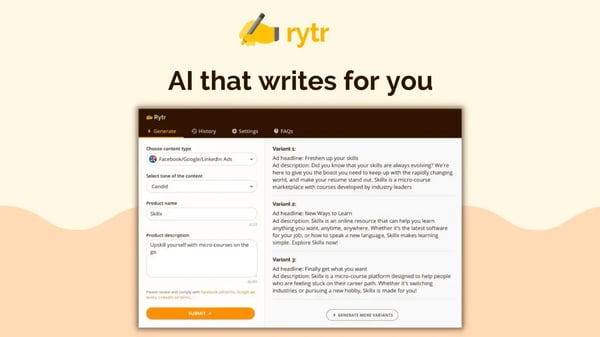
G2 reviewers describe drafting blog outlines, social posts, emails, and product descriptions in minutes using the template library. They are even clear that the appeal is speed and simplicity rather than depth. For a lean or budget-conscious marketing team producing steady short-form copy, this is a considerable choice to run a real workflow without paying, as long as you are not asking it to carry long-form articles.
What does Rytr’s free plan include?
- Free plan
- 10,000 characters a month
- 20+ pre-programmed tones of voice
- Access to exclusive community
- Access 40+ use-cases
When should you upgrade past the free plan?
I’d upgrade from Rytr’s free plan the moment the 10,000-characters-a-month cap starts limiting me, which is the wall a steady short-form workflow hits first. The Unlimited plan removes that cap and adds custom brand tone matching.
Where Rytr genuinely stands out:
- A real free-forever plan that lets a lean marketing team produce short-form copy without paying anything.
- A simple use-case and tone picker that makes ads, captions, and product descriptions fast to generate.
What G2 users like about Rytr:
“I really like the various templates in Rytr that can be used. They’re already set to go, so all you have to do is fill in the blanks with what you need, and it will give you options. I love the options feature too! I can copy and paste from multiple options to get the exact version I want when editing the content. The initial setup of Rytr was super easy and straightforward.”
– Rytr review, Taylor A.
Is Rytr right for your marketing team?
Best for: Lean or budget-conscious marketing teams producing steady short-form copy who want a genuine free plan.
Not ideal for: Teams that mainly need long-form articles, where the output quality and length limits show.
What I dislike about Rytr:
- G2 reviewers mention that the free plan’s writing quota is capped, so heavy use runs into limits, though the tone and use-case picker makes it quick to get short-form copy out within that allowance.
- Output length on longer pieces is short, and the options are fewer than in bigger platforms as observed by G2 reviewers, but that focus makes it a solid pick for new bloggers and teams just getting started.
What G2 users dislike about Rytr:
“I don’t have any particular dislike, just a warning that it’s an AI writer so it’s not always going to produce exactly what you envision, but it gives you something very solid to work with and edit.”
– Rytr review, Helena S.
Ready to schedule what you draft? Pairing these tools with social media management software lets marketing teams schedule and publish everything Rytr helps them draft.
6. Simplified: Best for combining copy with design and social
Reading the Simplified reviews, I realized that the tool exists for the copy, the graphic, and the scheduled post to live in one place. Simplified pitches itself as one app for marketing, and its reviewers echo that. The AI writer is one piece of a broader content-and-social workflow rather than a standalone tool, and for small teams tired of juggling separate apps, that consolidation is the reason it keeps coming up.

The day-to-day value reviewers describe is the single surface: drafting a caption, building the graphic, and queuing the post without switching tabs, which suits social-first teams running a steady publishing cadence. One honest caveat I’d look out for on the free plan: it is a one-time AI credit quota shared across writing, image, and video that does not refill, so it behaves more like a trial than an ongoing free tier, and heavy generators hit the ceiling fast.
What does Simplified’s free plan include?
- Free plan
- Unlimited design projects
- 1000+ fonts and millions of photos and icons
- Thousands of templates
- Instant publishing
- 500MB of storage
When should you upgrade past the free plan?
I’d treat Simplified’s free plan as a trial rather than a home base. The AI credits are a