


LiveHelpNow help desk software collects a lot of useful information about your customers. The Nutshell integration will allow for easy transfer of live chat information into your Nutshell people list for additional marketing, business analytics, upsell and cross sell flow.

Please complete the following easy steps to integrate your LiveHelpNow chat user info into a Nutshell People list.
Step 1
1. In order to setup this event, you will need to know your Nutshell User ID/email adress and API Key. To locate your API Key in Nutshell, click the Setup (1) option in the sidebar on the left and then click the API Keys (2) option on the right of the screen.
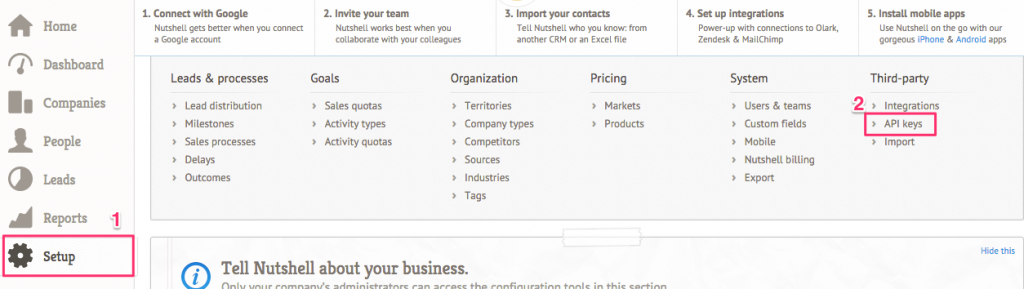
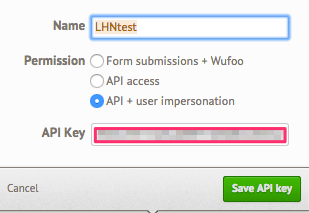
Once on the API Screen, you may need to click the add API key option if there are no existing API keys available. Once clicked, provide a name, select API+ user impersonation and copy the API key from the API key field. Please make sure you copy the entire key since it may extend to the right beyond the size of the box. If creating a new key, don’t forget to click the “Save API key” button!
Step 2
2. Login to your LiveHelpNow account and go to Admin Panel->My Account->Integrations->Eventing API
A. Click on “Add Event”
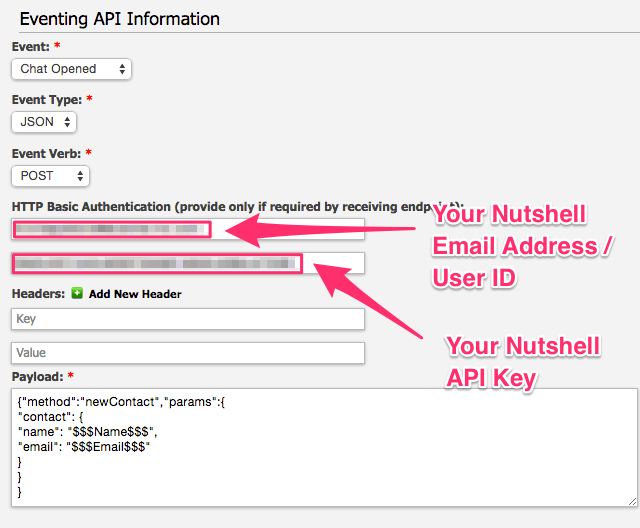
B. Select “ChatOpened” event
C. Select “JSON” for Event Type
D. Select “POST” for Event Verb
Step 3
3. In the HTTP Basic Authentication Username field enter your Nutshell User ID / Email address. Paste the API key you copied from Step #1 in the password field. No information is needed in the Headers fields.
Step 4
4. Enter the following into the payload field:
{"method":"newContact","params":{
"contact": {
"name": "$$Name$$",
"email": "$$Email$$"
}
}
}
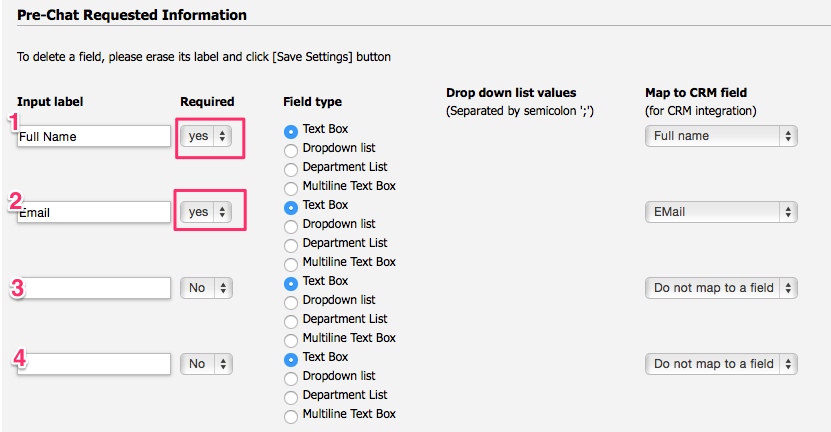
Please Note: The $$$Name$$$ label in the Payload syntax above assumes you are collecting the chat user’s Name in the Pre-Chat Requested Information in LiveHelpNow mapped to “FullName” CRM Field.
The $$$Email$$$ label in the Payload syntax above assumes you are collecting the chat user’s Full Name in the first input in the Pre-Chat Requested Information in LiveHelpNow mapped to “Email” CRM Field.
These settings are located at Admin Panel->Chat System->Customization->Pre-chat requirements
In order to ensure data is pushed to Nutshell from all LiveHelpNow chat users, it is highly recommended you define the name and email address as required. This is done by selecting “yes” from the dropdown in the Required column for the email field in the Pre-Chat Requested Information settings.
Step 5
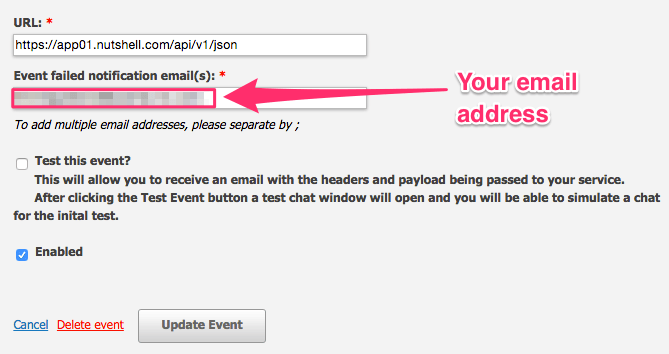
5. In the URL field, enter the following address:
https://app01.nutshell.com/api/v1/json
Step 6
6. Add an email address to the “Event Failed Notification(s)” field

Step 7
7. Make sure the box next to Enabled is checked, and click Add Event to save.
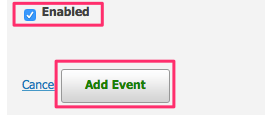
Your saved event should look like this:
Step 8
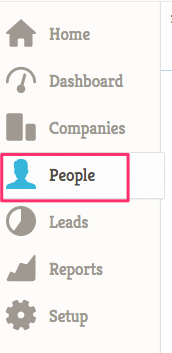
8. You’re all done! As your chat users start new chat sessions, you should now see the info provided from their Pre-Chat Questions in your Nutshell List under the People section!
See more LiveHelpNow live chat system integrations


