


Ever had a brilliant product idea but felt stuck, unsure if anyone would actually buy it? You’re not alone. Many aspiring entrepreneurs believe that product research is a complex and expensive process reserved for big companies with huge budgets.
The good news is that’s no longer true.
Today, anyone with an internet connection can uncover really powerful market insights using affordable and even free tools. This guide will show you how.
In simple terms, product research is the process of gathering information to figure out if your product idea is likely to succeed. It’s about replacing guesswork with real-world evidence.
The goal is to answer a few critical questions before you invest your time and money:
- Does anyone actually want this?
- Are people willing to pay for it?
- Who are my competitors, and can I do better?
Putting in the effort early is the smartest way to avoid the frustration, not to mention wasted money, of building something people don’t actually want.
Before diving into research, run your idea through this simple checklist. A great product idea usually checks all these boxes:
- It solves a real problem. Does your product save people time, reduce frustration, make them more money, or help them feel better? The strongest products are “painkillers,” not just “vitamins”; they solve urgent, painful problems that people are actively trying to fix — not just nice-to-have improvements
- There’s a specific audience. Can you clearly picture who would buy this? “Everyone” is not an audience. “Busy remote workers who struggle with time management” is an audience.
- People are already looking for a solution. Are people actively searching for answers on Google or asking for recommendations in online communities? Existing interest is a powerful sign of demand.
- It has profit potential. Can you realistically build and sell the product for more than it costs you?
- You can beat the competition. You don’t have to be the first, but you need to be different or better in some meaningful way (e.g., easier to use, better customer service, more affordable).
The table below summarizes four well-known products, Calendly, Oura Ring, Notion, and HelloFresh, showing how each one meets the five key validation criteria mentioned above.
Calendly
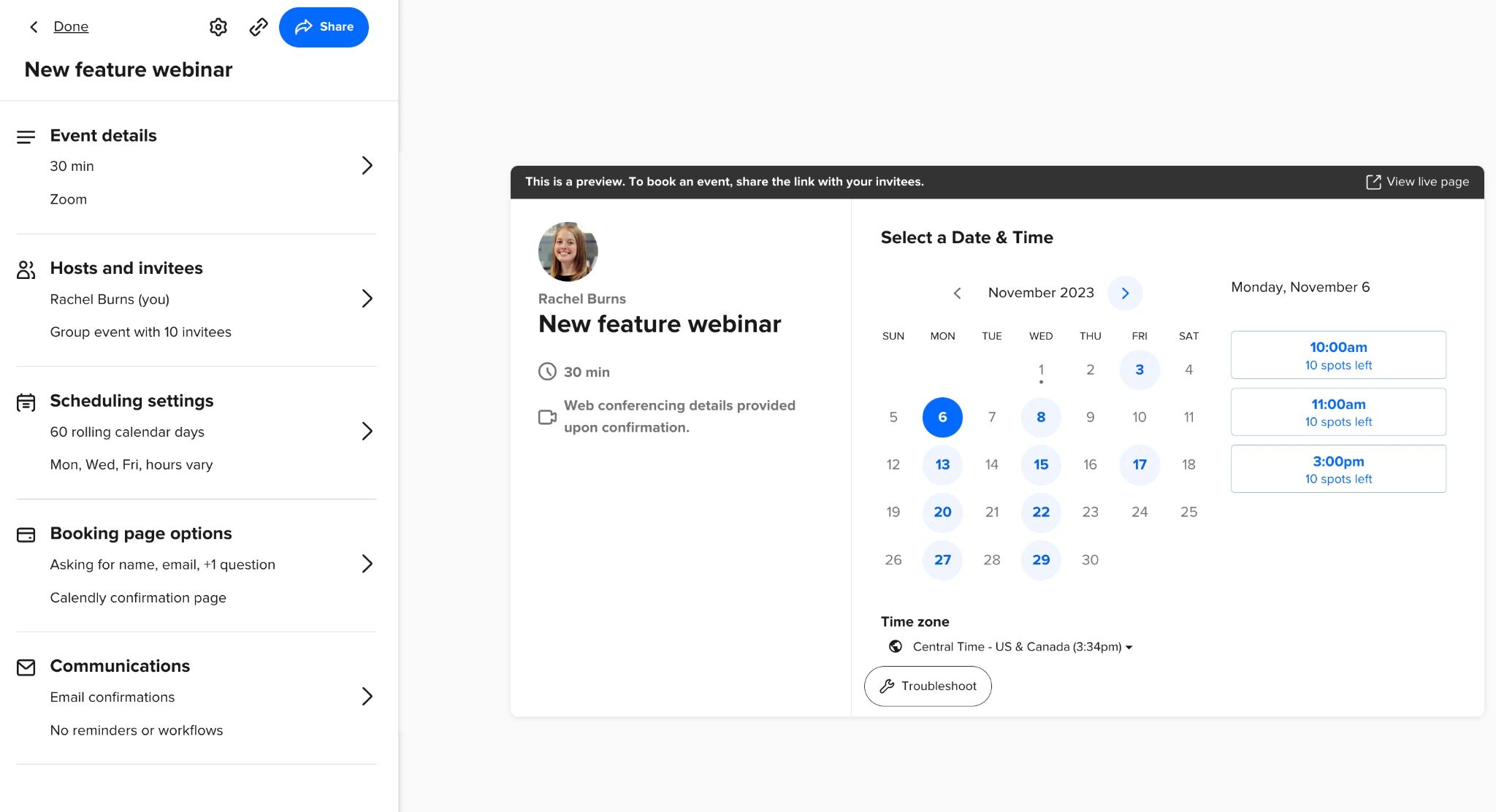
Calendly is a scheduling tool that eliminates the back-and-forth of setting up meetings. It integrates with your calendar and lets others book available time with a single link—no email ping-pong required.
- Problem: Scheduling meetings sucks.
- Audience: Consultants, recruiters, and remote teams.
- Demand: People actively complained in forums and blog posts.
- Profit: Free plan with paid upgrade available (known as “freemium”)
- Differentiator: Dead-simple UX: everything feels intuitive, even for first-time users.
Oura Ring

The Oura Ring is a sleek, smart ring that tracks sleep, activity, and recovery. Unlike watches or fitness bands, it’s comfortable to wear at night—ideal for people serious about optimizing their sleep.
- Problem: Bulky fitness wearables are bad for sleep tracking.
- Audience: Biohackers, wellness enthusiasts, health conscious people.
- Demand: Surging interest in sleep optimization.
- Profit: Sells for a premium price and charges a monthly fee for advanced features.
- Differentiator: Comfortable ring form factor, accurate.
Notion
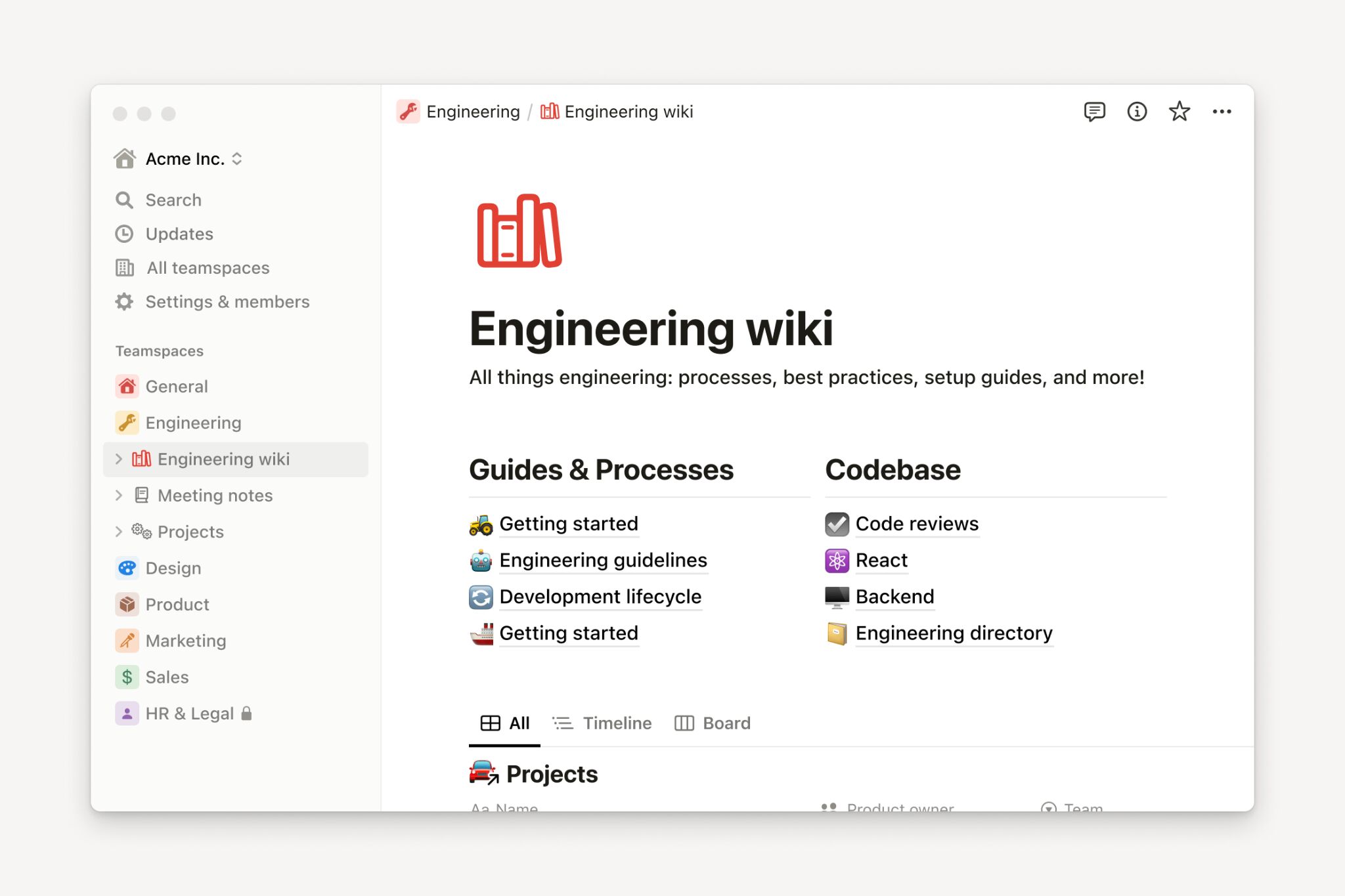
Notion is an all-in-one workspace where users can take notes, manage tasks, and organize databases—all with total flexibility.
- Problem: Switching between productivity tools is chaotic.
- Audience: Creators, remote teams, productivity hackers.
- Demand: People were already searching for ways to organize their work, using multiple tools like Trello, Evernote, and Google Docs.
- Profit: Freemium to business subscriptions.
- Differentiator: Notion’s flexible “building block” UX lets users create exactly what they need — from simple to-do lists to complex databases — all within one tool.
HelloFresh
HelloFresh is a meal kit delivery service that sends pre-portioned ingredients and easy recipes to your door. It targets people who want home-cooked meals without the planning or grocery shopping.
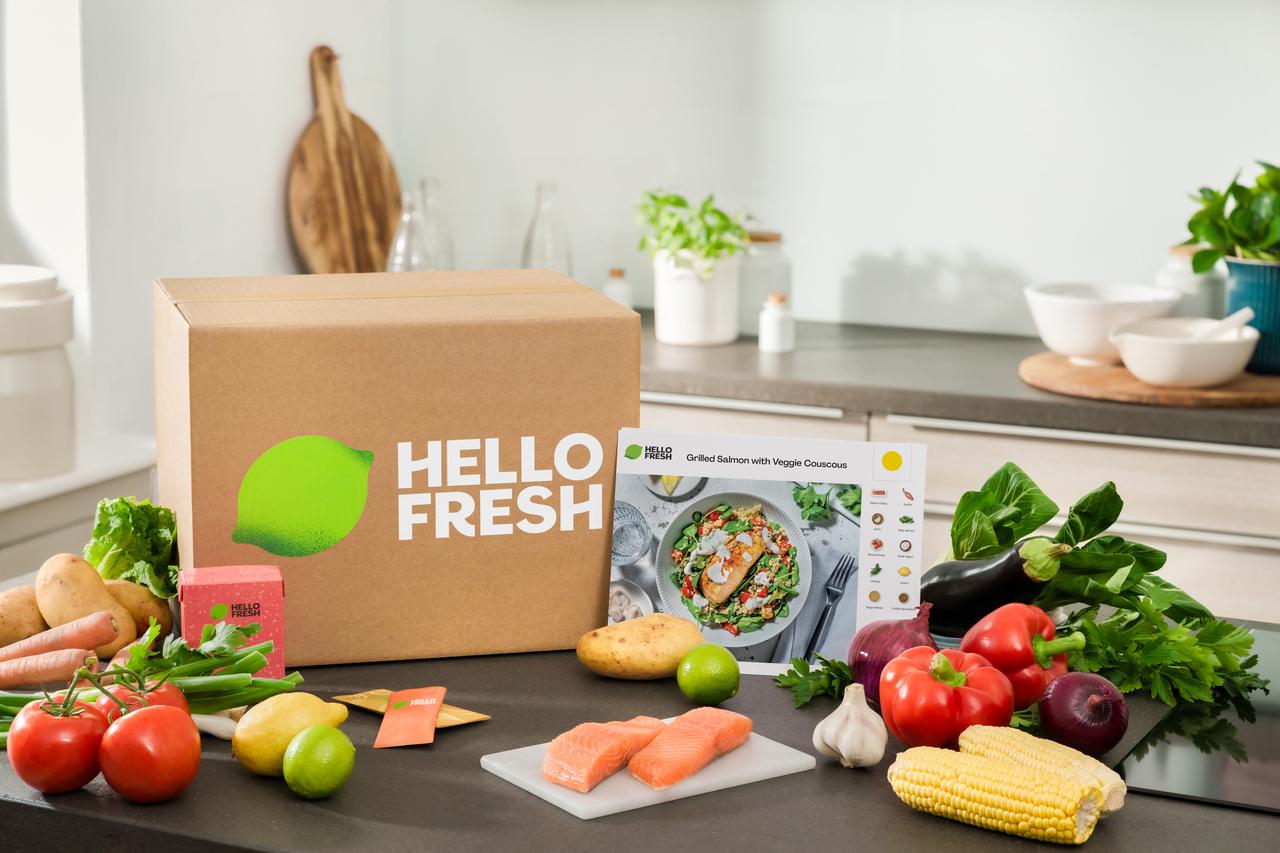
- Problem: Grocery shopping and meal planning suck.
- Audience: Busy families, professionals, new parents.
- Demand: Meal kits became a booming search trend.
- Profit: Customers subscribe to regular meal deliveries, which creates predictable monthly income. Many stick around for months, making each customer quite valuable over time (i.e., high lifetime value).
- Differentiator: Recipe simplicity and user-friendly packaging.
When to do research: three key stages
Product research isn’t a one-time task. It happens at three main stages:
- Before you build (discovery & validation). This is the most critical stage. You’re exploring your idea, understanding the market, and confirming there’s real demand.
- While you build (feedback & refinement). As you develop the product, you share early versions (prototypes) with potential users to get feedback and fix issues early.
- After you launch (monitoring & improvement). Once your product is live, you continue to listen to customers and watch the market to find ways to improve.
This guide focuses primarily on the first stage: discovery and validation.
Here are five powerful, affordable research methods you can start using today.
What people search for on Google is a direct window into their problems and desires. If people are searching for a solution, there is a market for it.
Your go-to tool: a marketing platform like Ahrefs. Ahrefs is like a search engine for search engines. It shows you what people are searching for, how often, and what’s growing in popularity.
How to use Ahrefs for finding trends
First, use your favorite AI model to brainstorm keywords related to your product idea.
Say, the product idea is “QuietHub” – a portable, noise-dampening desk divider for remote workers (I just made that up). Your prompt could look something like this:
“Give me a comma-separated list of informational search keywords related to the problems faced by remote workers trying to focus in noisy or shared workspaces. Avoid brand names or overly specific phrases. Keep the keywords broad enough to reflect common user intent and search behavior.”
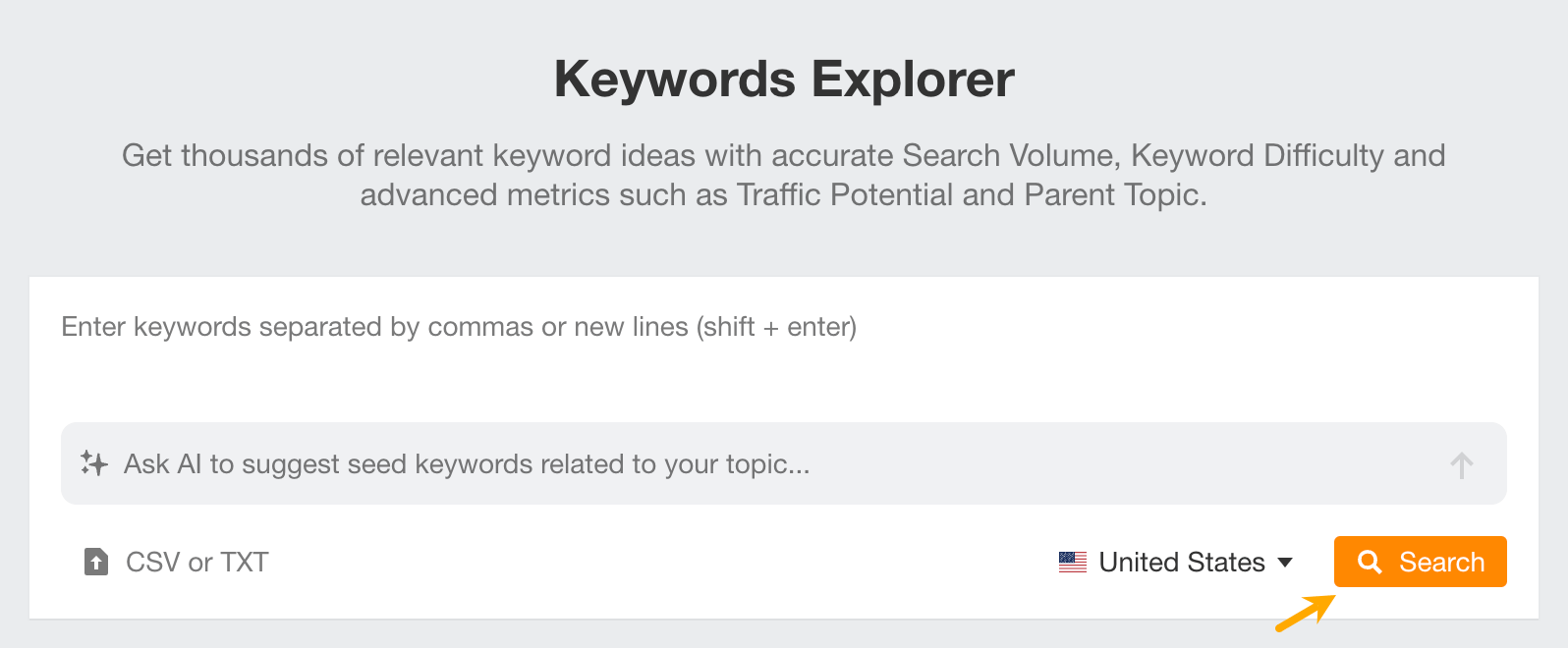
Next, plug the keywords into Ahrefs’ Keywords Explorer.
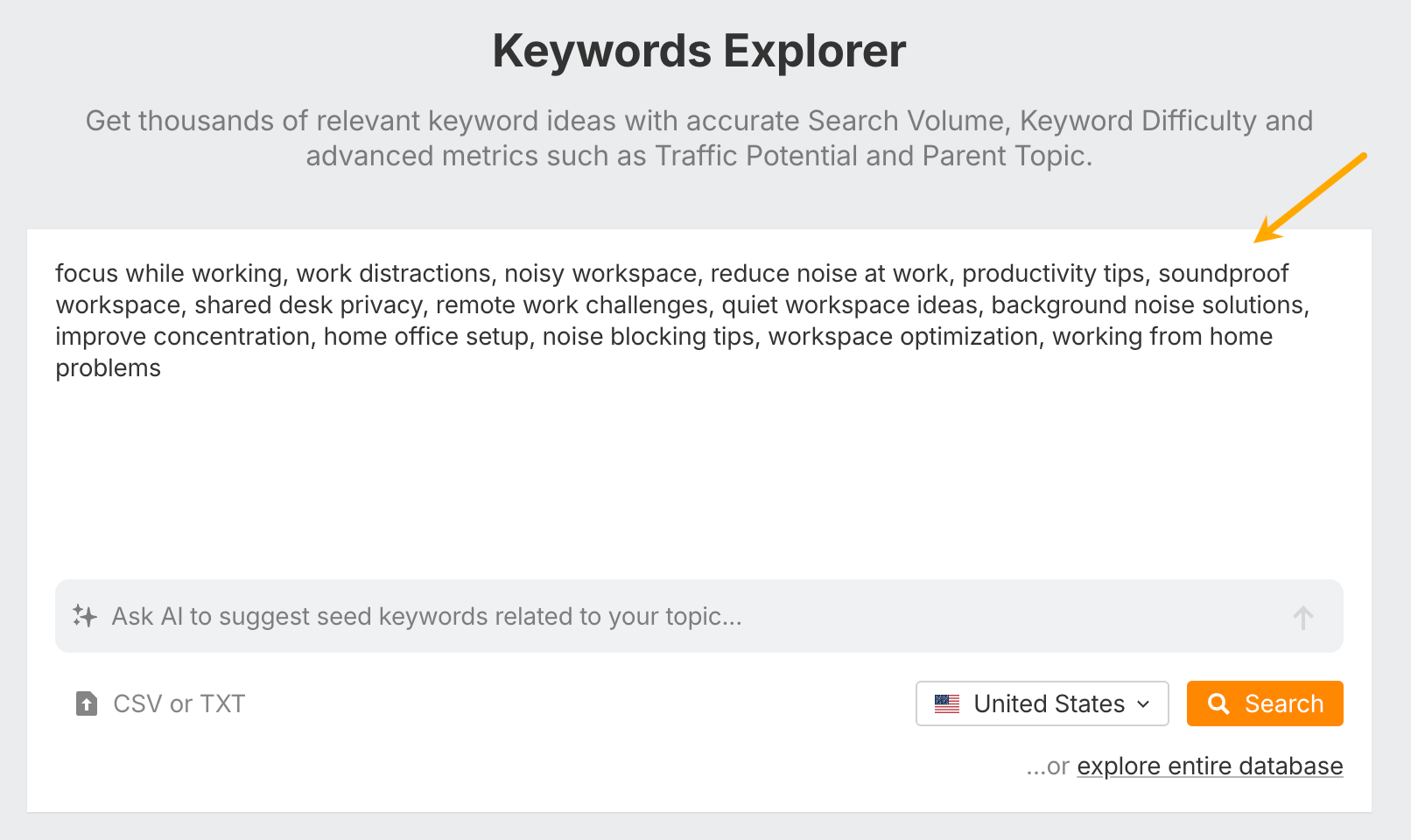
Hit “Search” and go to the “Matching terms” report to see related search queries.
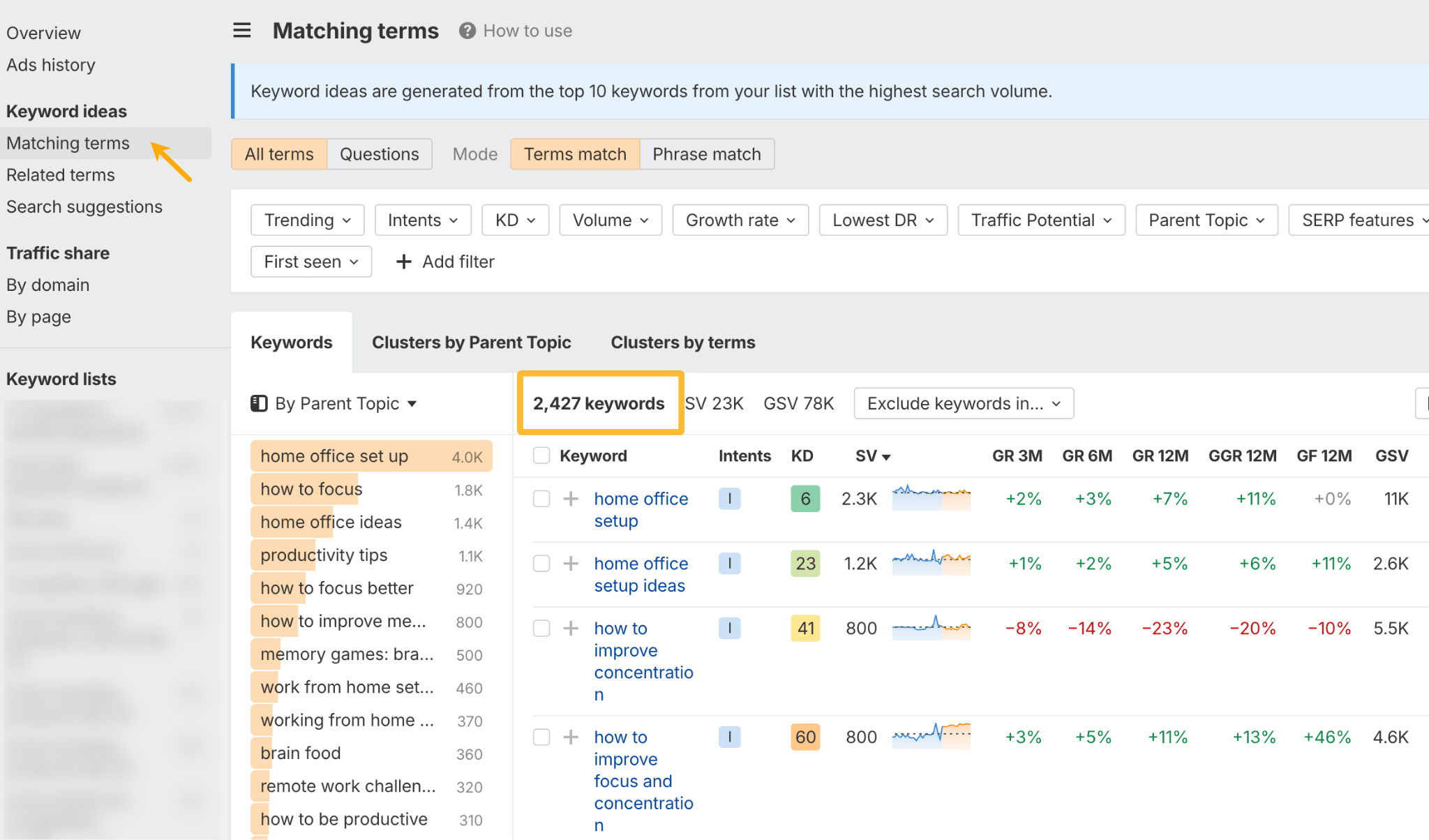
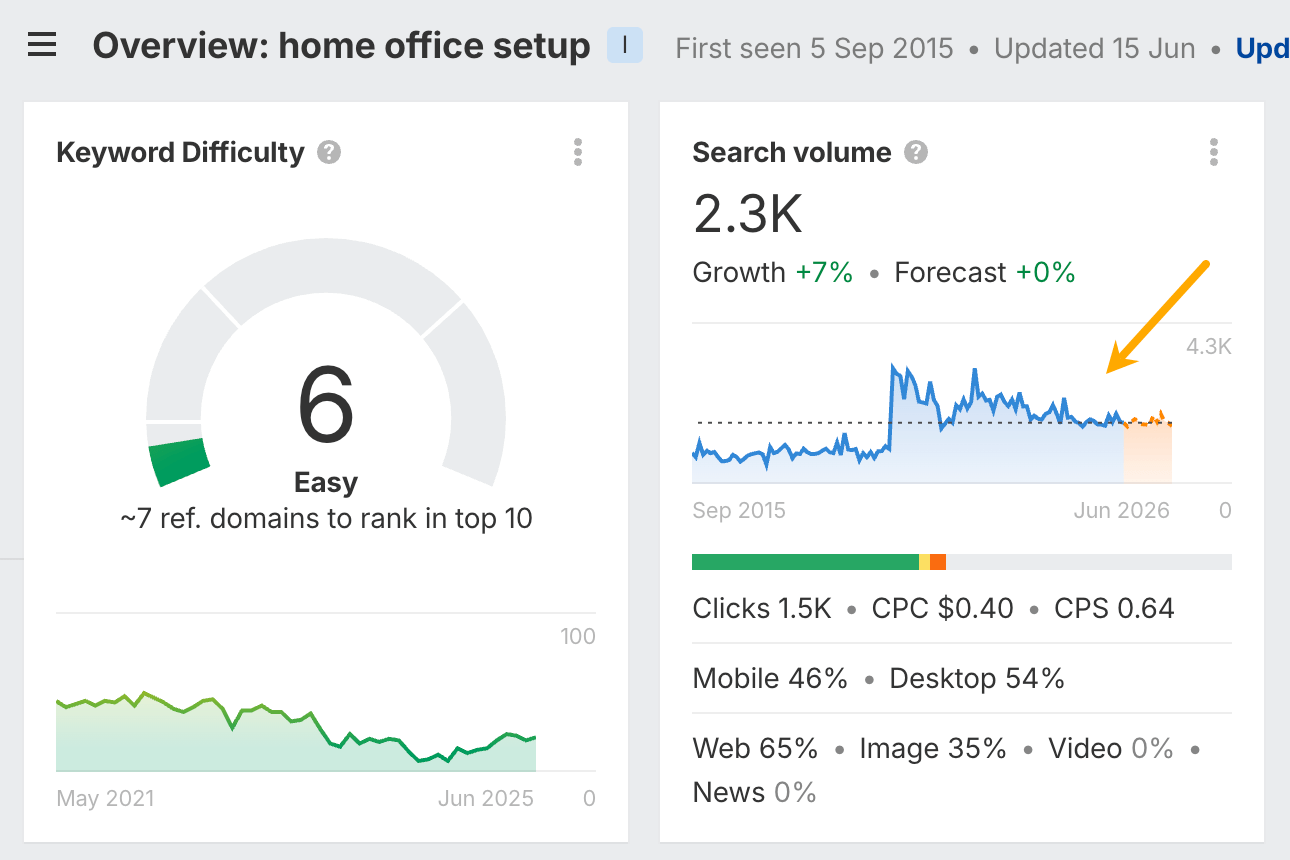
Most of the keywords you’ll see here include a search volume graph and a forecast (the orange part). Use them to spot trends, like whether demand for your product is growing, if it’s seasonal, and what the outlook looks like based on past data.
Free alternative: Google Trends lets you see if interest in a topic is growing or shrinking over time.
How to find trending products on Amazon
If you’re doing product research to find trending products to sell online on marketplaces like Amazon, Ahrefs can help with that, too.
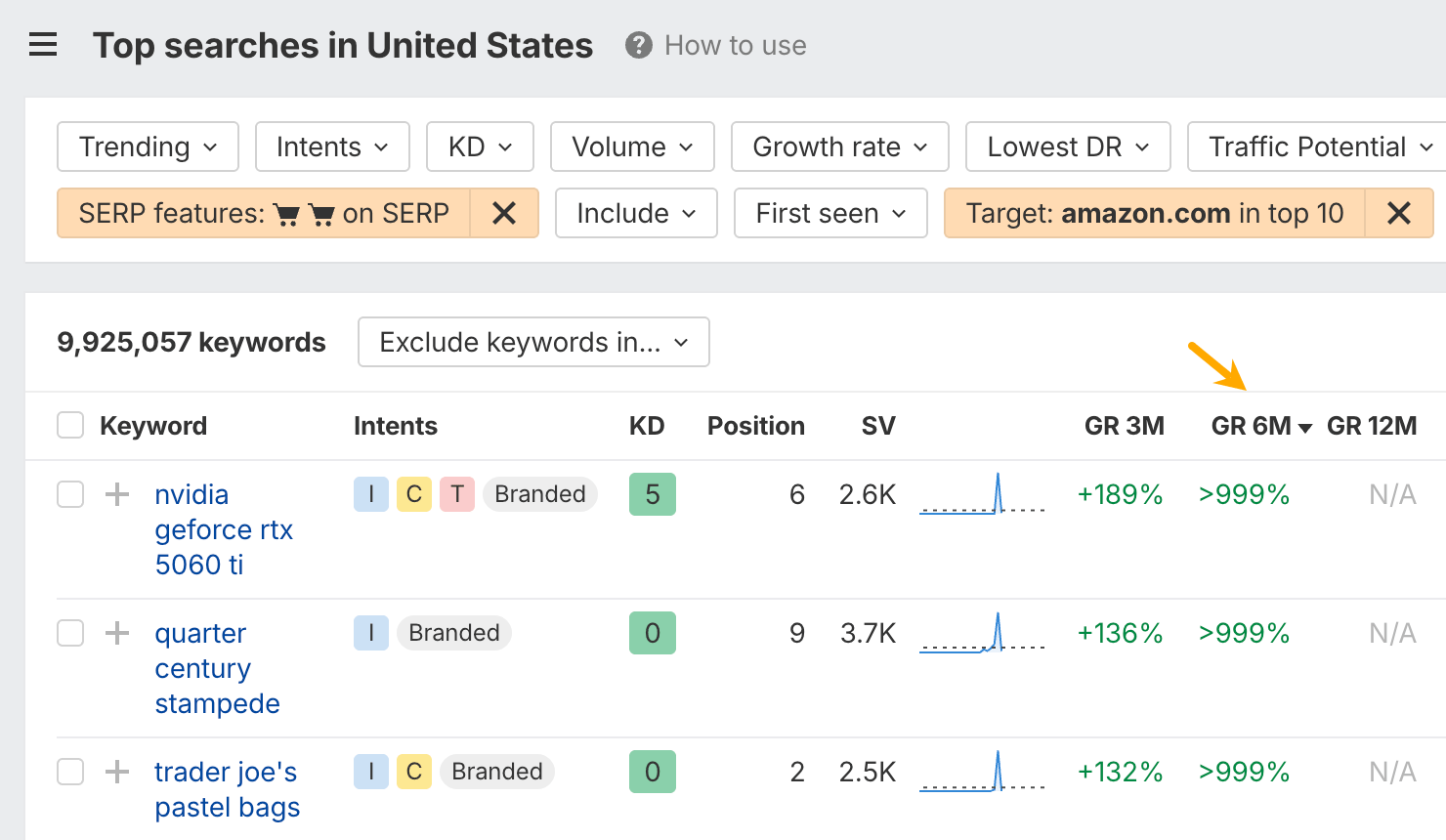
Start by running a blank search in the Keywords Explorer.
Then, enable the Ecommerce filter you can find in Presets, and set the target to “amazon.com ranks in top 10”.
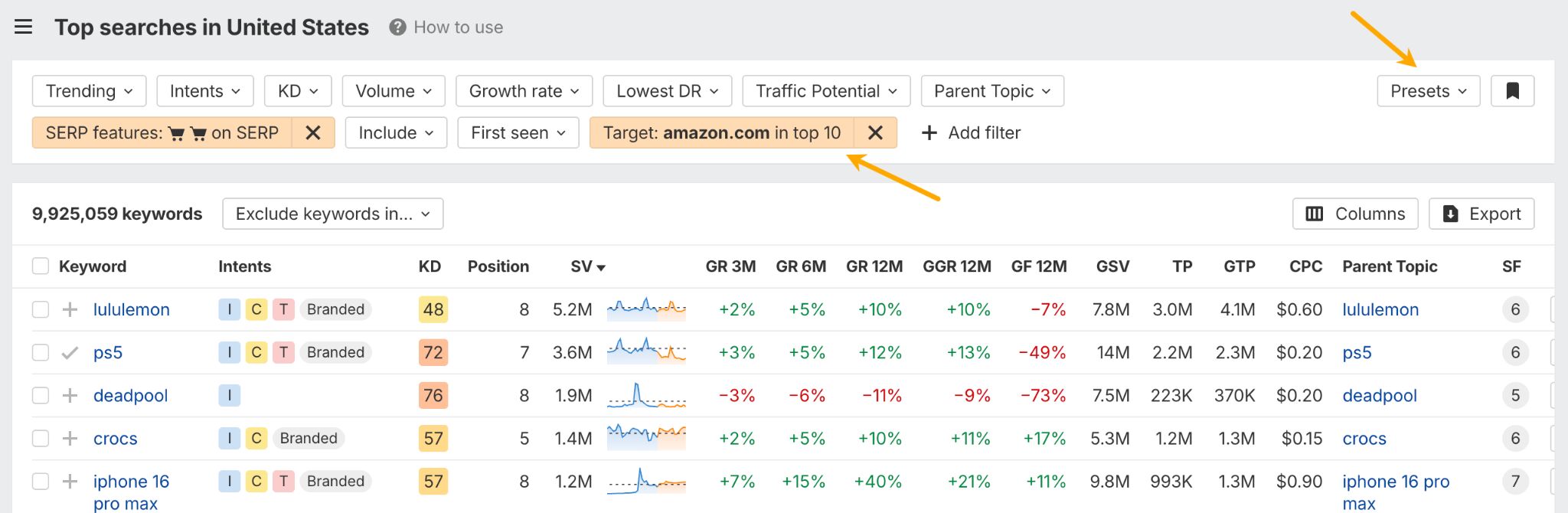
Finally, sort the keywords by growth rate—over the past 3, 6, or 12 months—depending on how new the product is or how long the trend has been around.
You can further refine results with the Trending filter.
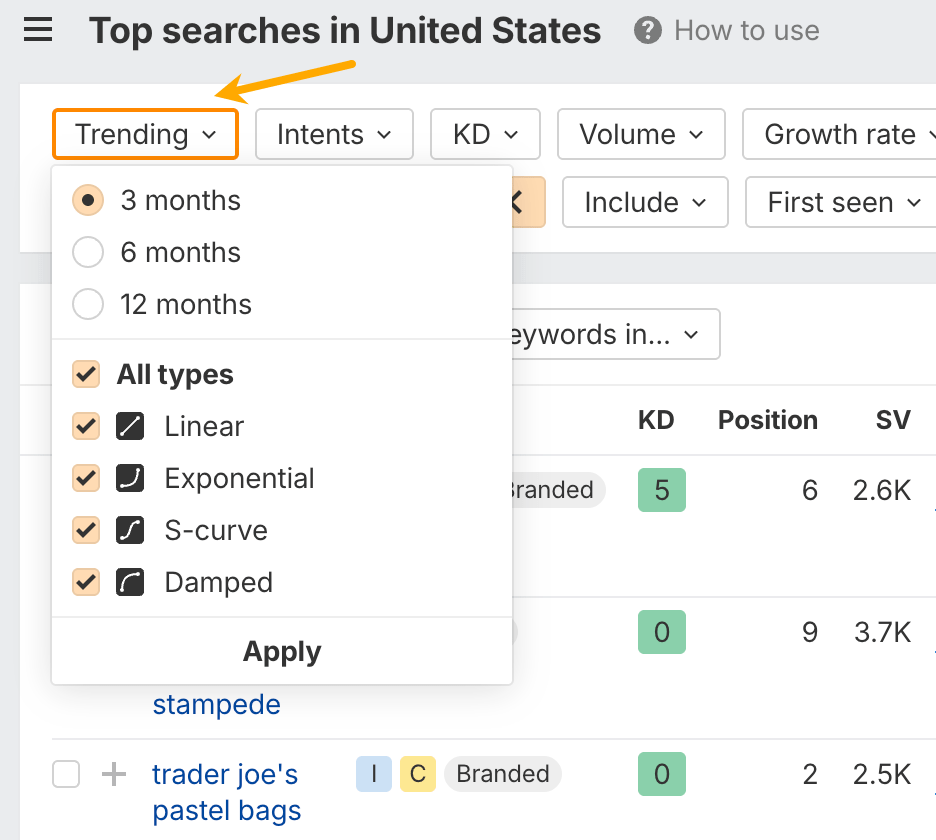
- Linear growth: Demand increases steadily over time at a consistent rate.
- Exponential growth: Demand starts off slow but then surges rapidly.
- S-curve growth: Demand builds gradually, takes off quickly, then levels out as the market saturates.
- Damped growth: Demand spikes early but quickly loses momentum and flattens.
The best insights often come from observing people in their “natural habitat”. Online communities are where your potential customers share their frustrations, ask for advice, and review products with unfiltered honesty.
Where to look
- Reddit: Find “subreddits” (forums) related to your audience or problem. For example, if you’re building a tool for writers, check r/writing or r/freelanceWriters.
- Facebook groups: Search for groups dedicated to your niche.
- Industry forums: Every industry, from photography to software development, has its own online forums.
- Quora: Look for questions people are asking about your topic.
What to look for
- Complaints: What are people complaining about? Note the exact words they use.
- Workarounds: What clunky spreadsheets or multi-tool processes have people created? This signals a clear need for a better solution.
- Recommendations: When someone asks for a tool, which products get recommended and why? What are the pros and cons people mention?
Your competitors have already done much of the heavy lifting. By studying them, you can see what’s working, what’s not, and how to make your product stand out.
Free methods to get started
- Their website: How do they describe their product? Who are they targeting? What features do they highlight?
- Their pricing: How do they structure their plans? What features are included in each tier? This tells you what they consider most valuable.
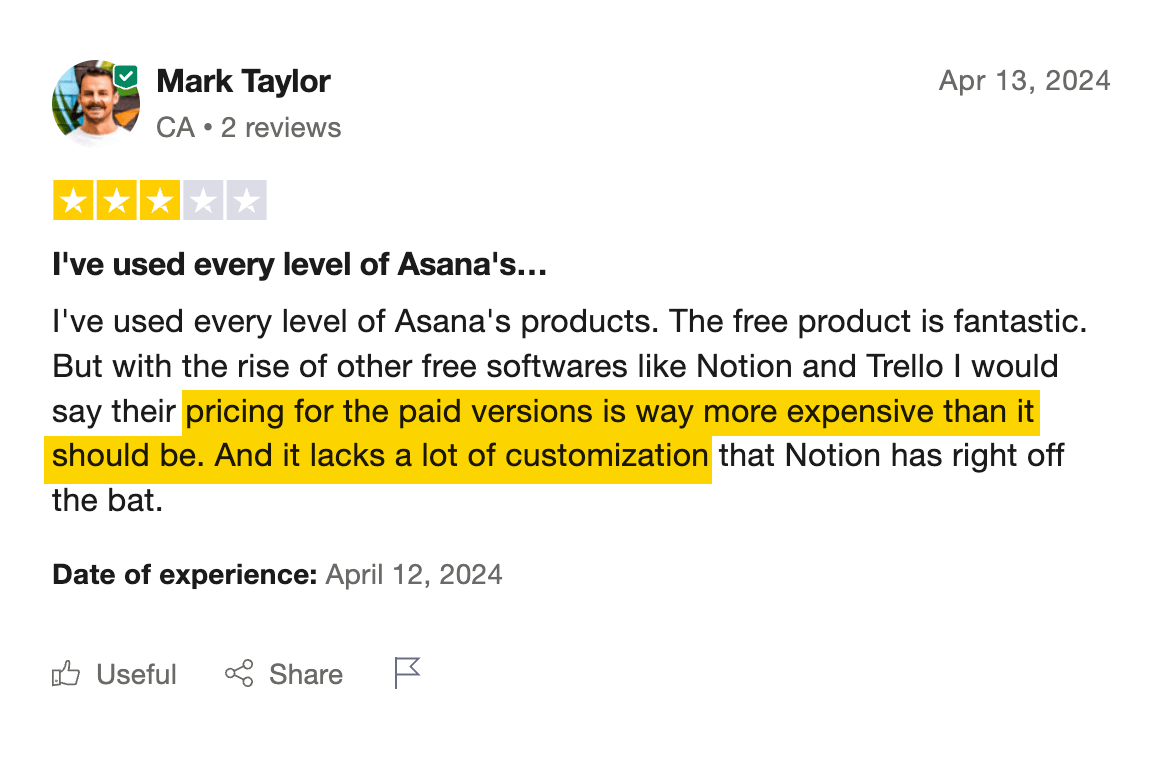
- Customer reviews: Read reviews on sites like G2, Capterra, or Trustpilot. In general, 3- and 4-star reviews tend to offer more nuanced feedback; unless the product is clearly terrible or universally loved, in which case you’ll get the real story in the extremes.
- Social media: See what their customers are saying to them directly.
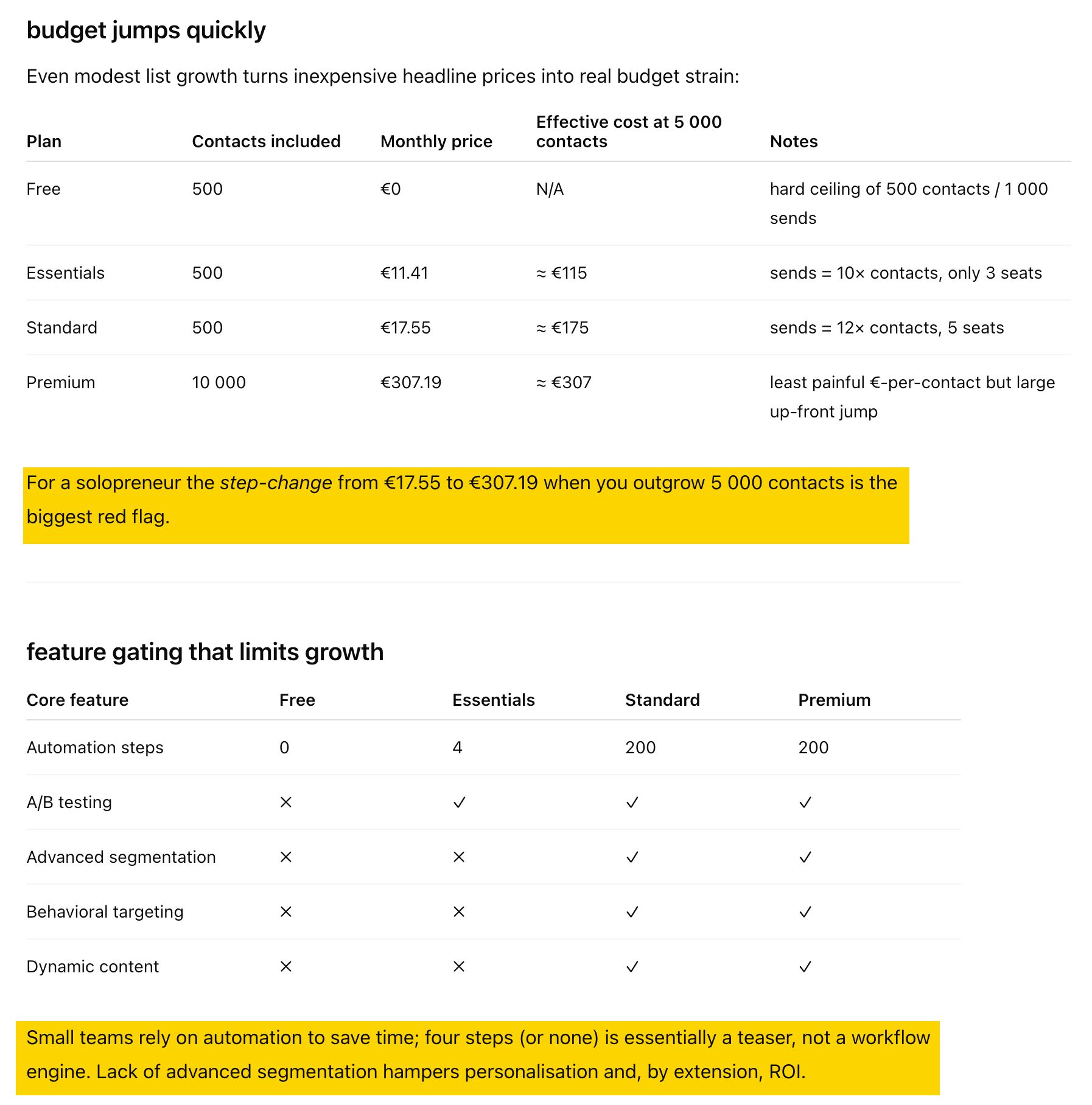
To illustrate, I shared a screenshot of a popular email-marketing tool’s pricing and asked what issues a small team might spot. Now I understand how that kind of audience might view my product if I chose to follow the same approach as my competitor.
Supercharge your competitor analysis with Ahrefs
Search behaviour is raw market demand. Organic keywords reveal what people struggle with when no brand nudges them; paid keywords typically reveal what they’ll open their wallet for. Looking at both together gives you evidence, rather than intuition, about which problems are worth solving and what buyers are prepared to pay for.
Here are some research questions Ahrefs’ Site Explorer can answer for you:
Which problems are screaming for a solution?
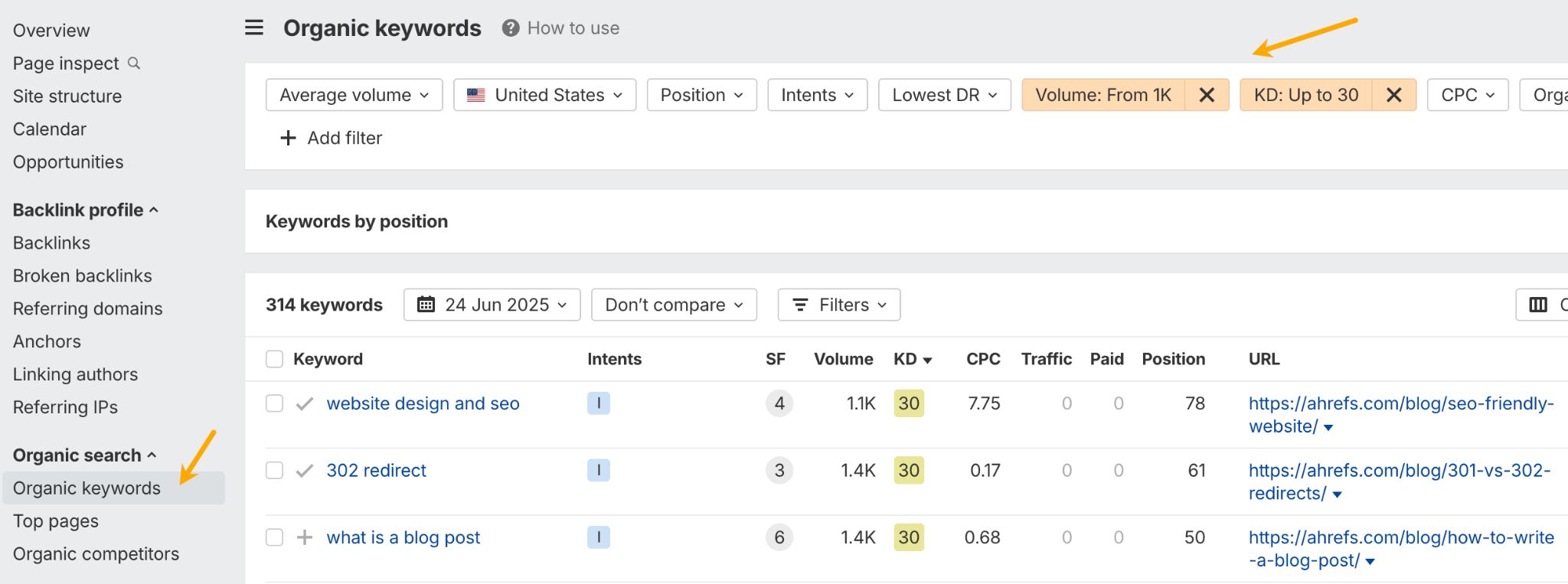
Look for organic keywords with strong volume and up to 30 Keyword Difficulty (KD). These are pain points lots of people have, yet few sites solve them well.
Where is real money already exchanging hands?
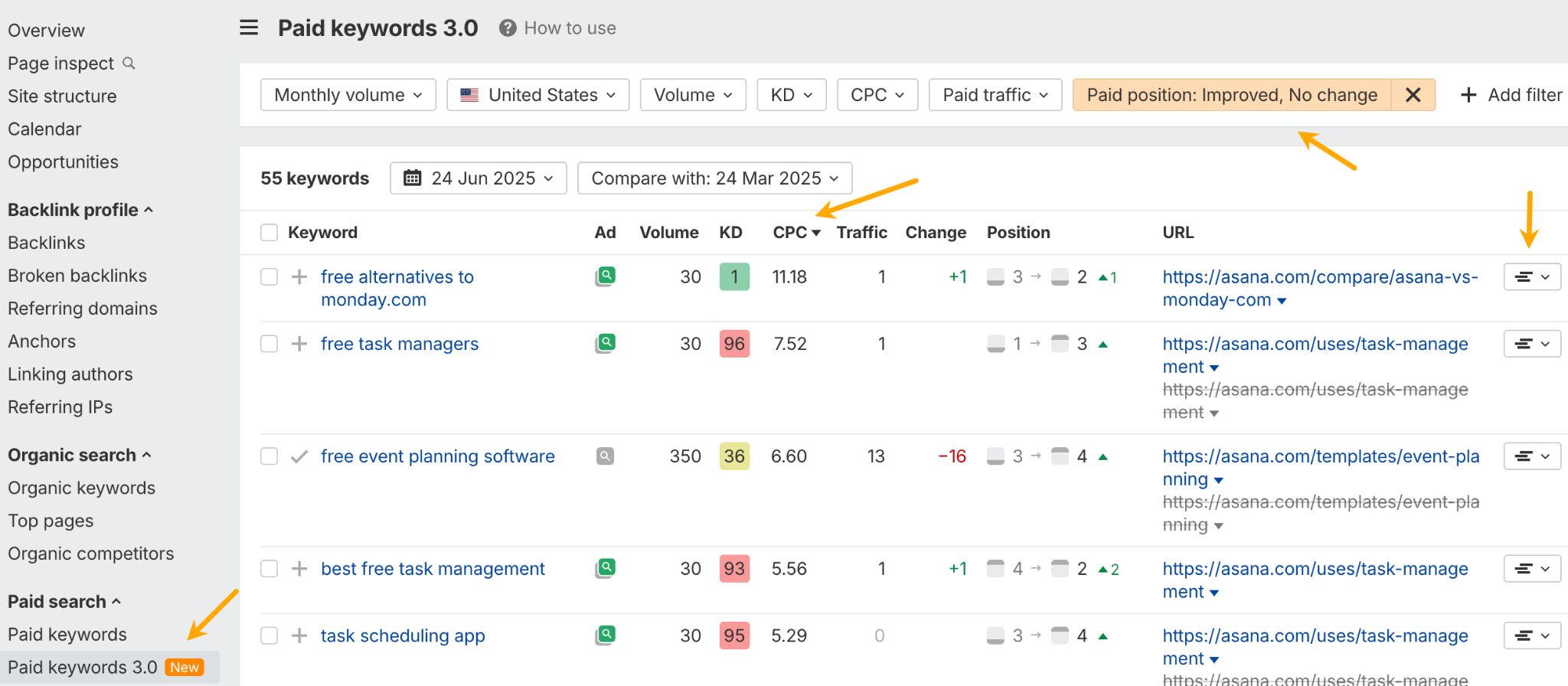
Sort your competitors’ paid keywords by descending CPC and set the Paid position filter to “Improved, no change”. A high CPC signals buyers are willing to pay; consistent ad spend means it converts (click on the position history button to see the bidding timeline).
What features do competitors double-down on?
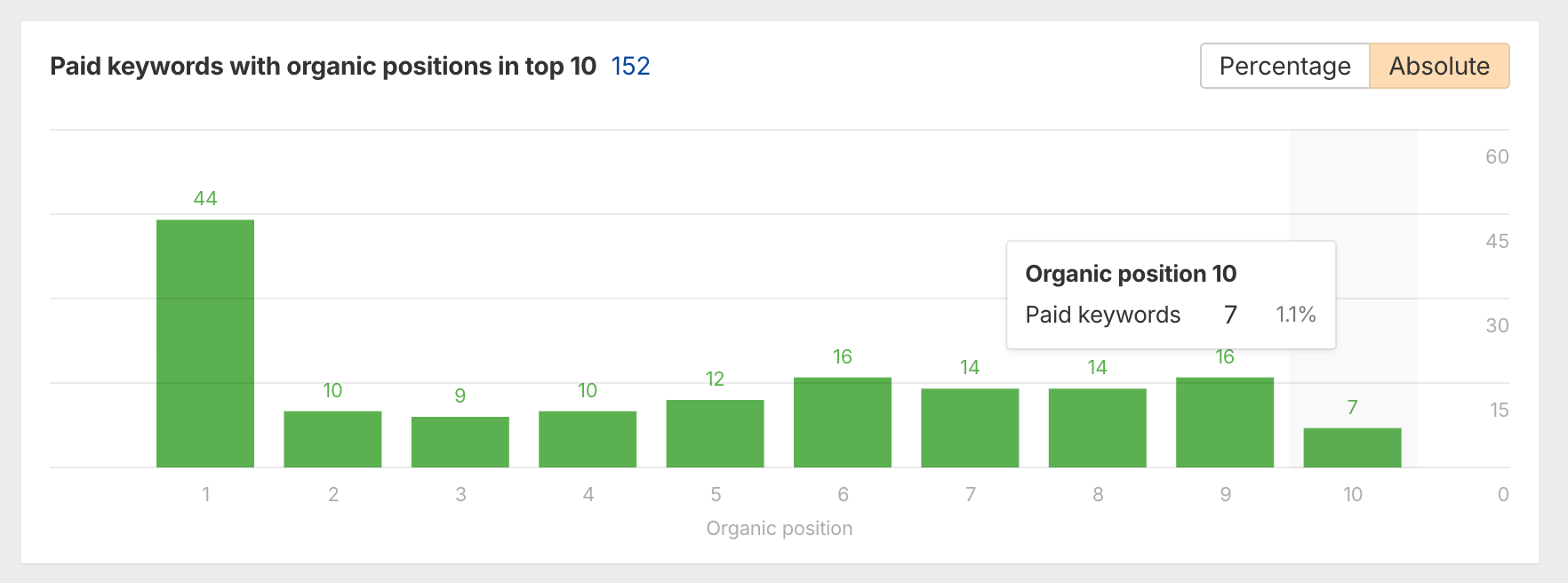
Scroll down to the bottom of the Overview report to find keywords that a rival both ranks top-10 and keeps bidding on. That overlap could reveal mission-critical features or use-cases.
How should we message at launch?
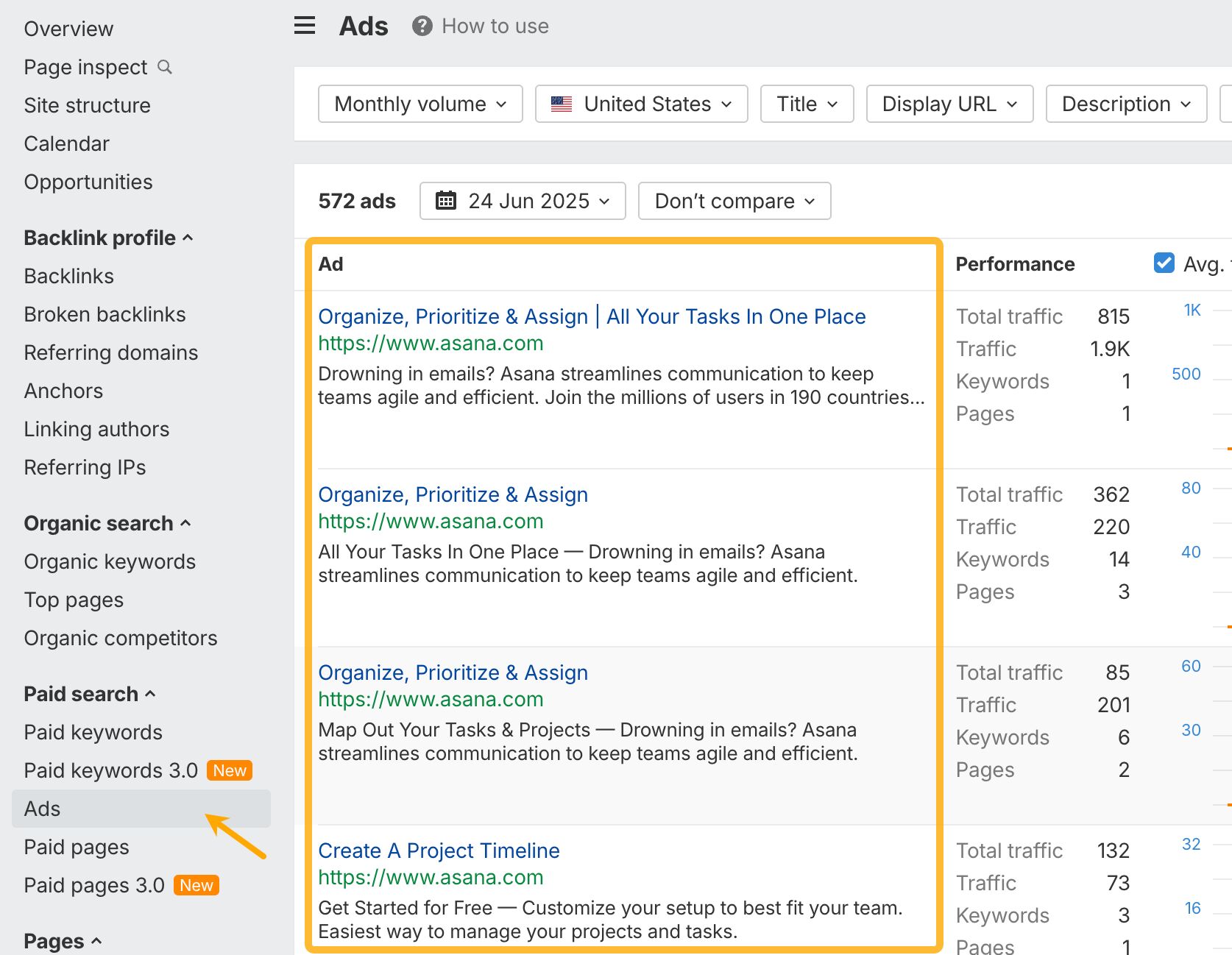
Scan ad copy and top-ranking page titles. Note phrases that recur (e.g., “no-code,” “AI-powered,” “lifetime access”).
Generative AI tools like Gemini and Claude can analyze, summarize, and brainstorm with you at superhuman speed—but you already know this. So, let me now show you a few ideas on using those superpowers for product research.
Summarize customer feedback instantly
Manually reading hundreds of reviews is slow. Instead, copy and paste reviews from Amazon, Reddit, or G2 into the AI.
I discovered this use case two years ago when working on the Competitive Analysis: The Lean Guide (With Template). It was good then and now with more capable models, it works even better.
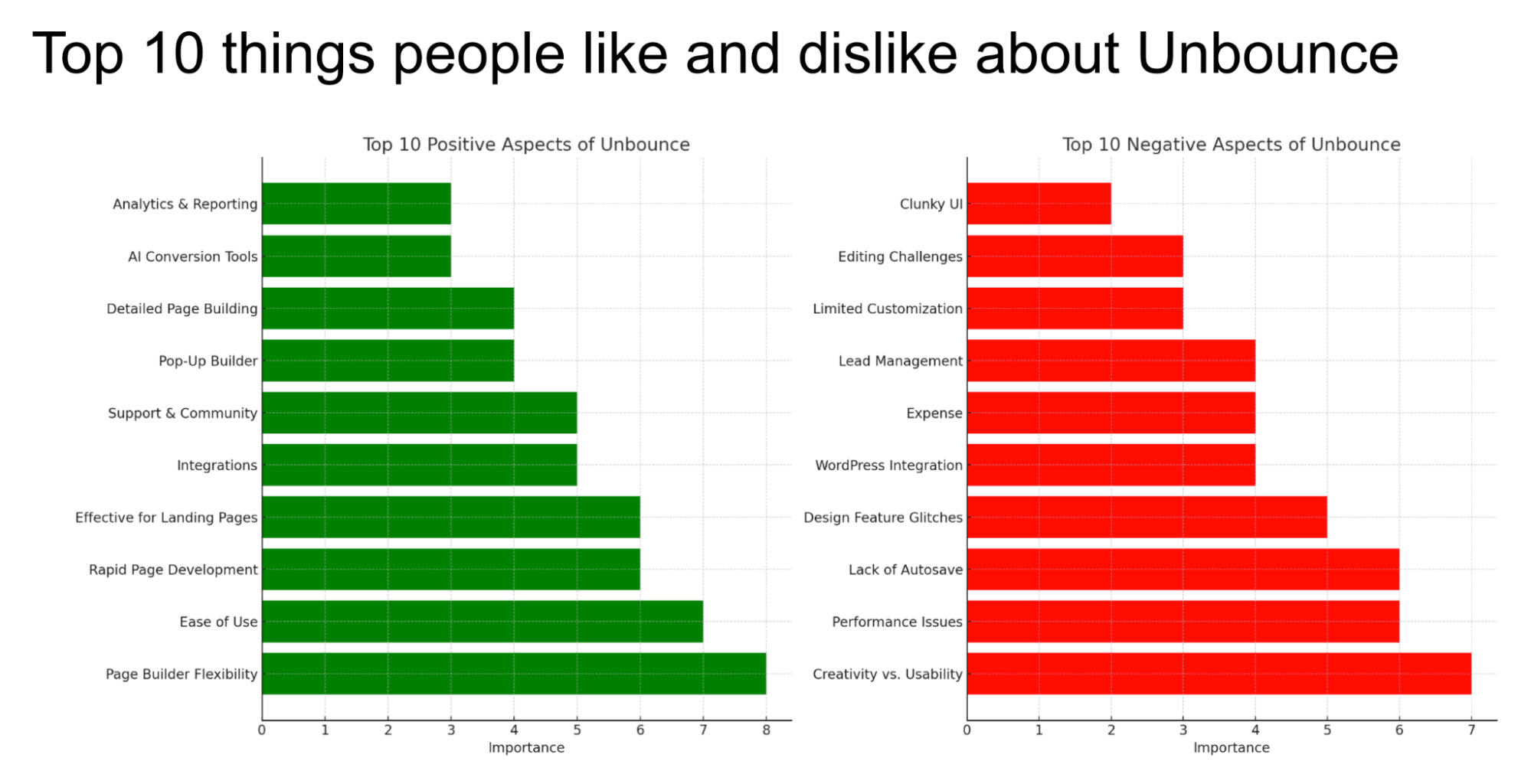
Prompt idea: “I’ve pasted 50 customer reviews for [Competitor’s Product] below. Summarize the most common complaints and the most frequently praised features.”
Create instant customer personas
After a few interviews, you can turn your notes into a clear persona. Then use it as a “sparring partner” to polish your product idea. Here’s a quick example ChatGPT just made for me.
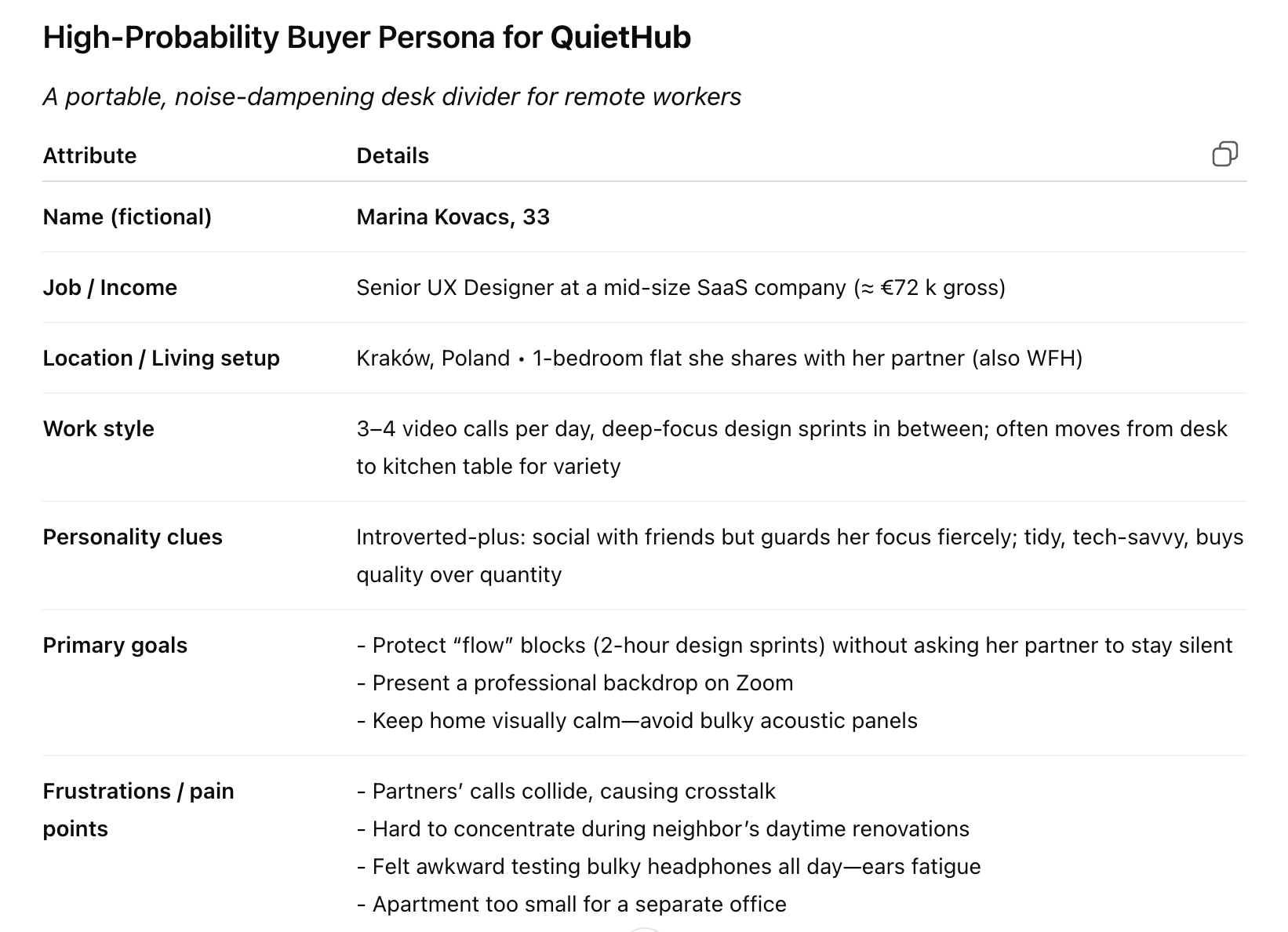
Prompt idea: “Based on the following inte