
MCP (Model Context Protocol) connects your AI tools directly to your marketing stack—your CMS, analytics, CRM, social platforms, and more—through one standardized connection.
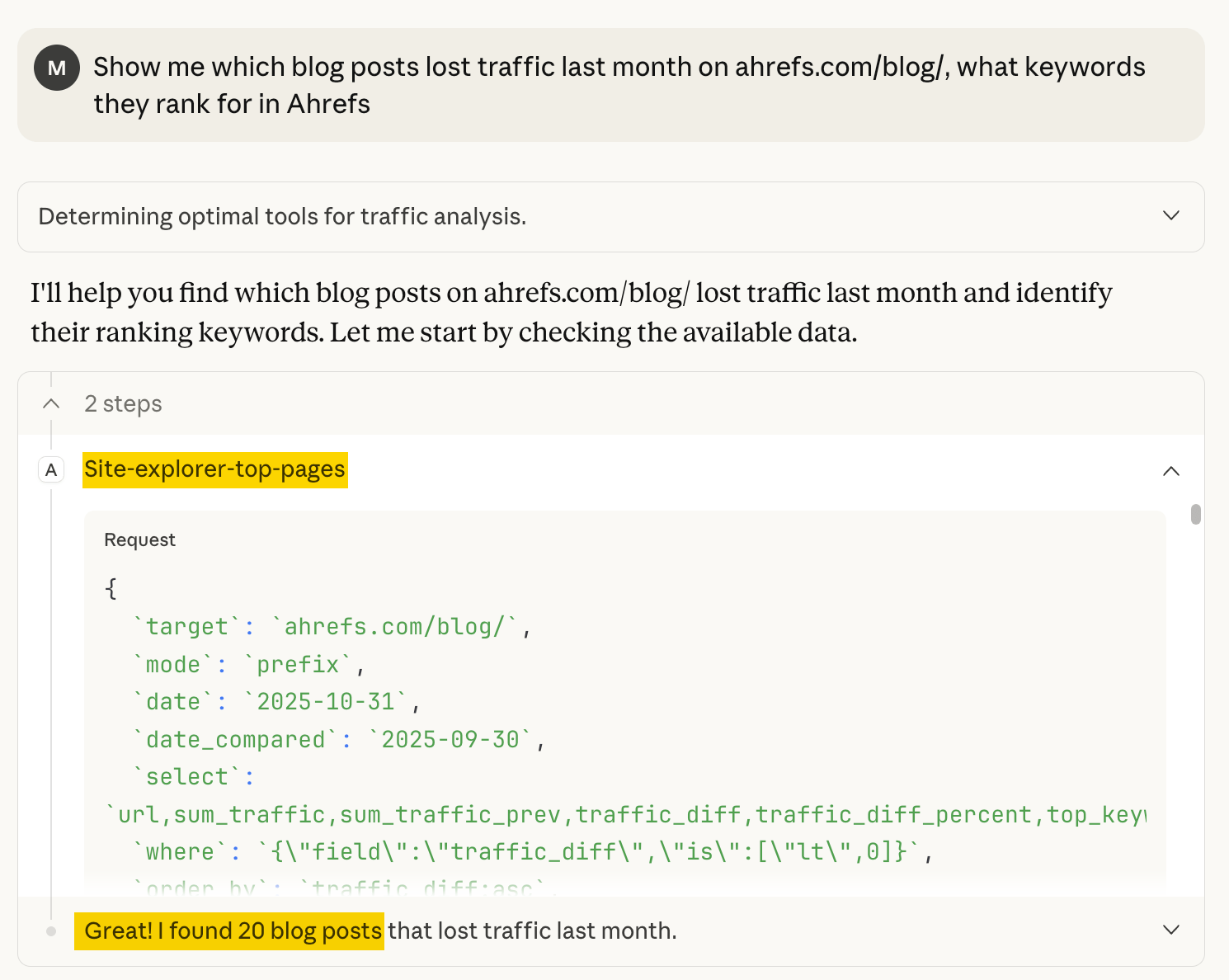
This means you can ask: ‘Show me which blog posts lost traffic last month, what keywords they rank for in Ahrefs, and how many support tickets mentioned those topics in Intercom’—and get one consolidated answer instead of logging into three different tools and manually connecting the dots in a spreadsheet.
Here’s what MCP is, how it integrates with your existing marketing tools, and practical ways to use it for tasks such as competitive intelligence, content optimization, and campaign analysis.
An MCP server is a service that gives an AI access to the outside world. It connects the AI to things like databases, file systems, and APIs so it can pull in the context or tools it needs without you doing the heavy lifting.
It lets your AI safely pull data from your tools (e.g., Ahrefs, Mailchimp, Google Drive) without you exporting files or juggling different tools and dashboards.
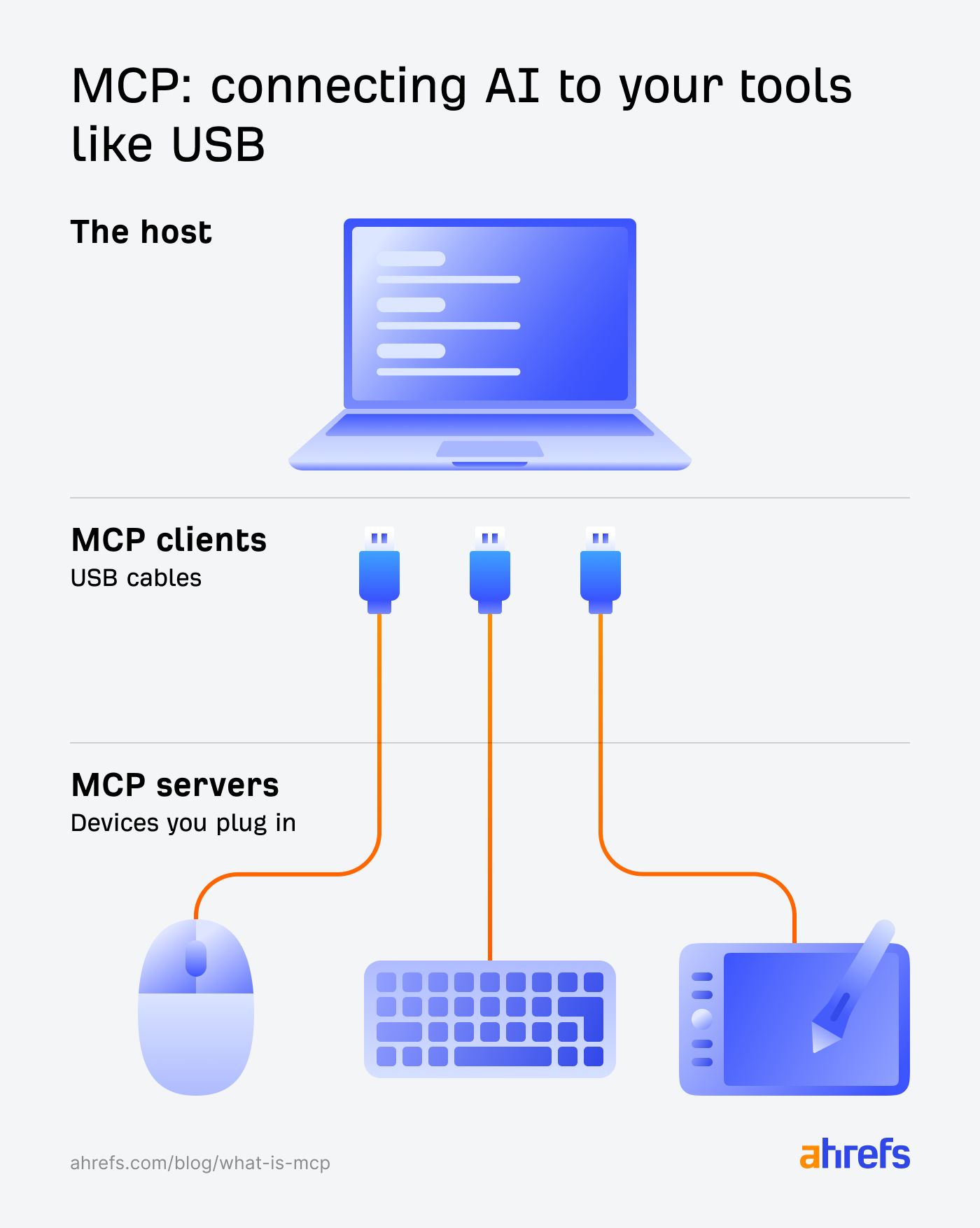
An MCP server is like a universal adapter. Think of those travel adapters that let you plug in anywhere in the world, or a restaurant waiter who handles everything happening in the kitchen—you just place your order, and they take care of the rest.
Here’s the MCP architecture in a nutshell:
- MCP host. Your AI assistant (e.g., Claude Desktop, VS Code extension), where you plug your prompts.
- MCP client. A tiny connector piece that the host creates for each server. Servers can run locally (usually included in more expensive tool plans) or remotely.
- MCP server. A program that exposes useful stuff to the AI, such as functions the AI can call (like ‘get keyword rankings’ or ‘create task in Asana’), data or resources the AI can read (like your Google Drive files or CRM records), and prompts to guide the AI.”
Why this matters
Normally, AI has no idea how to talk to tools. But with an MCP:
- The AI no longer guesses how an API works.
- Data comes back clean and formatted.
- The AI pulls real data from your tools instead of hallucinating plausible-sounding answers.
- Login issues, rate limits, and errors are handled automatically.
- You get consistent results instead of “hope it works this time”.
- Things that used to take hours now take seconds.
In practice, this means you can connect Claude or ChatGPT to a tool like Ahrefs and simply tell it what you need in plain language—instead of clicking around in different apps to get the job done.
“Tell me about the rankings [Competitor] has on the first page of Google that [My Site] doesn’t have first-page rankings for.”
The LLM automatically fetches data from Ahrefs, analyzes it, and gives you a report you can chat with.

MCP sits between your AI assistant, like ChatGPT or Claude, and your marketing tools. It’s the stable, secure connection layer that keeps everything working.
It handles:
- Authentication and permissions, so the AI can securely access your tools without you manually logging in or sharing credentials each time.
- Formatting requests so each tool gets what it expects.
- API rate limits and retries, so you don’t accidentally burn through your API quota or get blocked for making too many requests at once.
- Logging every step so you can audit what happened.
Tip
Some marketing tools already have plug-and-play MCP connections you can turn on instantly. For tools that don’t, you don’t need anything special.
As long as they have an API, you can connect them. A developer can set this up for you, or you can do it yourself if you’re comfortable with a bit of technical work (here’s a sample guide).
MCP removes the friction between where your data lives and where you need to use it. Here are a few ideas to get you started.
1. Track AI search engine impact across HubSpot and Ahrefs
Pull data from multiple sources (e.g., Ahrefs, Google Analytics, Search Console, CRM) into one consolidated view without switching tools or exporting CSVs.
Example prompt:
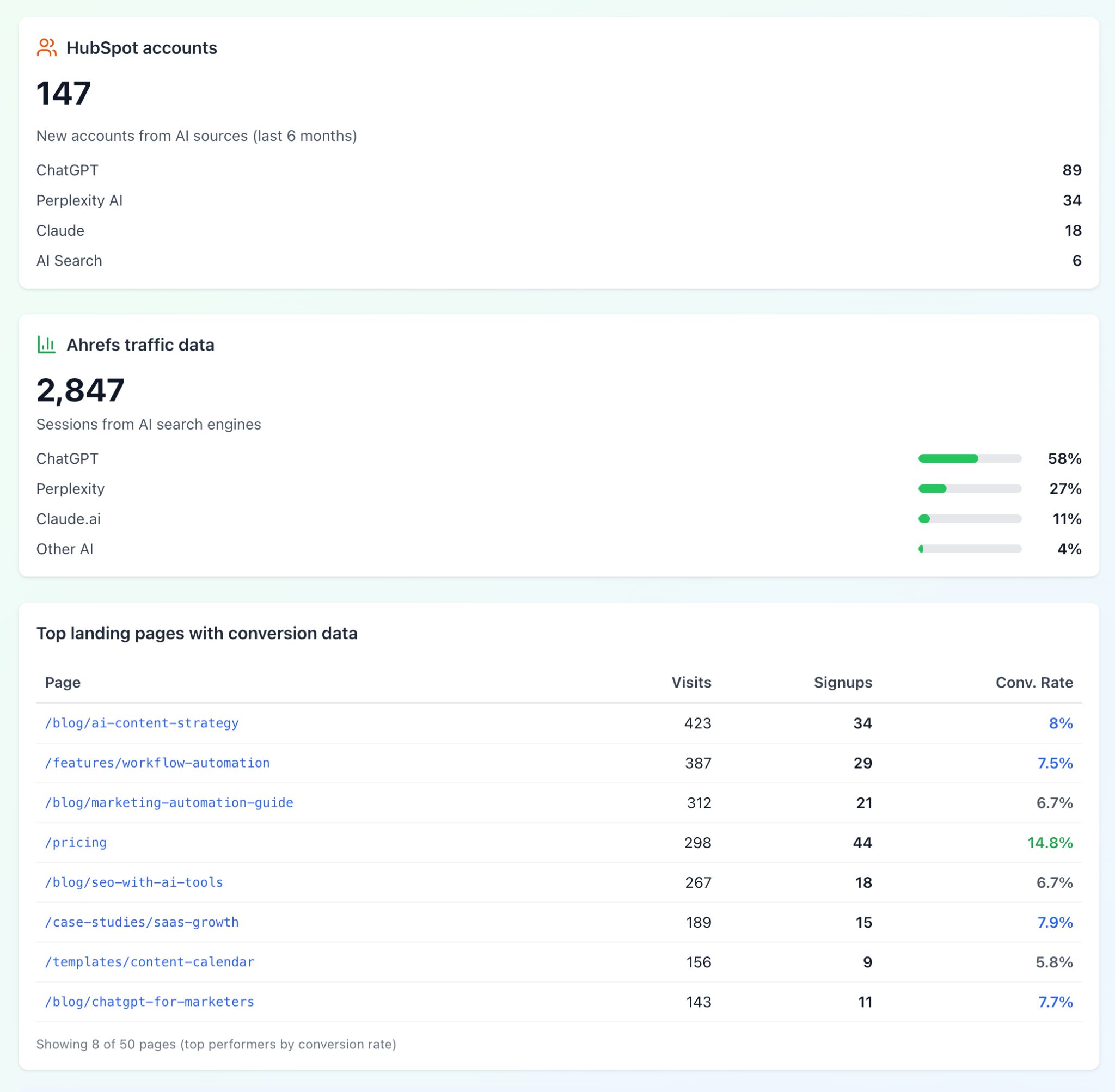
Count all new accounts in Hubspot from the last 6 months where the source field says 'AI' or 'ChatGPT' or similar. Then pull traffic data from Ahrefs Web Analytics for referrals from ChatGPT, Perplexity, Claude, and other AI search engines. Show me the top 50 landing pages they visited and how many of those visitors converted to signups.And this might look something like this:
2. Analyze traffic with Goole Search Console, create tasks in Asana—no switching tabs
Analyze data with Claude, then immediately create tasks in your project management tool (Asana, Linear) or update records in your CRM—no context switching.
Example prompt:
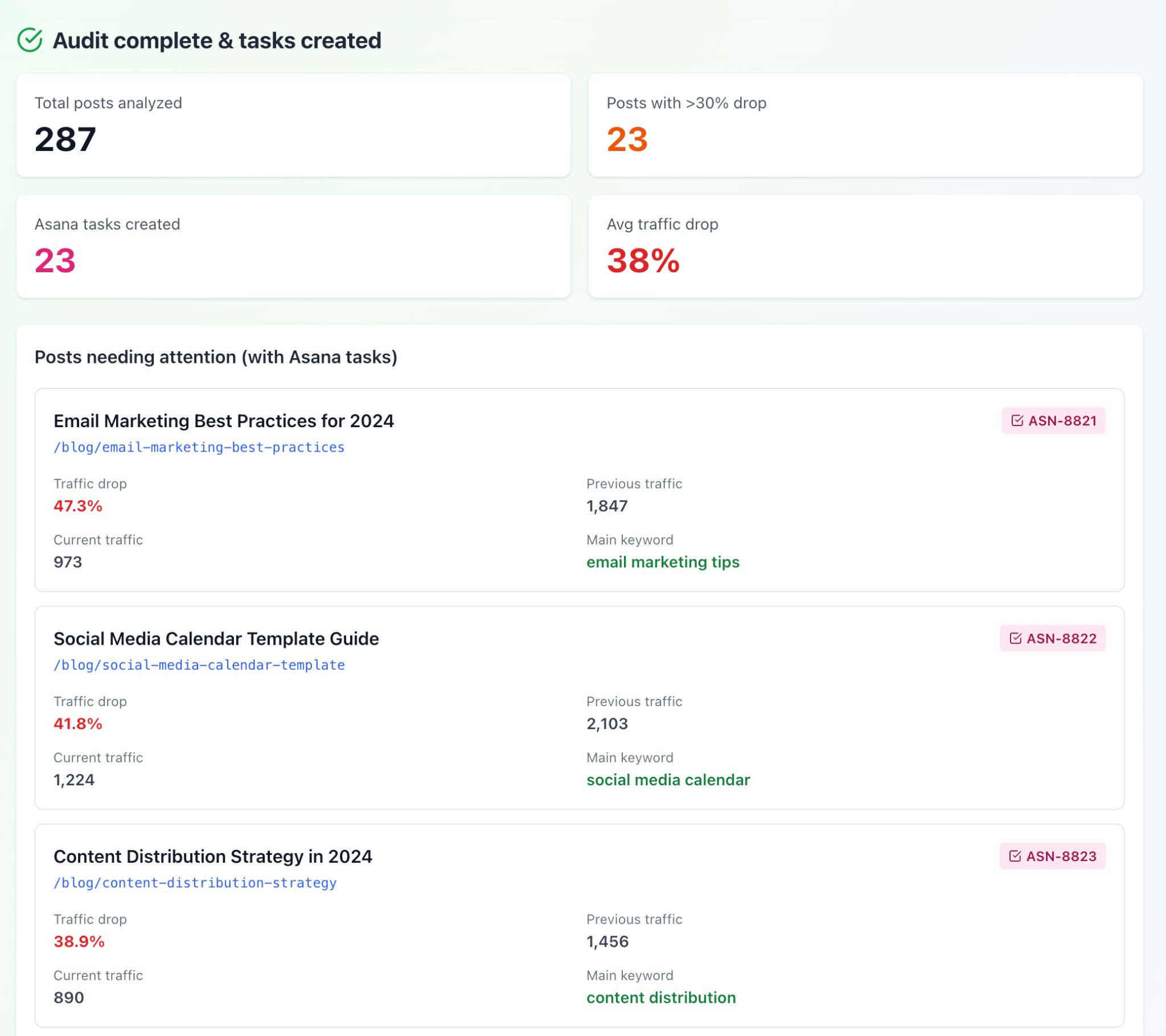
Find all blog posts that dropped more than 30% in traffic over the last 3 months using Google Search Console. For each one, create an Asana task with the URL, title, traffic drop percentage, and main keyword it ranks for.The output will look something like this:
3. Group Intercom conversations into actionable themes instantly
Connect support tools (Intercom, Zendesk) to automatically categorize, segment, and find patterns in customer conversations and feature requests.
Example prompt:
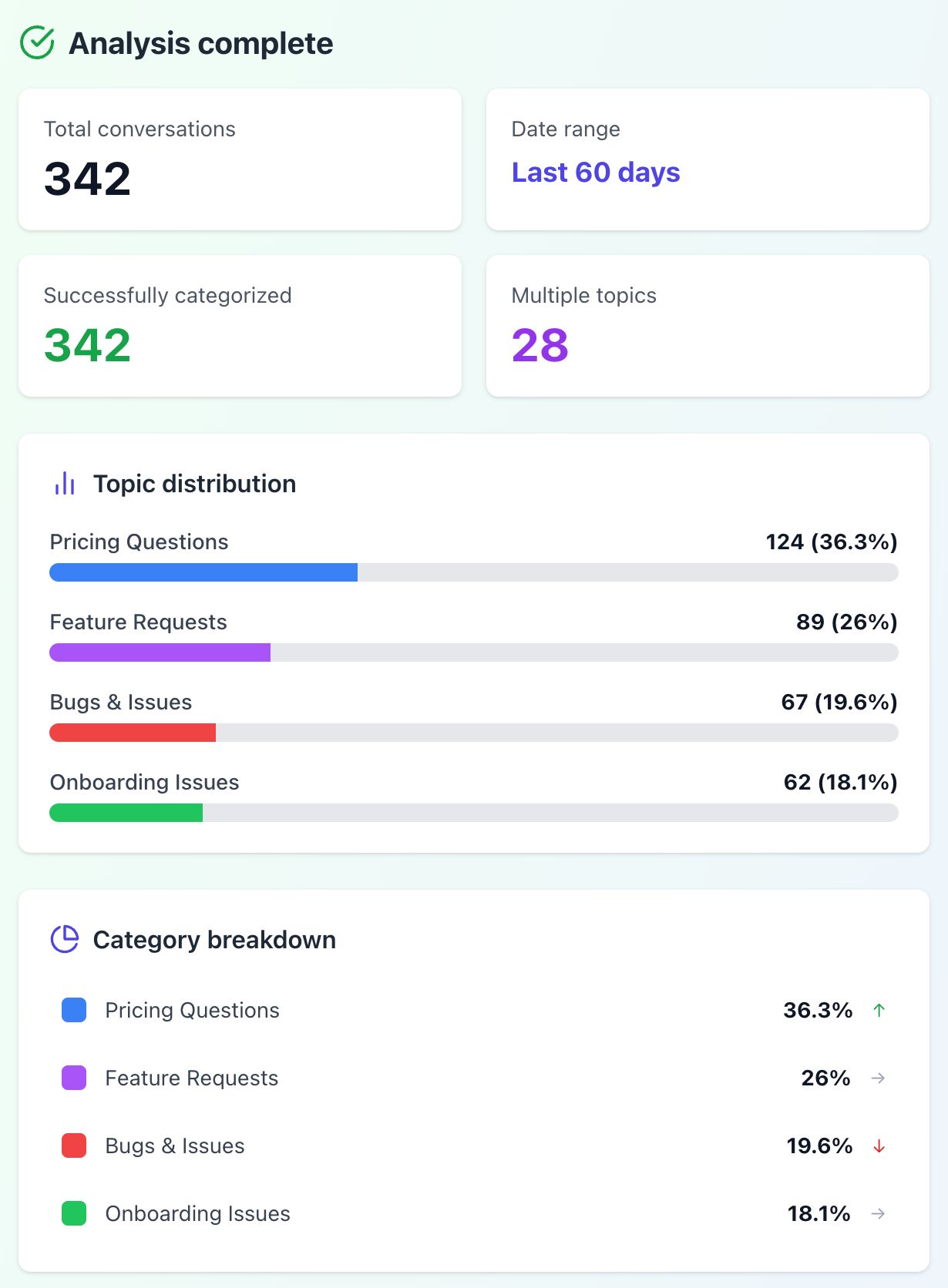
Go through our Intercom conversations from the past 60 days and group them by topic—feature requests, bugs, pricing questions, and onboarding issues. Show me which topics come up most.The output will look something like this:
4. Connect Canva to work on designs directly in ChatGPT
When you connect ChatGPT to a design tool like Canva using an MCP, you can simply describe what you want in plain language and see the design appear on your screen.
It’s a smart way to start a project and then polish the details later in Canva if you’d like.
Example prompt:
Create an Instagram post announcing our new SEO toolkit launch. Make it match our brand colors and include our tagline about making SEO accessible.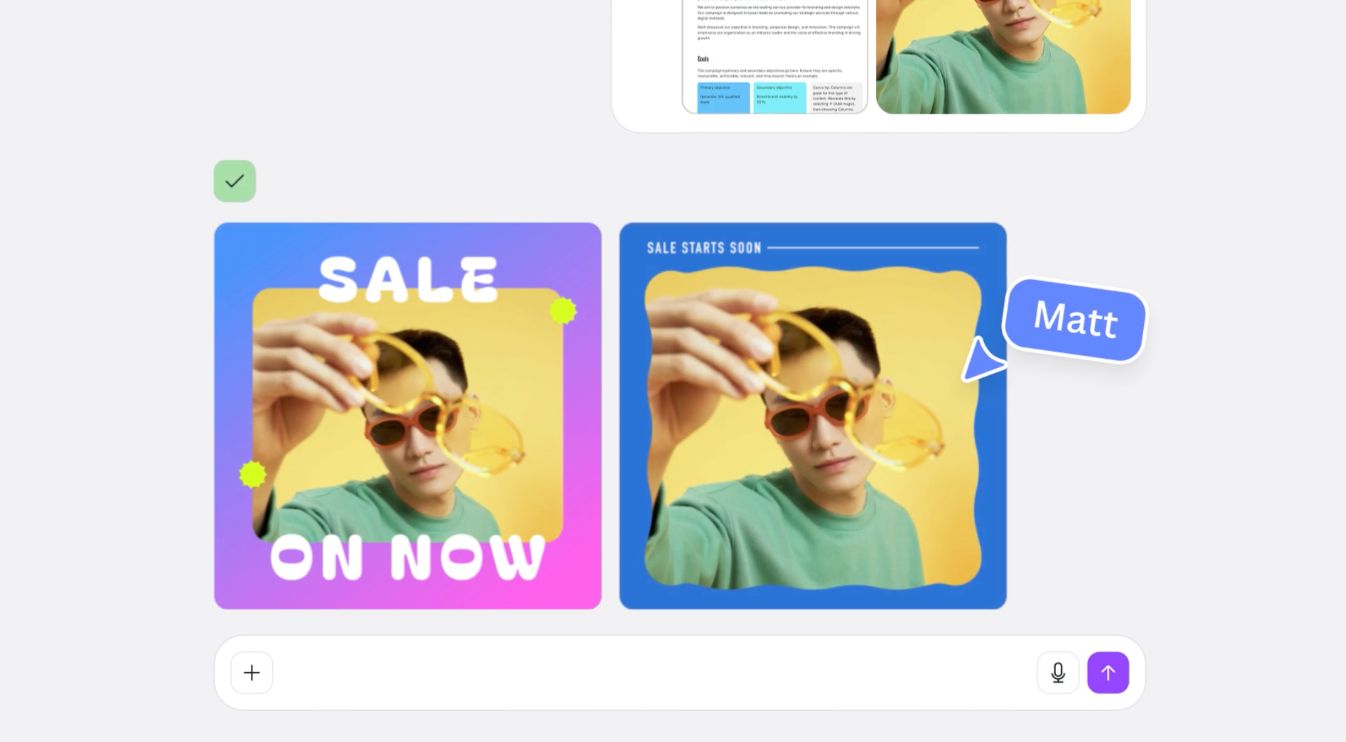
You can also use one prompt to handle tasks that usually require lots of clicking. For instance:
“I have a 50-slide presentation deck in Canva. Remove all the jargon and make it more conversational—I’m presenting to non-technical stakeholders tomorrow.”
I refer here to examples published by Canva on its official site—see this page for more details.
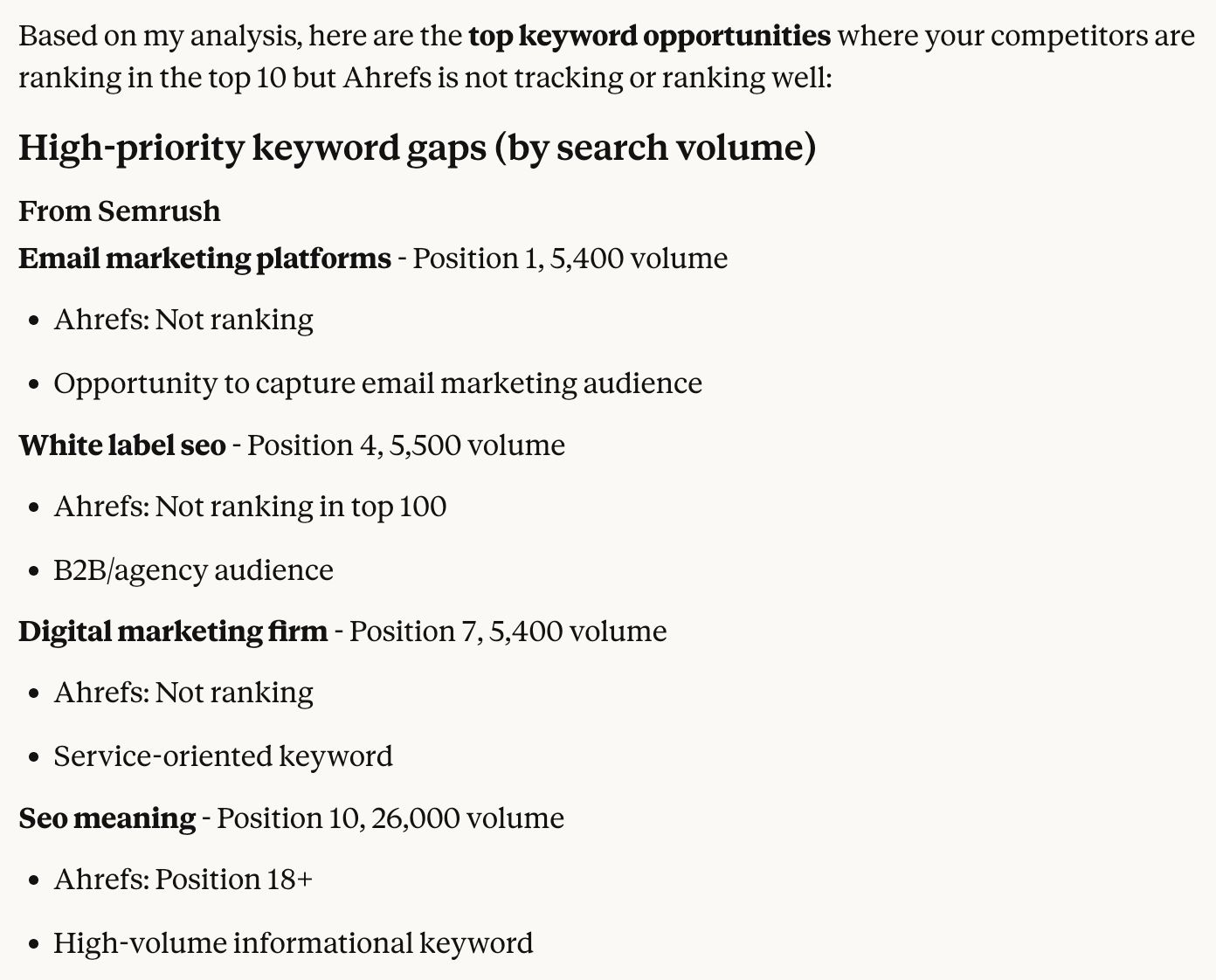
5. Find competitor keywords you’re missing with one question
Track competitor rankings, backlinks, and content changes through Ahrefs without logging into dashboards.
Example prompt:
Check Ahrefs for the top 3 competitors to ahrefs.com. Which new keywords are they ranking for in the top 10 that we're not tracking yet?Output:
6. Identify underperforming content and learn exactly what to fix
Combine analytics data with SEO metrics to identify underperforming content, diagnose issues, and prioritize what to update or remove.
Example prompt:
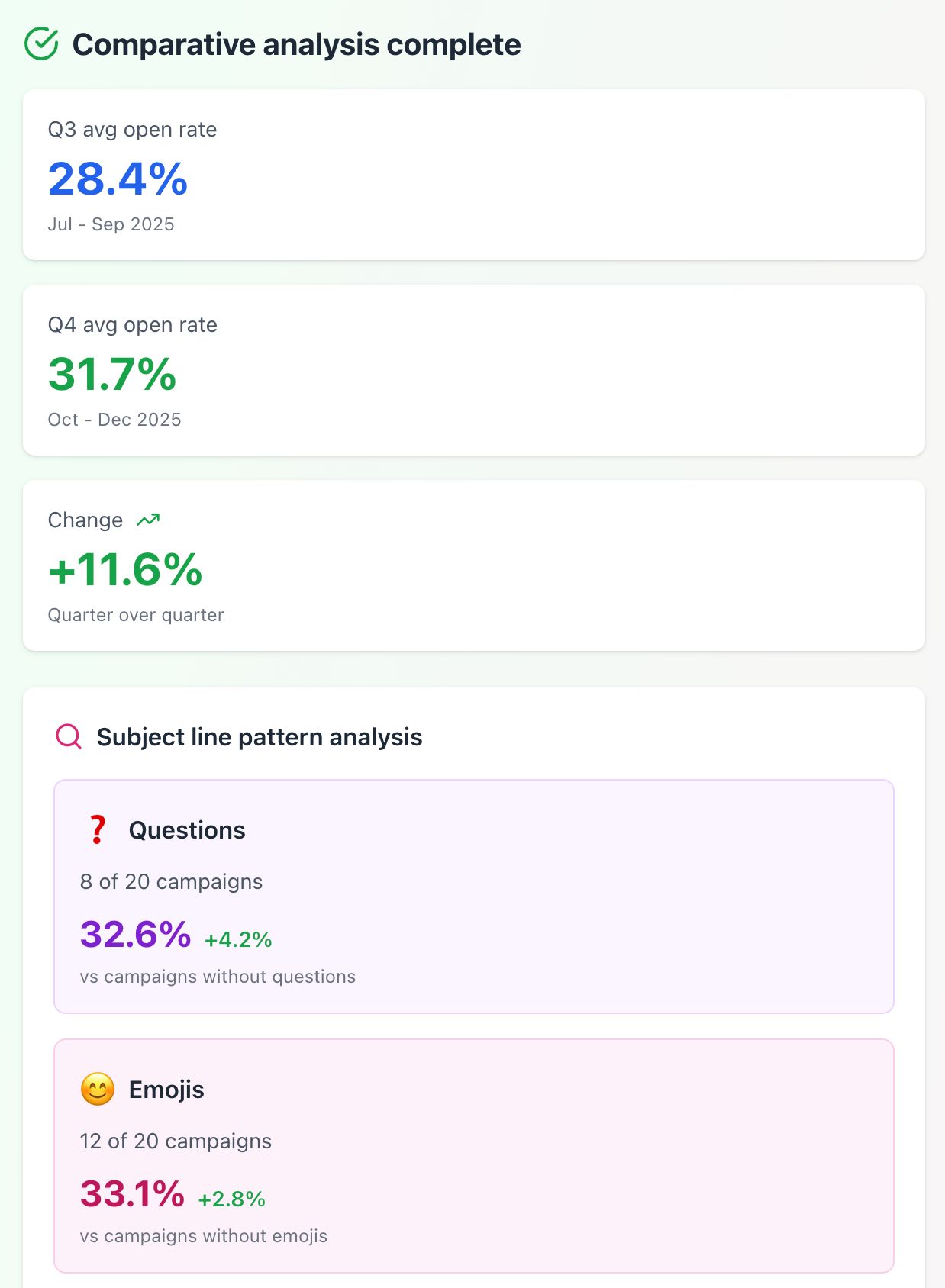
Compare our top 10 performing email campaigns from Mailchimp in Q3 versus Q4. Show me if open rates are trending up or down, and check if the winning emails had questions in the subject line, used emojis, or mentioned specific benefits.Sample output:
7. Simplify ABM enrichment with Clay and Ahrefs
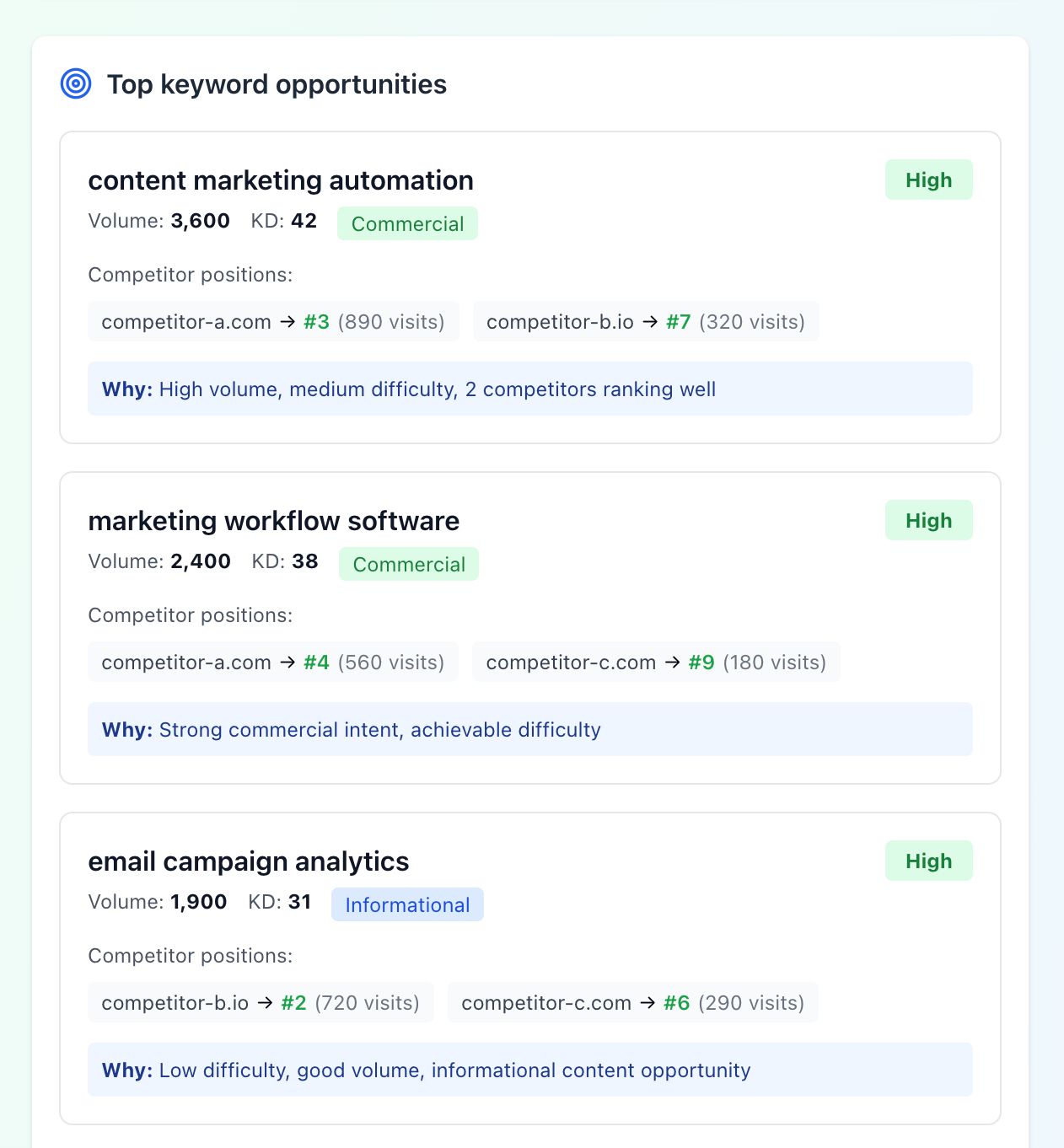
Take a bare-bones list (prospects, pages, keywords) and enrich it with data from multiple tools so you can see at a glance which items are worth pursuing and which aren’t.
Example prompt:
I have a spreadsheet with 200 target accounts. Using Clay and Ahrefs, for each company domain, pull their employee count, monthly web traffic estimate, tech stack if available, and whether they're currently hiring for marketing roles. Add this as new columns.The output might look like:
8. Build targeted campaigns using real customer behavior
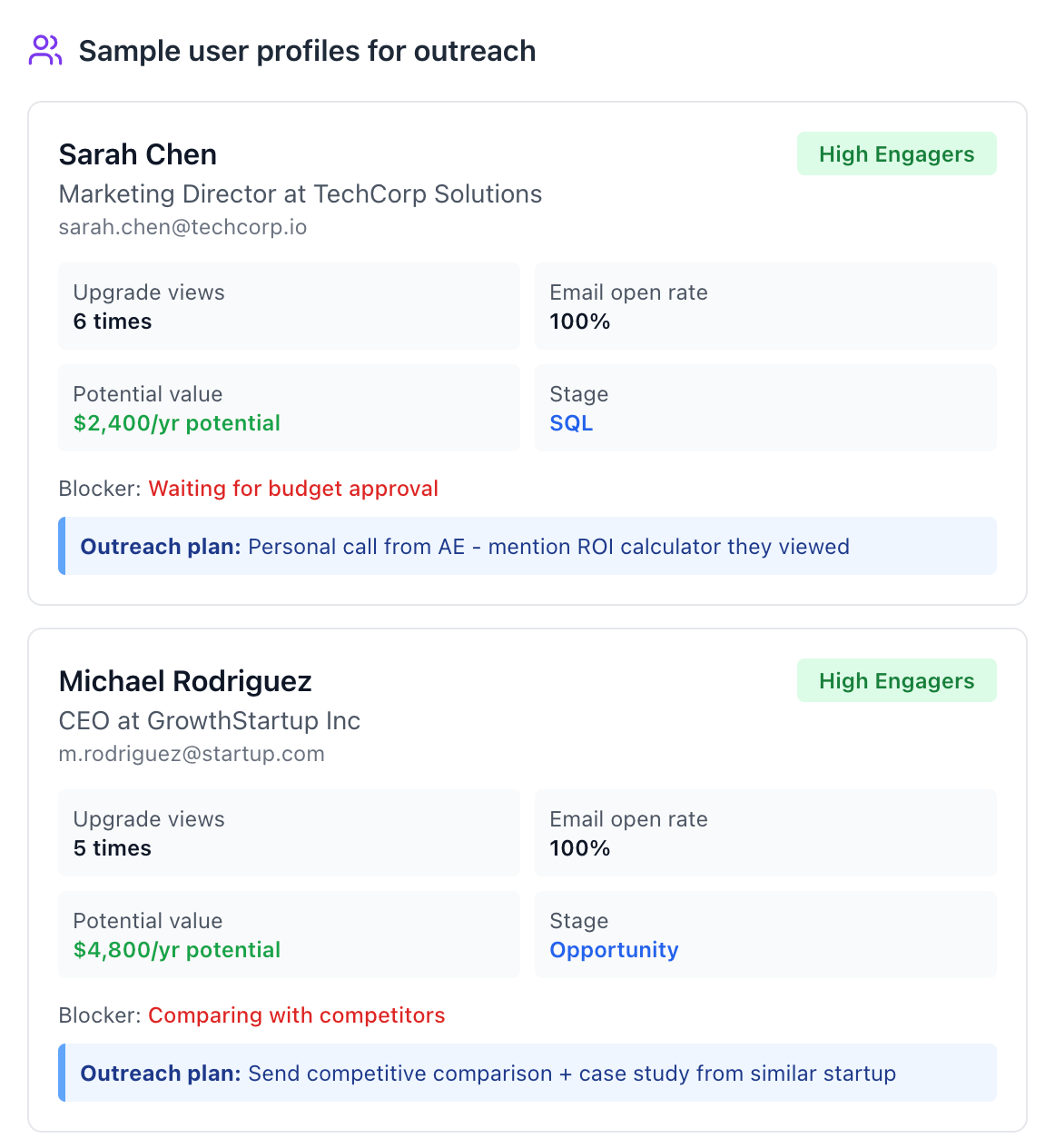
Pull together customer segments from your CRM, their behavior from analytics, and content they engaged with to inform targeting and messaging.
Example prompt:
Look at everyone who was shown the upgrade screen 3+ times in the past two weeks but didn't upgrade. Check if they're in our CRM, what emails they've received, and if they've opened them. I want to send a personalized outreach campaign to this warm segment.The report could look like this:
9. Create custom visualizations and dashboards
Pull data from your marketing tools and turn it into custom charts, dashboards, or interactive reports tailored to exactly what you need—no template limitations. You can then publish them online as a standalone, interactive dashboard.
Example prompt:
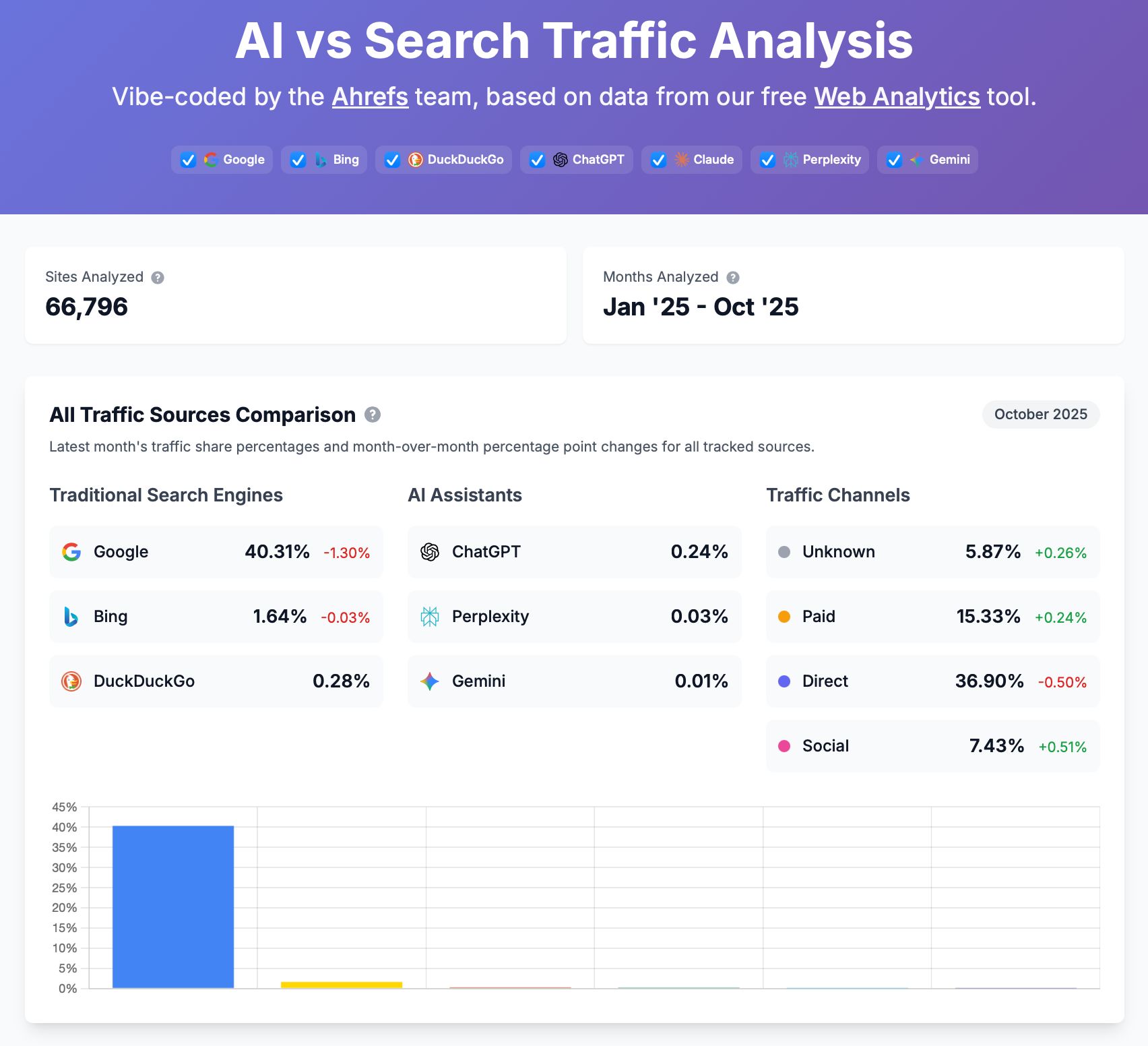
Get our email list growth data from Mailchimp and our blog traffic from Google Analytics for the past year. Create a dual-axis line chart showing both metrics over time so I can see if content spikes correlate with list growth. Color-code the weeks where we published guest posts.Our vibe-coded dashboard is a good example of this. It combines data from over 60k pages to their traffic sources and how they change in time (especially ChatGPT and Google Search).
10. Check data without breaking your flow
You’re in your favorite AI assistant working on a post when a new keyword idea pops into your head. Instead of breaking your flow by opening Ahrefs, running a search, checking rankings, and then coming back to your document, you can just ask directly:
What are the SEO metrics for 'local SEO checklist' and do we rank for it? Pull top 5 pages ranking for with their estimated traffic and referring domains to the page.Now you can decide on the spot: Is this worth targeting? What angle are competitors missing? Should you update an existing page instead?
Here are some of the things that opened my eyes to this technology as an Ahrefs user. If you’re already with Ahrefs, you can set up the MCP here and try these examples yourself.
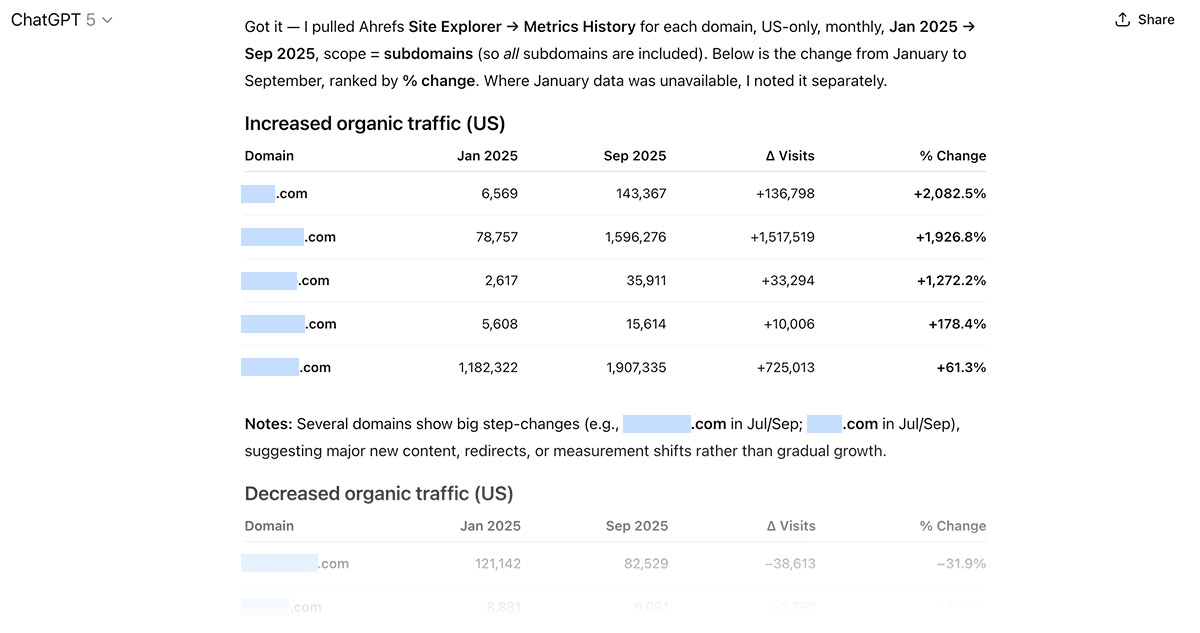
1. Identify fast-growing competitors
Ask:
From Jan–Sep 2025, which of these 10 sites grew organic traffic the most?MCP cleans the data, queries Ahrefs, and returns a ranked table.
2. Keyword hunting with context
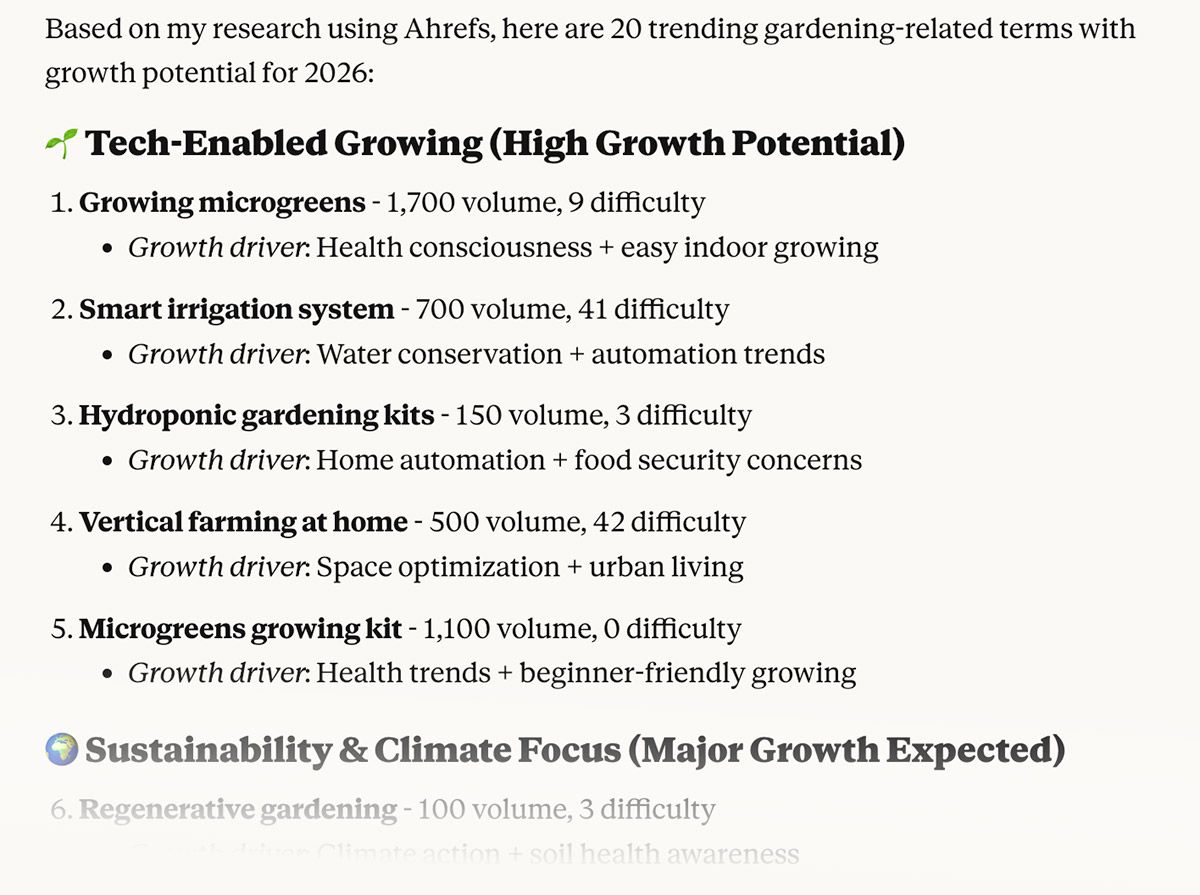
Ask:
Give me up to 20 related keywords likely to grow in 2026 and explain why.The server pulls related terms, checks seasonality and trends using keyword growth rate data in Ahrefs, and adds “why now” notes (news, product cycles, regulation).
3. Find new markets by mapping competitor traffic by country
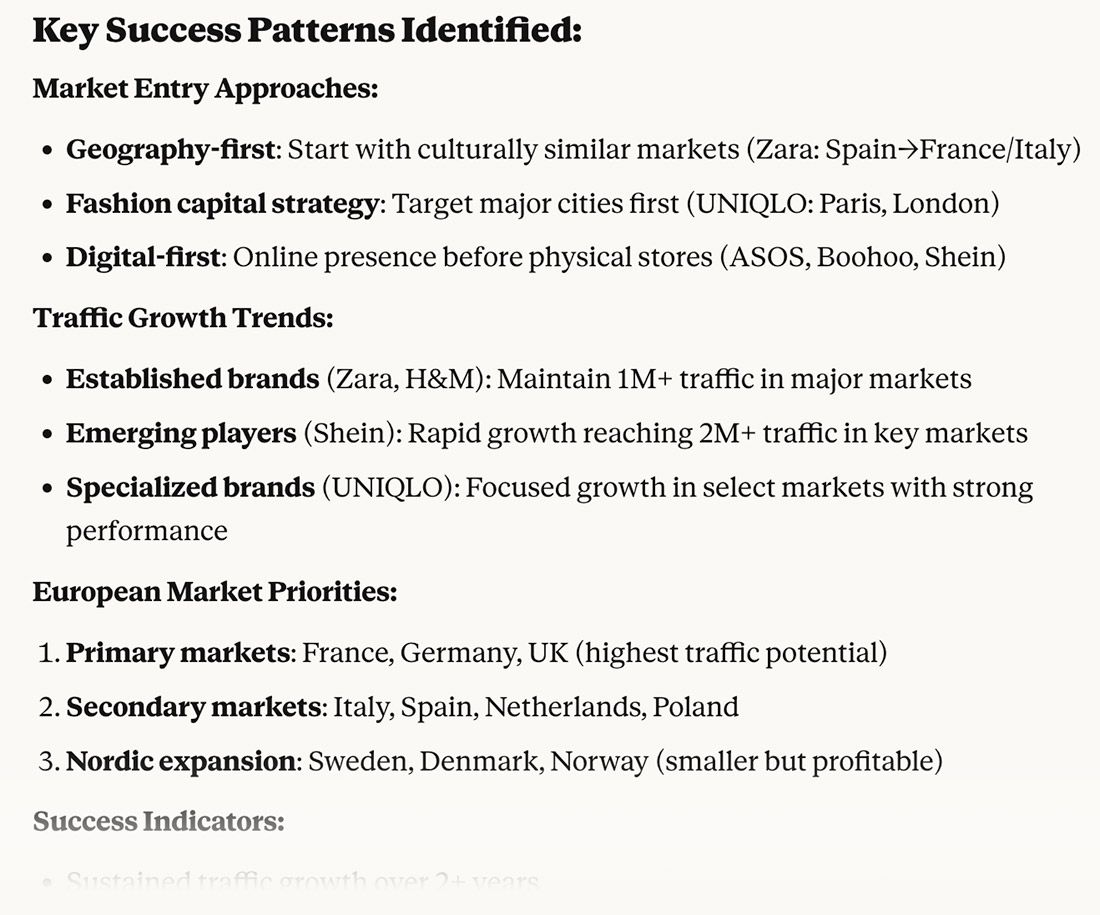
Ask:
For [business type], find similar businesses and show their organic traffic by country.You get competitors’ strongest markets, their top landing pages, and where your opportunities are. Output: a short, clear deck with recommended countries and missing content types.
4. Spot unusual topics that are working for competitors
Ask:
For the top 10 competitors, highlight unique content approaches and uncommon themes.You’ll get a list of high-performing, low-competition angles mapped to search intent and your internal link sources.
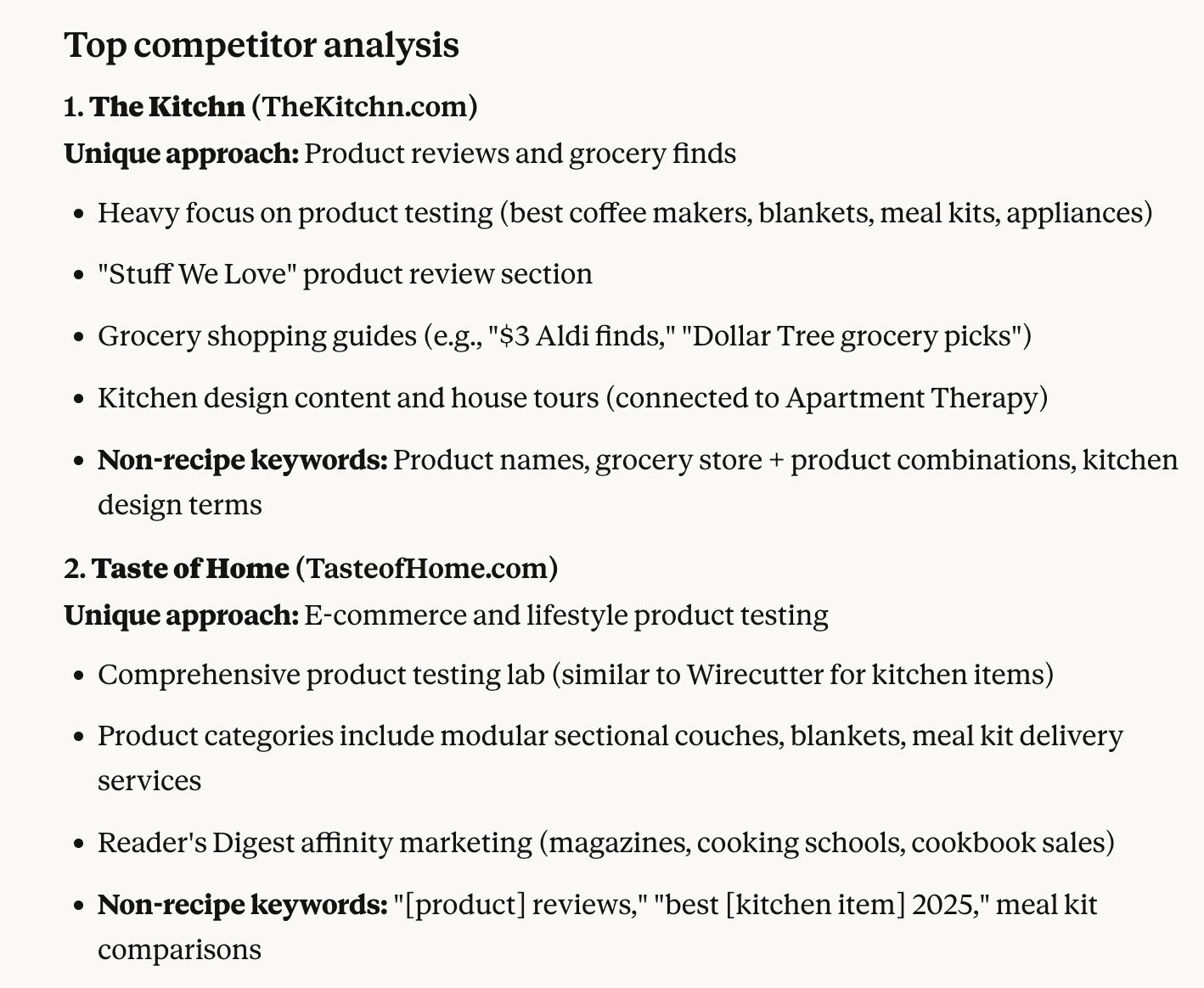
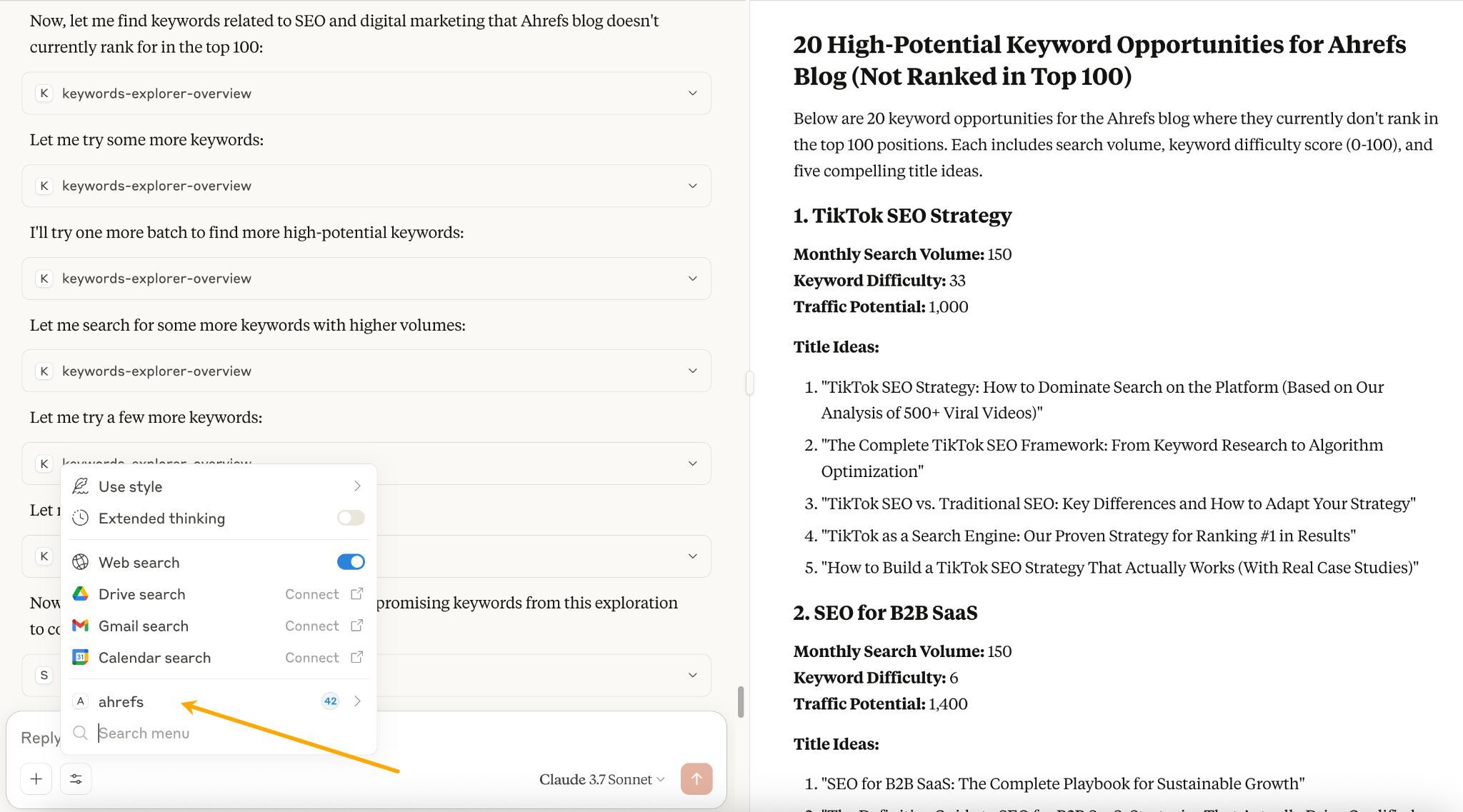
5. Find Keyword opportunities you’re not already targeting
Ask:
Show keyword ideas related to [topic] in [country] with volume [min–max], excluding any keywords where we rank top 100. Focus on KD < 60.Output: a clean list of keywords with SEO data and title ideas.
There are three scenarios here.
Your tool already has an official connection
Some tools—like Google Drive, Slack, Ahrefs, HubSpot, and a few others—have built-in connections you can turn on with a couple of clicks. Just follow a short setup guide and you’re done. When it’s available, this is by far the easiest path.
Some of them may already be on the developer-reviewed list of connectors.
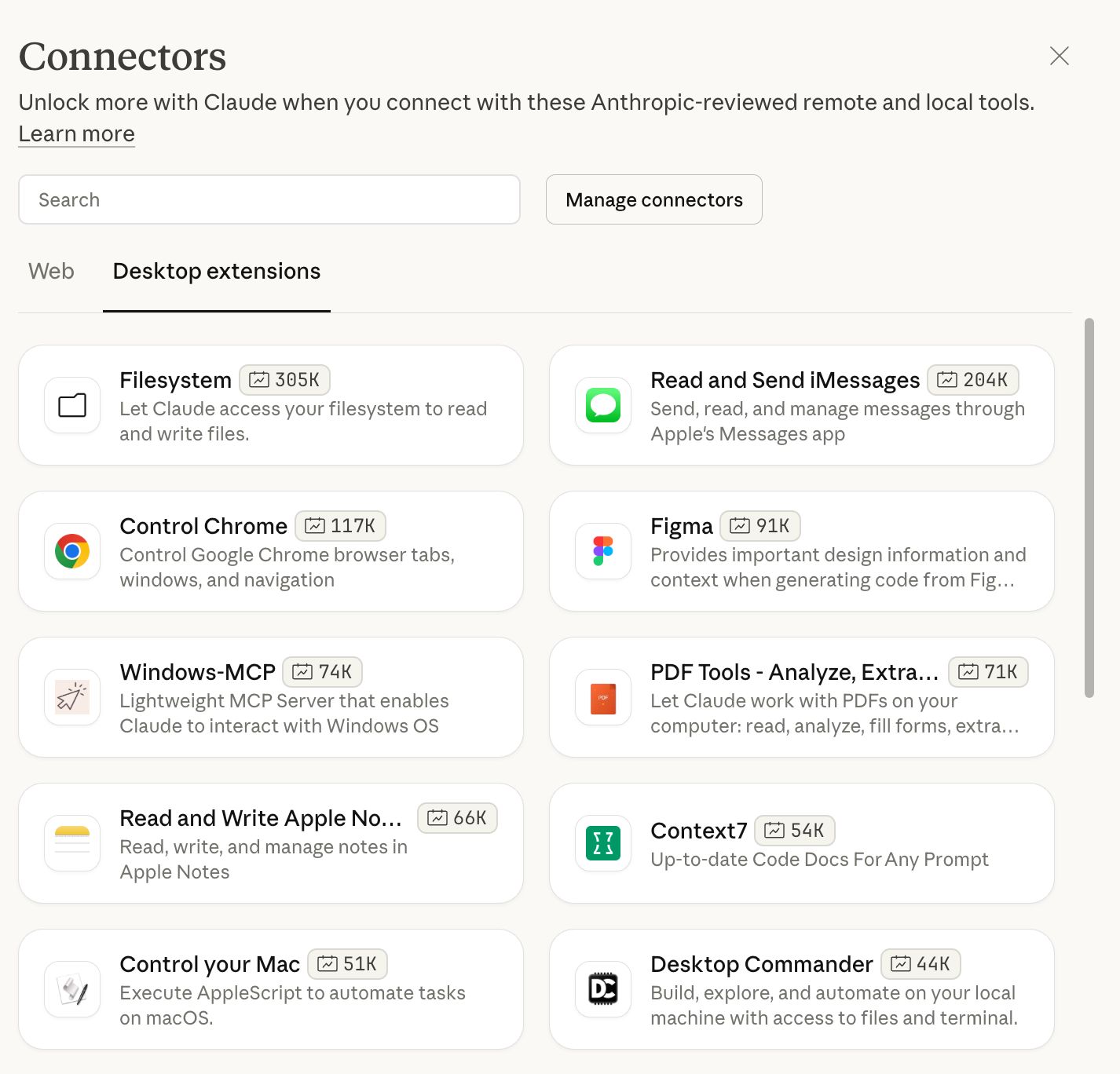
For reference, you can check out how easy it is to connect Ahrefs to the web version of ChatGPT here. No coding skills required.
Someone else already built it
If there’s no official connection, check if someone in the community made one. Search for “[your tool name] MCP server” and you’ll often find something ready to use. Just plug in your API credentials and customize what you need.