Every piece of content you’ve ever published is slowly dying.
That may sound defeatist, but unfortunately that’s just how the web works.
Rankings slip, competitors improve, search intent shifts, and what was your best-performing article two years ago might be leaking traffic right now without you even noticing.
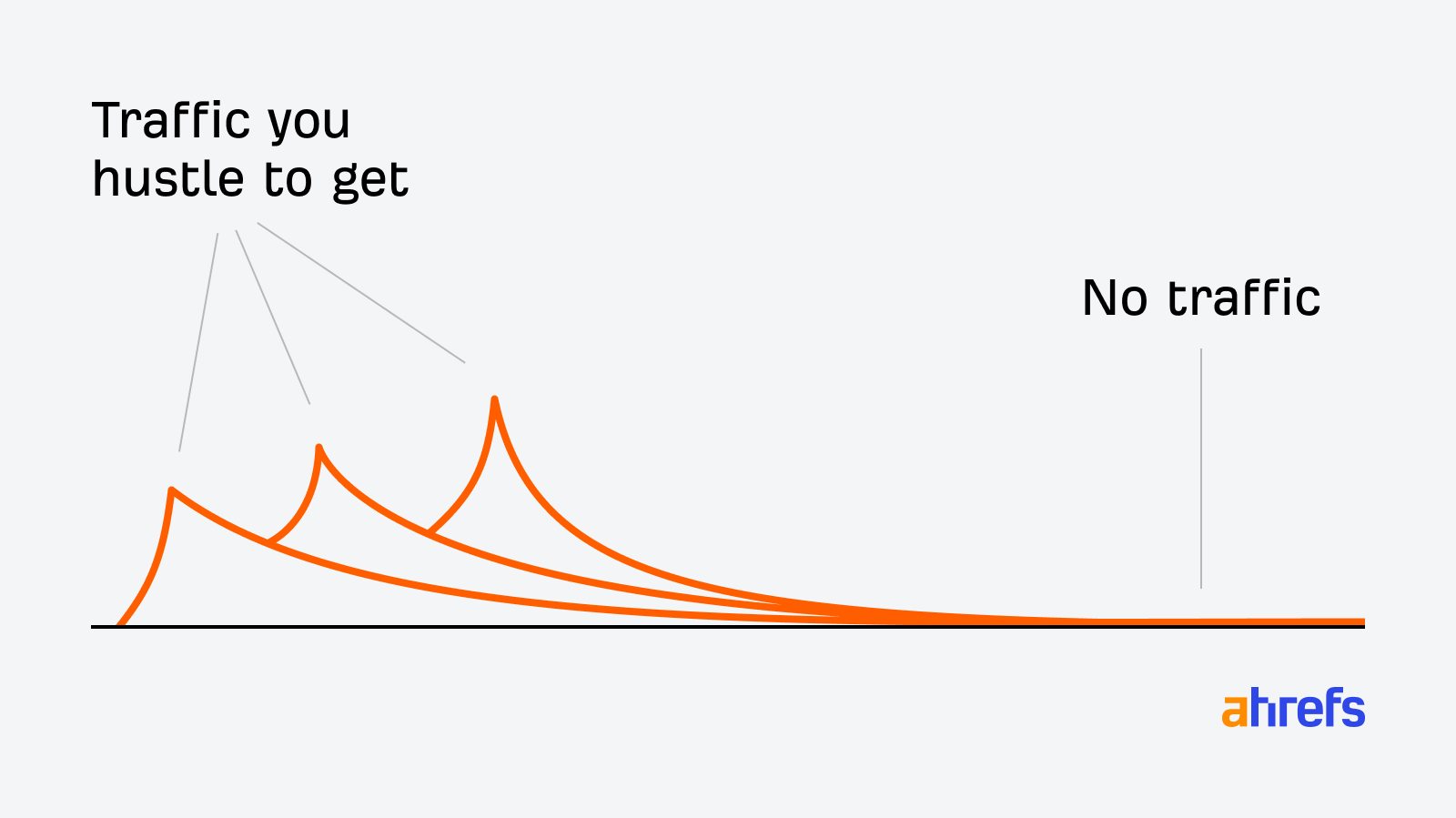
This is content decay: the gradual, often invisible decline of a page’s organic traffic and rankings.
In this guide, I’ll show you how to find decaying content using Ahrefs, decide what to do about it, execute the fix, and set up a process so you catch it earlier next time.
Content decay is the gradual decline in a page’s organic traffic and rankings over time.
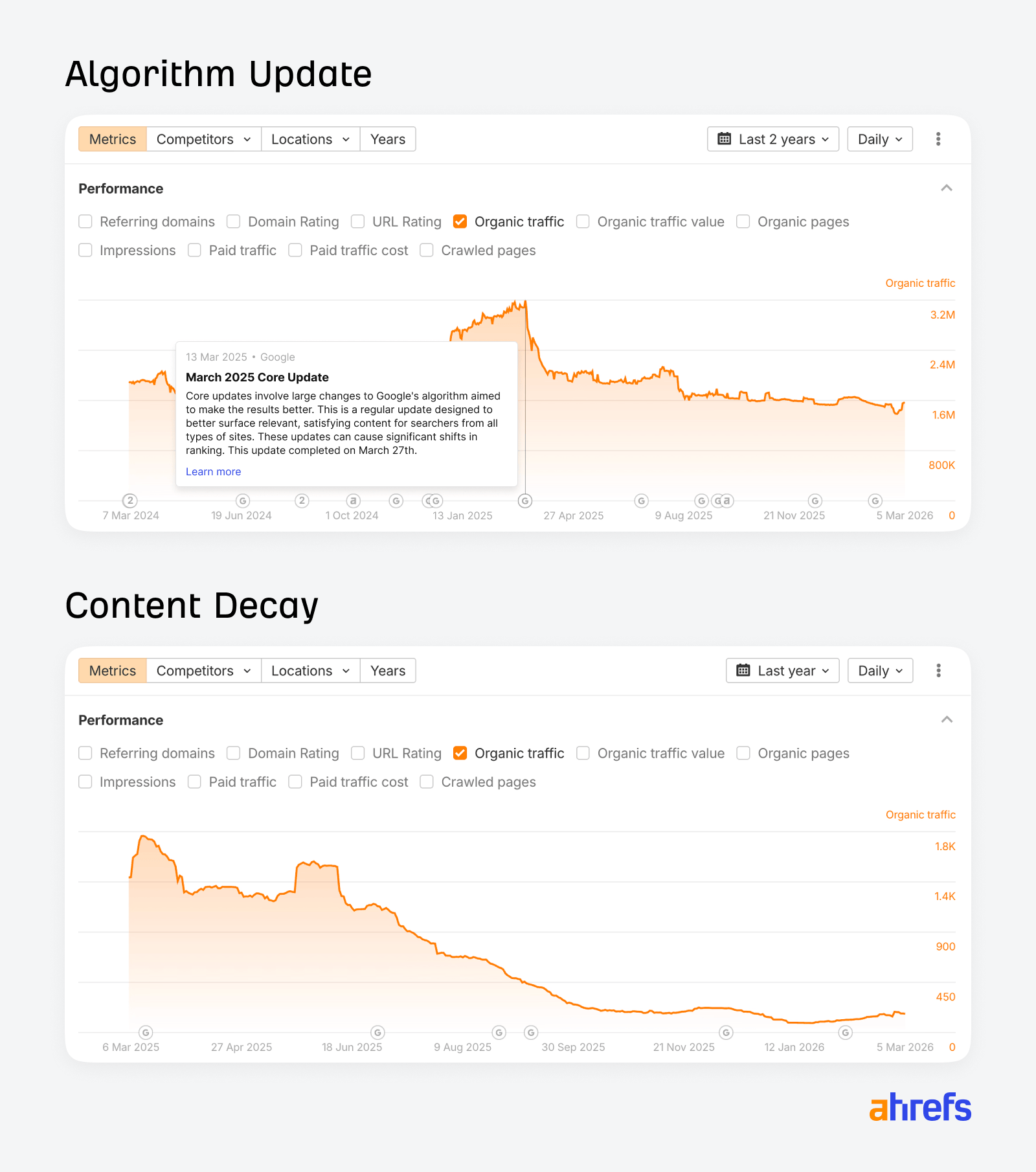
Unlike a sudden traffic drop caused by a Google penalty or a major algorithm update, decay is slow—it happens over months, sometimes years, and it’s easy to miss until significant ground has been lost.
Think of content as having a lifecycle.
Most articles follow the same rough arc:
- Early traction: The article gets indexed, starts showing up in search results, and picks up a few early links or shares. Traffic is low but moving in the right direction.
- Growth: Rankings climb, organic traffic builds, and the article starts pulling in a consistent stream of visitors.
- Traffic peak: The article reaches its highest point of visibility and clicks, typically when it’s ranking in top positions for its target keywords.
- Slow plateau: Traffic looks stable on the surface, but rankings are quietly slipping. The content is starting to age and competitors are catching up.
- Decline: Fresher, more authoritative content pushes the article down the SERPs, and traffic drops off.
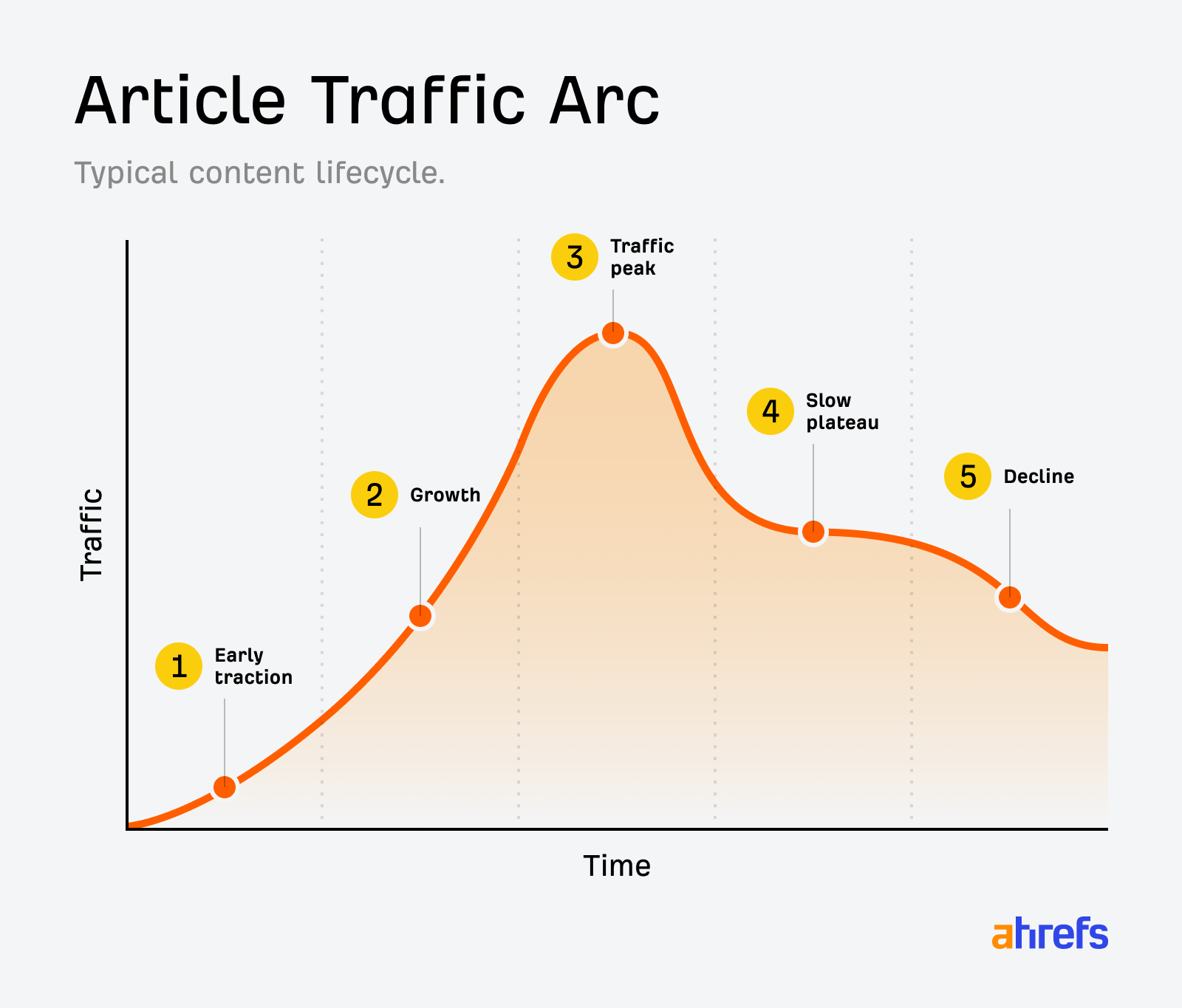
Most content teams invest heavily in the first three phases and almost nothing in the last two.
The other thing worth noting: content decay now has two dimensions.
A page can lose ground in Google rankings and disappear from AI-generated answers independently.
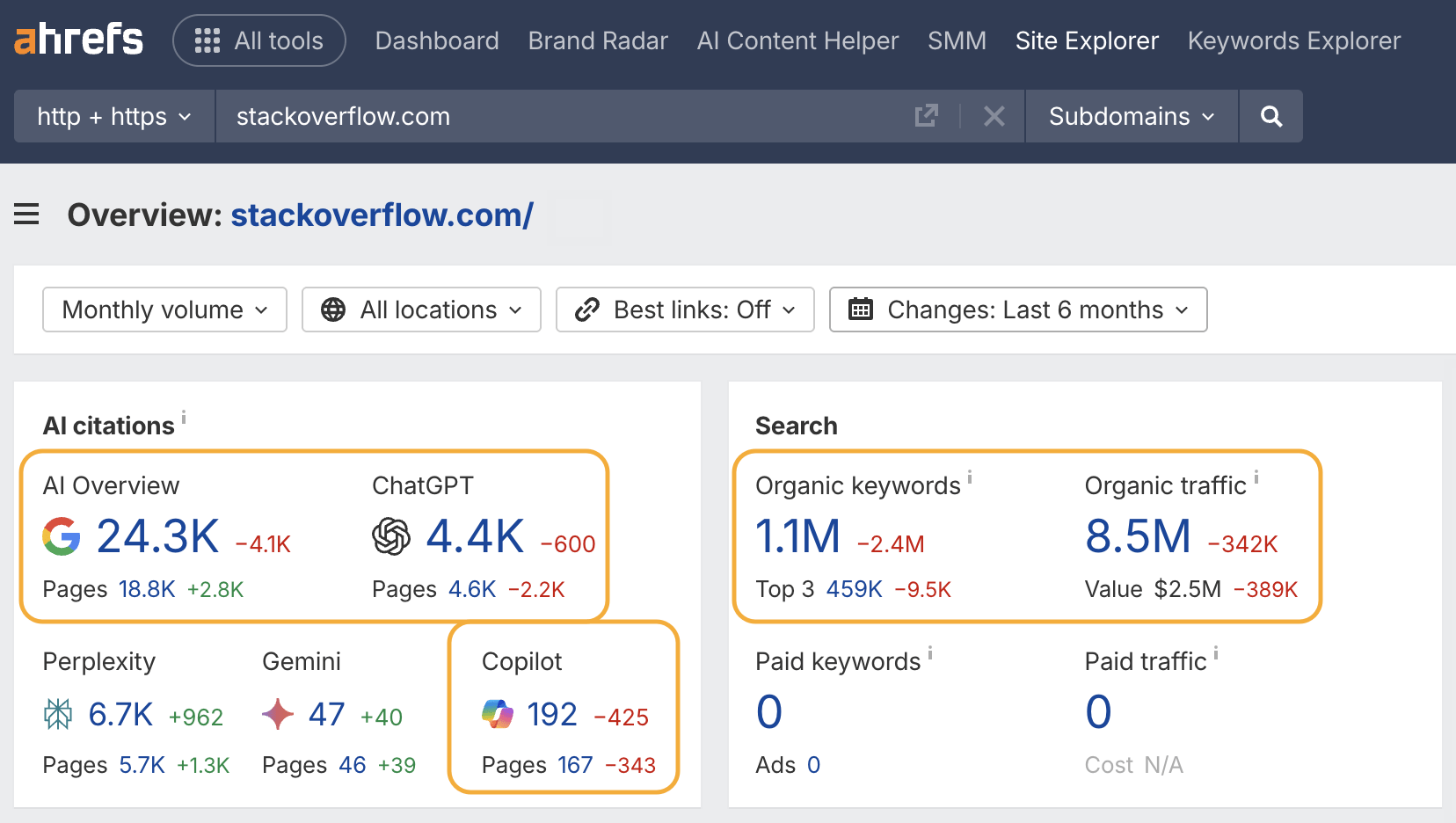
It’s possible to still rank on page one but be consistently absent from ChatGPT recommendations or Google AI Overviews—and those are increasingly where decisions get made. I’ll cover both.
There’s rarely one cause. Usually it’s a combination of the following.
Age and freshness
Google favors recently updated content for many query types—particularly anything with an implicit freshness signal, like “best [X]” or “how to [Y]”.
This is Google’s “query deserves freshness” system in action.
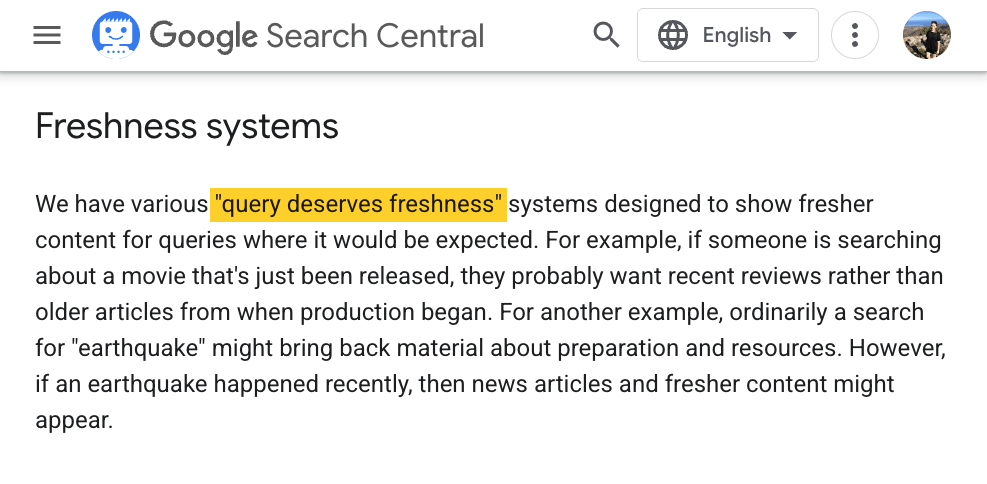
Content that hasn’t been touched in two years is at a structural disadvantage against well-maintained competitor content, even if that older article is objectively better and more comprehensive.
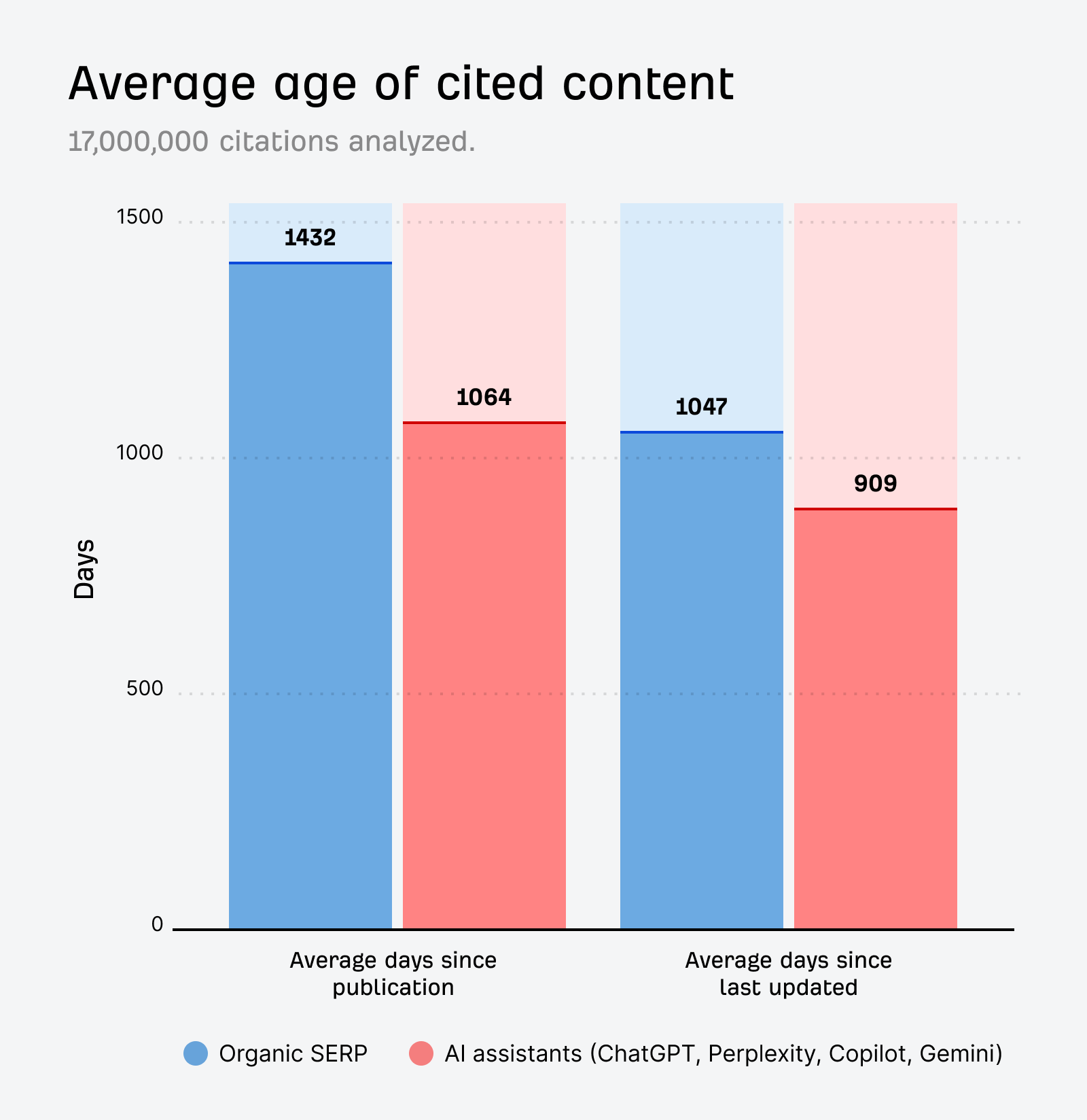
AI systems compound this. Our own research shows that URLs cited by AI assistants are 25.7% “fresher” than organic SERP results on average.
And AI expert Metehan Yeşilyurt identified a URL_freshness_score within ChatGPT’s configuration files that suggests it favors newer content.
In his research, he discovered studies showing that artificially refreshing publication dates can improve AI ranking positions by as much as 95 places.
All of this is to say that AI is even more biased toward recency than traditional Google.
Competitor improvement
Your content can decay if someone publishes a better article targeting the same keywords.
Maybe it earns more links, or matches intent more precisely, and over the course of the year it displaces yours.
This is the most common cause of content decay, and it’s the hardest to notice because the displacement happens so gradually.
Search intent shift
Search intent for a keyword can drift meaningfully over years, even if the keyword itself doesn’t change.
For instance, “LLM” used to mean “Master of Laws” but by 2024, “large language model” content dominated.
You can spot search intent shifts in Ahrefs’ SERP Overview tool—look for lots of “Lost” and “New” rankings, plus a low SERP similarity score.
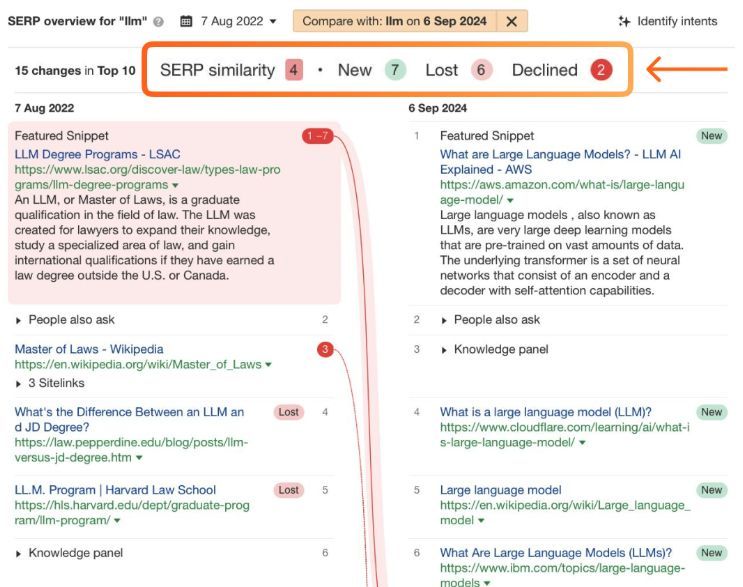
Google’s SERP reflects the current dominant intents—if your article was written for an older version of the query, it loses relevance even without any change on your end.
Internal keyword cannibalization
This one is underappreciated.
When you publish two or more articles targeting the same or similar keywords, they split authority instead of combining it.
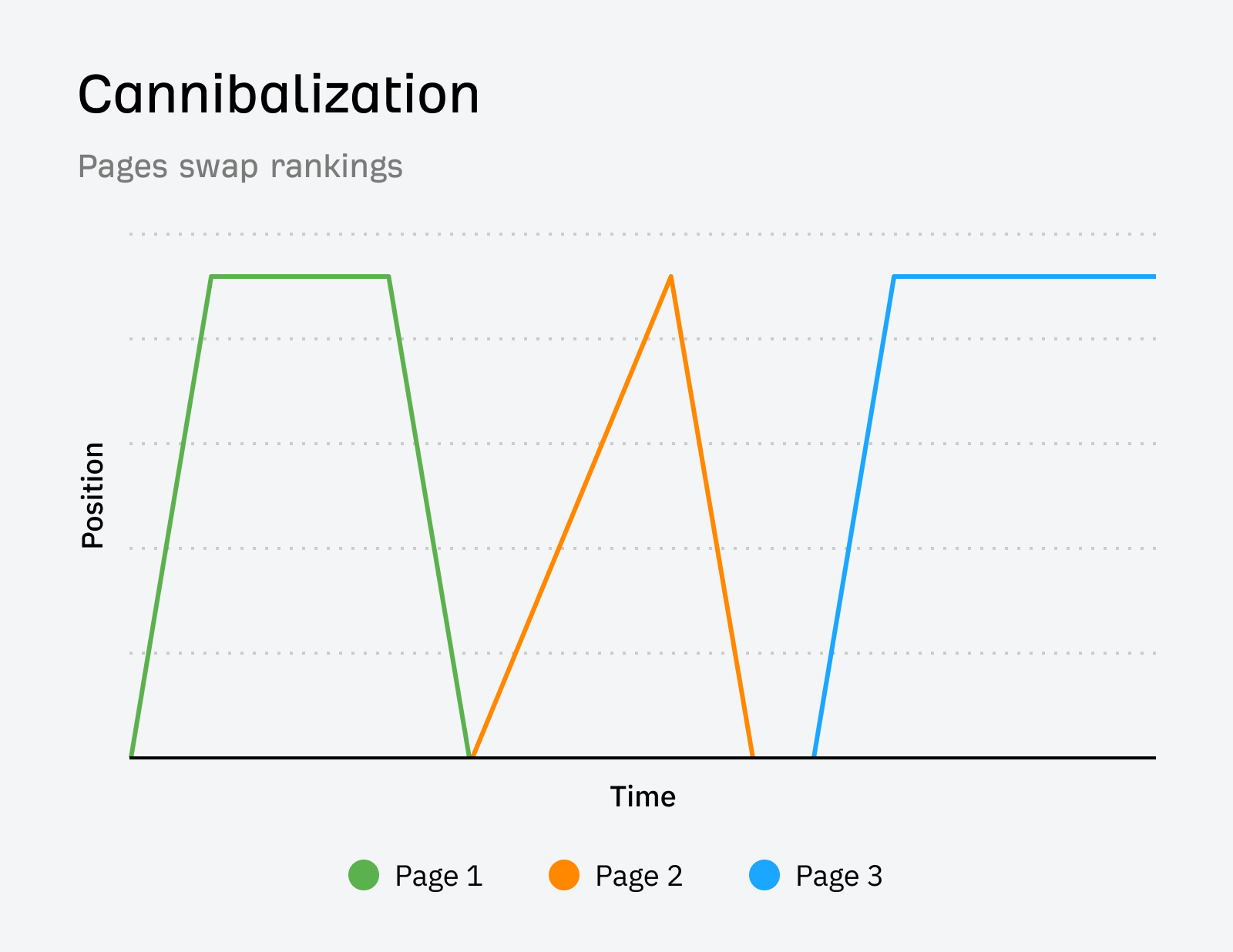
All rank worse than a single authoritative piece would, and over time the newest article often quietly overtakes the older ones, which then decay without anyone realizing what happened.
The fastest way to find decaying content is to look at your site’s Top Pages filtered for traffic decline, then use Content Changes to understand why each page is declining.
Find your decaying content in Ahrefs Top Pages
Here are six quick steps to finding content decay in Ahrefs.
- Go to Ahrefs’ Site Explorer
- Enter your domain, and open the Top Pages report
- Set the traffic filter to “Declining”
- Select an “easy” Keyword Difficulty score
- Set the date range to 12 months
- Sort by negative traffic change.
The pages at the top of this list are your biggest traffic losers—your decay candidates.
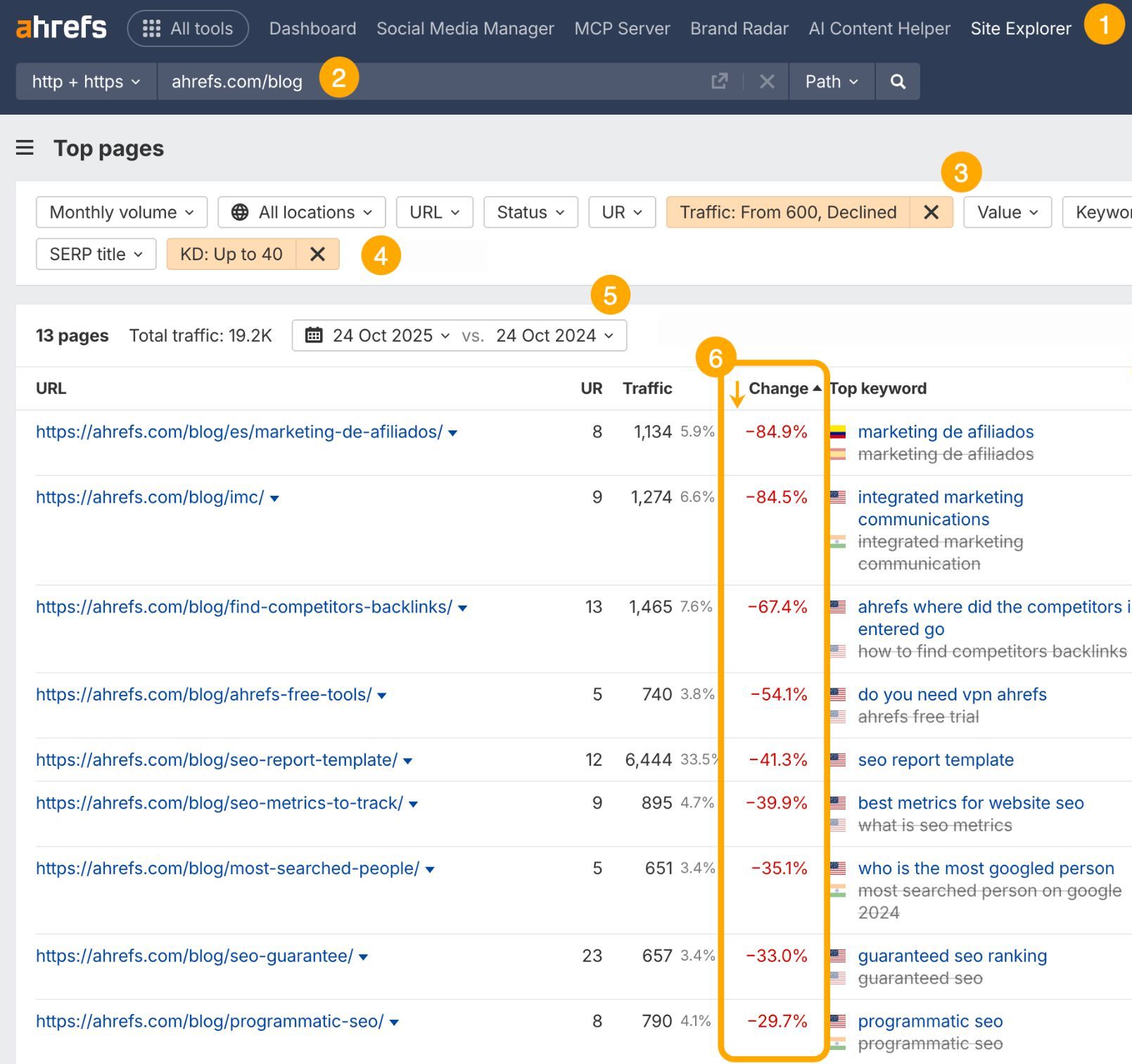
I recommend setting a KD filter under 40.
This filters out pages where the real problem is a link authority gap rather than content quality.
Those need a different solution; content decay fixes only help where content is actually the issue.
Use Content Changes to find the cause of decay
Once you’ve found a declining page, you need to understand why it’s declining before you decide what to do.
Open the page in Site Explorer and check the Content Changes timeline.
Look for green circle markers on the traffic graph—these show when changes to the page were made and how significant they were.
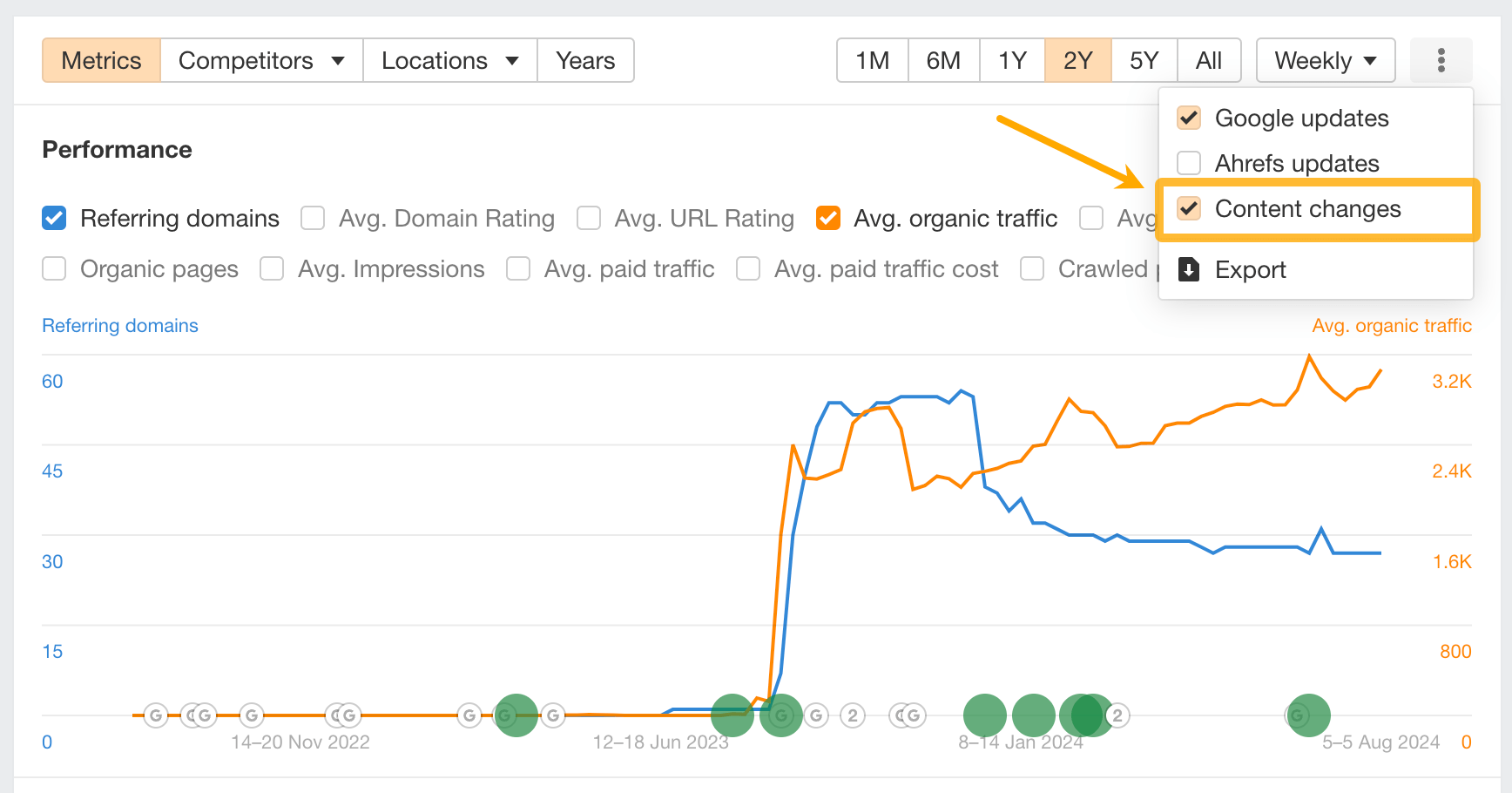
There are two patterns to watch for:
- Traffic declined with no preceding changes: This is classic decay. Your content stood still; the world moved on. The fix is a content refresh.
- Traffic declined after a content change: You may have accidentally degraded a page that was previously working. Compare the before/after content to see what was removed or altered.
This distinction matters a lot. Without it, you might refresh a page that actually needs its previous version restored.
Check traffic and engagement in Google Search Console
In GSC, go to Performance → filter by page → compare date ranges (last 3 months vs. same period 1 year ago).
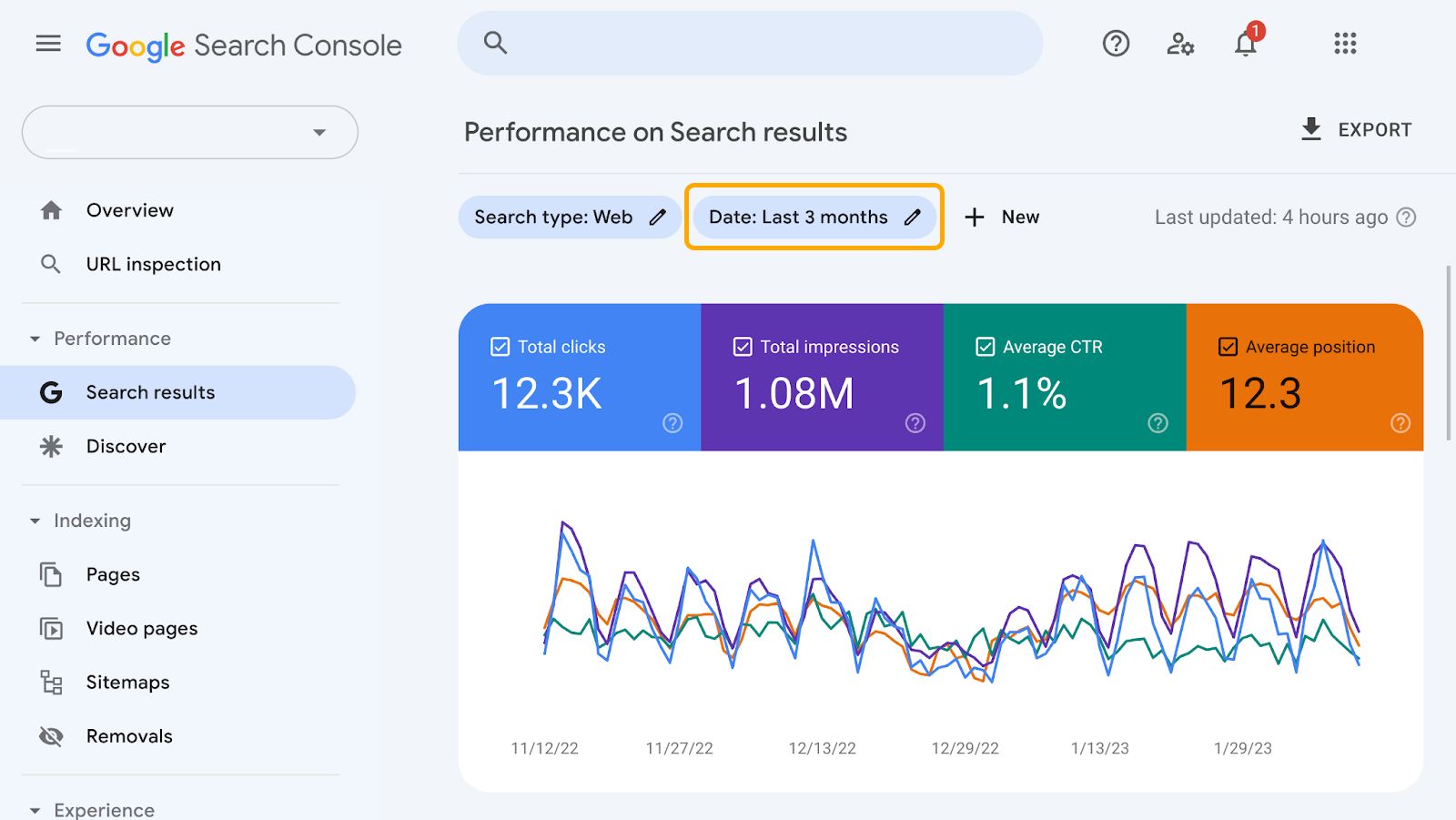
Look at impressions and CTR together:
- Both declining: This is a classic decay signal. You’re losing visibility and the clicks that come with it.
- Impressions down, CTR up: You’ve lost positions, but the users who still find you are engaged. Potentially recoverable.
- Impressions flat, CTR down: You’re still ranking, but something changed in the SERP around you — an AI Overview appeared, a featured snippet was added, or a competitor earned a rich result. This isn’t decay per se; it’s a SERP feature problem.
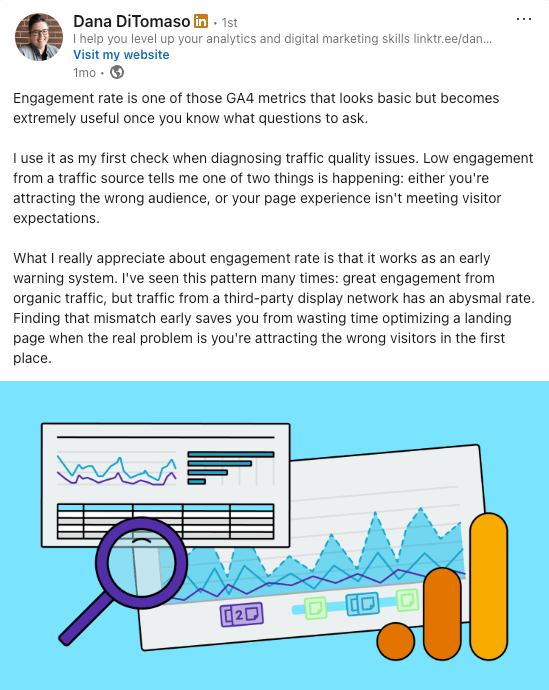
Beyond GSC’s click and impression data, analytics expert Dana DiTomaso points to GA4’s engagement rate as another crucial early warning system for diagnosing traffic quality issues.
Prioritize your decay backlog
Now you have a list of decaying pages, but not all of them are worth fixing.
Prioritize by:
- Business relevance: Does the topic still matter to your audience and business?
- Historical traffic peak: How much did this page earn at its best?
- Keyword Difficulty: Is this a keyword you can still realistically win?
Pages that score high on all three should be fixed first—pages that score low on all three should be pruned.
The right action depends on the page’s specific situation.
Applying the wrong fix—refreshing a page that should be consolidated, for example—wastes time and can make things worse.
| Situation | Action |
|---|---|
| Keyword still relevant; content is just outdated | Update/refresh |
| Two pages competing for the same keyword, one stronger | Consolidate weaker into stronger |
| Keyword no longer fits your strategy; page has backlinks | Redirect to a relevant page |
| Low-value keyword, minimal traffic, few backlinks | Prune (noindex or delete) |
| Page was poorly optimized from the start; topic still competitive | Rewrite from scratch |
When to update
Update when the keyword still has search volume and business relevance, the page has a backlink profile worth preserving, and the structure is basically sound—you just need fresher data, updated examples, and coverage of new subtopics.
This is the most common scenario.
When to consolidate
Consolidate when you have two or more articles competing for the same keyword.
Identify which one has better traffic, more links, and stronger authority—that’s the survivor.
Absorb the weaker article’s best content into it, then 301 redirect the weaker URL to the survivor.
Don’t skip the redirect: you want to consolidate the link equity, not just merge the content.
When to redirect
If the keyword no longer fits your content strategy but the page has accumulated meaningful backlinks, redirecting preserves that link equity without the overhead of maintaining content you don’t care about.
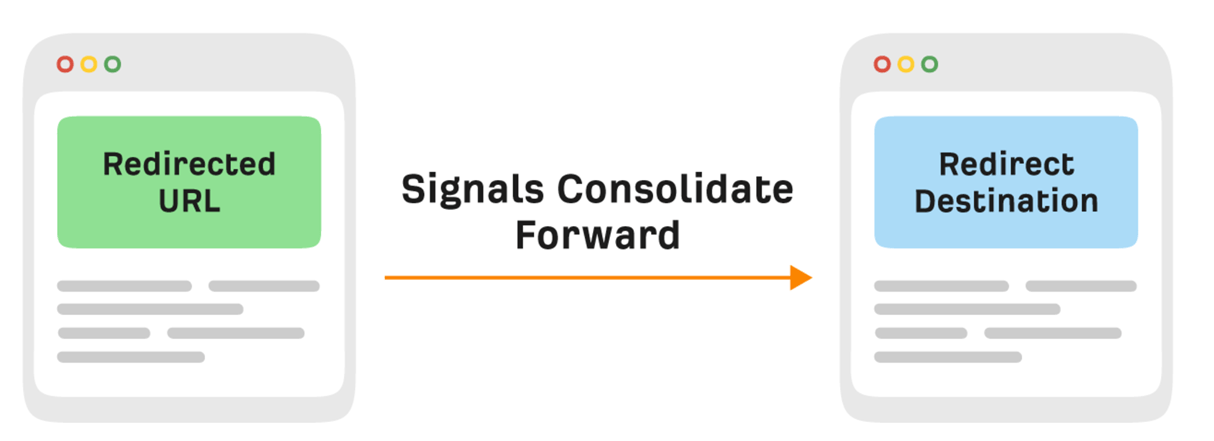
Make sure the redirect destination is genuinely relevant—a redirect to your homepage doesn’t pass meaningful authority.
In this situation, it helps to think about the context of the links you’ve acquired.
What does the anchor text say? Are you gaining links for a specific statistic or quote?
If so, grab those “link magnets”, and add them to the piece of content you’re redirecting to.
When to prune
Content pruning is the right call for pages that have minimal traffic, minimal backlinks, and low business value.
Left indexed, they dilute your topical authority, drag down the pages you actually care about, and create unnecessary maintenance work.
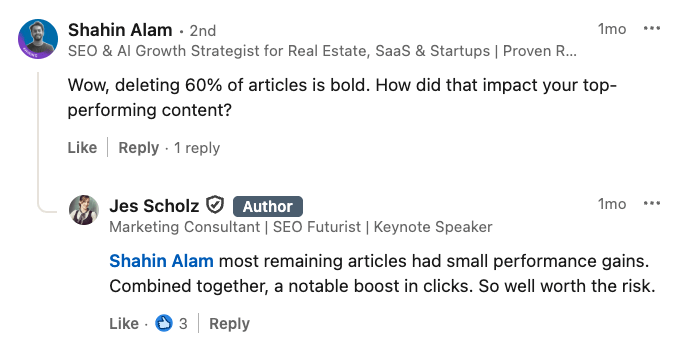
But pruning isn’t just about getting rid of the deadwood—when done right, it can lead to big gains.
SEO consultant Jes Scholz saw this firsthand with a client, where deleting over 60% of articles from their real estate website led to a significant increase in clicks.
But remember: Noindex is reversible if you change your mind; deletion is not.
Once you’ve decided a page is worth updating, here’s how to do it properly—not just cosmetically.
1. Start with a topical gap analysis
Before editing a word, run the decaying page through Ahrefs’ AI Content Helper.
It grades your content against the top-ranking pages for your target keyword and highlights which topics they cover that you don’t.
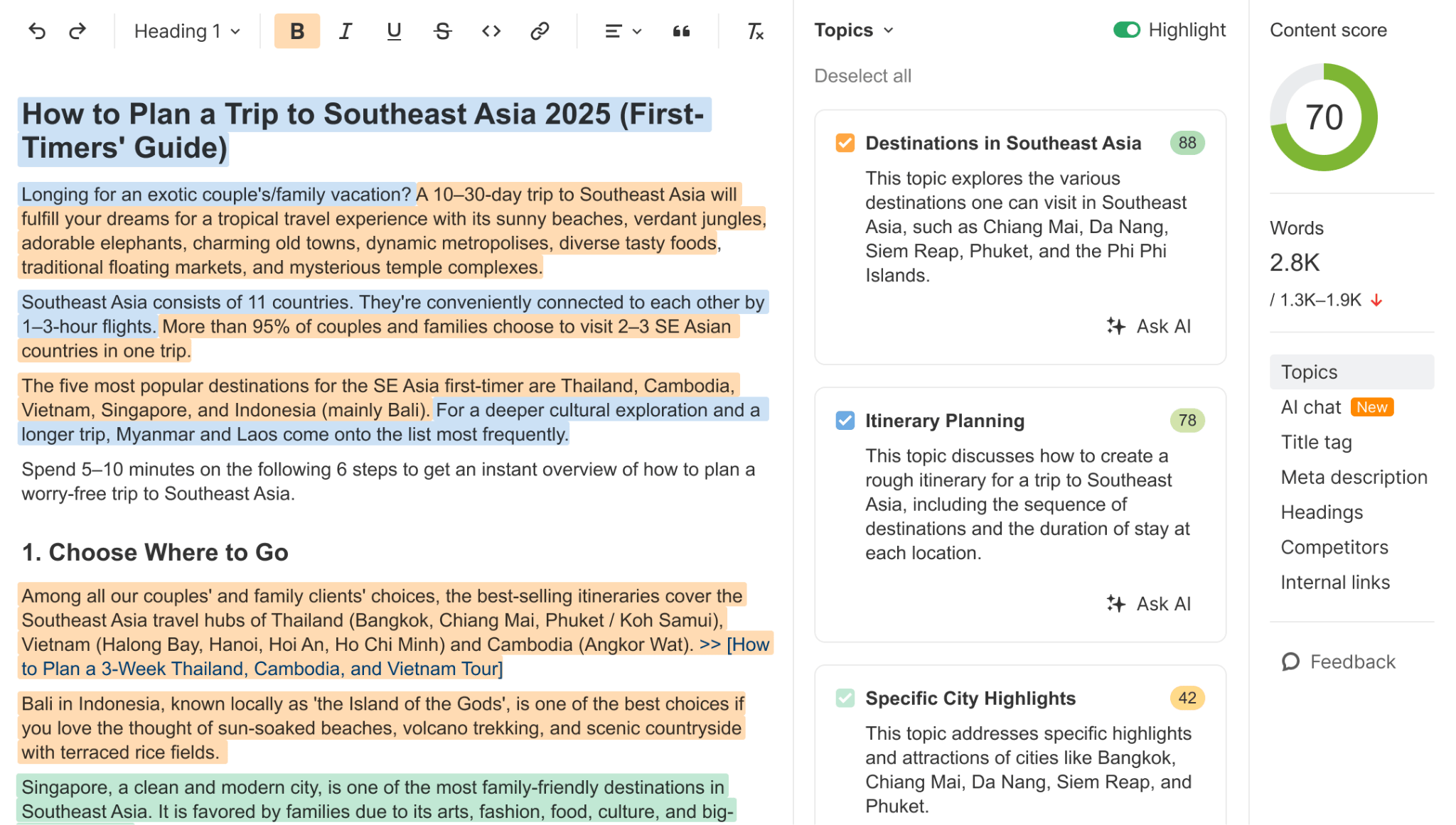
These gaps are where you need to add or expand based on what’s actually satisfying the query right now.
Focus on gaps that reflect genuine searcher needs. Stuffing in keyword mentions for the sake of a better content score doesn’t work.
2. Update stale data and examples
Outdated statistics are one of the clearest signals to both readers and search engines that content hasn’t been maintained.
Replace every data point you can find a more recent source for.
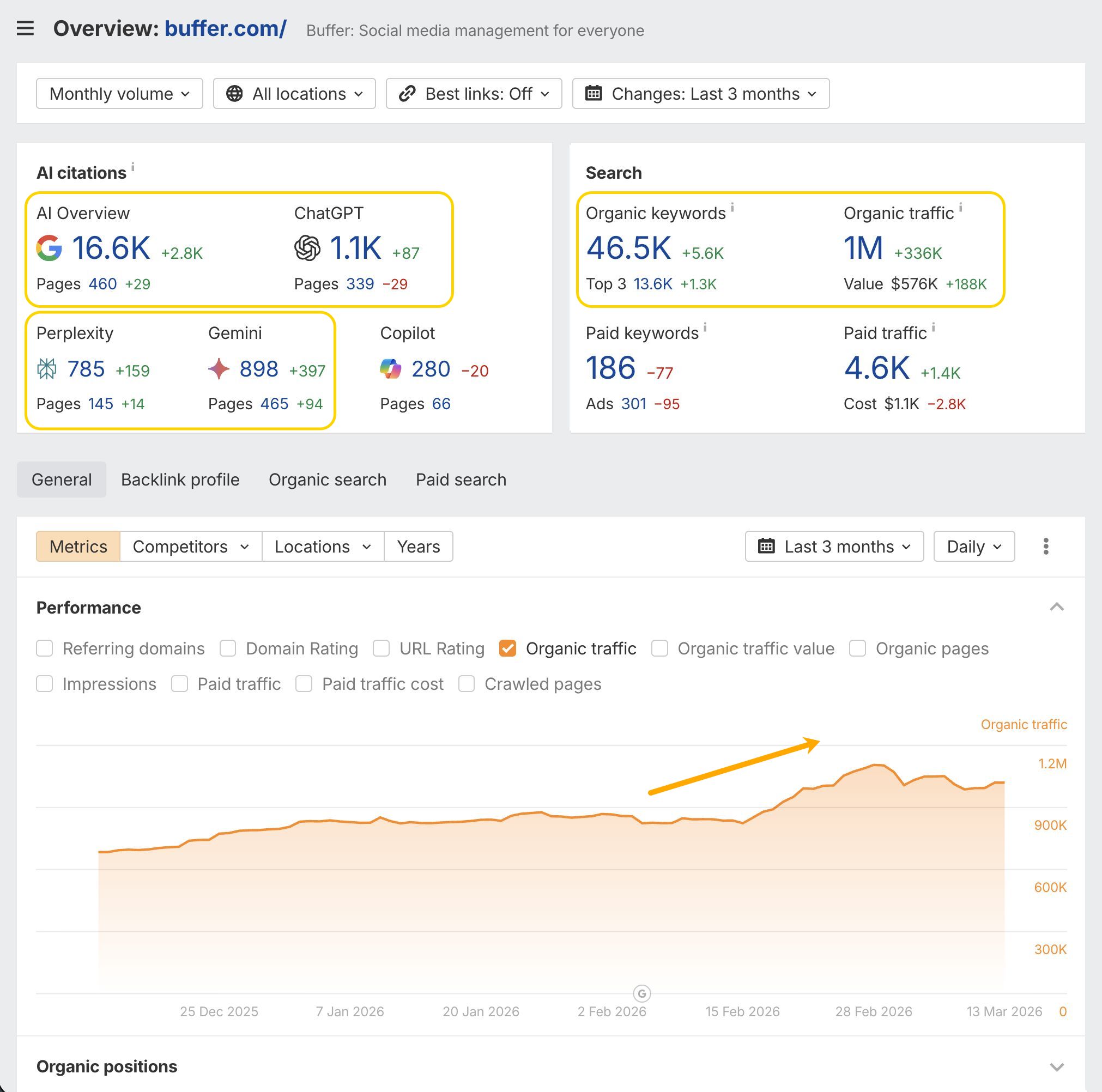
You can try automating these updates. For example, Buffer has developed a semi-automated process for content refreshes.
“Buffer has 2,000+ articles on our blog. Refreshing content has always been a pain. We recently started experimenting with a semi-automated process for tackling this ongoing task through the use of some highly trained LLM agents, and the early results are impressive! We’ve already quadrupled our pace of refreshes, plus we’re getting 25% more articles done at a fraction of the previous cost. The best part? Search engines and LLMs are responding favourably to these refreshes. We’re seeing immediate, sustained upticks in traffic on most of our pieces.”


We’ve even had a go at automating updates. Our Director of Content, Ryan Law, has used Claude Code to vibecode a blog post updating tool.
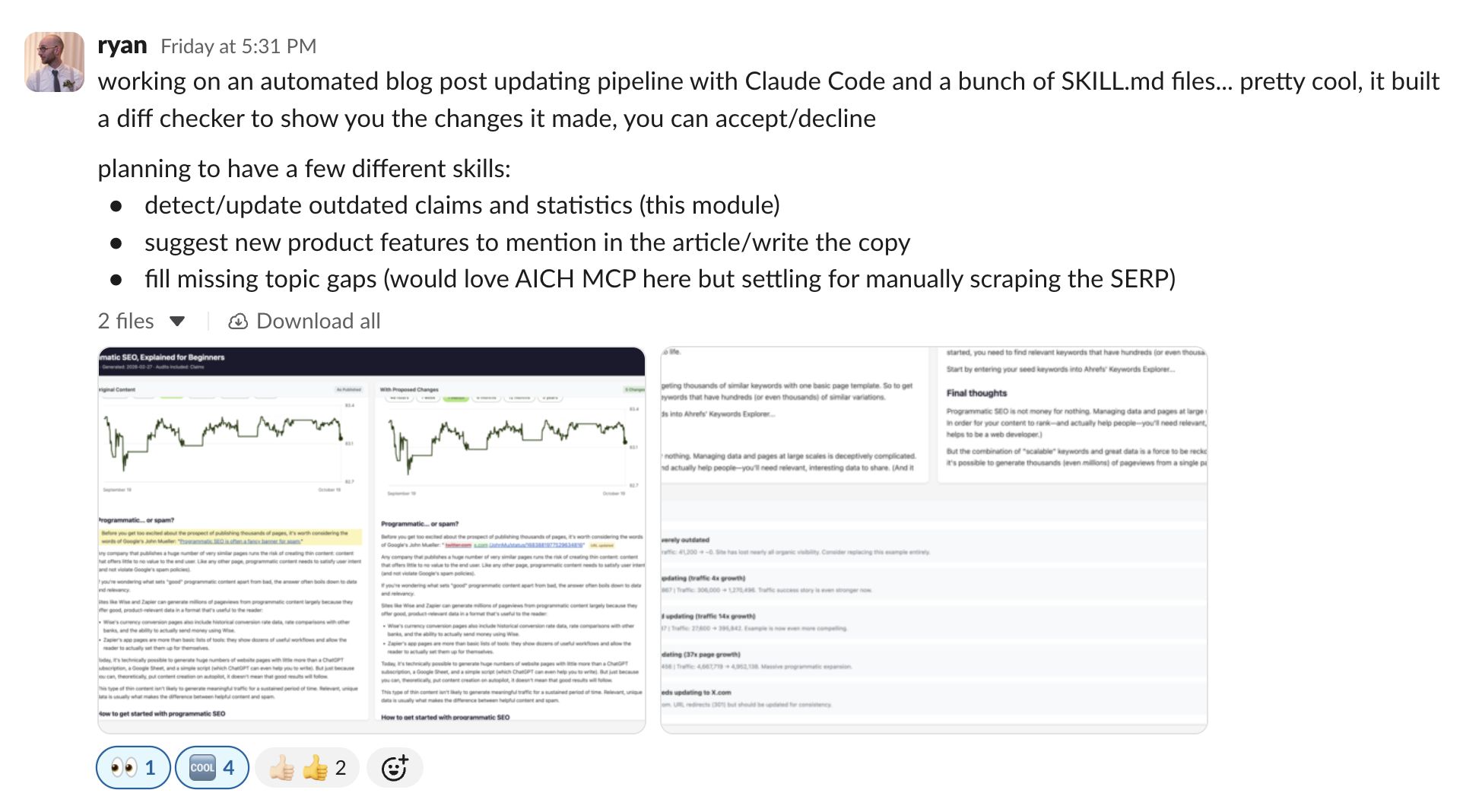
It makes instant recommendations for stat and resource updates…