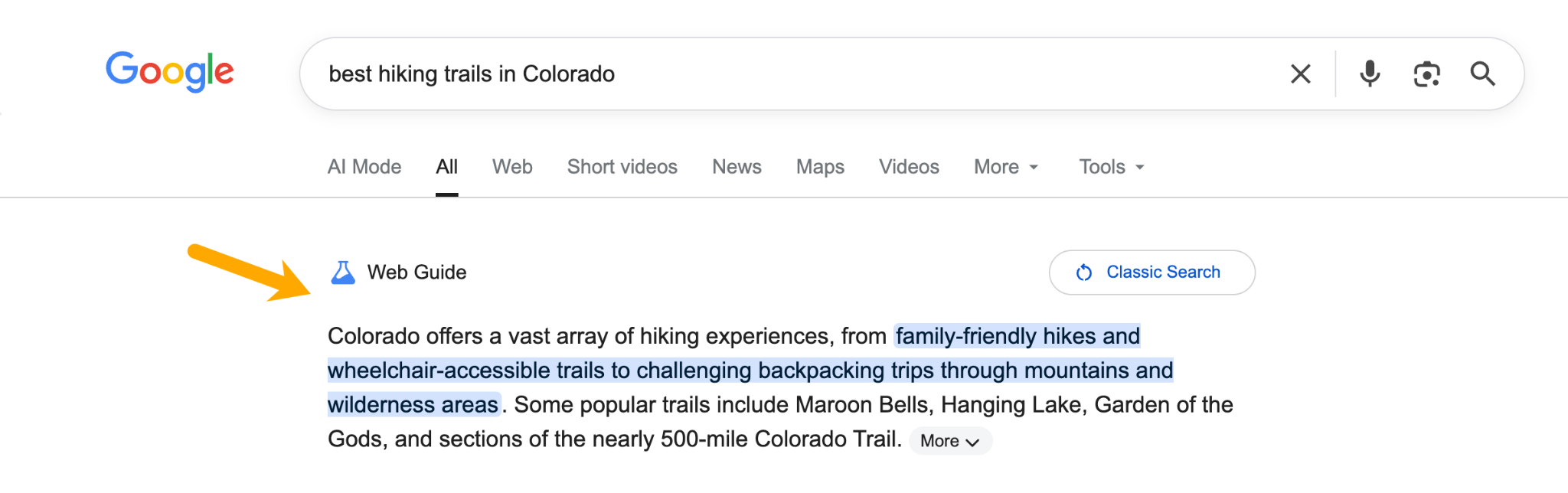
Just as we were wrapping our heads around AI Overviews, Google unveiled another new search experience: Web Guide.
It’s a big change in how Google interprets intent and presents information. Think of it as a dynamically-generated, “magazine” SERP, that curates AI summaries and organic results.
What’s different about Web Guide is that—unlike AI Overviews or AI Mode—it actually encourages users to click, which makes it the most website-friendly AI search feature Google has shipped so far.
Is this the click comeback we’ve all been waiting for?!
Here’s what Web Guide is, how it works under the hood, and what you can do to optimize for it.
But first, here’s a quick peek of what it looks like O.O
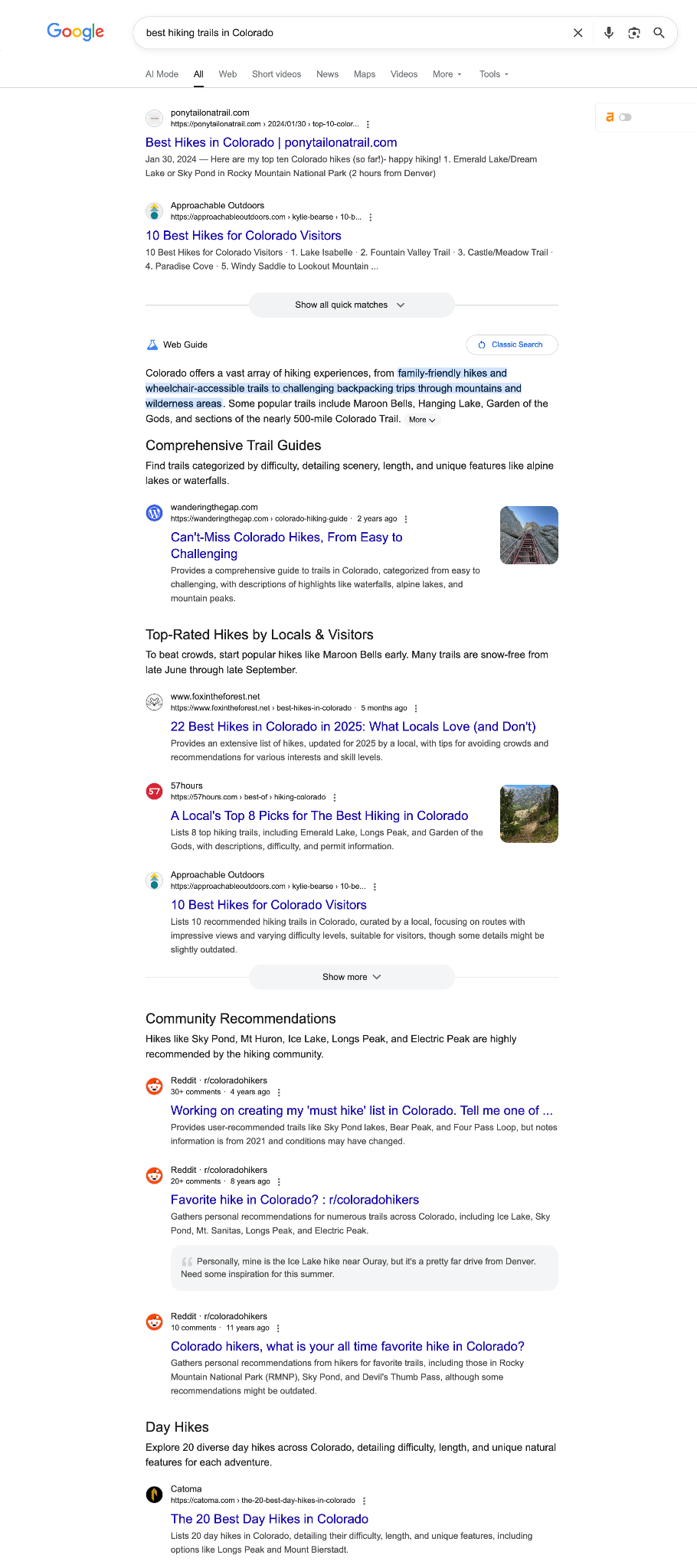
Google Web Guide is a Search Labs experiment that uses a custom version of Gemini to organize search results into themed groups, rather than displaying the traditional 10 blue links.
Google launched Web Guide on July 24, 2025 as an opt-in experiment. It originally appeared only in the “Web” tab of Google Search, but Google has since been testing it in the main “All” tab for some users.
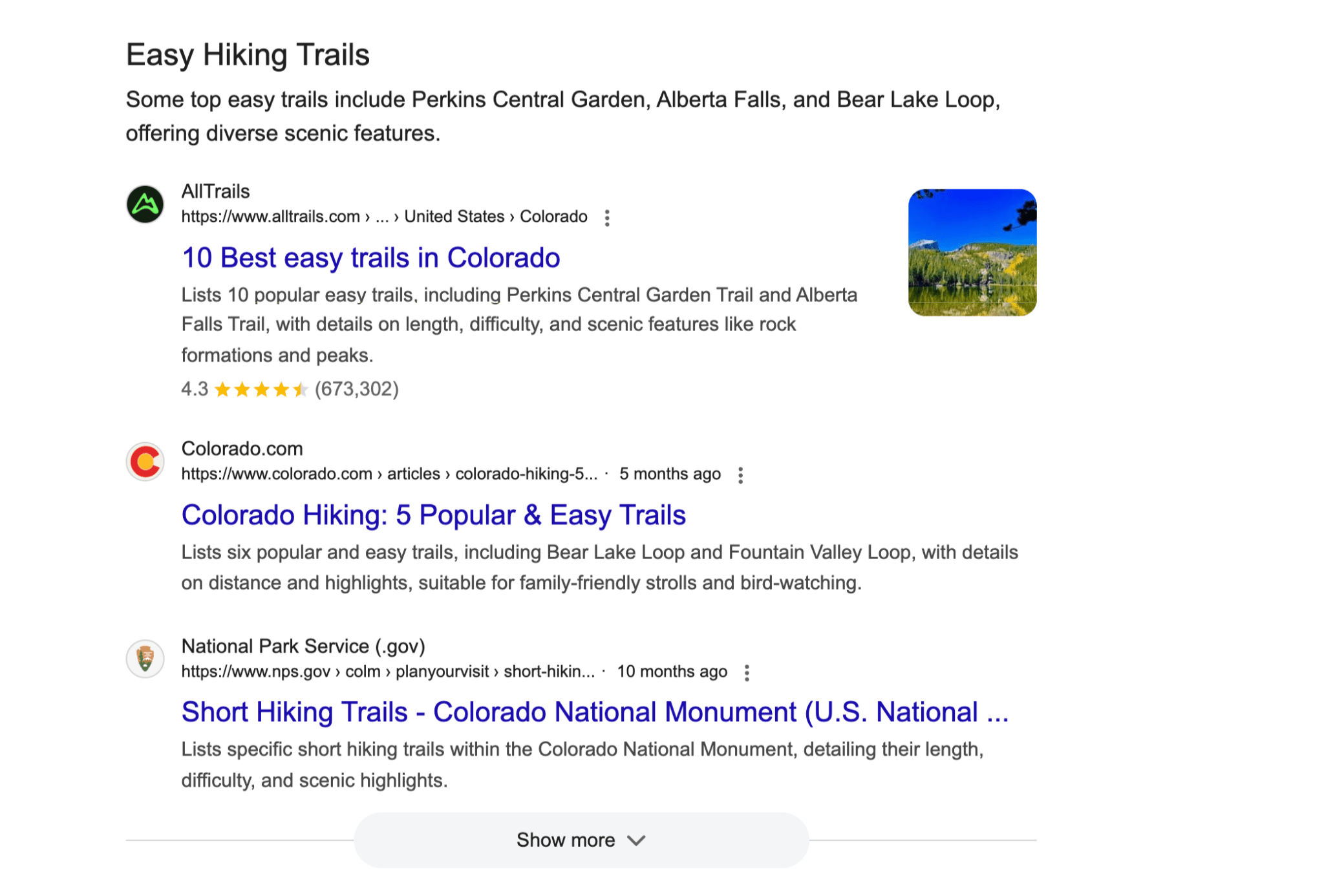
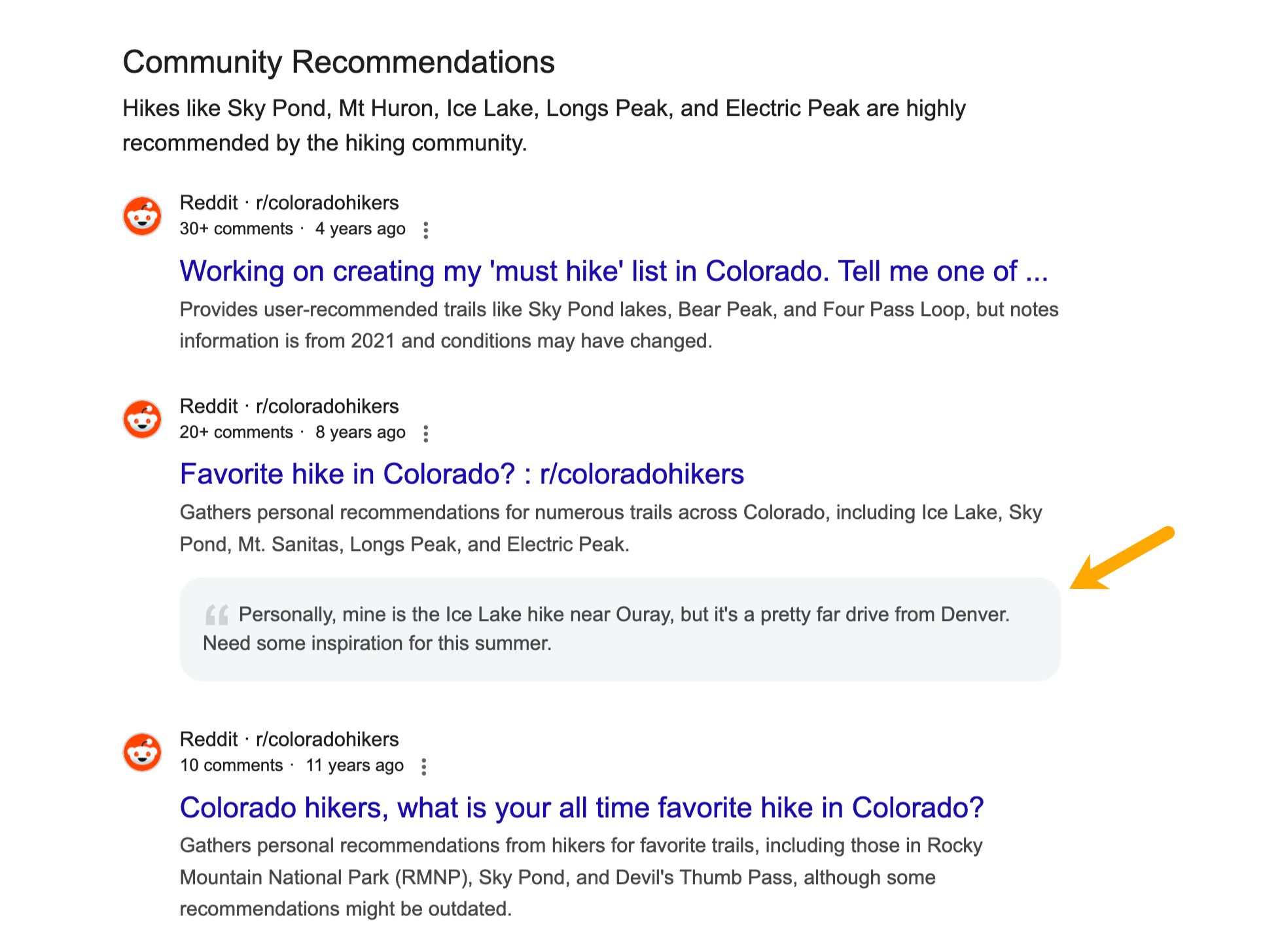
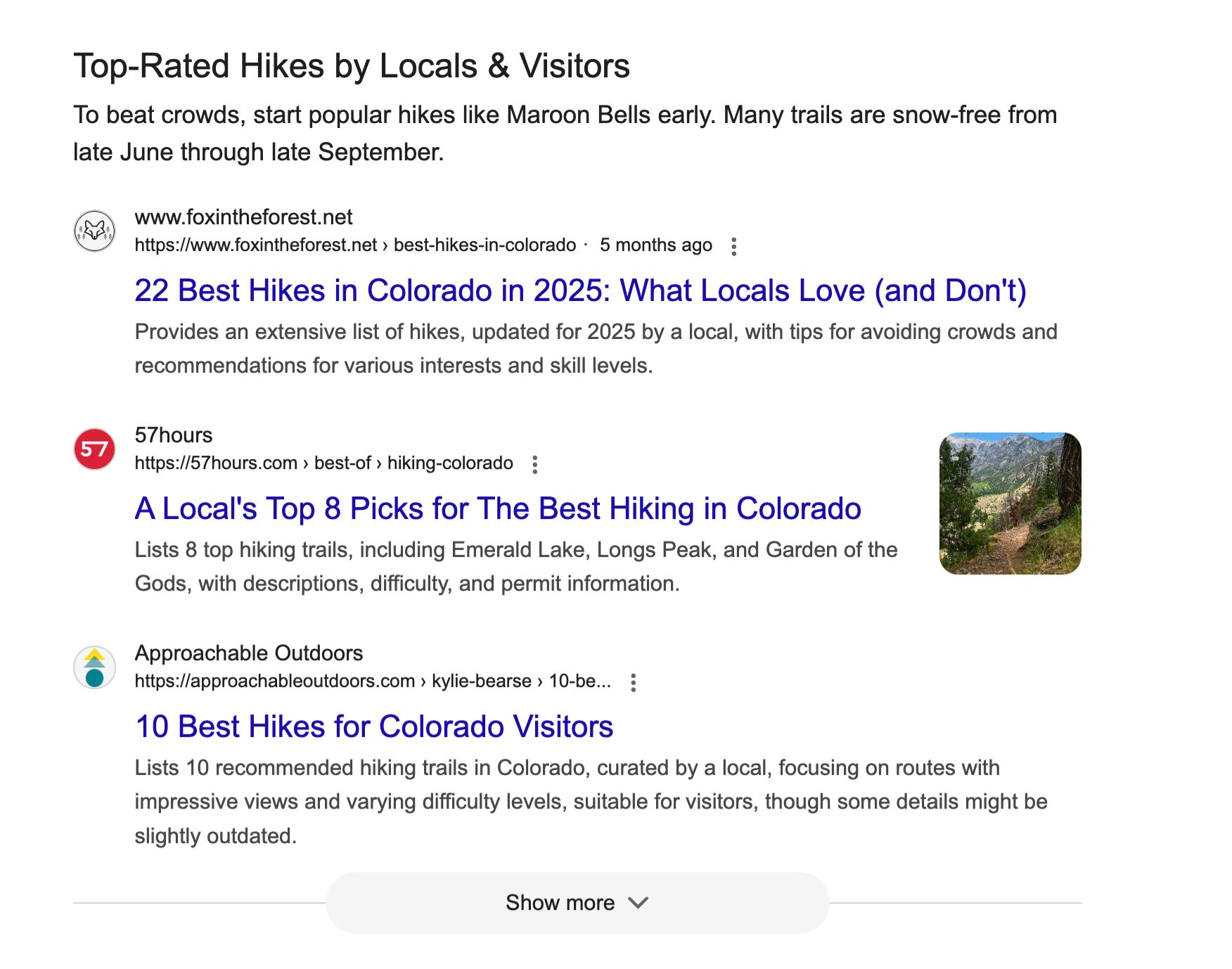
Instead of a single ranked list, for a query like “best hiking trails in Colorado” you might see:
1. An AI-powered introduction to Colorado hiking
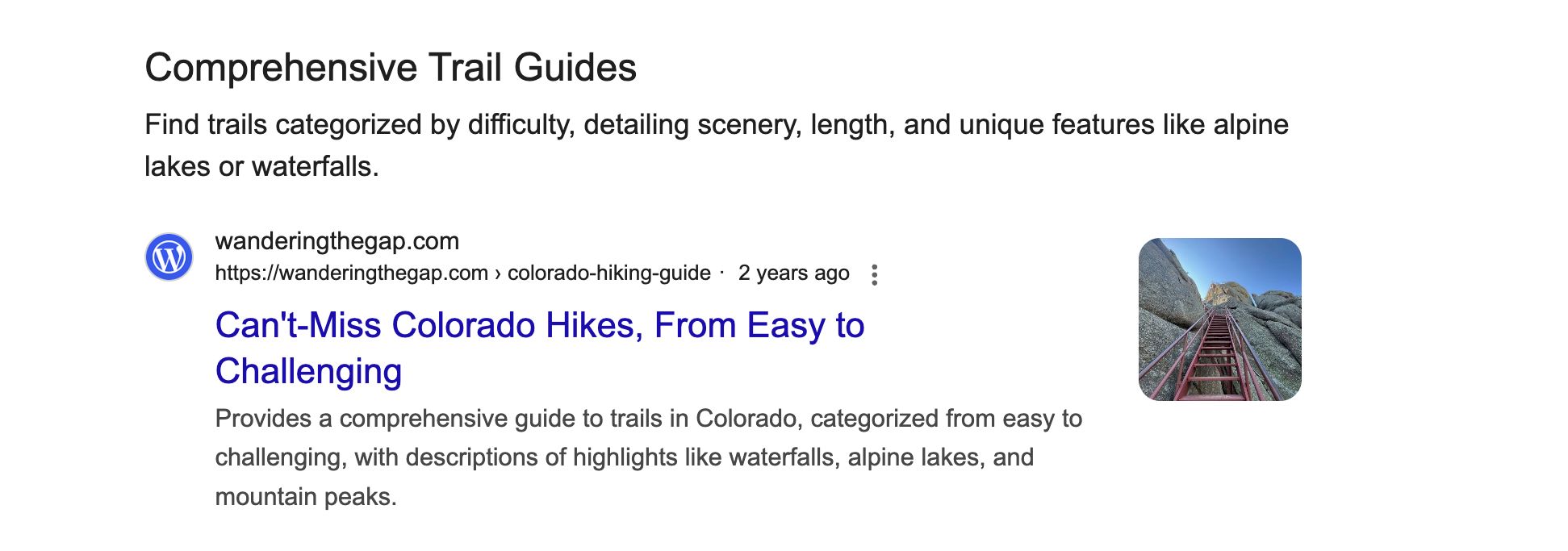
2. A categorized section for “Comprehensive Trail Guides” with links to relevant guides
3. Another section for “Easy Hiking Trails” supported by different links
3. A module on “Community Recommendations” filled with relevant Reddit discussions, and dynamic quote blocks
4. A reviews block on “Top-Rated Hikes by Locals & Visitors”
The idea is that for complex, exploratory searches, a flat list of results isn’t always the best way to find what you need.
Web Guide serves up a mix of results grouped by the different angles, sub-topics, and intents it infers from your query.
Google describes its dynamic SERP as using AI to “intelligently organize the search results page, making it easier to find information and web pages.”
There are three core elements to Web Guide.
Query fan-out
Query fan-out is when an AI takes your single search query and breaks it into multiple related sub-queries to find a wider range of results.
Web Guide uses the AI query fan-out process to find information you might not otherwise discover in a standard SERP ¹ ² ³
Google’s own Web Guide announcement confirms this.
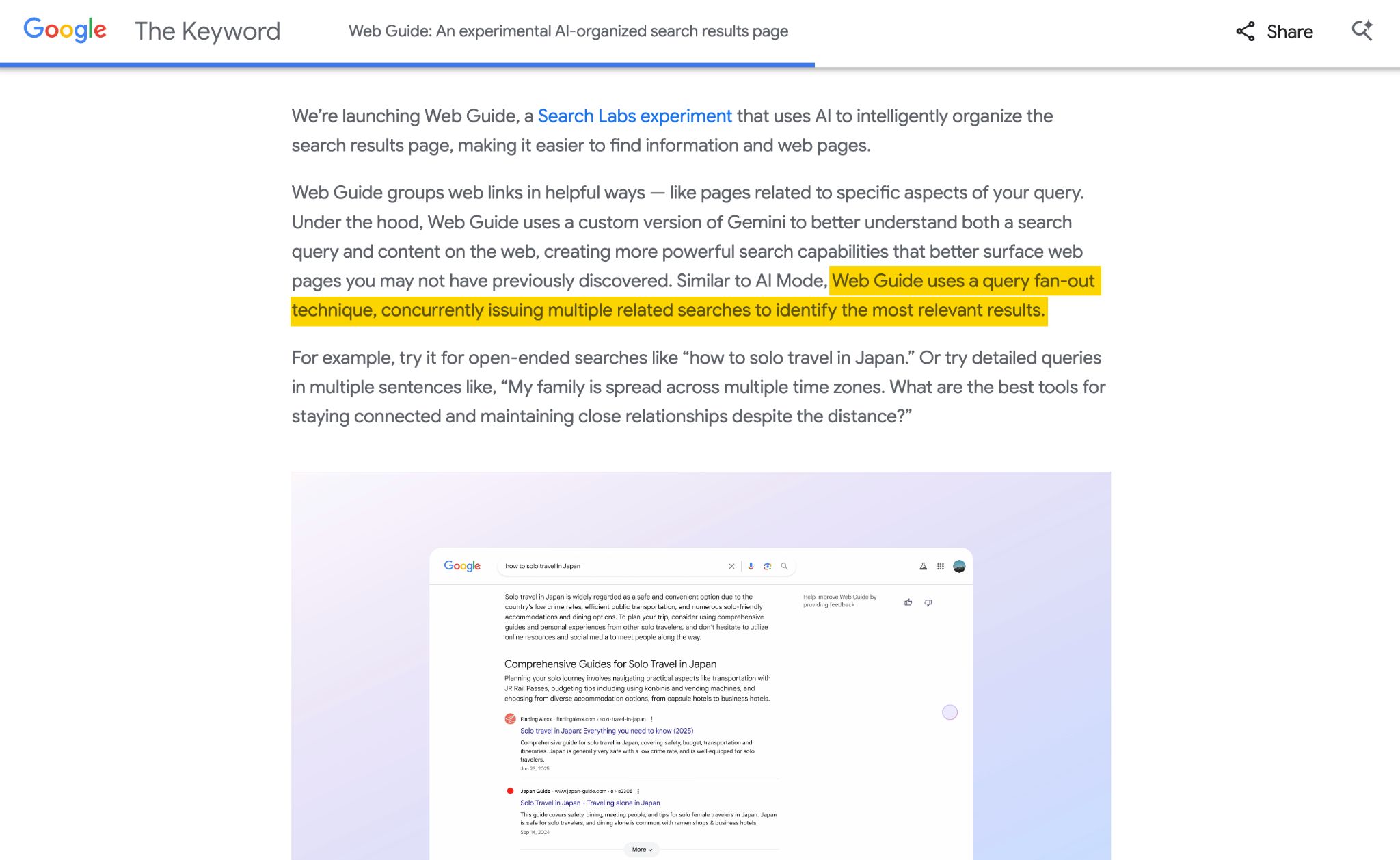
To be more specific, query fan-out is the mechanism that expands the user’s original search into multiple sub-queries, then groups the returning results into the themed clusters you see in Web Guide.
Here’s the step-by-step process:
- You enter a search query, like “best hiking trails in Colorado”
- Gemini’s custom model analyzes your query and finds sub-queries or related angles like “beginner hiking trails Colorado”, “challenging 14ers”, and “scenic hikes near Denver”—this is the “fan-out” part
- These sub-queries then get searched simultaneously
- Results from all sub-queries SERPs get collected and deduplicated, removing URLs that appear more than once
- Gemini organizes the results into topical clusters (sets of results that share a common sub-topic) and labels each one with a descriptive heading.
- The clustered results are displayed to you via Web Guide
Fan-out is the same underlying technique used in AI Mode and AI Overviews.
You can think of each block/header in Google’s Web Guide as a distinct group of fan-out results.
Personalization
Web Guide results are heavily personalized to the user’s data.
That’s according to Wordlift CEO, Andrea Volpini, who dug into the network traffic (HAR files), and found the fan-out process is shaped by personalization factors like the user’s:
- Search history (e.g. if you’ve recently searched for marathon training, Web Guide might prioritize fitness-related clusters for a broad query like “recovery tips”)
- Interests (e.g. a user who regularly reads photography content might see camera-specific clusters for “best travel gear”)
- Location (e.g. a search for “weekend hikes” in Denver will surface different results than the same query in London)
- Device (e.g. searching from an iPhone might surface different app or accessory recommendations than searching from a Chromebook)
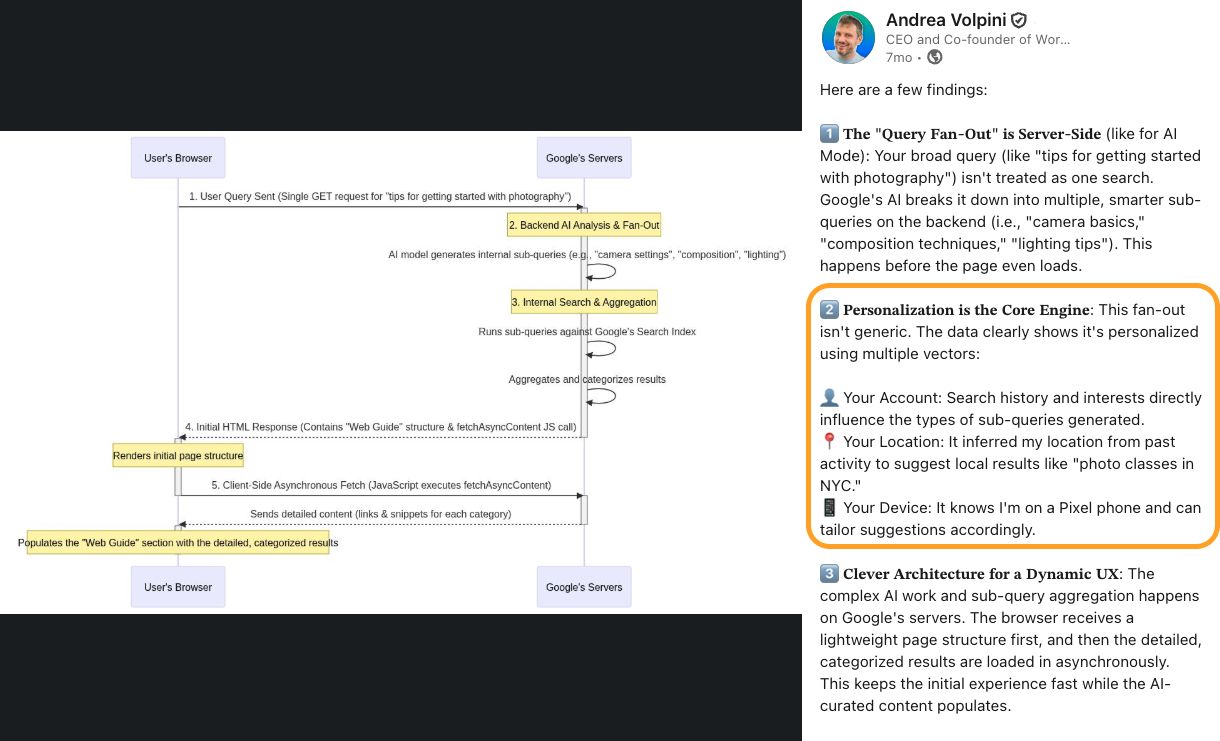
“Web Guide represents a shift away from a web of pages and average rankings and toward a web of understanding and hyper-personalization. By casting this wider net, the AI gathers a richer, more diverse set of results. It then analyzes and organizes these results into the thematic clusters presented to the user. This is the engine of hyper-personalization. I personally don’t see Web Guide as just another feature; I see it as a glimpse into the future of how knowledge shall be discovered and consumed.”

FastSearch
Web Guide often serves up “Quick matches” at the top of the SERP. These are plain blue, un-themed organic links.
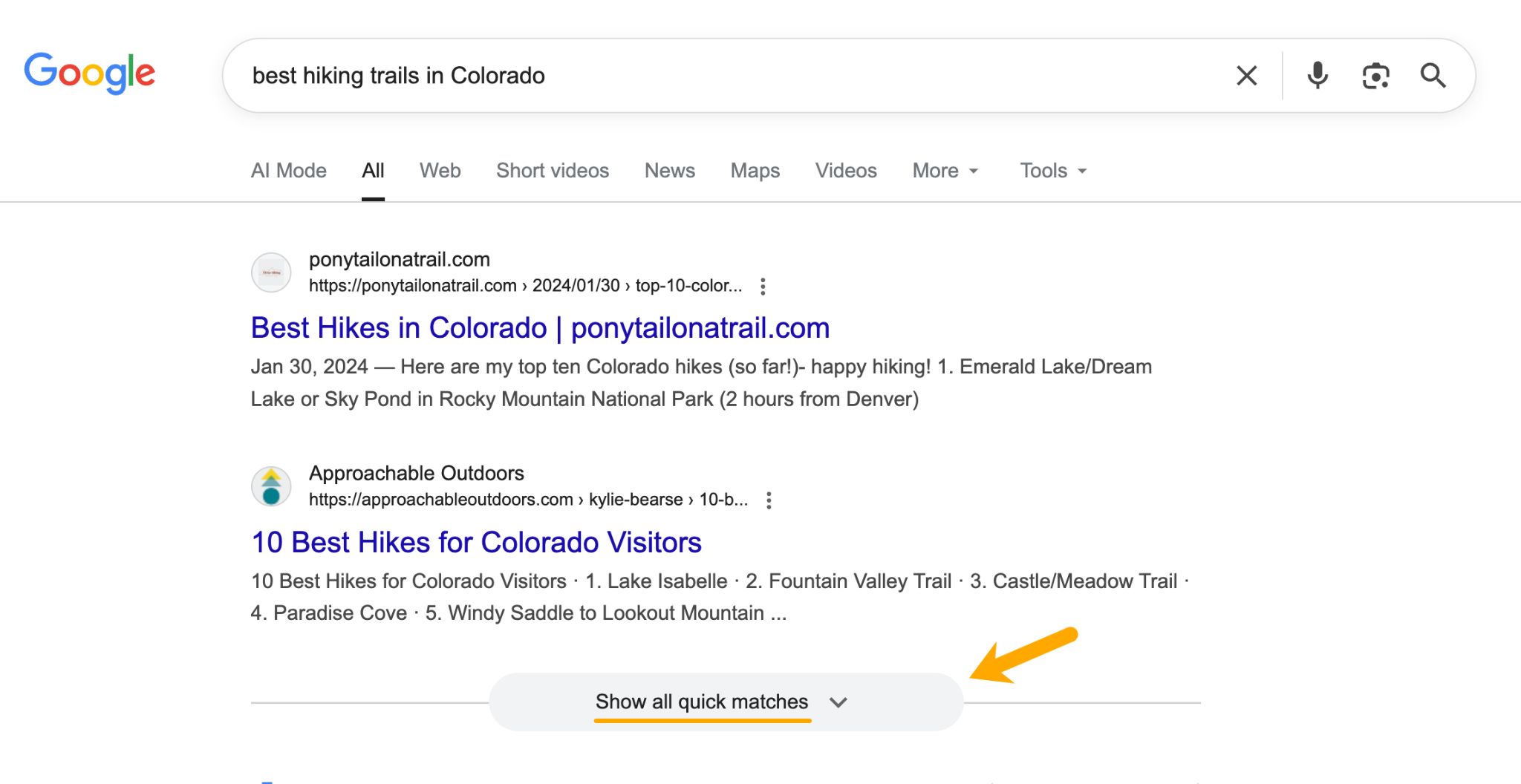
According to Dr. Pete Myers over at Moz, these kinds of results run on FastSearch—a lightweight, streamlined retrieval system.
Instead of querying Google’s full index, FastSearch uses RankEmbed—a deep-learning model—to return semantically relevant results in a matter of milliseconds.
Fun fact
FastSearch is also the same underlying technology used to power AI Overviews and AI Mode.
So, the system powering Web Guide values efficiency and clarity. This is an important thing for SEOs to know.
Bloated, poorly structured content will struggle to make the cut.
To rank in certain Web Guide results, your content needs to be an easy “yes” for the system, since it doesn’t have time to dig.
Web Guide is currently available as an opt-in experiment through Google Search Labs. Here’s how to enable it:
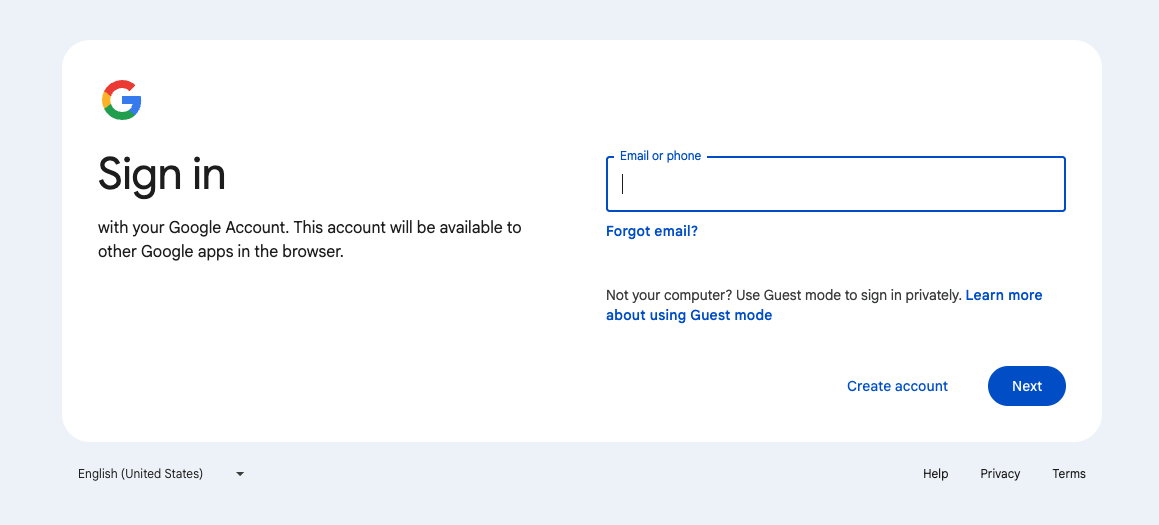
1. Sign into your Google account.
2. Go to Google Search Labs (labs.google.com/search) and click “Web Guide”
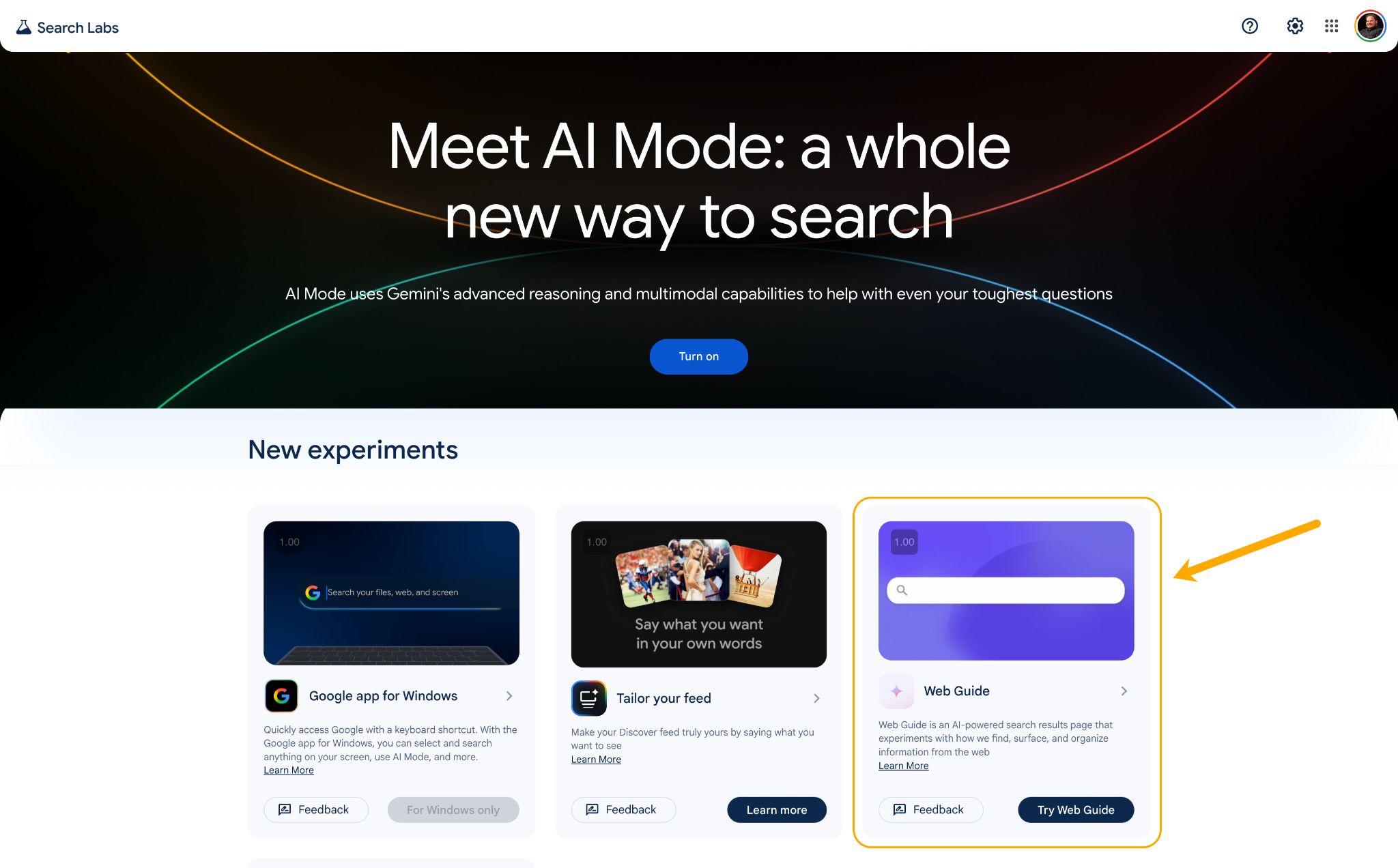
3. Find the “Web Guide” experiment and toggle it on.
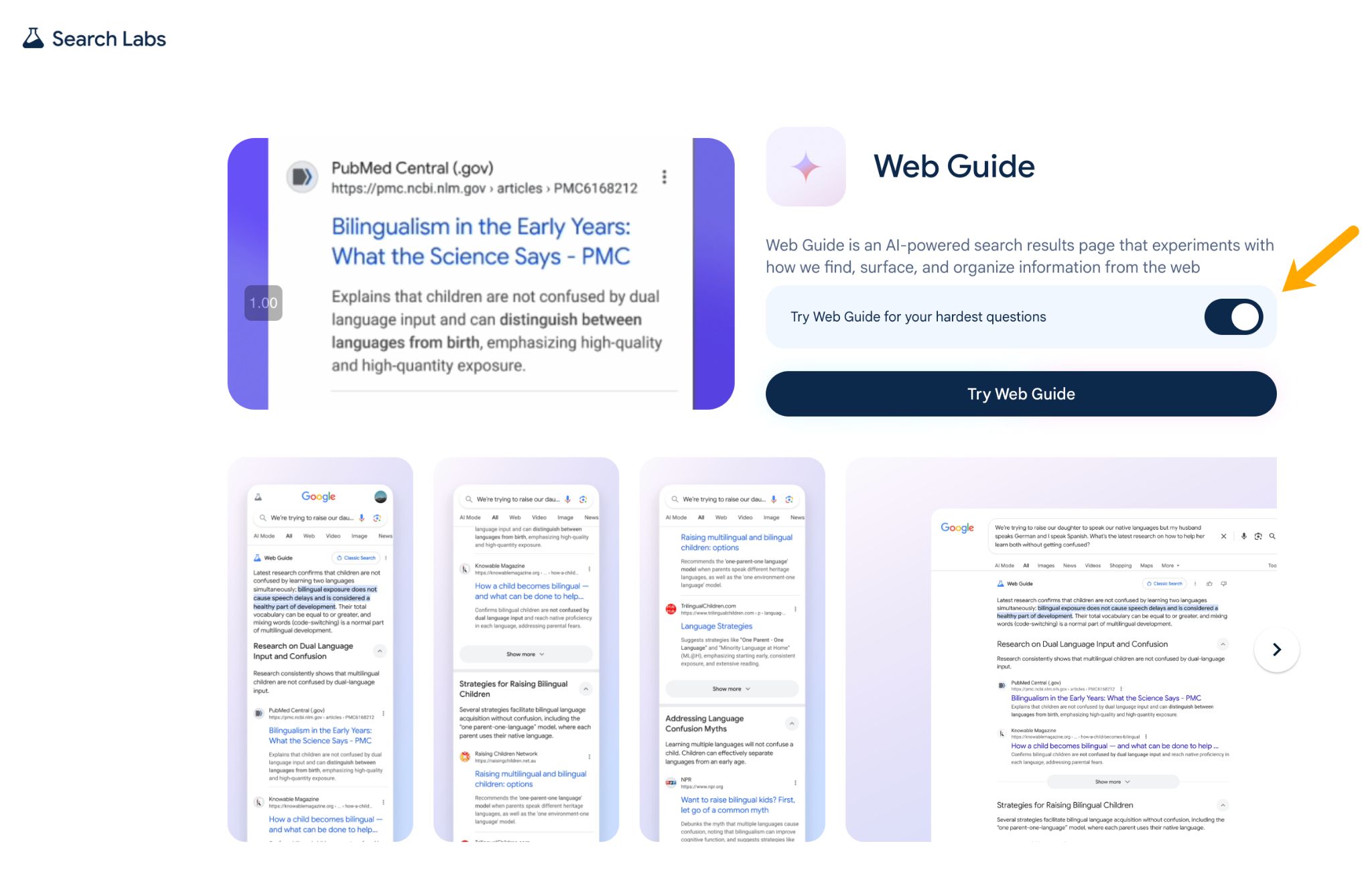
4. Search as normal—Web Guide results will appear in the Web tab.
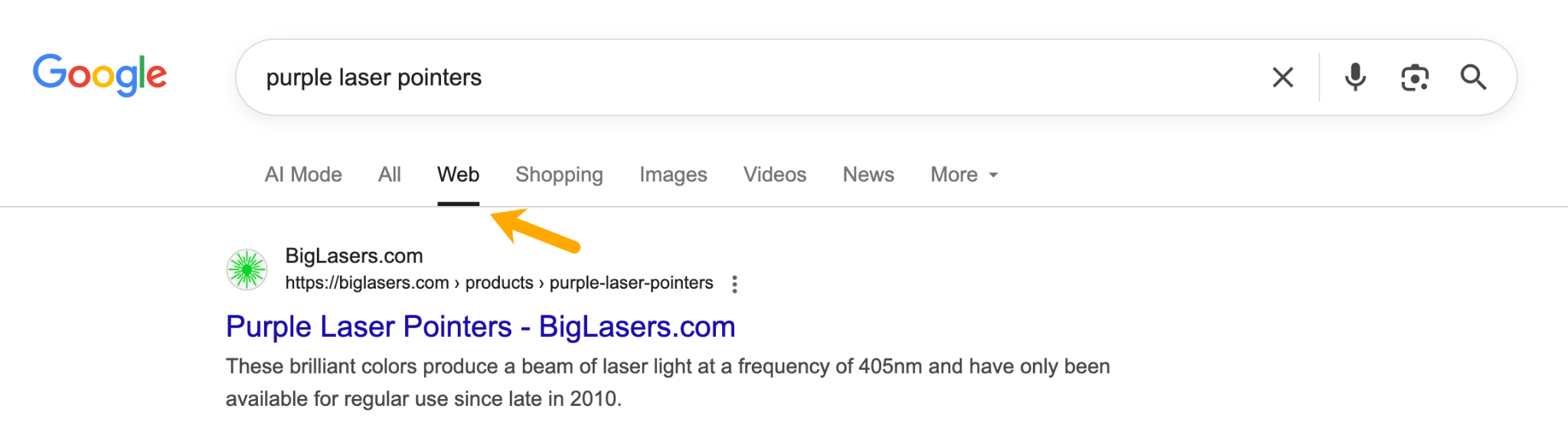
As of March 2026, Web Guide is available in the US, with Google expanding to additional markets.
Search Labs experiments can be retired or graduated to the main product at any time.
Web Guide’s long-term status isn’t confirmed, but Google has publicly said it received positive user feedback and has been expanding the experiment to cover more query types.
Soon, Google may have three official AI search experiences: Web Guide, AI Overviews, and AI Mode.
Here’s how they compare.
| Feature | Web Guide | AI Overviews | AI Mode | Traditional search |
|---|---|---|---|---|
| What it shows | Clustered web links under themed headings | AI-written summary with inline citations | Conversational AI response with cited sources | Flat list of 10 blue links |
| Users click to websites? | Yes, all results are clickable links | Rarely. Full answer is provided on SERP | Rarely. Full answer is provided on SERP | Yes |
| AI generates text? | Yes, but only very short header intros | Yes, writes a summary | Yes, full conversational answer | No |
| Uses query fan-out? | Yes, to group results by sub-topic | Yes, for citation gathering | Yes, for deep research queries | No |
| Best for | Exploratory, open-ended queries | Quick factual answers | Deep research, follow-ups | Direct, navigational queries |
Web Guide may actually improve click-through rates
Web Guide is the most “website-friendly” of the three AI features because every result is a clickable link.
Unlike AI Overviews and AI Mode, which can satisfy queries without a click, Web Guide lays out the SERP in magazine-style segments supported by link cards and multimedia content.
While there are supporting AI summaries, users still have to click through for the meat of the content.
On the flip side, our research shows that AI Overviews suppress clicks by ~58%.
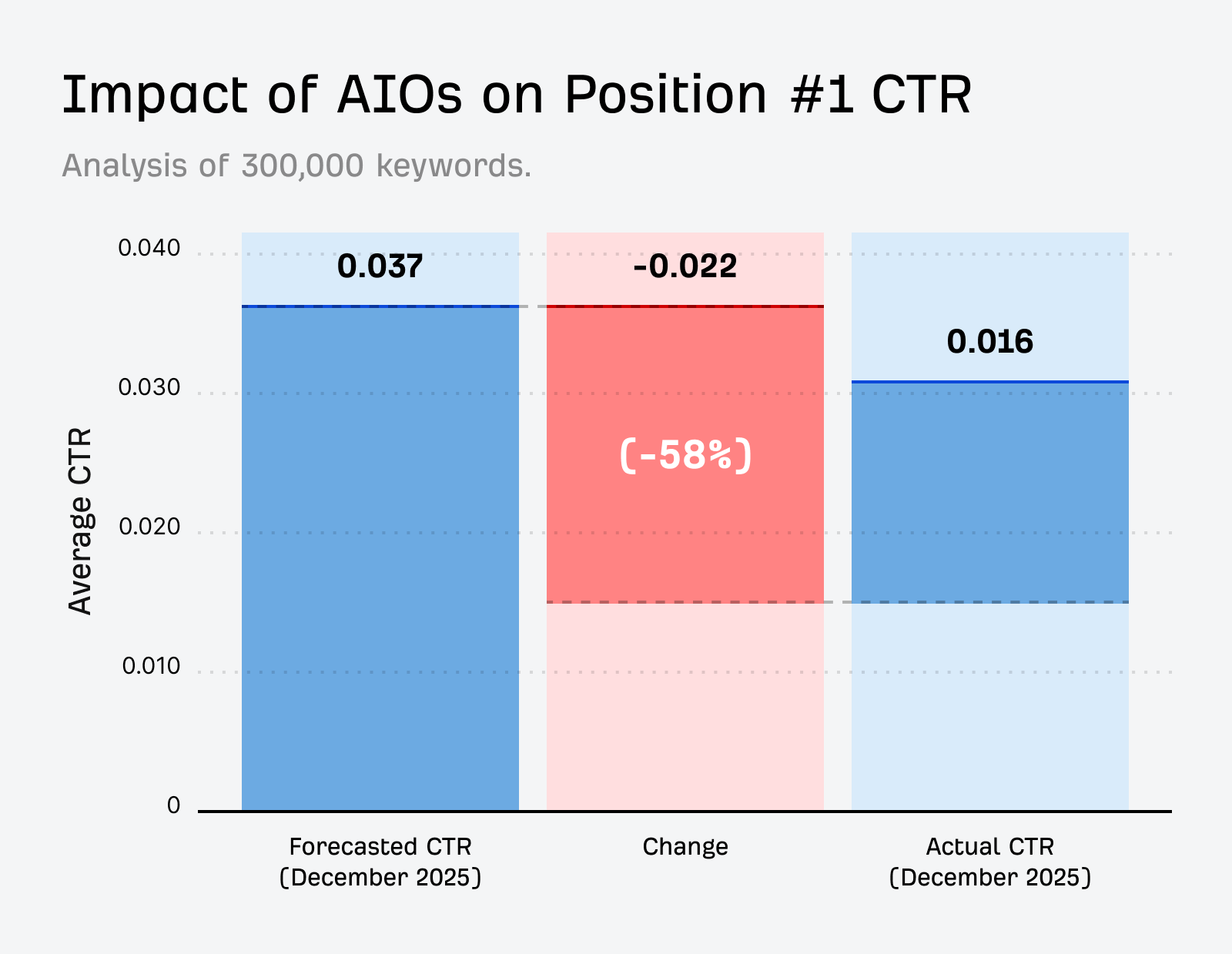
And a Pew Research study found only 8% of searches result in a click when AI Overviews appear, compared to 15% without them.
Web Guide sidesteps that zero-click problem entirely.
That said, it currently only appears for specific query types (e.g. exploratory: “things to do in Tokyo”, complex: “best approach to training for a triathlon as a beginner”, and open-ended: “what should I know before starting a business?”).
It’s not replacing traditional search for navigational or simple factual queries, so the CTR impact will be query-dependent.
Will Web Guide overtake AI Overviews or AI Mode?
It’s too early to say, but Web Guide’s biggest advantage is that it’s easier for Google to monetize.
Traditionally, a user searches, sees ads alongside results, clicks through to a site, and the advertiser pays.
But AI Overviews and AI Mode satisfy user intent directly on the SERP, which kills the click that Google’s entire ad model depends on.
Last year, AI Overviews appeared on only 5.5% of commercial intent queries, according to our research.
But a recent study of 20.9M shopping SERPs by Jeff Oxford, CEO of Visibility Labs, found that AIOs now appear on 14% of commercial shopping queries (up 5.6x in four months).
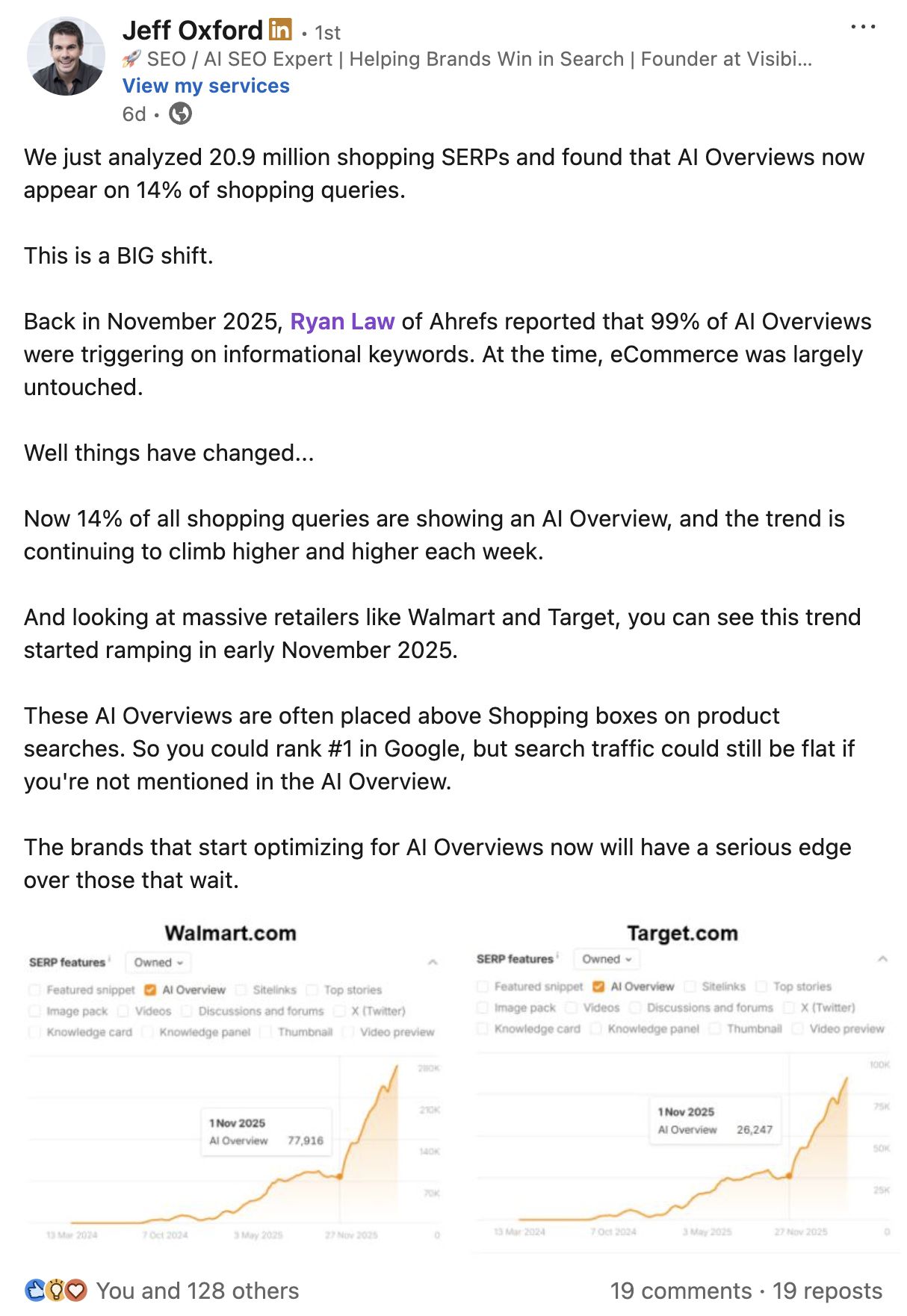
Adding to that, ads appearing alongside AI Overviews rose from roughly 3% in January to 40% by November 2025.
Google is aggressively ramping up its monetization—but, at the same time, it’s cannibalizing its highest-value ad inventory.
Web Guide is a straightforward solution to that problem. It serves every result as a clickable link, which keeps ad opportunity intact.
Another advantage Web Guide has over AI Overviews and AI Mode is it’s an “AI-lite” solution that’s cheaper to run.
It uses AI to organize and label results, not to generate long-form answers, which means it has a significantly lower compute cost.
If Google’s ad revenue drops or AI compute costs eat into margins, that could make Web Guide the more favorable format long-term.
“I really like the experience. I think Web Guide + Gemini will be the survivors. More than likely, the default + AI Mode will go away. It’s sort of what [Google] always did with fractured intent, which is to show a mix of results, but now it’s actually organized and basically displays an AIO for each section.”


Optimizing for Web Guide comes down to two things: covering topics comprehensively and structuring your content clearly.
Build topical clusters, not isolated pages
In traditional search, position one gets the most clicks and page two is where we bury the bodies.
But in Web Guide, a specialized page covering one niche angle could earn its place in a curated block, even if it wouldn’t crack the top 10 in a flat SERP.
Smaller, specialized sites have more skin in the game here.
If you’ve written the definitive page about one narrow angle of a topic, Web Guide may give you the chance to win visibility over larger, more authoritative domains.
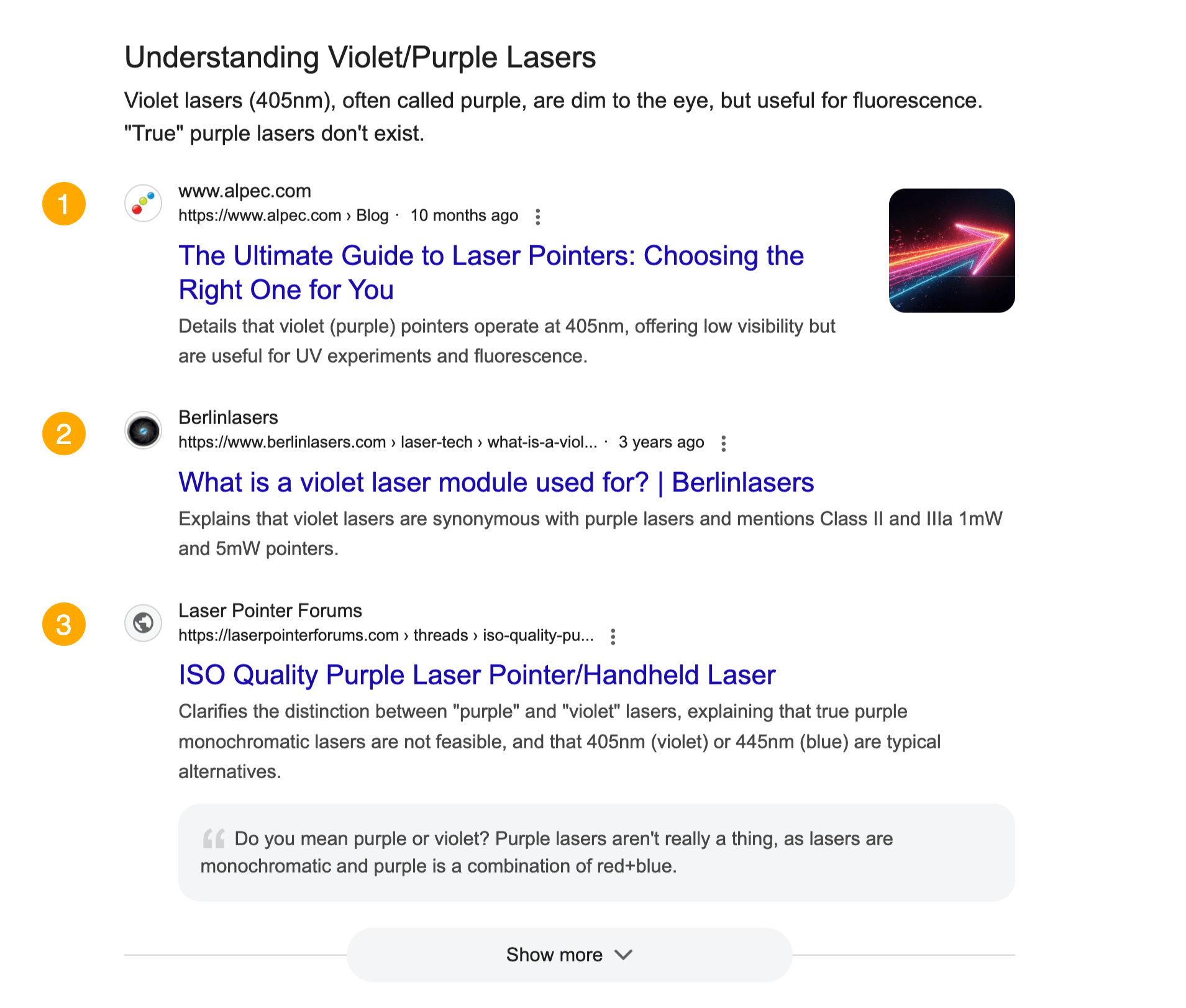
For example, below we’ve searched for the fairly esoteric product: “Purple laser pointer”.
Numerous niche sites show up in this SERP.