


There are an abundance of SEO tools for small businesses. But, with limited resources and budget, small businesses can face an added challenge: finding the right tech stack that does everything they need to maintain a competitive edge in search, without breaking the bank.

Solving this challenge is non-negotiable. According to HubSpot’s State of Marketing report, 50% of small businesses consider their website, blog, and SEO their most leveraged marketing channel. When organic search is the single biggest driver of growth, finding the right tools to do it well is essential.
This guide helps business owners and SEO teams decide which tools fit their goals and build a tech stack that drives measurable results. It includes recommendations for free tools to get started with today, and for when you’re ready to invest, a categorized breakdown of must-have SEO software for small business.
Table of Contents
How to Choose SEO Tools for Your Small Business That Fit Your Goals
Every business needs SEO tools for digital marketing that also fit their goals, budget, and team skill level. There’s no one-size-fits-all for choosing the best SEO software for small business. Instead, small business decision-makers should outline criteria that tools need to meet. With a framework of what tools need to do, tool selection becomes easier. Here are some criteria to help the decision-making process.
Growth Goals
The online marketing tools a business needs depends entirely on what the business is trying to achieve right now. A business launching its first website has different priorities than one trying to scale content production. Here are some growth goals and the types of tools that may be suitable:
|
Goal |
Tool |
|
Launch a new website |
Start with an auditing tool to benchmark the current site and identify growth opportunities. |
|
Drive more conversions from organic traffic |
Prioritize keyword research and content optimization tools. |
|
Fix visibility or ranking drops |
Start with a technical SEO audit tool. |
|
Compete locally |
Focus on local SEO and Google Business Profile tools. |
|
Prove ROI to stakeholders to increase budgets |
Lead with analytics and reporting tools. |
Tool Category Match
There’s a lot to SEO. Each pillar of SEO (on-page, technical, and backlinking) has its own specialist set of tools.
Teams should match tools to categories to see which tool helps where and — perhaps more importantly for small business — which tools overlap across multiple functions. One tool that can do it all is potentially cheaper than buying many. The major tool categories (as covered in this article) are:
- Keyword research. Finding topics and search opportunities worth targeting.
- Technical SEO. Identifying crawl errors, speed issues, and indexing problems.
- Content optimization. Improving on-page relevance and content coverage.
- Backlink research. Understanding your link profile and finding outreach opportunities.
- Rank tracking. Monitoring keyword position changes over time.
- Local SEO. Managing listings, reviews, and local search visibility.
- Analytics and reporting. Tying traffic and content performance to leads and revenue.
Tip: Don’t rush out and buy a tool for every category on day one. Choose the categories that map most directly to your growth goal, then expand from there. It’s important that search engine optimization software drives growth and that the SEO team actually uses it.
Ease of Use and Integration Check
Tool subscriptions can run up a bill and you might find that team members aren’t logging in and using it. Consider how easily the team can integrate the new tool into the day-to-day, and whether or not there’s any desire to actually use it. Look for tools with:
- An excellent user experience (UX). If a tool is easy to use, it’s more likely the team will adopt it.
- Integrations with your current tech stack. If a new tool integrates with existing systems, it’s easier for the team to adopt the new tool into their workflows.
- Training and support. Strong support teams ensure that SEO teams can use the tool without a steep learning curve.
Think About Budget
Budget is sometimes enough to rule a tool in or out. If the company can’t afford it, then procurement teams must find another solution. The table below details some tasks and recommends whether tools help complete the task for free, or if a paid solution might be best.
|
Situation |
Recommendation |
|
You’re just getting started and learning the basics |
Start free |
|
You need data beyond a tool’s limitations, and the SEO team is actively using the tool and finds it conducive to SEO success. |
Go paid |
|
Your team lacks SEO expertise and needs guided recommendations |
Go paid |
|
You need to report results to a client or leadership |
Start free |
|
You only need one specific function (e.g. Google Search Console for rank tracking) |
Stay free |
|
You’re managing SEO across multiple pages, products, or locations |
Go paid |
|
You need your SEO data to connect to CRM or lead data |
Go paid or see how far you can go with HubSpot’s tools |
Tip: Before investing in a new tool, check for overlap with your existing stack. There’s no point paying for another tool if one already your team uses solves the same problem.
Run through this checklist:
- Does a tool I already pay for offer this feature?
- Is this tool solving a problem tied to my current growth goal?
- Will my team actually use this, or does it require skills we don’t have?
- Have my team asked for a tool that solves these problems?
- Does the tool integrate with my existing CMS, CRM, or analytics setup?
- Can I measure its impact within 90 days?
Free SEO Tools for Small Businesses to Start Fast
Free SEO tools help small businesses start with lower cost and lower complexity, but they don’t always have the capabilities for scale.
In the section below, find a detailed breakdown of every tool suitable for small businesses. Many of them offer free editions, or they’re always free. Read on to find more information and access comprehensive recommendations for every tool, including paid tools.
|
Tool |
Best For |
Pricing |
When to Upgrade / Buy |
|
Keyword Research Tools |
|||
|
Freelancers, solopreneurs, and small teams wanting lightweight keyword insights directly in Google SERPs |
Starts at $7/month |
Worth buying immediately if SEO teams will actively use keyword insights during daily browsing. |
|
|
Small businesses that want a free keyword research starting point. |
Free with a Google Ads account |
Upgrade to paid SEO tools when the team could benefit from a better UX, competitor insights, advanced keyword segmentation, or filters like intent and keyword type. |
|
|
Businesses ready for comprehensive SEO, competitor analysis, and technical SEO workflows |
Free version, paid plans start at $139/month |
Upgrade when teams need multiple SEO tools in one platform, competitor analysis, keyword tracking, or technical audits. |
|
|
Technical SEO Tools |
|||
|
Businesses running their first technical audit or needing simple health reports |
Free forever |
No upgrade required; use this entry-level auditing tool before moving to deeper crawlers. |
|
|
Growing websites needing detailed technical audits |
Free version, paid version is $279/year |
Upgrade if crawling sites over 500 URLs, scheduling crawls, or integrating with tools like Google Analytics or Google Search Console. |
|
|
Teams using or considering HubSpot Marketing Hub |
Through Marketing Hub, free version available, Starter from $20/month |
Upgrade when replacing multiple marketing tools or CRM systems, or needing guided technical SEO workflows. |
|
|
Lean teams wanting affordable all-in-one SEO tooling. |
Plans start at $103.20/month |
Upgrade when managing multiple domains, scaling SEO operations, or needing white-label reporting. |
|
|
Content Optimization Tools |
|||
|
Businesses wanting content creation, SEO optimization, and analytics on one platform |
Free version, paid plans start from $20/month |
Upgrade when publishing content regularly and needing lead/revenue attribution and AI content tools. |
|
|
HubSpot users wanting SEO insights tied to CRM and revenue |
Included within Marketing Hub |
Upgrade the broader HubSpot package when merging SEO, CRM, reporting, and content workflows. |
|
|
Teams producing SEO content regularly |
Plans start at $99/month |
Upgrade if content teams will benefit from a tool that helps them write with SEO in mind. |
|
|
Backlink Research and Outreach Tools |
|||
|
Businesses serious about scalable link building |
Free version, Paid Starter plan is $29/month; full plans from $129/month |
Upgrade when scaling outreach and needing deep backlink intelligence. |
|
|
Businesses needing specialist backlink analysis |
Plans start at $49.99/month |
Upgrade when analyzing competitor link profiles at scale or integrating backlink data into workflows. |
|
|
Rank Tracking Tools |
|||
|
All businesses needing first-party SEO performance data |
Free forever |
No upgrade needed, but supplement with dedicated rank trackers for daily keyword monitoring. |
|
|
Small businesses wanting simple daily rank tracking |
Starts at $37.70/month |
Upgrade as soon as tracking multiple keywords consistently over time. |
|
|
Businesses monitoring visibility in AI search engines |
Standalone from $50/month or included in Marketing Hub Pro/Enterprise |
Upgrade when teams desire prompt tracking and continuous monitoring. |
|
|
Local SEO Tools |
|||
|
Businesses competing in local search markets |
Plans start at $29/month |
Upgrade when managing reviews/listings across multiple locations. |
|
|
Businesses needing highly granular local rank tracking |
Paid plans start at €79/month |
Upgrade when tracking many keywords across multiple geographic locations. |
|
|
Analytics and Reporting Tools |
|||
|
Any business needing behavioral website analytics |
Free |
No upgrade needed for most small businesses. |
|
|
Teams needing shareable SEO and marketing reports |
Free |
No upgrade needed unless moving to enterprise BI/reporting ecosystems |
|
|
Businesses wanting SEO tied directly to leads, pipeline, and revenue |
Free version, paid Starter plan from $20/month |
Upgrade when needing full-funnel attribution and consolidated marketing analytics. |
|
When Free Stops Being Enough
Businesses can access the best free SEO tools for small businesses, but they have limits. As marketing scales and teams become more sophisticated, businesses reach a point where free tools create limitations instead of opportunities. Here are some common signs it’s time to upgrade.
- Marketing needs have outgrown basic functionality. Free plans are often designed for individuals or small teams. Once teams need advanced reporting, automation, integrations, or collaboration features, paid editions become necessary.
- Manual work is slowing the marketing team down. If your team is relying on spreadsheets, workarounds, or repetitive manual tasks to bridge gaps, like integrations unavailable in free tools, upgrading can save significant time and improve efficiency.
- Stakeholders need better data and/or reporting. As leadership demands clearer attribution, forecasting, and ROI visibility, free tools may no longer provide the depth of reporting required for decision-making.
- Marketing is ready to scale. Advanced segmentation, workflows, personalization, and campaign orchestration are often locked behind paid plans designed for growing teams.
- Tools aren’t integrating with existing tech stacks. Free versions may limit API access or integrations, which creates disconnected systems.
- The business requires stronger collaboration and governance. Growing teams require permission controls, approval workflows, audit histories, and shared visibility that free plans rarely support.
- Answer Engine Optimization (AEO) is part of search’s role. Many platforms now reserve advanced AI and search visibility features for higher editions. For example, Marketing Hub includes more advanced SEO and AEO capabilities at the Pro and Enterprise levels, helping teams optimize content for both traditional search engines and AI-generated search experiences.
- The cost of inefficiency outweighs the subscription cost. At a certain point, the hidden cost of lost productivity, missed opportunities, and disconnected reporting becomes greater than the price of upgrading.
Best SEO Tools for Small Businesses By Category and When to Buy
The tools below will all help with web optimization and are organized by category so SEO teams can build a tech stack intentionally. Start with the areas that will move the needle fastest for your business. Each category includes free and paid options, with clear guidance on when to upgrade.
Keyword Research Tools
Keyword research tools identify topics and search opportunities. Despite the rise of AI search, keyword research is still pretty foundational to any SEO strategy because identifying keywords leads to topic discovery. Before optimizing a page, writing a blog post, or building a content calendar, SEO strategists need to know what the audience is actually searching for.
Keywords Everywhere
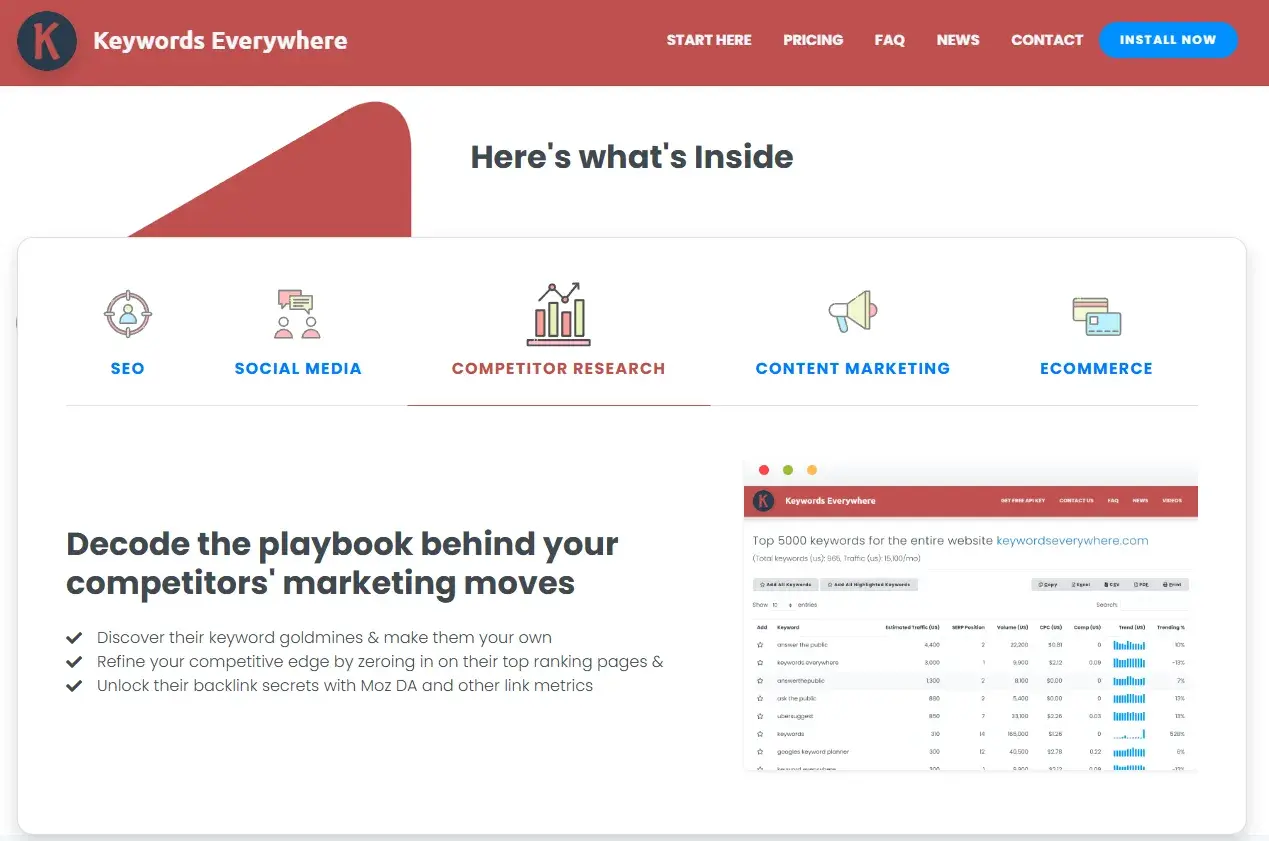
Keywords Everywhere is a lightweight browser extension that surfaces keyword data directly in your Google search results. It removes the need to switch between tools and makes keyword discovery part of your everyday workflow.
Key Features
- Displays keyword metrics, including search volume, cost-per-click, and competition scores, inline on Google’s Search Engine Results Pages (SERPs).
- Surfaces “People Also Search For” and related keyword suggestions alongside live search results
Best for: Freelancers, solopreneurs, or small teams who want quick keyword insights without committing to a full platform
What I like: I used Keywords Everywhere for years. It used to be completely free, but is now a paid-for platform, though very affordable. I continued to pay for the cheaper package for some time because it’s so helpful. The main reason I liked Keywords Everywhere was because it provided a quick overview of what a page ranks for without having to leave Google SERPs. Plus, the related keywords would inspire new ideas for topics.
Pricing: The bronze package is just $7/month.
When to upgrade: Keywords Everywhere is a paid tool. But considering that it’s so cheap, it’s a tool that’s worth investing in straight away, assuming SEO teams will use it.
Google Keyword Planner
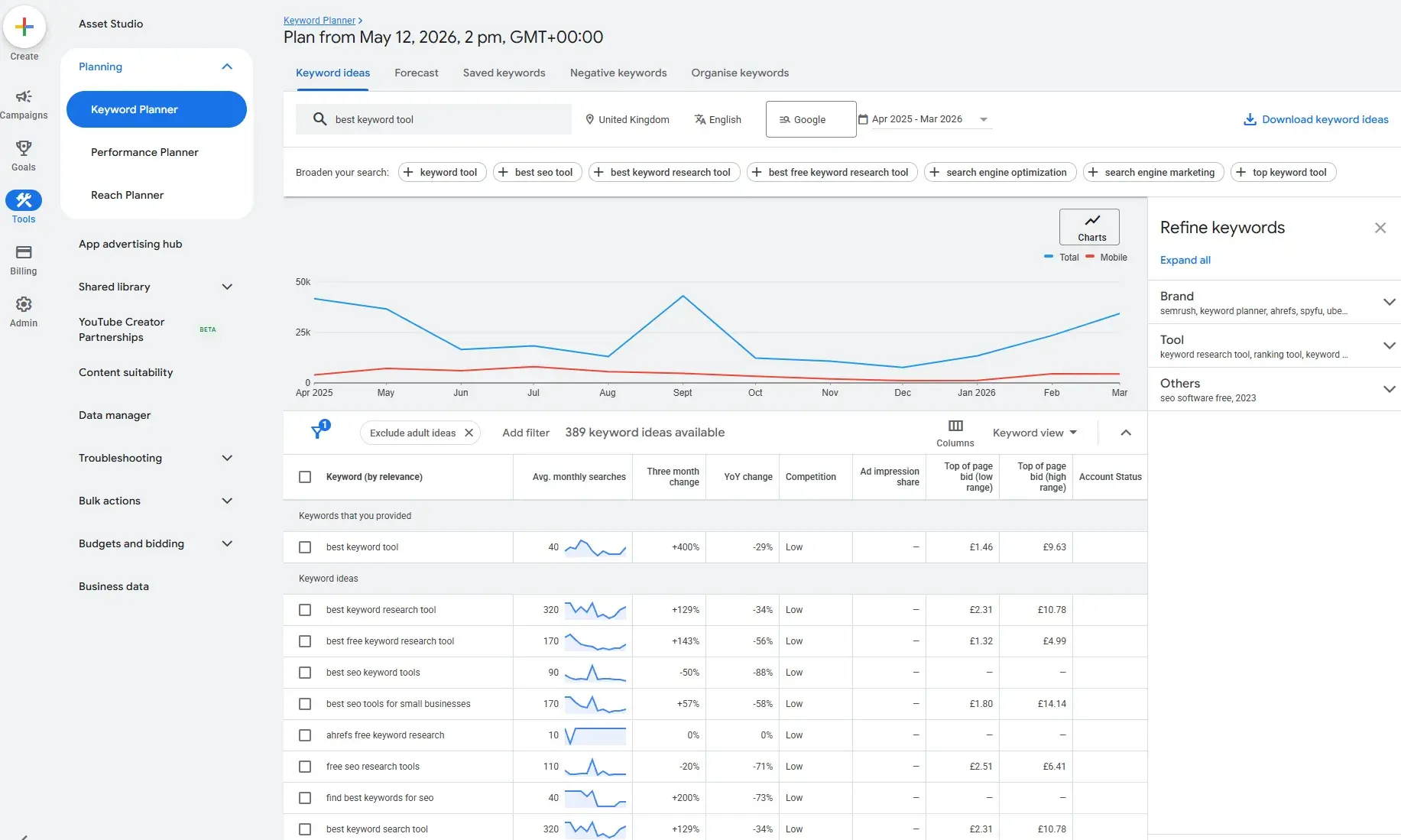
Google Keyword Planner is a free tool within Google Ads that provides keyword ideas, monthly search volume ranges, and competition data sourced directly from Google. While it is officially a paid search tool, keyword findings are transferable to SEO.
Key Features
- Generates keyword ideas and search volume estimates based on a seed keyword, URL, or product category.
- Provides competition and bid range data that can give SEO teams an idea of organic keyword difficulty. The more expensive the keyword, the more likely it is to be a money-generating keyword, and the more difficult it is to rank for.
Best for: Small businesses with an active or planned Google Ads account who want a no-cost keyword research starting point.
What I like: Google Keyword Planner is completely free, and early in my career, I used it a lot. In fact, when I first started as an SEO consultant, it was the only tool I used for keyword research, and it is perfectly good enough. Eventually, I outgrew the tool and wanted something with a better UX, but I’m still happy to endorse Google Keyword Planner as an excellent, free keyword research solution for small businesses.
Pricing: Free with a Google Ads account. Users need to set up a campaign before Google Keyword Planner is available. Pause the campaign, and Keyword Planner is completely free.
Semrush
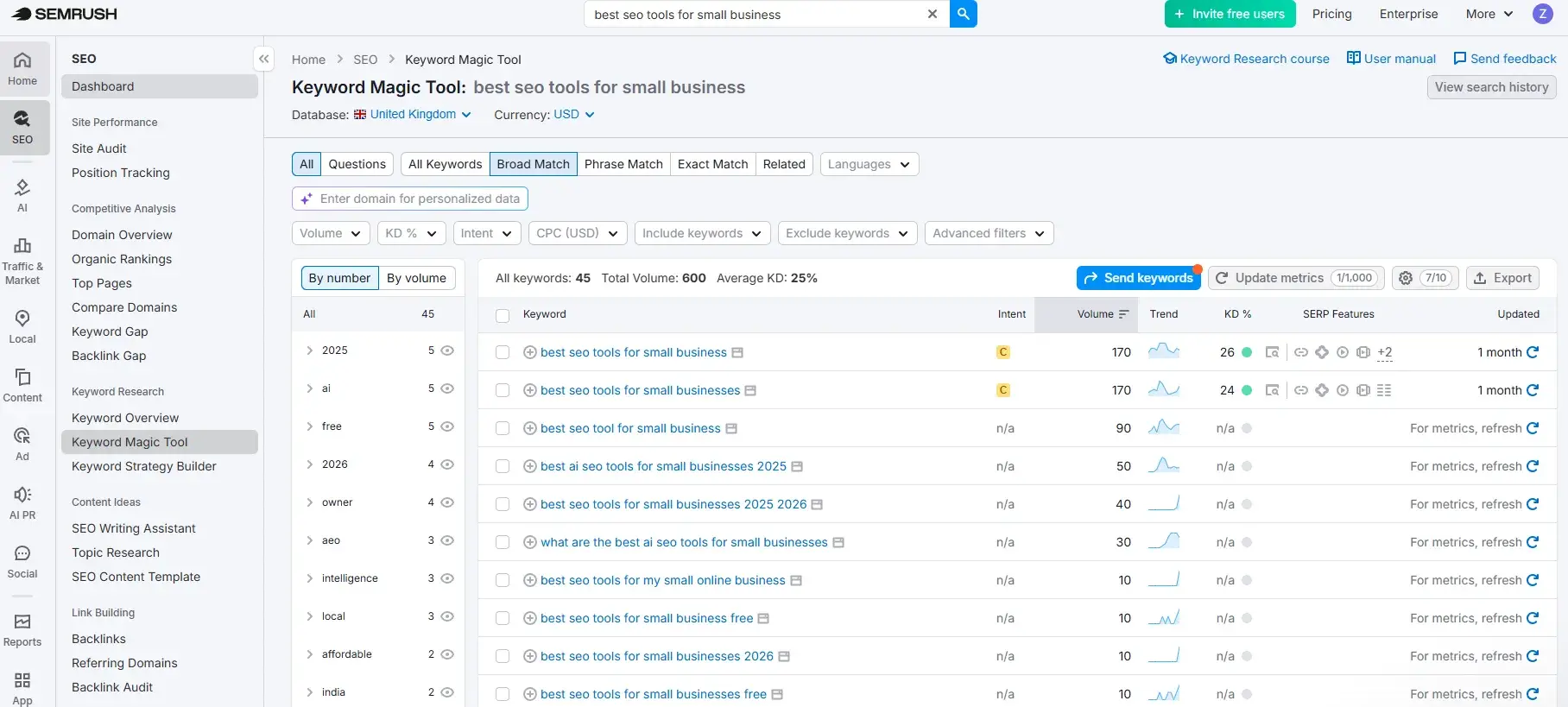
Semrush is one of the most widely used SEO tools on the market. It’s a complete tool for SEO specialists and even includes sophisticated AEO tools within SemrushOne. Its keyword research capabilities are among the most comprehensive available. The Keyword Magic Tool (pictured directly above) provides access to a database of over 25 billion keywords, making it a strong option for small businesses that are ready to move beyond surface-level keyword data and build a more competitive content strategy.
Key Features
- Keyword Magic Tool generates thousands of keyword variations from a single seed term, filterable by volume, difficulty, intent, and question format.
- Keyword Gap analysis compares keyword profiles against up to four competitors, surfacing opportunities your site is missing.
Best for: Small businesses that are ready to invest in a more data-rich keyword strategy and can make use of the comprehensive functionality available within Semrush, such as site auditing, backlinking audits and backlinking gaps, competitor research, and more.
What I like: Semrush is a long-standing tool in my tech stack. I love it. It’s long been my go-to for keyword research because the Keyword Magic Tool is easy to use and very comprehensive. Type in a seed keyword and receive recommendations for similar keywords. The intent filtering is particularly useful for establishing which keywords are informational and which are transactional. I start every single strategy with a transactional keyword, then build content out from there, and Semrush makes this easy.
Pricing: Paid plans for classic (SEO only Semrush) start at $139.95/month.
When to upgrade: There is a free plan available with limited daily searches, but any SEO team will quickly outgrow this Upgrade to Semrush when SEO teams require multiple tools for different purposes (such as content, technical and SEO) or the team wants to compare competitor strategies or track keyword positions.
Technical SEO and Site Audit Tools
Strong keyword research and great content will only take a business so far if the underlying structure of your website isn’t working. Technical SEO tools detect crawl, speed, indexing, and metadata issues that can quietly suppress your rankings, often with no obvious “symptoms” until traffic drops.
Catching technical SEO issues early is far less costly than trying to recover from them later. The following tools help SEO teams capture these issues before they cause significant harm.
HubSpot Website Grader
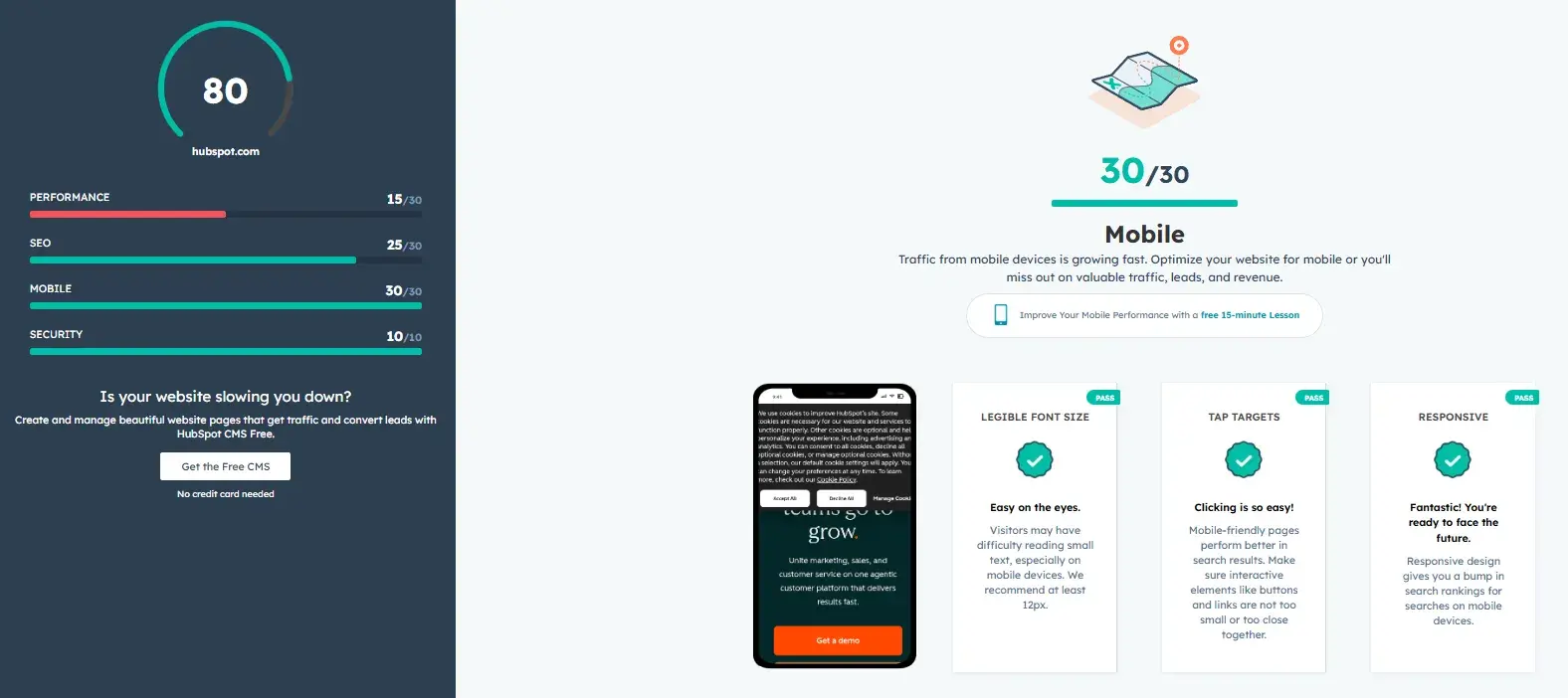
HubSpot’s Website Grader provides a free technical audit starting point for small businesses who want a clear, jargon-free snapshot of how their website is performing.
To use Website Grader, simply enter your URL and email address, and within seconds the tool provides a scored report covering performance, SEO, mobile readiness, and security.
Helpfully, there’s a plain-English explanation of what each finding means and why it matters.
Unlike enterprise audit tools that surface hundreds of issues with little guidance on where to begin, Website Grader is actionable. The report includes recommendations that any SEO team can act on.
For small businesses doing a first audit or trying to make the case internally for SEO investment, it’s one of the most accessible entry points available. It won’t replace a full technical crawl as your site grows in complexity, but it provides a fast, reliable baseline and a clear list of priorities to work from.
Key Features
- Instant audits with recommendations across SEO, mobile, and security with plain-English recommendations for each finding
- Identifies key technical issues, including missing meta descriptions, slow page load times, and HTTPS status, that directly affect search visibility
Best for: Small businesses running their first technical audit, or teams that need a quick, shareable snapshot of site health without the complexity of an enterprise crawl tool.
What I like: Website Grader is free and easy to use. If budgets are tight, then SEO teams can use this tool to get a snapshot of a website’s performance. They can use the report as a first port of call for issues to resolve, then move onto something more in-depth once the foundations are completed.
Pricing: Free, no account required
Screaming Frog
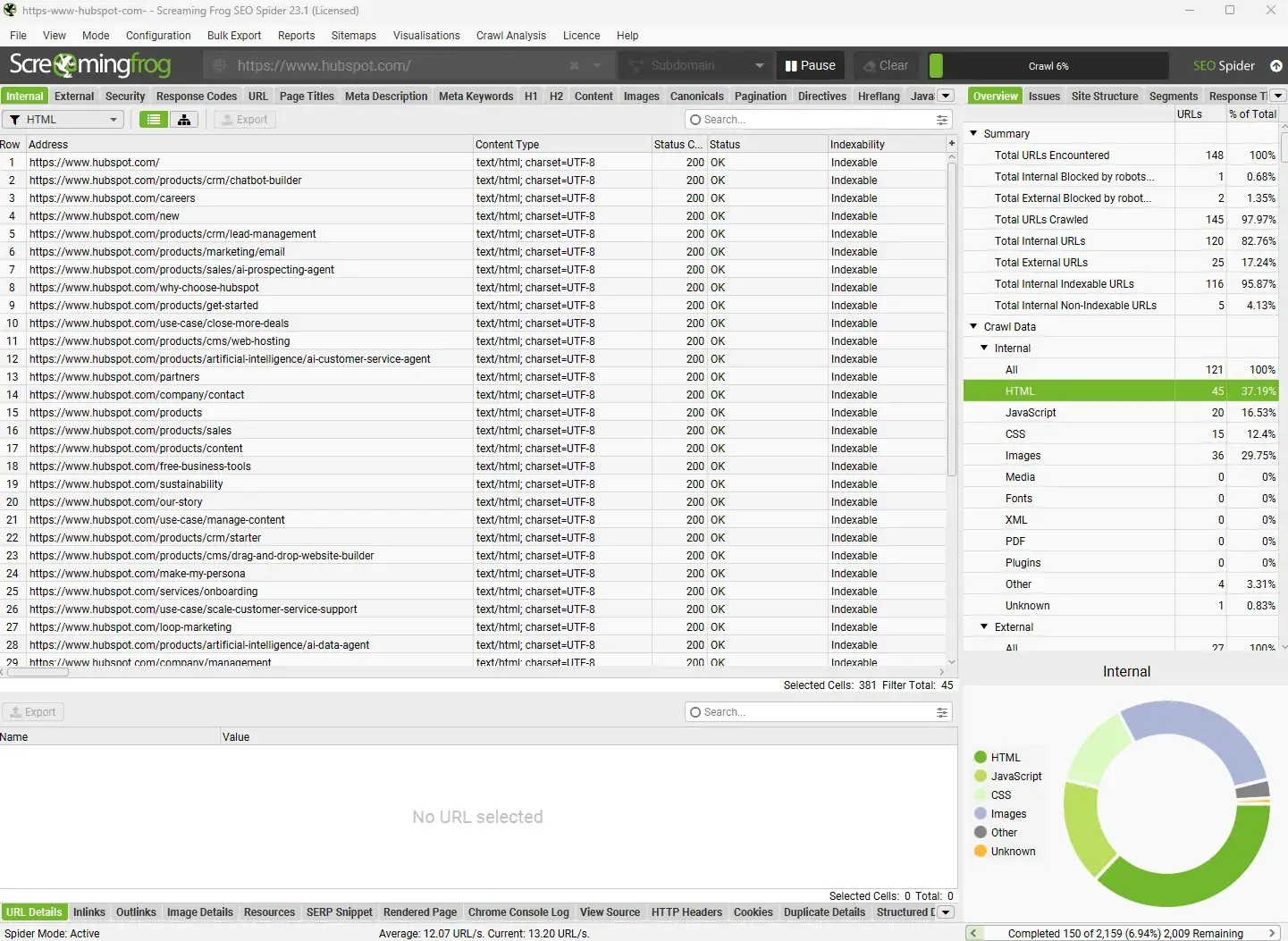
Screaming Frog is a desktop-based website crawler that pulls a technical picture of your entire site, including things like:
- Broken links
- Redirect chains
- Missing title tags
- Duplicate content
- Page speed data
- Schema
Key Features
- Crawls your entire website and surfaces technical issues, including broken links, duplicate metadata, missing alt text, redirect chains, and crawl errors
- Integrates with popular SEO tools like Google Analytics, Google Search Console, Ahrefs, Majestic, and PageSpeed Insights to layer performance and traffic data onto crawl findings
Best for: Small businesses with growing websites that need a thorough, page-by-page technical audit and have at least one team member comfortable working with structured data exports.
What I like: Aside from the core features above, I love using Screaming Frog (paid) with Google Search Console (GSC) and Google Analytics (GA4). The API connects all three tools, and Screaming Frog’s export includes data like the website URL, clicks from GSC, page views from GA4, and more. When conducting a content analysis, I like to see all the data in one spreadsheet. It helps me decide what to do with a piece of content. For example, looking at clicks alone might make it look like a page isn’t doing anything for a business, but if the page is getting visitors from other marketing channels, these show up in page views in GA4. It provides a holistic view of what’s going on.
Pricing: Free for up to 500 URLs. Paid licenses are $279/year with discounts for five or more licenses.
When to upgrade: If you’re regularly crawling sites with over 500 URLs, need scheduled crawls, or want to connect crawl data with Google Analytics and Search Console.
Important note: Screaming Frog is excellent, but it is quite a technical tool, and users must have the skills to use the tool and decipher the findings and their solutions independently. If an SEO team isn’t well-versed in technical SEO, alternative tools, like HubSpot’s SEO Recommendations, are an excellent option instead.
HubSpot’s SEO Recommendations
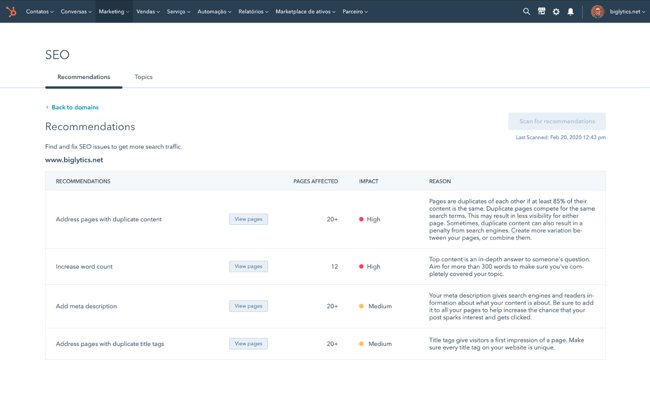
Rather than presenting a raw audit, HubSpot’s