

Providing excellent customer service starts with understanding the customers, their needs, and behaviors. LiveHelpNow contact center software empowers customer service teams by providing tools that help them understand the customers better.
Our chat, email ticket, SMS, self-help Knowledge Base, and social media integrations allow businesses to create a comprehensive map of the customer journey. Now, yet another tool takes this process a step further. The new Zoom Phone integration with Zoho CRM allows for an easy transfer of Zoom Phone call information into a Zoho CRM account for additional marketing, business analytics, upsell and cross-sell flow.
If you haven’t heard of Zoom, check your surroundings. There is a good chance you have been living under a rock (Which, honestly, might be a nice, cozy place. No judgment on our part!) However, even if you have used Zoom for video-conferencing needs, you might not have heard of Zoom Phone, yet another convenient function of the software.
Zoom phone provides everyone with a business might need in a phone system. It’s the ultimate modern phone solution. It’s flexible and easy to use, manage, and extend. Most importantly, it’s cost-efficient, secure, and reliable. Additionally, the Zoom phone system offers centralized management and mobility.
The benefits of this tool are clear. In cases when a phone call is a better way to connect with customers, using this integration can help teams still have all the customer information in one place. The integration allows agents to log in all the customer information and have it appear in Zoho CRM. This includes a full transcript, notes, category, and tags. Whatever an agent logs within LiveHelpNow Agent Workspace will automatically transfer. Easy-peasy!
Overview of Zoom Phone Integration with Zoho CRM
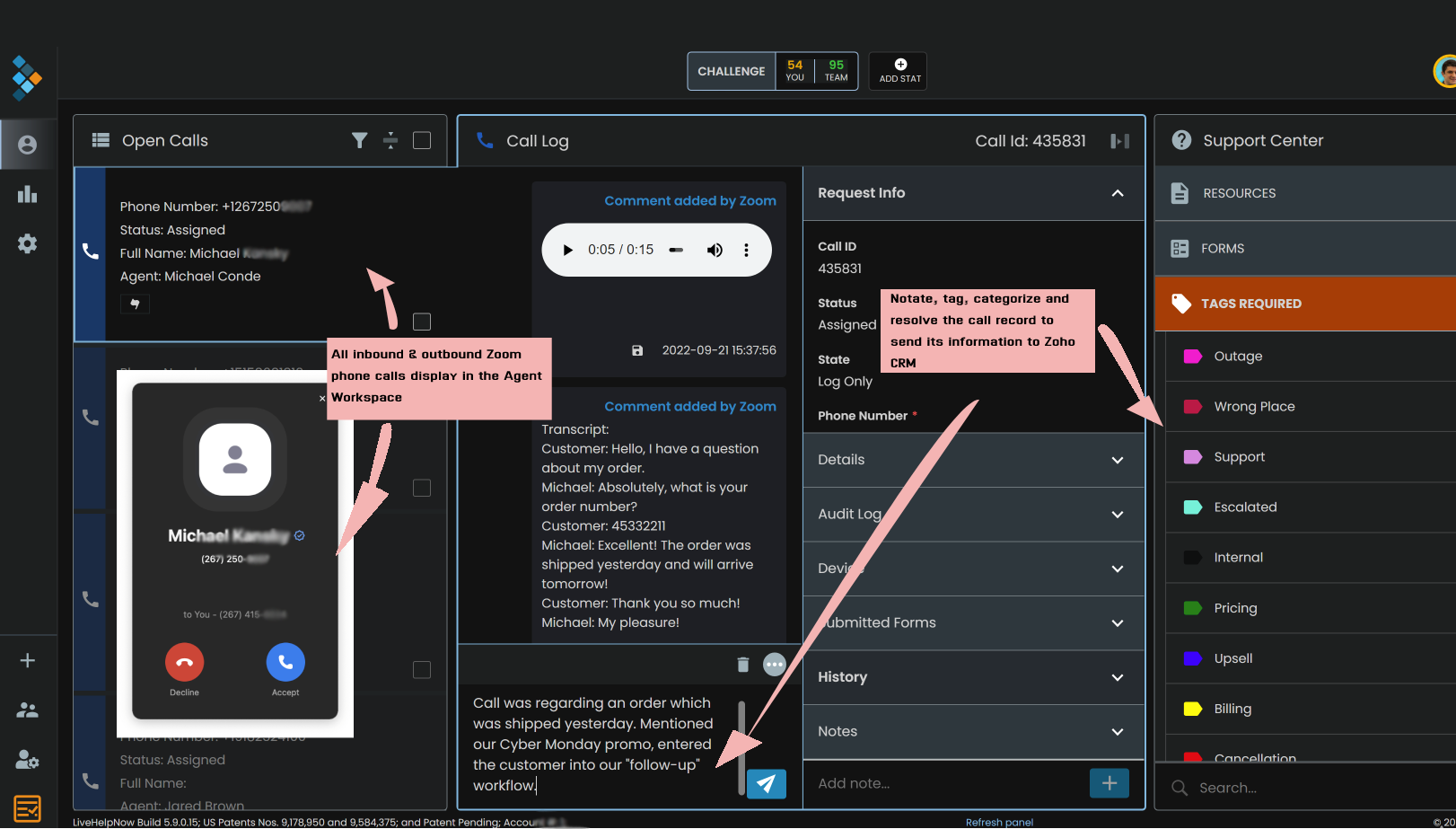
The Zoom Phone integration with Zoho CRM is flexible and friendly. With LiveHelpNow’s omnichannel contact center software, businesses can manage and optimize all customer phone, chat, SMS, and email communications in one attractive and easy-to-use interface.
After an easy set-up process and free team training, customer service teams will be ready to communicate with customers through any channel.
Here are some key features of this feature:
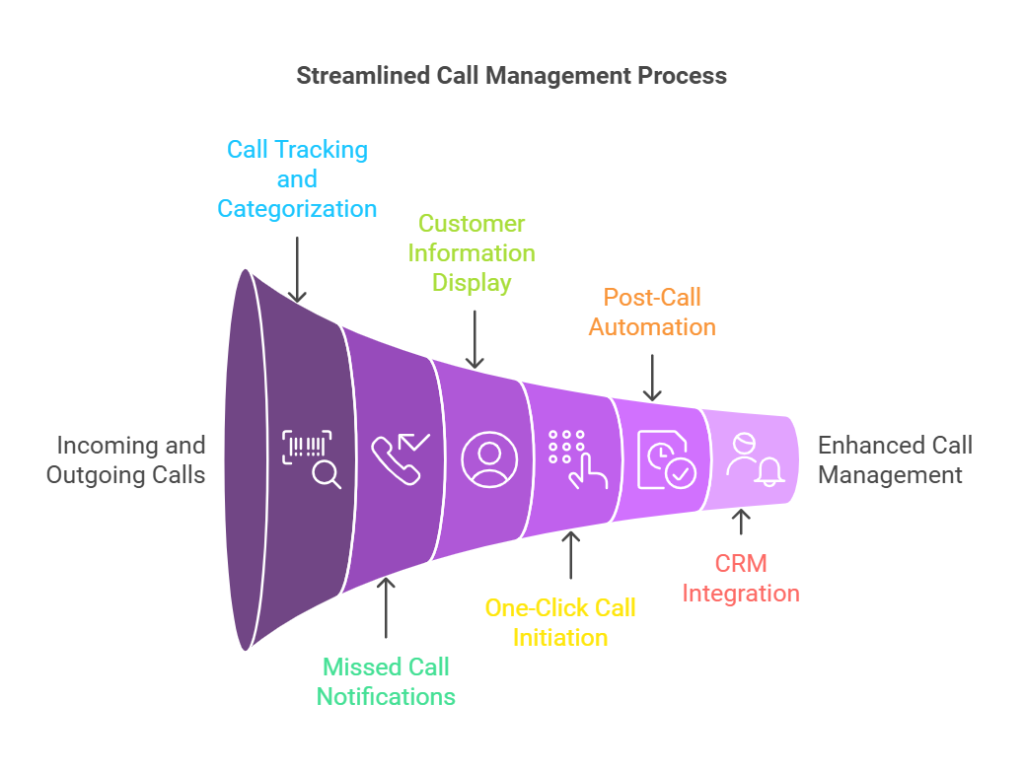
- Track, categorize, notate, and report on all incoming and outgoing Zoom Phone calls all in one place.
- Automatically text callers of missed calls with custom “away” messages.
- Auto-display customer information and history in Agent Workspace.
- Initiate outgoing calls with one click.
- Automate post-call activities.
- Log calls, voicemails, transcripts, and notes under customer records in Zoho CRM.
- Assign calls to other agents or departments, save notes, and update call status.
- View fully integrated analytics to measure performance. including average waiting and handling times, hourly volumes, missed calls, and more.
- Build and implement a chatbot solution that can send phone call information to Zoho CRM automatically.
If your customer service department is short staffed or lack processes and offering 24/7 live chat support to your customers is on your radar please consider outsourced live chat support by HelpSquad.


