


A few weeks ago, I wrote about our vision for the agent era: agents should be able to run on HubSpot, and to run HubSpot. I want to go a level deeper on what “run HubSpot” actually means, and our latest step in bringing this vision to life.
Businesses aren’t just sending employees into HubSpot to do work. They’re sending agents. And those agents need to be able to act as effectively as possible on your behalf, wherever they’re operating.
That last part is important. An agent isn’t always running in one place, on one infrastructure.
With AI Connectors, HubSpot context and actions are already available in Claude, ChatGPT, and other environments where teams work. Now, we’re adding another agent infrastructure: Command Line Interface (CLI).
Introducing the HubSpot Agent CLI
The HubSpot Agent CLI brings HubSpot’s data and intelligence into the environments where GTM and ops teams are composing their own workflows – Codex, Claude Cowork, and Claude Code – and allows agents to automate repetitive, bulk, and scheduled work.
The simplest way to think about it: take the questions you’ve been asking or the tasks you’ve been completing repeatedly in chat, and automate them. Build automations in Codex or schedule them in Cowork, and the work happens on its own before you even get to your desk.
It’s built on the same foundation as our public APIs and MCP server that already power our AI Connectors — and it’s designed to complement them, not replace them. AI Connectors are great for work where a human is in the loop, talking to an agent: questions, insights, conversations, campaign analytics. The Agent CLI can help agents accomplish those tasks, too, but it’s particularly useful for the repetitive, bulk, and scheduled work that needs to run without a human in the loop.
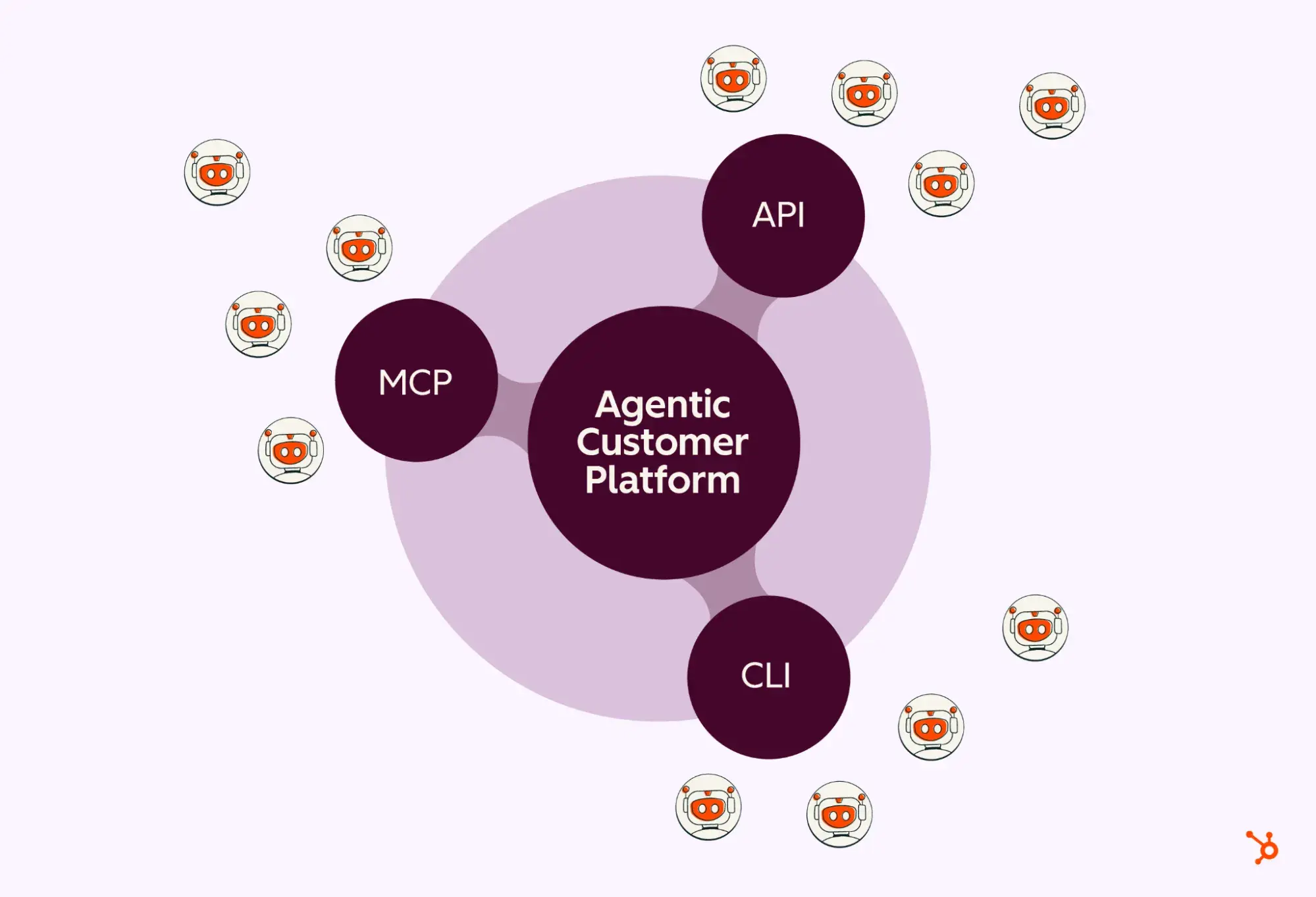
How the Agent CLI strengthens agents working on HubSpot
The HubSpot Agent CLI will help GTM and ops teams automate and schedule routine tasks, reports, and actions so they get more time back to do the work that matters. No more asking for the same thing multiple times. For example:
- A marketer could ask for a report every Monday at 8 a.m. that delivers high-fit contacts with no associated deal, no recent sales activity, or missing key enrichment fields, then send RevOps a prioritized cleanup list with suggested next actions.
- Sales and RevOps could have a daily scan of the pipeline for deals closing this week that have had no activity in the past five days, and ask for a summary.
- Customer Success could get an automated account review that summarizes open deals, recent support activity, and last NPS score for each account in the book of business.
- Support could set up an automation for whenever a new ticket comes in from a top tier account, the agent pulls the last five tickets from the contact, summarizes each resolution, and flags recurring issue patterns.
The work happens in the background, ready when you need it.
Why agent infrastructure optionality matters
We’re building a platform where agent infrastructure is a choice your agents make based on what’s right for your workflow.
An agent constrained to one infrastructure is less effective than it could be. Just as customers should have the freedom to choose the best tools for their business, agents should have the same. Optionality enables agents to choose the best infrastructure for the task at hand so they can operate most efficiently, whether they’re running a scheduled automation, processing a bulk operation, or acting on a real-time signal.
The direction is clear: wherever agents are working, and whatever infrastructure they’re running on, HubSpot supports it. That’s what building for the agent era looks like.
The HubSpot Agent CLI is available in private beta now, and anyone interested can sign up here.

